Having played a bit of Capcom’s space action-adventure game Pragmata at Summer Game Fest last year, its AI-infused story and lunar setting, and its original combat that mixes hacking and gunplay at the same time, had its hooks in me.
I now know the game has delivered on those intriguing themes — and more.
Review info
Platform reviewed: PS5 Available on: PS5, Xbox Series X|S, Nintendo Switch 2, PC Release date: April 24, 2026
The combat is a true success, and the combination of simultaneous hacking, weapons, and the need for nimble movement and to be constantly aware can make for some excellent encounters, full of flow and sequence, and high-stakes danger. Almost without exception, balancing the hacking and weapons works completely too — yes, it forces you to multitask in the heat of battle, but somehow you quickly learn to look at both enemy and hacking screen like an Apache pilot, and execute a swift combo of both. It’s incredibly satisfying.
The setting and story provide the perfect capsule for the combat, too, and Diana and Hugh’s journey together is a memorable one. There’s a depiction of AI that feels rather timely, the moon base is exquisitely designed, featuring some extremely cool areas, and while not wholly unique, the relationship between the central pair is warm and sweet, and grows over the course of the game.
Hacked off
(Image credit: Capcom)
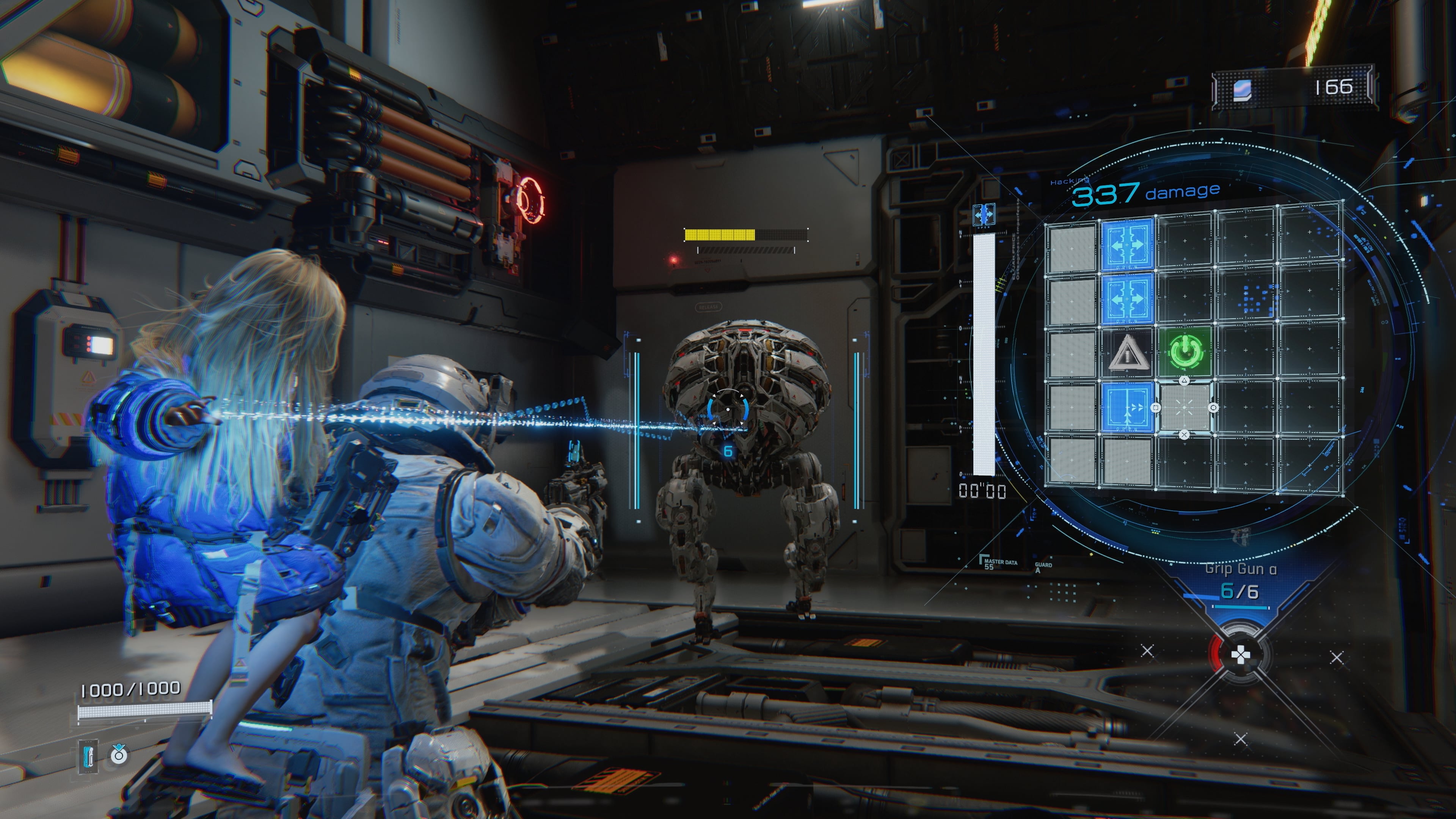
Visiting the Deplhi Corporation’s moonbase to investigate what happened after its communications ceased, astronaut Hugh is rescued from peril by young android girl Diana and soon learns that she’s not someone to just be protected, but someone who he can work with during every combat scenario to gain the upper hand against hostile security bots.
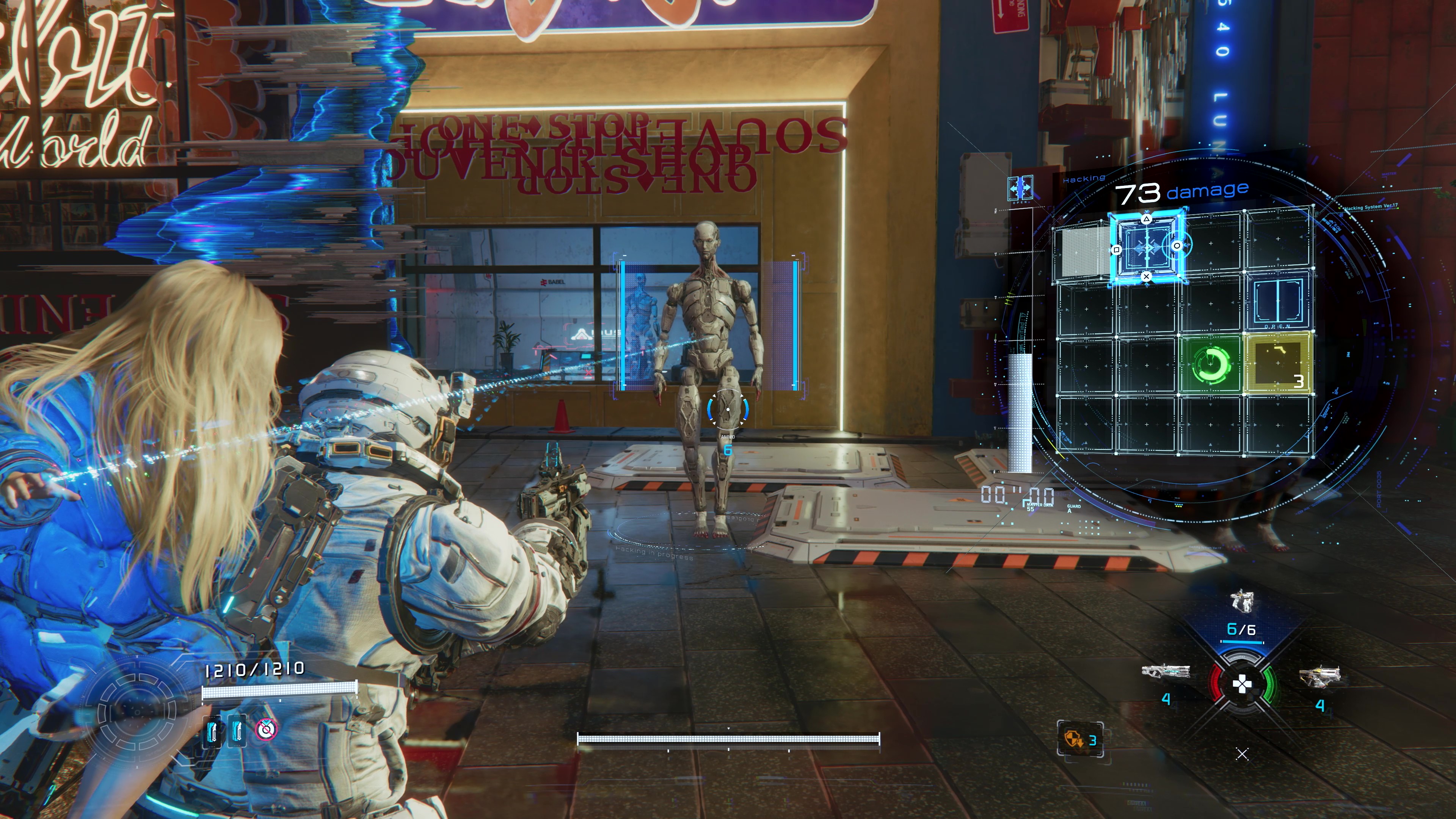
With Diana perched on your back, taking down foes involves completing a little on-screen matching puzzle (representing the girl’s hacking abilities) alongside traditional third-person shooting with Hugh’s arsenal of futuristic guns. Not only does Diana’s hack make enemies more susceptible to Hugh’s weapons in a bit of a one-two punch, but there are also status effects and extra boosts to damage that can be gained from each successful hack — though that often means spending a few more vital seconds navigating your way through a tricky matrix to hoover up some extra points.
Getting Pragmata’s action right is always incredibly satisfying — pulling off a tricky manual hack, quickly dodging an attack, and then following up with a rain of damage with a proton laser or shotgun to the head just feels great. Once you factor in the level of awareness you need, and the ability to quickly dodge to slow time at the right point, the complexity grows, but never overwhelms.
From low-grade walker bots through the ranks of tougher specimens all the way up to some pretty bombastic boss fights, there’s a deep satisfaction to be had from concentrating on combos, hacking nodes, and learning moves and weak points of enemies. The latter on bosses reminded me a lot of the Horizon games; identifying and learning weak points to target while dodging attacks around an arena.
Something else to consider is that Hugh’s guns are disposable and thrown away when empty. This means you constantly have to think on the fly and adapt to whatever weapons are around once your favorite is depleted. For example, I hated a chargeable laser weapon in the beginning, but grew to like it and rely on it as a result of necessity demanding I use it in times of need.
You can tailor your methods to your preferences, too, with a range of upgrades, abilities, and augmentations for combat, ready to be applied in a central hub once you’ve gathered enough resources. However, it’s worth noting that you won’t get to enjoy the full suite of weapons and gear until you venture back into a New Game Plus adventure, which is slightly saddening as I would have liked to experience everything in one go, trying out all the weapon types, and building fully personalised loadouts from all the options to master the game’s adventure, and its climax, in one sitting.
Lunar vibes
(Image credit: Capcom)
The lunar base provides the perfect backdrop for these enemy encounters, too.
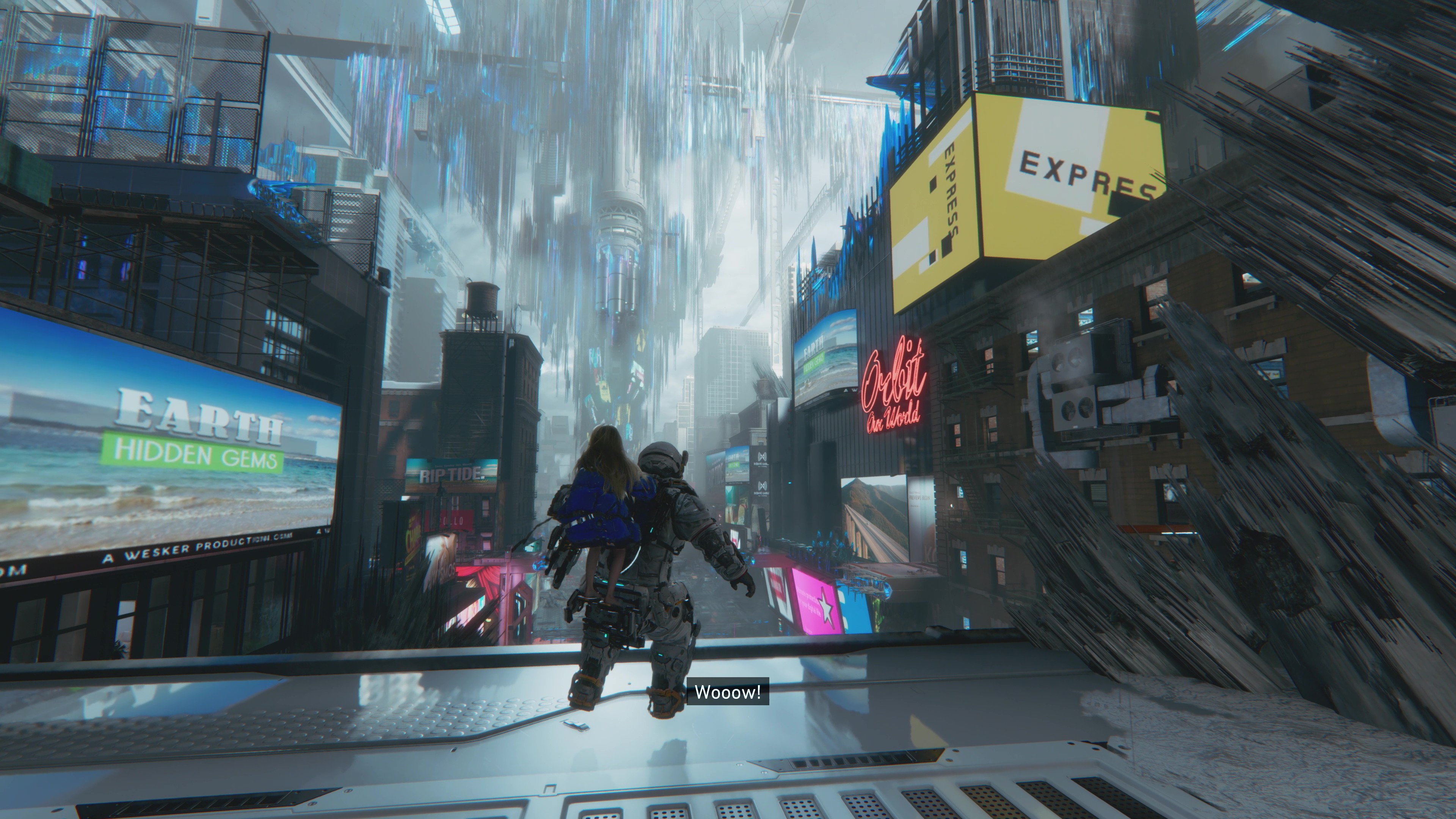
It’s incredibly well done and fantastically realised. featuring several highly cool environments from an M.J. Escher-like 3D-printed, AI-generated New York cityscape to a nature-filled biome as standouts. All of the zones look spectacular and are full of nooks and crannies to explore and design quirks to enjoy. These contrast well with the clinical, almost NASA-looking aesthetic of the rest of the base, with its massive domes and towers and skywalks.
There are some almost metroidvania in the world, too: opening up shortcuts, having strategically placed save and fast travel points, and even a little bit of Dark Souls in the return of enemies once killed in areas when you go back to them.
Best bit
(Image credit: Capcom)
There's nothing more satisfying than when you nail a combat sequence inPragmata, successfully utilising all the different bits and adeptly multitasking between them. Nailing a dodge, hack, and weapon strike all in quick succession makes you feel like the bots have no chance.
The narrative is not outrageously new or unique, and it starts off a little slow, but among all the bots and AI and sci-fi, there's a very human throughline. There’s a particular sequence in the second half of the game where Hugh and Diana slowly explore a series of rooms and offices; a nice change of pace, with a slow reveal of information through found files, an accompanying chill soundtrack, a noticeable change in the mood of our protagonists as they understand more, plus the uncovering of events that had occurred before Hugh’s arrival. Magic.
The relationship between Hugh and Diana works and pleasantly changes over time. At first, Diana’s playful innocence offsets the gruffness of Hugh — not totally unlike elements in The Last of Us, for example — but soon they want to spend more time together, and start making plans. Hugh begins teaching Diana about Earth and human ways of life, and it’s all quite sweet and parental. Both characters are wonderfully voiced, and by the end, I couldn’t help but come to care about both of them.
(Image credit: Capcom)
Pragmata is a wonderful, compact, space adventure with heart and soul. But that’s not to say it’s completely without a few things that stain the sheen, such as Diana’s and Hugh’s in-game, moment-to-moment commentary getting a little tiresome, some lazy enemy encounters in the back half that just lock you into smaller and smaller areas for mandatory multi-enemy fights, and a last section that does drag on a little too long.
But, all in all, Pragmata has been worth the long wait, and worthy of its place in Capcom’s pantheon of action games. Even though it’s over in a flash, its combat and hacking mix is exciting enough to pull me back in for another adventure via New Game Plus.
Should you play Pragmata?
Play it if...
You’re a fan of puzzles and satisfying combat — simultaneously
The combat in Pragmata is excellent and, even though you’ll feel like you’re learning to play the piano on a unicycle in the beginning, mastering it is incredibly satisfying.
You’re after a short but sweet space adventure Pragmata isn’t a long game, but it’s a good one. If you’re after a compact space adventure with solid storytelling, a wonderful setting, and compelling action, then this is for you.
You’re a sci-fi fan keen for a new story
While not hugely unique, Pragmata’s narrative, combat, setting, and premise do combine really well to make a wonderful addition to the sci-fi action-adventure game pantheon.
Don't play it if...
You get frustrated with slightly repetitive enemy encounters
There’s a host of different enemy types, but at times the game’s insistence on locking you into smaller and smaller areas with enemies to fight your way out of gets a little repetitive.
You’re looking for a massive, deep space adventure Pragmata is a short, linear game that does mix things up well with different zones to explore, but keeps everything compact — if you’re hoping for a massive game, then this isn’t it.
Accessibility features
Pragmata has several grouped accessibility settings that can be adjusted in sets, though there are no colorblind options, which is a shame. These include a visual accessibility preset which changes language, subtitle size, and background; an audio accessibility set which changes subtitles, speaker display, and closed captioning; and a motion sickness accessibility set of features which includes center reticle display, motion blur, lens distortion, and depth of field.
How I reviewed Pragmata
I played Pragmata on a PS5 Pro teamed with a Samsung Q6F 55-inch 4K QLED TV and Samsung soundbar for about 10 hours, completing the main story and doing some exploring to boot.
I used a standard DualSense Wireless controller, and I also played for a bunch of hours on my PlayStation Portal. When using a headset, I relied on a SteelSeries Arctis Nova Elite or an Audeze Maxwell 2.
The Zvox AccuVoice AV855 is not my favorite soundbar, but it does something unique for the hard-of-hearing that will make it the ideal buy for some people. Just about every other soundbar has a dialog mode that can help boost that part of a movie or show, but none does it quite to the extent of Zvox.
It’s not the first soundbar I’ve come across for this purpose. The smaller Zvox AV157 that the company put out last year worked to achieve similar results, though the AV855 is better in every way (unless you want a smaller soundbar). Of course, it’s pricier, too.
As a regular soundbar, the Zvox AccuVoice AV855 checks most of the boxes, incorporating things like HDMI ARC (missing from that AV157 I reviewed last year), but comes a little short for those that don’t care about its voice-boosting “AccuVoice” feature. There’s no Bluetooth or WiFi Streaming, the spatial audio feature isn’t all that impressive, and, most importantly, the audio can sound a bit boxy.
But if you have trouble hearing dialog in your desired media, this soundbar may be the most extreme or robust solution out there. It may not be the best soundbar overall, but it’s tough to beat for vocal intelligibility.
(Image credit: Future)
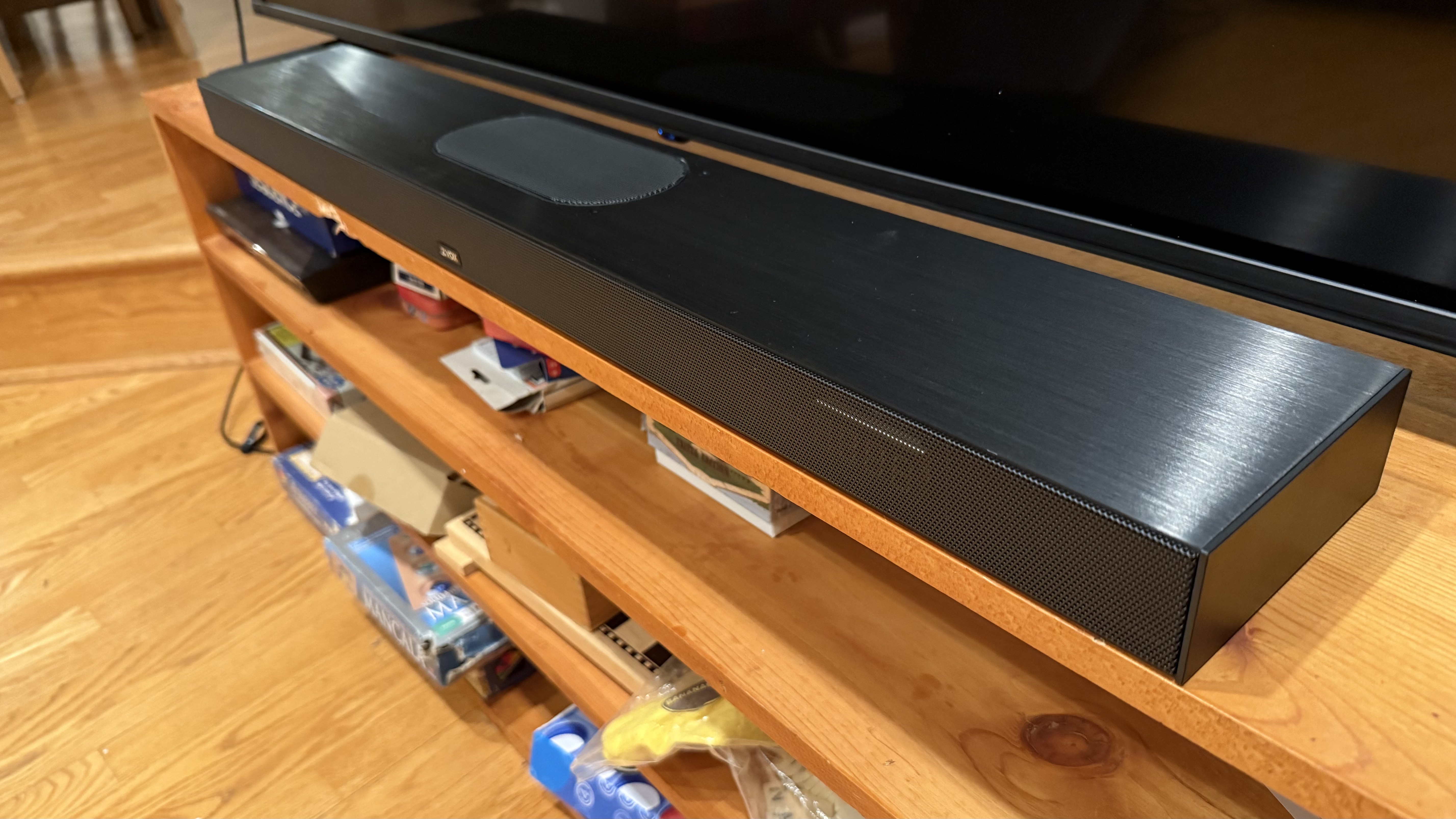
On the aesthetics side of things, the Zvox AccuVoice AV855 is fairly utilitarian looking. Basically, it’s a black, rectangular box with minimal curves, notable mostly for the durable metal housing it’s in. That’s okay in my eyes, because this is a soundbar with a purpose (which I’ll get to in a bit).
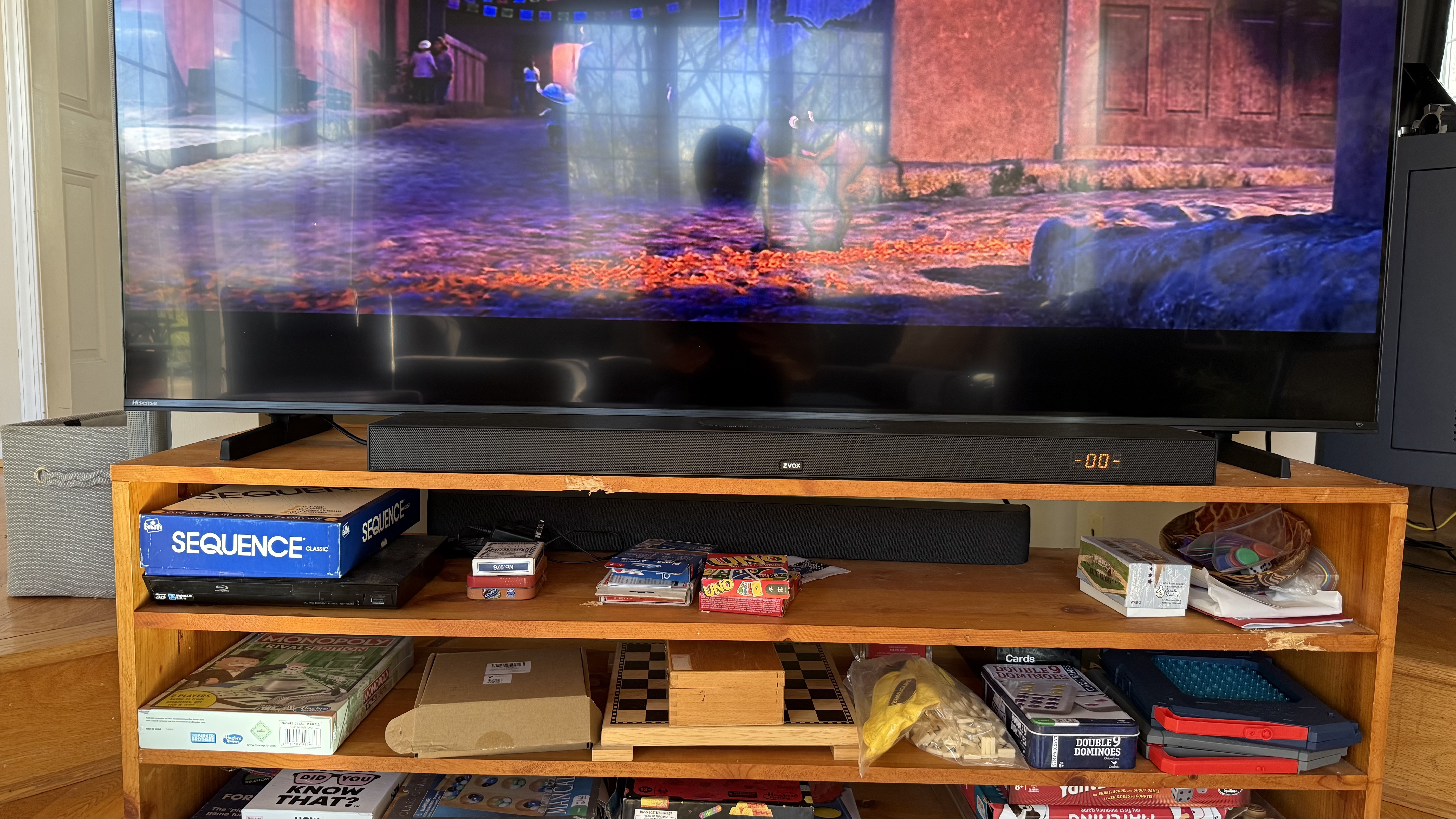
Its height is a bit lower than some soundbars, measuring at just under two inches, making it slot under a TV a little easier than some other models I’ve tested.
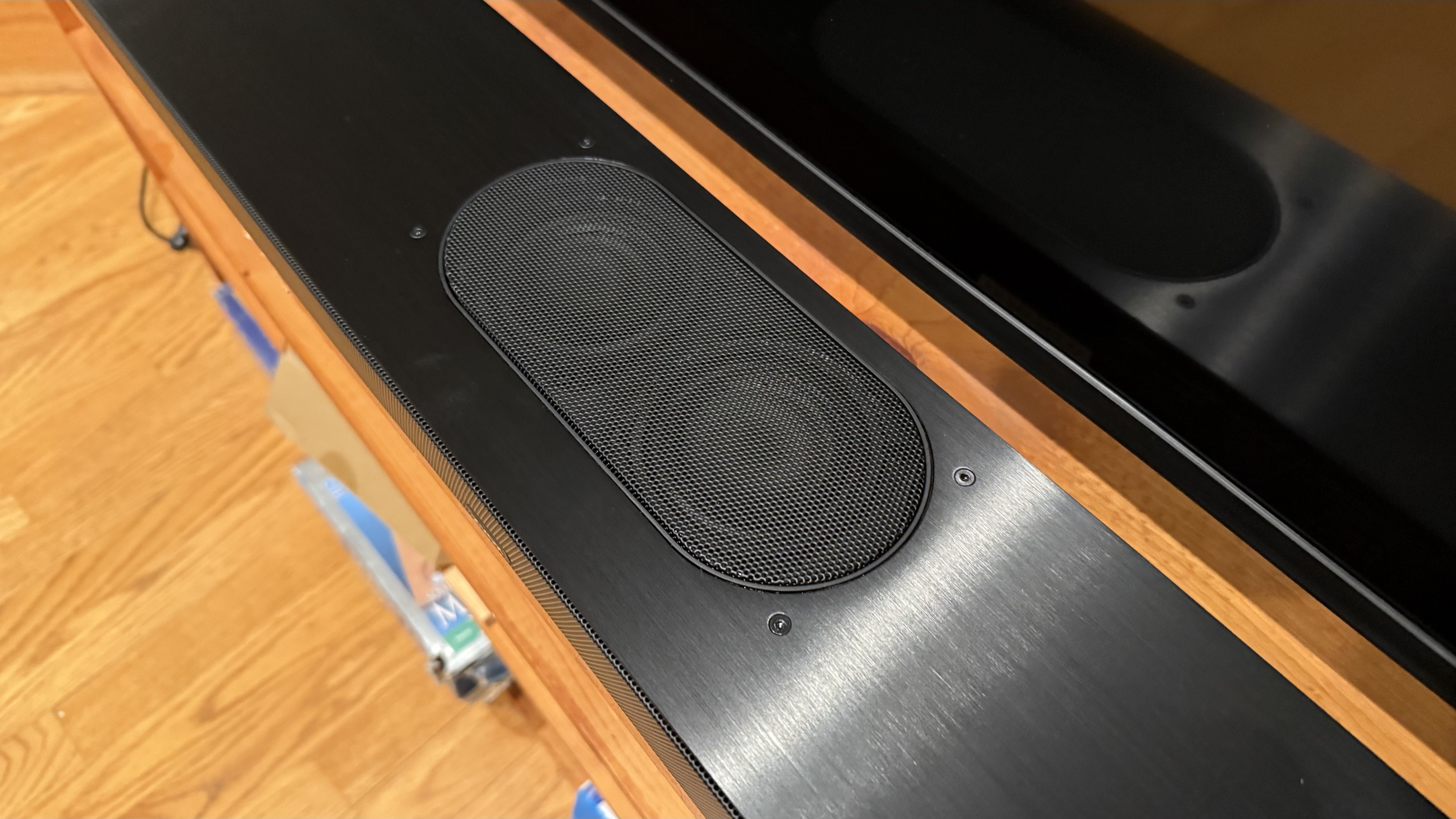
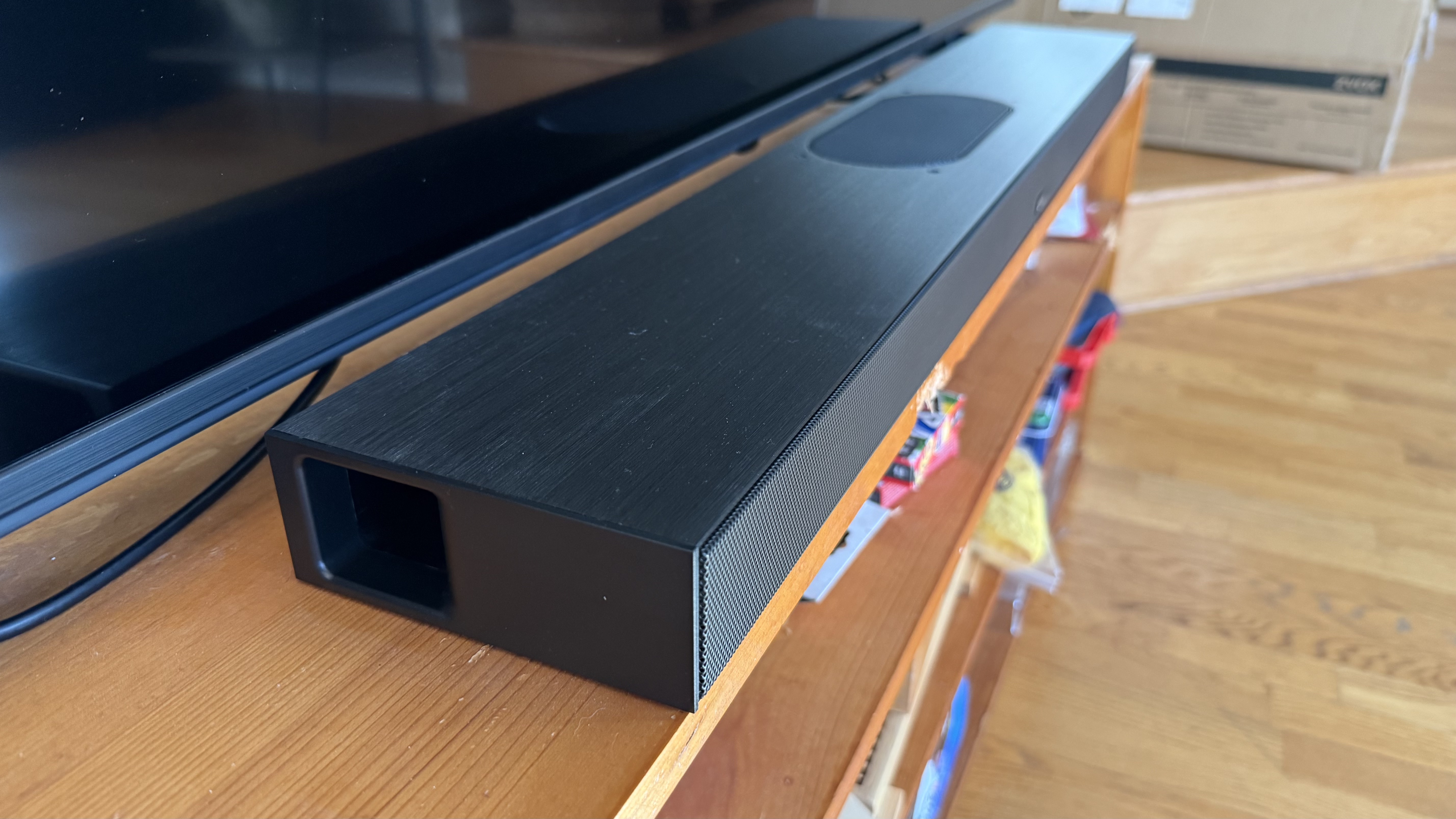
What is somewhat exciting about its design is the fact that, along with its four front-facing drivers (two for the center channel), it has two upward-facing ones for adding height to spatial audio — though this comes with a major catch that we'll return to in just a moment. There also are bass ports on each side to help improve the low-end response.
Another thing I appreciate on the AccuVoice AV855 is the fact that it has an LED display hidden behind the grill, so that every time I make any kind of adjustment, it will actually display whatever level it’s at or adjustment that’s been made. This is something that’s often missing on soundbars that are double the price.
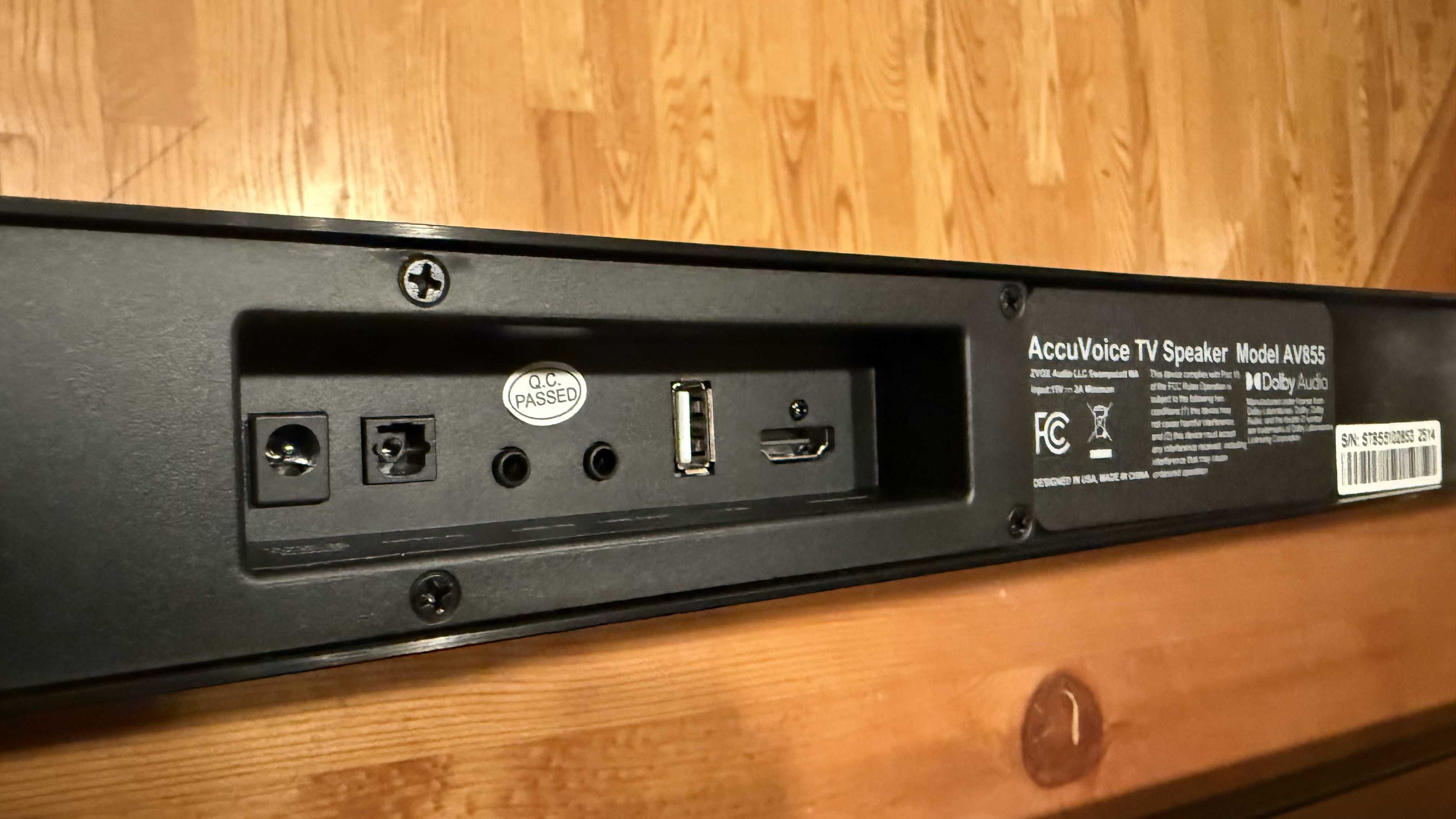
The port selection here is pretty good. Having HDMI ARC is typical — though was missing from the smaller AV157 I reviewed last year — but it also has optical, line-in, line-out, and USB connections. There’s no wireless or Bluetooth connectivity, unfortunately, so it doesn’t quite double for listening to music off any source other than your TV.
Interestingly enough, there are no controls on the soundbar itself. All the manipulation comes via the remote (so don’t lose it). Thankfully, the remote enables you to adjust the AccuVoice for dialog boosting, the PhaseCue for spatial audio, bass, treble, and volume, along with things like changing input and muting.
Since the AV855’s focus is mainly on providing a robust dialog mode for those that have trouble hearing speech in media (or just want it clearer), the feature list outside of that is a bit muted. There’s no Bluetooth or Wi-Fi streaming, as I mentioned, and it can’t be paired with other speakers.
It does, however, come with spatial audio. Now, it doesn't support Dolby Atmos or DTS:X, so the results are notably less pronounced than I was expecting. Audio just sounds a little bigger when using this feature, which is called ‘PhaseCue’, but not as distinct as when I’m using full-fat Atmos. At least it has three levels to select from, though.
(Image credit: Future)
The star of the show is Zvox’s dialog booster. It's not like Zvox is the only company offering this, but the way the company implements it is much more aggressive than you'll find elsewhere.
Most dialog modes just do a minor boost to the mid-range where voices typically sit. AccuVoice does that, but boosts it significantly more than any other dialog mode I’ve used. Dialog modes on other soundbars typically have three levels. The AV855 has 10. But there’s more to it, as this soundbar also attenuates or reduces the high and low frequencies at the same time, and in more and more extreme fashion as you go up the levels.
Now, if you don’t have any issues with hearing (let’s exclude Christopher Nolan movies), then the AccuVoice mode gets increasingly unpleasant to listen to, with the sound increasingly resembling listening through an old phone with its boxy-all-sharp-mids results. But this feature, at least at its most extreme settings, is not for you.
The overall sound of the Zvox AccuVoice AV855 seems influenced by the AccuVoice feature, and always has a little bit of boxiness to it. It’s not something that really gets in the way when I watch a TV show (and I feel most people won’t notice), but is more noticeable when watching movies that typically have more audio elements, like a more filled out soundtrack. Music is similarly affected.
The low-end is actually fairly pronounced — something I was quite surprised by considering soundbars typically lack in this category when not paired with a subwoofer. It doesn’t go as low as a system with a sub, but it still had some rumble.
Ultimately, it does what it's designed for very well, but what it's designed for just isn't what everyone necessarily needs. I'd happily recommend this to people who find they need speech made clearer to follow movies and shows, and it does offer the added benefits of better bass and directionality than the built-in speakers of most TVs.
(Image credit: Future)
Zvox AccuVoice AV855 soundbar review: price and release date
How much does it cost? $369.99 (about £290 / AU$570)
When is it available? Available now
Where can you get it? Available in the US
At $369.99 (about £290 / AU$570), the Zvox AccuVoice AV855 is among the more expensive of the best cheap soundbars out there. The Zvox AVV157 I mentioned before was initially released at $249 / £159 / AU$458 but is now about $200. It certainly comes with more limitations, such as worse sound and no HDMI ARC, but it’s quite a bit cheaper.
When it comes to other cheap soundbars, the Majority Naga 60 can be bought five times over for the price of the AV855. And it sounds a bit better, too. However, it doesn’t touch the power of the dialog mode of this soundbar.
If you really need that dialog boosting mode, then the price is a relative drop in the bucket. The Zvox AccuVoice AV855 is only available in the US at the time of writing.
Zvox AccuVoice AV855 soundbar review: specs
Dimensions
33.7 x 5 x 1.85 inches / 856 x 127 x 47 mm (soundbar)
Speaker channels
3.1.2
Connections
HDMI ARC, optical digital audio, USB, Line-in (Aux), Line-out
Dolby Atmos / DTS:X
No
Sub included
Built-in
Rear speakers included
No
Other features
AccuVoice, PhaseCue, Output leveling
(Image credit: Future)
Should I buy the Zvox AccuVoice AV855 soundbar?
Attributes
Notes
Rating
Features
The dedicated dialog modes are the star, and upfiring speakers are nice, but it lacks of a lot of other mod cons.
3 / 5
Sound quality
The AccuVoice feature works wonders for intelligibility, but the soundbar itself can be a bit boxy.
4 / 5
Design
The design is good if utilitarian, but the built-in display is very welcome.
4 / 5
Value
The price might seem high for a cheap soundbar, but it’s worth it for the AccuVoice feature if it's what you need.
4 / 5
Buy it if…
You have trouble hearing dialog
The AccuVoice feature works extremely well at its stated function. If you have issues with hearing, this is the best bet for focusing audio on the dialog of your chosen media.
You want all the fine tuning at your fingertips
The remote, as utilitarian as the soundbar, enables you to adjust all the AV855’s settings in one place — no need for an app or anything complicated.
You need a short soundbar
Its height may not seem like a huge deal, but many soundbars can end up blocking the receiver on the TV, or even the bottom of the picture. So the AV855’s short stature (though it’s fairly wide) is a consideration for getting it.
Don't buy it if…
You care about audio quality above all else
Its features, particularly the AccuVoice one, are nice, but they don’t make up for sound quality. If this is your top priority, I suggest looking elsewhere.
You don’t need dialog boosting
The AccuVoice feature is the main reason to get this soundbar. If you don’t feel like you’re having trouble hearing dialog, there are other soundbars to consider instead.
Zvox AccuVoice AV855 soundbar: also consider
Majority Naga 60
The Majority Naga 60’s biggest asset is its low, low price. Even though it is a single unit, it does have a built-in subwoofer and ability to project 3D audio. Of course, both are a bit limited and the soundbar itself has a habit of distorting at higher volumes. Read our fullMajority Naga 60 review
Zvox AV157
The Zvox AV157 is a cheaper option for getting that dialog boosting feature. It’s not quite as robust with that boosting and skips the spatial audio (as well as the HDMI ARC), but it is quite a bit cheaper. Read our fullZvox AV157 review
How I tested the Zvox AccuVoice AV855 soundbar
(Image credit: Future)
Used regularly for a week
Tested with all sorts of media
Tested the different modes
I used the Zvox AccuVoice AV855 soundbar regularly for a week, streaming all sorts of media from movies to shows and music.
I pressed every button on the remote to check out the different modes as well as EQ settings. I also spent some time with the AccuVoice and PhaseCue features.
I’ve tested a lot of tech gear over the years from laptops to keyboards and speakers, and so have been able to use my expertise towards giving an honest and fair opinion, not to mention a critical eye, to any product I test.
Exit 8 is the latest horror game to screen adaptation, joining A24's Backrooms in championing liminal spaces and how terrifying they can be. Fans of the short game by Kotake Create will likely be surprised by just how effective Exit 8 is, bringing the story to life on screen.
Unlike the Exit 8 game, the movie does have more of a plot to give it some substance, and we immediately become invested in our protagonist, known simply as The Lost Man (Kazunari Ninomiya).
As he gets off a train, he receives a phone call from his girlfriend to tell him she is pregnant, something that fills him with anxiety as he is unsure if he is fit to be a father. He plans on meeting her at the hospital, so he advances through subway tunnels to get there. This is where he remains trapped for the majority of the movie.
It doesn't take long for The Lost Man to realize he is stuck in a loop, and learns he must identify "anomalies" if he wants to escape. If he sees an anomaly, he must turn back. If none are present, he can continue on until he reaches Exit 8. It sounds simple enough, but it's anything but.
The Lost Man sometimes struggles to tell what is an anomaly and what isn't, and this also becomes a fun task for us as an audience. Can we spot the anomaly before he does? Are we sure it is one? This can be anything from an incorrect sign to a fellow commuter standing motionless and grinning, instead of walking on by. If you've played the game, you will recognize many of them.
Yamato Kochi plays The Walking Man in Exit 8.(Image credit: NEON )
Yamato Kochi makes an impression here as a commuter turned terrifying horror character. This anomaly is particularly memorable from the game, and he goes on to play an even bigger role here, with a backstory of his own.
Director and co-writer Genki Kawamura, along with his writing partner Kentaro Hirase, have really expanded on the game's concept across the board. This gives the story more substance instead of just watching a character loop around and around; we really get more insight into who these people are and how they got here.
The movie does not rely heavily on jump scares; there are perhaps four or five, instead, it plays on feelings of dread and uncertainty. Mirroring the way first-person camera moves in video games, we follow The Lost Man as he peeks around corners and turns around, and it's not knowing what the camera will pan to that's the scariest thing of all.
There are, sadly, some pacing issues. The game has a short play time, with some streamers finishing it in 30 minutes, so some viewers may feel that there are moments where the movie drags on a bit too much. But its effective set design and interesting characters do make up for that.
Exit 8's ending may not stick the landing. I can see it being quite divisive, but I personally did enjoy how it drew to a close. This is one of the most faithful game adaptations I've seen, and it's going to have me looking at subway tunnels in a whole new way.
This movie will leave a lasting impression on you and is a welcome addition to this influx of liminal space horror movies. Long may they continue, if you ask me.
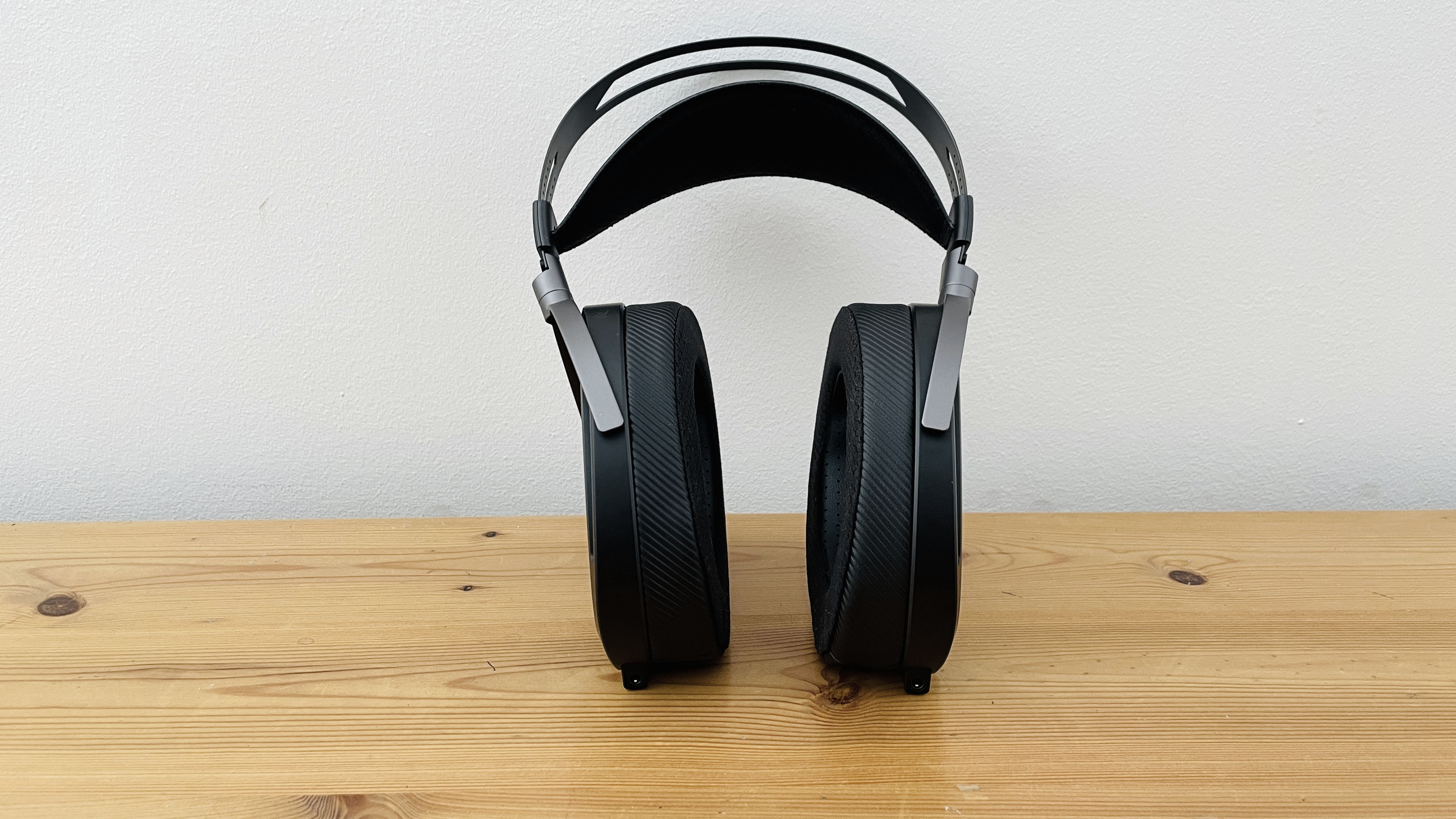
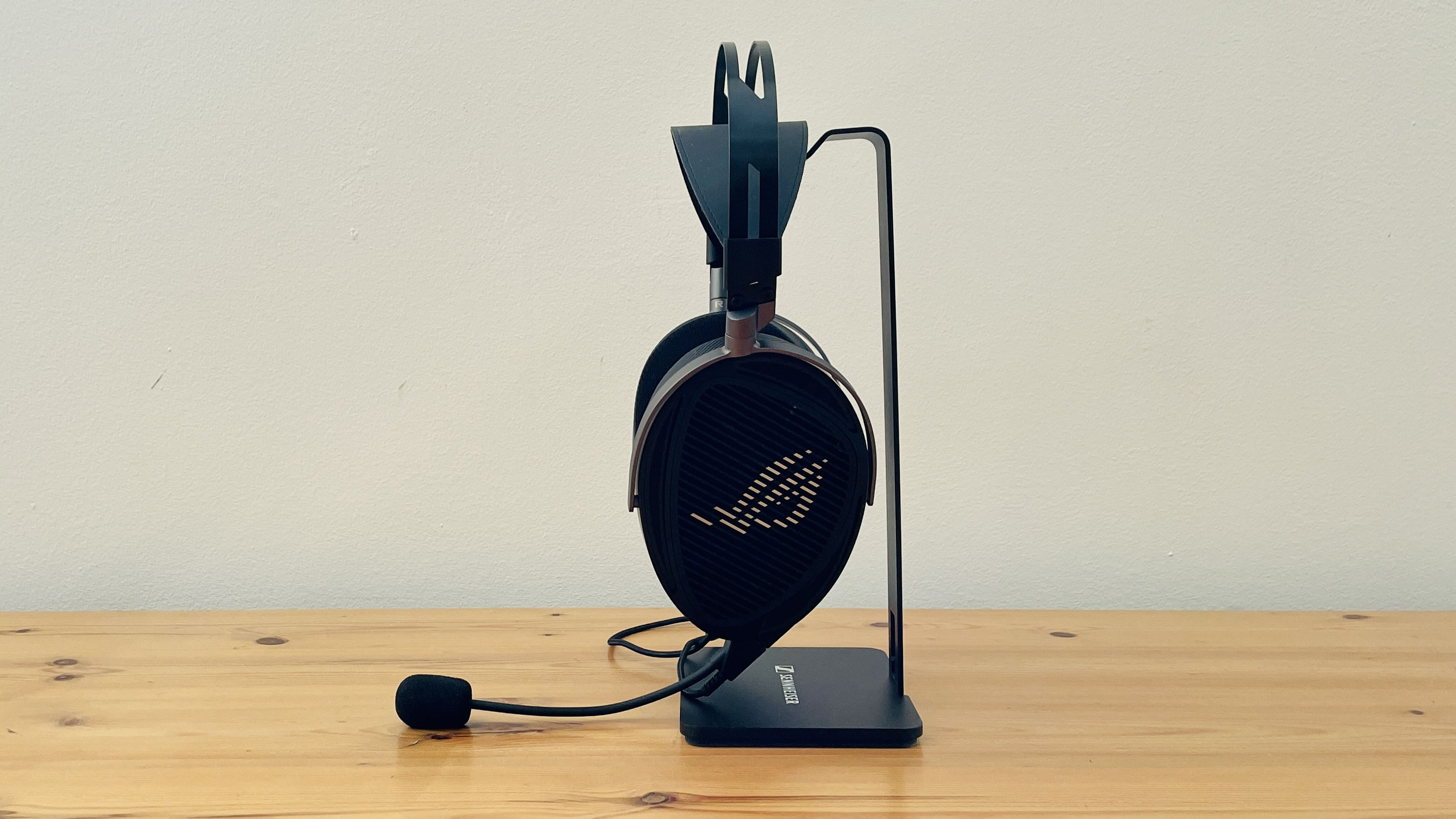
There are a number of gaming headsets available that support high-res audio, such as the SteelSeries Arctis Nova Elite, but the new Asus ROG Kithara is one of the first we’ve seen that really takes the plunge into the challenging waters of the specialist hi-fi market.
Named after a stringed instrument in ancient Greece, the Kithara takes its old-school approach seriously, with a wired-only design that turns its back on modern digital features such as Bluetooth, noise-cancellation, and spatial audio. The focus on wired audio may well be a deal-breaker for some people, but in return, the Kithara provides outstanding sound quality that works a treat both for gaming and listening to lossless and high-res music on modern streaming services.
Although it carries the Asus name, and is part of the company’s popular Republic Of Gamers (ROG) brand, the Kithara was developed in conjunction with HiFiMan, a New York-based manufacturer of seriously expensive hi-fi equipment (founded by the fabulously-named Dr Fang, who really sounds like he should be the villain in a Bond movie).
HiFiMan is known in the audiophile market for its focus on ‘planar-magnetic’ headphones, which provide a more precise and detailed sound than the less expensive ‘dynamic driver’ designs used by most mass-market headphones. And, like many audiophile headphones, the Kithara also employs an ‘open-back’ design, which allows sound to pass freely through the earpieces.
Again, this could be a problem for some people, as background noise can leak right through the earpieces while you’re wearing them, while people nearby can also hear every note of your music, and every zap, ker-pow, ka-boom of your gaming action. However, the advantage of open-back headphones is that they provide a spacious, atmospheric soundstage that really immerses you in sound, whether it’s a concert performance or an alien planet crawling with zombies.
(Image credit: Future/Cliff Joseph)
Asus ROG Kithara: Price and Availability
List price: $299.99 / £284.99 / AU$569
Less expensive than many high-end gaming headsets
Focus is on sound quality, with few additional features
The planar-magnetic drivers used by the Kithara represent the high end of the hi-fi market and are normally more expensive than conventional headphones and headsets. Even so, the Kithara’s price of $299.99 / £284.99 / AU$569 isn’t wildly high when compared to high-end rivals such as the Razer BlackShark V3 Pro, SteelSeries Arctis Nova Pro, or Audeze Maxwell 2 headsets.
Remember, though, that most gaming headsets also provide additional features, such as Bluetooth for wireless connectivity, noise-cancellation, or spatial audio. In contrast, the Kithara is a wired-only headset that spends its entire budget on producing the best possible sound quality, with little in the way of added extras.
Asus ROG Kithara: Specs
Asus ROG Kithara
Price
$299.99 / £284.99 / AU$569
Weight
14.8oz / 420g
Drivers
100mm Planar Magnetic
Compatibility
PS5*, PS4* Nintendo Switch*, Nintendo Switch 2*, PC, Mac, Xbox Series X|S, Xbox One (audio only via audio jack on Xbox)
Frequency response of 8Hz – 55KHz; 1.8m gaming cable with boom mic; 1.8m hi-fi cable with 3.5mm, balanced 4mm, 6.3mm, USB-C adaptors (USB-C supports 24-bit/96KHz)
Software
N/A
Asus ROG Kithara: Design
Bulky 100mm drivers
Separate cables and adaptor for a gaming rig and hi-fi system
Limited console compatibility
This is one instance where form and function go completely hand-in-hand. The outstanding feature of the Kithara is its use of HiFiMan’s 100mm planar-magnetic drivers, which puts them in an entirely different league to conventional headsets, such as the 40mm drivers used in the SteelSeries Arctis Nova Elite. The precision of the planar-magnetic technology also provides an impressive frequency range of 8Hz – 55KHz, which goes beyond any gaming headset I’ve used, including my trusty Master & Dynamic MG20, and only rivalled by hi-fi headphones such as Sennheiser’s HDB 630.
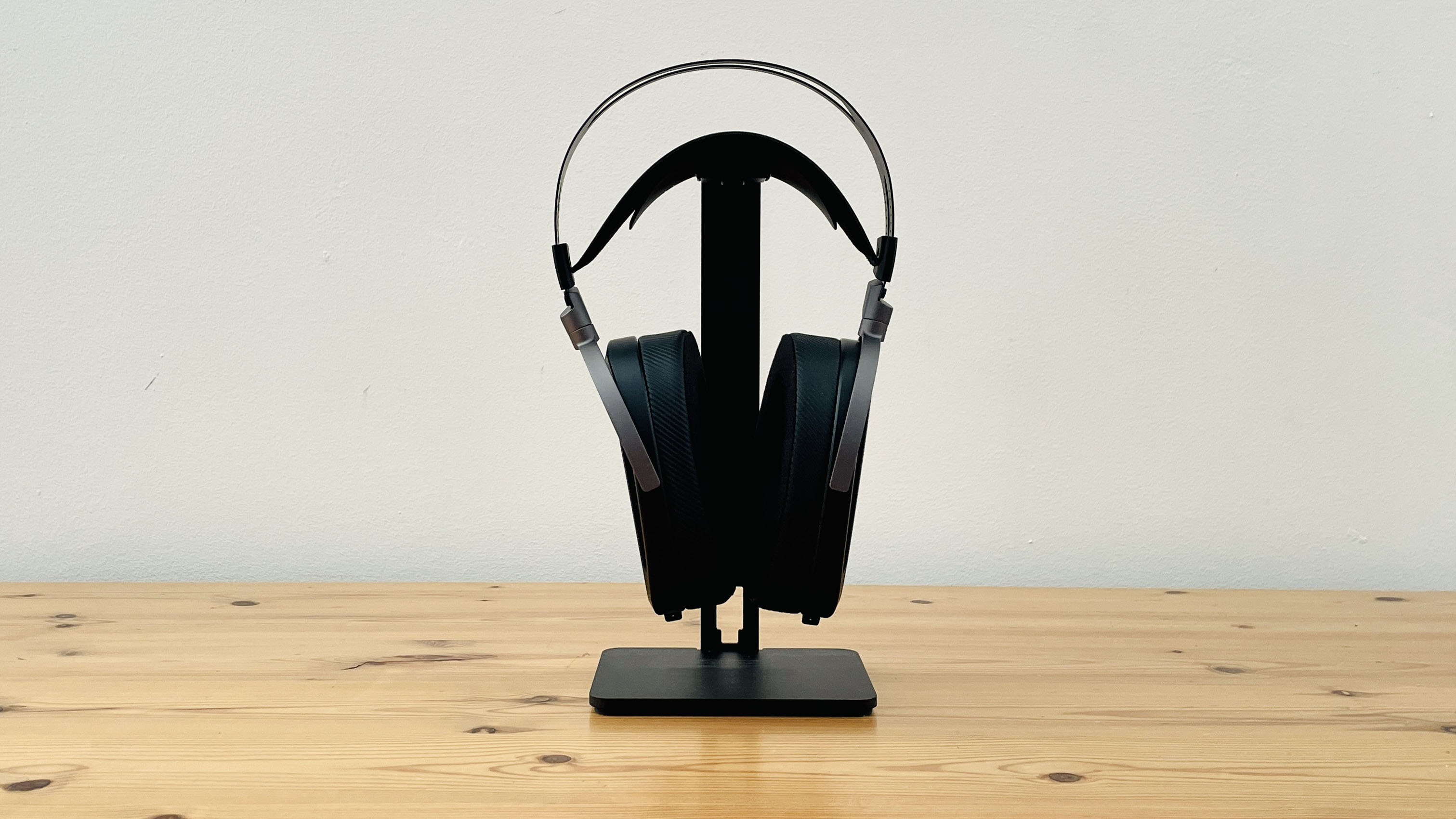
The downside of those humungous drivers is that the Kithara is also one of the biggest and heaviest headsets that I’ve ever used. Wearing the Kithara for the first time, I was taken aback at the sheer size of the earpieces, which cover my ears with so much room to spare that the Kithara initially slid right down over my ears and almost ended up dangling around my neck. It’s heavy too, weighing in at 14.8oz / 420g, which is considerably heavier even than Apple’s metal-clad AirPods Max at 13.6oz / 386g.
Fortunately, HiFiMan’s experience comes to the rescue, managing to make the Kithara more comfortable than I might have expected. The headband provides plenty of room for adjustment, so I was quickly able to find a comfortable position for the earpieces, and the well-balanced design ensures that the Kithara doesn’t feel oppressively heavy when you’re wearing it. One nice touch is that there are two sets of removable earpieces included in the box – one set with thick memory foam padding and a leatherette finish, or a slightly smaller set of earpieces covered with a lighter mesh material. The open-back design of the earpieces also provides good ventilation, so your head shouldn’t get too swampy during long gaming sessions. You will, however, end up looking like a Cyberman from Dr Who, due to the sheer size of the headset.
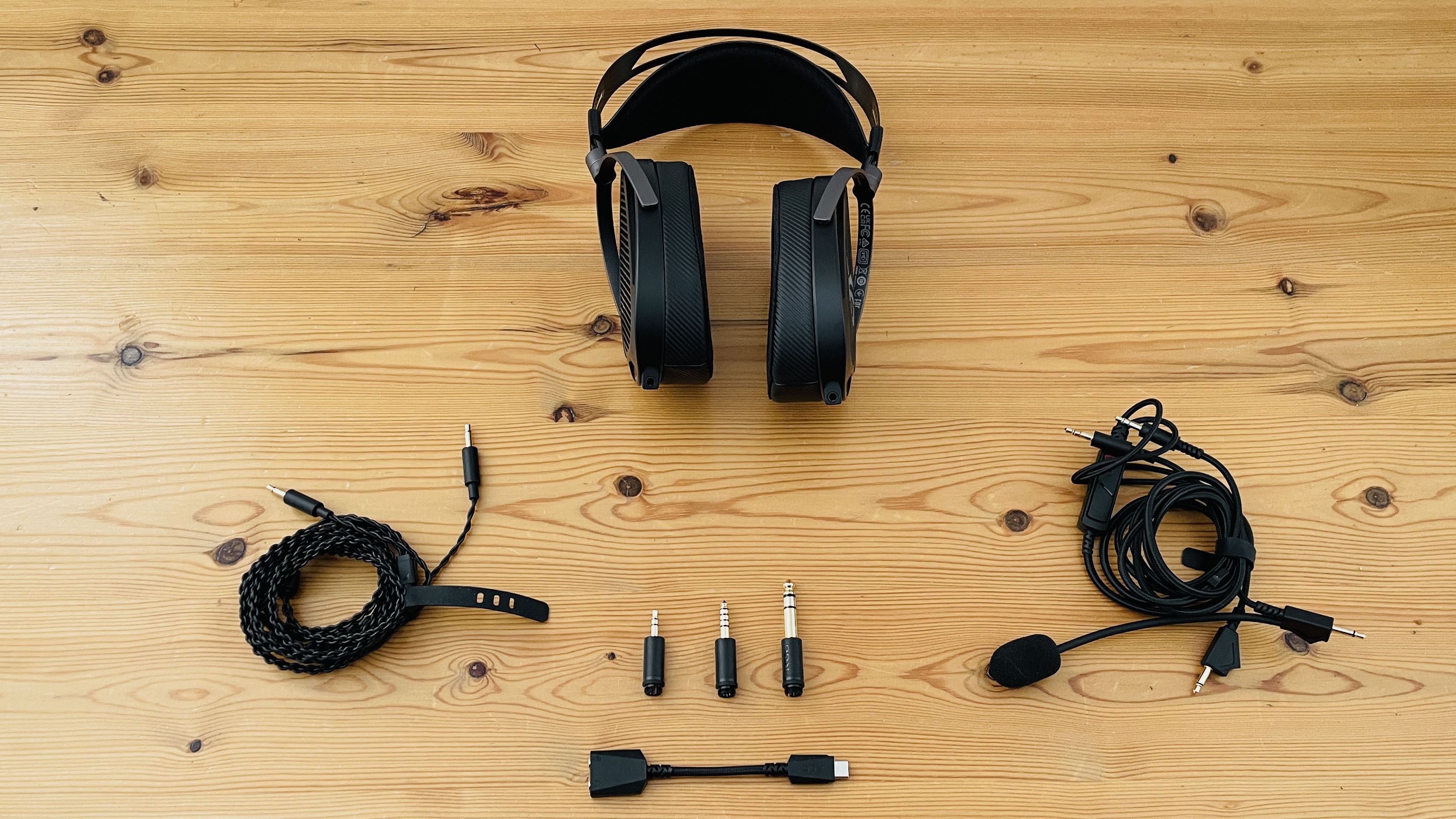
The connectivity options are a little complicated, though. Wired headphones are normally relatively straightforward – you just plug them into your PC, console or mobile devices, and off you go. However, the Kithara is attempting to satisfy both gamers and audiophiles, so it provides an extensive set of cables and connectors for use with different types of devices.
There are two separate cables in the box – one cable that includes a flexible microphone boom for gaming, and a second cable designed for listening to music with hi-fi equipment, such as an external DAC or amplifier. Each earpiece on the Kithara has its own 3.5mm audio socket, so both cables have a double-ended connector that plugs into the 3.5mm connectors on the Kithara earpieces (having removable cables like this also allows audiophiles to use their own specialist cables if they prefer).
(Image credit: Future/Cliff Joseph)
As mentioned, the gaming cable includes a microphone, and there’s an inline control for adjusting volume or muting the microphone as well. This cable has two 3.5mm audio jacks on each end, and the two jacks attached to the inline control plug into the 3.5mm connectors on the Kithara’s earpieces.
The other end of the cable plugs into your PC or gaming console, with one 3.5mm jack handling microphone input while the other handles the audio from your gaming rig. Some PCs do combine the microphone and audio into a single 3.5mm connector, but the Kithara also includes a USB-C-to-dual-3.5mm adaptor, which you can use with any device that has an available USB-C port. Asus states that a USB-C interface can provide a little more power and volume for the headphones, so it recommends using the USB-C adaptor whenever possible. The USB-C adaptor also supports high-res audio formats up to 24-bit/96KHz, so it can handle most of the high-res audio available on Spotify, Apple Music, and other services.
Unfortunately, this does raise some compatibility issues for console users. Asus states that when using a PlayStation 4 or PS5, the microphone on the Kithara only works via the USB-C adaptor included in the box. However, the microphone doesn’t work with the Xbox at all, and audio input requires the 3.5mm audio connector on an Xbox controller, so console owners should pay close attention to the compatibility info on the Asus website to make sure the Kithara will work with the console you own.
The second cable is designed for use with a variety of hi-fi and audio devices and has a slightly different design. It does have two 3.5mm jacks on one end for connecting to the Kithara’s earpieces. However, the other end has a special ‘3-in-1’ connector that can be used to connect any of the 3.5mm, balanced 4.4mm, or 6.3mm audio adaptors that are included in the box. Most computers, consoles, and mobile devices will work fine with the standard 3.5mm adaptor, but audiophiles may prefer to use the 4.4mm and 6.3mm adaptors with a DAC, amplifier, or other hi-fi equipment.
(Image credit: Future/Cliff Joseph)
Asus ROG Kithara: Performance
Planar-magnetic drivers provide superb sound quality
Open-back design creates a relaxed, open soundstage
The Kithara arrived just in time for the new season of Diablo 4, and the first thing I notice as I zone into the capital town of Kyovashad is the sheer clarity and detail of its sound. The Kithara creates a real sense of a lively, bustling town around me, clearly picking out the sound of clanking metal from the blacksmith, and the bubbling cauldron of the alchemist when I stop by to stock up on some potions - details that I never really notice when I'm using my normal set of external speakers with my gaming laptop.
I'm not sure I'd call Diablo 4 a true open-world game, but the soundscape really opens up as I head out through the town gates. A crow squawks as I pass by, and I hear the sound of flapping wings panning over my head as it takes to the air. I also notice - for the very first time - the rattling armour and shield of my trusty companion, Raheir, as he jogs along behind me. The Kithara doesn't have the spatial audio features of more expensive rivals such as the SteelSeries Arctis Nova Pro Wireless, but the open-back earpieces are highly effective at creating a sense of space as I run along the road, including the crashing sound of a waterfall over to the left of me.
I get my first taste of combat as a band of Rogues pops up out of nowhere, and the first thing I notice is the power of those chunky 100mm drivers as I fire off a couple of lightning bolts. I only have the game volume set to 50%, but that's more than enough as the chaos of combat erupts all around me. And there's clarity as well as power, capturing the satisfying fizz of energy as my bolts swirl around, bouncing from enemy to enemy. My sorcerer is a typical glass canon, so I trigger my Earthen Bulwark magical shield, and it sounds like a slab of concrete being dragged along the ground as it swirls around me.
I've got to hand it to the sound design team on Diablo 4, as they've done a great job of keeping all the clashing sounds clear and balanced, and the Kithara is a great fit for the game as it has the precision needed to pick out all the sonic details of swords and shields, and the mystical energy of my spells as they all clash in combat.
Editor's note - PS5 performance
Alongside Cliff's extremely thorough and deep testing of the Asus ROG Kithara on a host of platforms, I have also been able to put the headset through its paces on PS5. Performance on Sony's current-gen console looks to be a big deal to Asus, with a dedicated badge adorning the Kithara's box - and largely it performs brilliantly. The audio quality is excellent and gives excellent, crisp, and detailed audio that's a joy to experience. However, the connectivity, cable setup, and the fact that you can only use the headset's microphone when plugged into the PS5's USB-C port hold it back and make the logistics of using the headset a bit of a challenge, especially in 'traditional' under-the-TV setups.
Rob Dwiar, Managing Editor, TechRadar Gaming
The sound design on Doom: The Dark Ages is, admittedly, a little less subtle, but the Kithara digs deep for the opening music, landing the grinding sound of fuzz-drenched guitars with real weight, while the martial beat of drums sets the mood for the mayhem to come.
I'm more of a role-playing games (RPG) guy these days, but the gonzo adrenaline rush of the Doom games is hard to resist, and I enjoy the metallic thud of the shield charge that softens up my enemies as I return to the game's opening section in Khalim. I decide to get some target practice in the Ripatorium mode, picking Unchained Predator by Finishing Move from the Jukebox. It's not my favourite musical genre, but the track's chugging guitar riffs cleverly sync with the bullets spewing from my pulse rifle, and the sheer gritty power of the guitar and drums will satisfy even the most die-hard metal-heads. And, as mentioned, the Kithara's oversized drivers have enough power to really make your ears bleed.
But, of course, the Kithara is designed for audiophiles who will enjoy a range of different musical genres, so I grab my iPad with Apple Music and switch to the hi-fi cable that is also included in the box. I start with the bouncing bass of Billie Eilish on Bad Guy, powered by an iFi Go Link Max DAC with a balanced 4mm connector.
The deep electronic bass that opens the track is firm and precise, but the rhythm is relaxed enough to bounce along like a playful puppy, and it immediately gets my feet tapping. The bass isn’t overwhelming, though, and there’s a really crisp sound to the finger-snaps that lead through the chorus, and a smooth, whispery quality on Billie’s vocals. Planar-magnetic headphones are sometimes criticized for weak bass, but the Kithara can hold its head up with planar-magnetic rivals such as the Audeze Maxwell 2, as it lands the final section of the song with a slow, juddering bass pulse that hits like a pile-driver.
A new high-res mix of Queen’s Seven Seas Of Rhye recently turned up on Apple Music, and the Kithara proves that it can match the power and precision of traditional hi-fi headphones such as the Sennheiser HDB 630 as it really lets rip on Brian May’s swooping power chords. It can handle Queen’s multi-tracked harmonies too, catching all the different layers of sound, and making room for Roger Taylor’s shrieking falsetto as it leads into the guitar break.
The old-school approach of the Kithara won’t suit everyone, and the lack of Bluetooth and noise-cancellation features means that it will mainly appeal to wired-only purists. But, if you’re an audiophile who really prefers the quality of traditional wired headphones, then the clarity, precision and spacious sound of the Kithara are hard to beat at this price.
(Image credit: Future/Cliff Joseph)
Should you buy the Asus ROG Kithara?
Buy it if...
You're chasing premium gaming audio in a wired set
I always prefer wired headphones, but I also like gaming, so the Kithara hits the sweet spot for me. It provides separate cables for gaming (with a mic boom) and high-res music, with adaptors for a range of hi-fi gear.
You’re an old-school Hi-Fi buff
he Kithara is totally old-school, with a 100% wired-only design. But it earns its keep thanks to those chunky 100mm drivers and planar-magnetic design that delivers high-end sound quality.
You have an isolated gaming setup
The porous open-back design of the Kithara leaks sound – both in and out – so it will work best in a snug man-cave where you can play games and listen to music in privacy.
Don't buy it if...
You want your gaming headset to offer everything
If you want Bluetooth for wireless audio, or noise-cancellation when you’re travelling, then look elsewhere. The Kithara is all about sound quality and simply ignores modern digital features (other than USB-C).
You want a gaming headset for travel
That open-back design really isn’t suitable for outdoor use or away from home. Wear the Kithara on the train to work in the morning, and you’ll be lynched by your fellow commuters.
You have a small head
The 100mm drivers are a sonic delight, but they mean that the Kithara is bigger and heavier than just about every rival headset we’ve come across.
Also consider...
If the Asus ROG Kithara might not be quite for you, then check out these fine alternatives as excellent audiophile options.
Asus ROG Kithara
SteelSeries Arctis Nova Elite
Audeze Maxwell 2
Price
$299.99 / £284.99 / AU$569
$599.99 / £599.99 / AU$1,349
$329 / £319 / about AU$450
Weight
14.8oz / 420g
13.4oz / 380g
17.3oz / 490g
Drivers
100mm Planar Magnetic
40mm carbon fiber with brass surround
90mm Planar Magnetic
Compatibility
PS5*, PS4* Nintendo Switch*, Nintendo Switch 2*, PC, Mac, Xbox Series X|S, Xbox One (audio only via audio jack on Xbox)
(*Microphone requires USB-C adaptor)
PS5, PS4, Xbox Series X|S, Nintendo Switch 2, Nintendo Switch, PC, Mac, Mobile
Playstation or Xbox, Nintendo Switch, Nintendo Switch 2, PC, Mac, Mobile
Hi-Res wireless (2.4Ghz via dongle), Wired (audio jack), Bluetooth 5.3 (LE Audio, LC3, LC3+)
Wireless (2.4Ghz via dongle), Wired (USB-C & audio jack), Bluetooth 5.3 (LC3plus /
LC3 / LDAC / AAC)
Battery life
N/A
Up to 60 hours (2 x fully-charged batteries), Infinite Power System
80+ hours
Features
Frequency response of 8Hz – 55KHz; 1.8m gaming cable with boom mic; 1.8m hi-fi cable with 3.5mm, balanced 4mm, 6.3mm, USB-C adaptors (USB-C supports 24-bit/96KHz)
Certified Hi-Res audio (96kHz/24-bit), 40mm carbon fiber, brass ring surround drivers, ClearCast Gen 2.X - Retractable Boom Mic and Smart-Switching On-Ear Beamforming Microphone with AI noise rejecting, ANC, Omniplay GameHub (connect four devices simultaneously)
Detachable hypercardiod mic, beamforming mic with physical and AI reduction, FILTER™ Noise Reduction Technology, embedded Dolby Atmos license (Xbox),
SteelSeries Arctic Nova Elite
The Nova Elite is a real high-end option, costing almost twice the price of the Kithara. However, it provides excellent sound quality that will satisfy audiophiles, whilst also providing Bluetooth, ANC, and other digital features that the Kithara lacks.
Audeze Maxwell 2
The latest iteration of Audeze's Maxwell will appeal to audiophiles tempted by its chunky planar-magnetic drivers and imposing sound quality. It’s a little more expensive than the Kithara, but it provides a wider range of digital features.
Used on PC, Mac and mobile devices, on a variety of games and listening to high-res music on Apple Music
Compared directly with the Master & Dynamic MG20 and Sennheiser HDB 630, as well as other gaming headsets and headphones
I’m lucky enough to test hi-fi quality headphones on a fairly regular basis, so I was able to compare the Asus Kithara with gaming headsets such as the Master & Dynamic MG20, as well as more conventional headphones from Sennheiser and Bowers & Wilkins.
As mentioned, I was eager to test the Kithara by jumping into the new season of Diablo 4 on my Alienware gaming laptop. Diablo has taken up most of my gaming time in recent weeks, but I also paid a return visit to Doom: The Dark Ages. And, believe it or not, I also spend a fair amount of time reviewing games on the Mac, allowing me to revisit Baldur’s Gate 3 and the zombie hordes of Resident Evil 3. And I was able to cover both bases with Death Stranding, which has a wonderfully eerie and atmospheric ambient soundtrack, alongside the beautiful, melancholy song-writing of Low Roar.
I also use a Mac for work all day long, so the Kithara was often plugged into my Mac mini in order to stream music from Apple Music, ranging from the high-res bombast of Queen to the classical elegance of Max Richter.
The LG G6 OLED TV is the successor to the excellent LG G5 elite OLED, and it's a worthy follow-up. It uses a new-gen Primary RGB Tandem 2.0 OLED panel with a new Alpha 11 AI Gen 3 processor to help it deliver better picture quality and performance. Feature packed and able to handle anything thrown at it, the G6 sets the standard for OLED in 2026, in more ways than one.
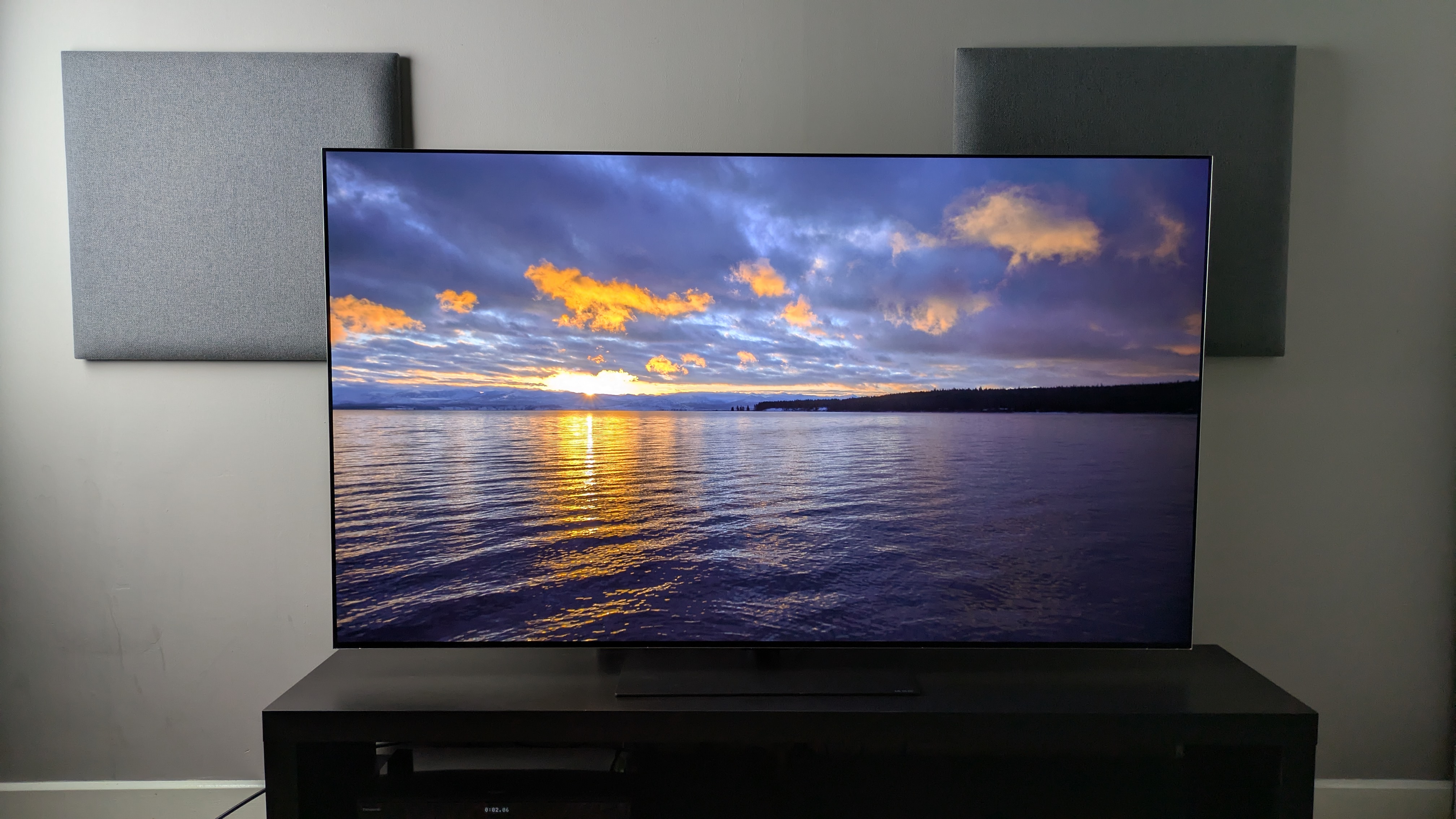
Picture quality on the G6 is excellent. It delivers punchy, vibrant colors that appear more natural and accurate than its predecessor, while also delivering powerful contrast with rich blacks and refined brightness.
The real game changer is its reflection handling, which does a fantastic job of limiting mirror-like reflections while maintaining better black levels than the Samsung S95F, which we rated as the best OLED TV for bright-room viewing… until now.
Detail is exceptional, with crisp textures, while motion handling is smooth and natural. The G6 is a truly impressive TV to look at.
The G6’s built-in sound has had some big changes, with a drop in the number of sound modes available for the 4.2-channel speaker system. I preferred using the AI Sound Pro mode, which has had its sound profile altered compared to the G5’s version of this mode.
It’s more direct, punchier and more accurate now. But ultimately, while the G6’s sound is solid, I’d still add one of the best soundbars for the full cinematic experience.
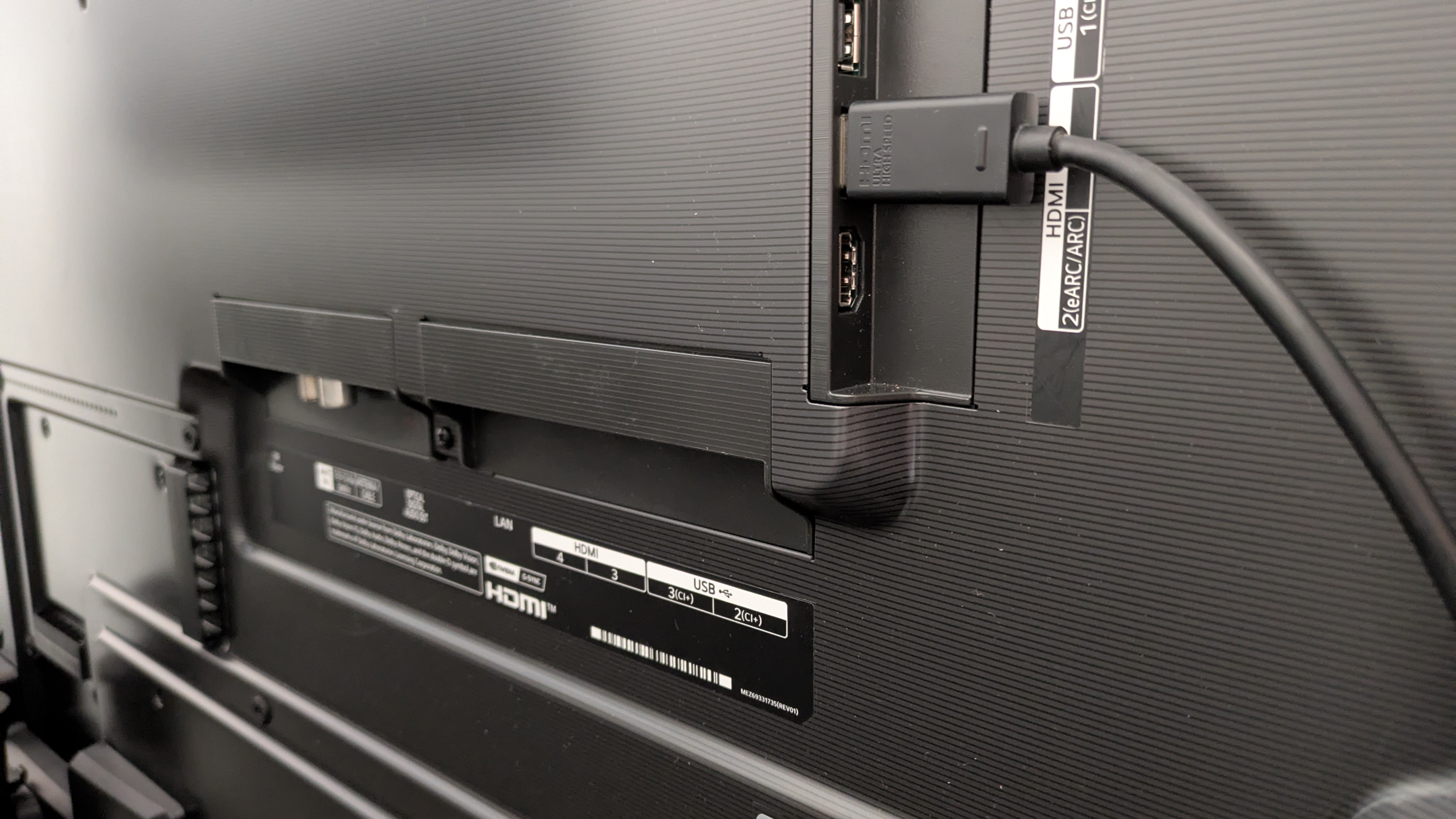
LG’s OLEDs are always among the best gaming TVs on the market and the G6 is no different. With four HDMI 2.1 ports supporting a full suite of features — 4K 165Hz, FreeSync and G-Sync variable refresh rate certification, HGiG HDR, Dolby Vision gaming — plus a new ultra-low measured input lag of 8.9ms, the G6 is a fantastic gaming set.
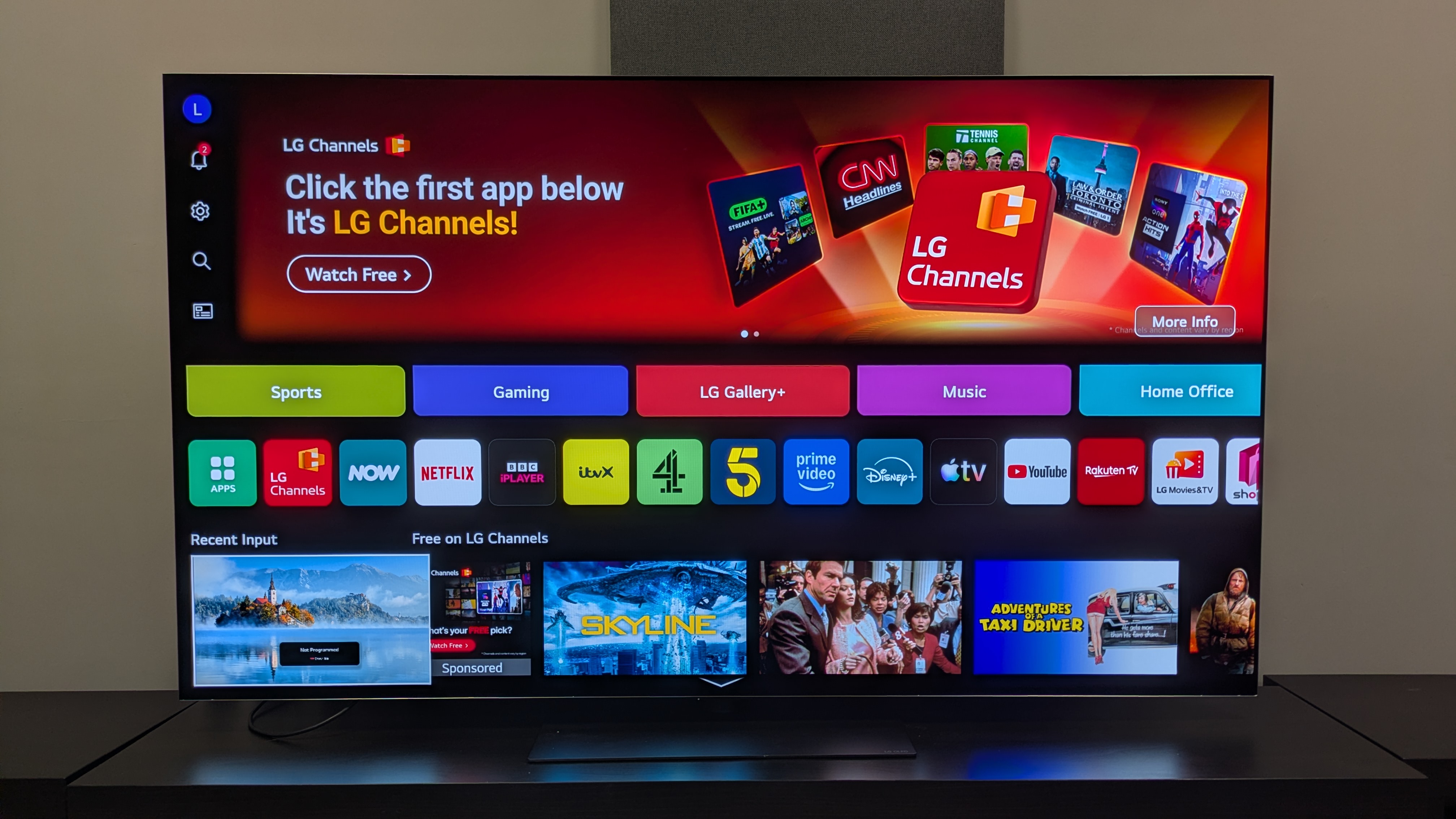
LG's webOS continues to be one of the better smart TV platforms available, and webOS 26, the latest iteration, is another great instalment. There's a rich suite of picture settings, the navigation and layout is intuitive, and actually useful AI tools for content recommendations and user quality-of-life. It’s not perfect, with bulky ad space on the home screen, but there’s little else to complain about here.
At $3,399 / £2,999 / AU$4,999 for the 65-inch model I tested, the G6 is a premium-priced TV. Its US launch pricing is consistent with the G5’s launch pricing last year in the US, and is a little cheaper in the UK — and I don’t expect it will stay at these prices for long, because TVs always start dropping soon after launch. It delivers good overall value thanks to the performance you’re getting for the price, but it remains at the top end of the TV market.
If your priority is having the deep cinematic dark tones that OLED is known for, but viewable in as many lighting conditions as possible, the LG G6 is elite.
LG G6 review: Prices & release date
(Image credit: Future)
Release date: March 2026 (US/Aus) / May 2026 (UK)
48-inch price: $N/A / £TBC / AU$N/A
55-inch price: $2,499.99 / £2,199 / AU$3,999
65-inch price: $3,399.99 / £2,999 / AU$4,999
77-inch price: $4,499.99 / £3,999 / AU$7,499
83-inch price: $6,499.99 / £TBC / AU$9,999
97-inch price : $24,999.99 / £TBC / AU$29,999
The LG G6 is one of LG’s flagship OLED TVs for 2026, alongside the ‘Wallpaper’ LG W6. It sits above the mid-range LG C6 (and new LG C6H, which is the version of the C6 at larger sizes) and entry-level LG B6. It is widely available in 55, 65, 77 and 83-inch sizes.
There is also a smaller 48-inch model in the UK, and a larger 97-inch model in the US and Australia (though you should expect different performance results from these panels — especially the 97-inch model, which uses a much older OLED panel rather than the Primary RGB Tandem 2.0 panel in the other sizes).
Prices have remained consistent with the G6’s predecessor, the G5, in the US and Australia, but in a surprising turn of events, the G6's launch prices in the UK are cheaper than the G5's were in three key models: 55, 65 and 77-inches, with all three coming in £200-500 cheaper than their predecessors.
LG G6 review: Specs
Screen type:
OLED
Refresh rate:
Up to 165Hz
HDR support:
Dolby Vision, HDR10, HLG
Audio support:
Dolby Atmos
Smart TV:
webOS 26
HDMI ports:
4x HDMI 2.1
Built-in tuner:
ATSC 1.0 (USA)
LG G6 review: Benchmark results
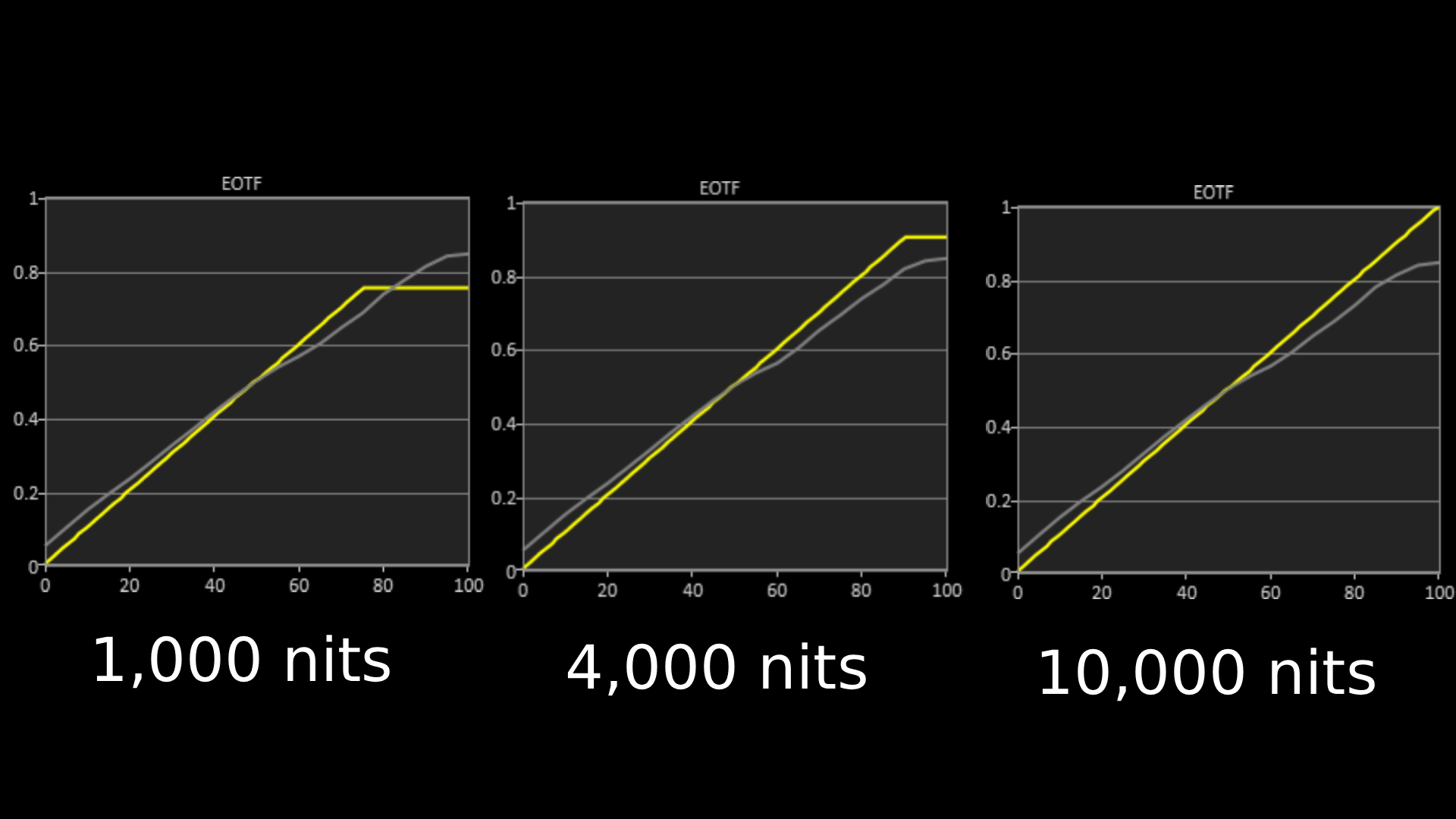
The above EOTF graphs show the accuracy of the LG G6 for hitting different HDR brightness levels in grayscale. The closer to the yellow line, the more accurate a TV is. As with all our tests, these results are out of the box, without calibration, to demonstrate the performance most people will see.(Image credit: Future)
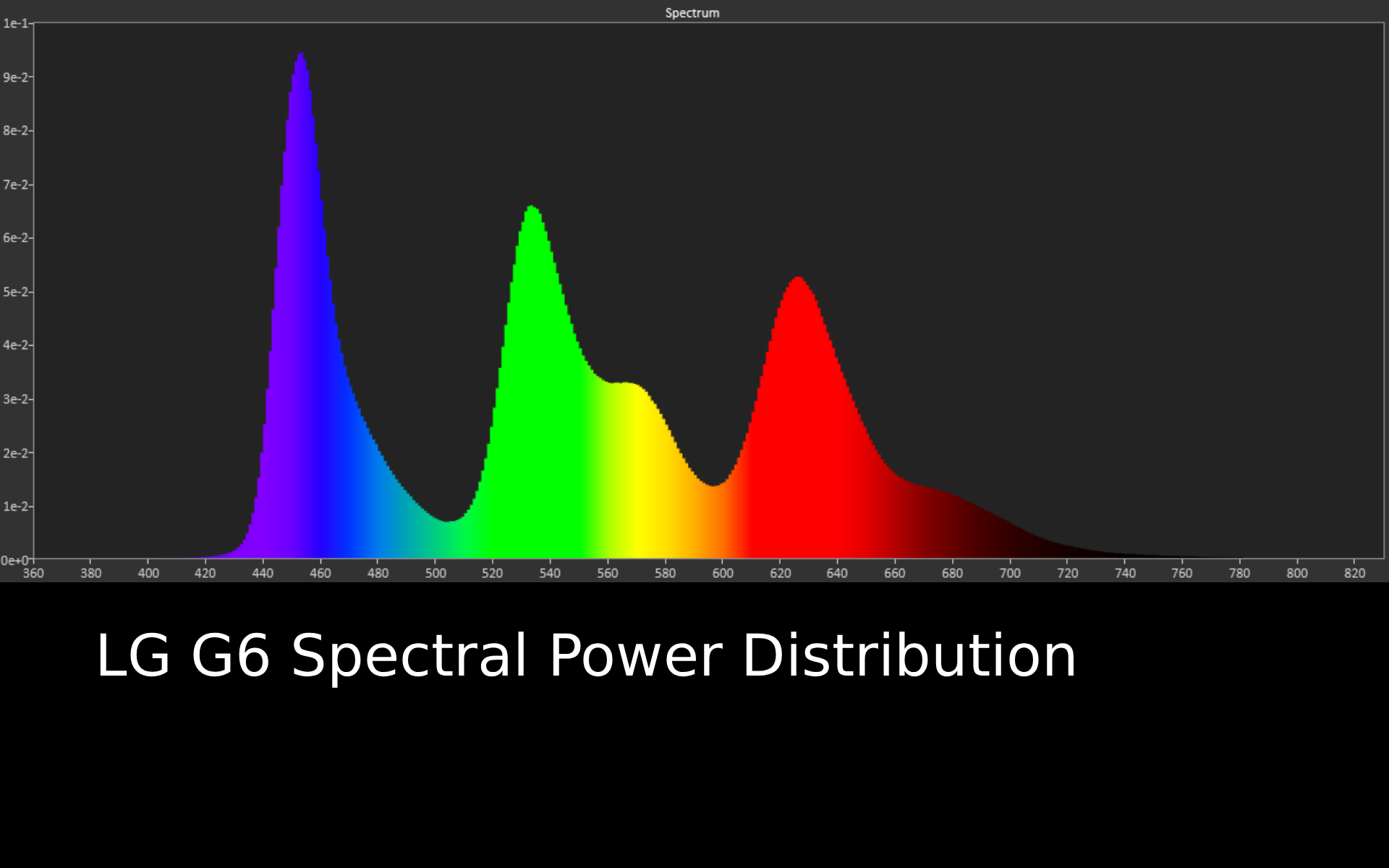
Spectral power distribution refers to the intensity of light that a source will display at various wavelengths of color. It can reveal how accurate a source can show color at different light levels, and can be instructive to understand how a TV is handling color.(Image credit: Future)
LG G6 review: Features
Primary Tandem RGB OLED 2.0 panel and Alpha 11 Gen 3 AI Processor
4K 165Hz for PC gaming with full VRR support
New LG webOS adds more AI features and tweaks some settings
The G6 comes with four HDMI 2.1 ports, perfect for those with multiple gaming devices and a soundbar(Image credit: Future)
The LG G6 is equipped with the Primary RGB Tandem 2.0 OLED panel, the second generation of the redesigned OLED panel first introduced in the G6’s predecessor, the G5. It delivers higher brightness, and LG has added better reflection handling on top of that.
The G6 also features the new Alpha 11 Gen 3 AI Processor, which features Brightness Booster Ultimate, a ton of AI features including AI Search and AI Chatbot, and faster processing speeds.
New features also include 12-bit color processing and 13-bit output (the final 1-bit is a brightness boost), Dual AI Super Resolution, Dynamic Tone Mapping Ultra and enhanced AI Sound features including Object Enhancement.
The G6 supports Dolby Vision HDR, but as usual does not support HDR10+. It also supports Dolby Atmos sound, but again there is no DTS support. It also supports Chromecast and Apple AirPlay 2. LG says there are currently no plans for Dolby Vision 2 support.
Gaming is well supported on the G6, with 4K 165Hz, full variable refresh rate options including AMD FreeSync and Nvidia G-Sync, HGiG HDR, auto low latency mode, and Dolby Vision Gaming all supported across four HDMI 2.1 ports. Game Optimizer mode features as usual with plenty of settings available to tailor the gaming experience.
For audio, the biggest change is the reduction of available sound modes — from eight to four — with more of a focus on AI sound modes. The TV comes with the same 4.2 channel speaker system as last year’s G5 and again supports the AI Sound Wizard first debuted in last year’s Alpha 11 Gen 2 processor.
As before, there's no support for DTS decoding in the TV, so it's best if your source device or soundbar can handle this.
As for the latest iteration of LG’s own smart TV platform, webOS 26, there have been alterations to the AI features from last year, such as a more refined AI Concierge which can use Generative AI as well as a new layout for major settings in menus that prioritize users more.
The Quick Menu can also be customized to add more personal features such as Game Optimizer. Quick Cards return, and more have been added such as Home Office and Music.
Features score: 5 / 5
LG G6 review: Picture quality
Rich and especially natural color reproduction
Excellent contrast and shadow detail, even by OLED's standards
Surprisingly effective reflection handling that's a big step up
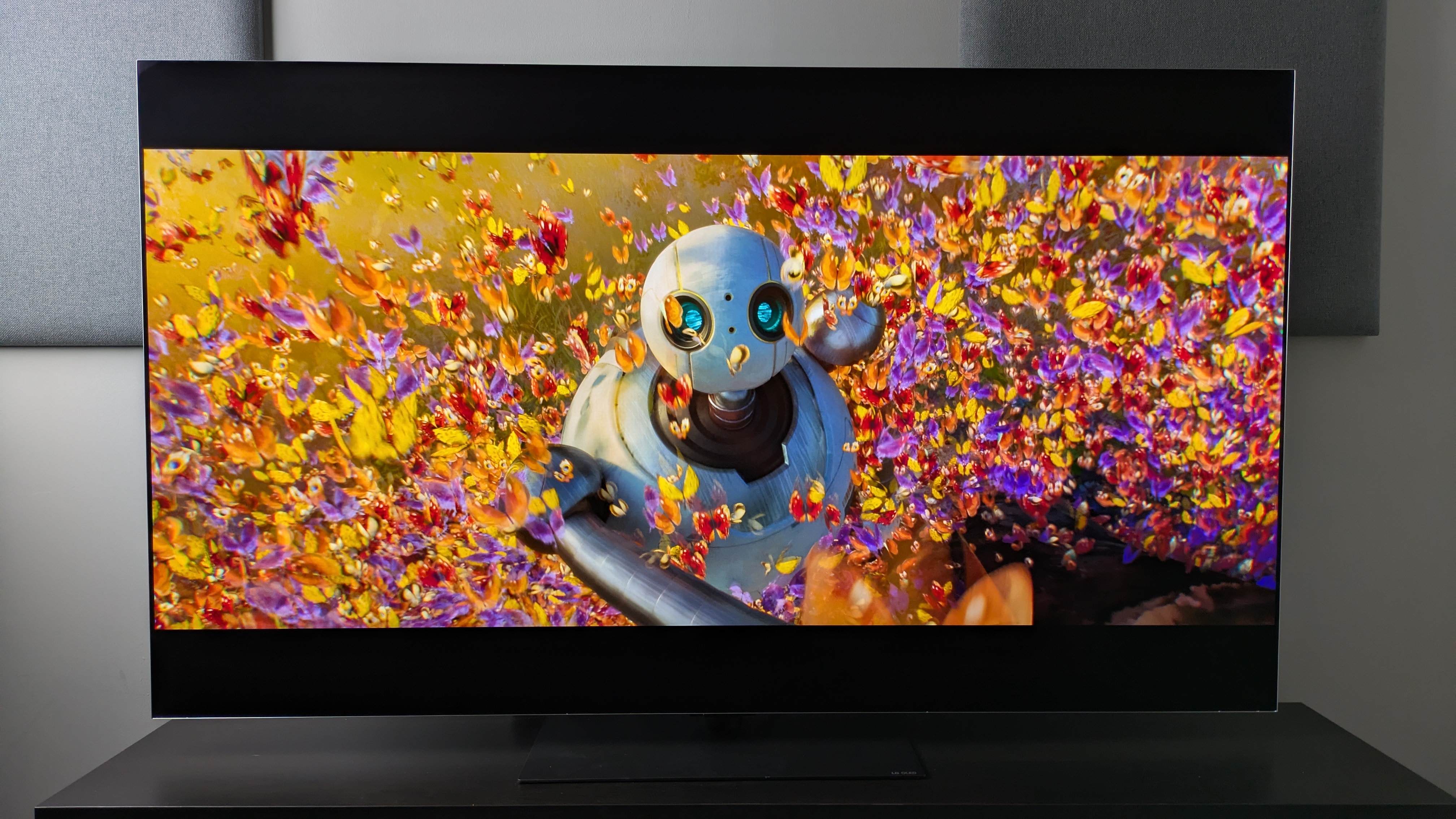
The G6 delivers excellent colors which appear both rich and accurate, shown here in The Wild Robot(Image credit: Universal Pictures / Future )
Beginning with some brightness measurements, the LG G6 hit 2,471 nits HDR peak brightness in Filmmaker Mode and 2,454 nits in Standard mode. While the Filmmaker Mode number is roughly a 200-nit increase from the G5, the Standard mode figure is a massive 604 nits increase (the G5 measured 1,850 nits), which is far higher than the 20% increase LG had promised.
Fullscreen HDR brightness has received the most meaningful boost, with the G6 hitting a measured 455 nits in Filmmaker Mode compared to the G5’s 331 nits. In Standard mode, it measured in at 373 nits, again a nice jump from the G5’s 297 nits in the same mode, meaning pictures should appear far brighter overall.
Color reproduction is arguably the G6’s greatest strength, though. Although colors don’t appear as 'bright' on the G6 compared to its predecessor, the LG G5, LG told me this was "by design" and I think the tweak has paid off: colors are simply stunning on the G6 while looking totally natural.
Watching the market scene from The Sound of Music, where orange, yellow and fruits sit front and center on screen, all these colors looked rich, refined and still packed plenty of punch, while also appearing true-to-life. Other scenes which feature green hills and blue skies, such as the ‘Do Re Mi’ scene, also demonstrate the G6’s excellent color accuracy.
Switching to an animated movie, The Wild Robot, the G6 again delivers gorgeous hues. A scene where Roz is surrounded by multi-colored butterflies shows excellent color balance between neutral and bolder colors, but crucially still delivers the richness you’d want from an animated movie.
Measuring the G6’s HDR color gamut coverage, it hit 99.3% of the DCI-P3 color space and 82.7% of the BT.2020 color space. These are both superb results and help explain why the G6’s color reproduction stands out — it's capable of showing pretty much everything that HDR video has to offer. It also registered a 1.4 delta-E SDR color accuracy in Filmmaker Mode: another brilliant result, meaning its colors are indistinguishable from 'perfect' to the human eye out of the box.
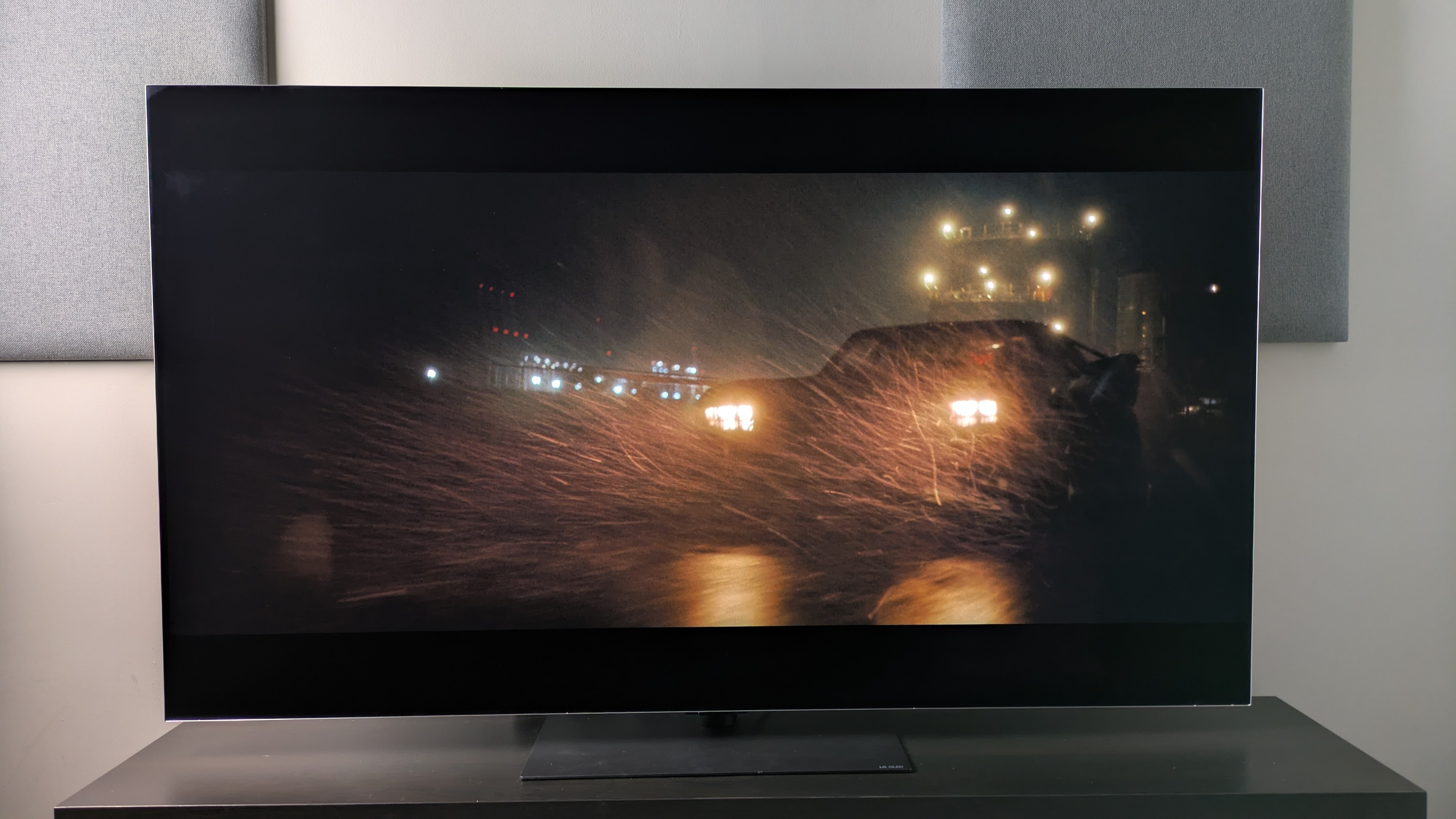
The G6 delivers strong contrast, with a good balance between dark and light tones, allowing subtle shadow detail to still break through(Image credit: Future / Warner Bros. Discovery)
The G6’s contrast is another high point. Watching various high-contrast scenes from The Batman, such as the investigation in Mayor Mitchell’s house and the subway fight scene, the G6 delivers powerful contrast with deep, rich dark tones of the dark wood surroundings balancing with punchy highlights from light sources.
This is also true in Alien: Romulus, where shots of space show ‘perfect’ blacks mixed with refined highlights of stars and suns. Next to the G5, these shots are not only more balanced but more controlled, demonstrating minimal clipping in the lights.
Shadow detail is also excellent on the G6. In The Batman’s many dark scenes, details such as Batman’s armor, the panelling of a column on the subway platform, and even the portraits on the walls of Mitchell’s house are all visible without the need for raised brightness.
One area where the G6 really impressed was its reflection handling. Playing dark movies such as The Batman, Nosferatu and Alien: Romulus with overhead lights in our testing lab turned on, I was surprised by how much of the picture was visible and even how few mirror-like reflections there were. Not even the ‘torture test’ of The Batman was muddied on the G6.
It’s the black retention that also impresses, as I found when testing the G6 next to the Samsung S95F, with its anti-glare matte screen. While the S95F can cut out mirror-like reflections totally, its black tones can end up looking gray compared to the G6 in some lighting conditions, while the G6 manages to balance both reflections and black accuracy.
The G6’s motion handling is fantastic. Testing various sports including basketball, tennis and football, pictures are smooth and responsive throughout with no signs of motion artefacts such as ghosting. Either the Cinematic Movement or Natural motion settings, located in the TruMotion menu, worked well during my testing, though I did find motion settings necessary as some mild judder would occur with these settings turned off.
Motion handling for movies was also great. I personally found that my preferred setting was the Cinematic Movement setting, which did a good job reproducing a panning scene of a rocky hillside from No Time To Die with only minimal judder (which is expected). Throughout the succeeding chase scene, fast motion camera shots appeared smooth.
A DVD of The Amazing Spider-Man shows just how impressive the G6’s upscaling is. The picture on the 65-inch model was bright, clean and had crisp textures compared to some cheaper TVs I’d seen. I already knew how impressive LG’s OLEDs were at upscaling based on the G5’s performance in this area in last year’s four-way OLED showdown I did, but the G6 took it a step further, adding even more detail.
Picture quality score: 5 / 5
LG G6 review: Sound quality
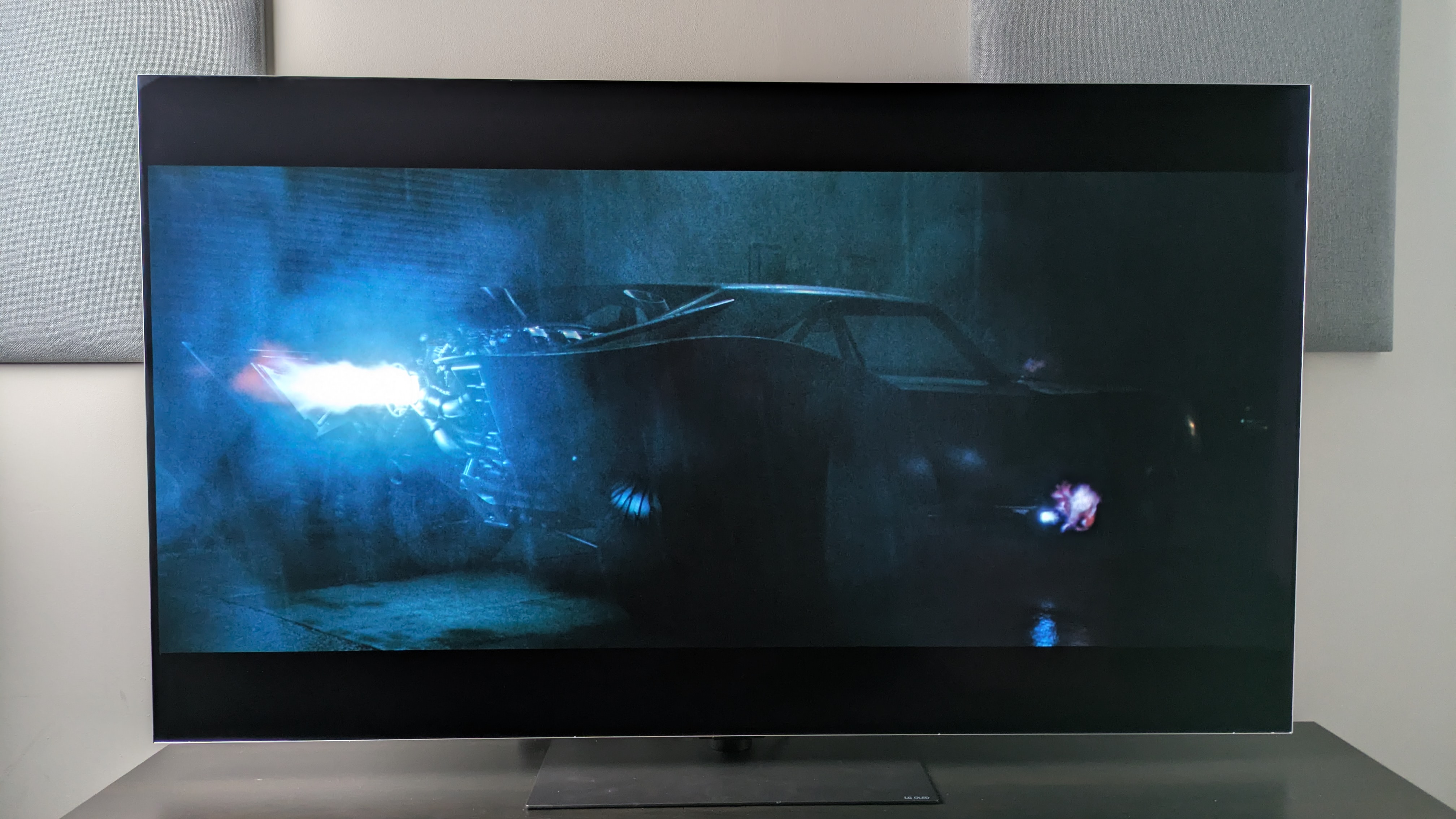
The G6's built-in speakers deliver accurate, punchy sound but ultimately a TV with this picture deserves a soundbar. Perfect for scenes like the Batmobile chase from The Batman (pictured).(Image credit: Warner Bros. / Future )
4.2 channel speaker array with four sound more options
Great accuracy, good detail and solid power
Soundstage isn't that wide compared to a soundbar
Testing the G5 last year I found myself drawn to the AI Sound Pro mode as well as the Cinema setting. With the removal of the latter in the G6 this year, I settled on AI Sound Pro as my favorite after testing the G6’s built-in 4.2 channel speaker system. AI Sound Pro upmixes sound to an 11.1.2-channel configuration with the aid of the Alpha 11 Gen 3 Processor. Dolby Atmos is supported, but there’s no DTS support of any kind.
LG has altered the AI Sound Pro profile for the G6 and it results in a more direct, bassier sound than last year’s G5. The sound profile itself also focuses on more mid-range tones, which I found more appealing than last year’s brighter G5.
Using the Batmobile scene from The Batman, the G6’s speakers deliver punchy bass, capturing the rumble of the Batmobile’s engine during ignition accurately. Mapping between sound and the action on screen is precise, with the swerving tyres and car horns of passing cars sounding authentic. This is also true during The Mask. As The Mask himself tornadoes around, the G6 does a good job with the directionality of the sound.
While the G6 also delivers a respectable soundstage, with sound sometimes extending beyond the screen, it all still feels quite contained. The speakers don’t have the punch of a soundbar or of TVs with larger speaker systems such as the Sony Bravia 8 II or Panasonic Z95B. The G6 is good for general movie and TV viewing, but its sound doesn’t match the sheer brilliance of its picture.
Sound quality score: 4 / 5
LG G6 review: Design
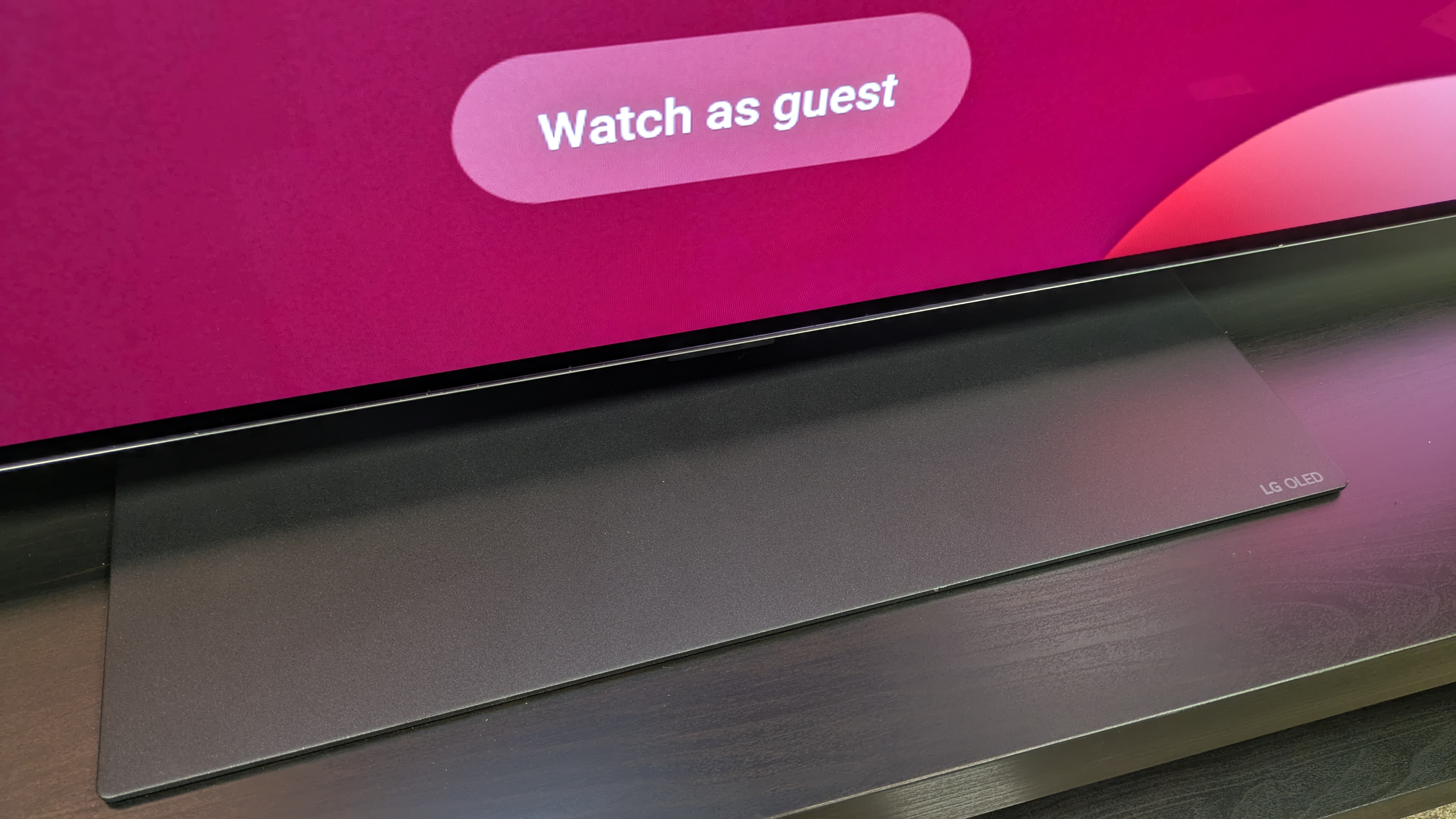
The LG G6 has both a stand (pictured) and wall-mounting options for some sizes in some regions(Image credit: Future)
Wall-mount and stand options for some sizes
Premium, sturdy build on the whole TV set
Remote still feels cheap in comparison
The LG G6 carries a lot of the same design over from the G5. It still has a metal frame that looks premium and feels reassuringly sturdy, along with a heavy, gray and metal pedestal stand that can be placed at two heights to make room for a soundbar. There’s a cable-tidy option at the back of the TV as well.
The G6 also comes with a slim-fit wall-mount in the box in some sizes (depending on region) for those that want to wall-mount their TV. The G6’s screen itself has a near-bezelless design, meaning the picture takes up basically all of the front — something that's not so true with Samsung's new 2026 flagship OLED TV.
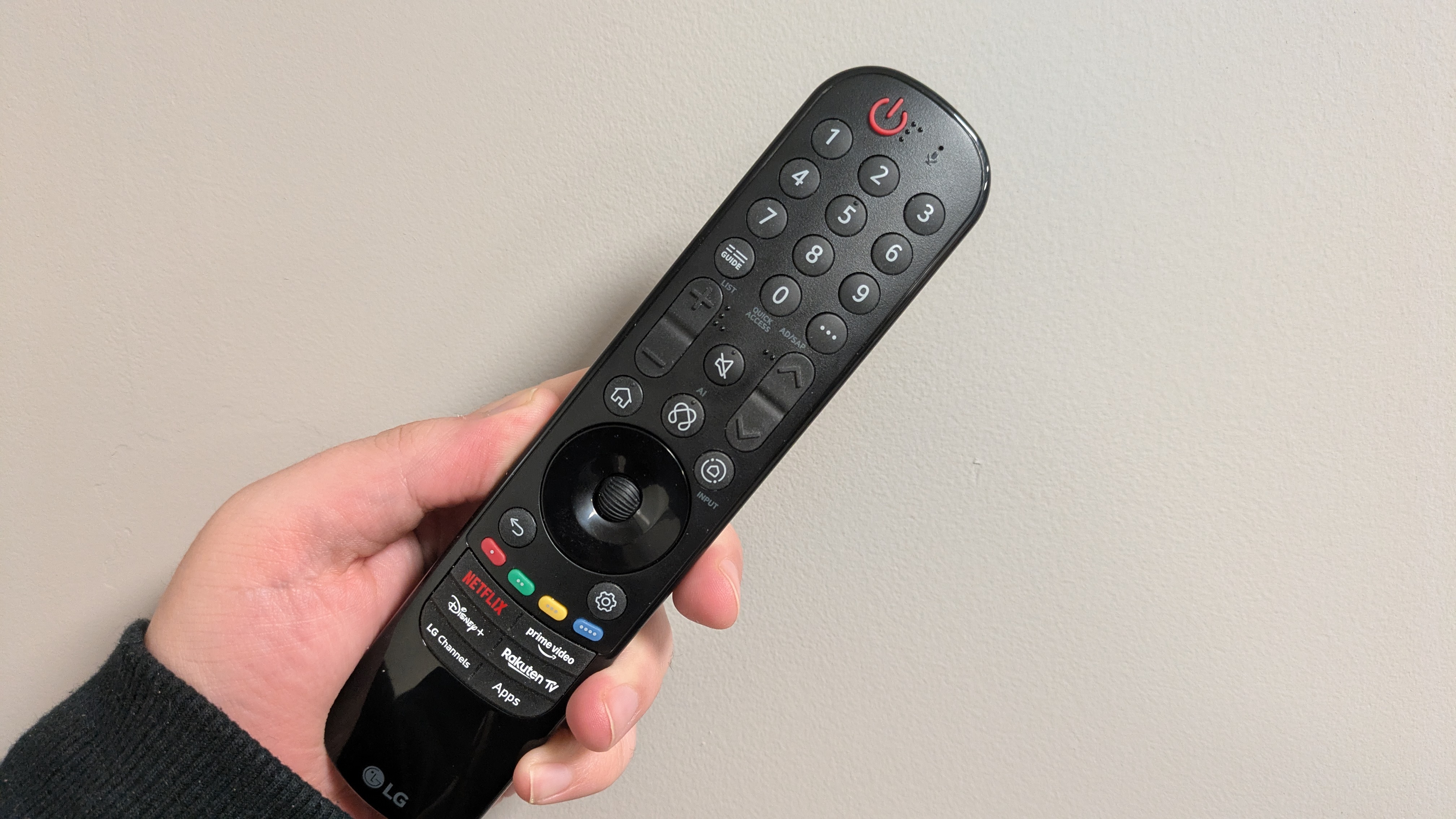
LG’s Magic Remote returns here, and while the US remote benefits from a somewhat slimmer build with a more streamlined button layout, the UK is stuck with the old-style magic remote with a wheel.
The latter still feels light and cheap: not something you want for a TV at this price. LG could take some lessons from brands such as Philips and Hisense, whose remotes feel far more premium.
Design score: 4.5 / 5
LG G6 review: Smart TV & menus
LG's webOS 26 is still one of the best smart TV platforms available, with excellent quick card options and menu navigation. The large banner ad is a frustration however(Image credit: Future)
Uses LG's webOS 26 smart TV platform
Expanded Quick Cards and customizable Quick Menu are useful
More and enhanced AI features are actually welcome
The G6 comes with webOS 26 as its smart TV platform, which is the latest iteration of LG’s own smart TV. Some of the returning highlights features include the Quick Menu, which is a handy tool for easily changing picture and sound presets, and the Quick Cards feature, where apps can be organized into a relevant category 'card' on the home screen. For 2026, these cards have been expanded to include even more options.
The system also has an excellent array of accessibility options, which are also in their own quick card.
The AI Concierge, which previously helped you find tailored content recommendations based on searches and watch history, can now use Generative AI for other tasks, such as making travel plans.
Other AI tools introduced last year, such as Voice ID (which can activate a person’s profile with their customized settings simply by recognizing a voice), AI Search (for AI-assisted content search) and AI Chatbot (for troubleshooting) all return. There’s also an AI Art feature, where artworks can be generated, though you'll have a limited number of credits.
As for menus, webOS 26 is easy to navigate, clearly laid out and has enough options to customize picture and sound settings without being overwhelming. One downside is that the webOS 26 homepage has over a third of its top space taken up by banner ads, which can be an eyesore, but it's far from alone in this. It still remains one of the best smart TV platforms on the market.
Smart TV & menus score: 5 / 5
LG G6 review: Gaming
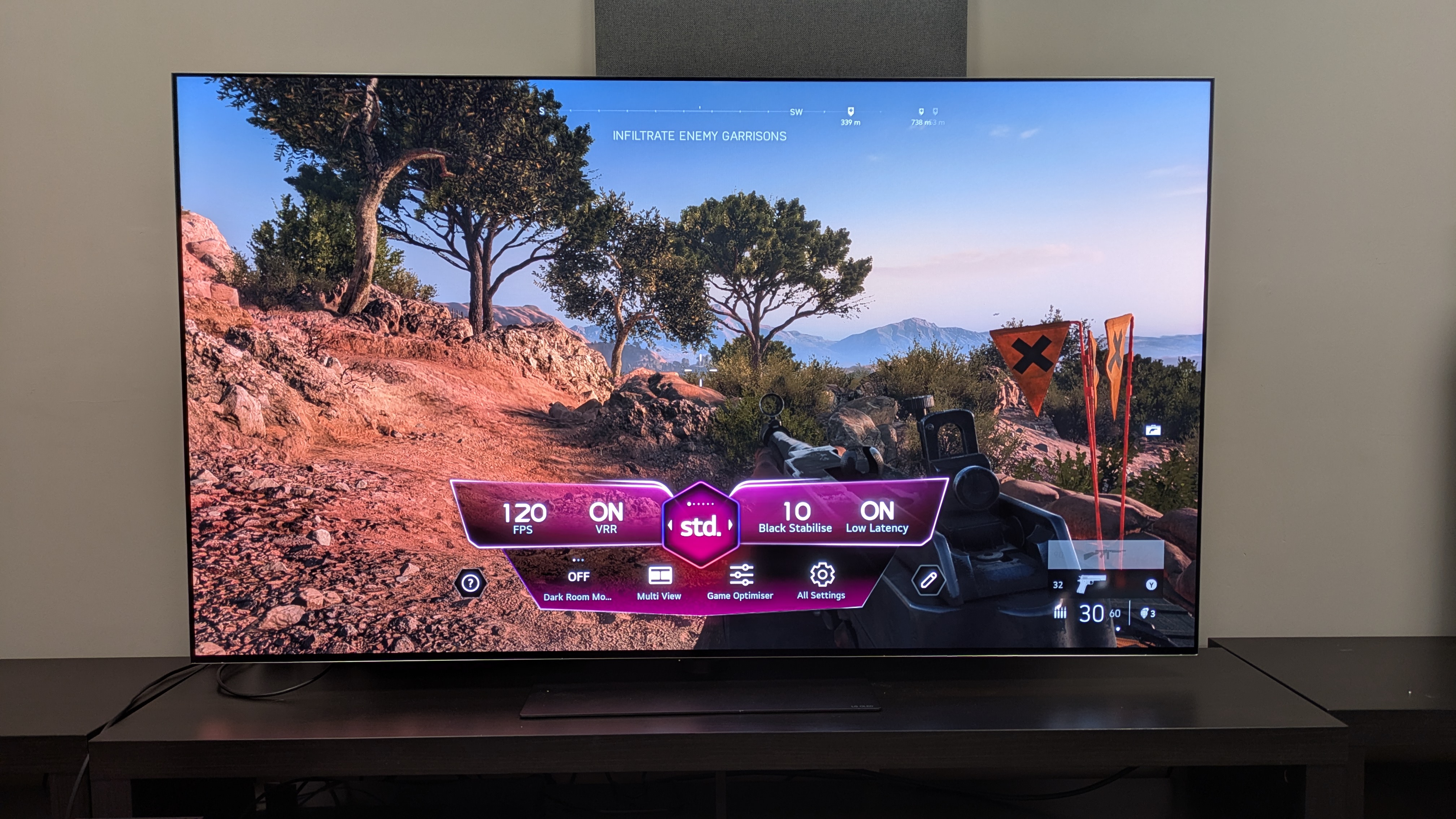
The G6 is a superb gaming display, expertly handling fast-paced games such as Battlefield V (pictured) and offering a full suite of features(Image credit: Future)
4K 165Hz, AMD FreeSync and Nvidia G-Sync all supported
Ultra-low 8.9ms input lag time measured using a Leo Bodnar 4K meter
Four HDMI 2.1 ports with full support for all gaming features
Following in the footsteps of LG’s previous OLEDs, the G6 is a phenomenal gaming TV. It comes with four HDMI 2.1 ports that have all the features gamers will be looking for: 4K 165Hz, VRR with both AMD FreeSync and Nvidia G-Sync supported, HGiG, Dolby Vision Gaming and auto low latency mode.
It also features the Game Optimizer menu where settings can be tweaked, including an 'Input delay' option. Activating Boost mode (for lower input lag), the G6 registered an 8.9ms measured input lag, beating the years of 9.2ms in its predecessors.
Playing Battlefield V, gaming performance on the G6 is razor-sharp and responsive. Whether it was a fast-paced mission driving a tank around war-torn Berlin or running from enemies in France, movement felt smooth and targeting was snappy and easy. There was never any stutter or delay during the most chaotic moments.
Gaming also looks gorgeous on the G6, with the rich contrast, bold colors and crisp detail it delivered for movies translated over to gaming. Once again, the G6 has set the bar for a gaming TV in 2026.
Gaming score: 5 / 5
LG G6 review: Value
LG's 2026 Magic Remote for the UK — fine, but should be more premium at this price(Image credit: Future)
Good overall value compared to other flagship OLED TVs
Consistent pricing with predecessor in the US, and cheaper in the UK
Still very much a premium TV
The LG G6 is a premium-priced OLED TV, with the 65-inch version I tested costing $3,399 / £2,999 / AU$4,999 at launch. It delivers the premium experience OLED fans will want, with excellent picture quality and superb gaming performance, but it is undoubtedly a top-end TV.
While it also is an improvement over the G5 in terms of picture quality, the G5 is better value at the time of writing, as it nears the end of its first year of life. You can pick up a 65-inch G5 for $2,199 / £2,249 / AU$3,199, so if you’re desperate for a new G-series, the G5 is your best bet in terms of value for money. If you can wait, the G6 is the better TV to go for once prices drop.
Still, the G6 is a fantastic TV, really showing what flagship OLED can do. If you have the budget, the G6 is worth the investment.
Value score: 4 / 5
Should you buy the LG G6 OLED TV?
(Image credit: Future)
LG G6 OLED TV scorecard
Attributes
Notes
Rating
Features
A full suite of smart and gaming features that cover all the bases you could need.
5 / 5
Picture quality
Superb picture quality with accurate colors and contrast, plus improved reflection handling for bright room viewing
5 / 5
Sound quality
Solid built-in sound with a more direct and punchy AI Sound Pro mode, but can feel limited in its width at times. Fewer sound modes than last year too.
4 / 5
Design
Premium design with wall-mounting and stand options, Uk remote could feel more premium though…
4.5 / 5
Smart TV and menus
Intuitive smart TV platform with easy to navigate menus, Quick Cards and AI tools. Fewer quirks and ads than most platforms.
5 / 5
Gaming
A complete suite of gaming features including 4K 165Hz and full VRR support. with very low input lag. A gaming powerhouse.
5 / 5
Value
Delivers good performance and features for the money, but is at the pricey end of the market.
4 / 5
Buy it if...
You want excellent picture quality
Delivering colors that are both vibrant and authentic, with rich contrast, crisp detail and great reflection handling, the G6's picture is truly brilliant.
You want a truly great gaming TV
As with all of LG's OLEDs, the G6 is a gaming powerhouse with a full suite of features and responsive performance to match.
You want an intuitive smart TV platform
LG's webOS 26 continues to be one of the best smart TV platforms on the market with an easy-to-use menu system and plenty of personalization options.
Don't buy it if…
You're on a budget
The G6 is a flagship OLED TV and as such, it comes with a big price tag. If you're looking for cheaper, you may be better off with the mid-range LG C6.
You don’t want to use a soundbar
The G6 delivers decent built-in sound, but its speakers don't offer the same quality as its picture. A TV like this deserves a soundbar.
You want HDR10+ or Dolby Vision 2 support
Like all LG TVs, the G6 doesn't support HDR10+, a format you'll find on some 4K Blu-rays and streaming services. LG also has says it has no plans to support Dolby Vision 2, so that's arguably a knock to the future-proofness of this set.
LG G6 review: Also consider...
LG G6 OLED TV
LG G5
Samsung S95F
Price (65-inch at launch)
65-inch price: $3,399.99 / £2,999 / AU$4,999
$3.399 / £3,399 / AU$5,299
$3,399 / £3,399 / AU$5,295
Screen type
OLED (Primary Tandem RGB 2.0)
OLED (Primary Tandem RGB 1.0)
OLED
Refresh rate
165Hz
165Hz
144Hz
HDR support
Dolby Vision/HDR10/HLG
Dolby Vision/HDR10/HLG
HDR10+/HDR10/HLG
Smart TV
webOS26
webOS25
Tizen
HDMI ports
4 x HDMI 2.1
4 x HDMI 2.1
4 x HDMI 2.1
LG G5
The LG G6's predecessor. The LG G5 is a fantastic TV in its own right with the same superb gaming performance and picture quality. While the G6 does improve on the G5 in some ways, namely reflection handling and Filmmaker Mode accuracy, the G5 is significantly cheaper right now over a year into its life — while it lasts, it's a great deal.
Samsung S95F
2025's Samsung flagship OLED, the S95F is a fantastic TV with brilliant picture quality, a sleek design and superb gaming features. While it's great for bright rooms, we actually found the G6 the better experience for bright room viewing when we put them side-by-side. Still, the S95F is a lot cheaper right now.
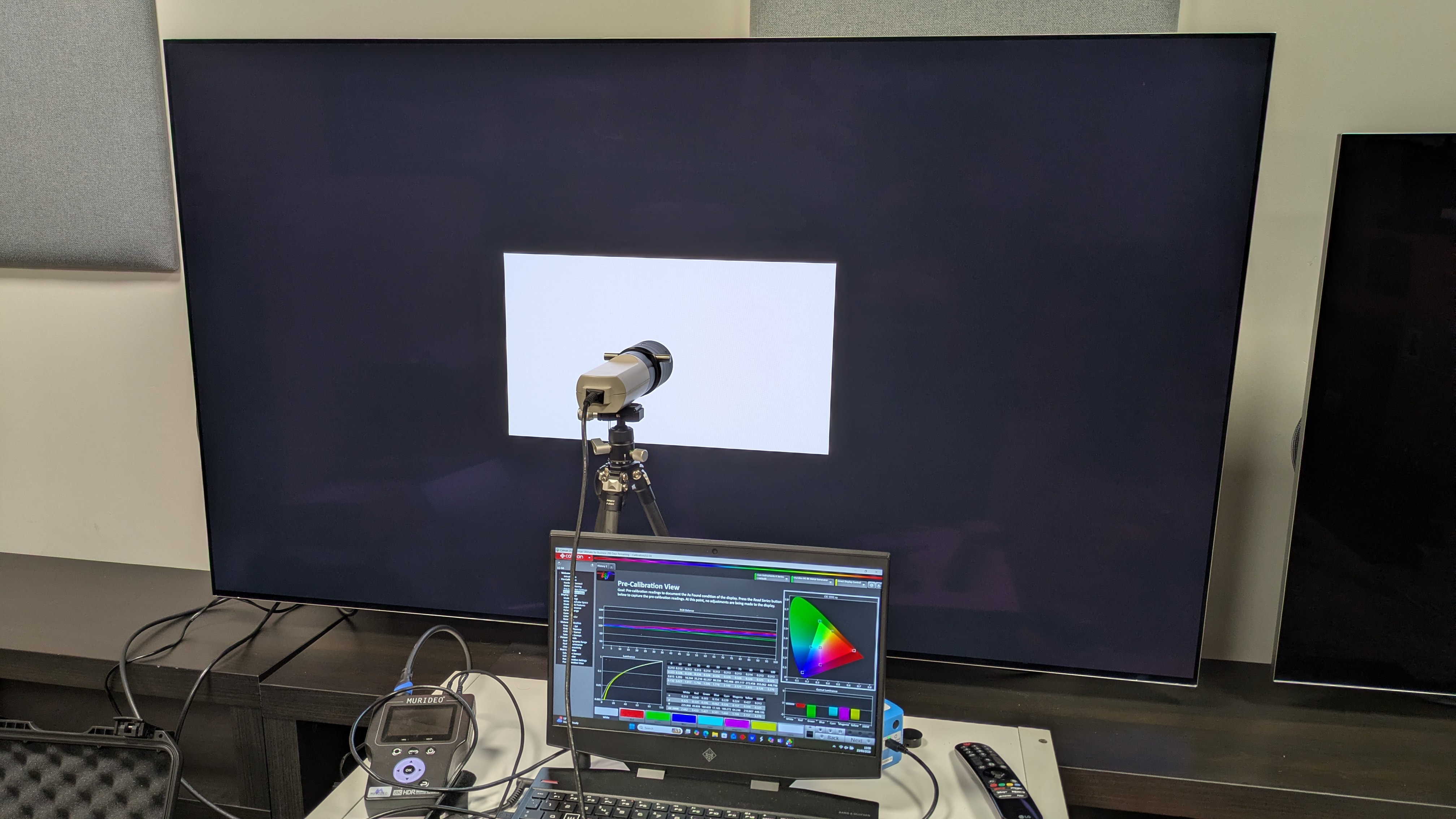
The testing setup for the G6, with Klein K-10A colorimeter, Murideo Six G 8K Metal test pattern generator and laptop with Portrait Displays Calman software connected(Image credit: Future)
I tested the LG G6 over three weeks, watching streaming, 4K Blu-ray, regular Blu-ray, and DVD
Tested in various lighting conditions in our TV testing labs
Measurements taken using Portrait Displays Calman color calibration software
I first tested the LG G6 OLED TV with some casual viewing to establish its best picture modes, settling on Filmmaker Mode for SDR, HDR and Dolby Vision sources.
I then conducted real-world viewing tests using both SDR (DVD and broadcast TV) and HDR (4K Blu-ray and 4K streaming) where I analyzed the G6's picture quality. I focused on color, contrast, shadow detail, motion and upscaling (for lower resolution sources such as DVD).
I also tested the G6's built-in sound by using reference scenes to test its sound performance, such as The Batman and The Mask, on top of other viewing.
Once these subjective tests were completed, I did some objective testing by taking measurements suing specialized equipment. I used the Klein K-10A colorimeter (after meter profiling with the Jeti 15VA spectroradiometer), Murideo Six G 8K Metal test pattern generator and recorded results using Portrait Displays Calman color calibration software.
I measured the G6's brightness in both Filmmaker Mode (its most accurate mode) and Standard picture modes, in both SDR and HDR. I used white window test patterns ranging 1-100%, focusing on 10% (peak brightness) and 100% (fullscreen brightness).
I also measured its HDR color gamut coverage, using both BT.2020 and UHDA-P3 color spaces, hoping for a result of over 95%. I also measured its SDR color and grayscale accuracy by taking the average of the Delta-E results (the margin for error between the test pattern signal and what's shown on screen), hoping for results below 3 (anything below can't be distinguished by the human eye).
I then measured the G6's EOTF in 1,000, 4,000 and 10,000 nits brightness, which shows the accuracy at which the G6 displays in both dark and light areas.
I also measured the G6's Spectral Power Distribution using the Jeti spectroradiometer, which shows the G6's color performance.
Finally, I measured the G6's input lag using a Leo Bodnar 4K HDMI Input Lag Tester, measuring this is milliseconds (ms).