Monday, June 30, 2025

70 hours later, and I'm convinced The Legend of Zelda: Tears of the Kingdom Nintendo Switch 2 Edition is a true system seller

Platform reviewed: Nintendo Switch 2
Available on: Nintendo Switch 2
Release date: June 5, 2025

The Legend of Zelda: Breath of the Wild is one of my favorite games of all time, so I fully expected the sequel, The Legend of Zelda: Tears of the Kingdom, to capture my heart too.

Unfortunately, I never clicked with Tears of the Kingdom when it launched in 2023, despite loving the concepts at play that gave players an endless sandbox to experiment with and an incredible physics engine.

Why, you might ask? Well, unlike when its predecessor, launched in 2017 on magical new hybrid hardware, Tears of the Kingdom not only chugged along at 30 frames per second (fps) with a lower resolution than the games I had become accustomed to playing on other consoles, but I also felt it lacked the feeling of new that made Breath of the Wild so magical.

Fast forward to 2025 and the launch of the Nintendo Switch 2, The Legend of Zelda: Tears of the Kingdom Switch 2 Edition has completely revitalized my love for open-world games, and thanks to a huge performance boost, it’s now poised to sit on my Mount Rushmore of this decade’s video game releases. Read on to find out why it's one of the best Nintendo Switch 2 games, but let it be known: The Legend of Zelda: Tears of the Kingdom Switch 2 Edition is one of the best video games ever made.

A breath of fresh air

Tears of the Kingdom Legend of Zelda Nintendo Switch 2

(Image credit: Nintendo)

The Legend of Zelda: Tears of the Kingdom launched to rave reviews, cementing it as one of the best sequels of all time when it launched two years ago. There’s nothing else I can say about the game’s mechanics and story that haven’t already been said, so I want to specifically focus on the upgrades the Nintendo Switch 2 brings to Hyrule.

Back when I first played Tears of the Kingdom on the original Switch, I couldn’t help but feel like I’d played the game before. And despite running impressively on an underpowered handheld console, the experience was jarring, and it just never clicked for me.

As a massive fan of the series, I was incredibly disappointed; it almost felt like I had outgrown my childhood, and the magic had disappeared. Thankfully, I can confidently say today that’s not the case; I just needed a boost from 2025 hardware to make Tears of the Kingdom look and feel like it should’ve back in 2023.

The Legend of Zelda: Tears of the Kingdom Switch 2 Edition is a paid upgrade to the original, available for free for Nintendo Switch Online + Expansion Pass subscribers, a paid upgrade if you already own the game, or by buying the full Nintendo Switch 2 version.

The game itself has no new content, per se; instead, it brings buttery smooth 60fps, a beautifully sharp resolution, and HDR, which makes the colors absolutely pop. I can’t emphasize enough just how much this version of the game feels like a total facelift compared to the outdated original version.

Tears of the Kingdom Legend of Zelda Nintendo Switch 2

(Image credit: Future)

My biggest gripes with the game when it originally came out were all related to the magic of Hyrule’s expansive world feeling limited due to performance bottlenecks, and now on Switch 2, it plays like the definitive version of this absolutely incredible game.

Think of The Legend of Zelda: Tears of the Kingdom Switch 2 Edition like wearing glasses for the first time, it’s as if the blurriness is gone and you can finally experience what you’d dreamt of as a kid exploring Hyrule for the first time, whether that was playing Ocarina of Time or Twilight Princess.

Throughout my 70-hour playthrough, I haven’t encountered one performance hiccup, and on many occasions, I’ve had to pause to just stare in awe at the beautiful contrasting colors of the sky - I don’t think I’ve ever seen such a beautiful sunset in any game, ever.

The definitive way to experience Hyrule

Tears of the Kingdom Legend of Zelda Nintendo Switch 2

(Image credit: Nintendo)

If, like me, you couldn’t click with the original game, not to any fault of it own, but rather a fault of the hardware limitations it was confined to, then not only should you run out and buy this game, but it’s enough to justify a Nintendo Switch 2 console in itself.

While I haven’t played Breath of the Wild Switch 2 Edition, reading the review of that game on Switch 2 hardware tells a similar story to my experience with its successor. These Zelda games are just so good that an improvement to the experience by bringing them up to date for 2025’s standards makes them must-play, even if you experienced the land of Hyrule on Switch before.

Not only have I loved exploring Hyrule on my OLED TV in 1440p upscaled to 4K, but the performance upgrades here make the game a delight on Switch 2’s handheld mode. Running at 1080p with HDR enabled, it’s just the perfect experience to take your adventure on the go and not feel like you’re compromising.

Best bit

Tears of the Kingdom Legend of Zelda Nintendo Switch 2

(Image credit: Nintendo)

Gliding through the world of Hyrule on Switch 2 feels like you're experiencing freedom for the first time. Now with a crisp resolution and steady framerate, exploration has never felt so good.

Eight years ago, when I first experienced that feeling of continuing my adventure on my commute to work, in the park, or on vacation, it was the best gaming experience I had ever had in my life. Now, thanks to the Switch 2’s hardware, that experience is amplified to a whole new level, and all I want to do is finish writing this article so I can delve back into the land of Hyrule.

While some fans of the series will be disappointed at the lack of new content in The Legend of Zelda: Tears of the Kingdom Switch 2 Edition, I think the game can already feel a little overwhelming with just how much it offers.

At no point in my playthrough did I wish for new experiences; I was just happy to relive one of the best games of all time, but better. And, truth be told, while there’s not really any new content, despite an option for a second save file (Thank you, Nintendo!) on the Switch 2 itself, do not underestimate just how good the Zelda Notes companion app is.

The cherry on top
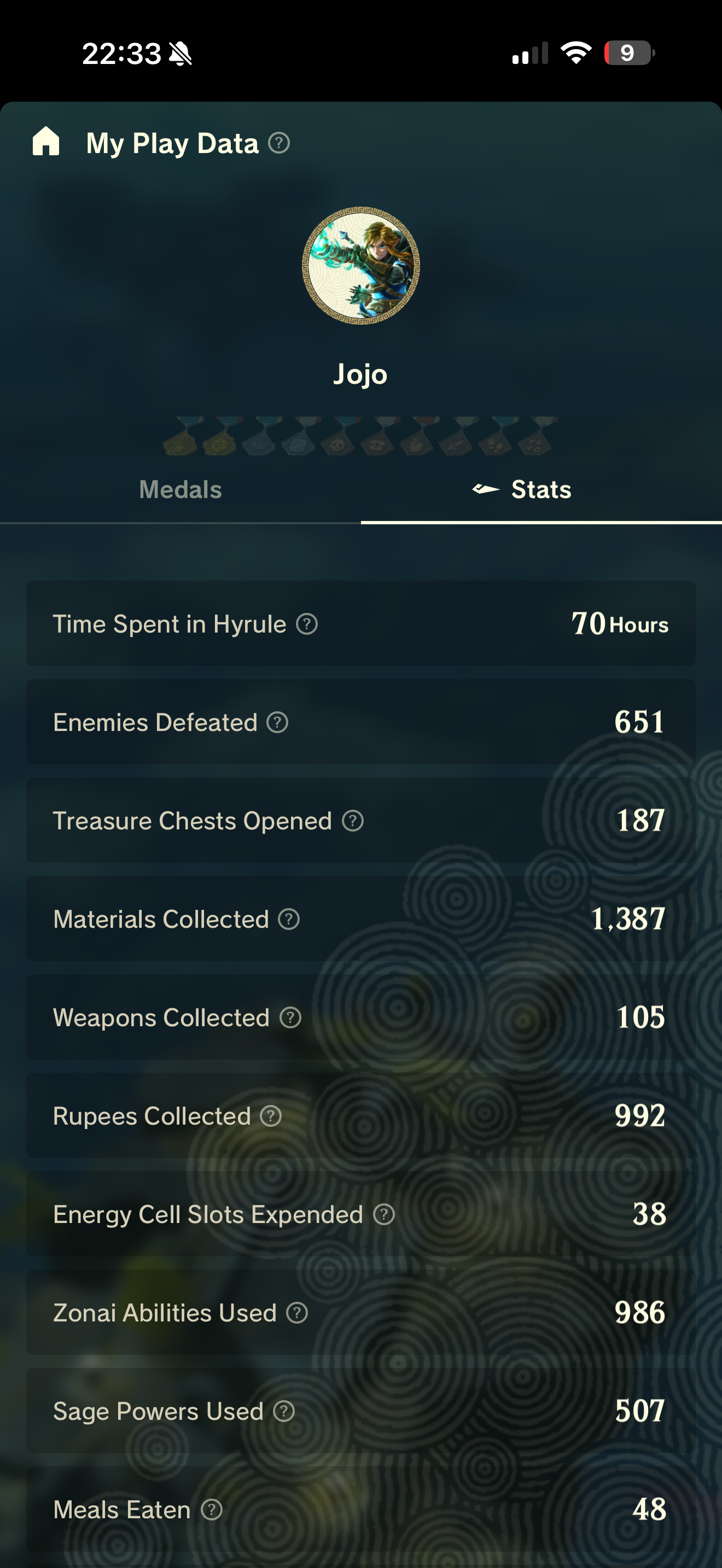
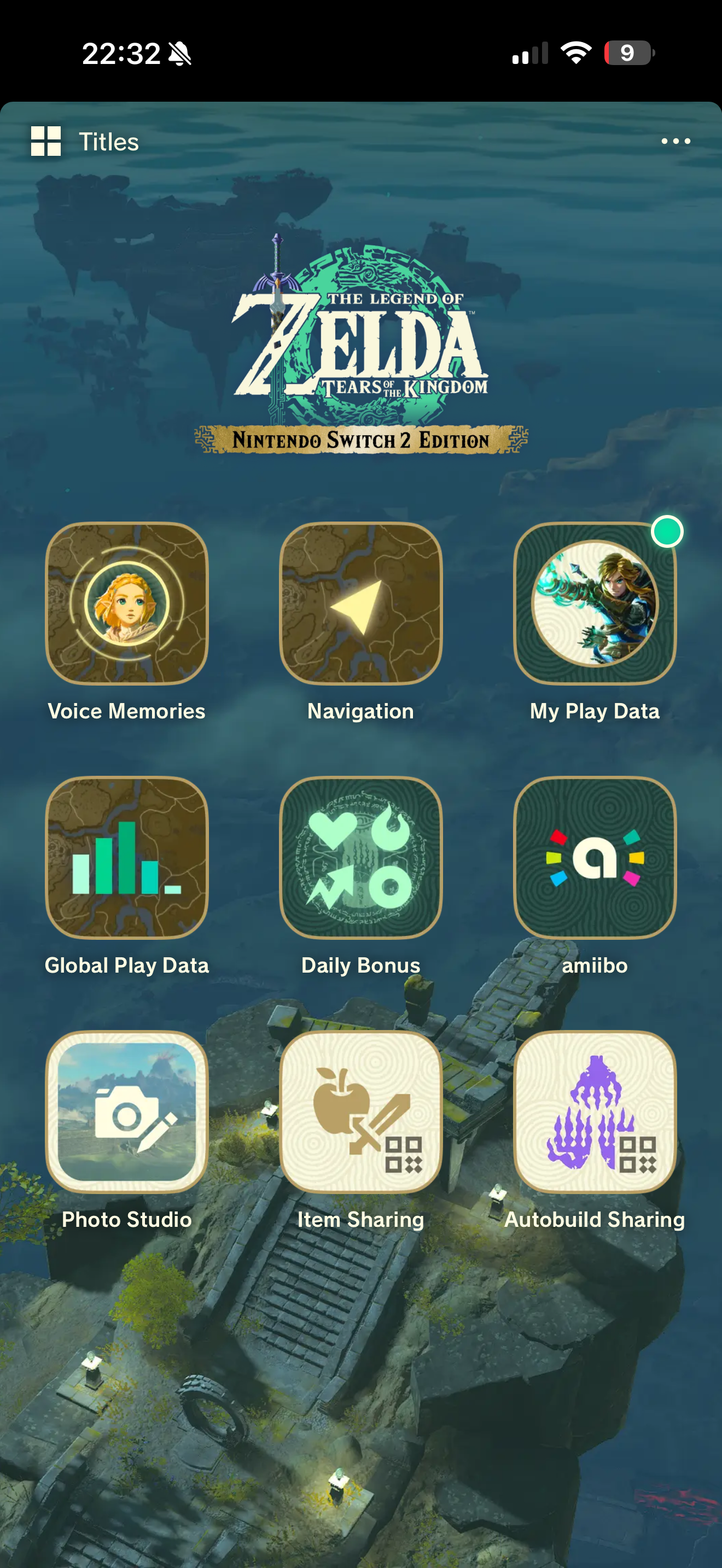
Zelda Notes, an exclusive feature to the Switch 2 Edition of this game, can be found in the iOS or Android Nintendo Switch app. It’s almost an app within an app, bringing a whole new extra element to your adventure.

Not only can you navigate the map in real-time on your smartphone or tablet, but the app also unlocks dozens upon dozens of Voice Memories, which makes Hyrule feel even more alive. While I would’ve preferred Voice Memories, audio clips you can stumble upon in different locations in the world, to be included in the game, rather than in the app, the added lore has made me want to explore every nook and cranny to try and uncover the hidden details of the adventure.

The Zelda Notes app also gives you access to your full playthrough data, which is a lovely addition considering Nintendo still doesn’t give you detailed playing stats on the Switch 2 console, as well as the ability to share items and building concepts for Autobuild via QR codes.

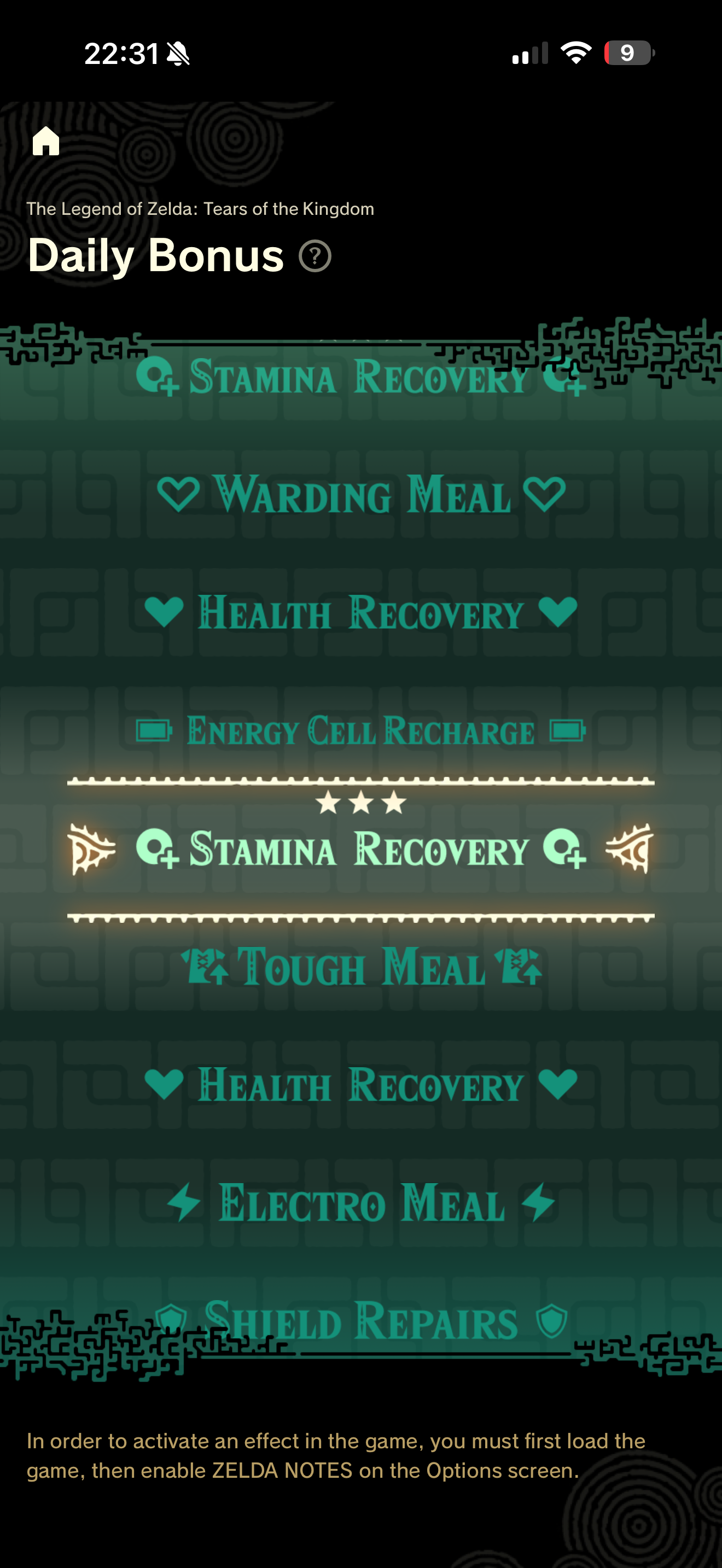
One of my favorite additions to the game via Zelda Notes, however, is the Daily Bonus, which lets you spin a wheel every 24 hours to unlock a nutritious meal or other stat boost that might help you explore the deepest depths or highest skies of Hyrule. I found myself playing the game more regularly just to experience my Daily Bonus, and it was just the incentive I needed to keep venturing on with my journey.

Should you buy The Legend of Zelda: Tears of the Kingdom Nintendo Switch 2 Edition?

Buy it if...

You’ve never played Tears of the Kingdom before, or are looking to replay it
This version of the game is the definitive way to play one of the best video games of all time. If you've never played Tears of the Kingdom, couldn't vibe with the less-than-stellar performance when it launched, or love the game and want to delve back in, the Nintendo Switch 2 Edition is worth picking up.

You’re looking for a reason to buy the Nintendo Switch 2
Yes, Mario Kart World is awesome, but after a while, it becomes your go-to party game rather than a reason to pick up your Nintendo Switch 2 after work. If you're looking for a reason to purchase a Nintendo Switch 2, this upgraded version of one of the best games of all time might be the perfect opportunity to do so. I don't say this lightly: Tears of the Kingdom in full 60fps is a system seller.

Don't buy it if...

You didn't enjoy the game the first time around
While I've just written over a thousand words on why this version of Tears of the Kingdom makes me love the game despite not enjoying it the first time around, my reasons for not clicking with the game were never related to the gameplay itself. If you don't enjoy open-world adventure and didn't click with Breath of the Wild or Tears of the Kingdom in the past, this new version of the game won't change your mind.

Accessibility

The Legend of Zelda: Tears of the Kingdom Nintendo Switch 2 Edition doesn’t have much going on with it, accessibility wise. While you still have access to gyro aiming and the ability to rebind your controls from the Switch 2 menu (which won’t translate to the correct button prompts in-game), there’s nothing much to write home about.

You can't increase the text size, turn off motion blur, or make any other adjustments to help with playing the game. There's also no difficulty setting, so if you find the nature of an open world with breakable weapons too difficult, tough luck.

How I reviewed The Legend of Zelda: Tears of the Kingdom Nintendo Switch 2 Edition

I played over 70 hours of The Legend of Zelda: Tears of the Kingdom on Nintendo Switch 2, venturing throughout the main story as well as completing a variety of side quests dotted around Hyrule.

I had previously played the game on Nintendo Switch 1, but was never able to complete it. Combined, I must have over 150 hours of gameplay in Tears of the Kingdom, and I've also played and completed every other mainline Zelda game.

I played The Legend of Zelda: Tears of the Kingdom Switch 2 Edition in a mixture of handheld mode on the Nintendo Switch 2 itself and on one of the best OLED TVs, the Samsung Q90D, using the Nintendo Switch 2 Pro Controller.

First reviewed June 2025
I tested the Acer Chromebook Plus 516 and liked its large display and fast performance – but it doesn’t have the best battery life

Acer Chromebook Plus 516: Two-minute review

The Acer Chromebook Plus 516 is a large device with a reasonably strong spec, making it ideal for various productivity and entertainment needs. It might not look terribly auspicious, and the color is a little dour, but it's surprisingly thin for a Chromebook this size, which helps to make it more sleek.

It’s also a well-made machine, with materials that feel durable yet light. What’s more, the lid hinges allow for easy opening and offer stability at any angle all the way up to 170 degrees.

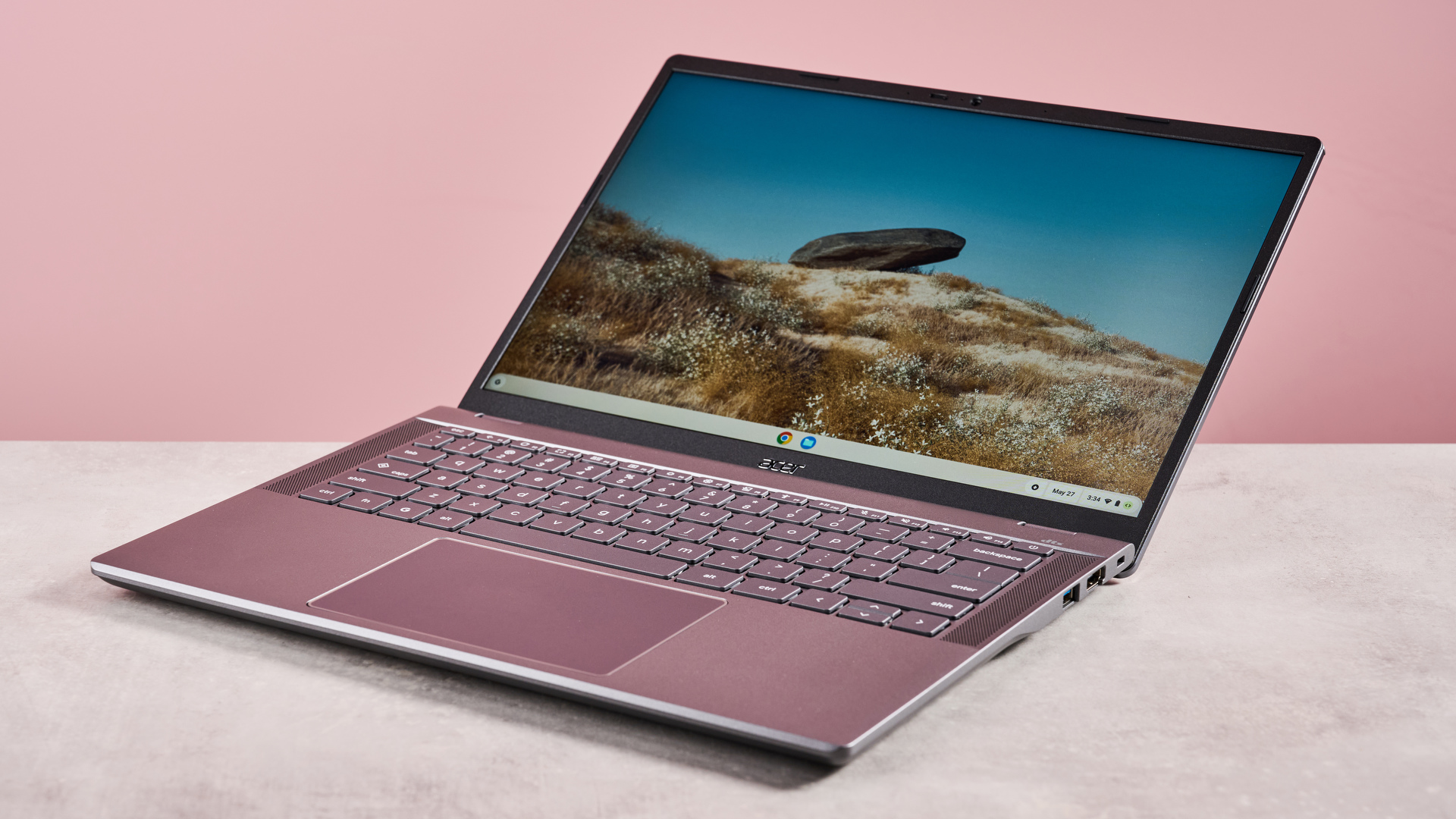
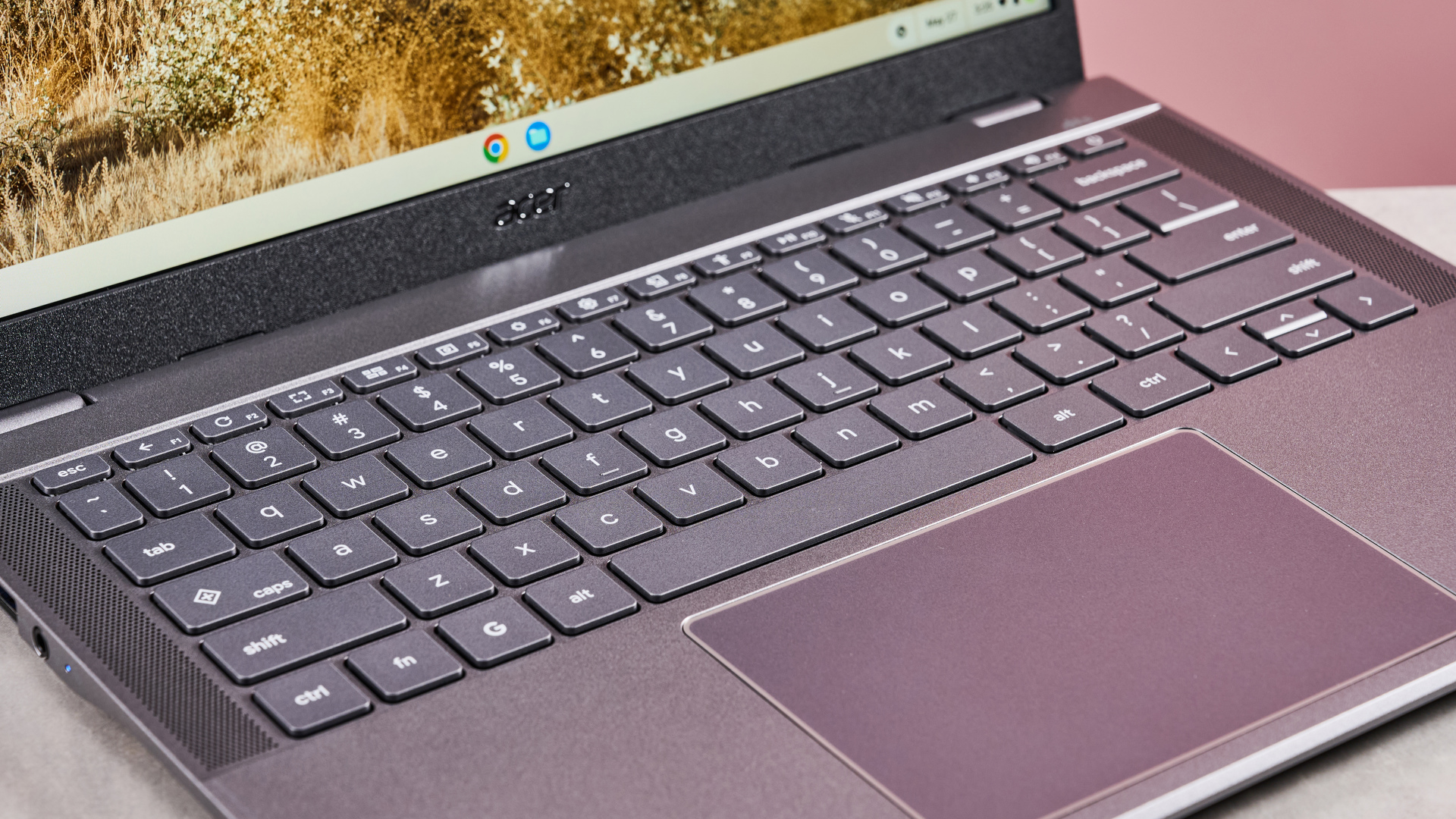
It also has one of the best Chromebook keyboards in terms of layout, with plenty of keys included, such as a number pad, without compromising spacing. This makes typing easy, and the snappy nature of the individual keys makes them satisfying, too.

The touchpad is equally capable, providing responsive inputs and plenty of accuracy, which, combined with its large size, makes for easy navigation. It also manages to keep out of the way while typing.

Close-up of keyboard and touchpad on Acer Chromebook Plus 516, open on desk with pink background

(Image credit: Future)

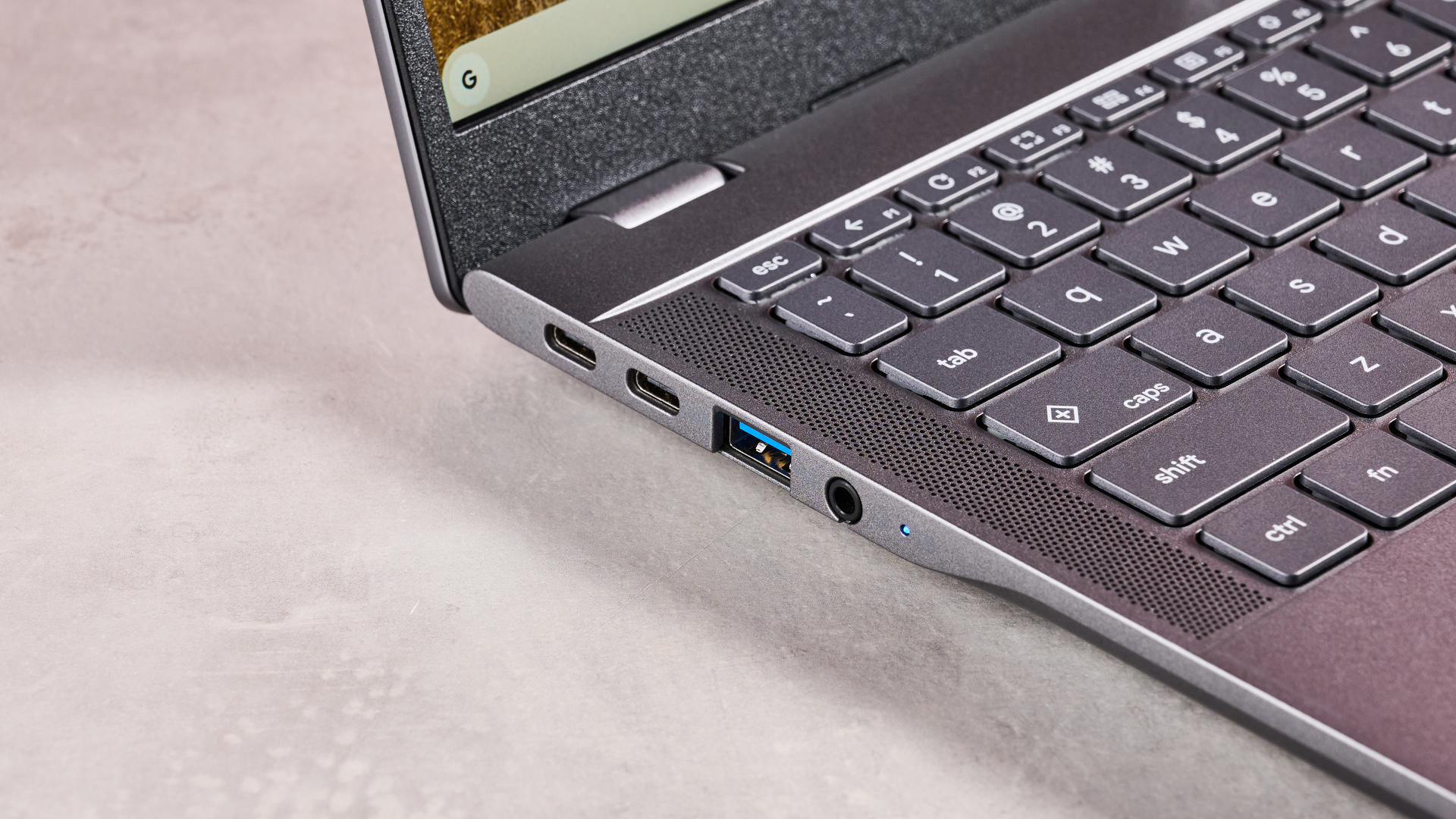
Port selection on the Chromebook Plus 516 is quite good, and I was pleased to see the inclusion of two USB-C ports. However, it’s a minor shame both are on the same side, which may limit your options when plugging into an outlet. Still, the two USB-A ports, HDMI port and audio jack are all welcome additions.

In terms of performance, the Chromebook Plus 516 handles most tasks well. It loads apps quickly and multitasks very well. Even mobile gaming on high settings is viable. It also takes Ultra HD content in its stride, streaming it without a hitch for the most part. Viewing such content is made all the more enjoyable thanks to that large, crisp, and vibrant display, which also does an admirable job of keeping reflections at bay.

Unfortunately, the battery life of the Chromebook Plus 516 isn’t particularly impressive relative to its rivals. During our movie playback test, it failed to break past eight hours, a threshold many modern Chromebooks can exceed.

With a starting price of £399.99 (about $540 / AU$830), the Chromebook Plus 516 sits somewhere in the middle of the market. However, it's good value when you consider its performance, display, and productivity credentials.

Acer Chromebook Plus 516 review: Price and availability

  • Starts from £399.99 (about $540 / AU$830)
  • Available from August in the UK
  • Mid-market pricing

The Chromebook Plus 516 starts from £399.99 (about $540 / AU$830) and is available in the UK from August in one colorway. Multiple storage, CPU, RAM and graphics options are configurable. A backlit keyboard can also be specified, as can a touch screen.

It’s about the same price as the equally capable but slightly smaller Acer Chromebook Plus 514. Like that model, the 516 sits somewhere in the middle of the market, but perhaps represents slightly better value owing to the larger screen size and extra keys.

However, if you still want great performance but at a lower price, the older Acer Chromebook Plus 515 remains a great pick, and its 15.6-inch measurement is still big enough to please those who prefer large displays; there’s a reason we think it’s one of the best student Chromebooks, after all.

If you’re after something cheaper still, we think the Lenovo IdeaPad Flex 3 Chromebook is the best student laptop for those on a budget. Its performance is no match for the mightier Chromebook Plus 516, and it’s also much smaller, but it has the advantage of being a 2-in-1 device, thanks to its 360-degree rotation and touchscreen.

  • Value: 3.5 / 5

Acer Chromebook Plus 516 review: Specs

These specs pertain to my review unit of the Acer Chromebook Plus 516:

Price

£399.99 (about $540 / AU$830)

CPU

Intel Core 3 100U (8 threads, 4.7GHz)

Graphics

Integrated, Intel UHD Graphics

RAM

8GB LPDDR5

Screen

16-inch WUXGA (1920 x 1200) IPS, 16:10

Storage

128GB UFS

Ports

2x USB-A, 2x USB-C, 1x HDMI, 1x 3.5mm audio

Wireless

Wi-Fi 7, Bluetooth 5.3

Camera

HD 1080p

Weight

3.75lbs (1.7kg)

Dimensions

14.1 x 10 x 0.8 inches (359 x 253 x 19mm)

Acer Chromebook Plus 516 review: Design

Close-up of left-side ports on Acer Chromebook Plus 516, open on desk with pink background

(Image credit: Future)
  • Smart and well made
  • Plenty of keys
  • Both USB-C ports on same side

The Chromebook Plus 516 adopts the fairly typical Acer aesthetic, with a sleek but understated appearance. There’s nothing particularly spectacular about its looks, but it’s at least free from too many fussy details.

Despite its large size, it’s pleasingly thin and not quite as heavy as you’d expect it to be. It’s no match for smaller Chromebooks in terms of portability, but all sides are quite flat and smooth, which helps when sliding it into your bag.

The build quality is on par with the best Chromebooks. Certain materials look more premium than others, but all feel solid and durable. The keycaps are perhaps the least impressive visually, but they’re tightly fitted.

The hinge mechanism is similarly well-engineered. The lid is easy to open and move into any position, and its maximum recline angle of 170 degrees makes it versatile for various setups. What’s more, it remains stable in any position; there’s next to no wobble, which is all the more impressive given its thinness and lightness.

The keyboard features numerous shortcut keys on the F row, all of which are quite useful. Highlights include one for taking screenshots, one for dictation, and one for opening a menu containing various accessibility functions.

Being a Chromebook Plus, you also get a Quick Insert key, used for accessing files, opening recent documents or creating new ones, inserting links, using AI tools, and other productivity-based functions.

The keyboard even includes a navigation cluster and number pad, both of which I welcome. More impressively, these don’t compromise the layout spacing, thanks to the width of the device itself. The touchpad also manages to not get in the way while typing, despite its relatively large size.

I was pleased to see the Chromebook Plus 516 features two USB-C ports, although unfortunately they’re both the same side, which somewhat limits versatility when plugging into an outlet. Still, it’s nice to have more than one, and the further ports – two USB-A ports, an HDMI port, and a 3.5mm headset jack – are all welcome additions. There’s no SD card slot, though, which might be a problem for some users.

  • Design score: 4 / 5

Acer Chromebook Plus 516 review: Performance

Acer Chromebook Plus 516 open wide on desk with pink background

(Image credit: Future)
  • Fast and capable multitasker
  • Can handle light gaming
  • Sharp display
Benchmarks

These are the results of our benchmarking tests for the Acer Chromebook Plus 516:

TechRadar Battery Life Test: 7 hours and 35 minutes
Jetstream2 Benchmark: 295.772
Kraken Benchmark: 398.5ms
Speedometer 3.0: 18.8 (±1.0)

The Chromebook Plus 516 is quite a capable performer. Creating and editing documents and spreadsheets is no problem for it, while switching between apps and multiple tabs is taken in its stride.

Gaming performance is also admirable. I managed to play Asphalt Legends Unite on high graphics settings without issue, running smoothly with little stutter. This was especially impressive given that the game recommended I play on lower settings based on the specs, but you’ll still want one of the best gaming laptops if you plan on playing more intensive games.

It can stream ultra HD content with relative ease as well. During my testing, I encountered little in the way of buffering or stuttering, making for seamless viewing in the main.

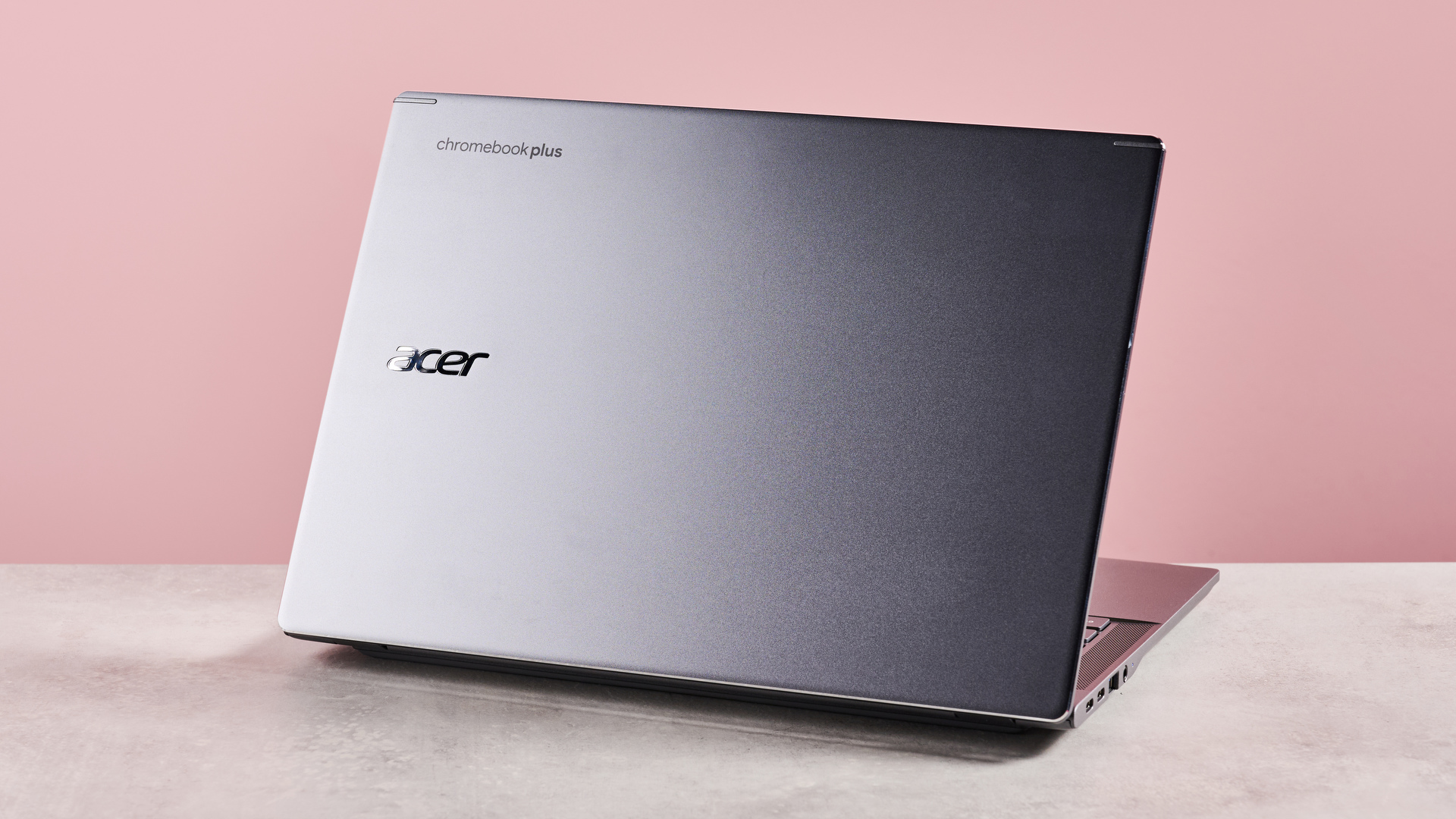
Back of Acer Chromebook Plus 516 open on desk with pink background

(Image credit: Future)

The experience is made even better thanks to the surprisingly vibrant display, which also avoids the washed-out appearance that afflicts some Chromebooks. Reflections do reveal themselves somewhat in darker scenes and unfavorable lighting conditions, but generally they’re kept at bay quite well.

Moreover, the 1920 x 1200 resolution is suitably sharp for its large size, which makes the UI very clear, while the thin bezels ensure that the most is made of the allotted real estate.

Typing on the Chromebook Plus 516 is also a pleasure. Despite the inauspicious looking keys, they perform well, with their light actuation and just enough dampening to make them tactile. Despite the inclusion of a number pad and other extra keys, I didn’t find the layout cramped, which made for an accurate and comfortable typing experience.

The trackpad is brilliantly smooth and very precise, tracking perfectly with my finger movements and gestures. As with the keys, it only requires a light touch, which makes it easy to use.

  • Performance score: 4.5 / 5

Acer Chromebook Plus 516 review: Battery life

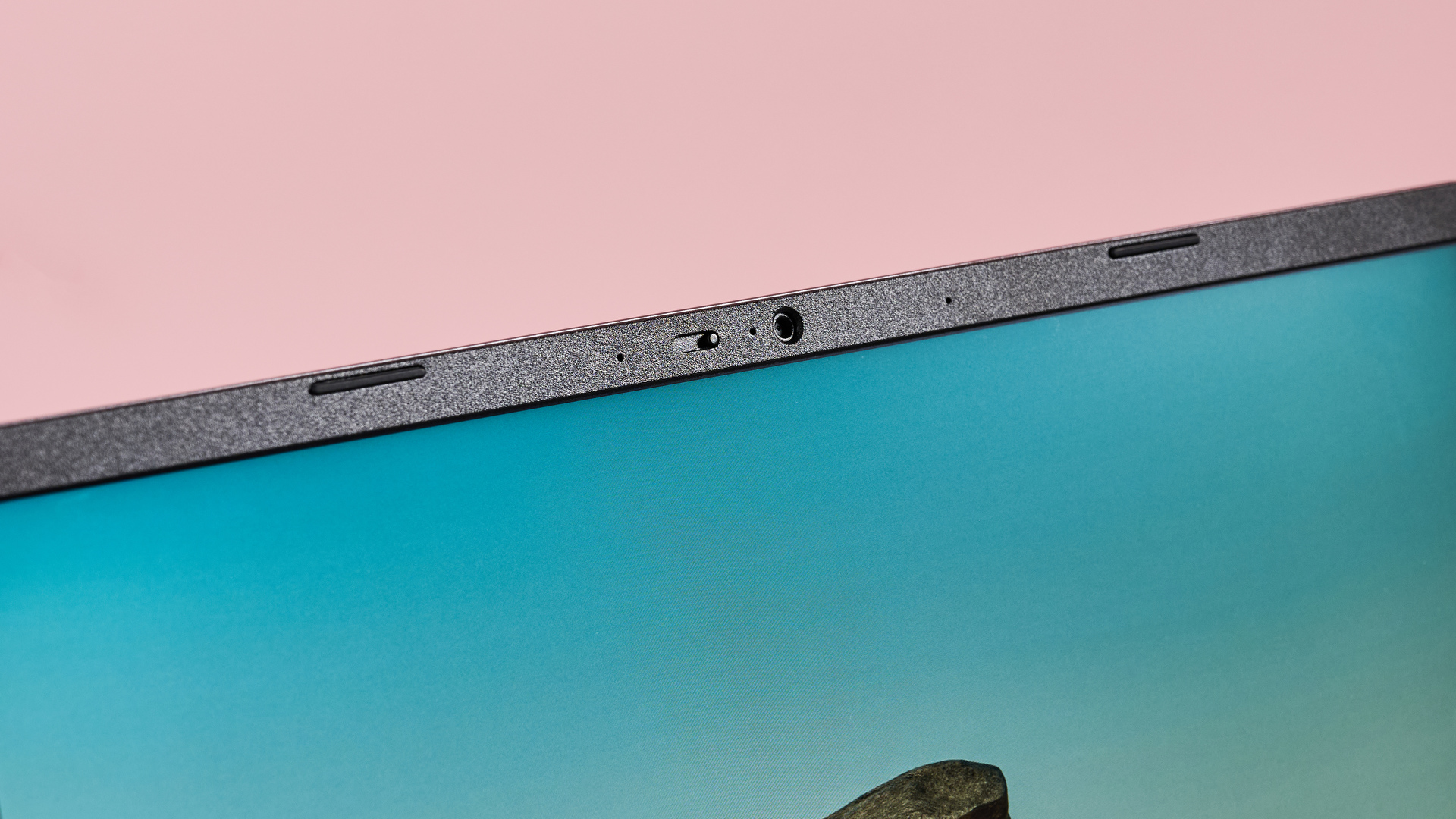
Close-up of camera on Acer Chromebook Plus 516 with pink background

(Image credit: Future)

The Chromebook Plus 516 doesn't have a terribly impressive battery life, posting a below-average score during our test. We ran a movie on a continuous loop, and it gave up the ghost after seven hours and 35 minutes.

The Acer Chromebook Plus 514 we tested fared better, managing to last almost an hour longer. The much smaller Chromebook Spin 312 also eclipsed it, running all the way past 11 hours before total depletion.

However, the Chromebook Plus 516 still did better than the older Chromebook Plus 515, which only managed five hours. However, if you’re after a device that can really go all day, the Lenovo IdeaPad Flex 3 Chromebook is perhaps your best choice, as this lasted over 16 hours in our movie playback test.

  • Battery life: 2.5 / 5

Should I buy the Acer Chromebook Plus 516?

Attributes

Notes

Rating

Price

The Chromebook Plus 516 has a price you might expect for a Chromebook Plus, although its size and keyboard impart extra value.

3.5 / 5

Design

The Chromebook Plus 516 is pleasingly thin for such a large device, and the build quality is respectable. The keyboard is great for productivity, too.

4 / 5

Performance

The Chromebook Plus 516 can handle all sorts of tasks, including light gaming, while the sharp and vibrant display is great for viewing Ultra HD content.

4.5 / 5

Battery life

The Chromebook Plus 516 is far from the best in class when it comes to battery life, with many others capable of outliving it.

2.5 / 5

Total Score

The Chromebook Plus 516 is a great performer with a vibrant display and a useful keyboard. If you’re after a large Chromebook for work and play, it fits the bill quite well – so long as you don’t plan on using it unplugged all day long.

4 / 5

Buy it if...

You want a large display
At 16 inches, the Chromebook Plus 516 is one of the larger Chromebooks on the market, and the resolution is sharp enough to match.

You want fast performance
The Chromebook Plus 516 can handle most productivity tasks and even light gaming, thanks to its relatively strong spec.

Don't buy it if...

You want a convertible device
The Chromebook Plus 516 isn’t a 2-in-1 device, so it can’t be used like the best tablets.

You want the best battery life
Seven and a half hours is all you’ll get with continuous movie playback, which ranks in the lower half of the Chromebook league.

Acer Chromebook Plus 516 review: Also consider

Acer Chromebook Plus 516

Acer Chromebook Plus 514

Lenovo IdeaPad Flex 3 Chromebook

Price

Starts from £399.99 (about $540 / AU$830)

$399 / £399 (about AU$560)

$399.99 / £399.99 (around AU$633)

CPU

Intel Core 3 100U (8 threads, 4.7GHz)

Intel Core 3 100U (8 threads, 4.7GHz)

1.1GHz Intel Celeron N4020 (dual-core, 4MB cache, up to 2.8GHz Burst)

Graphics

Integrated, Intel UHD Graphics

Integrated, Intel UHD Graphics

 Intel UHD Graphics 600

RAM

8GB LPDDR5

8GB LPDDR5

4GB DDR4

Screen

16-inch WUXGA (1920 x 1200) IPS, 16:10

14-inch WUXGA (1920 x 1200) IPS, 16:10

11-inch IPS touchscreen, 1,366 x 768

Storage

128GB UFS

128GB UFS

64GB eMMC

Ports

2x USB-A, 2x USB-C, 1x HDMI, 1x 3.5mm audio

2x USB-A, 2x USB-C, 1x HDMI, 1x 3.5mm audio

2x USB-C with charging, 2x USB-A, microSD

Wireless

Wi-Fi 7, Bluetooth 5.3

Wi-Fi 6, Bluetooth

Wi-Fi, Bluetooth 4.2

Camera

HD 1080p

HD 1080p

720p

Weight

3.75lbs (1.7kg)

3.15lbs (1.43kg)

2.64lbs (1.2kg)

Dimensions

14.1 x 10 x 0.8 inches (359 x 253 x 19mm)

12.9 x 8.9 x 0.8 inches (32.7 x 22.5 x 2cm)

0.7 x 11.41 x 8.18 inches (17.8 x 290 x 207.8mm)

Here are some alternatives to the Chromebook Plus 516:

Acer Chromebook Plus 514
An almost-equally large Chromebook Plus, the 514 boasts a similar performance and spec, although I would say the 516 has a slightly better display quality. The 514 also lacks the extra keys of the 516, which might deter those interested in extracting the maximum productivity from their machine. Read our Acer Chromebook Plus 514 review.

Lenovo IdeaPad Flex 3 Chromebook
If you want something smaller, cheaper, and more versatile, look no further than the Lenovo IdeaPad Flex 3 Chromebook. It’s convertible, so you can use it like a tablet, and it has an excellent battery life to boot. However, it’s not the quickest performer, but it's still sufficient, which is why it makes the best student laptop for those on a budget in our view. Read our Lenovo IdeaPad Flex 3 Chromebook review.

How I tested the Acer Chromebook Plus 516

  • Tested for two days
  • Used for a variety of tasks
  • Abundant Chromebook reviewing experience

I tested the Chromebook Plus 516 for a few days, during which time I used it for a variety of tasks, including productivity, gaming, and browsing.

I edited spreadsheets and documents, used multiple tabs when browsing in Chrome, and streamed 4K content. I also played Asphalt Legends Unite, and connected various peripherals via Bluetooth.

I have used various Chromebooks and other laptop devices for decades, and have reviewed a number of them too (including other Acer models), varying in their price points, form factors, and performance.

Sunday, June 29, 2025

Duda website builder review 2025

Our latest Duda review takes a deep dive into a new yet unique website builder offering, offering you insight into all the pros, cons, features, and tools, helping you make an informed choice.

Duda comes with a wide range of features including drag-and-drop editing capabilities, access to hundreds of templates and widgets, and an advanced AI. This makes it easier to build attractive websites and manage them at scale without any of the usual hassle.

Wix remains our pick for the top website builder of 2025. But this website builder has been built specifically with professionals in mind, offering agency-level functionality and white labeled tools. This makes it one of the best website builders for agencies and freelancers who want to build great websites for their clients.

Duda: 2-minute review

Duda positions itself as a premium website builder designed specifically for agencies, freelancers, and professional web developers. The platform excels at creating responsive websites that look great across all devices, with particularly strong mobile optimization tools that set it apart from competitors like Wix or Squarespace. Its drag-and-drop editor is intuitive yet powerful, allowing users to create professional websites without coding knowledge while still offering advanced customization options for those who need them.

What makes Duda so appealing to agencies is its comprehensive white-label capabilities and client management features. You can customize the platform with your own branding, give clients controlled access to their sites, and manage multiple projects efficiently. The platform runs on Amazon Web Services hosting, ensuring fast loading times and reliable performance. However, Duda's focus on professional users means it comes with a higher price tag than many competitors, and it lacks the free tier that makes other builders accessible to beginners.

What is Duda?

Duda is a cloud-based website building platform that lets you create professional websites without needing to write code. It provides everything you need to build a website — templates, design tools, hosting, and management features, all in one place.

Instead of hiring a team of web developers who specialize in complex programming, you can use the visual editor to drag and drop elements like text, images, and buttons exactly where you want them.

Duda adjusts your website's layout to look great on any screen size, but it also gives you granular control to customize how your site appears on each device type. It also includes built-in features for online stores, contact forms, photo galleries, and other common website functions.

Features

screenshot of Duda app store

The Duda App Store lets you easily install apps from over 25 different categories. (Image credit: Duda)

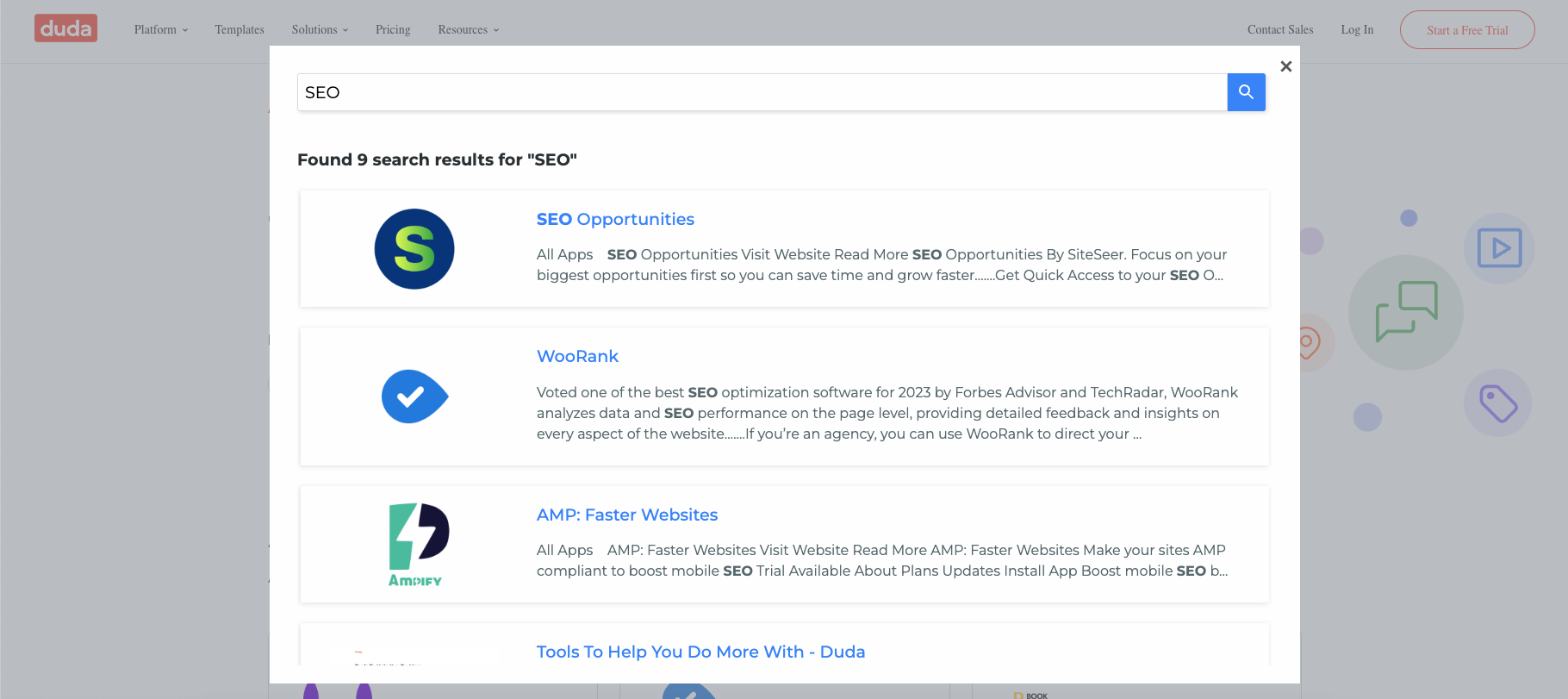
The Duda App Store lets you easily install apps from over 25 different categories. Whether you’re looking for ecommerce tools, membership options, or website personalization options, there's plenty of options to choose from.

In more recent updates Duda has focused on rolling out better connectivity. Connectors are a new category available within the Duda App Store. They allow data transfer between Duda and other platforms such as ERPs, the best CRM software, and more. This allows agencies and freelancers to drastically expand the platforms to which they can connect client sites. Since launch Duda has released integrations with ActiveCampaign, MailChimp, Hubspot, Slack, and Facebook Conversions.

Duda has also added Blog APIs to its library. This addition will help agencies boost productivity by allowing the automatic import and push of blog content not created on the Duda platform to the sites they build. This will be especially useful to agencies using external writers or AI for blog writing.

If you’re running an online store, then you need an ecommerce solution. With Duda, we were able to easily set up an online store with its built-in ecommerce tools. We also took advantage of additional features such as payment processing integration and customer management tools.

Duda also provides membership options so that your customers can access exclusive content on your site. Whether it’s videos or podcasts, your site visitor can register for a paid membership to access this content without needing to leave your site. This is a great way to generate additional revenue for your business while offering your visitors more value.

Creating a website from scratch can take a lot of time and effort – but not with Duda. We were able to create a professional-looking website with Duda’s templates. These templates have been carefully crafted by industry experts so that they look great on any device or browser – regardless of size or resolution. Plus, all templates are fully customizable so that you can make them look exactly how you want them to be.

Mobile devices are becoming increasingly popular among web users – and if your site isn't optimized for mobile devices then it won't be seen by these potential customers. Fortunately, with Duda's mobile-friendly sites feature, creating mobile websites is easier than ever before. Not only does this feature allow visitors to view your site on any device or browser – but it also allows them to take advantage of features such as click-to-call buttons which give visitors direct access to contact information such as phone numbers and addresses right from their phones.

Widgets are small pieces of code snippets that add extra functionality and features to websites without needing any coding knowledge whatsoever. During our test, we were able to create custom widgets with drag-and-drop functionality. This can also be used by beginners to customize their sites in no time at all.

Keeping track of client payments is essential if you're offering services through your website - and luckily with the client billing feature in Duda, we were able to keep track of payments with ease. This feature allows you to easily set up invoicing systems through which you can keep track of clients' payments seamlessly - ensuring that all payments are made promptly and accurately every time.

Tools

Options

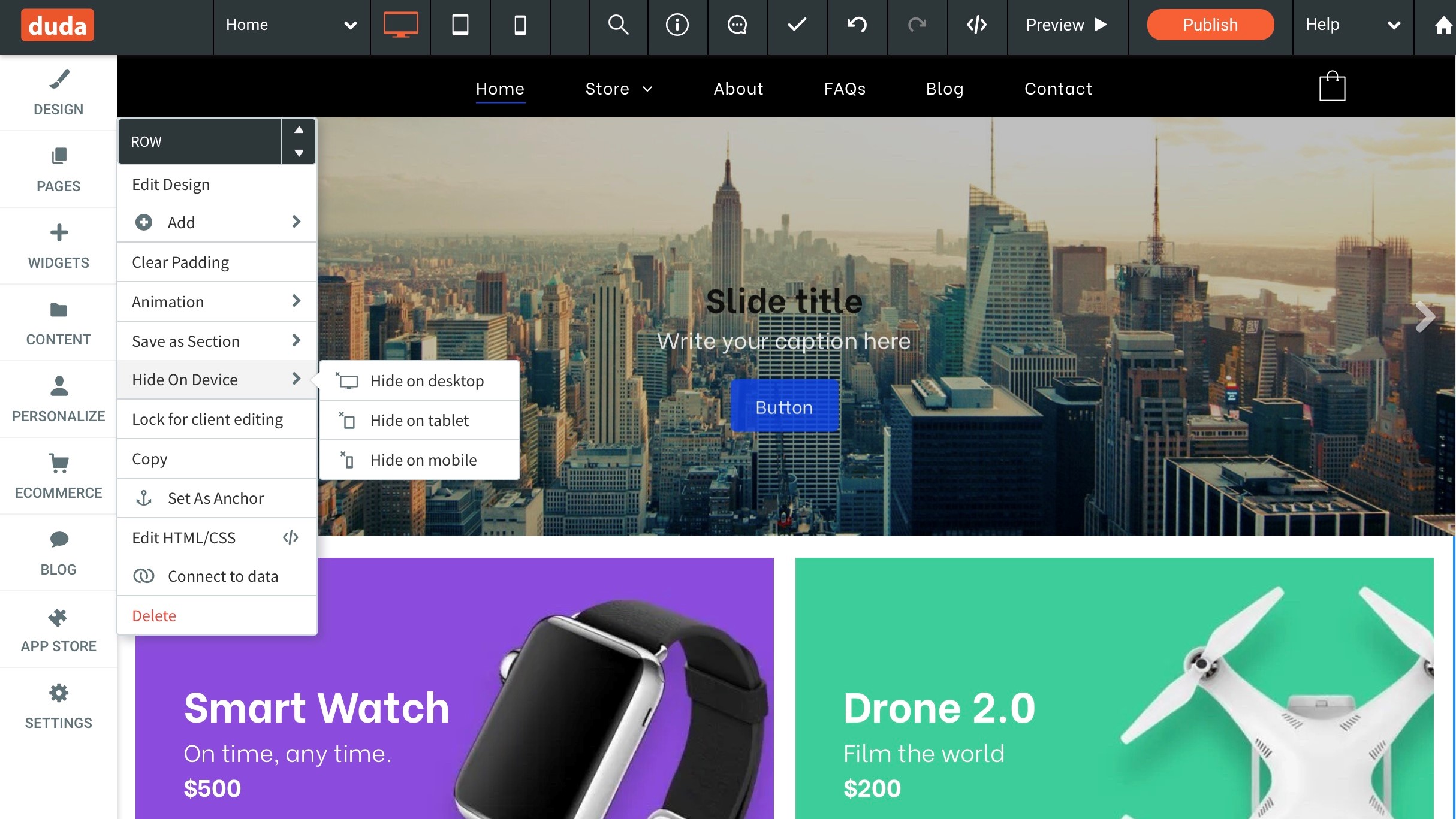
Click on an object to be presented with numerous customising options… (Image credit: Duda)

Despite being an AI website builder, Duda offers to its credit a powerful platform that has everything that a small-to-medium design or development agency would need. Here are some standout features that we thought were worth highlighting:

Accessibility

Everyone deserves to experience an accessible website regardless of their disability or technology. With the AudioEye tool, businesses get peace of mind knowing the product they are providing meets WCAG 2.0 AA standards for website accessibility in just a few clicks. Duda’s AudioEye tool allows visitors with visual impairments to access your site’s content in Audio format.

Ecommerce

With the Omni-channel ecommerce tool, you can easily drive sales from both your online stores as well as across the web. All products are synced with the store catalog and managed from one convenient platform.

This feature enables customers to shop from anywhere; whether it’s on a computer or mobile device and pay for purchases seamlessly without ever having to leave your site. This helps create a seamless shopping experience that customers will appreciate and come back for again and again.

Member management

The Simple Member Management & Reporting tool makes it easy for you to manage members directly from the Site Overview tab or the side panel of the editor. You can add, edit or remove members quickly while also keeping track of user interactions such as past purchases and more in one convenient place. This simplifies member management while also giving you valuable insight into how people are interacting with your website so you can adjust accordingly.

White labelling

If you are a web developer or web designer working with clients, then hiding your platform is essential for maintaining credibility and professionalism. With Duda’s white-label website builder & preview tools, you can place your client’s entire site-building process under your brand. That way your customers will never know that you are using Duda until you tell them yourself. This tool also includes preview tools so that your customers can get an accurate view of how their site will look before it goes live.

Dynamic pages

The Dynamic Pages tool is one of Duda’s most powerful tools as it allows you to design a single page once and then use it over and over again for different purposes without having to manually enter new information each time. This tool uses collections of text, images, business information, video, and more to automatically populate pages with relevant data based on user input or preferences. You can even sync these collections with Google Sheets or Airtable for even faster results.

Search engine optimization

Duda also leverages AI to help make creating and growing your website easier. All plans come with access to their AI content assistant, which will automatically generate and edit site content for you. Those on the Team plan and higher also get access to the AI SEO assistant. This tool makes following SEO best practices easy by generating metadata for all site pages in just one click.

Along with AI tools, Duda offers users a powerful SEO overview. This tool provides, at a glance, an overview of your site’s search engine optimization, helping you find and fix issues quickly. It also provides insight into optimization opportunities and delivers a simple way to give clients an up-to-date SEO snapshot. Working behind the scenes, this tool will identify and alert you of any issues with essential SEO requirements including external and internal links, page meta tags, image alt text, etc.

Ease of use

Templates

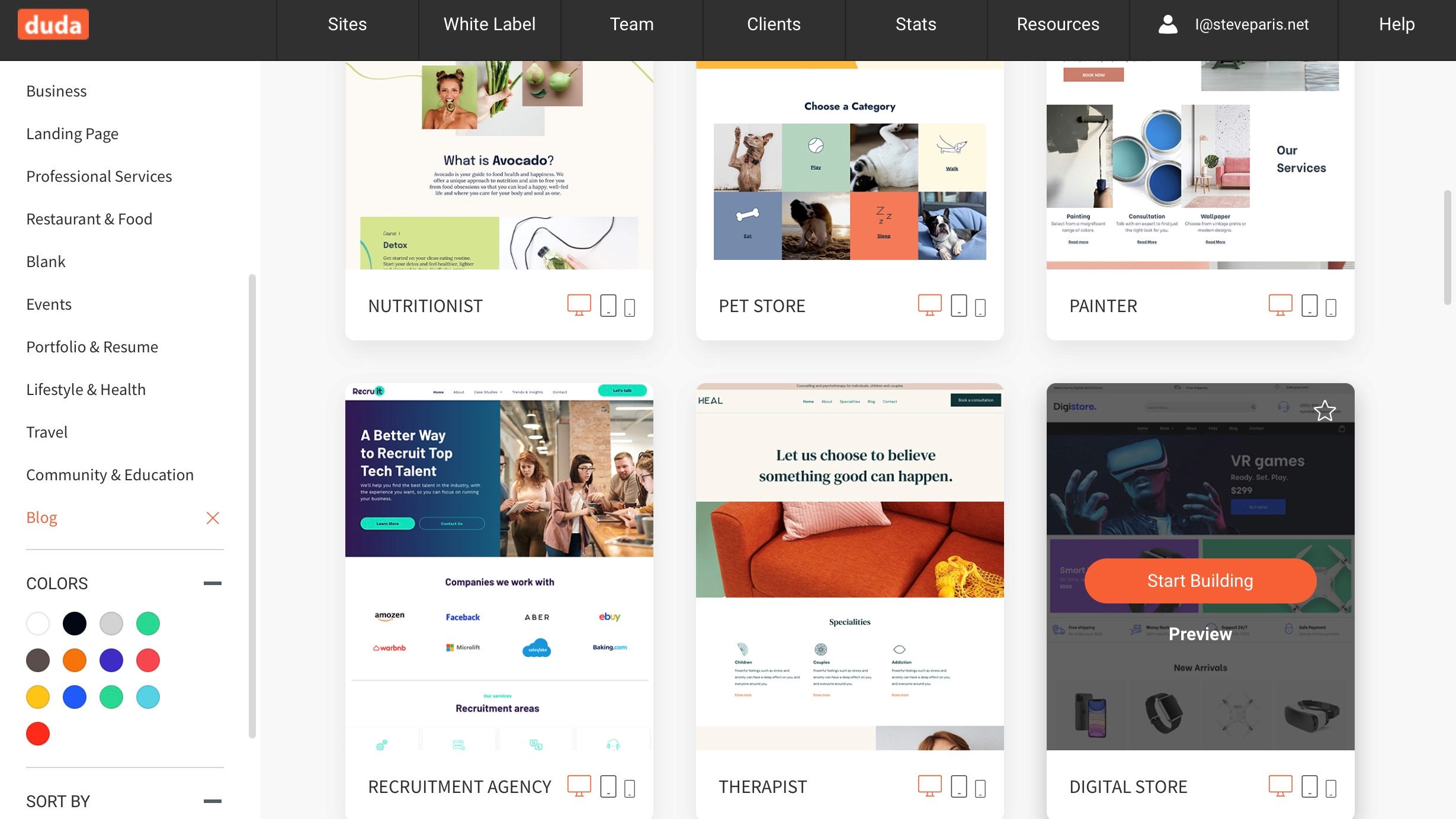
It’s incredibly easy to locate the theme you’d like from Duda’s long list. (Image credit: Duda)

When you start your trial, and after you’ve verified your email address (par for the course these days), you’ll be asked about your business — are you a freelancer, a design agency, are you a web designer, or developer, that sort of thing. You’re then promptly sent to Duda’s template selection.

It’s incredibly easy to locate the theme you’d like from Duda’s long list. It’s even possible to preview its look on any type of device with just a click. Once you’ve found the template that’s right for you business, Duda will start setting it all up for you.

Duda has several features that make it easier for you to build the website you want without having to go through a complex process. For instance, you can drag and drop elements wherever you need them on your site. This makes it easy if you don’t have coding knowledge to add images, videos, and text boxes wherever you need them.

The dashboard is also designed in such a way that makes it easier for you to manage and edit your sites. The tools are all clearly labeled and easy to access – which means you don’t have to waste time figuring out how each tool works or where they’re located in the dashboard. This makes it possible for anyone with no web design experience at all to quickly and easily create a beautiful website that looks professionally done.

All of these features combine in such a way that makes Duda an incredibly user-friendly platform that anyone can use.

Pricing

Duda pricing

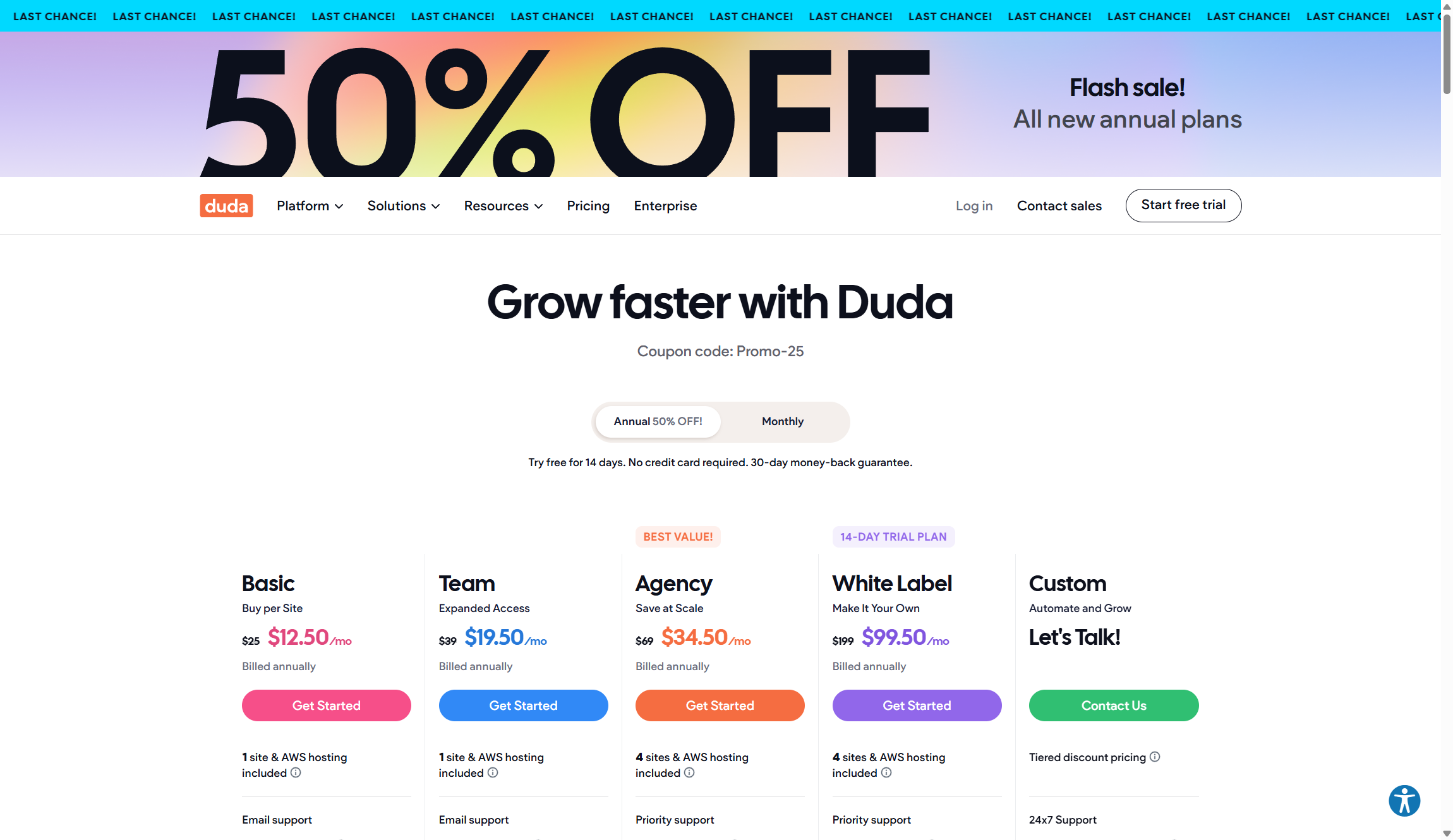
Duda's pricing structure reflects its positioning as a professional-grade platform. (Image credit: Duda)

Plan

Starting rate (paid annually)

Renewal rate (paid annually)

Basic

$25/month

$12.50/month

Team

$39/month

$19.50/month

Agency

$69/month

$34.50/month

White Label

$199/month

$99.50/month

Custom

Contact for pricing

Contact for pricing

Duda's pricing structure reflects its positioning as a professional-grade platform. It has no free tier but a 14-day free trial to test the service. The Basic plan at $12.50 monthly covers single users building one website, while the Team plan at $19.50 monthly adds collaboration features and white-label client access.

The Agency plan at $34.50 monthly includes four websites and advanced features like widget building, making it ideal for growing web development businesses. For larger agencies, the White Label plan at $99.50 monthly provides enhanced branding options and priority support.

Ecommerce functionality requires separate add-ons regardless of your main plan, with three tiers ranging from $8 to $49 monthly per site. While this initially seems expensive, it actually makes Duda more competitive since you only pay for eCommerce features when you need them. Additional websites beyond your plan's allocation cost extra too.

Support

Duda resources

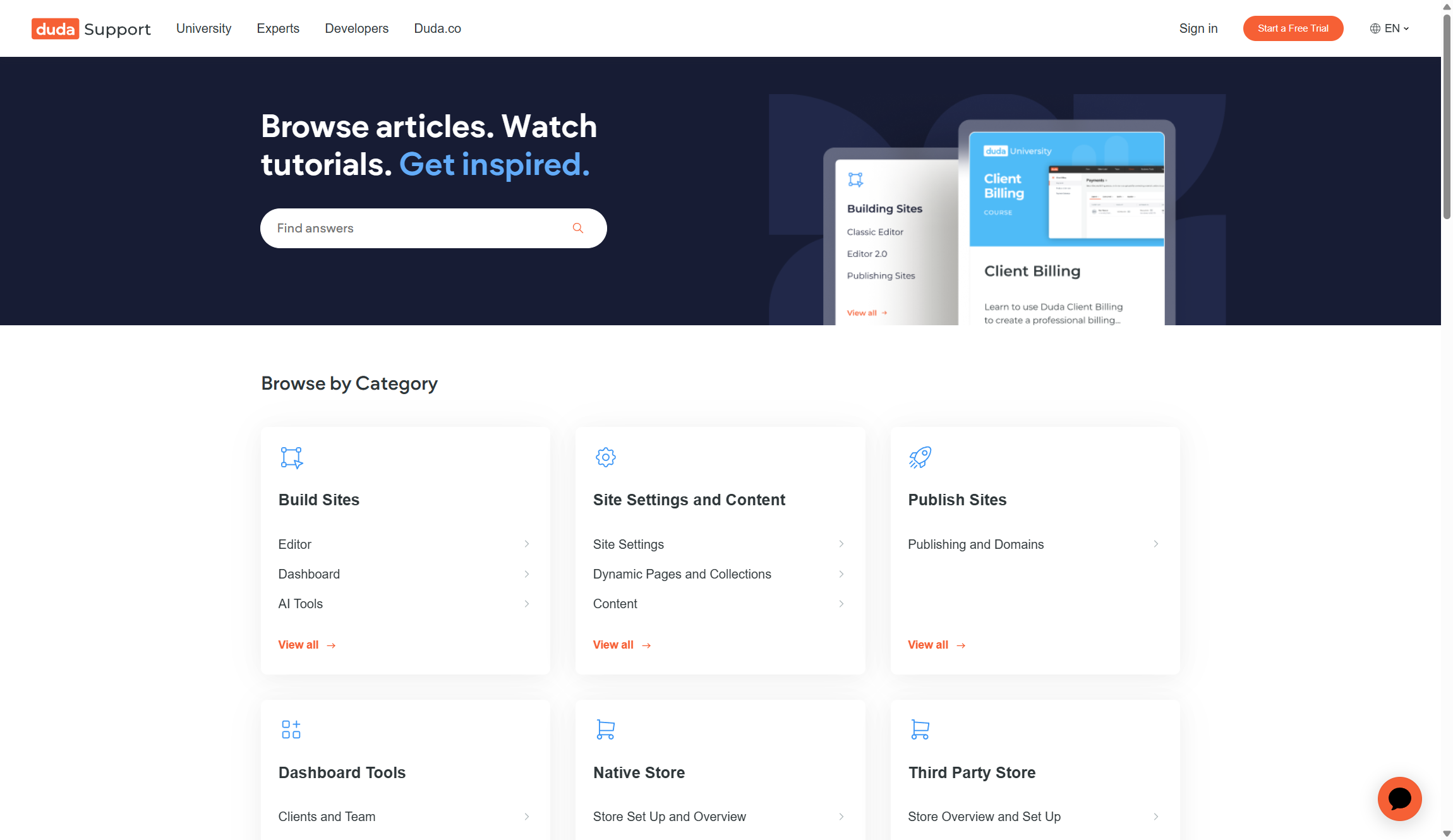
Duda offers comprehensive and up-to-date information through its Knowledge Base & Documentation section. (Image credit: Duda)

Duda offers comprehensive and up-to-date information through its Knowledge Base & Documentation section. This section contains detailed step-by-step instructions on how to use various features on Duda, as well as frequently asked questions (FAQ) about common issues that may arise when using the platform. Additionally, this page also contains links to other helpful resources such as user guides, tutorials, and videos that can help you get started quickly with your website.

If you require more personal help with your website or need assistance troubleshooting something specific, Duda has you covered in this area too. With live chat, you can get quick answers from knowledgeable customer service representatives when needed. Plus, Duda even offers priority support for businesses that need immediate solutions or have urgent requests for their websites.

In addition to having access to direct customer service representatives via live chat or phone calls, Duda also provides users with access to its online forum and community support networks. This is great for users who are looking for advice from fellow web developers or want to learn from others who may have encountered similar challenges as they work on their websites.

However, it is important to note that the level of support you receive depends on the package you choose. Those on Basic or Team plans can only access support via email, whereas those on the more expensive Agency and White Label plans get full access to priority email, live chat, and phone support.

Security

Duda security features

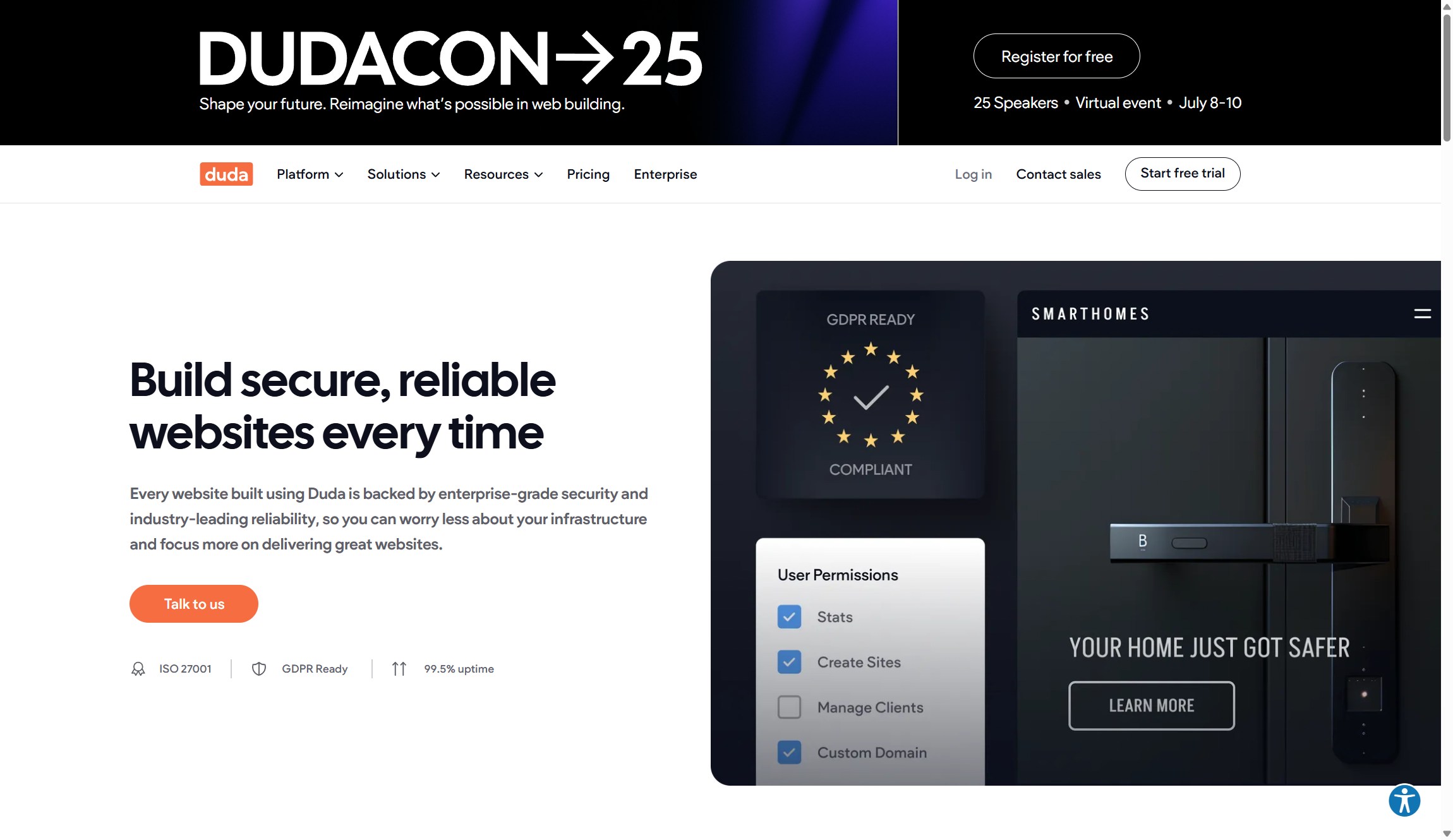
Duda offers an optional SSL certificate for all websites hosted on its platform. (Image credit: Duda)

Duda offers an optional SSL certificate for all websites hosted on its platform. An SSL (Secure Sockets Layer) certificate is a security protocol that encrypts data sent between a web server and a browser. This ensures that any personal information entered into your website is kept secure and protected from any potential hackers or malicious actors. The SSL certificate also adds an extra layer of protection against data breaches and other cyberattacks.

Finally, Duda also provides a Password Manager feature which allows you to store their passwords securely within the platform itself. This means that even if someone does get access to your account, they won't be able to view or use your passwords unless they have the correct login credentials for the Password Manager. This added layer of security further protects your account from malicious actors looking to gain access without authorization.

Alternatives

Squarespace has an intuitive drag-and-drop interface that makes it simple to design a beautiful website from scratch. Squarespace also offers dozens of templates that can help you get started quickly if you don’t have time to build your site from scratch.

If ease of use is what you're looking for in a website builder, then Wix might be the solution for you. Wix doesn't require any coding knowledge - just point and click. It has hundreds of templates available so you can easily create a stunning website in minutes without having any prior design experience. Additionally, Wix offers powerful features like customizable forms and ecommerce solutions so you can easily manage customer orders on your site.

Duda: Summary

Duda offers a complete package of features that make it easy to build and maintain a website. It includes everything from template designer tools, customization capabilities, content management tools, e-commerce integrations, SEO optimization options, and more. All of these features work together to give you control over how your website looks and functions.

In addition to having lots of features that make it easy to customize your website, Duda also offers several helpful support resources. From getting started tutorials to detailed user guides and FAQs, there are plenty of resources available that can help you design the perfect site for your business or organization in no time.

FAQs

Can I try out Duda before purchasing?

Yes. Duda offers a 14-day free trial with all the features available in the Team plan so that you can play around with the platform and make sure it fits your needs before making any commitment.

Does my website have to be hosted with Duda?

All websites built on the Duda platform are hosted on servers via Amazon Web Services (AWS). This guarantees your sites maintain a 99.999% uptime. However, if you’re on an Agency or Custom plan, you can export code from Duda - but importing code from an external source isn’t allowed.

What CDN does Duda use?

All websites created with Duda are served via Amazon's Cloudfront CDN for lightning-fast loading speeds. This makes sure visitors have quick access to your website no matter where they are located and that your content is delivered quickly and reliably across all devices.

Webflow website builder review 2025

This latest Webflow review examines one of the most sophisticated website builders available in 2025. Unlike traditional drag-and-drop platforms, Webflow generates clean HTML, CSS, and JavaScript code while maintaining an intuitive visual interface. The platform has evolved significantly since its 2013 launch, now offering comprehensive features for everything from simple portfolios to complex e-commerce stores.

Techradar reviewers have spent thousands of hours testing 140+ website builders to understand what works best for different users. Webflow competes in an increasingly competitive market with many tools featured in our best website builders roundup. Yet while Wix remains our top pick for most users, Webflow targets a different audience entirely with its advanced feature set.

Webflow appeals to designers, agencies, and businesses that need precise control over their website's appearance and functionality. We found Webflow delivers exceptional creative freedom, but this comes with complexity that may overwhelm beginners.

Webflow: 2-minute review

Webflow positions itself as the professional's choice for visual web development. Our testing confirms this reputation, reviewing a unique platform that combines the accessibility of drag-and-drop builders with the precision of hand-coded websites. You get clean and production-ready code without writing a single line yourself.

This company has built a strong reputation among web professionals since 2013, attracting designers and developers who need advanced tools to bring their visions to life. Webflow's market position is unique — it's more complex than Wix or Squarespace but more accessible than pure development frameworks like HTML5 and PHP. Recent updates in 2025 have also added AI-powered tools, improved CMS capabilities, and better team collaboration features.

What is Webflow?

Webflow is an all-in-one web development platform that lets you design, build, and launch websites without touching code. Think of it as a visual interface that automatically writes professional HTML, CSS, and JavaScript as you design. You drag elements, adjust layouts, and customize styles - while Webflow handles the technical implementation behind the scenes.

The platform consists of four main components: Designer for visual website creation, CMS for content management, e-commerce tools for online stores, and hosting services. Unlike simple website builders that limit your design options, Webflow embraces web development principles like flexbox, CSS Grid, and responsive breakpoints — making them visual and accessible to non-coders.

Features

Webflow features

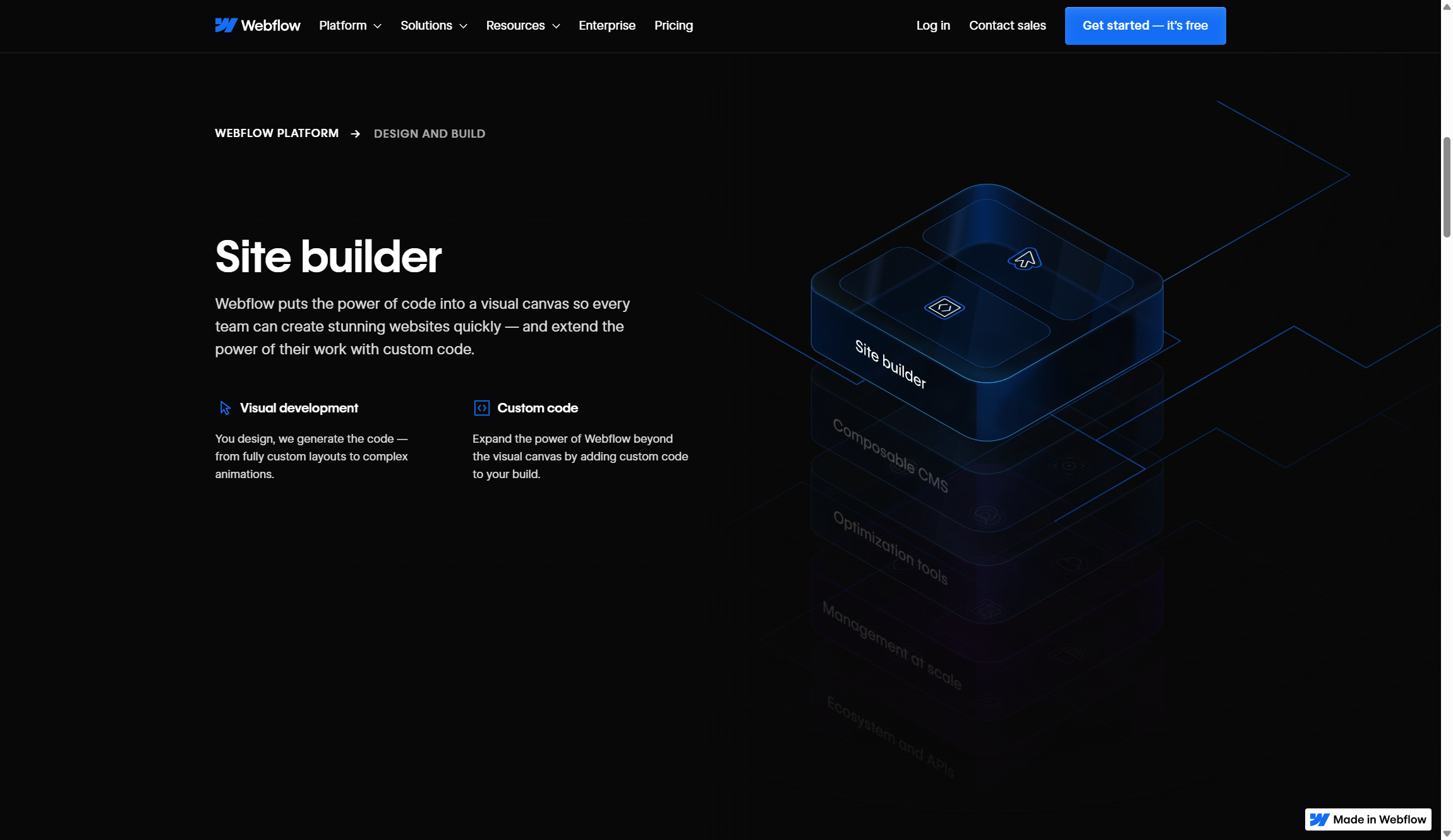
Webflow offers an impressive feature set that rivals professional development tools while maintaining visual accessibility. (Image credit: Webflow)

Webflow offers an impressive feature set that rivals professional development tools while maintaining visual accessibility. The platform's Designer interface provides holistic CSS controls, including advanced layout options like CSS Grid and Flexbox, custom animations, and responsive design tools. You can create complex interactions, manage global design systems, and even add custom code when needed.

CMS capabilities are extremely robust, supporting dynamic content, custom fields, and automated workflows through integrations like Zapier. Content creators can manage blogs, portfolios, and product catalogs through an intuitive interface, while designers maintain full control over how that content appears. The 2025 updates have added nested collection lists and improved localization controls, making content management even more powerful.

E-commerce functionality covers essential online store needs, though it's not as comprehensive as dedicated platforms like Shopify. You can manage products, customize checkout experiences, and integrate with payment processors like Stripe and PayPal. However, advanced e-commerce features like subscription billing or complex inventory management require workarounds or third-party integrations.

AI additions include an AI Assistant for generating page sections, Webflow Optimize for conversion testing, and an AI Site Builder in beta. These tools speed up common tasks without replacing the need for design expertise. The pricing reflects this feature richness. While more expensive than basic builders, the professional capabilities justify the cost for users who need design flexibility and clean code output.

Tools

screenshot of webflow university

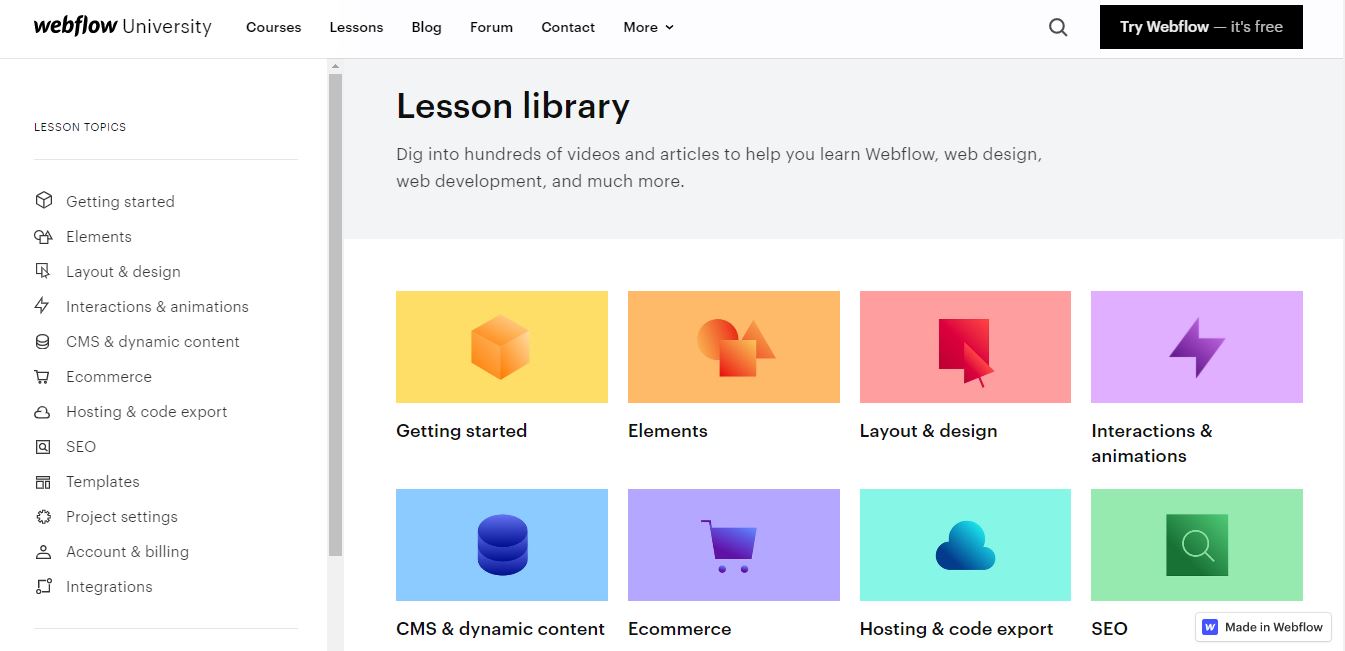
Anyone can freely access all of the videos in Webflow University. (Image credit: Webflow)

Unlike most website builders, Webflow doesn't hold back when it comes to developer-friendly features, whether you're looking to set up complex A/B testing workflows or create CSS and Javascript-heavy animations. Here are some new features we liked the best during our review:

AI assistant

Like many other AI website builders, Webflow offers an AI assistant to help you get things done. For example, Webflow's AI assistant will allow members of your team to quickly design and generate new styled content by using conversational prompts.

It can also generate a full CMS item with contextually relevant content based on a simple prompt. This will be a huge time saver for agencies and businesses looking to spin up realistic content for new pages.

Personalization and optimization

Webflow recognizes the importance of analytics to agencies and businesses. The Optimize feature offers AI-powered A/B testing and personalization. It works behind the scenes in real-time to ensure a dynamic and personalized user journey every time.

Similarly, Webflow Analyze offers users a unified view of visitor behaviors, helping designers and content marketers to make data-backed decisions.

Third-party apps

You can drastically improve the functionality of your website via tWebflow Apps. These cover everything from analytics and automations to forms and marketing.

A recent addition to Webflow Apps is Adobe Express. This app helps you create advanced AI-generated graphics from within the Webflow platform by integrating Abobe Express' powerful image editing tools.

Webflow university

A solid resource for new users is the Webflow University 101 Crash Course videos.

The videos are designed to teach you how to use Webflow and give you all the tricks to make website building a smooth process. They are organized into different lesson categories, and most of them range from 5 to 15 minutes in length.

Anyone can freely access all of the videos. Even if you’re using the free version or just want to learn more about building a website without deciding on a specific platform, these videos are incredibly helpful.

Ease of use

screenshot of webflow templates

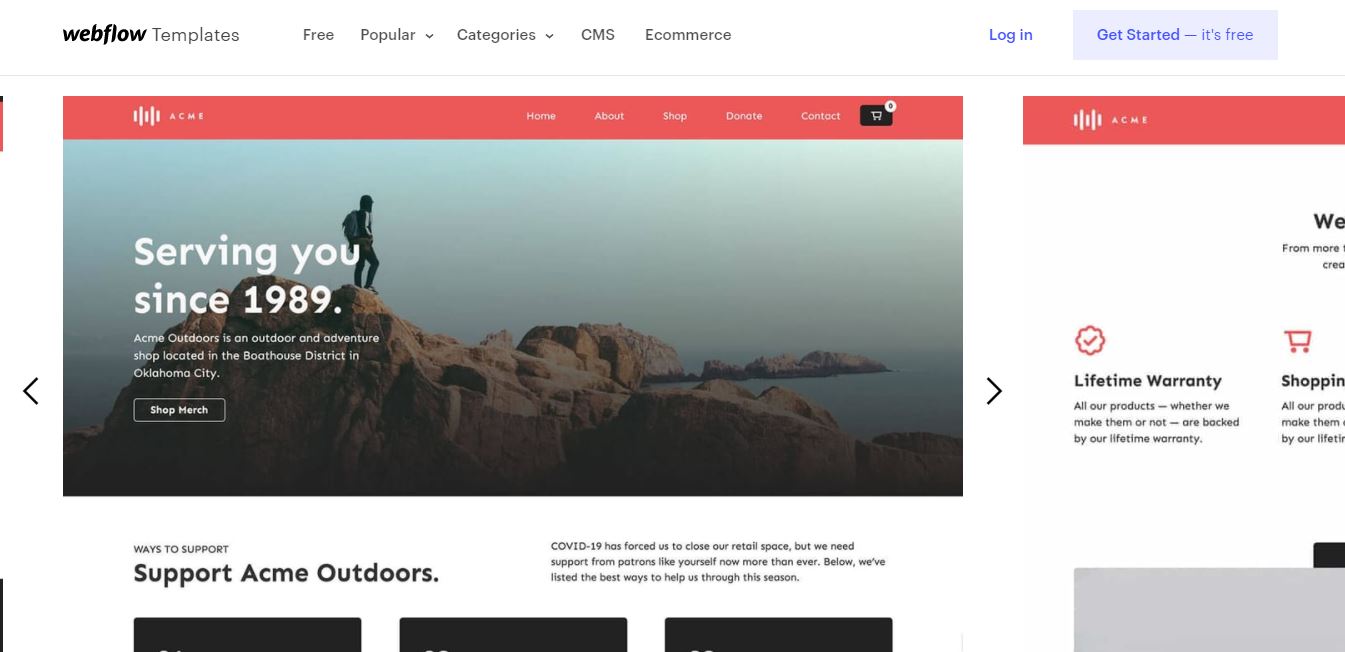
Here's a picture of a free Webflow template (Image credit: Webflow)

The interface is very easy to navigate - you can access all of the free templates and start using them right away. It’s also easy to find any of the website building tools and features.

Everything on Webflow is very well-organized. For example, if you’re looking at templates and want something for a photography portfolio, all you need to do is select free templates and then start searching by category, the style you want, or by features. Tons of examples will show up for you to look through. The organization and free easy access makes finding a template quick and easy.

Pricing

screenshot of webflow pricing page

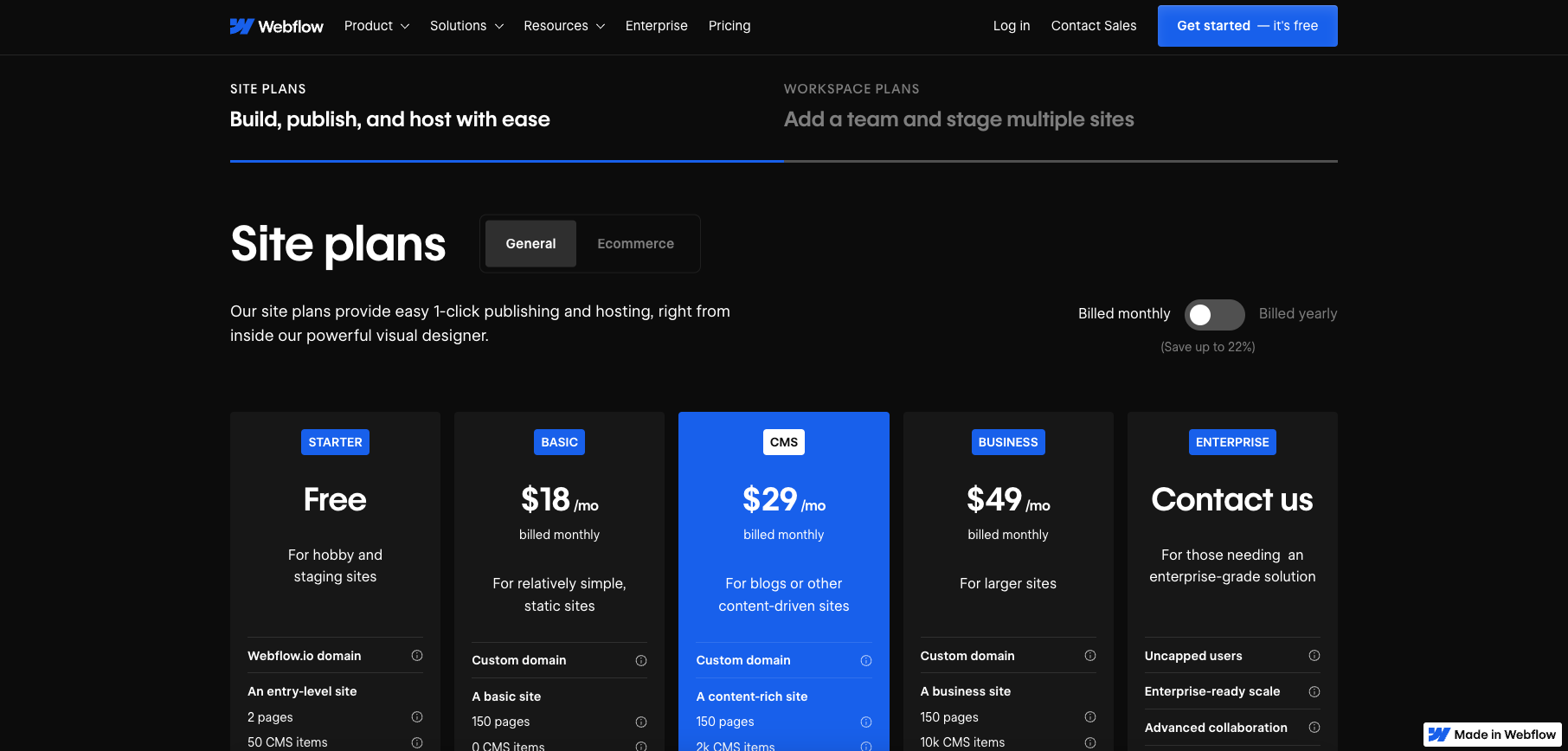
When you start using Webflow, you’ll have the option to choose between site plans and workspace plans. (Image credit: Webflow)

Plan

Starting rate (paid annually)

Renewal rate (paid annually)

Free

$0/month

$0/month

Basic

$14/month

$14/month

CMS

$23/month

$23/month

Business

$39/month

$39/month

Enterprise

Contact Sales

Contact Sales

E-commerce Standard

$29/month

$29/month

E-commerce Plus

$74/month

$74/month

E-commerce Advanced

$212/month

$212/month

Workspace Freelancer

$16/month

$16/month

Workspace Agency

$35/month

$35/month

When you start using Webflow, you’ll have the option to choose between site plans and workspace plans. Site plans are for personal websites, blogs, and small businesses. Within site plans you will have access to both general site options and ecommerce options. Account plans are targeted more towards professionals, making them ideal for agencies and freelancers.

Webflow offers one of the best free website builder plans. It includes everything you need to try Webflow. There’s no credit card required for setup and you can use it for an unlimited time. It includes access to a Webflow.io domain, 50 CMS items, and 50 form submissions.

The Basic plan costs $14.00 per month when you pay annually or $18.00 billed monthly. This gives you everything from the Starter plan, plus extra site pages (150) and an allowance of 250K visitors. The CMS plan costs $23 monthly (paid annually) or $28 paid monthly, for this you get 3 website editors, site search, and 250GB of bandwidth.

The Business plan costs $39.00 per month when paid annually ($49 paid monthly). It includes everything in the CMS plan, plus extra bandwidth (400GB), extra editors (10), and form file upload. For anything above and beyond the Business plan you can contact Webflow for a bespoke package.

When it comes to ecommerce there are 3 options to choose from. Standard at $29/mo (paid annually) or $49/mo (paid monthly). This comes with 500 ecommerce items, 2000 CMS items, a 2% transaction fee, and all the features of the CMS plan.

Plus is $74/mo (paid annually) or $84/mo (paid monthly). You get 5000 ecommerce items, 10,000 CMS items, and no transaction fee (plus everything from the Business plan). Advanced is $212/mo (paid annually) or $235/mo (paid monthly). This gives you 10,000 extra ecommerce items on top of everything from the Plus plan.

If you need a workspace plan, you have 3 options. The Starter plan is free and comes with access for one user, unlimited paid hosted sites, two webflow.io staging sites (with 2 pages and 50 CMS items), 2 agency guests, and 2 free commenters.

The Core is $19/mo (paid annually) or $28/mo (paid monthly) plan gives you extra users, staging sites, and commenters, as well as page password protection and the ability to use custom code. The Growth plan is $49/mo (paid annually) or $60/mo (paid monthly) - it gives you more users, unlimited staging sites, and publishing permissions.

You can also contact Webflow about personalized packages for any needs which exceed these plans.

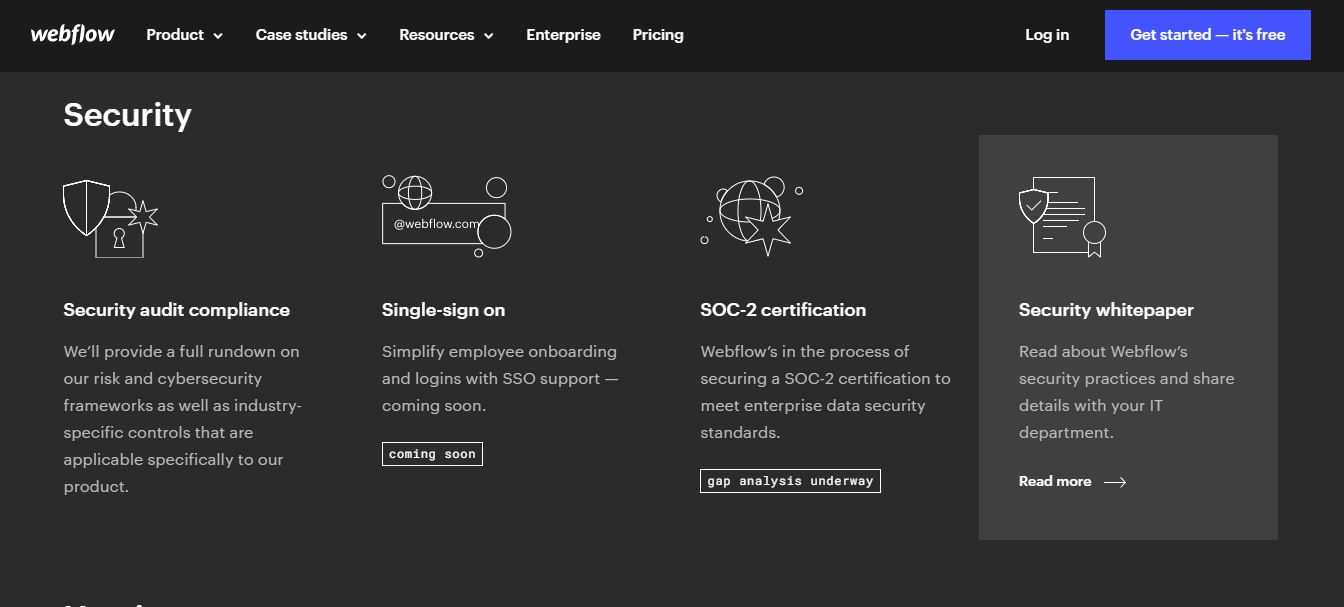
Security

Screenshot of webflow security

Webflow has a high level of security compared to other web hosts (Image credit: Webflow)

Webflow provides enterprise-grade security features that protect both websites and user data. All sites receive automatic SSL/TLS encryption, with the platform having transitioned to TLS 1.3 encryption in 2022 for enhanced security. The hosting infrastructure includes DDoS protection and automatic backups, ensuring your website remains accessible and recoverable in case of issues.

Additional security measures include PCI-DSS compliance for e-commerce sites and two-factor authentication for account access. Webflow's cloud-based architecture means security updates and patches are applied automatically, reducing the maintenance burden on users while keeping sites protected against emerging threats.

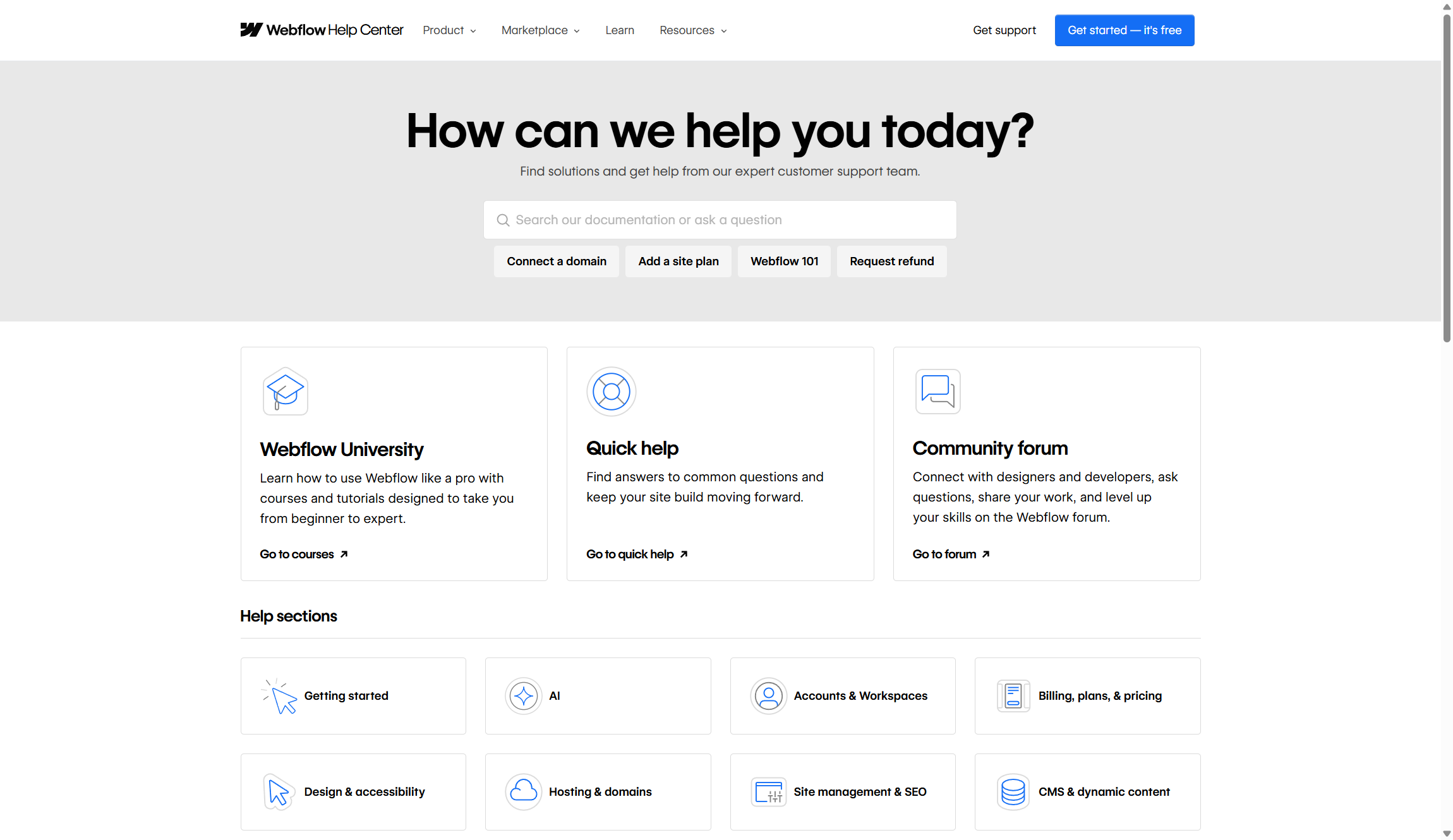
Support

Webflow support

Webflow offers multiple support channels, though the quality and availability vary by plan tier. (Image credit: Webflow)

Webflow offers multiple support channels, though the quality and availability vary by plan tier. All users can access the comprehensive Webflow University, which provides detailed tutorials, courses, and documentation covering everything from basic design principles to advanced development techniques. The community forum is active and helpful, with both Webflow staff and experienced users providing assistance.

Paid plan users receive email support, with response times varying based on plan level. Business and Enterprise customers get priority support with faster response times and dedicated account management. However, phone support isn't available across all plans, which some users find limiting compared to competitors.

The platform has also introduced AI-powered customer support tools and help desk integrations, allowing businesses to provide better support to their own customers through Webflow-built sites. While the company's own support is generally helpful, the learning curve means you'll likely need to invest time in their educational resources regardless of your plan level.

Alternatives

Wix, Weebly, and Squarespace, are just a few of the top competitors to Webflow. Wix does offer a free trial for an unlimited time, but it doesn’t even compare to Webflow’s free storage space. Wix includes 50 MB while Webflow offers 10 GB.

But more importantly, not many conventional website builders offer the depth of advanced functionality or the insane amount of educational resources that come with Webflow. If you're looking to switch from a code-intensive workflow to no-code tools without any loss in flexibility, this is the platform for you.

Webflow: Summary

No matter what stage you’re at with building a website, there’s a lot of options on Webflow that could take your website to the next level. The downside is how you can’t export CMS content, however, you will have access to plenty of free materials. Webflow comes with an entire library of video resources, hundreds of free templates, and you can use the free version for an unlimited time. The interface is also very organized - it doesn’t feel like you’re using a cheap web host. Templates look professional and everything is well organized. Overall, Webflow is a great web host, especially if you want to learn new tricks for making website building a lot easier.

FAQs

Is Webflow suitable for beginners?

Webflow has a steeper learning curve than traditional website builders like Wix or Squarespace. While you don't need coding skills, understanding web design concepts like responsive breakpoints, flexbox, and CSS properties will help you succeed. The platform offers extensive educational resources through Webflow University, but expect to invest several weeks learning the interface and best practices.

Can I migrate my existing website to Webflow?

Webflow doesn't offer automated migration tools from other platforms. You'll need to rebuild your site using Webflow's Designer interface, though you can import content through CSV files for blog posts and other structured data. The process requires manual work but gives you the opportunity to improve your site's design and performance during the transition.

What are Webflow's main limitations?

Webflow has several notable limitations including a 100 static page limit per project and 10,000 CMS items per site. The platform also requires a stable internet connection since it's entirely cloud-based. E-commerce features, while solid, aren't as comprehensive as dedicated platforms like Shopify. Version control is only available on Enterprise plans, which can complicate team workflows.

Friday website builder review 2025

Our latest Friday Website Builder review reveals a platform that balances simplicity with powerful functionality, making it accessible to both beginners and experienced developers. While it competes in a crowded market alongside many options in our best website builders roundup, it distinguishes itself through its all-in-one approach and solid feature set.

TechRadar reviewers have spent thousands of hours testing 140+ website builders to bring you expert insights. Friday's single pricing model sets it apart from competitors, though this approach has both benefits and drawbacks. For users seeking our top recommendation, Wix remains our pick for the best website builder in 2025, offering more flexible pricing options.

Friday launched recently as a new player in the website building space, focusing on eliminating the complexity often associated with development workflows. Its approach centers on providing everything users need in a single package, with some impressive tools that cater specifically to developers and pros.

Friday Website Builder: 2-minute review

Friday Website Builder positions itself as an all-in-one solution for users who want professional websites without the brainwork. It offers a rich user experience with its drag-and-drop editor, template library, and developer mode for advanced customization. Other standout features include ecommerce capabilities, AI content assistance, and SEO tools that help websites rank better in search results.

However, Friday's single $50/month pricing plan creates a significant barrier for users, especially when competitors like Wix offer plans starting at $17/month. While this pricing includes all features without restrictions, it may offer poor value to users who only need basic functionality. Also, limited scalability options and a restricted plugin ecosystem pose challenges for rapidly growing businesses.

What is Friday?

Friday Website Builder is a user-friendly platform that allows individuals and businesses to create professional websites without the need for coding knowledge or technical skill.

It provides a range of intuitive tools and templates to streamline the website creation process, enabling you to design and customize your sites according to your unique preferences and requirements.

With Friday, you can add and edit content, incorporate multimedia elements, optimize for mobile devices, and publish your websites with just a few clicks.

Features

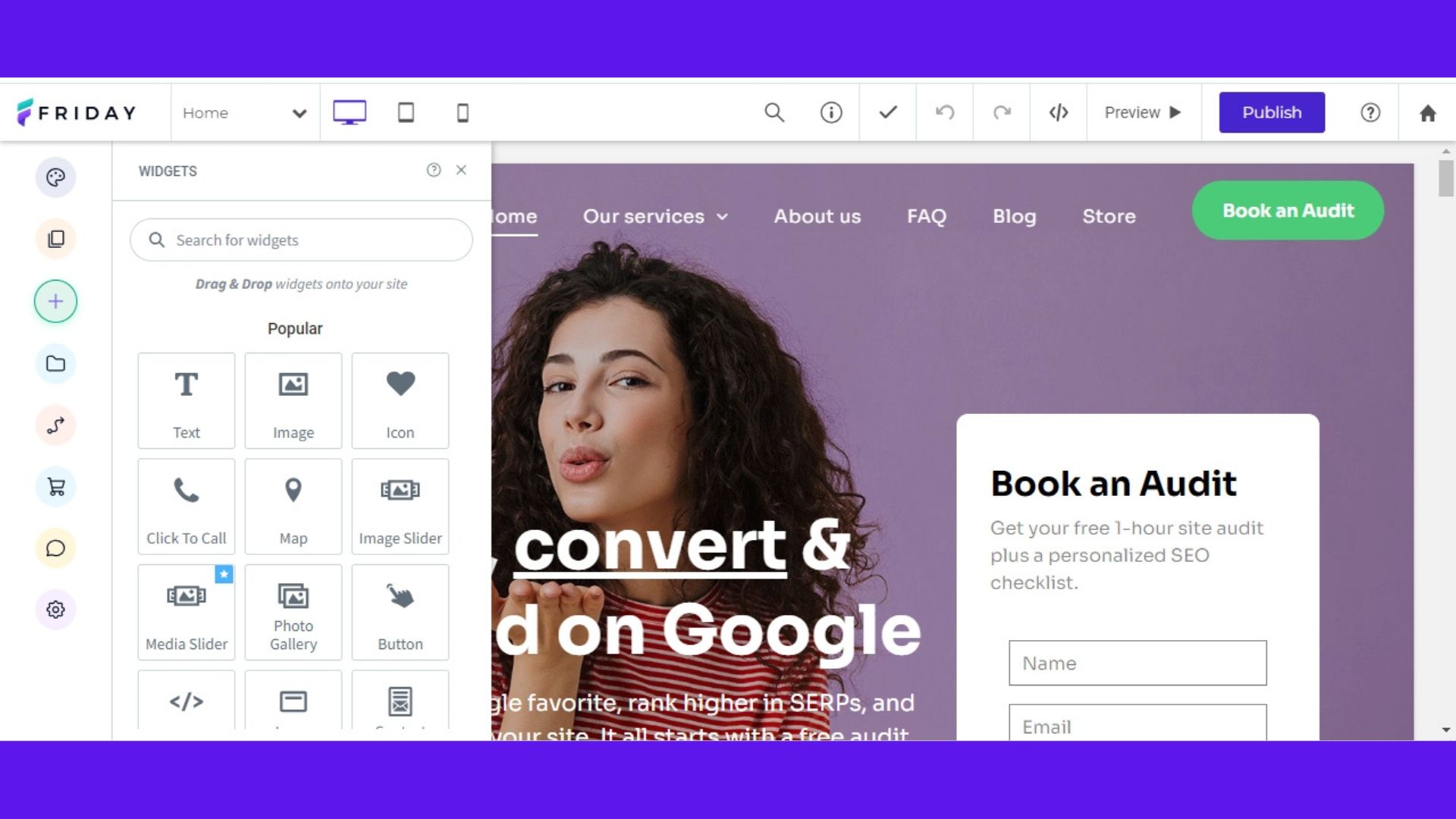
Friday features on dashboard

(Image credit: Friday)

Friday comes with all the features you would expect from one of the best website builders on the market. This ranges from a full website builder to help you get your site from idea to live, along with dedicated features to help you grow your business including an AI content assistant, photo editor, easy pop ups, the ability to create coupons, and multi-language websites.

During my testing of Friday's website builder, I discovered a wide range of powerful features that enhanced my website building journey. Firstly, the platform provided robust ecommerce capabilities, allowing me to effortlessly set up an online store, manage products, and inventory.

The developer mode feature allows the flexibility to edit and add code and make customizations according to my specific requirements. The built-in blog builder offered a seamless way to create engaging blog posts and share my thoughts and ideas with my audience.

I was also impressed with the comprehensive web analytics feature that provided valuable insights into visitor behavior and helped me optimize my website for better performance.

With the option to use a custom domain, you can choose any name for your website to add a professional and personalized touch. Friday's SEO tools proved to be invaluable in optimizing a website for search engines and increasing its visibility online.

The inclusion of SSL security feature helps to keep visitors' data protected. Friday uses AWS hosting which ensures reliable performance and scalability for your websites.

Moreover, the platform's mobile optimization feature automatically adapted my test website to different devices, ensuring a seamless user experience for mobile users. The unlimited bandwidth feature allows the handling of high traffic volumes without any concerns.

Tools

Friday analytics page

(Image credit: Friday)

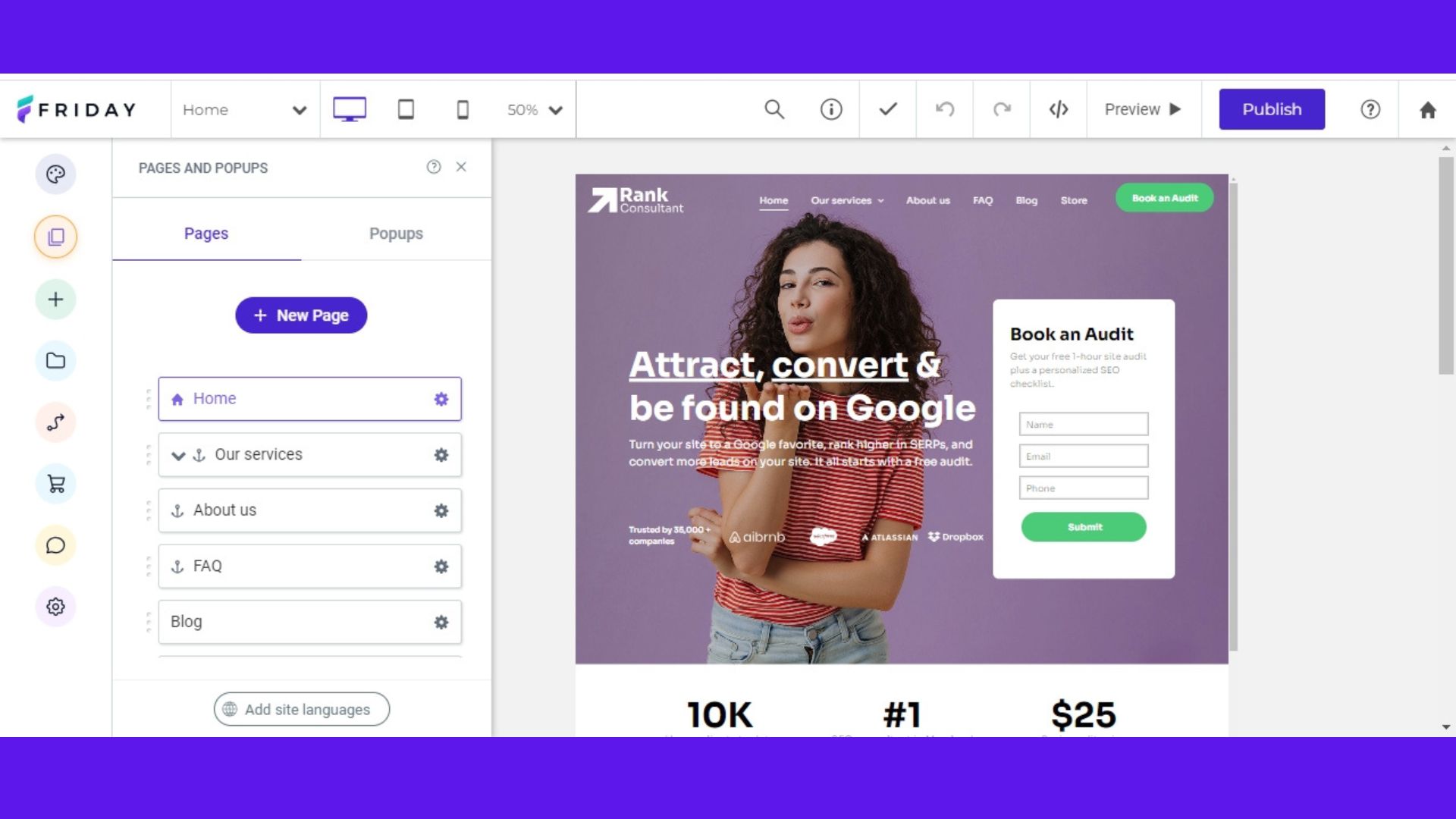
Friday Website Builder provides a comprehensive suite of tools designed to streamline the website creation process. These tools range from basic design elements to advanced ecommerce and marketing features, all integrated into a single platform.

Drag-and-drop editor

The core of Friday's offering is its intuitive drag-and-drop editor that requires no coding knowledge. You can easily add, move, and customize elements by simply dragging them into position. The editor provides real-time visual feedback, allowing you to see changes instantly as you build your site.

Developer mode

For users with coding experience, Friday offers a developer mode that provides access to HTML and CSS editing. This feature bridges the gap between simplicity and advanced customization, letting you fine-tune your website's appearance and functionality beyond the standard editor limitations.

Template library

Friday provides an extensive collection of professionally designed templates covering various industries and website types. Each template is fully customizable and mobile-responsive, giving you a solid foundation to build upon while maintaining design consistency.

Ecommerce tools

The platform includes solid ecommerce functionality with inventory management, automated shipping calculations, and secure payment processing. You can set up product catalogs, manage orders, and create discount codes without needing additional plugins or integrations.

SEO suite

Friday's SEO tools include meta tag management, Google PageSpeed optimization, schema markup support, and AI-generated alt text for images. The platform also features IndexNow integration and automatic sitemap generation to help improve search engine visibility.

AI content assistant

The built-in AI assistant helps generate content suggestions and provides recommendations for website improvements. This tool can assist with writing copy, optimizing content for SEO, and suggesting design enhancements based on best practices.

Ease of use

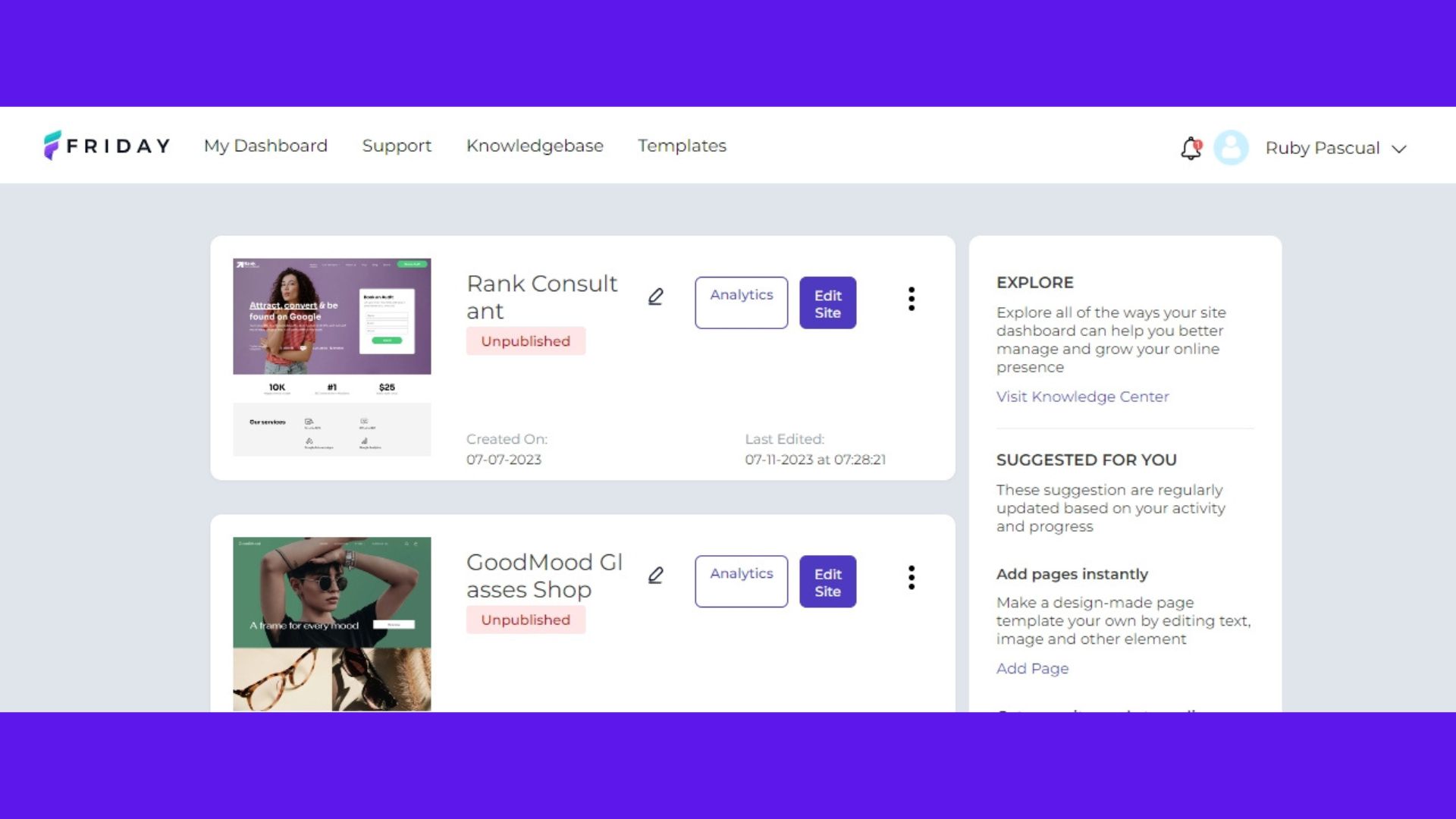
Friday website builder dashboard

(Image credit: Friday)

Friday is designed to be user-friendly and easy to use, even for individuals with limited technical expertise. The platform prioritizes simplicity and intuitive navigation, making it accessible to beginners and experienced users alike.

One key aspect contributing to Friday's ease of use is its drag-and-drop functionality. You can effortlessly add and rearrange elements on your websites by simply dragging and dropping widgets, images, text, and other components onto the desired location. This eliminates the need for complex coding or technical knowledge, streamlining the website creation process.

Additionally, Friday offers a visually-oriented interface that allows you to see real-time changes as you make adjustments to your websites. This instant visual feedback provides a clear understanding of how the site will look and function, empowering you to make informed design decisions.

The platform also provides a user-friendly dashboard that serves as a central hub for managing various aspects of the website. From this dashboard, you can access different tools and features, navigate through pages, customize themes, and track website analytics. The organized layout and intuitive controls contribute to a seamless user experience.

Pricing

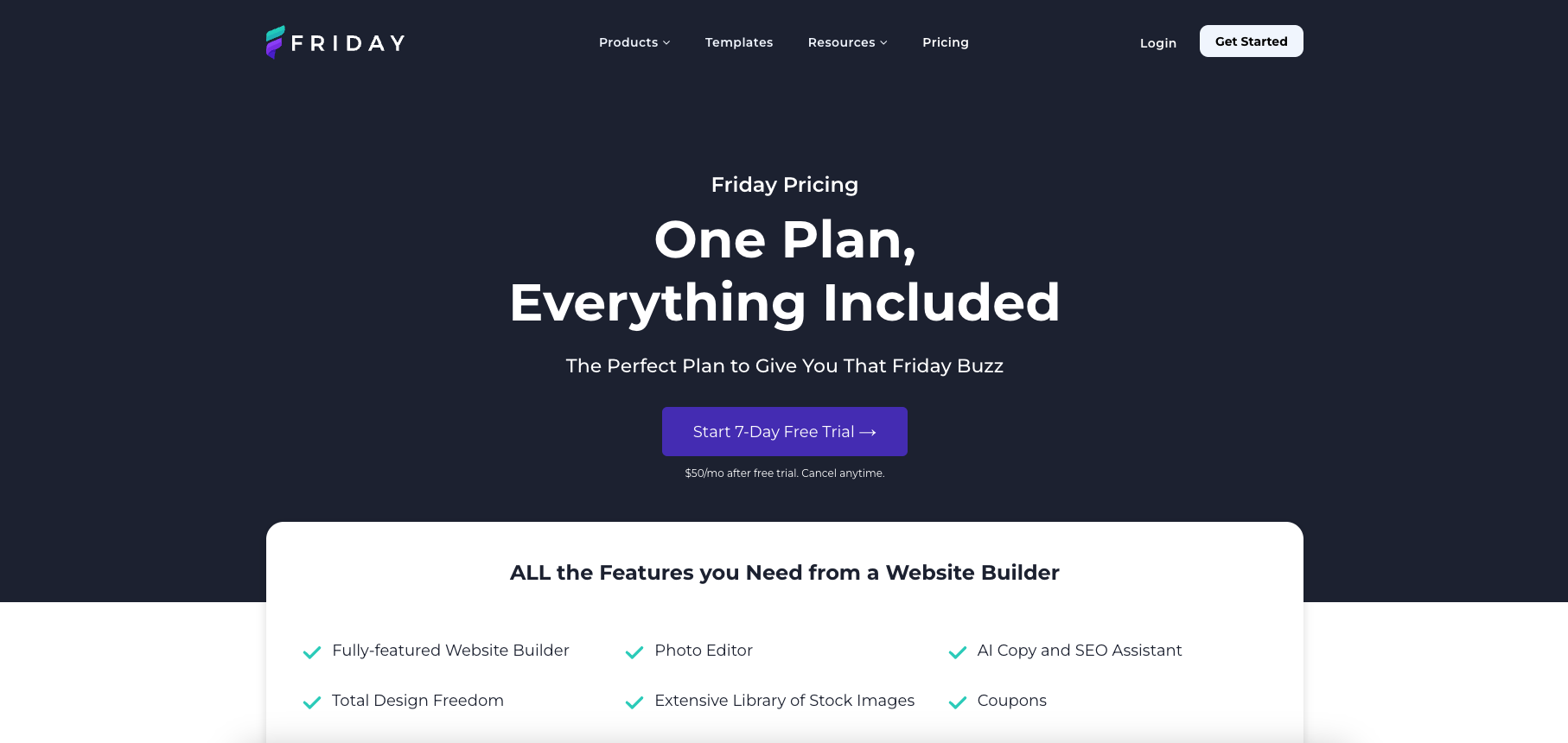
screenshot of friday website builder pricing page

(Image credit: Friday)

There is a lot to love about Friday's pricing structure. Unlike the majority of website builders that offer host different plans and packages, which often confuse you more than they help you - Friday offers one plan for everything. Plus, you can cancel at any time, so you aren't tied into any expensive contracts.

When you sign up for Friday you get a 7-day free trial. This offers you an opportunity to make sure the website builder does everything you want. Once your free trial is over, you will then be charged $50 a month.

This may seem a little steep, especially when you look at competitors such as Wix offering plans for as little as $17/mo and Squarespace offering plans from $16/mo. Needless to say, if you are looking for a very basic website builder to build a basic website, Friday won't offer you doo value for money.

However, when you consider the fact that Friday offers you an all-in package for $50/mo, whereas Wix's all-in package is $159/mo and Squarespace's is a similar $49/mo, suddenly Friday seems like a fair to good deal.

Ultimately, it will come down to which tools and features you need. If you just want a simple package, Wix or Squarespace is probably better. But if you want an advanced website builder with plenty of powerful features, Friday is certainly worth considering.

Security

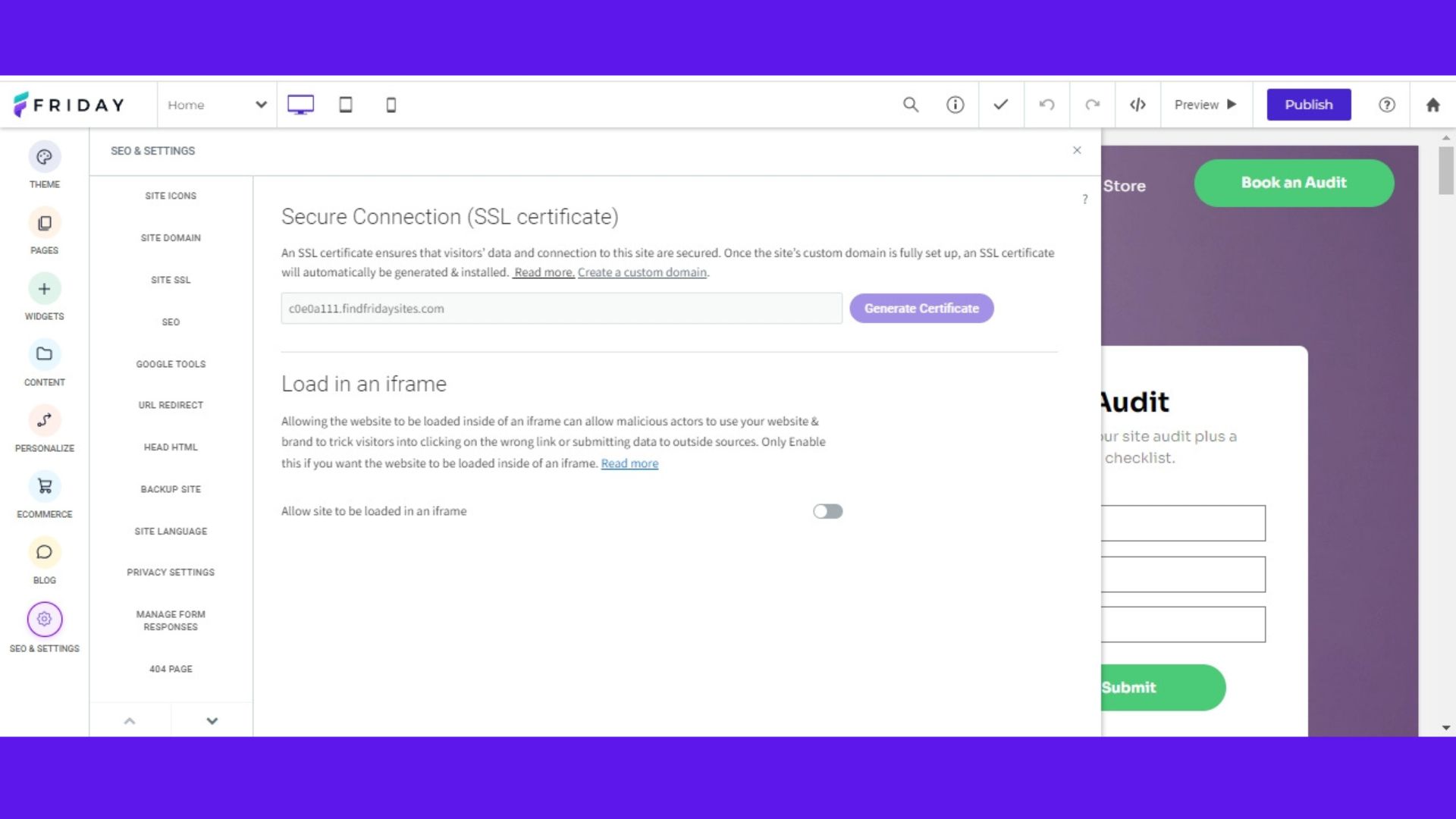
Friday SSL certificate

(Image credit: Friday)

Friday prioritizes the security of its users' websites by offering two essential security features: SSL certificates and backups.

SSL (Secure Sockets Layer) certificates are crucial for establishing a secure connection between a website and its visitors. SSL certificates ensure that sensitive information remains confidential and protected from potential hackers or malicious actors by encrypting the data transmitted between the user's browser and the website's server. Friday allows you to install SSL certificates, thus enabling secure communication and instilling trust in visitors who access your websites.

In addition to SSL certificates, Friday provides a backup feature to safeguard your website data. Regular backups are vital in the event of unforeseen circumstances such as data loss, server issues, or accidental changes that may compromise the website's functionality or content. By enabling backups, you can restore your websites to a previous state and recover lost data, minimizing potential disruptions and preserving the integrity of your online presence.

By offering SSL certificates and backup functionality, Friday aims to provide a secure environment for your websites. This contributes to maintaining the confidentiality, integrity, and availability of your data and helps protect against potential security vulnerabilities or data loss incidents.

Support

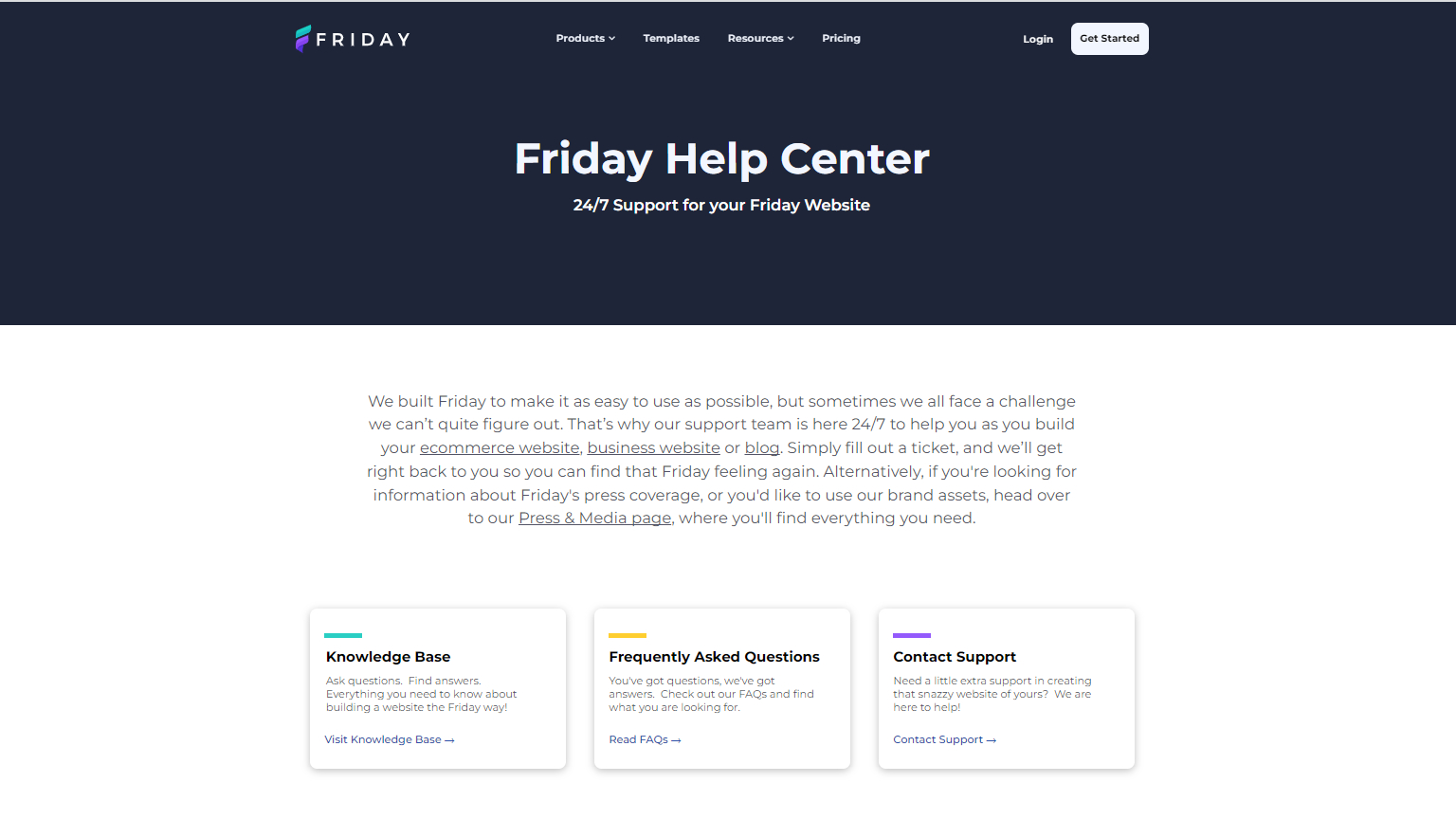
Friday customer support

(Image credit: Friday)

Friday offers customer support through various channels, including a comprehensive knowledge base and email support. These options ensure that you have access to the assistance you need when encountering any issues or requiring guidance while using the platform.

The knowledge base serves as a valuable resource, providing you with a collection of articles, tutorials, and frequently asked questions that cover a wide range of topics. It offers step-by-step instructions, troubleshooting guides, and detailed explanations of features, empowering you to find solutions to your queries independently. The knowledge base serves as a self-help tool, allowing you to access information and guidance at your convenience.

For more personalized support, Friday provides email support through two dedicated email addresses: [email protected] and [email protected]. You can reach out to the support team with your inquiries, concerns, or technical issues. The support team is committed to providing prompt and helpful responses, addressing your queries, and providing guidance to ensure a smooth experience while using the platform.

By offering both a comprehensive knowledge base and email support, Friday ensures that you have access to the resources you need to overcome challenges and make the most of the platform's features.

Alternatives

With just one (fairly expensive) plan, Friday website builder certainly isn’t for everyone.

As our top rated website builder, Wix is a worthy alternative. With plans starting at just $16/mo, Wix is almost certainly better for those who don’t need the full power of Friday. However, even on the entry level plan, with Wix you get access to a whole host of powerful website building tools, many with AI integration.

Read our full Wix review to find out more.

Squarespace is another good option to consider. Similar to Wix, plans start much cheaper at $17/mo and come with a huge range of website building tools. Squarespace is also known for its stunning website designs, making it ideal for those who want to make a big visual impact with their website.

Our Squarespace review goes into more detail on what the platform has to offer.

Friday Website Builder: Summary

Determining whether Friday website builder is the right choice for you depends on various factors such as your website creation needs, technical expertise, budget, and desired level of customization.

However, if you are looking for a user-friendly platform with drag-and-drop functionality, a range of customizable themes, and tools for adding pages, widgets, and blog posts, along with ecommerce capabilities, then Friday website builder could be a suitable choice that caters to your requirements and empowers you to create and manage a professional-looking website with relative ease.

Friday's comprehensive SEO and settings options and 24/7 customer support through a knowledge base and email assistance could also be the deciding qualities for your choice of website builder.

FAQs

What makes Friday different from other website builders?

Friday distinguishes itself through its single, all-inclusive pricing model and focus on providing enterprise-level features in a user-friendly package. Unlike competitors that offer multiple tiers, Friday includes all features — from basic website building to advanced ecommerce and SEO tools, in one plan. The platform also provides both drag-and-drop simplicity and developer mode for code editing, making it suitable for users across different skill levels.

Is Friday suitable for ecommerce websites?

Yes, Friday includes robust ecommerce capabilities with features like inventory management, automated shipping and tax calculations, and secure payment processing. However, the platform may not be ideal for large-scale or rapidly growing online stores due to its single pricing tier and limited scalability options. Small to medium-sized businesses will find Friday's ecommerce tools comprehensive and easy to implement.

How does Friday's pricing compare to competitors?

Friday's $50/month pricing appears expensive compared to entry-level plans from competitors like Wix ($17/month) or Squarespace ($16/month). However, when compared to premium plans that include similar features, Friday becomes more competitive - Wix's comprehensive plan costs $159/month while Squarespace's comparable offering is $49/month. The value depends on whether you need all the included features or would prefer a more basic, affordable option.

!!!!!!!!!!

Popular Posts

Categories

Blog Archive