Don't tell Amazon, but my heart sank when I first heard that yet another Robin Hood adaptation was coming to MGM+. But after watching it, I've mostly been won over. As it turns out, you can teach an old dog new tricks.
I've always been of the firm belief that the 2010 Robin Hood movie starring Russell Crowe and Cate Blanchett is the best we've had (I didn't grow up watching the animated Disney movie from 1973, so I'm discounting that). However, newcomer Jack Patten in the titular role and Lauren McQueen as Marian are a breath of fresh air.
Straight off the bat, the new series has taken a huge risk by putting two unknown actors in its lead roles, and this is a large part of why I think the 10-episode series is so successful. They're perfectly counterbalanced by heavyweights Sean Bean (Sheriff of Nottingham) and Connie Nielsen (Eleanor of Aquitaine), though for me it's Nielsen who has the most to offer us (more on this later).
That's not all that's working, though. Creators Jonathan English and John Glenn have fleshed our the Robin Hood origin story to great effect, turning an elusive urban legend into Rob, a boy who wants to do right by the people he loves. This fantastic sense of basic narrative structure also means we have some epic cliffhangers... but there are issues in Sherwood Forest, too.
Robin Hood is the perfect example of good storytelling done well with unknown faces
Instead of a distant rogue who takes from the rich and gives to the poor (though we do see this a little bit as the series progresses), the notion of who we know Robin Hood to be is instantly called into question. This version of Rob has a nickname, complicated relationships with his home and family and a lot of love for their way of living that is constantly being threatened.
Our opening episodes deftly use their time to flesh Rob out into the 3D character he's never truly been before, and this is our starting point for seeing his story in a completely new light. Though he maintains an intimately close bond with Marian (Patten and McQueen's chemistry feels as natural as breathing), it's never explicit, and we're nurturing a beautiful Romeo and Juliet-style connection right along with them.
I can't give all the credit to our leads for the narrative satisfaction, though. It's incredible how many movies and TV shows these days don't get the basics right – I'm aware I sound about 87 saying this, but as a trained scriptwriter, it annoys me endlessly.
English and Glenn know exactly what they're doing here, and uprooting the story of Robin Hood from its very beginnings allows the overall plot to stay tight and on message. Yes, there are definitely episodes that are more boring than others (there's a lot of Rob and his 'merry men' sitting around despairing in the woods), but each episode cliffhanger is an absolute blinder.
Without fail, a curveball is swiftly delivered in each episode's last 30 seconds, turning what we've learned so far on its head. This means you can't do anything else with your time other than immediately watch next episode, and I love the feeling of investment those moments give me. Frankly, I'd say it's the best part of the whole series.
Amazingly, we don't need to see every time somebody gets it on
The Marian-Rob courtship remains innocent.(Image credit: Amazon)
While physical scenes between Rob and Marian are wholesome and harmless, I couldn't believe my eyes at how unnecessarily explicit the rest of Robin Hood is. This falls particularly on Priscilla of Nottingham (Lydia Peckham), who gets back at her dad by trying to hold physical power of the chief of the guards.
Add Rob's mates getting it on in the serving chambers of Eleanor's castle, and it all feels a bit icky. Entire scenes of dialogue are acted out in questionable positions, and you already know that the women are near naked while the men remain mostly clothed.
It's 2025, and we can get across the point that women are using their 'feminine wiles' as power without including graphic sex scenes that don't serve to drive the plot forward. It's certainly not a feminist move by any stretch of the imagination – even though there will be an intimacy coordinator on set, these are creative decisions being made by men, at the end of the day.
These scenes also weirdly undermine Connie Nielsen's Eleanor of Aquitaine, who is undoubtedly the best written character in the entirety of Robin Hood. Every word that leaves Nielsen's mouth is a piece of sage wisdom, using her own wiles to coordinate attacks and alliances through international correspondence.
It's a masterclass in the continued underestimation of women throughout history, having their stories rewritten while in fact making their own in a man's world. Clearly, Nielsen has cornered the market for playing royalty, taking everything we love about Lucilla in Gladiator and expanding it in all the best ways. If Amazon gave us a spinoff focussed entirely on her, I wouldn't be mad about it.
I might be nitpicking here, but overall, I'm impressed. I won't be lobbying for more takes on the Robin Hood legend any time soon, but MGM+ has proved what is possible in the tired-out realm of adaptations.
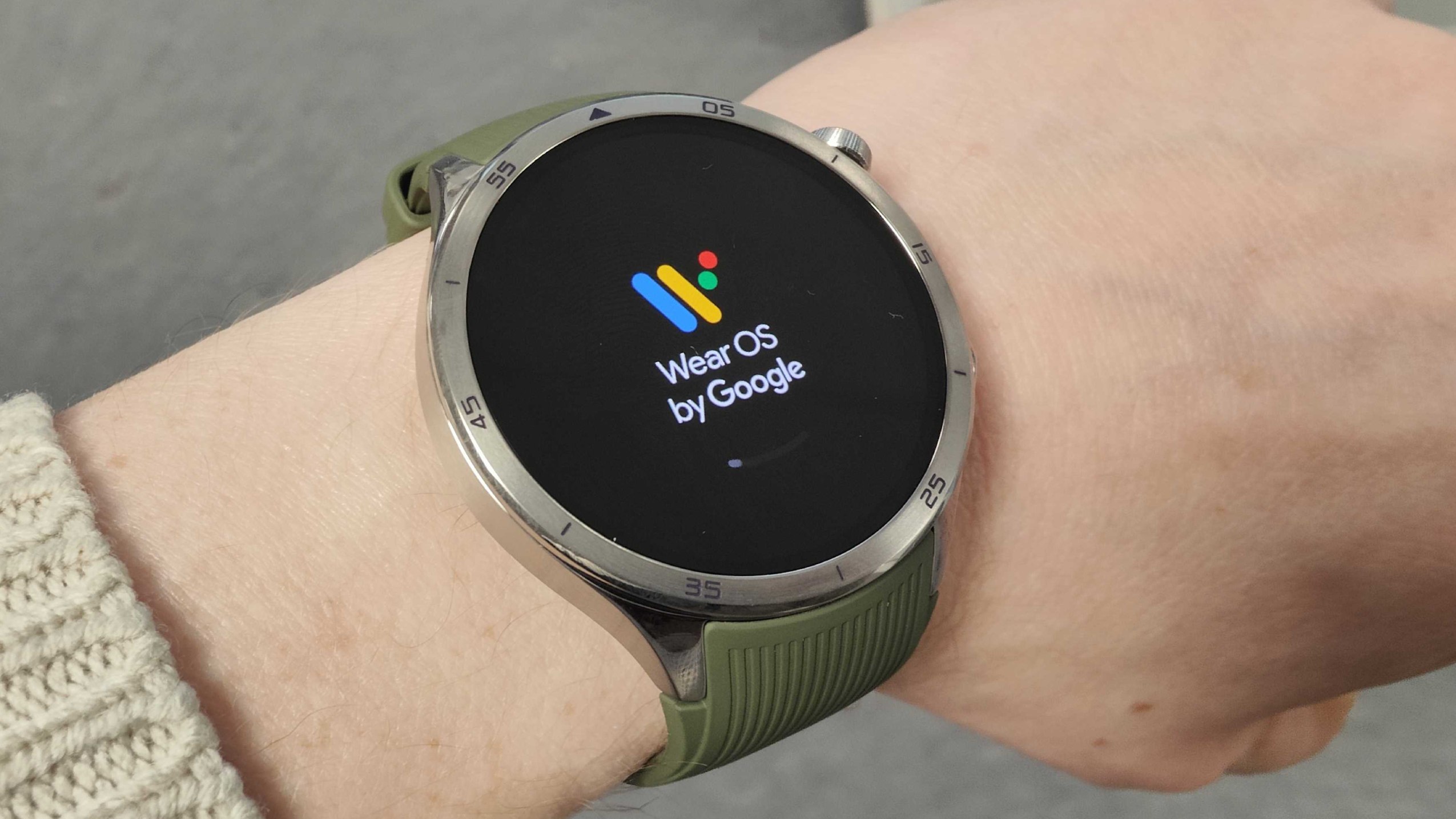
Google's latest crop of hardware, released at its Made by Google 2025 event, including phones, earbuds, and of course, the Google Pixel Watch 4. Similar to the Samsung Galaxy Watch 8 or Apple Watch Series 10, the latest generation of the Pixel Watch 4 is less about earth-shattering changes and more about refinements to a working formula.
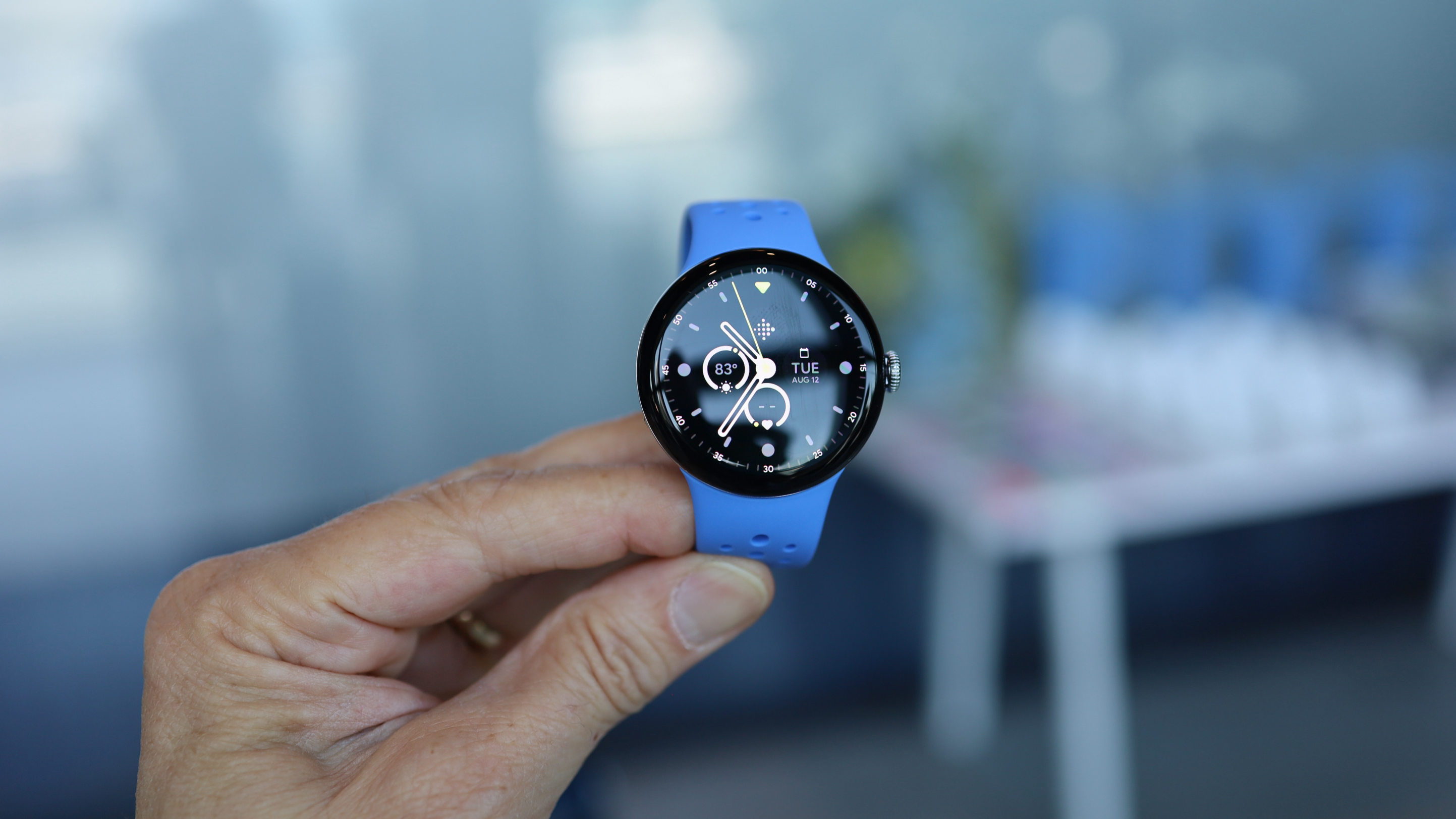
Google is sticking with the now-iconic and really quite lovely polished pebble circular build that comes in two sizes – the addition of a 45mm option alongside the 41mm model was the big change last year. That means more choice for you if the Pixel Watch sparks your interest, and ultimately lets you get the one that’s the right size for your wrist.
Google is also mostly sticking with the same prices as last year (there's a small increase for the 45mm version in Australia). And despite the outward similarities there are some significant upgrades here, including a healthy dose of AI smarts powered by some new silicon, a forthcoming AI coach that’s part of a larger Fitbit rollout, replaceable parts, a refreshed user interface, and a new domed display that’s physically raised to the touch.
It's a slick piece of kit, and one we really like using for the most part. It looked great, although it was thick on the wrist it was comfortable, and the Material 3 Expressive software design is a joy to use. Fast charging works as described, and the battery on our 45mm unit stands up to its 40-hour claim with moderate use. The Fitbit app, which got a redesigned this year, is intuitive and works very well, although it's irritating that some features are locked behind the Premium paywall.
Testing the PW's heart rate against a chest strap during a workout showed a small amount of inaccuracy: not enough to bother those who just want an estimate of how well they're doing during the day, but enough to make serious athletes looking for pinpoint accuracy slightly wary of trusting the Pixel Watch 4 in the same way they do Apple or Garmin when looking at heart-based metrics.
Google Pixel Watch 4: Specifications
Component
Google Pixel Watch 4
Price
Starting at $399 / £349 / AU$579
Dimensions
41 x 41 x 12.3mm / 45 x 45 x 12.3mm
Weight
31g / 36.7g without straps
Caze/bezel
Recycled aluminum
Display
320ppi always-on display AMOLED with up to 3,000 nits brightness
Operating System
Wear OS 6.0
Processor
Qualcomm Snapdragon W5 Gen 2 processor with an ML coprocessor
Up to 72 hours with battery saver enabled or up to 40 hours with always-on display enabled
Connection
Bluetooth, Wi-Fi, LTE
Water resistance
WR50, IP68
Google Pixel Watch 4: Price and Availability
From $349 / £349 / AU$579 for the 41mm
From $399 / £399 / AU$669 for the 45mm
Cellular connectivity costs extra as usual
If you’re looking to upgrade from, say, a Pixel Watch 2 or 3, maybe another Android smartwatch, or even getting your first one, there is a wait for when you’ll actually receive a new Pixel Watch.
Unlike other gadgets that have seen price hikes year over year, the Pixel Watch 4 sticks with the same price as the Pixel Watch 3. Meaning it’s priced at $349 / £349 / AU$579 for the 41mm Pixel Watch 4 with Wi-Fi and Bluetooth, or $449 / £449 / AU$749 for cellular connectivity. The larger, 45mm Pixel Watch 4 is $399 / £399 / AU$669 for Bluetooth and Wi-Fi, or $499 / £499 / AU$839 for connectivity.
Beyond accessing the internet with the cellular connectivity model, you’ll also need to spend more to get emergency satellite functionality on the Pixel Watch 4. There isn’t an extra monthly or annual cost – at least for two years, that’s what Google provides out of the box – but it needs to make use of the bands found in the cellular version of the watch. That could be a reason alone to get it right there.
Value score: 4.5/5
Google Pixel Watch 4: Design
(Image credit: Future/Lance Ulanoff)
Domed display
New Material 3 Expressive software look
Redesigned charger
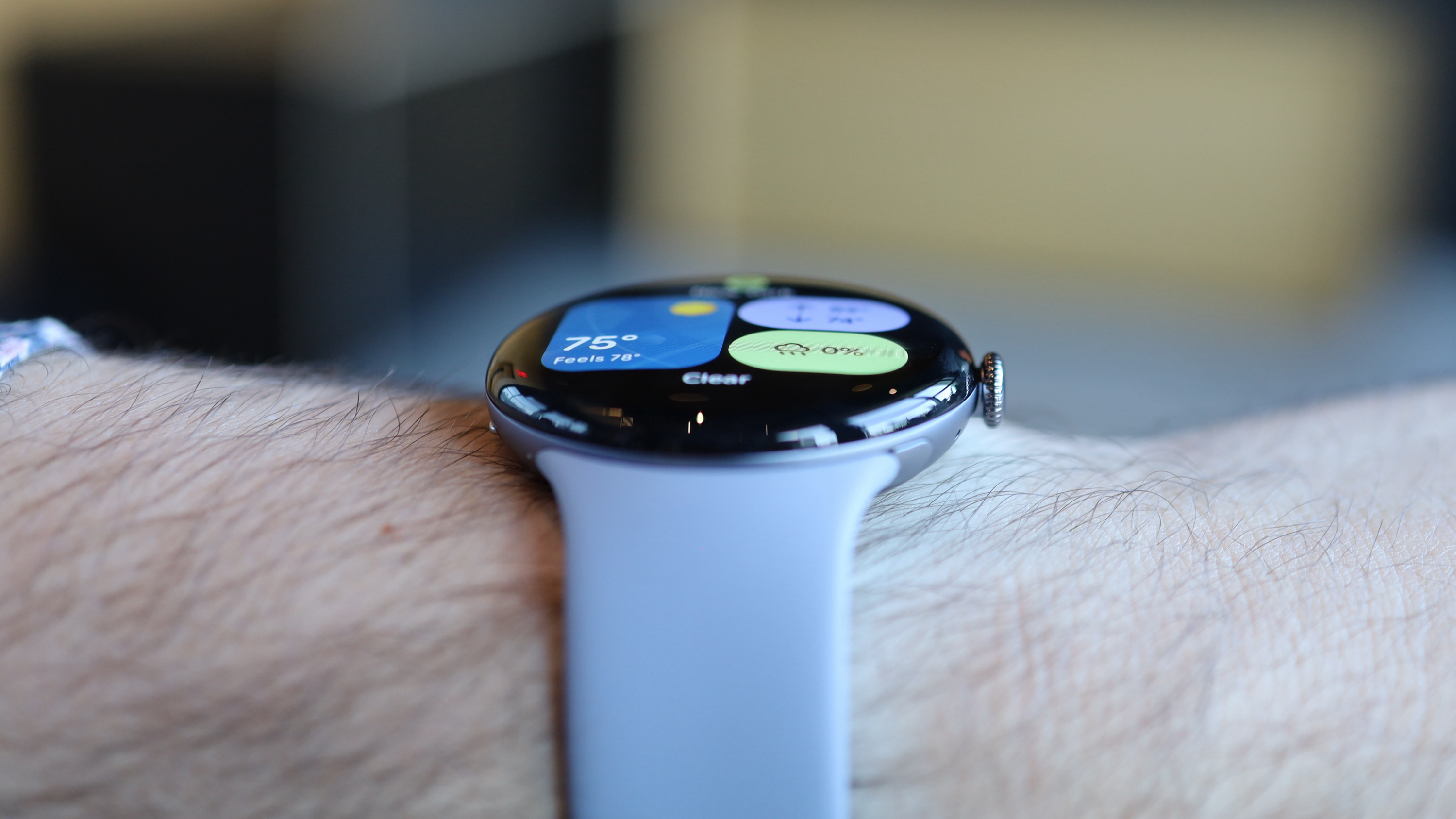
The first thing I noticed during my hands-on time with the Pixel Watch 4 was that the display itself is not flat like on the Pixel Watch 3. Sure, we’ve seen smartwatches on which the display slopes down the sides towards the watch case, such as the Apple Watch Series 10, but the glass display here is actually domed to the point where, as you swipe across the screen, you’ll feel the surface rise or lower.
This makes the sides of the display and the graphics appearing on the edges even more sloped, a feature the new Material 3 Expressive interface uses in its animations. However, it also noticeably increases the thickness on your wrist. The domed 360 Actua display still looked rich and vibrant with crisp text or numbers, and it got considerably brighter in the demo room, which wasn't brightly lit. Google says it can hit up to 3,000 nits, a jump of 1,000 nits compared to the Pixel Watch 3.
The third-generation Pixel Watch got a larger display than its predecessor, and the fourth-gen model goes bigger again, with 16% smaller bezels and 10% larger active display area, which Google says is made possible by the domed display.
(Image credit: Future/Lance Ulanoff)
We think the physical touch and interaction with the watch might take some time to get used to, but the new design delivers a theoretically more durable surface – as is the case with some dome shapes – and more space to hit touchpoints or see items presented on your wrist is certainly a win. It enhances what we described in our Pixel Watch 3 review last year as the 'polished pebble' effect of the Pixel Watch’s looks.
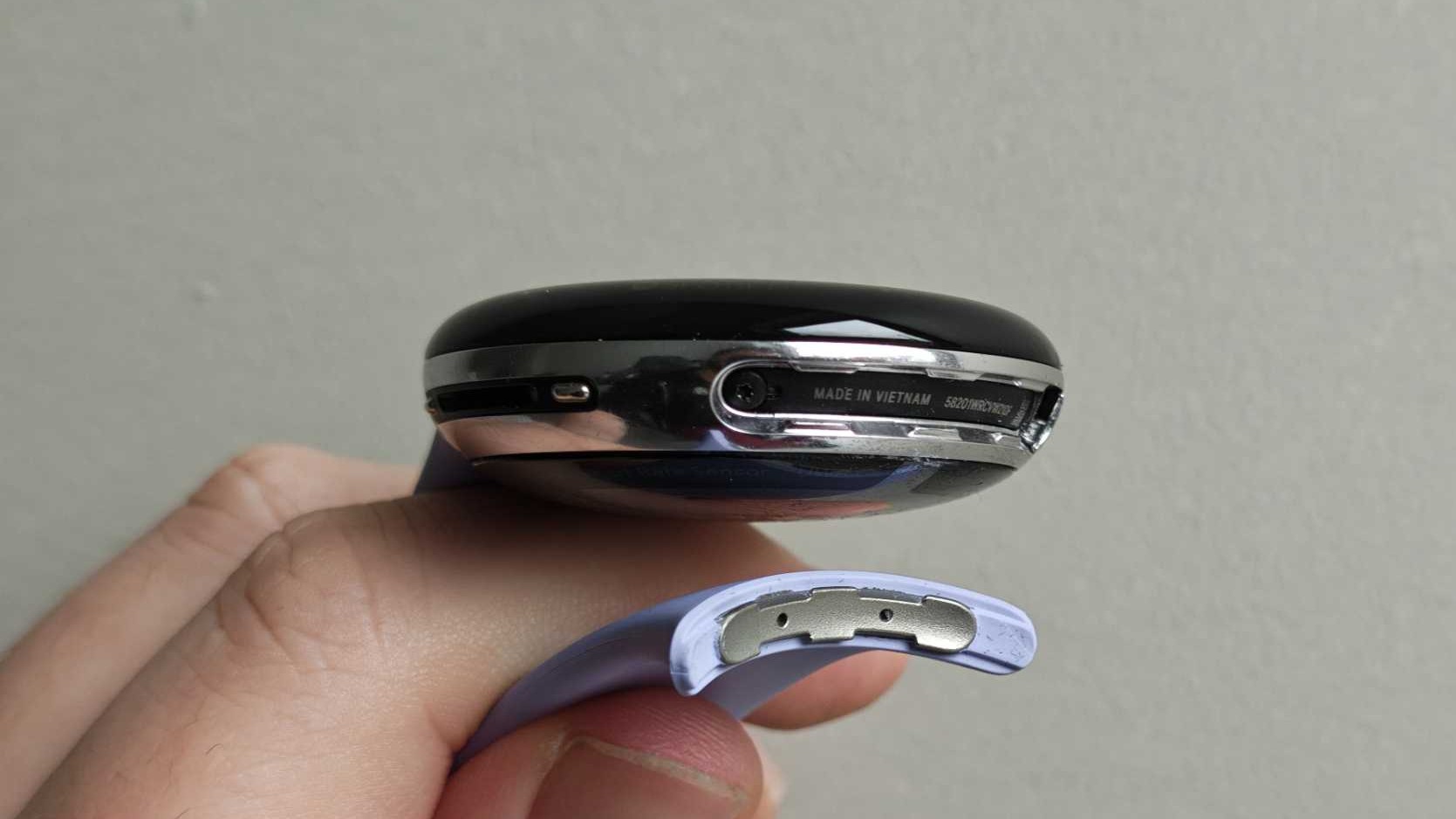
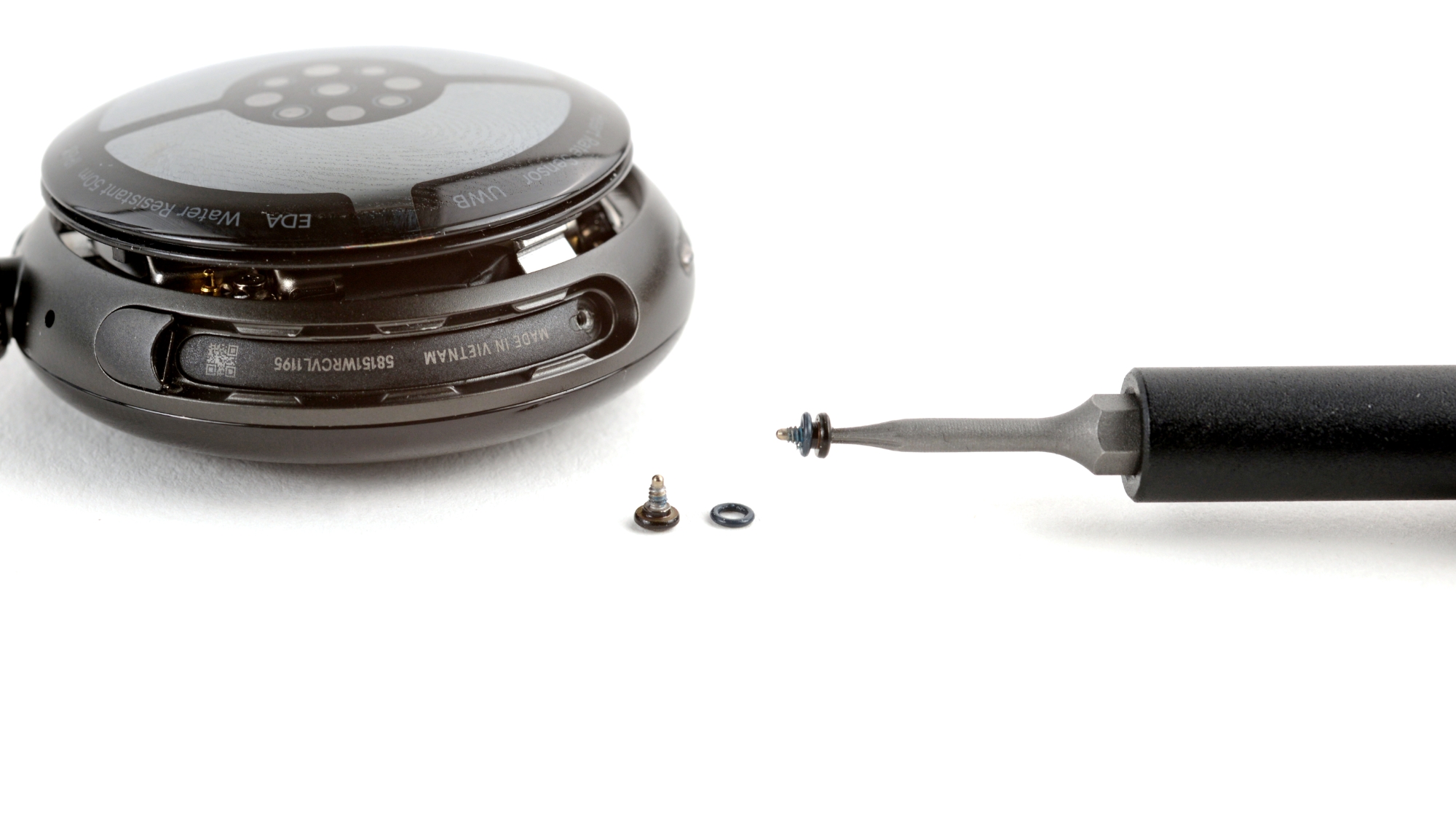
The Pixel Watch 4 still boasts Corning Gorilla Glass to protect against drops or scratches, and the rest of the build here is aerospace-grade aluminum. It’s also water-resistant up to 50 meters. Another major change this year is a redesigned back, which has resulted in the moving of the charging ports in order to make this smartwatch repairable and serviceable.
Yes, you’ll notice several screws, which allow the battery to be replaced for a more sustainable design. This isn’t something that's common for major smartwatch brands, as most devices are sealed units, so it’s a welcome step in the right direction from Google.
(Image credit: Future/Jacob Krol)
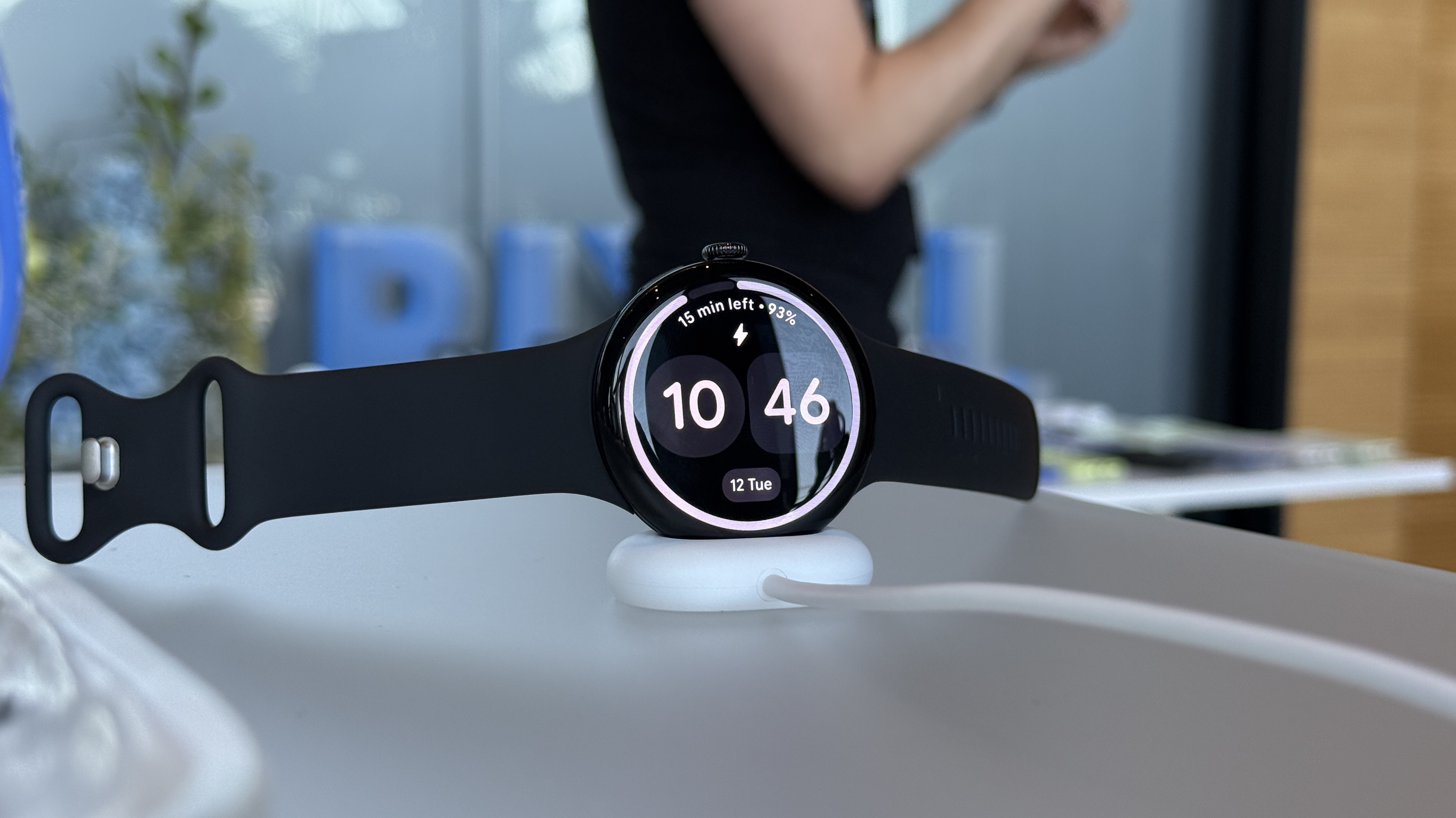
This also means a pretty significant change in charger design, as you’ll no longer place this on a proprietary puck with prongs as you would the Galaxy Watch, Apple Watch, or any Pixel Watch before this. The Pixel Watch 4 charges on its side in a dock, and if you’re charging it on a nightstand this should make it easier to use the smartwatch as a small alarm clock – it’s even perfectly positioned so that you can tap the crown to snooze.
Google is also taking advantage of these charger and design changes to speed up refueling. You can now charge the Pixel Watch 4 from 0% to 50% in just 15 minutes, and Google is promising longer battery life for both sizes – up to 30 hours for the 41mm and up to 40 hours for the 45mm. Your mileage will, of course, vary depending on usage, but it’s a good step beyond the Pixel Watch 3.
Design score: 5/5
Google Pixel Watch 4: Features
(Image credit: Future/Lance Ulanoff)
On-wrist Gemini
Usual suite of health and fitness features
Tons of third party apps
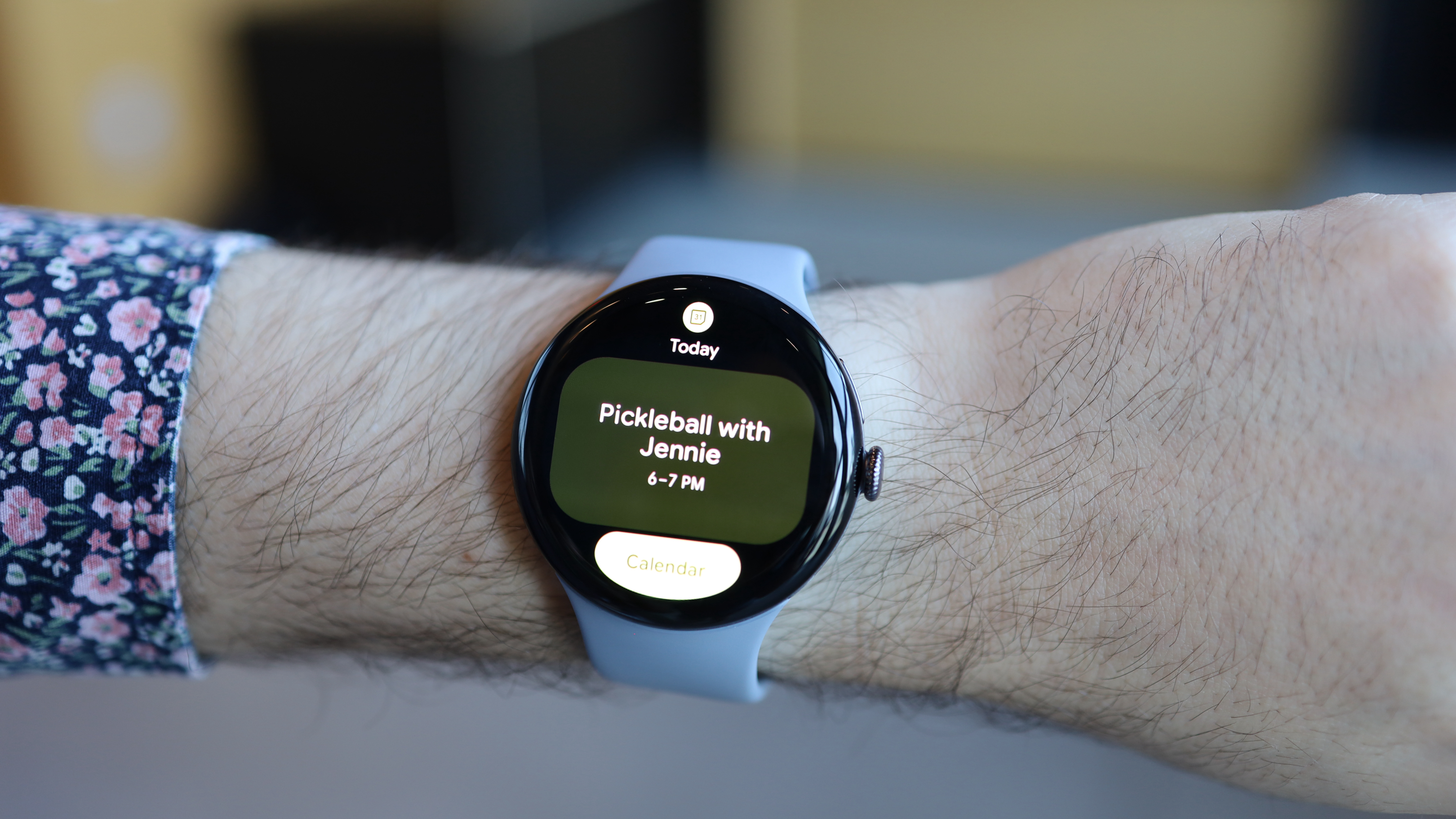
Gemini powers a ton of new features. Google’s new Smart Replies feature looks like a welcome innovation, especially if you’re tired of suggested replies that often lack context and are unsuited to the conversation. The Pixel Watch 4’s silicon can power an on-device large language model to generate appropriate suggested replies based on what a message says.
We’ve already seen Gemini arrive on-wrist courtesy of the Galaxy Watch 8, but Google is serving up something special for its watch, and that’s a ‘raise to talk to the AI assistant’ functionality. Simply raise your wrist, and a glowing bar appears at the bottom of the display, which indicates that Gemini is listening and that you can start your request. You don’t need to say ‘Hey Gemini' – Google has us pretty well trained in that department – and it worked well in practice, quickly pulling up the weather.
(Image credit: Future/Lance Ulanoff)
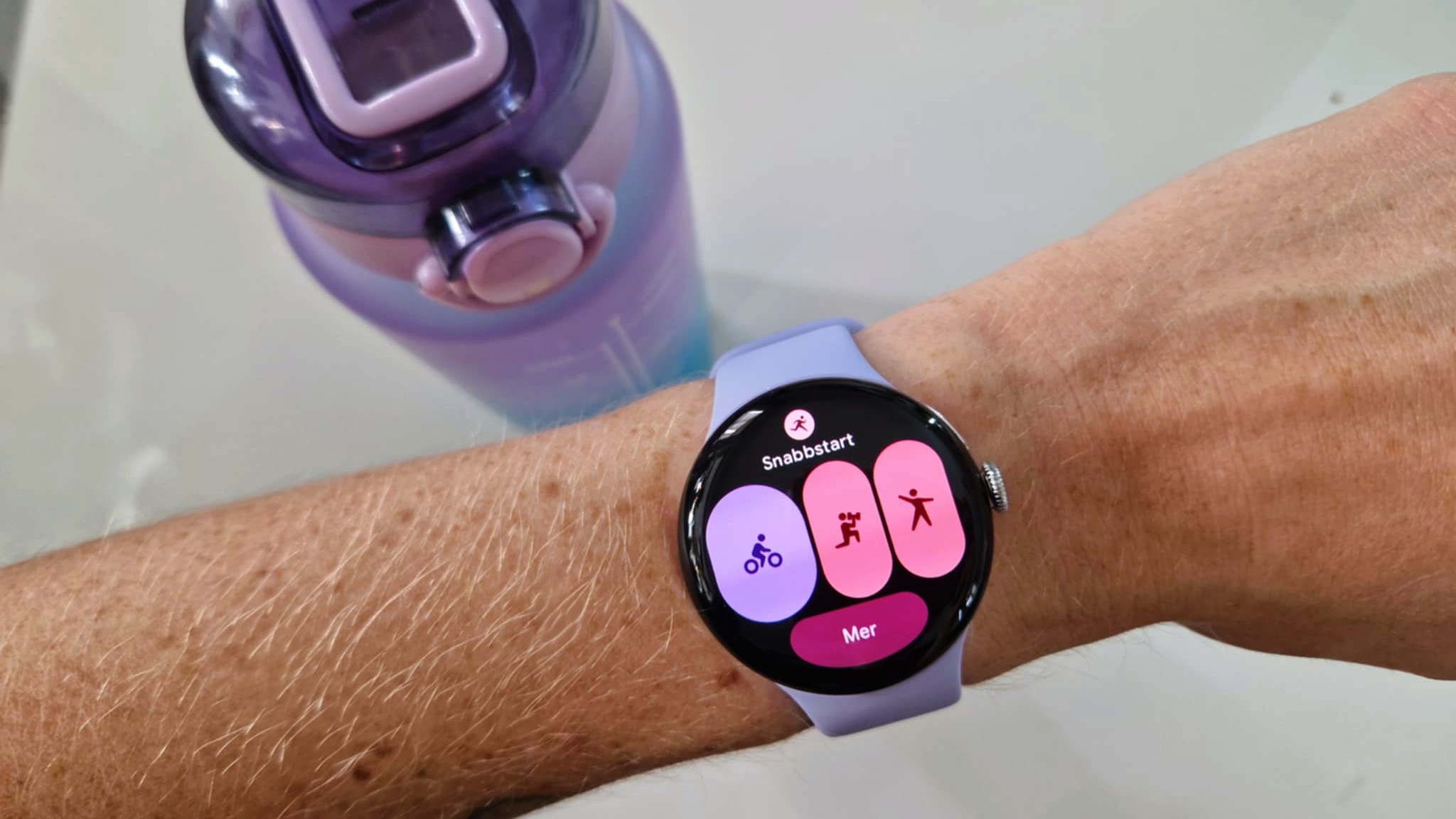
Google’s shipping the Pixel Watch 4 with a familiar suite that includes general activity, heart-rate, blood oxygen (SpO2), and sleep tracking. You can also take an ECG or Electrocardiogram, and there’s an improved Skin Temperature sensor for more accurate readings. You can also track over 40 workouts with the Pixel Watch 4.
The real big potential leap, though, is a promised ‘personal AI health coach’ that’s powered by Gemini and set to arrive at some point in October as a preview in the United States at first. It should go beyond ‘Workout Buddy’ on the Apple Watch and some AI features on the Galaxy Watch, but we don’t know exactly what it entails just yet. Google is promising it to be a coach of sorts that bases recommendations on your health data and that you can chat with, maybe something similar to that of Oura Advisor.
While the Pixel Watch 4 doesn’t usher in a tremendously radical redesign, it’s mostly about polishing and the addition of a healthy dose of AI functionality – something that Google is a big fan of. It’s likely that you don’t need to rush out for it if you already have a Pixel Watch 3, as you'll get many of the same features and the same smorgasbord of third-party app availability there.
Features score: 4/5
Google Pixel Watch 4: Performance
(Image credit: Amanda Westberg)
Zippy and fast day-to-day
Battery charges fast and lasts as described
Heart rate accuracy fine, but not as accurate as an Apple Watch Ultra 3 or Garmin Venu 4
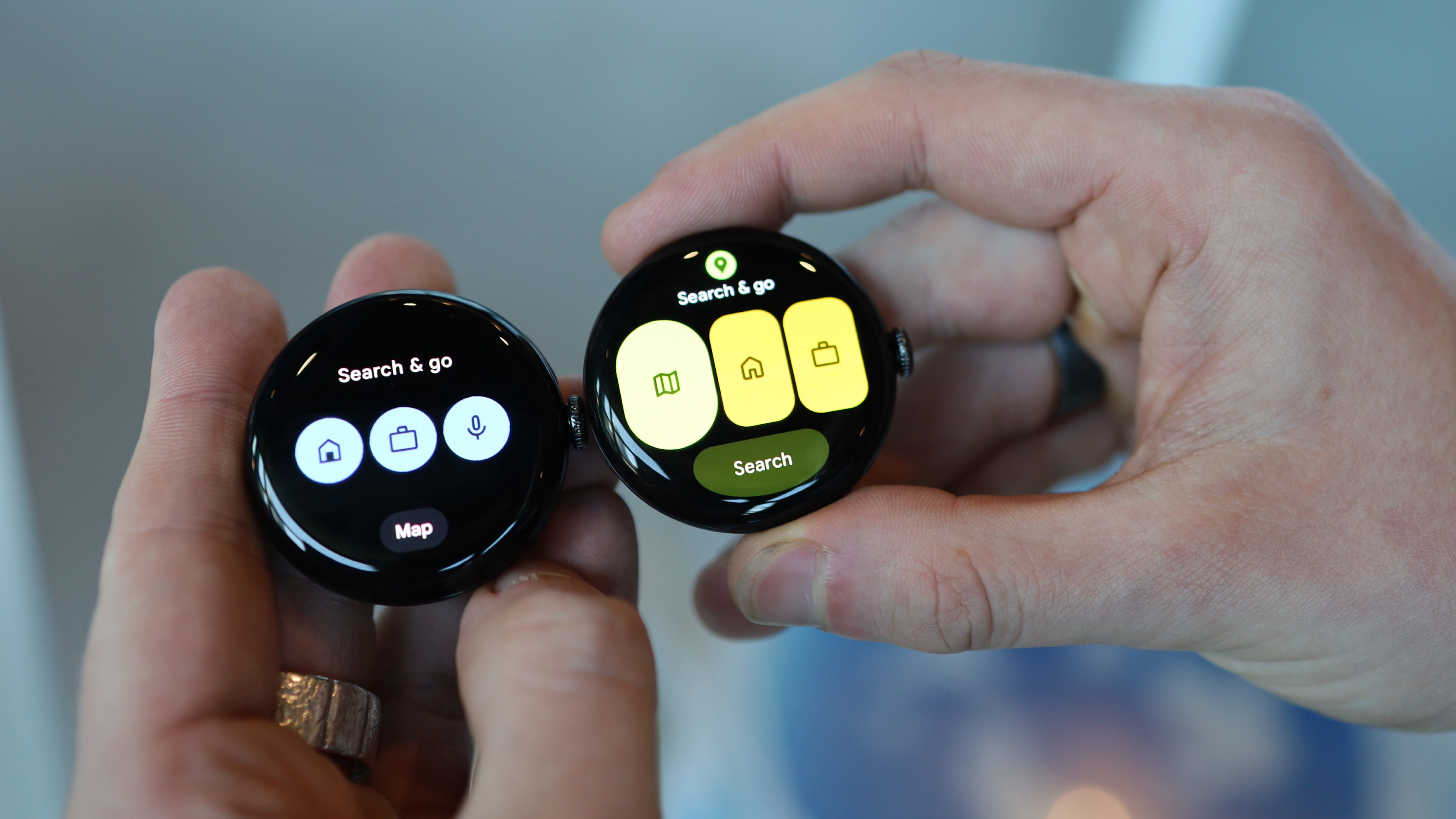
The Pixel Watch 4 felt like a modern-day smartwatch that was responsive and zippy fast. Under the hood it’s powered by Qualcomm’s Snapdragon W5 Gen 2 Wearable Platform and a next-gen ML CoProcessor, both of which ensure that the new Material 3 Expressive interface design runs well here. It was easy enough to swipe between tiles, and we especially liked the more vibrant nature of the colors, which you can, of course, customize. Overall, this watch feels speedy compared to previous years.
We tested Gemini with a message that referenced delays on my local train service, and the Pixel Watch 4 delivered an appropriate response. It took a few seconds, but it’s much better than the list found on previous Pixel Watches, the Galaxy Watch, or the Apple Watch. However, we also had a couple of mishaps: it once directed me to a disused train station, not the closest operating one.
We tested the heart rate tracking against an accurate chest-mounted heart rate monitor, the Polar H10, during a four-mile run. The Google Pixel Watch 4 had an average heart rate difference of around 13bpm during our tracked test. Not awful, but the Garmin Venu 4 had a 5bpm difference, while the Apple Watch Ultra 3 had just 1bpm difference to the chest strap.
It's more accurate than the Garmin Instinct 3, which had 18bpm difference, but worth understanding that during our test, the Pixel Watch 4 was more in 'ballpark' territory rather than 'pinpoint accuracy', and perhaps best used as a guideline for activity-based metrics rather than gospel.
However, the watch was extremely comfortable to wear despite its thickness, very useful day-to-day, easy to navigate and a joy to use. Battery performed as described, and charging was very fast. I loved the redesigned charger, especially as the watch feels like it now has a nightstand place.
Performance score: 4/5
Scorecard
Category
Comment
Score
Value
Same price as last year, a win!
4.5/5
Design
Iterates on the iconic pebble with smart choices, like the domed screen & new charger.
5/5
Features
All the third party apps you want, workout tracking and AI.
4/5
Performance
Some early glitches & accuracy quibbles, but generally a joy to use.
4/5
Google Pixel Watch 4: Should I buy?
(Image credit: iFixit)
Buy it if...
You want the best Wear OS watch
Love Android? This is going to give you the best Wear OS experience.
You're a Fitbit user
This automatically shot to the top of our pick for "best Fitbit watch" thanks to its use of Fitbit integrations.
You're an AI pioneer
Love Gemini? You've now got it on your wrist to perform tasks like smart replies.
Don't buy it if...
You need athlete-level tracking
The Google Pixel Watch 4 wasn't as accurate at measuring our heart rate during a workout as a Garmin Venu 4 or Apple Watch Ultra 3.
You use an iPhone
It sounds silly, but unless you're planning a switch to Android, there's no need to buy this watch.
We wore the Pixel Watch 3 for days, tracking our sleep, performing ECG tests and working out with a chest-mounted heart rate monitor. We also tested AI systems like smart replies and on-device Gemini searches. We loaded our favorite third-party apps onto the watch, like Strava and Spotify, drained the battery down and examined the speed of its fast charging.
Lighter, cheaper, and more portable than the OG Lenovo Legion Go, the Lenovo Legion Go S (SteamOS) has a lot going for it.
First is its starting $649.99 / £699 / $1,329 price tag, which makes it much cheaper than most of the best budget gaming laptops on the market. And weighing just under two pounds, the Legion Go S is substantially lighter, too.
The result is a compact beauty that can play most of the games in your Steam library, although you might have to adjust a few settings.
The not-so-secret sauce in the Go S is the AMD Ryzen Z2 Go, or AMD Ryzen Z1 Extreme if you're willing to pay a bit more for better performance. In my case, the Z2 Go brings solid performance to a remarkably compact system.
(Image credit: Future / John Loeffler)
Can you play some of the more demanding games out there, like Cyberpunk 2077? Not really, unless you're willing to make some serious compromises on graphics quality and resolution, but there are plenty of AAA titles that will run beautifully on a device that fits nicely in the palms of your hands.
There are some caveats to consider. The Go S suffers from a short battery life, just like the best gaming laptops, and it has a slightly smaller display with a lower resolution than the original Lenovo Legion Go. And unlike its chunkier brethren, the joysticks on the Legion Go S aren't detachable.
But the biggest concession on the SteamOS version of the handheld is the platform. While there is a version of the Legion Go S with Windows 11 installed, almost everyone using the SteamOS version is going to use Valve's Steam storefront exclusively.
Sure, you could find a way to dual-boot another OS or jury rig a way to get GOG or the Epic Games Store installed on SteamOS, but it's going to be a bit of a hassle, especially for more casual users. For the hard-core Steam fans like me, though, it's not just a non-issue; it's part of the Lenovo Legion Go S's appeal.
Lenovo Legion Go S (SteamOS): Price and availability
(Image credit: Future)
How much does it cost? Starting at $649.99 / £699 / $1,329
When is it available? It is available now
Where can you get it? It is available in the US, UK, and Australia
The base model of the Legion Go S is available now in the US, UK, and Australia, starting at $649.99 / £699 / $1,329. It comes with the new AMD Ryzen Z2 Go SoC, 16GB RAM, a 512TB SSD, and an 8-inch, 120Hz IPS touchscreen.
There is also the more powerful Z1 Extreme configuration that sells for $829.99 / £699 / AU$1,599. It has more RAM and storage, and it sports the more powerful AMD Ryzen Z1 Extreme SoC that powered the original Legion Go.
This is a good bit more expensive than the base Steam Deck, but the slightly more powerful Z2 Go processor in the Legion Go S will get you 50% more RDNA 2 compute units to help with performance.
Excellent hand feel with ergonomic grips; sturdy build
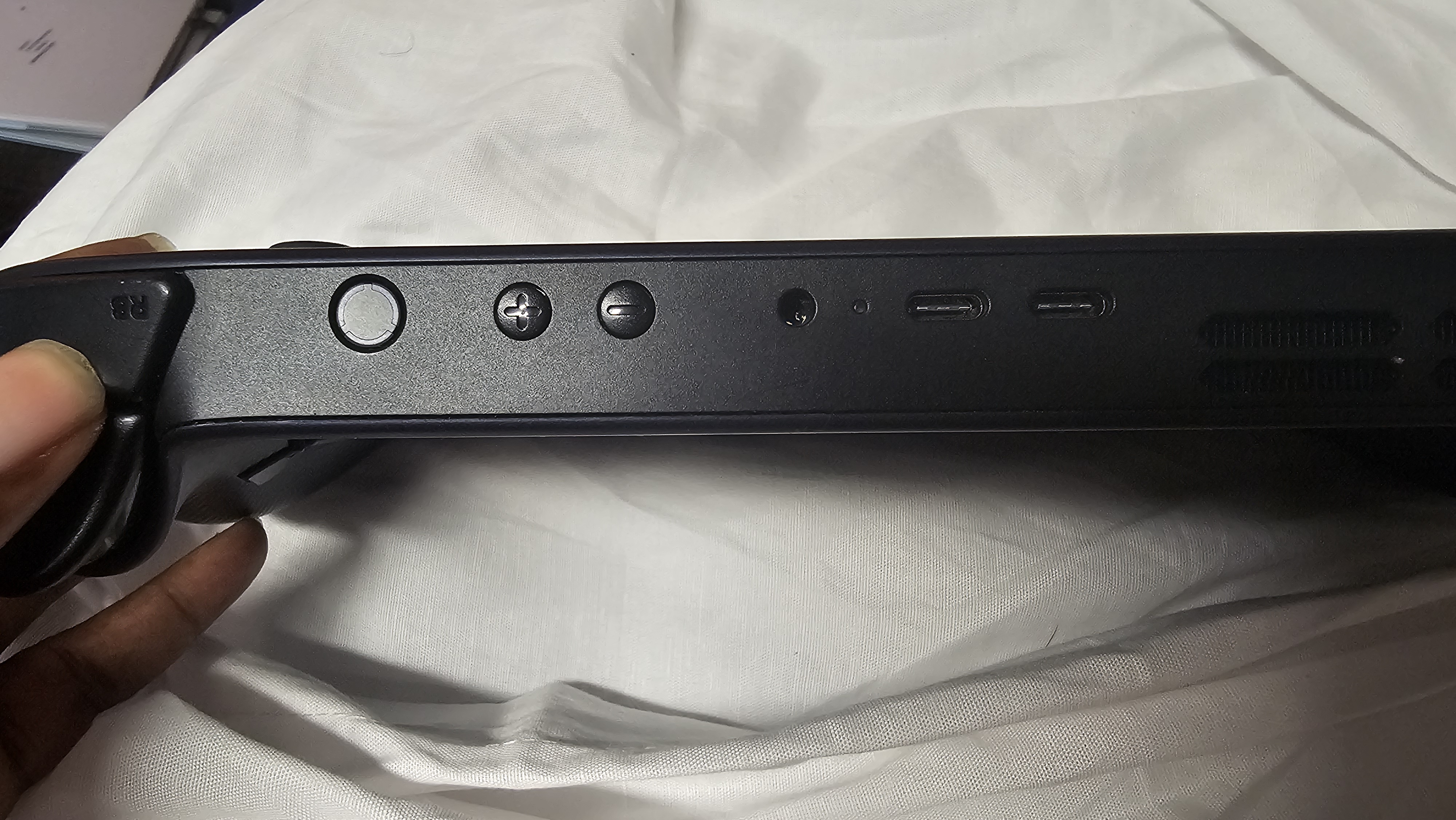
Hall-effect sticks, responsive triggers, handy top/bottom port layout
Louder fans than I’d like during long, heavy sessions
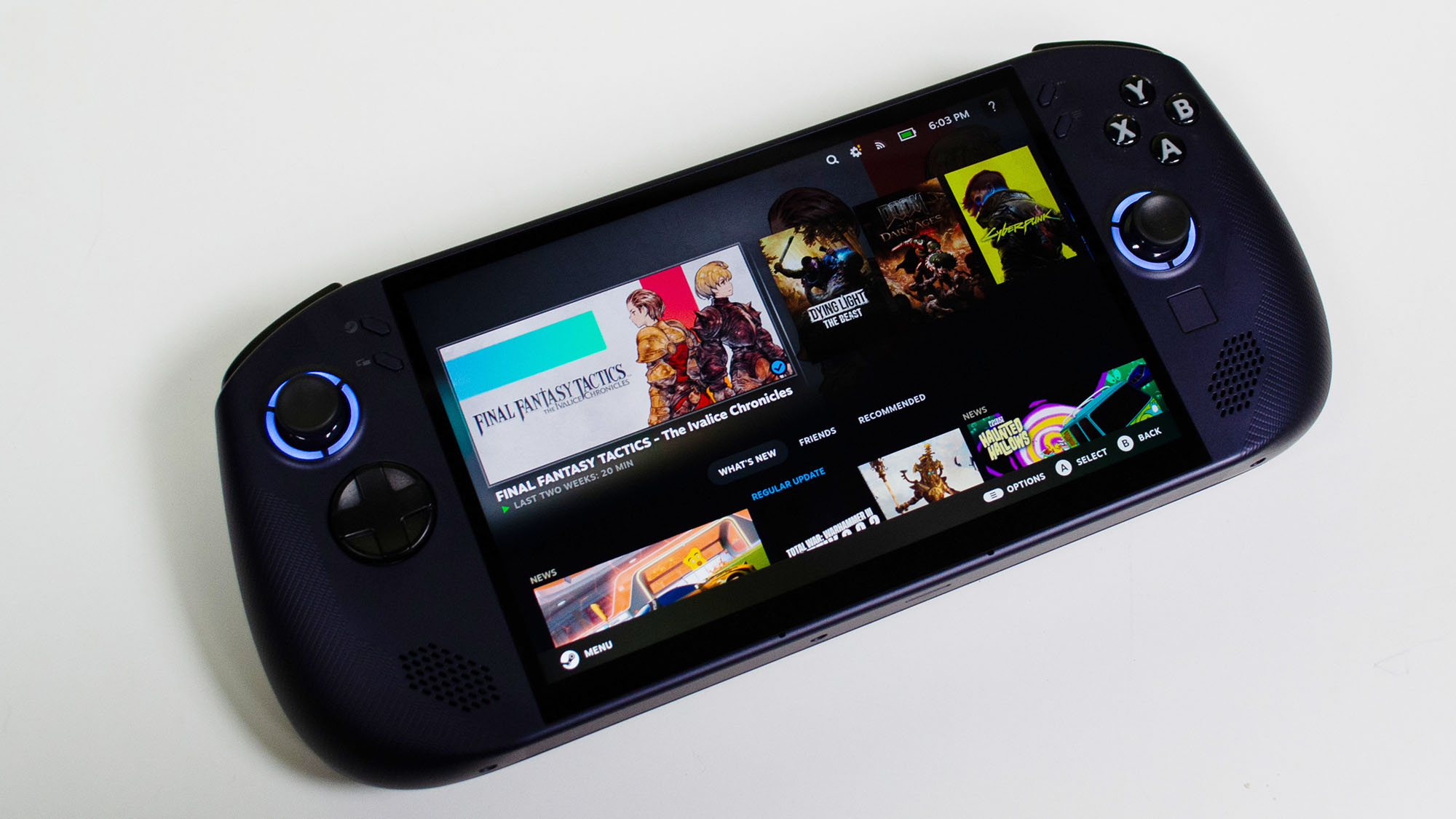
Personally, I’m a big fan of the original Legion Go, bulky as it is. But the Legion Go S (SteamOS) has its own unique appeal, starting with the color.
The midnight blue chassis is a nice change from the black and white we’ve been getting lately from PC gaming handhelds.
The hard plastic casing fits comfortably in my hands with textured hand grips as a bonus. It’s not fingerprint proof, but it is resistant, holding off most smudging until I get my hands in a batch of freshly popped popcorn with truffle oil. Then all bets were off.
(Image credit: Future)
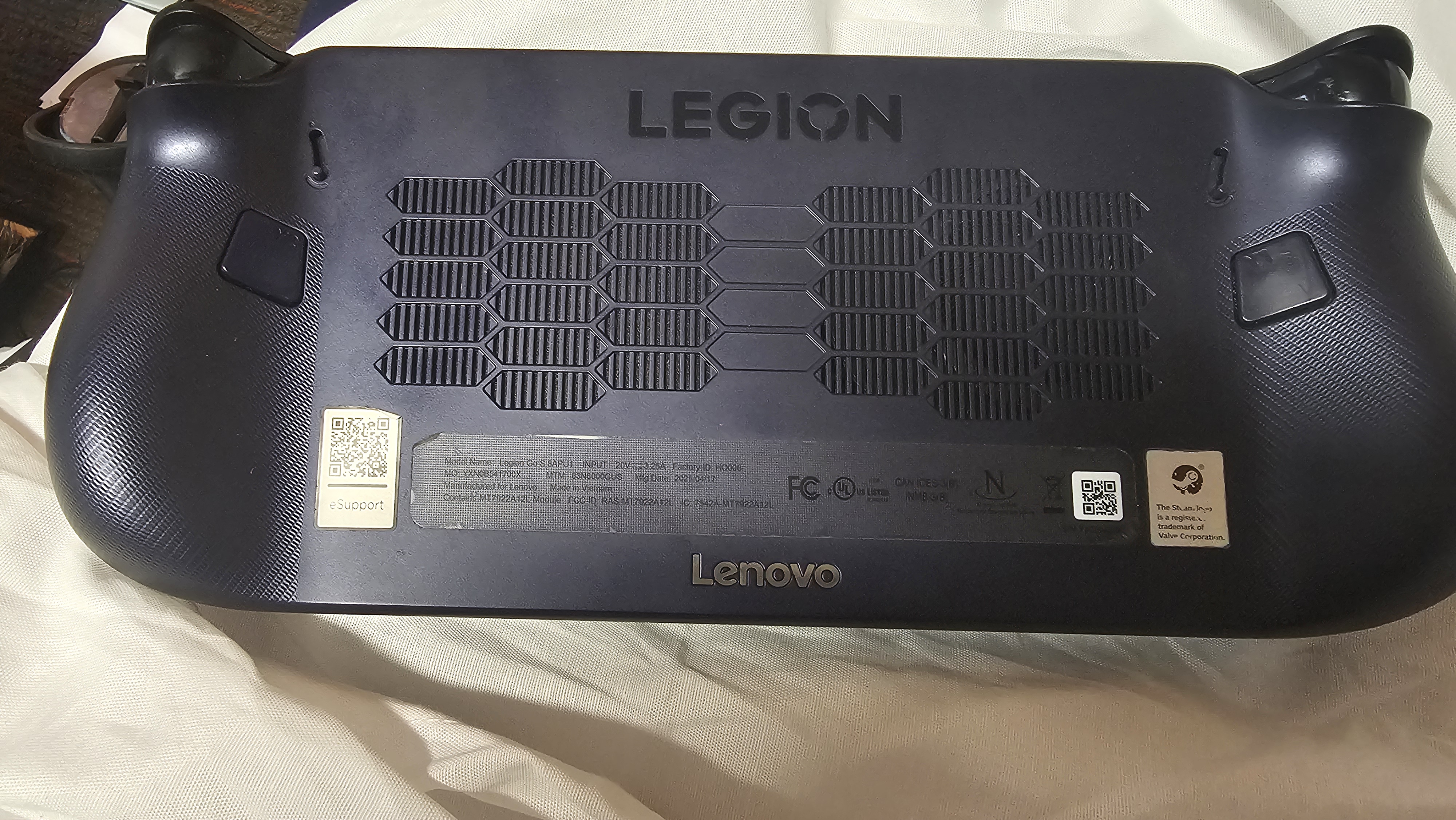
Similar to the Windows 11 version of the Legion Go S, the controllers don’t detach, and there's no kickstand like on the Legion Go. It’s a shame, but the Go S is noticeably lighter than the Legion Go, weighing in at only 1.63 pounds compared to the latter’s 1.88 pounds, with controllers, so it's not that much of an issue.
The asymmetrical analog anti-drift joysticks are sturdy and provide accurate input, and I especially appreciate that they don’t detach as easily as the Go’s joysticks.
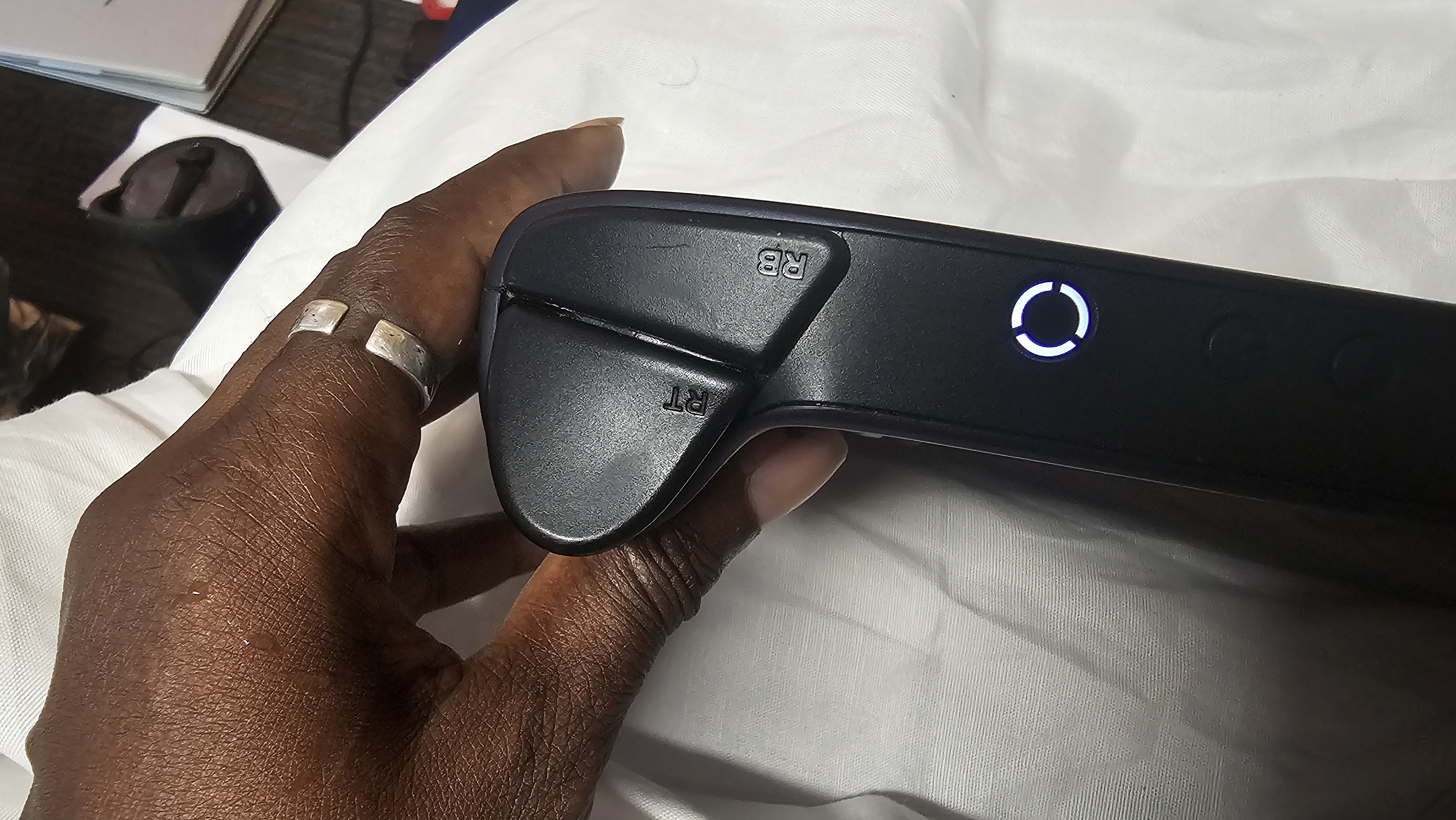
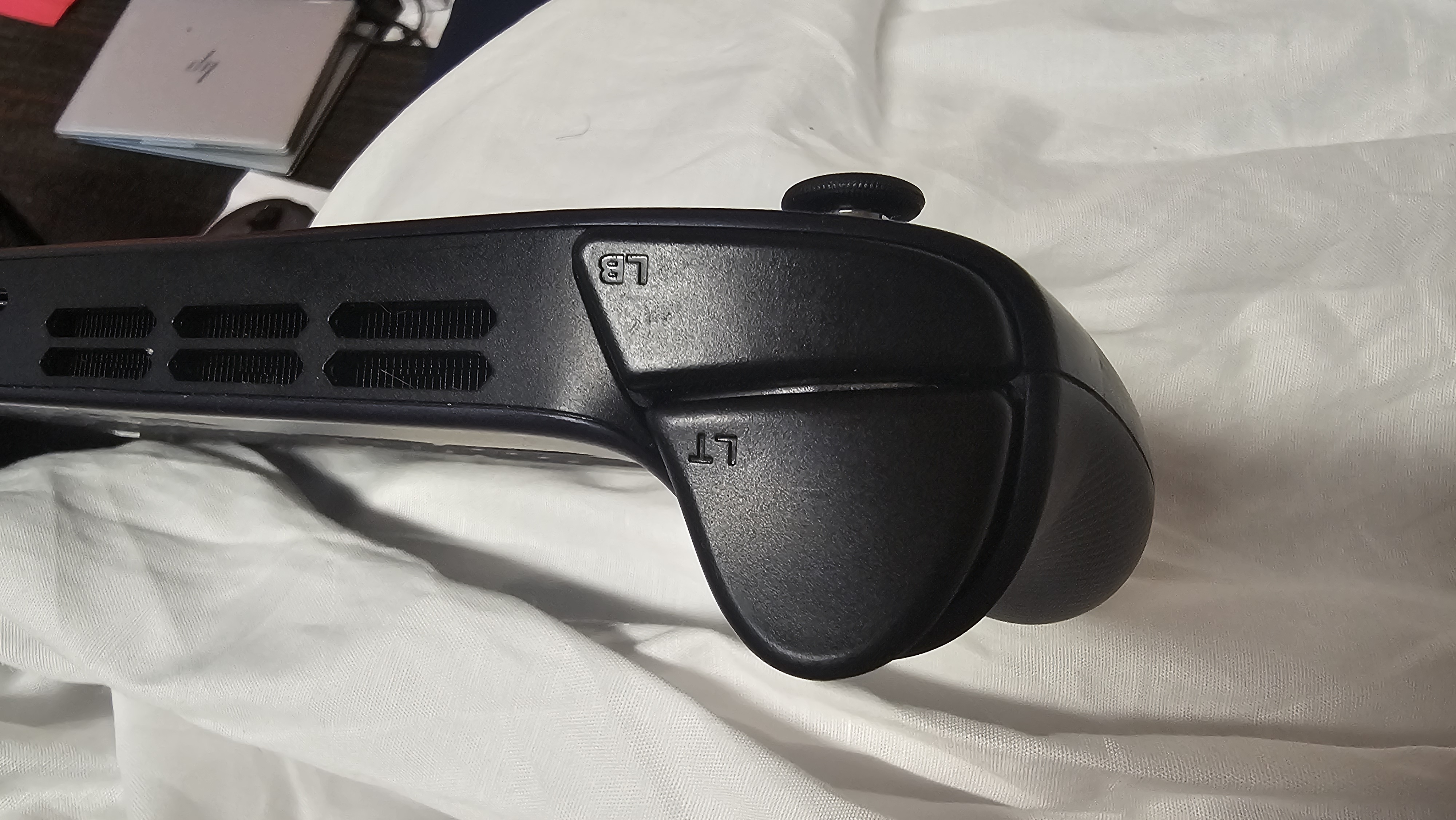
The D-Pad is fine, but it’s a little too stiff to deliver the precision needed to input quarter or half-circle inputs for fighting games. However, the buttons, shoulder, and rear bumpers deliver firm feedback with a nice, gentle click. A tiny square under the right joystick acts as one of the tiniest touchpads I’ve ever seen.
Image 1 of 2
(Image credit: Future)
Image 2 of 2
(Image credit: Future)
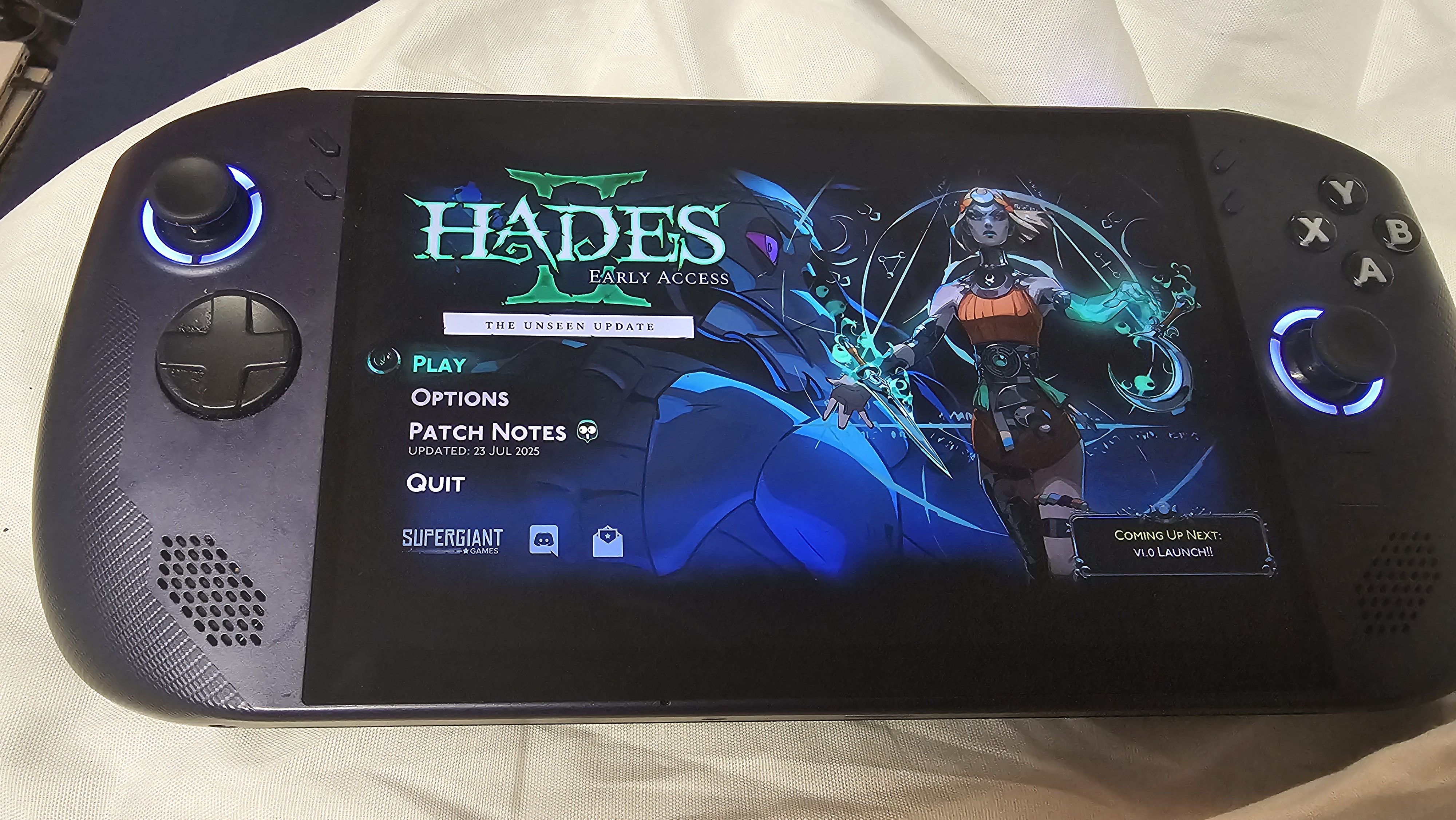
Despite not being OLED, the 8-inch 2560 x 1600p WUXGA display on the Legion Go S is absolutely stunning.
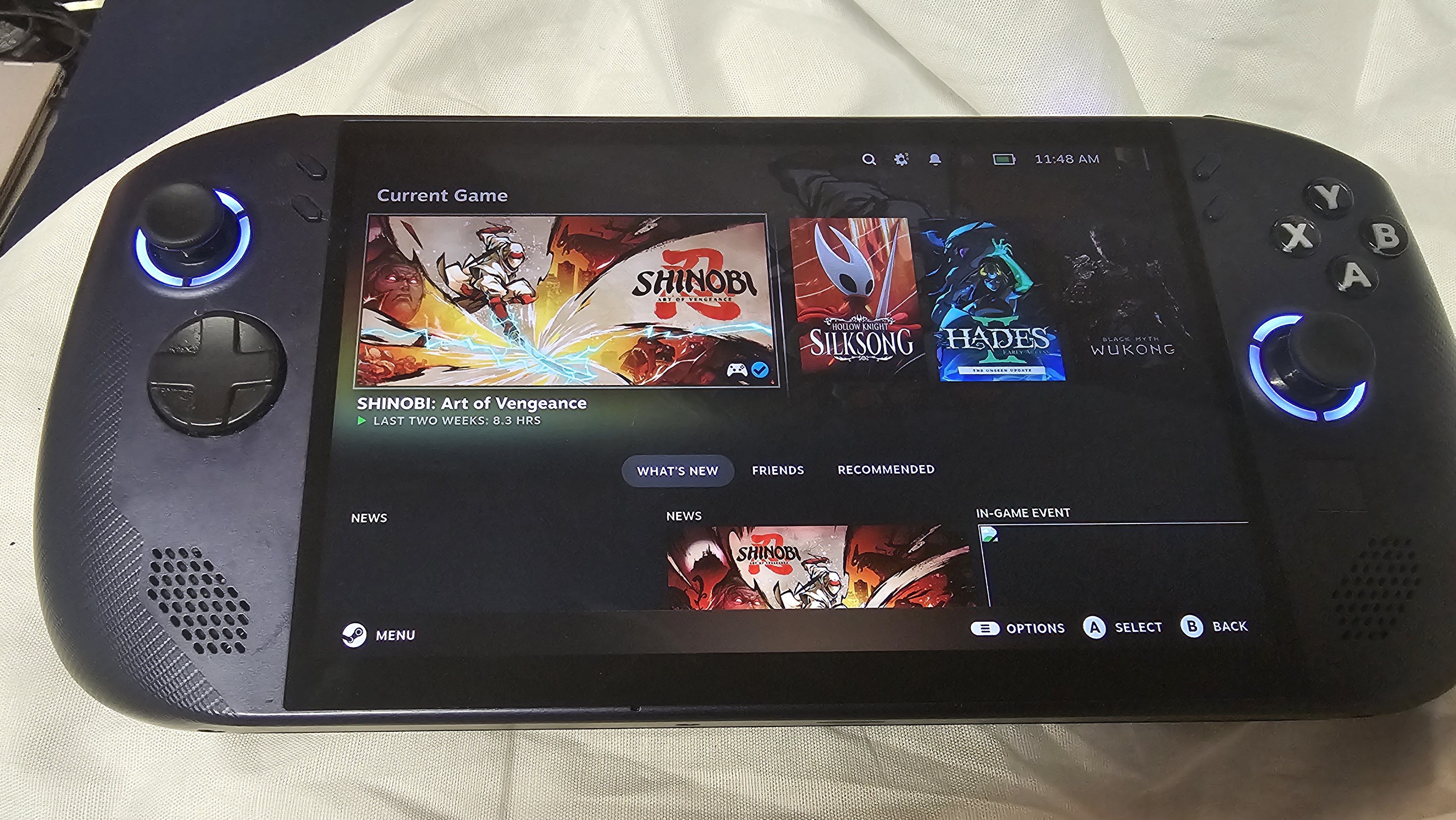
The near technicolor vibrance of Hades II was a feast for the eyes as I threw out barrages of attacks against seemingly endless waves of enemies.
Cuphead and its 1930s-style animations also looked lovely when I wasn’t cursing the screen out after yet another defeat. In both cases, the display’s 120Hz refresh rate ensured smooth rendering without any noticeable latency, which in games like these can make all the difference.
(Image credit: Future)
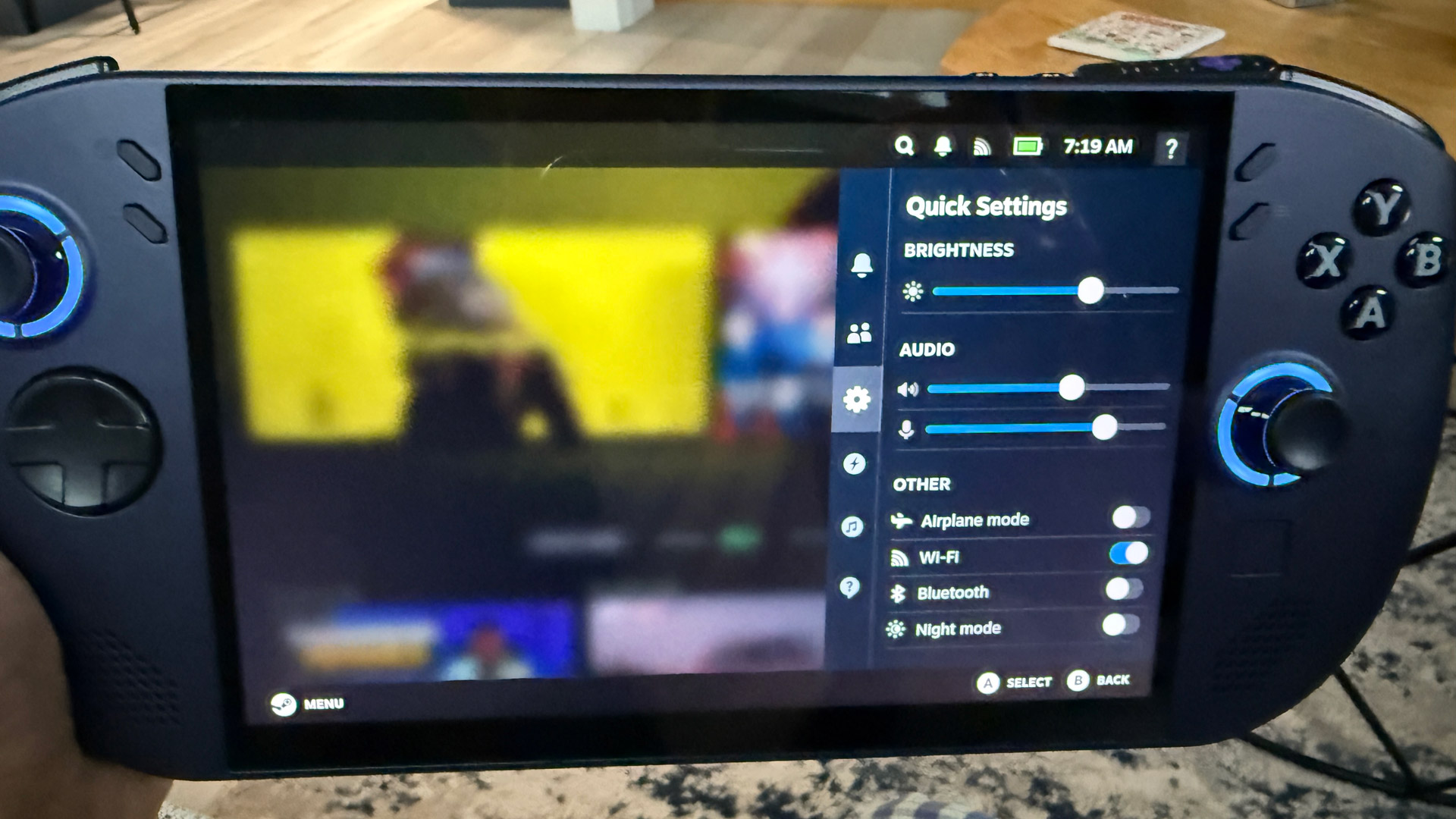
In addition to the Steam button that summons a sidebar with your usual tabs (Home, Library, Store, etc), you also have a Quick Access button, which gives you a sidebar where you can toggle performance profiles and settings such as brightness, audio, and Wi-fi. It’s a seamless way to quickly interact with key features without having to completely exit your game.
Design: 4 / 5
Lenovo Legion Go S (SteamOS): Performance
(Image credit: Future)
The Z2 Go is more than enough for casual or less-demanding AAA games, but visually robust titles struggle
Surprisingly good audio quality
Controls are responsive and comfortable for long sessions
Lenovo Legion Go S (SteamOS) benchmarks
Here is how the Lenovo Legion Go S (SteamOS) performed in our suite of benchmark tests:
It’s one thing to play Cuphead or Hades II on a PC handheld, but it’s quite another to play the likes of Cyberpunk 2077, God of War, or Baldur’s Gate III.
And yet, there I was, dying for the umpteenth time as I worked my way through Black Myth: Wukong. Thanks to the handheld’s Z2 Go processor, the game played smoothly on lower settings, consistently reaching frame rates approaching 40 fps at 720p.
I also tried playing the game on Cinematic, and that didn't work nearly as well. At the highest performance setting at 720p, the game really chugged along at an unplayable 17 fps.
Games such as Baldur’s Gate 3, Hades II, and Hollow Knight, however, ran smoothly with maxed-out settings, letting me quickly immerse myself in the gameplay.
While not as captivating as the original Go’s QHD panel, the display's colors are vibrant, and details are crisp. This is especially true on Hades II, a technicolor beauty of mythic proportions.
(Image credit: Future)
One thing the Legion Go S has in common with its bigger brother is the audio. After weeks of playing this thing, I’m still surprised at how loud the Go S actually gets.
And while it can’t compete with the best gaming headsets, more often than not, I found myself vibing to the soundtrack of whatever game I was playing. In-game dialogue is crisp, while sound effects like explosions have some weight behind them. And on instrumentals, particularly string instruments like violins, there wasn’t any distortion.
I don’t know if it’s just because the Legion Go S is lighter, but the controls felt much better than on the original Legion Go, with my thumbs nestled comfortably into the concave seat of the analog sticks.
(Image credit: Future / Lance Ulanoff)
The bumpers and triggers depressed with a firm click, as did the buttons, and using the D-Pad during Black Myth: Wukong to switch stances was a comfortable, fluid experience.
In order to keep the Go S from overheating, Lenovo outfitted the device with several preset Thermal Modes. These set an appropriate fan speed for a corresponding performance level, and while fan noise is negligible on the Quiet or Balanced settings, Performance is a whole other story. There’s also a separate option to optimize fan speeds to make things simpler.
As for thermals, when I wasn't pushing the Legion Go S too hard, the high-contact touch points like the D-Pad, X, Y, A, B buttons, underside, display, etc., never got especially hot, though things got noticeably warmer during more intense sessions. It never felt uncomfortable, though, even during extended play.
Performance: 3 / 5
Lenovo Legion Go S (SteamOS): Battery life
(Image credit: Future)
Since the Legion Go S is basically a handheld gaming laptop, don’t expect it to last as long as a Nintendo Switch 2.
During my gameplay testing, the Legion would typically last about 2 hours and 30 minutes on Balanced settings before it shut down, though if you do utilize the Legion Go S's SteamOS desktop for non-gaming tasks, I was able to stretch this out to about 8 hours and 30 minutes, but no one is going to use the Legion Go S for that kind of thing regularly enough to matter.
Overall, then, the Legion Go S is more than good enough for a work commute, but if you’ve got a long flight or train ride, you’ll definitely want to keep a charger nearby.
Battery life: 2 / 5
Should you buy the Lenovo Legion Go S (SteamOS)?
Lenovo Legion Go S (SteamOS) scorecard
Category
Rating
Value
The Legion Go is one of the more affordable PC gaming handhelds on the market. And outside of a slightly smaller display and a less powerful processor, you're not losing too much on this SteamOS device.
4 / 5
Specs
With options for both the AMD Ryzen Z1 Extreme and Z2 Go, as well as up to 32GB RAM and 1TB storage, this is a well-specced handheld, especially for the price.
4 / 5
Design
While it's not the lightest PC handheld on the market, it's definitely lighter than the original Legion Go. It makes holding the Legion Go S much more comfortable over longer gaming sessions, so while some might miss the kickstand and detachable joysticks, most gamers will call it a fair trade.
4 / 5
Performance
Can you play every GPU-taxing opus on the Legion Go S’s AMD Z2 Go chip? No, but you can play most of what you have in your Steam library at solid frame rates with a few resolution adjustments. Honestly, you'd be surprised at just how many games are handheld compatible these days.
3 / 5
Battery Life
The Legion Go S shares one fatal flaw with its gaming laptop brethren: its blink-and-you-miss-it battery life. At about two and a hald hours while gaming, it's fine for a work commute, but any longer and you'll need to pack a charger.
2 / 5
Final score
The Lenovo Legion Go S (SteamOS) is a good choice for SteamOS diehards. However, if you want something with more oomph, make sure you spend a bit more to get the Z1 Extreme configuration, or look at more powerful gaming PCs, handheld or otherwise.
3.4 / 5
Buy the Lenovo Legion Go S (SteamOS) if...
You value portability
The Legion Go S (SteamOS) is a lightweight, portable option to play AAA titles on the go or in your bed.
You have a huge Steam library
Particularly for those Steam Sale binges, the Legion Go S (SteamOS) is an elegant way to finally play all those indie darlings you’ve been meaning to play.
You want a large screen with big audio
Although not as big as the original Go’s screen, the Legion Go’s 1600p touchpanel is lovely and one of the larger screens available on a handheld. Plus, it’s packing stellar audio.
Don't buy it if...
You want longer battery life
If you don’t want to carry a portable charger with you all the time, you might be better off investing in a more traditional gaming laptop.
You want a lighter system
While the Legion Go S is lighter than the Legion Go, the Asus ROG Ally is the lighter handheld overall.
You want easy access to all your games
While you can technically get non-Steam games on the Legion Go S, it's not an easy or straightforward process.
How I tested the Lenovo Legion Go S (SteamOS)
Tested the device for several weeks
Played several graphically taxing games at the highest settings
Used in-game benchmark tools where possible
I played several popular and GPU-taxing games on the Lenovo Legion Go S (SteamOS) over the course of six weeks, including Black Myth Wukong, Baldur's Gate 3, Forza Horizon 5, Hades II, Hollow Knight, and Hitman 3.
In addition to anecdotal play time, I also ran several in-game benchmarks at different settings and resolutions with graphical upscaling enabled and disabled.
I've been a life-long gamer on both PCs and consoles, and have covered tech and PC gaming devices for several publications, so I know what to look for in a PC gaming device of any kind and how to accurately and quantitatively measure their performance against its competitors.
The Quoted Tech Shield is the latest pre-built gaming PC from boutique Canadian PC maker, and it's an ideal gaming PC for anyone looking to get started playing the latest AAA games.
Everything about the Shield feels like it’s made to bring first-time PC gamers into the hobby by offering great components, easy setup and access to internals, and simple repairs (and warranties) in case things go awry.
The configuration I received, the Shield Extreme—which currently retails for CA$1299 (US$927, £975, AU$1,993)—features an AMD Ryzen 7 9700X CPU, Nvidia GeForce RTX 5070 graphics card, 32GB DDR5 RAM, and 2TB SSD storage. This is a fantastic spec for blistering-fast framerates at 1080p and with very respectable framerates at 1440p, though some settings tweaks might be necessary for QHD gaming.
First-time PC gamers might not immediately appreciate just how easy everything is to set up. I have reviewed dozens of gaming PCs over the years, and I can say that few gaming PCs make it this straightforward to get going, while lower-quality PCs can be a downright nightmare.
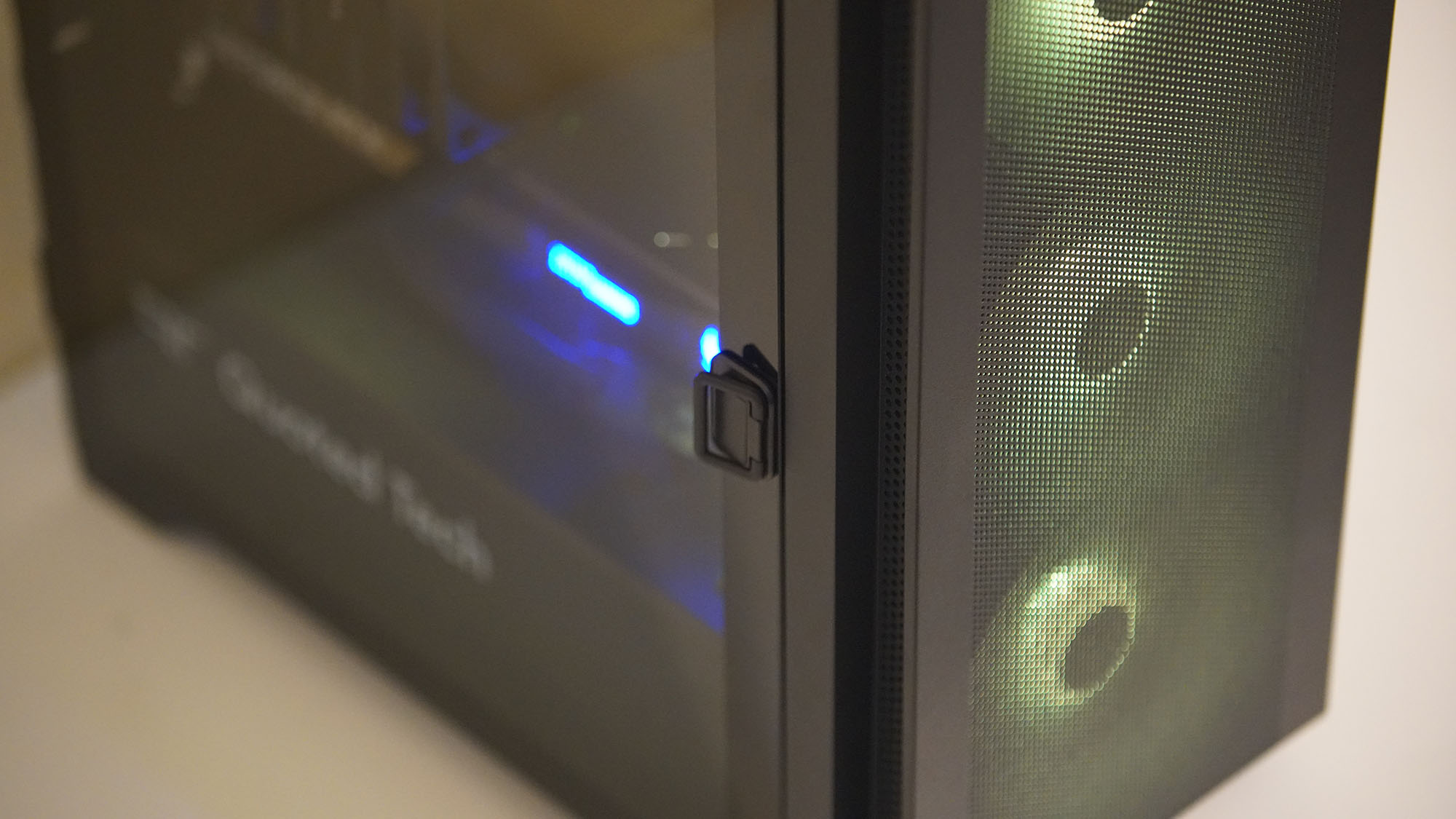
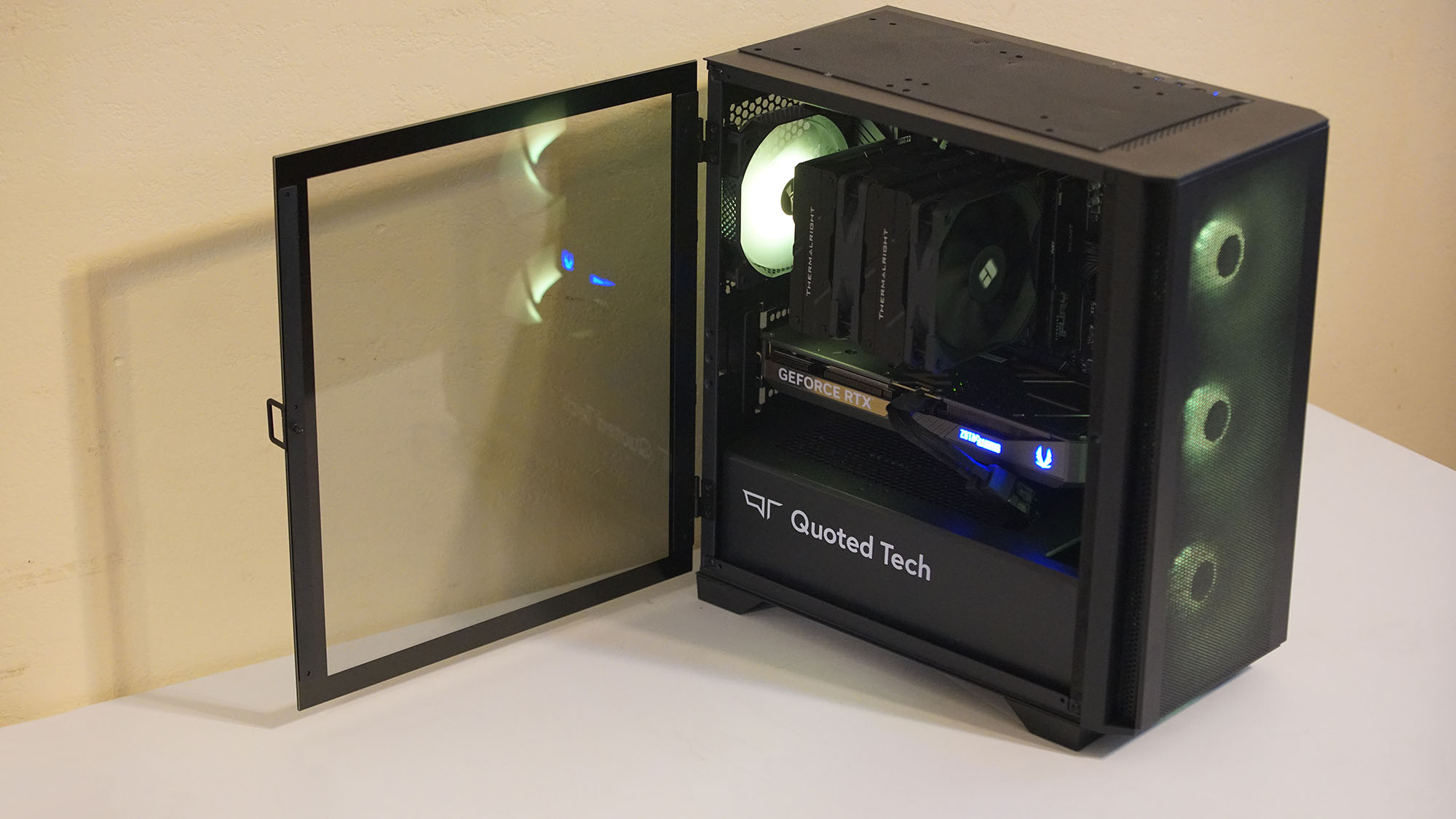
This extends to the easy access to the internals through a pin-drop hinged door, and the relieving lack of complicated bloatware that plagues most pre-built PCs.
Probably the most impressive part of the Shield is its three-year parts and five-year labor warranties, which deliver peace of mind for first-timers navigating their way through the intricacies of a gaming PC by ensuring a more reliable and less complicated experience than many established competitors.
(Image credit: Future / Ural Garrett)
Those positives don’t mean that there aren’t some issues potential buyers should understand before buying.
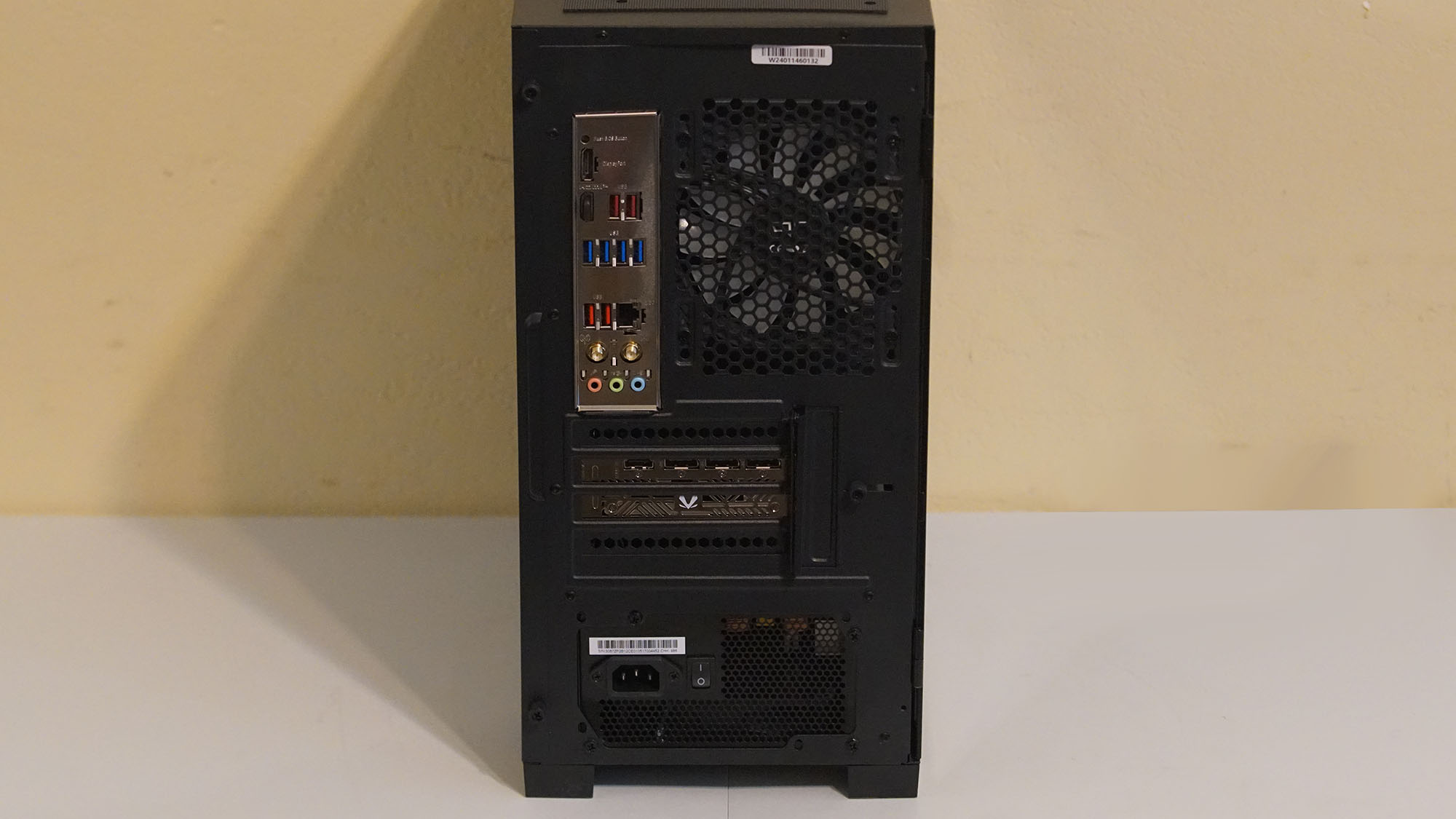
Most of the Quoted Tech Shield’s problems are with the case design and port selection.
First, the Shield skips out on USB-C ports entirely, which might complicate things if you want to buy the best gaming mouse and best gaming keyboard you can afford to complement your new PC, as many modern peripherals are making the move to USB-C.
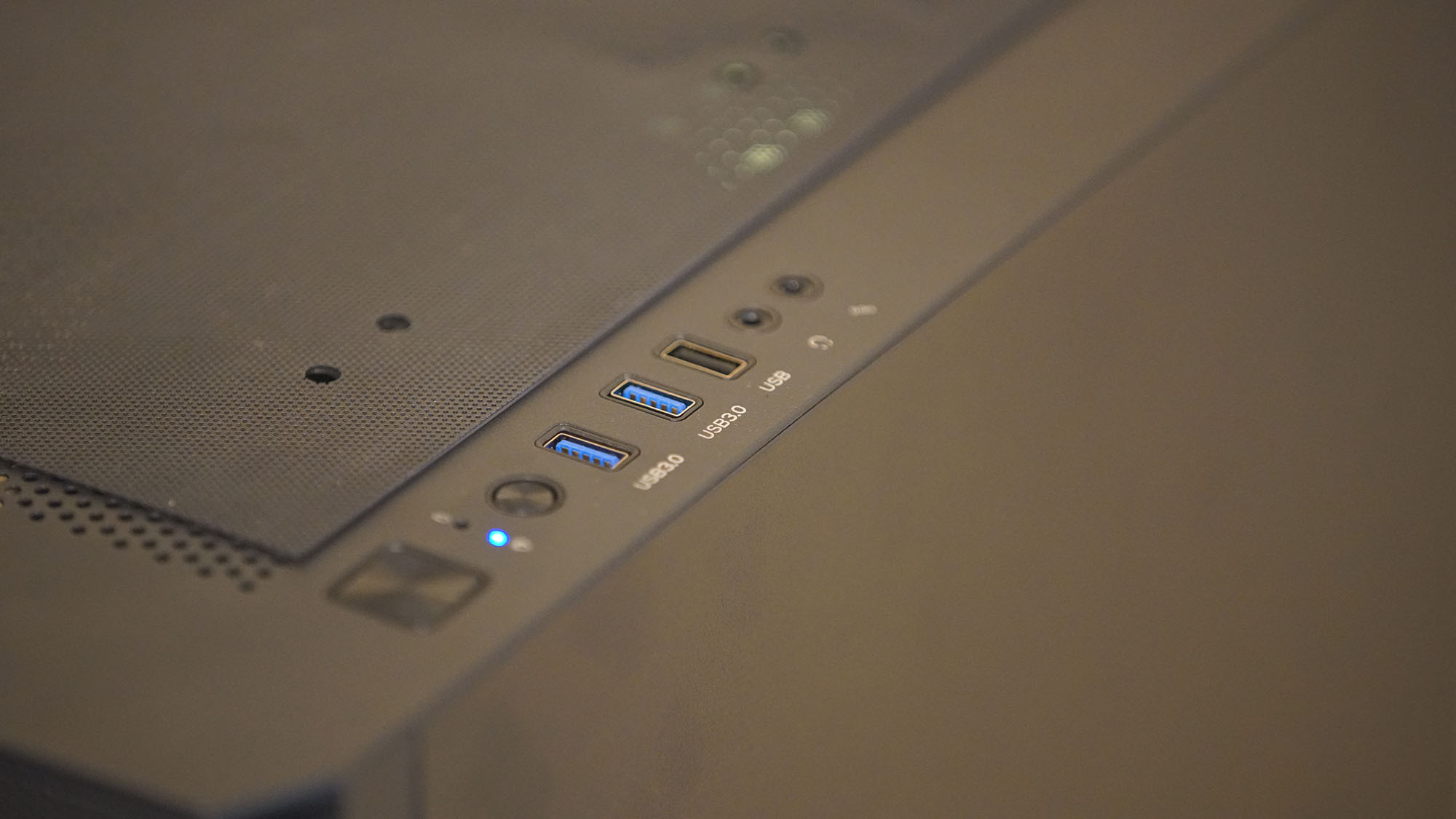
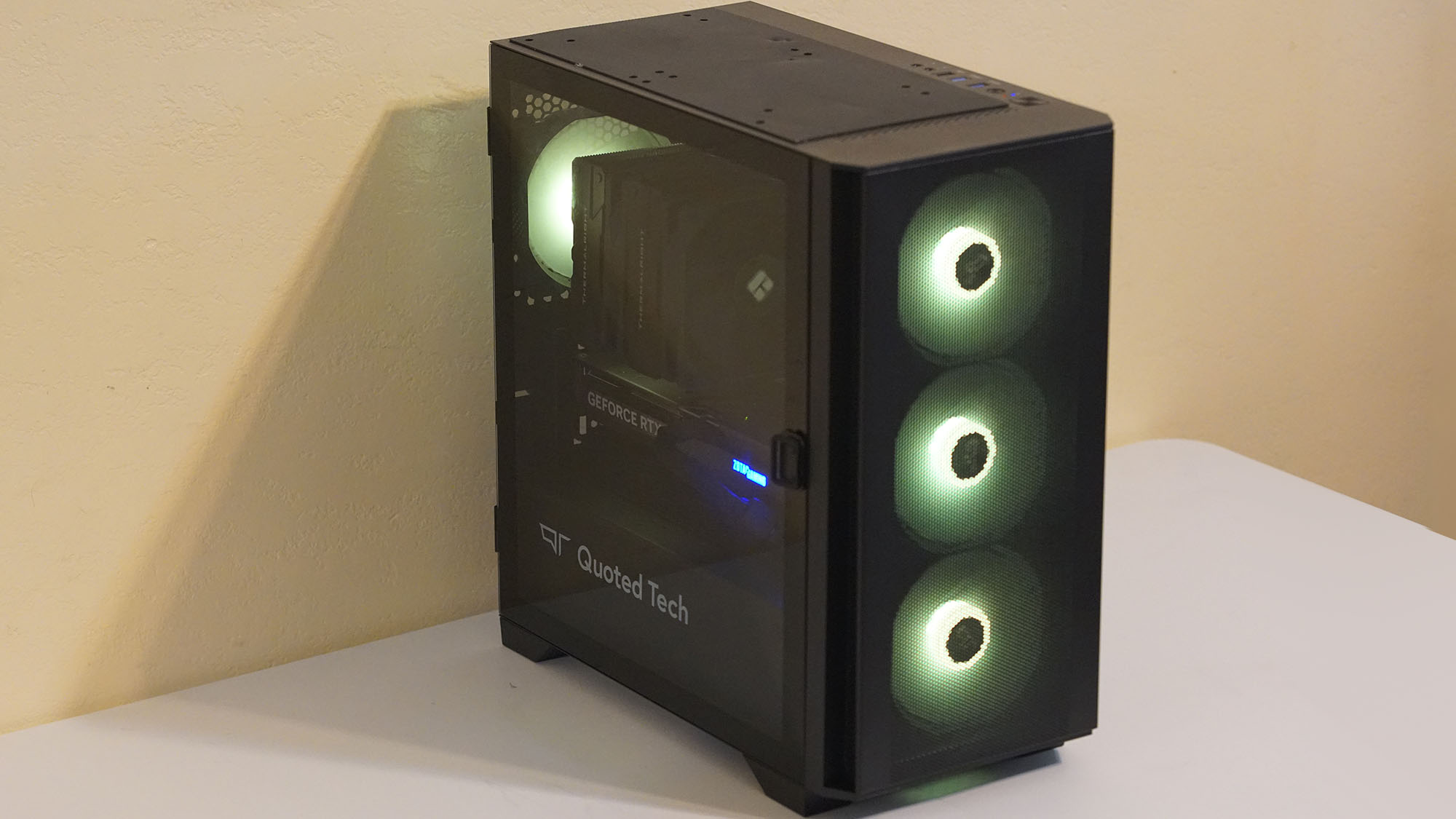
The overall case design also feels a bit fragile, and more serious PC gaming enthusiasts may have an issue with the lack of personalization software—especially RGB aficionados, as the Shield only has a few pre-configured RGB effects that you can cycle through with buttons on the top panel. That said, the Shield is all about keeping things simple, so the lighting presets might actually be a plus for some users.
Overall, however, the Quoted Tech Shield makes up for its faults by delivering fantastic 1080p and strong 1440p performance, quiet operation, and a user-friendly design to account for future upgrades. Combined with its generous three-year parts and five-year labor warranties, the Shield is unquestionably one of the best gaming PC options available for an inviting, low-risk PC gaming experience without the intimidation of traditional PC building or more complicated pre-built offerings.
Quoted Tech Shield: Price & availability
(Image credit: Future / Ural Garrett)
The Quoted Tech Shield starts at $1299 CAD (about USD $930 / £975 / AU$1,995)
Available now in the US, UK, and Australia through Quoted Tech's website
There are eight different configurations ranging from the starting 1080p esports build to high-end 4K set-ups, which will set you back CA$3,049 (about US$2,205 / £1,820 / AU$3,530).
My Quoted Tech Shield "Extreme" configuration targets 1440p gaming, and will set you back CA$2,449, or about US$1,775 / £1,465 / AU$3,530.
Overall, these are respectable price points for a gaming PC at any level, though those looking for something cheaper or more premium can easily do so.
Value: 4 / 5
Quoted Tech Shield: Specs
Quoted Tech Shield specs
Starting configuration
Review configuration
Max configuration
Price
$1,299 CAD (about USD $930 / £975 / AU$1,995)
CA$2,449 (about US$1,775 / £1,465 / AU$3,530)
CA$2,449 (about US$1,775 / £1,465 / AU$3,530)
CPU
AMD Ryzen 5 7500F
AMD Ryzen 7 9700X
AMD Ryzen 7 7800X3D
GPU
Nvidia RTX 5050
Nvidia RTX 5070
Nvidia RTX 5070 Ti
Memory
16GB DDR5-5600
32GB DDR5-5600
32GB DDR5-5600
Storage
1TB PCIe 4.0 SSD
2TB PCIe 4.0 SSD
2TB PCIe 4.0 SSD
Connectivity
WiFi 6E, Bluetooth 5.2, 1Gbps Ethernet
WiFi 6E, Bluetooth 5.2, 1Gbps Ethernet
WiFi 6E, Bluetooth 5.2, 1Gbps Ethernet
Ports
9xUSB-A
9xUSB-A
9xUSB-A
CPU Cooling
120mm Tower Air Cooler
120mm Tower Air Cooler
120mm Tower Air Cooler
PSU
650W 80+ Bronze (Non-modular)
650W 80+ Bronze (Non-modular)
750W 80+ Gold, Full Modular
Dimensions (L x W x H)
40.5 x 21.0 x 42.5 cm
40.5 x 21.0 x 42.5 cm
40.5 x 21.0 x 42.5 cm
Weight
25 lbs | 11.34kg
25 lbs | 11.34kg
35 lbs | 15.88kg
Specs: 4 / 5
Quoted Tech Shield: Design
(Image credit: Future / Ural Garrett)
Internals are easily accessible through the hinged side panel
Chassis is very basic and lacks customizable RGB lighting
No USB-C ports
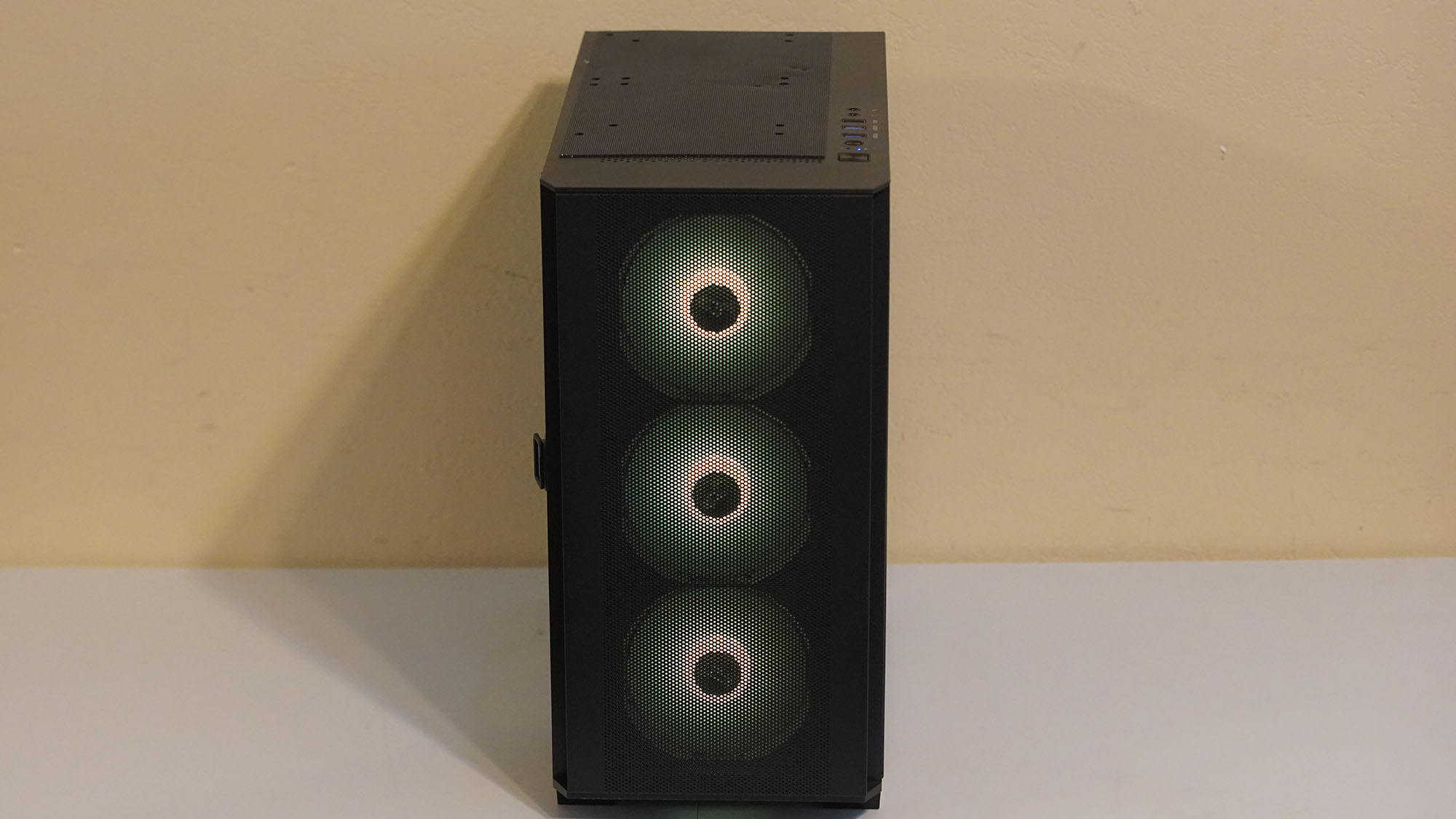
One of the best things about the Quoted Tech Shield design is how simple everything is, from the side panel that’s opened with a simple pin-drop hinge to the easily removable front panel screen for quick fan maintenance.
There isn’t a part that doesn’t have easy access on this gaming PC, making future upgradability a straightforward process, especially for those who are new to PC gaming.
That does come at the cost of a case that doesn’t necessarily feel durable. In fact, I would go further to say that the overall design of the chassis feels somewhat flimsy compared to others on the market.
(Image credit: Future / Ural Garrett)
Though the all black colorway looks great, the case feels like it's made of very thin steel; something that was apparent when our review unit arrived and the rear panel port panel and front screen panel had small dents in them. As such, the Quoted Tech Shield isn’t the type of gaming desktop that you'll0 want to move around too much if you're concerned about its aesthetic.
The RGB lighting will also strike you as entirely simple or entirely problematic, depending on your tastes. The Quoted Tech Shield prides itself on not offering bloatware, which I genuinely love, but that means you need to cycle through preset RGB color schemes via a button on the top panel. Thankfully, one of the settings allows users to turn off the lighting completely.
(Image credit: Future / Ural Garrett)
When it comes to port selections, there are plenty of standard USB-A ports, including three top-panel USB-A ports, as well as a pair of 3.5mm jacks for a headset and a dedicated mic. That’s more than enough for many gamers, content creators, and everyone else in between.
The biggest problem comes from the lack of a USB-C ports, as many accessories are making the switch to this interface, so you might have to invest in USB adapters to use new peripherals in the future.
Design: 3 / 5
Quoted Tech Shield: Performance
1080p performance is outstanding
1440p performance is respectable
Don’t expect any performance customization options
The plug-and-play design of the Quoted Tech Shield Extreme configuration I received is complemented by its impressive gaming performance. The AMD Ryzen 7 9700X and Nvidia GeForce RTX 5070 serve as a solid middle ground between basic gaming and high-end 4K performance, with very high frame rates at 1080p resolution and great performance at 1440p, even without having to rely on frame generation.
As mentioned previously, this is great for those who don’t feel like thinking much about customizing performance modes, wattage usage, fan speed, and the like.
CPU benchmarks vs competition
Quoted Tech Shield
Alienware Aurora ACT1250
NZXT Player PC
Lenovo Legion Tower 5
Geekbench 6 (Single)
3,355
3,071
3,081
2,594
Geekbench 6 (Multi)
16,234
20,010
18,984
13,554
Cinebench R23 (Single)
2,223
2,257
2,263
1,693
Cinebench R23 (Multi)
19,778
35,446
35,226
17,376
Cinebench R24 (Single)
136
136
137
104
Cinebench R24 (Multi)
1,157
1,979
1,923
934
Crossmark Overall
2,311
2,301
2,298
1,846
Crossmark Productivity
2,147
2,152
2,159
1,734
Crossmark Creativity
2,628
2,548
2,495
2,127
Crossmark Responsiveness
1,960
2,069
2,166
1,454
For the more competitive side of gaming, the Shield Extreme will work perfectly in both 1080p and 1440p.
Games like Battlefield 6, Fortnite, Call of Duty: Black Ops 6, and Valorant ran well past 100 fps at 1440p with settings maxed out. Meanwhile, Marvel Rivals at max settings averaged around 60fps at 1440p. All of this was without relying on upscaling, much less frame generation, so you can definitely push the visual framerate much higher for a smoother experience.
GPU benchmarks vs competition
Quoted Tech Shield
Alienware Aurora ACT1250
NZXT Player PC
Lenovo Legion Tower 5
3DMark Fire Strike
45,474
44,913
45,049
43,845
3DMark Steel Nomad
5,308
5,224
4,967
5,495
3DMark Speed Way
5,898
5,741
5,855
5,960
3DMark Port Royal
14,318
14,062
14,139
14,302
For non-competitive titles, especially newer, more visually demanding games like Assassin's Creed Shadows and Black Myth: Wukong are going to need upscaling to maintain high frame rates at 1440p, though native-only gamers can still get high framerates at 1080p with settings maxed out without ray tracing.
Assassin’s Creed Shadows ran at about 58 fps at 1080p on ultra high settings without upscaling, while it hit around 33 fps on average without upscaling. Likewise, with Black Myth: Wukong, I was able to achieve an average of 55 fps at 1080p with Cinematic settings, and about 30fps at 1440p on the same settings without upscaling.
The worst results were for Cyberpunk 2077, which hit around 20fps on the Ultra preset at native 1440p. Turn on DLSS 4 with the transformer model set to balanced, without frame generation, and at 1440p, I consistently hit an average of 74 fps.
Gaming benchmarks (average FPS) vs competition
Quoted Tech Shield
Alienware Aurora ACT1250
NZXT Player PC
Lenovo Legion Tower 5
Cyberpunk 2077 (1080p, Ultra)
69
69
70
72
Shadow of the Tomb Raider (1080p, Highest)
204
202
201
207
F1 2024 (1080p, Very High)
99
104
97
119
Total War: Warhammer III: Mirrors of Madness (1080p, Ultra)
180
181
182
172
General computing and creative content curation worked well outside of gaming. Opening multiple tabs in Google Chrome didn’t lead to any slowdown or OS hangs, while Adobe Photoshop and Premiere Pro not only ran well but also exported files fairly quickly.
Overall, the Quoted Tech Shield proves itself as a strong, no-fuss gaming desktop that balances accessibility with performance, making it an appealing, well-rounded choice for both casual gamers and multitasking creators.
Performance: 4 / 5
Should I buy the Quoted Tech Shield?
(Image credit: Future / Ural Garrett)
Quoted Tech Shield scorecard
Notes
Rating
Value
Regardless of which configuration you go go for, the Quoted Tech Shield offers a nice no-frills purchase backed by a nice warranty package.
4 / 5
Specs
With a very wide selection of configurations, there's a build to target every gaming resolution.
4 / 5
Design
The easy access through the pin-drop hinge is great for upgrades and maintenance. However, the chassis feels flimsy, lacks USB-C ports, or any customizable RGB lighting.
3 / 5
Performance
Though performance benchmarks favor 1080p more, 1440p resolutions run just fine at acceptable frame rates.
4 / 5
Total Score
Despite being held back by some questionable design choices, the performance, upgradability, and warranty-protection of the Shield are more than enough to recommend this PC, especially for PC gaming newcomers.
3.75 / 5
Buy the Quoted Tech Shield if…
You are looking for respectable 1080p / 1440p performance
The AMD Ryzen 7 9700 CPU matches well with Nvidia’s GeForce RTX 5070 for high frame rates at 1080p and 1440p from visual spectacles to competitive leaning games.
You need easy set-up and upgrade potential
Opening and closing the case is as simple as pulling the pin drop hinge. Also, anyone new to PC gaming has an easy guide to set it up.
You want some great customer-friendly additives
A three year warranty on parts will be clutch for those who have issues going down the line and five years of labor warranty couldn’t be more of a cherry on top.
Don’t buy it if…
You need a USB-C port
Many modern PC gaming accessories utilize USB-C ports, and the Quoted Tech Shield has none, forcing you to use an adapter for USB-C peripherals.
You want a more durable case
Despite having easy access to internal components and even fans, the overall chassis feels somewhat flimsy and prone to denting.
You want customizable RGB lighting
The no-frills package of the Quoted Tech Shield means no bloatware. This also means that RGB lighting is cycled through a handful of presets via a button on the top panel.
Also Consider
If my Quoted Tech Shield review has you considering other options, here are two other gaming desktops to consider...
Alienware Aurora ACT1250
The Alienware Aurora gaming desktop is an iconic gaming PC, and its latest iteration features fantastic performance at a decent enough price, though internal component access and upgradability are more limited.
Lenovo Legion Tower 5
The Lenovo Legion Tower 5 is a fantastic gaming PC with solid hardware and one of the best first-party apps for tweaking performance in the Lenovo Advantage tuner. It's a bit cramped though, making future upgradability a bit more complicated.
I tested the Quoted Tech Shield for a little over a week
I ran our standard battery of benchmark tests, as well as games likeNinja Gaiden 4,Battlefield 6,Dying Light: The Beast,Valorant,andForza Motorsport (2023).
I spent a little over a week testing the Quoted Tech Shield, using TechRadar's standard benchmarking suite and real-world experience across a range of demanding tasks.
During work hours, I used Google Chrome for multitasking—running several tabs for productivity tools and browsing sessions—alongside Adobe Creative Suite for video editing and design work.
For gaming, I split my time between games like Dying Light: The Beast, Black Myth: Wukong, and Senua’s Saga: Hellblade II to measure performance in visually demanding titles.
For competitive gaming, I spent time with Battlefield 6,Valorant, and Marvel Rivals.
I've been reviewing gaming PCs for several years now, so I know exactly how a gaming PC at this level should perform, so you can trust that anything I recommend is worth the investment.
The Lenovo LOQ Essential 15 Gen 9 aims to take the lead as the best budget gaming laptop on the market, and in terms of performance for the price, it pretty much nails it.
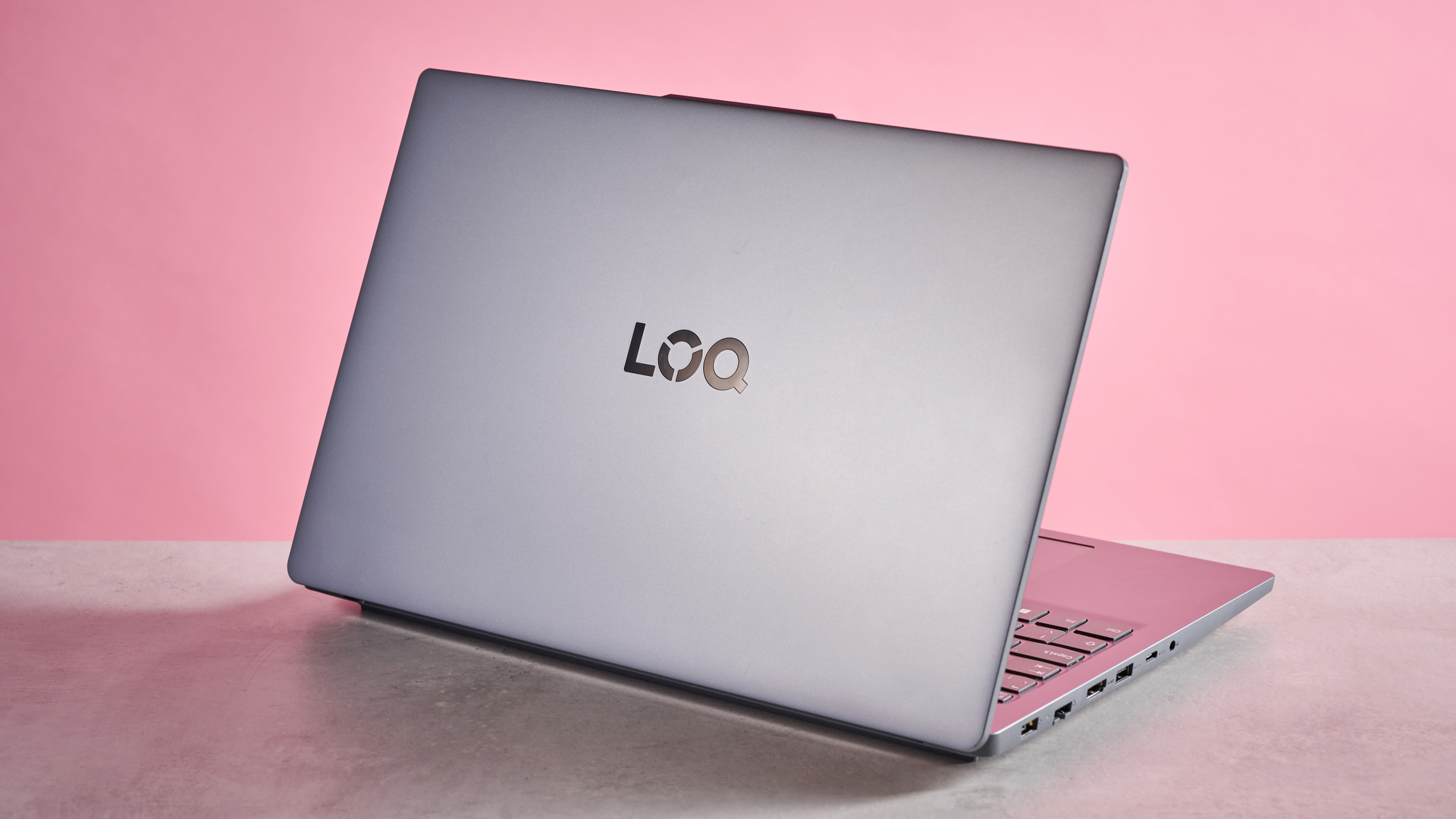
At first glance, you’d be hard-pressed to distinguish it from any other workaday laptop. It lacks the bulk and RGB lighting of its rivals, which may be a positive or a negative depending on how you feel about the modern gamer aesthetic.
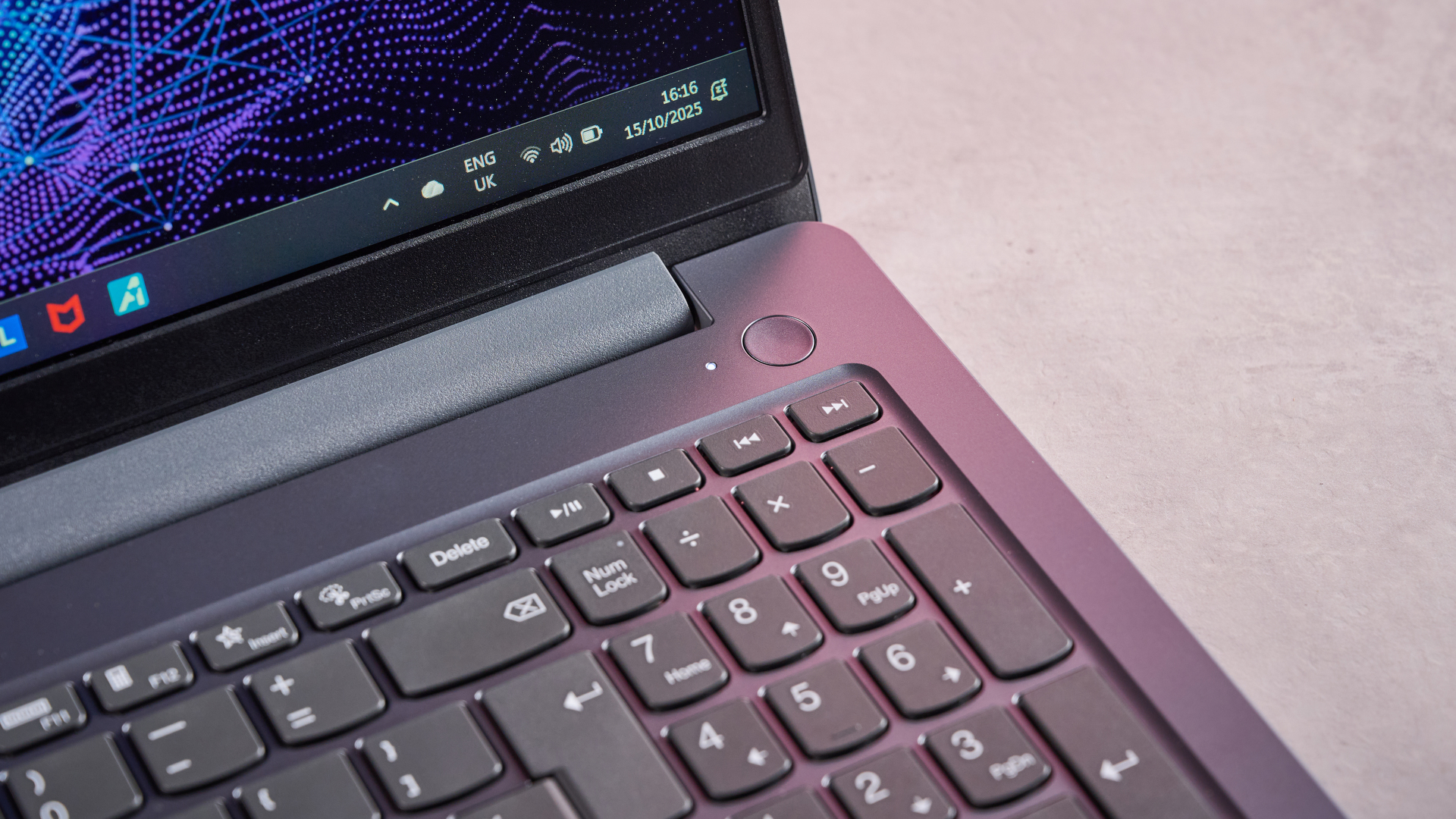
Regardless, it certainly looks and feels premium. Smooth materials with elegant finishes are featured all over, with the keyboard being a particular highlight, thanks to the solid placement and subtle texturing of the keys.
What’s more, the LOQ Essential 15 is pleasingly light, which makes it more portable than a lot of the competition. However, while build quality is good, the LOQ Essential 15 isn’t as sturdy as the best gaming laptops on the market, since there’s a fair amount of flex to both the chassis and the lid.
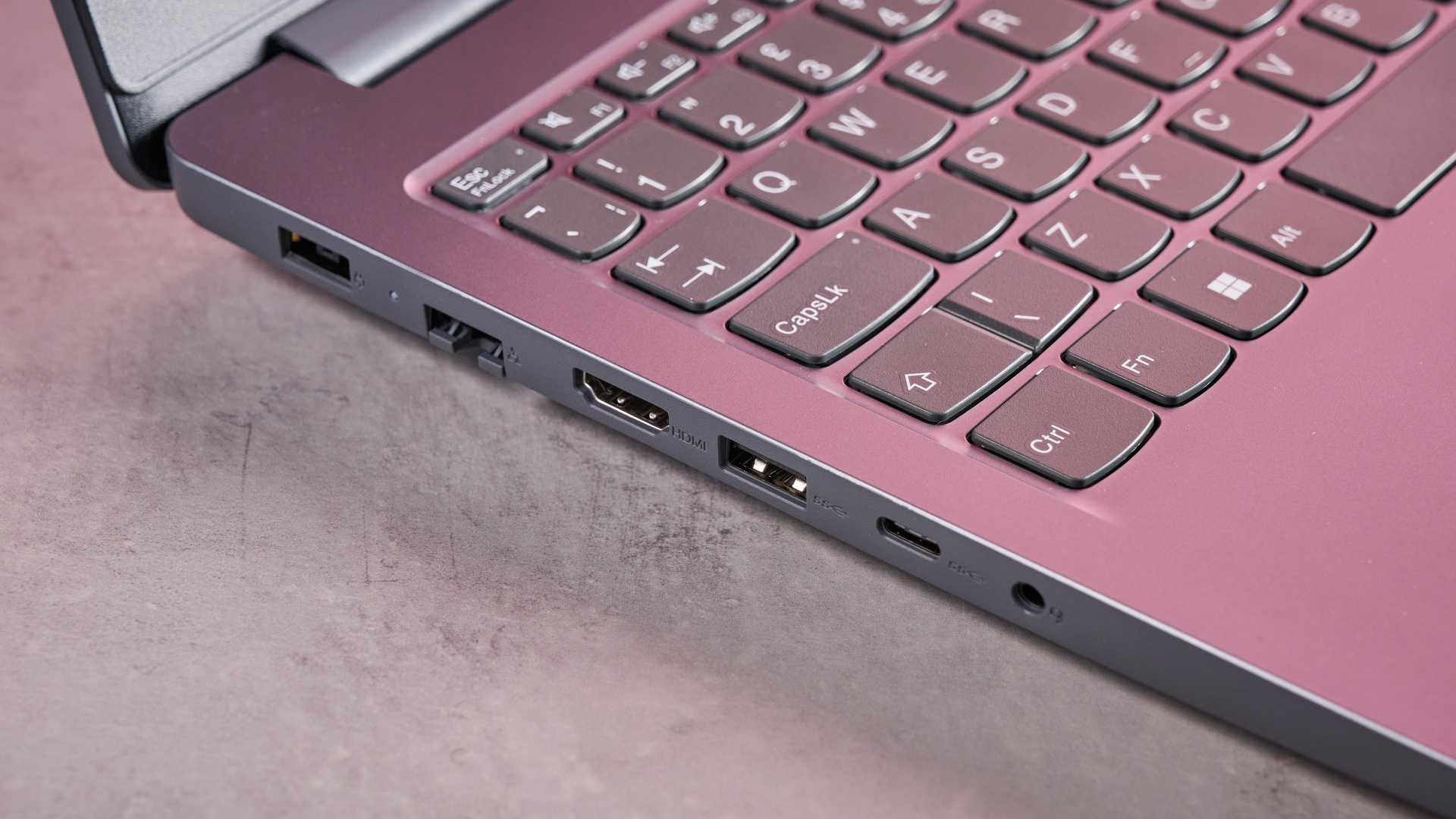
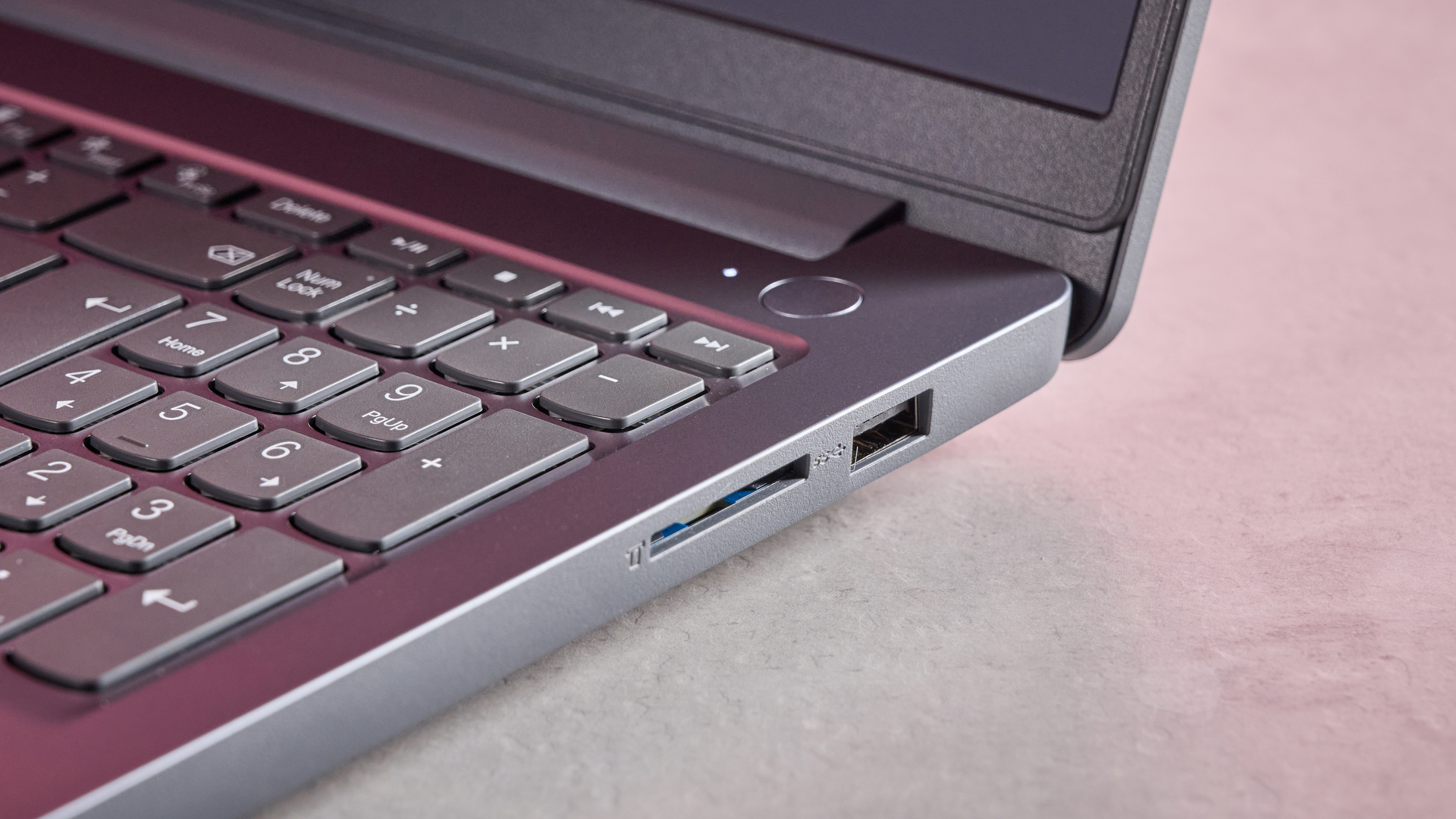
There’s a welcome selection of ports on the LOQ Essential 15, featuring all the interfaces a gamer would need. There’s even an SD card reader, which isn’t something you often see on a gaming laptop. Most of these ports are located on the left, and there are none on the back, which may prove inconvenient depending on your particular setup.
(Image credit: Future)
The LOQ Essential 15 comes preinstalled with Lenovo Vantage, a utility app for viewing system information and adjusting performance settings. This is one of the best utility apps I’ve come across, providing plenty of useful information and tweaks. It also has a very clear interface, and during my time with it, it ran without a hitch.
Less impressive, however, was the outright performance of my review unit. The Intel i5 and RTX 3050 combination in my review unit struggled to run the latest AAA titles smoothly, especially if you enable even the slightest amount of ray tracing. At least the heat and fan noise were kept to a minimum throughout.
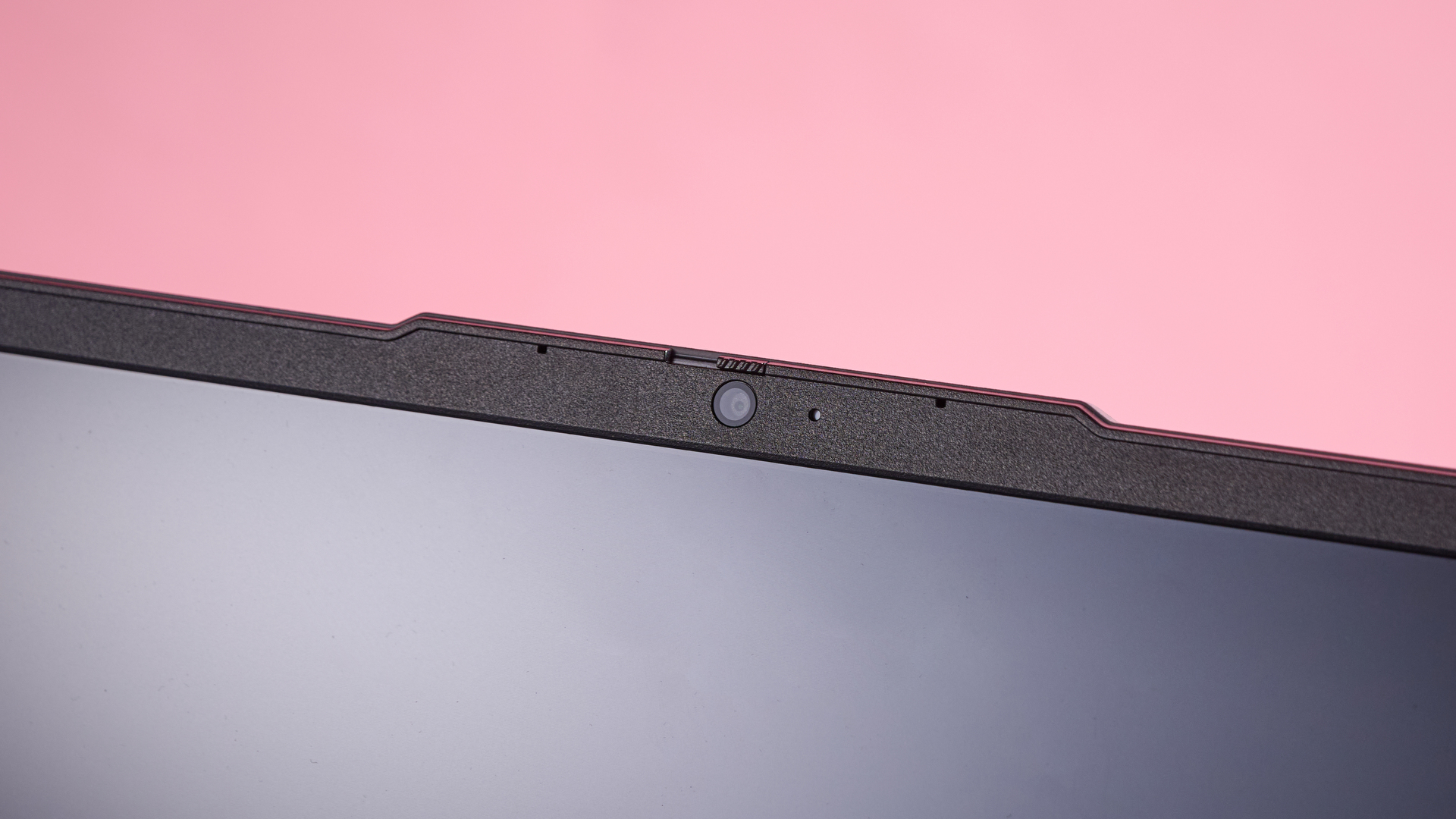
Thankfully, the display on the LOQ Essential 15 is more impressive. Despite the 1080p resolution stretching across 15 inches, the interface always looked clear and sharp. There’s plenty of vibrancy, too, and although the maximum brightness isn’t particularly high, the worst reflections are kept at bay.
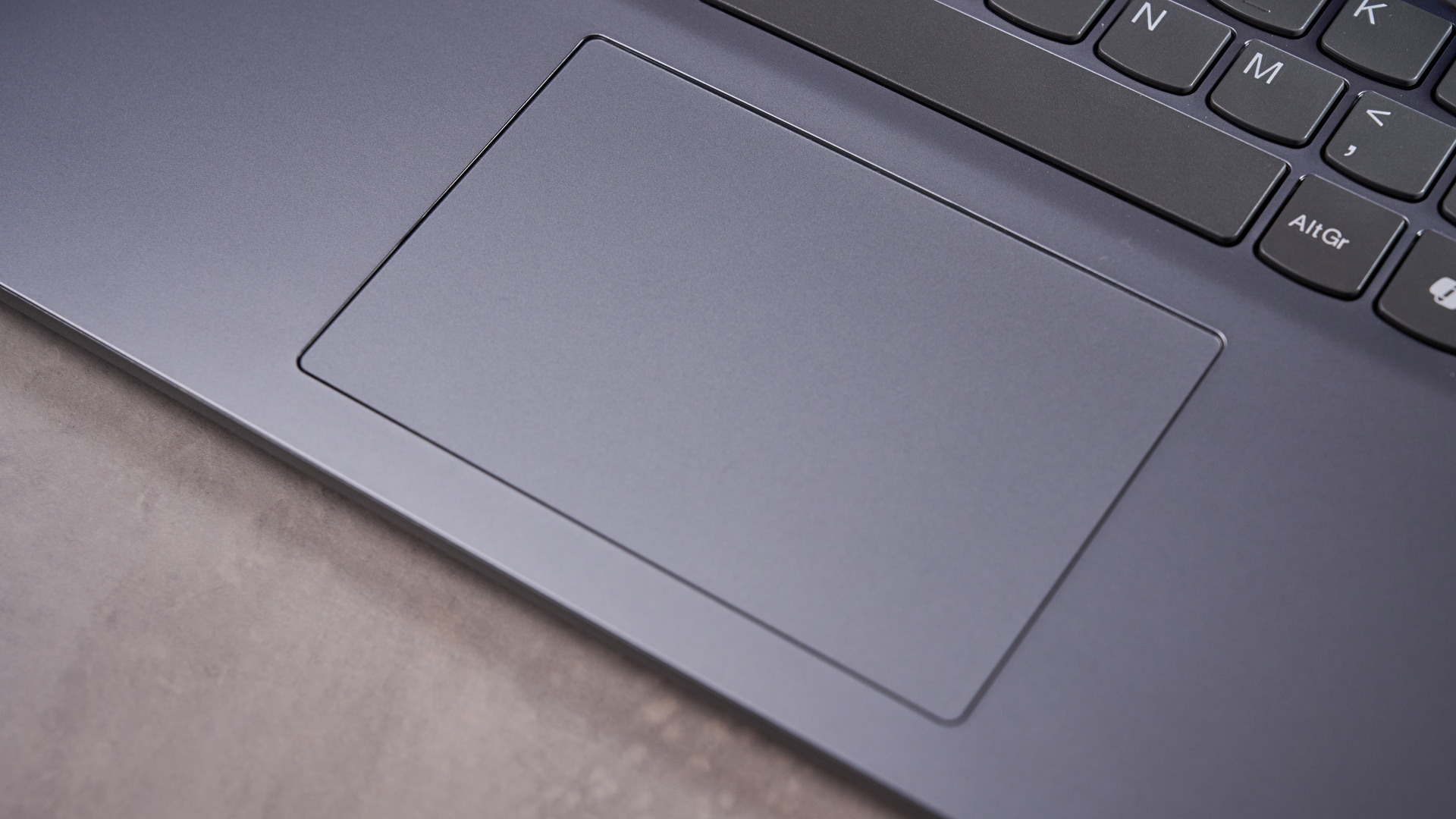
The keyboard feels a little cramped when gaming, and the lack of travel and dampening hampers feedback somewhat. It’s a different story, however, when typing, as the snappy clicks and ergonomic layout make this easy. And since the touchpad is quite small, it doesn’t get in the way when typing, either.
With its reasonable price tag, the LOQ Essential 15 is certainly a tempting proposition. While there’s plenty of quality here, the middling performance and keyboard hamstring its gaming prowess somewhat. If you can live with these drawbacks, though, the LOQ Essential 15 is still worth considering if you’re after a budget gaming laptop.
Lenovo LOQ Essential 15 Gen 9 review: Price & Availability
(Image credit: Future)
Starting from $569 / £689 / AU$742.35
Available now
Budget end of the market
The LOQ Essential 15 Gen 9 starts from $569 / £689 / AU$742.35 and is available now in the US, UK, and Australia. Various RTX GPU options are available as well, from the RTX 2050 all the way up to the RTX 5050. There are also different Intel and AMD CPUs available. RAM capacities range from 8GB to 32GB, while storage ranges from 512GB to 4TB.
The starting price on the LOQ Essential 15 is about as low as I've seen for a laptop of this quality. Better yet, I’ve seen the latest models with their RTX 50-series GPUs on sale at a significant discount, making them an even better value despite being more expensive.
However, there might be cheaper gaming laptops out there, depending on your region. The MSI Cyborg 15, for example, starts at a cheaper price in the UK and is similarly specced with a high-quality design.
If you're able to spend a little more, there’s also the Acer Nitro V 15, which—while more expensive than the LOQ Essential 15 Gen 9 in the US—is a better gaming laptop right now, in my view, thanks to its more capable performance.
Value: 4 / 5
Lenovo LOQ Essential 15 Gen 9 review: Specs
Lenovo LOQ Essential 15 Gen 9 review configuration
Price
£799
CPU
Intel Core i5-12450HX (2.4GHz, 8 Cores)
GPU
NVIDIA GeForce RTX 3050, 6GB
RAM
16GB DDR5
Storage
1TB PCIe 4.0 NVMe M.2 SSD
Display
15.6" FHD (1920x1080), IPS, 144Hz, Anti-glare
Ports and Connectivity
2x USB-A 3.2 Gen 1, 1x USB-C 3.2 Gen 1, 1x HDMI 2.1, 1x RJ-45, 1x 3.5mm combo audio, 1x SD card reader; Wi-Fi 6 and Bluetooth 5.2
Battery
57Wh
Dimensions
14.15 x 9.29 x 0.78-0.90in (359.3 x 236 x 19.9-22.95mm)
Weight
3.9lbs (1.77kg)
Lenovo LOQ Essential 15 Gen 9 review: Design
(Image credit: Future)
Premium feel
Not the sturdiest
Great utility app
If you didn’t know, you could easily mistake the Lenovo LOQ Essential 15 Gen 9 for a mainstream laptop. It has the same form and looks, without any of the extraneous bulges or aggressive aesthetics typical of many gaming laptops.
It looks quite elegant, owing to the subtle sheen of the finish. It’s also impressively thin and light for a laptop in this class, which makes carrying it around easier. The materials look and feel fairly premium, although the LOQ Essential 15 isn’t as sturdy as others, with some flex to various panels and the display enclosure.
The keyboard is a more premium affair, with a smooth yet noticeable texture to the keycaps. They have the typical Lenovo ergonomic shape, although they seem less indented than other models from the brand.
There are plenty of handy shortcuts on the F row, including one to open Windows 11 settings, which I wish would feature on every laptop. There are also some unlabelled Fn shortcuts, such as Fn+Q, which toggles performance modes. I only happened to chance upon it when looking at Lenovo’s website.
You can also find it listed in a pre-installed app called Lenovo Hotkeys, in addition to a plethora of other useful shortcuts. For instance, you can also instantly toggle the refresh rate between 60 and 144Hz with Fn+R.
(Image credit: Future)
One of the most disappointing aspects of the keyboard, though, is the lack of backlighting. Higher spec models have it, but it’s still a fairly egregious omission on base models. Not only does it add spectacle, it also serves a practical purpose by helping with key location when gaming in dimly-lit rooms, as is often the case for many.
What won’t disappoint is the number of ports on the LOQ Essential 15. All those relevant to gamers are present: there are two USB-A ports and one USB-C, as well as ethernet and HDMI interfaces. There’s even an SD card reader, which isn’t always seen on gaming laptops, but it's great for creator-gamers who might use their laptop for both work and play.
The placement of the ports might prove more divisive, though. All but two are loaded on the left-hand side, and there are none on the back. This layout might be inconvenient for certain setups; personally, I like to see at least the power port on the back.
The LOQ Essential 15 comes preinstalled with Lenovo Vantage, which is one of the best first-party utility suites I’ve come across. It contains a wealth of useful information and settings to tweak, especially the gaming section, which naturally has various cooling and performance modes to choose from.
What’s more, Vantage is clear and easy to navigate, and I didn’t experience any bugs or glitches when using it—not something that can be said about every first-party software.
Design: 4 / 5
Lenovo LOQ Essential 15 Gen 9 review: Performance
(Image credit: Future)
Middling 1080p performance
Vibrant, non-reflective display
Keyboard lacks gaming prowess
Lenovo LOQ Essential 15 Gen 9 benchmarks
Geekbench 6 (Single Core): 2,207; (Multi Core): 8,297 Cinebench R23 (Single Core): 1,588; (Multi Core): 9,774 Cinebench R24 (Single Core): 94 (Multi Core): 562 Crossmark Overall: 1,441 3DMark Night Raid: 37,229; Fire Strike: 11,392; Steel Nomad: 998; Solar Bay: 23,855; Solar Bay Unlimited: 25,530; Solar Bay Extreme: 4,391; Solar Bay Extreme Unlimited: 4,436 BlackMagicDisk Read: 3,502MB/s; Write: 3,063MB/s Civilization VII (1080p, AMD FSR, High): 200fps; (1080p, High): 136fps Shadow of the Tomb Raider (1080p, Highest, Balanced upscaling): 98fps; (1080p, Highest, SMAA x4, no upscaling): 53fps Total War: Warhammer III: Mirrors of Madness (1080p, Ultra): 28fps Cyberpunk 2077 (1080p, Ultra, Balanced upscaling): 57fps; (1080p, Ray Tracing: Ultra, Balanced upscaling): 34fps; (1080p, Ultra, no upscaling): 37fps Marvel Rivals (1080p, Ultra, Balanced upscaling): 33fps; (1080p, no upscaling, Low): 49fps
My review unit of the LOQ Essential 15 Gen 9 was equipped with an Intel Core i5 CPU and an RTX 3050 GPU, so as you might expect, gaming performance wasn’t exactly top-tier. When I played Cyberpunk 2077 with the Ray Tracing: Low preset, fps figures were in the high thirties and early forties on average, with some significant stuttering in busy scenes.
Personally, this stuttering didn’t derail the experience for me, but it was certainly noticeable and will likely bother more elite players. Disabling Ray Tracing altogether and applying the Ultra preset barely made a difference to frame rates or the stuttering, albeit the latter occurred with slightly less frequency.
Almost as soon as I started playing, the area around the WASD keys warmed up, but thankfully, it never peaked above lukewarm. The rest of the chassis stayed cool, save for the portion above the keyboard – but even this area remained touchable.
There is some fan noise during heavy workloads, but it’s quieter than others in this category, and nothing the best PC gaming headsets couldn’t drown out.
The display is also quite impressive. It’s remarkably clear and sharp, especially when you consider its 1080p resolution is stretched out over 15 inches. It’s also pleasingly vivid, and although it isn’t quite as bright as I would’ve liked, it still does enough to fend off troublesome reflections.
(Image credit: Future)
Harder to praise is the keyboard. It’s great for typing, thanks to the light and snappy actuation, as well as the generous spacing and aforementioned shape of the keys. What’s more, despite the inclusion of a number pad, the layout doesn’t feel cramped.
For gaming, however, the keyboard is less fit for purpose. In the WASD position, my fingers suddenly felt more confined, perhaps due to the relatively small size of the keys themselves. They also have little travel and next to no dampening, both of which result in a lack of feel, certainly when compared to the best gaming keyboard switches.
Thankfully, the touchpad on the LOQ Essential 15 rarely gets in the way when gaming or typing, thanks to its small size. However, this also means that navigation is more awkward than with larger pads, although this may be a moot point, since even the best touchpad is no match for the best gaming mouse.
Performance: 3.5 / 5
Lenovo LOQ Essential 15 Gen 9 review: Battery Life
Great playback result
Power-hungry Balanced mode
Very quick to charge
The battery life of the LOQ Essential 15 Gen 9 is quite good by gaming laptop standards. It managed to last close to eight hours during our movie playback test, which bests many others in this sector. However, this is still below the standards of the best laptops for general use, as some can achieve more than double that time.
In my PCMark Gaming battery test, the LOQ Essential 15 lasted about 32 minutes, which is significantly down on rivals. This was with the Balanced mode applied in Vantage, which also applies the Balanced mode in Windows 11 itself (the same mode used for the movie playback test).
This score doesn’t seem to square with its playback result, so your day-to-day use will land somewhere in the middle of the two results. I can only presume this is because Vantage’s Balanced mode is more eager than its rivals’ counterparts to boost power to the GPU while gaming. Charging performance is much better, though, taking a mere hour to go from empty to full.
Battery Life: 3.5 / 5
Should I buy the Lenovo LOQ Essential 15 Gen 9?
Lenovo LOQ Essential 15 Gen 9 Scorecard
Notes
Score
Value
The LOQ Essential 15 offers exceptional quality for its starting price, but different configurations will vary in overall value.
4 / 5
Design
Remarkably thin and un-gamerish with premium-seeming materials, though it's not the most solidly constructed.
4 / 5
Performance
It won’t handle the highest settings in AAA titles, but it still just about suffices to have a good time. The display is good, too.
3.5 / 5
Battery Life
Good for this class of laptop, but still behind more general laptops. Vantage’s Balanced mode lets the side down a little, too.
3.5 / 5
Total Score
The Lenovo LOQ Essential 15 Gen 9 is a well-made gaming laptop that's even more impressive thanks to its low starting price. The design quality makes up for the middling AAA performance, but overall it’s one of the best values you're going to find in a budget gaming laptop.
3.75 / 5
Buy the Lenovo LOQ Essential 15 Gen 9 if...
You don’t need a flashy design
It might not be the most exciting thing to look at, but the materials look and feel more expensive than its price tag suggests.
You want a good display
Vivid and surprisingly sharp for a 1080p resolution. It also does a fine job of combating reflections, despite not being the brightest around.
Don't buy it if...
You want the best gaming keyboard
Although it’s perfectly fine for typing, the keyboard isn’t ideal for gaming.
You want top-tier performance on a budget
With an RTX 30-Series GPU inside, the LOQ Essential 15 couldn’t achieve the high frame rates of more recent GPUs, so you'll have to pay extra for better performance.
Lenovo LOQ Essential 15 Gen 9 review: Also Consider
Acer Nitro V 15 Intel
Although it's considerably more expensive than the LOQ Essential 15 Gen 9, it’s still within the budget realm as far as gaming laptops are concerned. What’s more, it has a much beefier spec, featuring an RTX 5050 in its base model. This means the 1080p performance is far superior, although the corollary is a fair amount of heat.
MSI Cyborg 15
The Cyborg 15 is another gaming laptop with an invitingly low price. In fact, even the model with the RTX 3050 is significantly cheaper than the LOQ Essential 15 Gen 9. It doesn’t have the same level of quality, though, and the display isn’t quite as good, but the keyboard is much better.
I tested the LOQ Essential 15 Gen 9 for several days, during which time I used it for gaming, working, and general entertainment.
I played AAA titles such as Cyberpunk 2077 at various settings, and ran our comprehensive series of benchmark tests. This included those for the battery life.
I’ve been PC gaming for over a decade and have experienced numerous systems and components during that time. I’ve also reviewed many gaming laptops before, ranging in their price points and specs.