The Logitech Pro X 60 is a compact wireless gaming keyboard featuring Bluetooth and 2.4GHz connectivity, employing the brand’s Lightspeed standard for improved gaming performance.
Its no-thrills appearance makes it suitable for any setting, although the magenta variant adds a lot more vibrancy if that’s what you’re after. It’s also small and light enough to fit easily into any setup.
What’s more, the build quality is excellent. Despite its lightness, it still feels solid and is put together as well as the best gaming keyboards. The various buttons and folding feet also seem durable and engineered to a high standard, while the double-shot PBT keycaps feel as premium as you would expect.
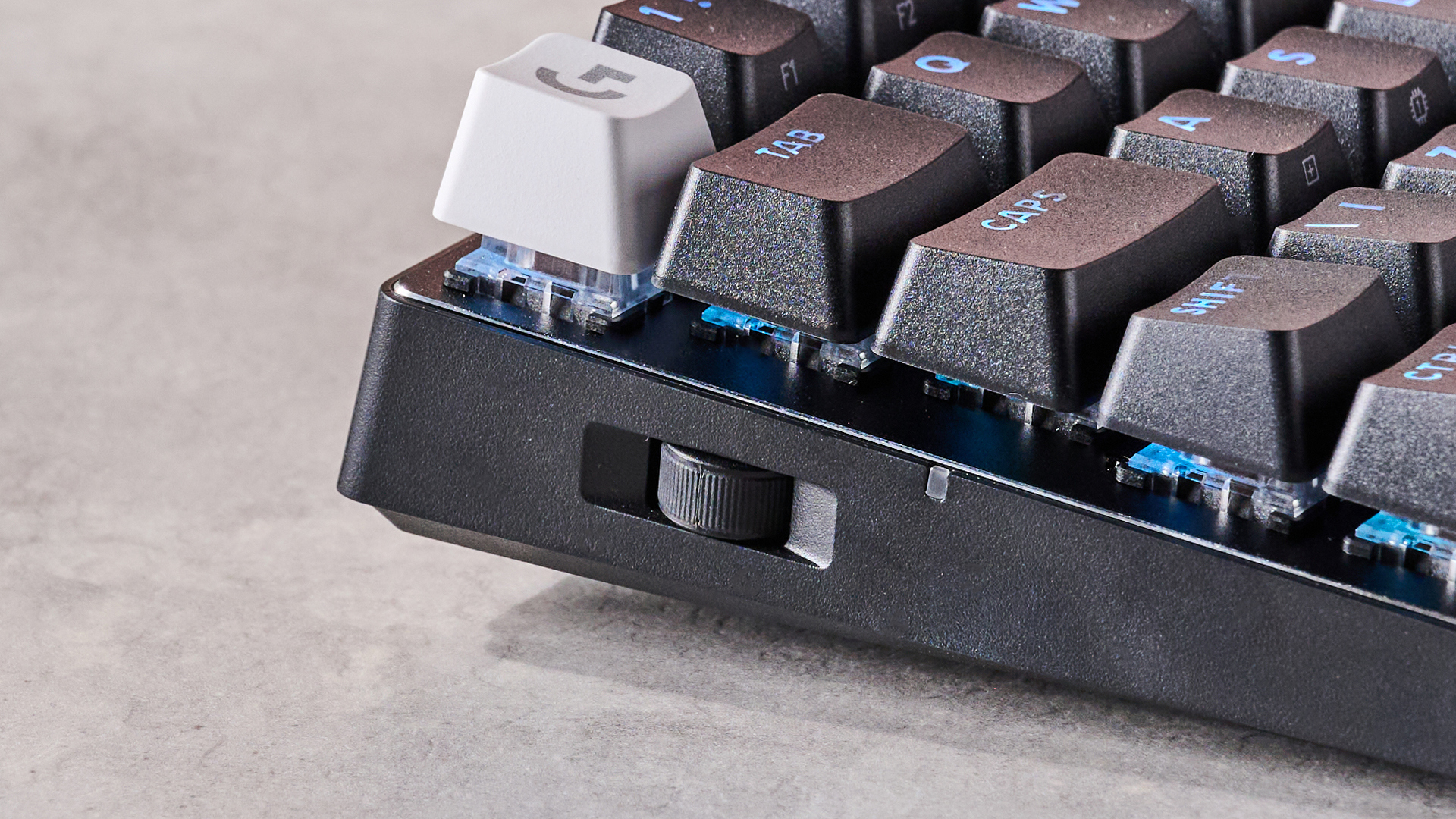
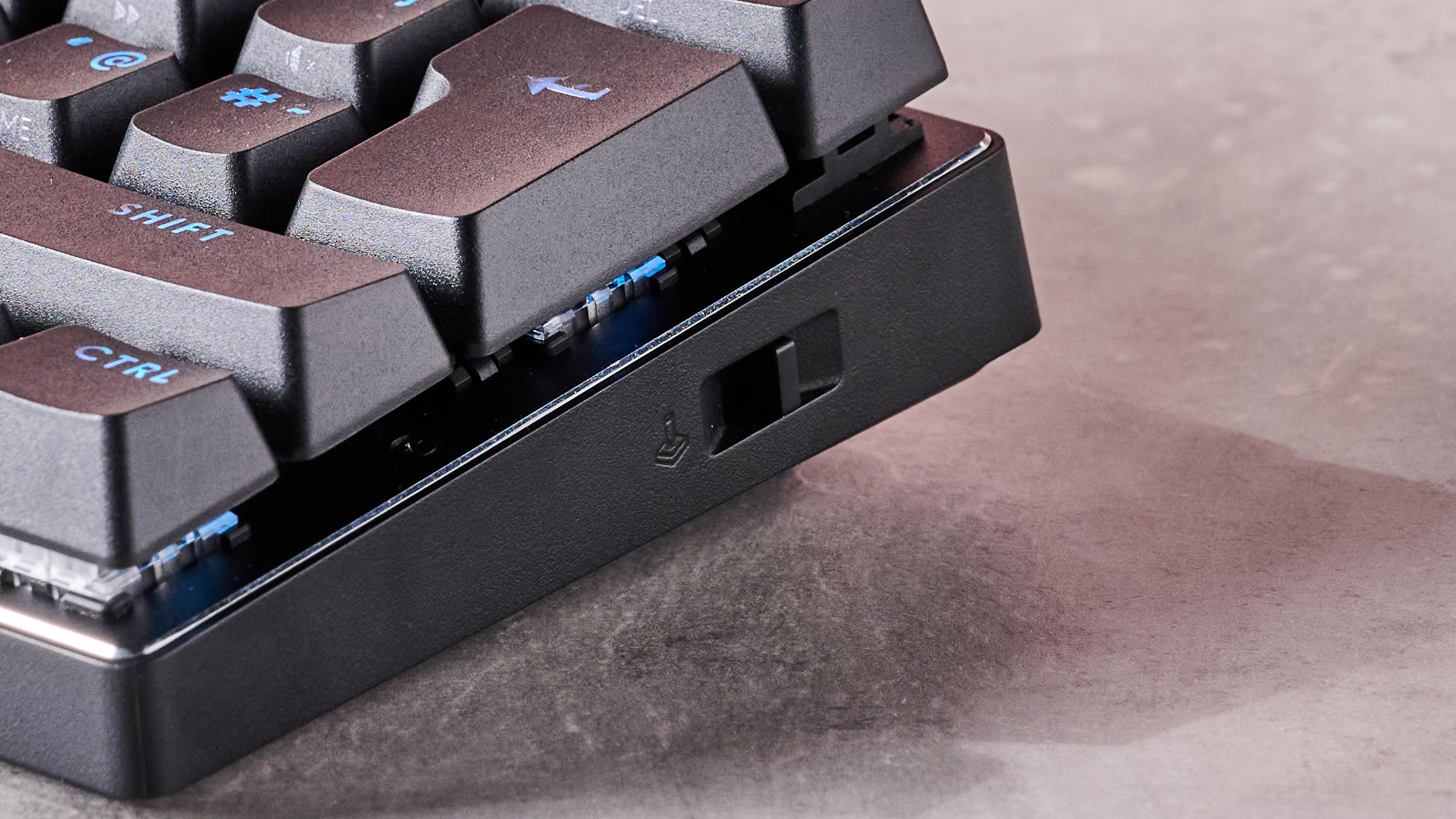
Despite the compromised layout, the Pro X 60 still manages to include a volume wheel, positioned on the left side of the chassis and within comfortable reach of the middle fingers, although it’s a shame it has no click-to-mute function. There are also two buttons on the rear for hot-swapping between devices connected via Bluetooth and the 2.4GHz dongle.
There are a good number of FN shortcuts available on the Pro X 60, too. However, even more customizations and shortcut options are possible with Logitech’s G Hub software. Numerous binding layers are available, and you’ll find an impressive number of system commands and media functions to map, and even the ability to assign mouse inputs.
There are also shortcuts for actions specific to certain applications, such as Streamlabs, OBS, and Discord. Key combinations with modifiers can also be bound, as can five inputs to a single key. As is customary for gaming peripheral software, G Hub also offers macro creation and RGB tweaking.
When gaming, the Pro X 60 performs admirably. Despite using optical switches, it feels more like a mechanical keyboard, with snappy and responsive inputs. It isn’t as damped as others, but I still found the tactile switches in my unit a pleasure to use. Typing is equally satisfying, although the lack of wrist support does become more of a problem in this instance, given the steep angle created by the thick chassis.
Connectivity via both wireless standards is good, and hot-switching between devices is quick and easy. Battery life is decent too, although charging is a little on the slower side.
The Pro X 60 is an expensive keyboard, especially for one with optical switches and a 60% layout. It does perform well, but there’s plenty of competition at this price point: for not much more, you could get the SteelSeries Apex Pro, which offers tremendous analog switches, although it’s wired only. And if you really want to save money, the Keychron C3 Pro is one of the best budget keyboards around.
(Image credit: Future)
Logitech Pro X 60 review: price and availability
$179.99 / £179.99 / AU$399.95
Available now in multiple colorways
Expensive for its form factor
The Pro X 60 costs $179.99 / £179.99 / AU$399.95 and is available now in black, white, and magenta colorways. It comes with a USB cable and an extension adapter for the USB dongle, as well as a spare Escape key and a carrying case.
For a 60% keyboard, the Pro X 60 is certainly expensive. It’s not far behind the price of the SteelSeries Apex Pro, which is one of the best analog keyboards I’ve tried. As such, it also features a vast amount of tweaking options to get the set up just so. However, it’s wired only, and while a wireless variant is available, that’s more expensive.
If you want something decidedly more budget-friendly, then the Keychron C3 Pro is about the best keyboard for those looking for a cheap, compact companion. We found it performed well, even for gaming, although it might not satisfy more serious players.
Value: 3 / 5
Logitech Pro X 60 review: specs
(Image credit: Future)
Logitech Pro X 60 review: design and features
Good build quality
No wrist support
G Hub software is versatile
The Pro X 60 cuts a sleek and elegant figure, with its floating key design, which I’m usually a fan of. It has a rather muted appearance for a gaming peripheral – although the magenta colorway certainly makes it more vibrant, as does the RGB lightning.
Since it has a 60% layout, the Pro X 60 is small and compact, with a light weight as well. The feet are a little on the shallow side, as they only raise the board by eight degrees. Still, I found this just enough to get a comfortable position.
However, no wrist rest is included, and despite finding it more comfortable than other rest-less gaming keyboards, after longer sessions the Pro X 60 can get uncomfortable, especially when typing.
There are two convenient buttons on the back to quickly switch between wireless modes, and a small volume wheel is located on the left side, which saves space and is easy to use while in the WASD position. It’s a shame, though, that this wheel has no click function for muting – this is instead handled via an FN shortcut.
(Image credit: Future)
All aspects of the Pro X 60 feel premium, from the chassis to the double-shot PBT keycaps, which have a subtle texture while still being smooth to the touch. They’re quite thick and have a small indentation.
Despite the lack of keys, the Pro X 60 does a good job of including numerous FN shortcuts. These are clearly marked on the keys that have this function, although it’s a pity that the RGB lighting doesn’t illuminate them, so you’ll need a good memory if you’re using the Pro X 60 in the dark.
Logitech also allows for extra layers of customization via its G-Shift functionality and the custom assignment button, which is mapped to FN+A by default. Using the G Hub software, you’ll be able to rebind keys to a wealth of system commands, including audio output cycling and other media controls, as well as mouse inputs. You can also assign key combinations involving modifier keys, and assign up to five binds to a single key.
G Hub also provides shortcuts for specific functions in Overwolf, Streamlabs, Discord, and OBS. The obligatory RGB customizations and macro creation sections are also present. The interface is clear and easy to navigate, with handy explanations provided for various settings. G Hub also runs stably for the most part, although it can be a tad sluggish at times.
Design & features: 4 / 5
Logitech Pro X 60 review: performance
Snappy, fast switches
Feels mechanical
Fast connectivity switching
The Pro X 60 performs well when it comes to the business of gaming. The tactile switches feel just as snappy as some of the best mechanical keyboards – despite being optical – yet they’re not too light to allow for mispresses. They’re quick to rebound too, allowing for rapid inputs. However, those who like a good amount of dampening probably won’t be too keen on the feel of the Pro X 60, as they’re more clicky than cushioned.
The space bar, though, is more damped with a smoother actuation, yet is even more springy than the other keys, which again helps quick, successive inputs. However, due to its angle, which slopes away from the user, I occasionally hit it with the edge of my thumb rather than flush. The other keys on the bottom row follow the same trajectory, but I didn’t experience any issue with these and were easy to hit comfortably.
Even though the aforementioned FN shortcuts are impressive in their scope, the positioning of the arrow key shortcuts could be better. They’re on the same side as the FN key itself, which means the combination of all keys involved has to be done on one hand, which I found awkward and unintuitive. The SteelSeries Apex Pro Mini, for instance, places its arrow key shortcuts on the WASD keys, which makes more sense. However, you can of course remap the arrow key shortcuts to other keys if you wish, so the inconvenience isn’t that great.
I also found the Pro X 60 good for typing, as that tactility and bounce provides plenty of feedback while being easy to use. The shallow indentations of the keycaps makes them amenable to gliding, too. What’s more, since the actuation point isn’t too high, I didn’t make many typos, at least compared to similar keyboards I’ve tried. As someone who generally prefers low profile, laptop-style keys for productivity, I was surprised how well I got on with the Pro X 60 in this regard.
I experienced no issues with connectivity during my time with the Pro X 60, and switching between 2.4GHz and Bluetooth devices was fast and easy. After several days of varied use, the battery dipped by about 10%, which seems roughly in line with Logitech’s 65-hour claim. Charging it from half to full capacity took about three hours, which isn’t especially quick, but it suffices.
Performance: 4/ 5
(Image credit: Future)
Should I buy the Logitech Pro X 60?
Buy it if…
You want top-draw build quality
Every aspect of the Pro X 60 is premium, which is all the more impressive considering how light it is.
You want snappy performance The response of the switches is excellent, as is their feel, for both gaming and typing.
Don’t buy it if…
You want mechanical switches Despite feeling like a mechanical keyboard, the Pro X 60 uses optical switches, which might deter some gamers.
You want something budget friendly
The Pro X 60 is expensive, and although it performs well, it has some fierce rivals at this price point – and below.
Logitech Pro X 60 review: Also consider
Keychron C3 Pro If you want something with a similar form but considerably cheaper, then the Keychron C3 Pro is the best keyboard for those on a budget in our view. We were very impressed with its strong performance, although elite gamers might not be entirely satisfied. At this cost, though, it’s hard to do better. Read our Keychron C3 Pro review.
SteelSeries Apex Pro TKL
For not much more than the Pro X 60, you could also bag yourself this fantastic analog keyboard. Such switches have several advantages, including adjustable actuation points, top-tier accuracy, and the added rapid tap ability. A more costly wireless variant is also available. Read our SteelSeries Apex Pro TKL review.
How I tested the Logitech Pro X 60
Tested for several days
Varied usage
Plentiful gaming experience
I tested the Pro X 60 for several days, during which time I used it for gaming, working, and general browsing. I used both the 2.4GHz dongle and Bluetooth to connect to two different PCs.
I played games such as Counter-Strike 2, which is a great test for peripherals given the demands it places on accuracy and responsiveness. I also played S.T.A.L.K.E.R. 2 : Heart of Chornobyl, which similarly tests these aspects, but requires a broader usage of keys.
I have been PC gaming for over a decade, and have experienced a good deal of keyboards in that time. I have also reviewed numerous examples, ranging in their form factor, switch type, and price.
If you’re someone like me whose home features predominantly hard floors, then investing in a wet-dry vacuum cleaner can be a godsend as it drastically reduces the amount of time it takes to clean, while also delivering excellent results.
The Roborock F25 Ace is the second wet-dry vacuum cleaner I’ve personally tested and after using it twice a week for four weeks straight, I’ve retired the previous one I had into storage.
Not only is the F25 Ace ludicrously simple to set up for first-time use, it’s left my floors looking cleaner, and I can’t feel any dust or grit underfoot after a session, something I’ve previously experienced with other such floor washers. It feels especially well built too, and I have every confidence in its reliability for years to come.
The F25 Ace is the range-topping model in Roborock’s latest F25 series of wet-dry vacuums. How many models it sits above depends on where you live. In the US, for example, there are four other models below it and a separate F25 Ace Combo that adds a vacuum cleaner attachment for soft flooring – much like the Tineco Floor One Switch S6 that I’d been using before this. Australia gets just two F25 models, with the Ace sitting just above the standard F25. At the time of writing, this series isn’t available in the UK but I’ve had confirmation it’s “coming soon”.
(Image credit: Future / Max Langridge)
What does this range-topping model offer over its lower-specced siblings? A more informative display (in comparison to other models, anyway), app connectivity and a few other notable cleaning features, including power-assisted wheels and an automatic detergent dispenser, both of which ultimately provide a more convenient and thorough cleaning experience.
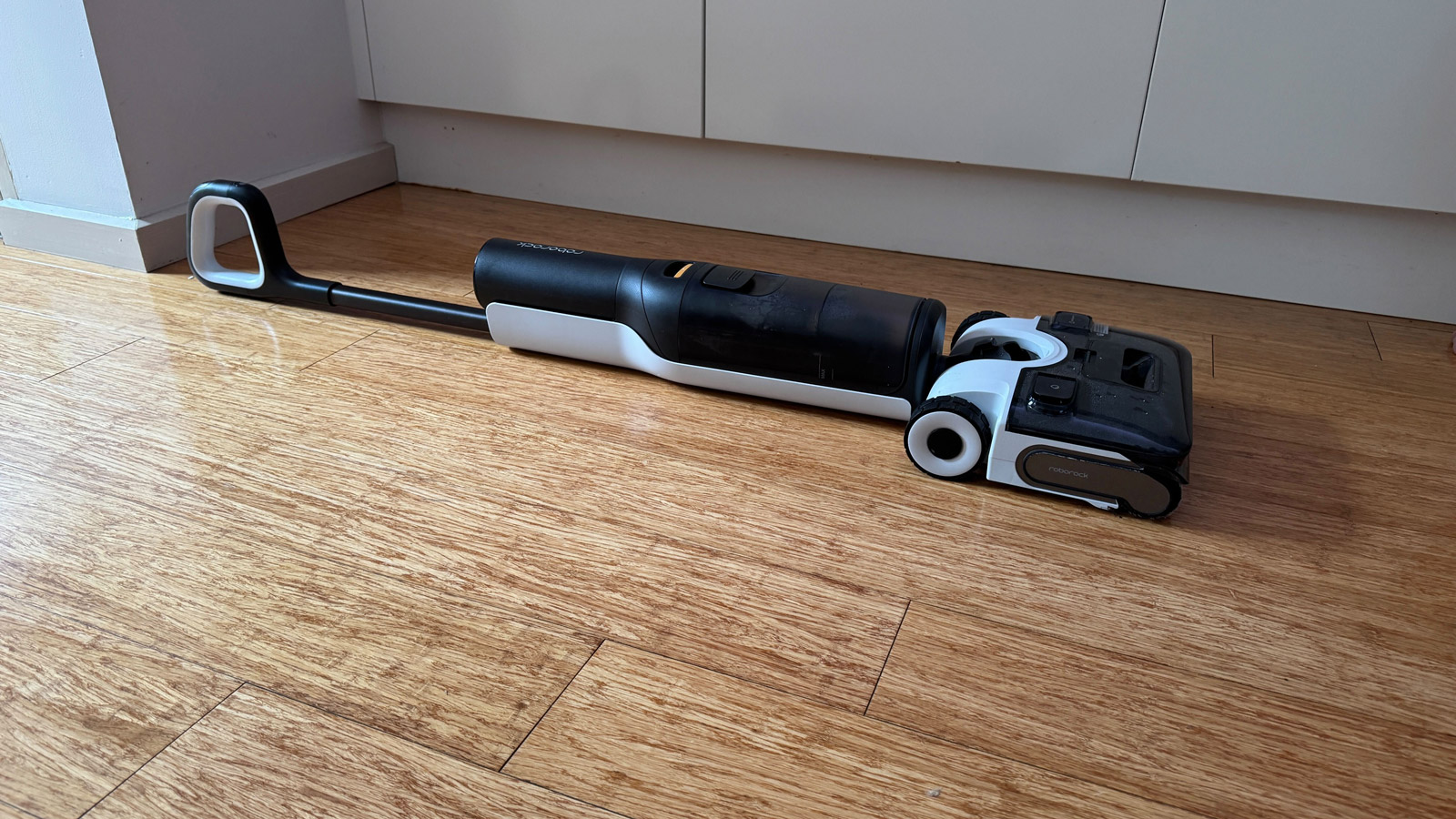
What made my time using the F25 Ace particularly joyful was the fact it can maneuver around corners and furniture with ease thanks to a pivoting cleaning head, and the ability to lie completely flat to help get to hard-to-reach places, like under furniture. This maneuvrability, combined with its excellent cleaning results, make it a strong contender to be one of the best wet-dry vacuum cleaners.
The self-clean cycle is especially effective and, with the right settings activated, quiet too. It was a good job the hot self-clean cycle was effective, as the F25 Ace returned plenty of dirty water following each cleaning run around my home. The amount of dust and debris on my wooden floors was invisible to my eyes, but the Roborock machine was able to pick it all up and then some! Both the clean and dirty water tanks are simple to remove, clean out and refill, and depending on how large your home is you may not need to refill the clean tank after every use. In my case, it held enough water to complete two full cleans and two self-clean cycles.
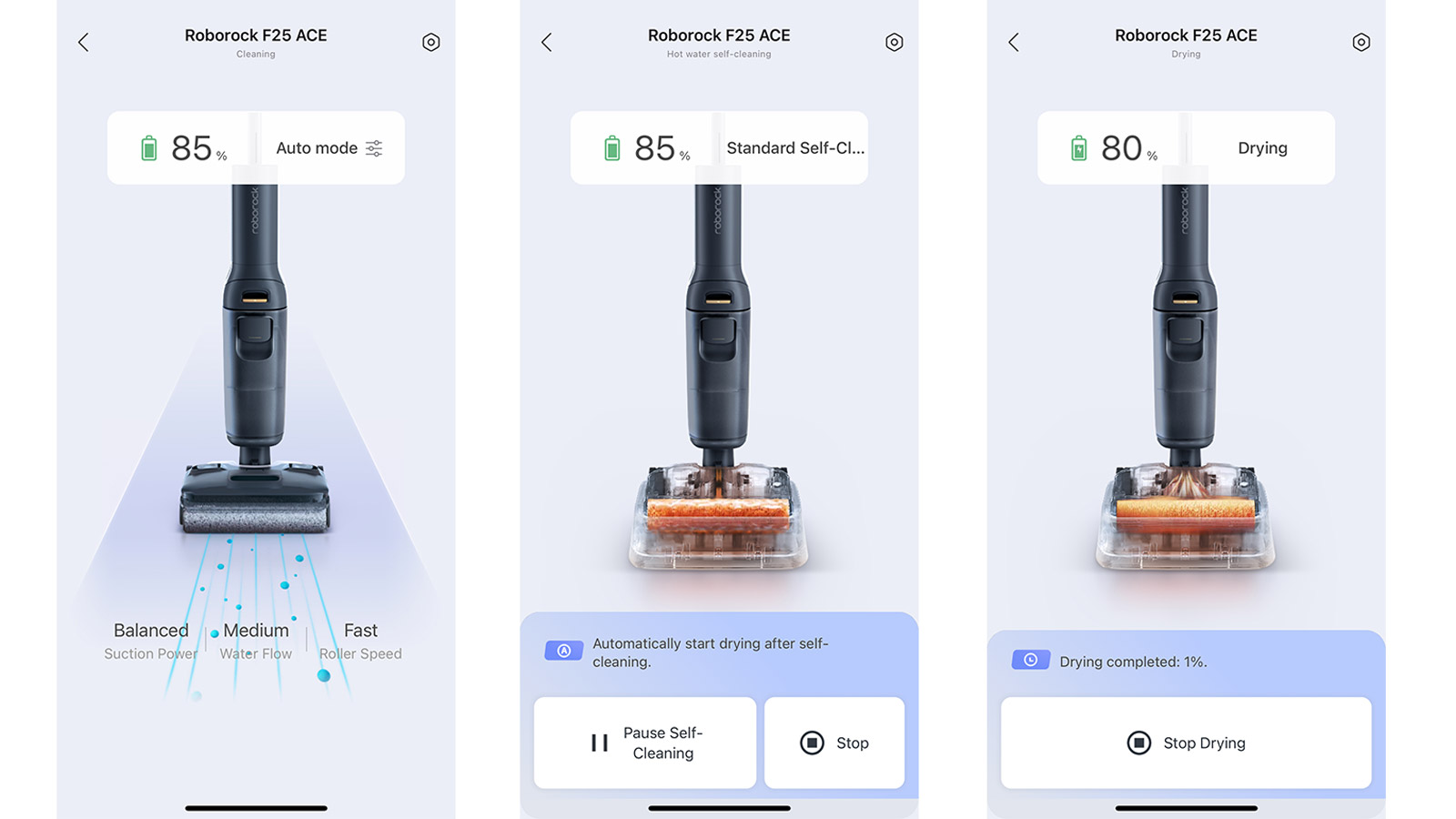
There is plenty of customization on tap via the app, and you’re able to make just as many adjustments – the amount of water used during cleaning, the amount of detergent released, how thorough of a self-clean you want the machine to perform and more. There’s quite a lot to get your head around and certainly more than I’ve been used to from a vacuum cleaner, but they’re features I certainly appreciated.
At $549.99 / AU$999.99 it’s competitively priced compared to its closest rivals. It is still a decent chunk of cash, however, so I would say only people whose homes are virtually all hard floors should consider buying it. If you have a mixture of hard and soft flooring, then the aforementioned Tineco machine may be better suited to your needs, or two separate, more affordable vacuum cleaners.
Roborock F25 Ace review: Price & availability
Available since mid-February in US and late March in Australia; currently not sold in the UK
List price $549.99 / AU$999
Available directly from Roborock and authorized retailers, including Amazon
The Roborock F25 Ace made its official debut at CES 2025 in January and was available to buy in the US by mid-February. It’s currently enjoying a staggered launch around the world, with Australians able to purchase the appliance since late March 2025. At the time of writing, it’s been confirmed for launch in the UK, but pricing is still to be announced.
The F25 Ace is listed on Roborock’s US store with a list price of $549.99, while in Australia it’s available for AU$999.99. This puts it in the upper mid-range price bracket based on our experience and in direct competition with other wet-dry vacuum cleaners such as the Dyson G1, which costs $699.99 / £599.99 / AU$999, and the Tineco Floor One S7 Pro, which tops our list of the best wet-dry vacuum cleaners and costs $799 / £599 / AU$1,299.99. The latter can regularly be picked up at a discount however, especially during major sales events.
There are several other models within the F25 series depending on where you live. The US store also lists the F25 Alt, which misses out on smart dirt detection, the extra-informative LED display and app connectivity. There is also an F25 Ace Combo for $749.99, which adds a separate stick vacuum cleaner for cleaning carpets and other areas in handheld mode.
Roborock says the filter and roller head should be replaced every 12 months at the latest. A spare filter is supplied, but not a roller. The company has listed pricing for official replacement parts, but third-party options are available, the cost of which depends on where you live. You’ll also need to factor in the cost of replacement bottles of the floor cleaning solution, which you can get from the official Roborock store. The company says you should only use its own solution with the F25 Ace.
Value score: 4.5/5
Roborock F25 Ace review: specs
Roborock F25 Ace review: Design
(Image credit: Future / Max Langridge)
Lightweight and easy to maneuvre
Lie-flat design for hard-to-reach areas
LED display is good, but not great
There’s minimal effort required to get the F25 Ace up and running. Once you remove the pieces from the box, all you need to do is clip the handle into the main unit, then snap on the roller head. There are various pieces of protective packaging to remove but, otherwise, that’s all there is to it.
You’ll want to plug the charging dock in and place the machine onto it immediately for two reasons: to make sure there’s power before you use it for the first time, and connect it to the app via your home Wi-Fi network. There aren’t any other attachments included with the F25 Ace, aside from a small brush to help clean the filter and dirty-water tank, a small bottle of cleaning detergent and a spare filter.
(Image credit: Future / Max Langridge)
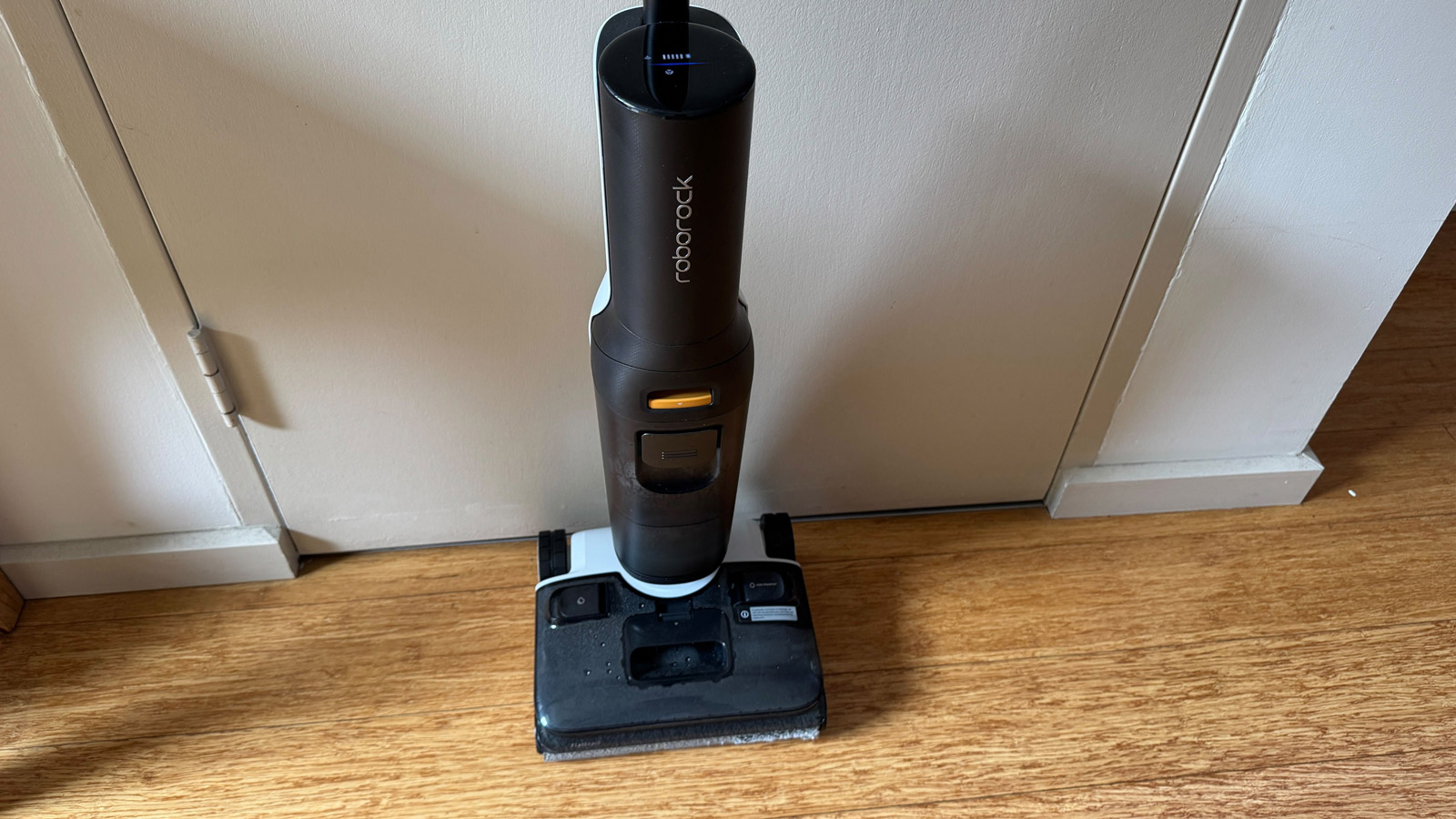
The Roborock F25 Ace follows a similar design language to floor washers from other brands, such as our current favorite wet-dry vacuum cleaner, the Tineco Floor One S7 Pro. Both are sleek grey-and-white units with the dirty-water tank on the front and a long, non-adjustable handle with a few control buttons for power, cleaning mode selection and self-cleaning. The S7 Pro does, however, come with a spare roller head, something not included with the F25 Ace.
Where the design of these two machines differs, and what is one of the F25 Ace’s key selling points, is that its clean-water tank is at the base of the machine, placed over the roller head beneath. On the Tineco Switch S7 Pro, the clean water tank is at the rear, which prevents it from tilting too far back.
Having the clean-water tank positioned towards the base of the machine, says Roborock, allows it to have a lower center of gravity, making it easier to move around your home and lay it flat to push under furniture. It also provides added weight to ensure the roller head remains in constant contact with hard floors to help improve its cleaning efficiency.
The dirty-water tank is on the front of the machine, as is the case with similar models from other brands. The capacity remains the same across all models within the F25 series at 720ml (the same as with the Tineco S7 Pro). The clean-water tank maxes out at 740ml, which is less than the S7 Pro’s 850ml capacity. It’s also smaller than other models in the F25 series, which get a larger 870ml water tank. Despite that, I was able to regularly get two full mopping runs from a single fill across a cleaning area of approximately 120 sqm / 1,300 sqft in my apartment.
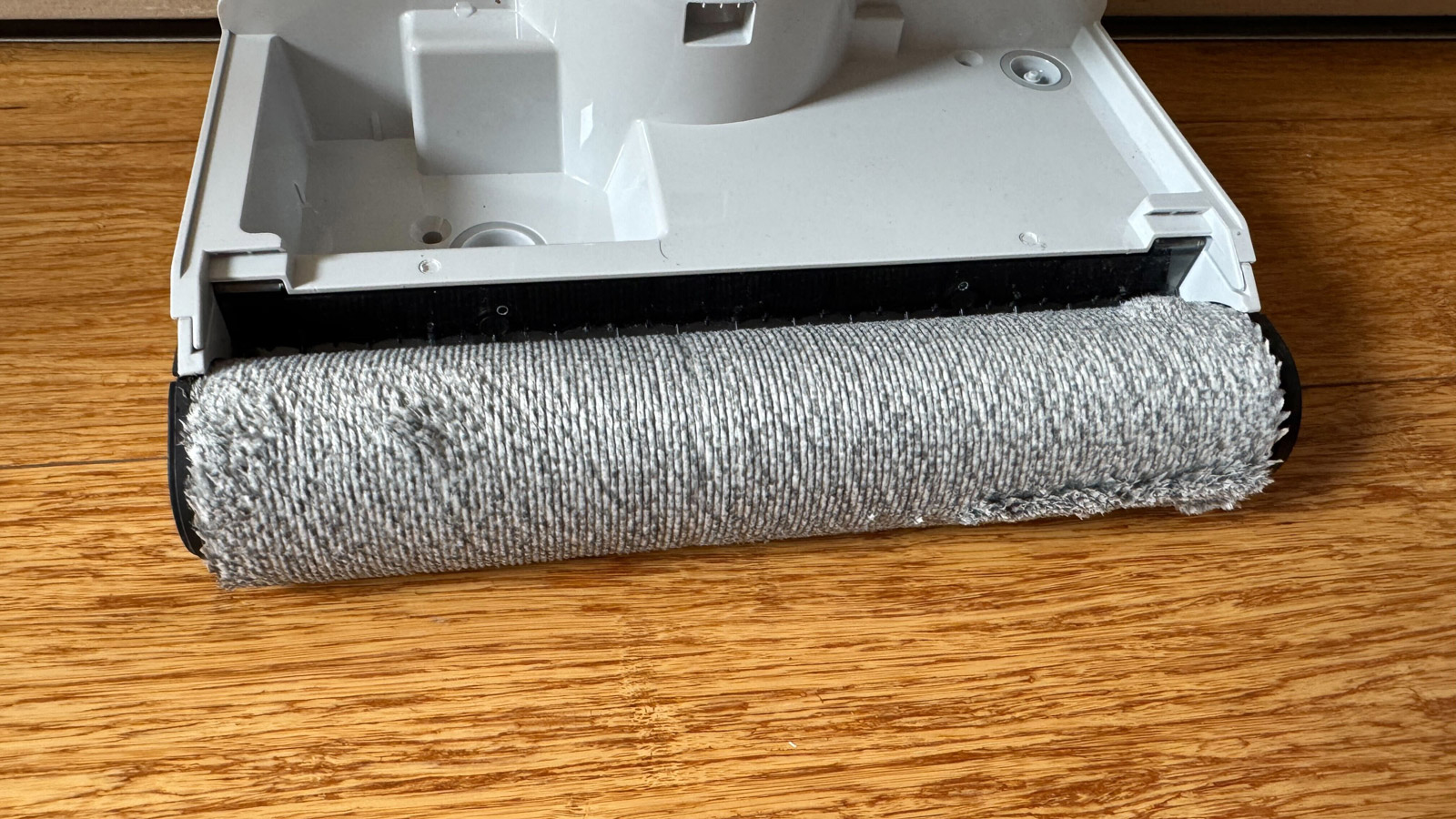
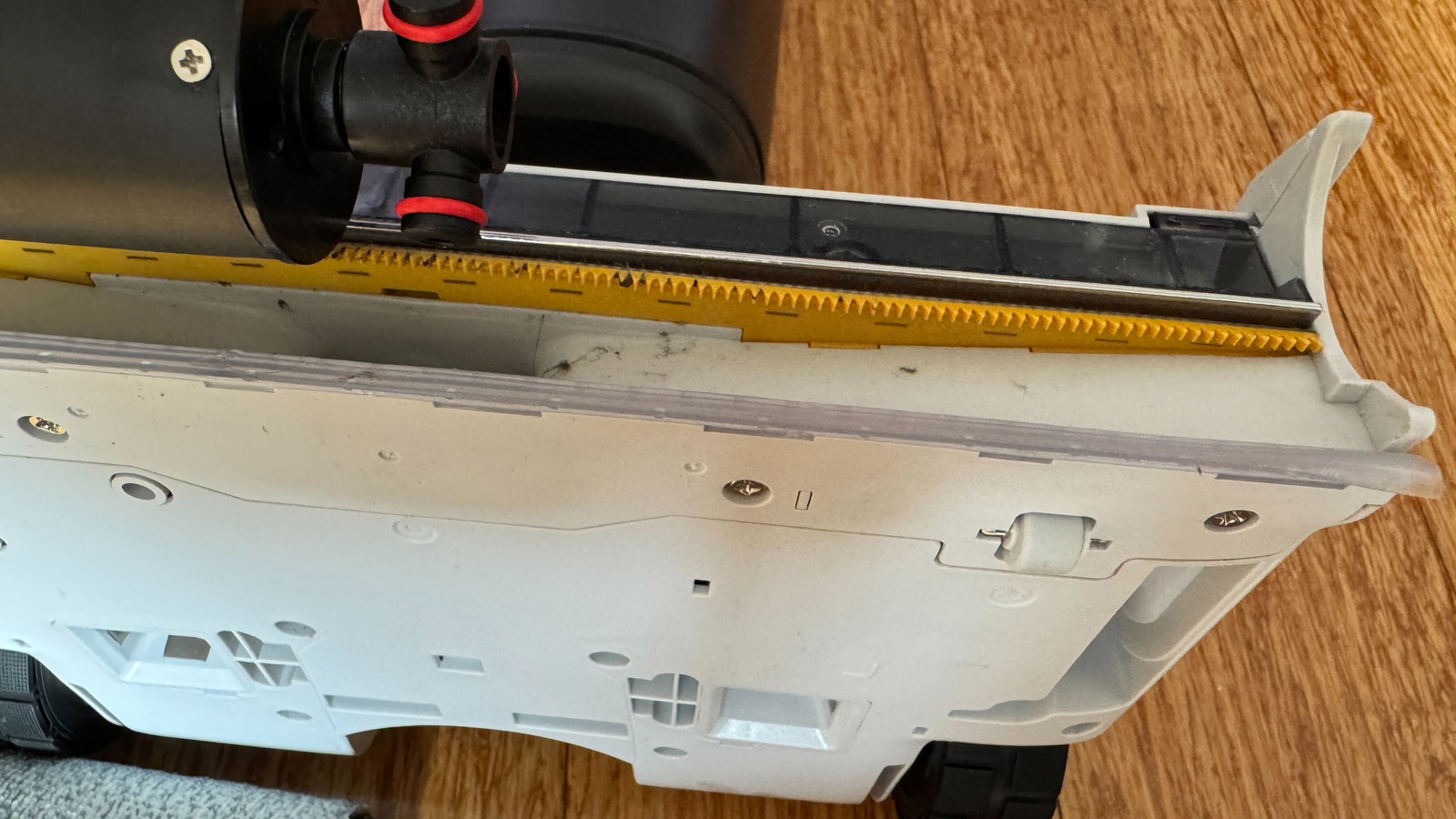
Where Roborock says the F25 Ace differs from other floor washers is the design of the roller head. It features what the company calls JawScapers – 141 3mm-long comb teeth – positioned behind the roller. Not only is this said to prevent hairs getting tangled, but it also claims to squeeze dirty water out of the roller and into the tank, to prevent water marks appearing on the floor during cleaning sessions.
(Image credit: Future / Max Langridge)
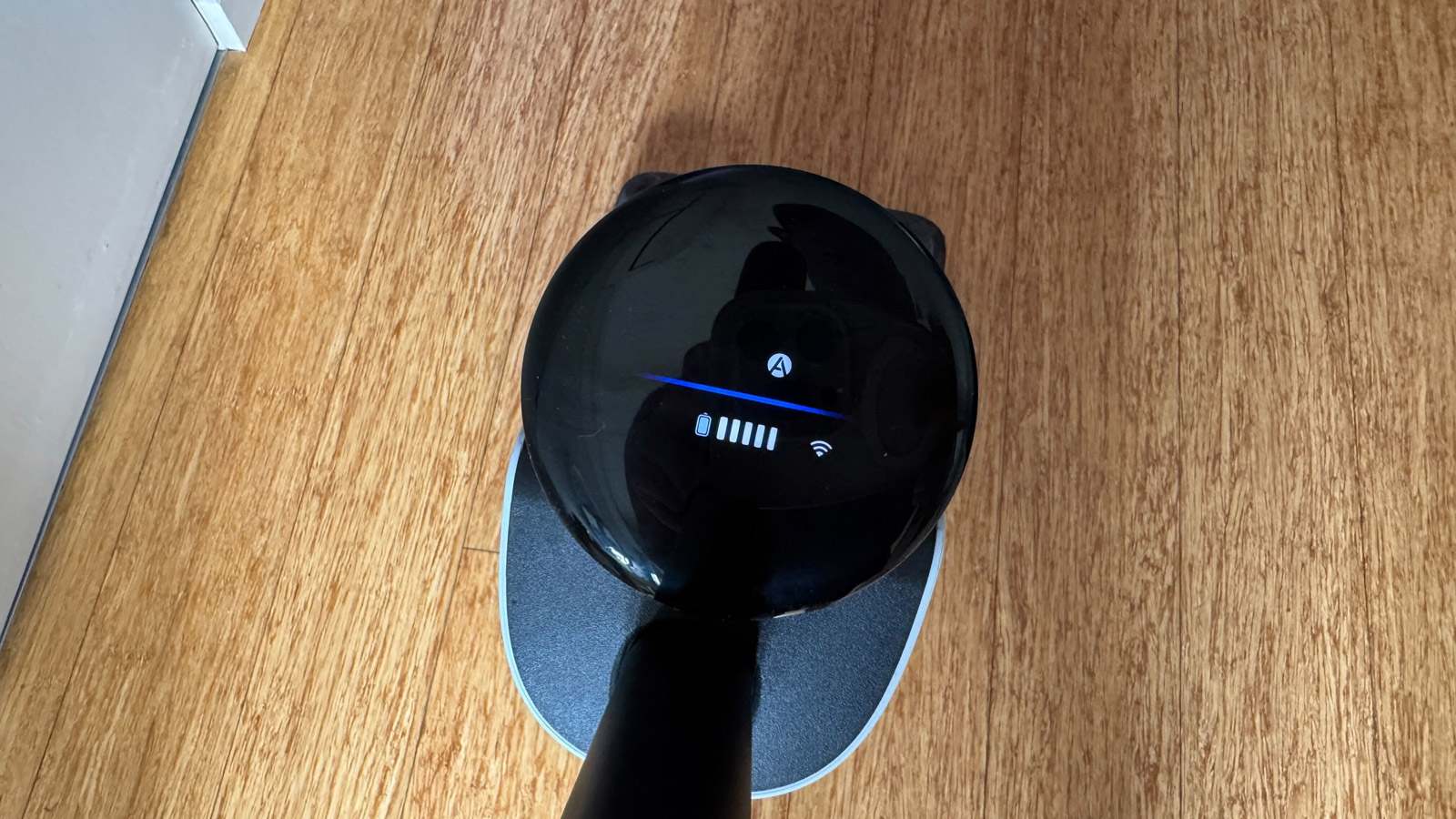
The F25 Ace has an LED display that shows you its battery life, the current cleaning mode and a small colored bar to indicate its dynamic performance facilitated by a proprietary DirTect Smart Sensor on the rear of the machine. This sensor detects the amount of dirt in the water it’s mopping to automatically adjust water-flow rate and suction power, while the roller head remains spinning at the same speed. For the majority of my testing, the bar (thankfully) remained blue, indicating my floor was a ‘normal’ level of dirty, although there were the occasional bits that pushed it into the red and nothing was needed on my part – the F25 Ace did what was needed by itself.
The LED display is clear to see, but compared to models from other brands, I found it to be a little uninspiring. It conveys information via icons only, which took me a few uses to wrap my head around. If voice prompts are on, it will tell you what mode you’re in, but there’s no extra information to tell you what each mode means and the user manual isn’t much help. This doesn’t affect the machine’s cleaning prowess, but it does mean the user experience isn’t as good as I’d expected.
The display on the Tineco S7 Pro on the other hand is a lot better at imparting information, using images, words and more colors to tell the user what’s going on. You’re also able to adjust settings better on the S7 Pro thanks to buttons on the handle – something the Roborock doesn’t have and requires you to use the app, which isn’t ideal if you need to tweak a setting on the fly and your phone is in another room.
The Roborock F25 Ace (along with the F25 Alt in the US) benefits from a few proprietary technologies that sets it apart from other models in the F25 series. These include SlideTech 2.0 Automated Wheels to add motorized assistance to reduce the effort it takes to push the F25 Ace around your home.
(Image credit: Future / Max Langridge)
You can adjust the level of motorization in the app between Mild, Moderate and Intense. I left this setting on the default Moderate mode and appreciated how the vacuum didn’t want to take me for a walk around my home, as was the case with the Tineco Floor One Switch S6 that I’ve previously reviewed. The Intense setting, however, will pull you along for a ride.
The added motorization makes the machine feel lighter than its 4.7kg weight would suggest. Robrock does say the wheels “intelligently detect the user’s push and pull strength and adjust the power assistance in real time,” but I couldn’t tell if that was actually happening during my testing.
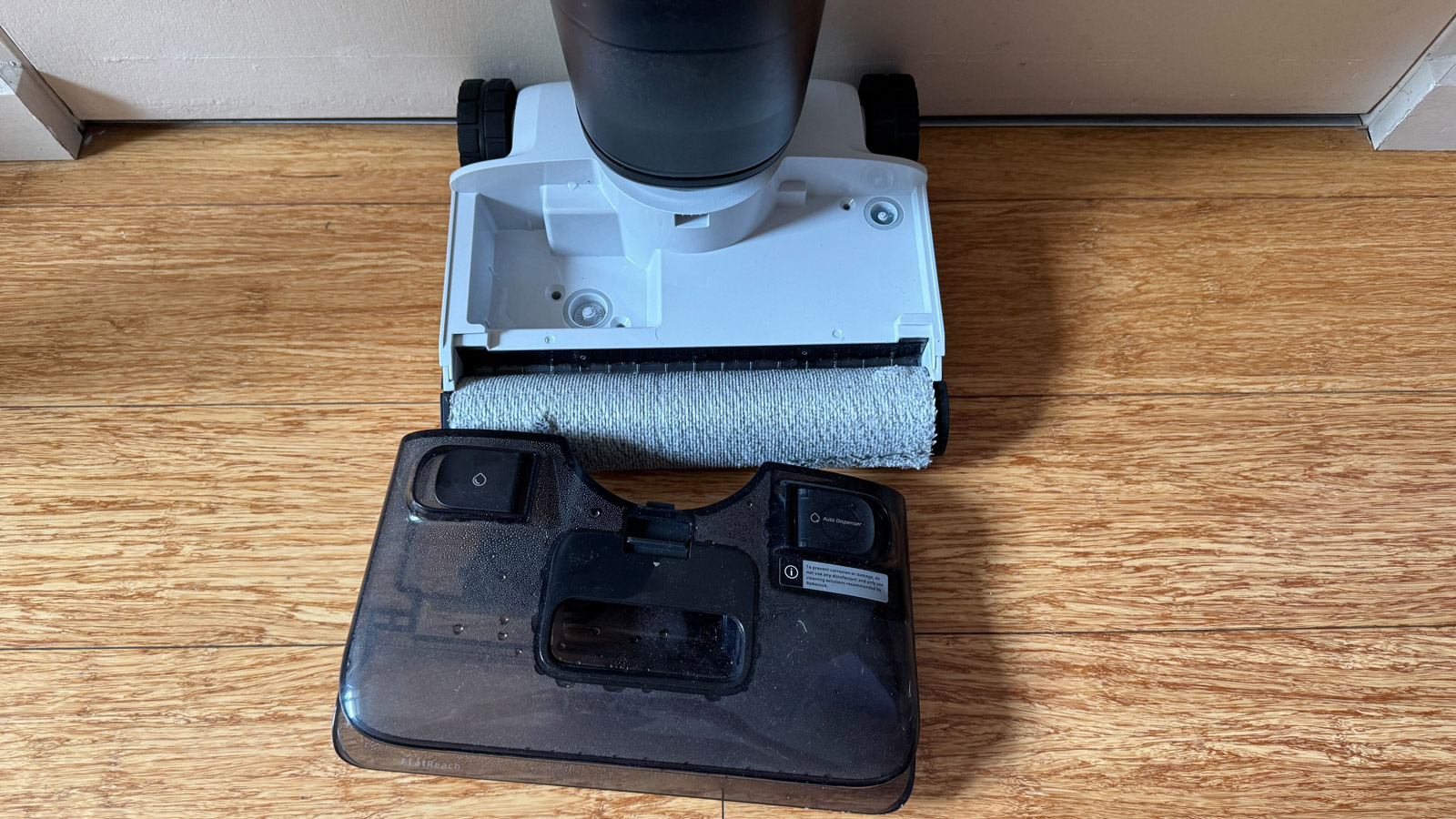
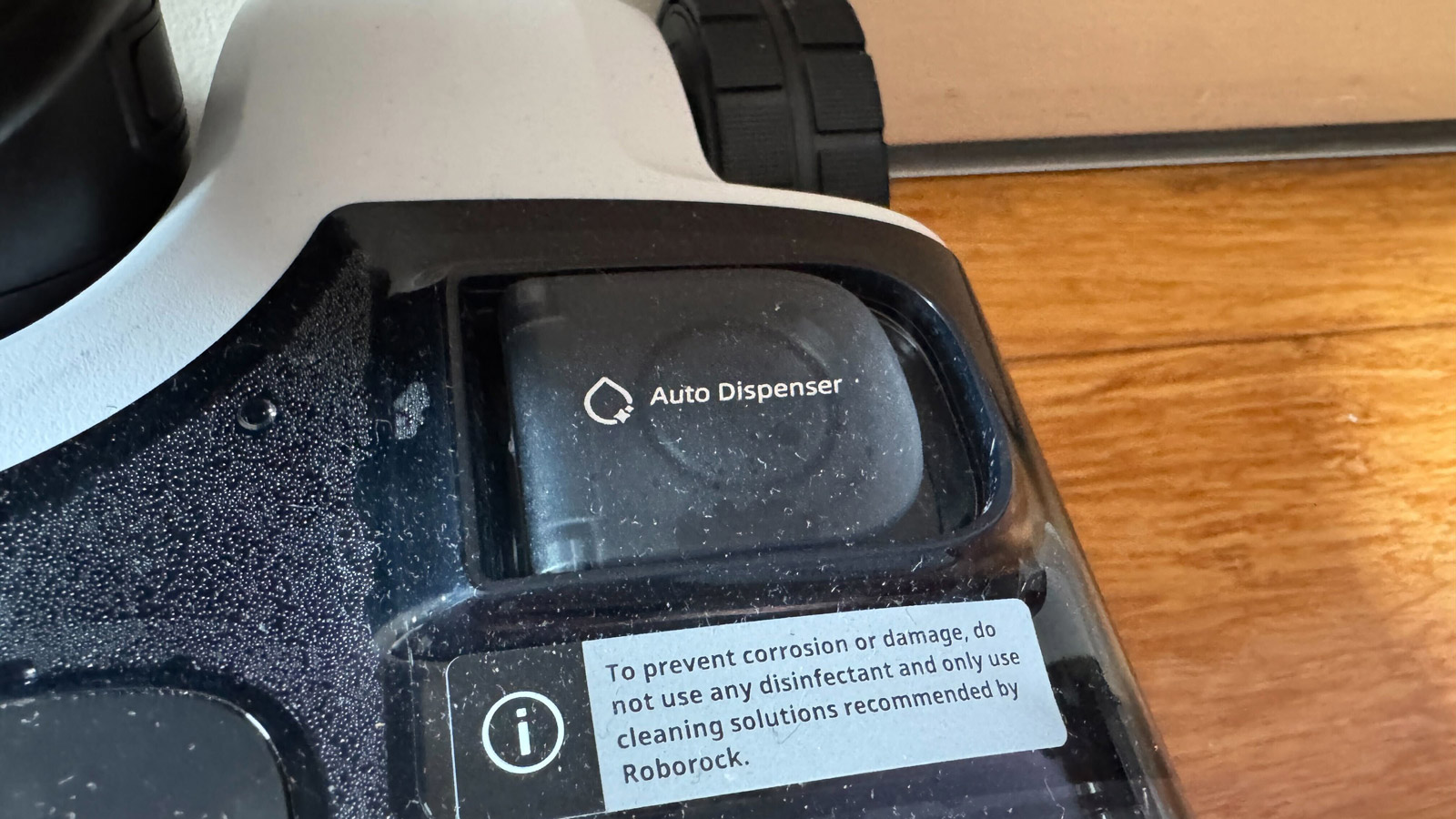
Another feature found on the F25 Ace is an automatic detergent dispenser. The 100ml compartment is next to the clean-water tank, both of which sit within a removable clear plastic unit on the roller head. You’re able to set the ratio of detergent to water to one of three settings within the app, and the appropriate amount of detergent gets automatically sprayed directly onto the roller during a cleaning run. I stuck to the default setting of Daily for the majority of my testing and that was enough to occasionally leave some soap suds on the floor. Another swipe over these areas took care of the remaining suds.
And, a small niggle, but the previous Tineco machine had an auto-stop feature when the handle is returned to its starting position. The Roborock machine doesn’t have this feature, and I found I missed it as it made pausing, cleaning and moving the machine to another room a bit easier.
Design score: 4.5/5
Roborock F25 Ace review: Performance
Powerful performance leaves floors clean
Exclusive features work well
Some setting tweaks may be required for best results
The F25 Ace is my first Roborock review, but I have tested similar wet-dry vacuums before. I was already quite impressed by the Tineco Floor One Switch S6’s mopping, cleaning and drying capabilities, and our reviewers have always rated other Roborock machines, like the Roborock Dyad Pro, very well. So my expectations from the F25 Ace were high going into testing and it didn’t disappoint.
Thanks to the aforementioned SlideTech wheels, I found it incredibly easy to move the machine around my home. The cleaning head has a 70º angle of pivot (35º left and right), making tight turns possible.
(Image credit: Future / Max Langridge)
I also found that thanks to its ability to tilt backwards by 180º, cleaning the floor under my dining table, for example, was easier than with other vacuum cleaners and I barely had to move the chairs. Instead I was able to weave the F25 Ace around the chair and table legs with ease with a light push with one hand. Do note that when the machine is totally flat, the cleaning head loses the ability to pivot, but any angle smaller than 180º allows it to remain agile.
Where I found the lay-flat ability most useful was getting underneath my bathroom vanity unit, an area that’s been ignored because no other vacuum or floor washer I’ve tried could get under it.
Similar to when I tested the Tineco Switch S6, I was surprised by just how much dirty water was collected after one run throughout my home. I was also impressed with how much debris was collected, especially as much of it wasn’t clearly visible to my eyes before the cleaning run. The F25 Ace has 20,000Pa suction power, so was evidently able to vacuum even the smallest of particles. Combined with a roller that rotates at up to 450rpm, and gets cleaned by scrapers within its housing unit on each turn, my floors felt much cleaner underfoot once I’d finished a session.
The design of the roller head on the F25 Ace ensures it can get closer to edges. To test this, I poured some milk along the edges of my kitchen cabinets to see how much would be cleaned up. It performed exceptionally well, mopping up the entire spillage in just one run. It wasn’t quite the same story with dry debris, as it did miss a few grains of rice I poured on the floor.
But, for dry spills in the center of the floor, I have zero complaints. I poured generous helpings of rice and coffee beans onto my floor and with one push over either spill with the F25 Ace cleared it up entirely.
Compared to the Tineco machine I’ve previously tested, the Roborock F25 Ace’s default water-rate flow is higher, meaning it uses more water for mopping. This really isn’t an issue as the roller is very effective at mopping, leaving no puddles behind. If the floors remain too wet for your liking, you can reduce the water-flow rate via the app.
That said, if you are going to use the detergent – and Roborock strongly suggests you use only the one it provides or recommends – you might see soap suds not fully disappearing with each swipe. This happened to me on occasion and I had to run the roller head over those areas a couple of times more to ensure no soap scum accumulated on my floors.
Roborock promises that the F25 Ace will leave floors streak-free, but I don’t completely agree with that claim. While my floors were certainly clean after going over them, when I viewed them in the right light, I could see some noticeable streaks where the roller head and wheels had passed over. They’re not so noticeable that it bothered me too much, but it’s not exactly fulfilling the promise.
Performance score: 4.5/5
Roborock F25 Ace review: Maintenance
Self-clean cycle is effective
Time and temperature settings can be adjusted
Dirty-water tank will need extra cleaning
Once placed back in the dock after a cleaning session, a voice prompt will instruct you to perform the self-clean cycle, which you activate by pressing a button on the handle or within the app.
Roborock says the whole cycle – cleaning and drying – should take approximately five minutes using a combination of hot water and 90ºC / 194ºF hot air. While that’s more or less true, I found it can be closer to 10 minutes in the Quiet Drying mode.
During self-cleaning, the roller head spins in both directions while it’s blasted with hot water to help remove as much dirt and bacteria as possible, with all dirty water being collected in the tank. You’re able to choose between ‘High’ and ‘Room Temperature’ water settings in the app – naturally, hotter water will be more effective for cleaning. Roborock doesn’t say how hot this water is, but does claim it uses 90ºC / 194ºF hot air as it hits the roller head, which is quite good as many robot vacuums with self-cleaning cycles use 75ºC air for drying.
The JawScrapers help remove debris from the roller head during cleaning.(Image credit: Future / Max Langridge)
Considering how much dirty water was collected after each run around my home – indicating how dirty the floor was – the roller head looked surprisingly clean. The quality of the roller itself also seems to be very good because, even after several uses. It does have a limited lifespan, though, and you will need to replace it at some point – Roborock recommends changing it once every six to 12 months, depending on your use case.
The washing part of the self-clean cycle is quite noisy. I used a decibel meter app on my phone and recorded a maximum reading of around 75dB. The drying, however, registered a pleasant 55dB that Roborock calls “Quiet Drying”.
Using this drying mode will lengthen the time it takes to complete the self-clean cycle, so you can choose a quicker option. You can track the progress of the self-clean cycle in the app – it was how I realized the drying process took longer when quiet.
(Image credit: Future / Max Langridge)
A voice prompt will inform you once the self-cleaning cycle has finished and instruct you to empty the water tank. Of course, this is only if you can hear the prompt. I had the F25 Ace stored in my laundry room towards the back of my apartment, and with the door closed, I could barely hear them. I would have liked a phone notification too, giving me a greater chance to ensure the dirty-water tank is cleaned out promptly. You can empty the dirty-water tank while the roller head is drying to save on time.
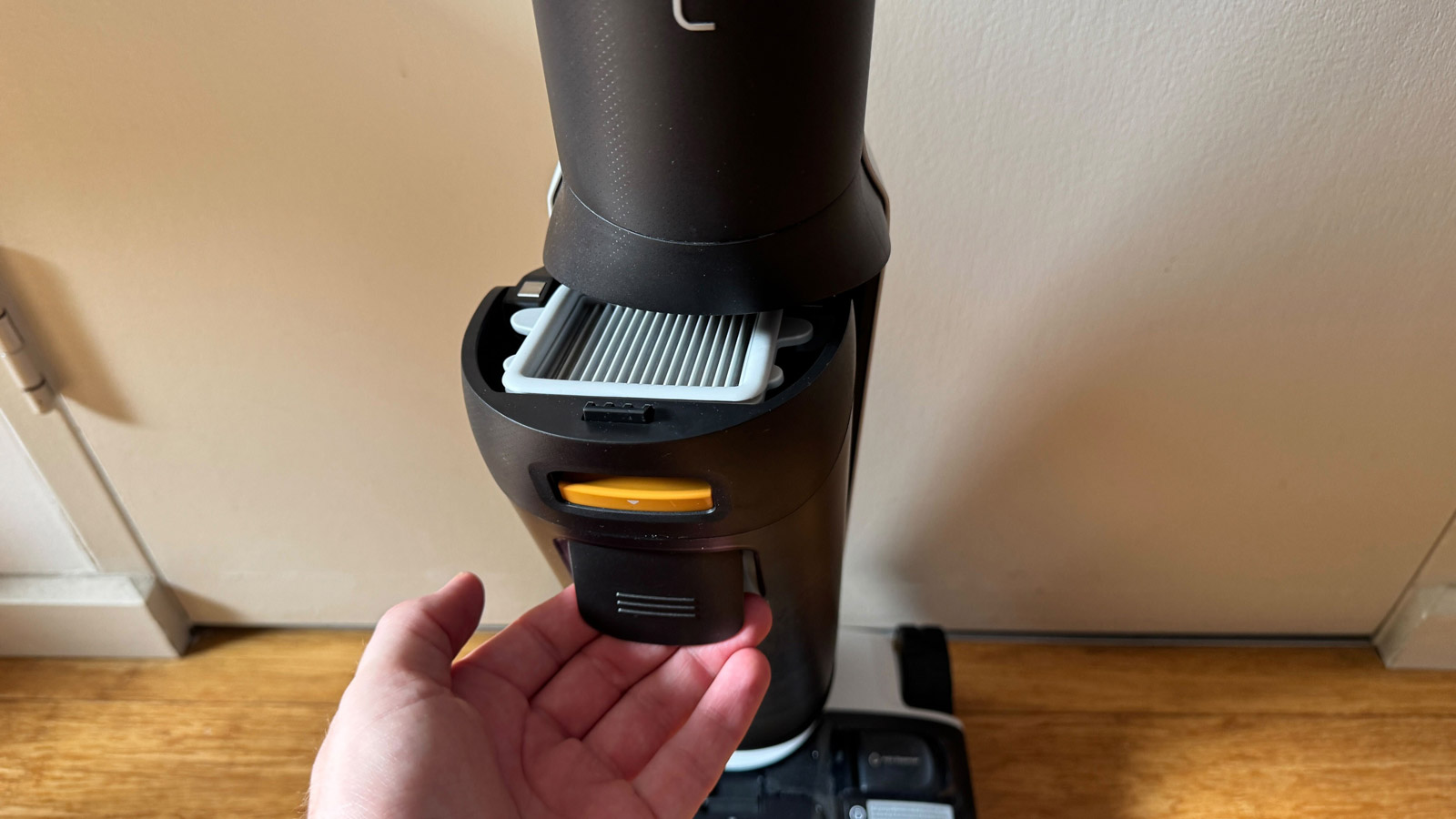
Once the tank had been emptied and debris collected in the filters washed away, I left all the pieces to air dry before returning them to the machine. The majority of debris came off under a tap, but Roborock supplies a long brush to help agitate any particularly stubborn pieces.
I did notice when cleaning the day after mopping up the milk spillage that milky water was being collected in the dirty-water tank, suggesting that the roller head wasn’t completely cleaned during the previous self-clean cycle. It didn’t have any effect on the cleanliness of the floor.
Maintenance score: 4.5/5
Roborock F25 Ace review: Software
Plenty of customization
Remote access when away from home
Pop-up notifications would be a nice feature
As I’ve already alluded to, the F25 Ace can connect to an app to open up a good selection of customization options. App connectivity is only possible on the F25 Ace and F25 Alt models, which I think is a shame as I think the other models in this range would also benefit from that extra control.
I was pleasantly surprised that the app gives me remote control over the F25 Ace’s settings when away from home. Not only can you make adjustments, you can also start a self-clean or drying cycle. While I don’t think it will see much use, I think this feature is handy if you’ve had to do an emergency quick clean before running out the door in the morning, letting you start a self-clean cycle while you’re on the road or in the office.
(Image credit: Future / Max Langridge)
One feature I found utterly superfluous was the remote control mode. It asks you to lay the F25 Ace flat on the floor (there’s a small wheel in the handle to ensure it remains level), after which you can move it around your home using the remote control buttons on your phone. It doesn’t work well at all during my testing, where the machine either had a significant lag between command and action or didn’t register the button presses at all. While the roller turns when being remote controlled, I didn’t see it doing any cleaning at all.
Then there are the voice prompts that let you know what the machine is doing – when you switch cleaning modes, instructing you to perform a cleaning cycle or to tell you it’s finished. You can change the language of the voice prompts within the app or adjust the volume level. If you want to switch them off, as I did after testing them for this review, you just mute them by moving the volume slider all the way down.
I didn’t find the voice prompts too useful as they were unclear most of the time and, as I mentioned earlier, I would have appreciated additional pop-up notifications on my phone, particularly when the dirty-water tank needed emptying.
Software score: 4.5/5
Roborock F25 Ace review: Battery life
Good battery life, but may not suffice for larger homes
Up to 60 minutes in Eco mode; 40 minutes in Auto
Recharge time can take a while
The Roborock F25 Ace has a 4,000mAh battery that the company says is good for up to 60 minutes of use in Eco mode or 40 minutes in Auto mode. However, this is only really relevant for anyone with a particularly large surface area to clean as the machine recharges whenever it’s on the charging dock.
I never had any battery issues when cleaning my apartment with the F25 Ace, which has an approximate total cleaning area of 120 sqm / 1,300 sqft, as I was able to complete a full clean in roughly 10 minutes wherein I used just 15% of battery. For context, Roborock says the 60-minute runtime in Eco mode should be enough to cover a 410 sqm / 4,413 sqft space.
However, when I returned the F25 Ace to the charging dock to self-clean, I noticed the battery level continued to drop by as much as another 10%. I assume the power required to complete the clean uses up more battery than it receives from the dock.
Battery life score: 5/5
Should you buy the Roborock F25 Ace review?
Buy it if...
You want an easy, thorough clean
The F25 Ace can be moved around with little effort and its cleaning performance is stellar, leaving you with clean floors in no time at all.
Your home has hard-to-reach areas
Thanks to its ability to lie flat, the Roborock F25 Ace can get into more places than a large number of similar machines, meaning more of your floors will be cleaned.
You like to take control of your appliances
There are numerous customization options with the F25 Ace via the app, covering cleaning and maintenance. You may find the default settings don’t work for you, so you can easily change them.View Deal
Don't buy it if...
Your floors are carpeted
It may seem obvious, but the Roborock F25 Ace only works on hard floors. If your home is predominantly carpet, you’ll want to look at other vacuum cleaner models. View Deal
You have a limited budget
I think the F25 Ace is worth the money, but the fact remains there are cheaper alternatives available, like the Shark HydroVac Cordless, which can also work on low-pile soft floors.View Deal
Roborock F25 Ace review: Also consider
Tineco Floor One Switch Pro 7
Our favorite wet-dry vacuum for a reason, this powerful machine cleans incredibly well, can get up close to edges and has a gorgeous, interactive LED display. It costs more at full price, but can now regularly be picked up at a discount.
If your budget is tight, this Shark machine is a great option, especially as it can also be used on low-pile carpets, making it a more versatile proposition.
I tested this wet-dry vacuum over a period of about a month in my apartment, using it to clean at least twice a week. I experimented with the various settings adjustments within the app to see what effect they had on the overall cleanliness of my floors.
To really test its mopping and vacuuming credentials, I spilled milk and scattered grains such as rice on the floor to see how much was vacuumed up.
I made a note of how well the brush roller head was washed and dried after each cleaning run around my home and assessed how much clean water was left in the tank (and how much dirty water was collected).
This is the first Roborock vacuum cleaner I’ve tested, but I have previously tested the Tineco Floor One Switch S6, which is a similar wet-dry vacuum cleaner, but which also has extra attachments for cleaning carpets and other soft floorings.
The Samsung Bespoke AI Jet Ultra is a cutting-edge cordless vacuum with a self-empty dock, companion app, and AI-powered suction automation. I tested a model ahead of its launch to see how it compares to the rest of the best cordless vacuums on the market, and if it manages to justify costing more than any other vacuum we've tested at TechRadar.
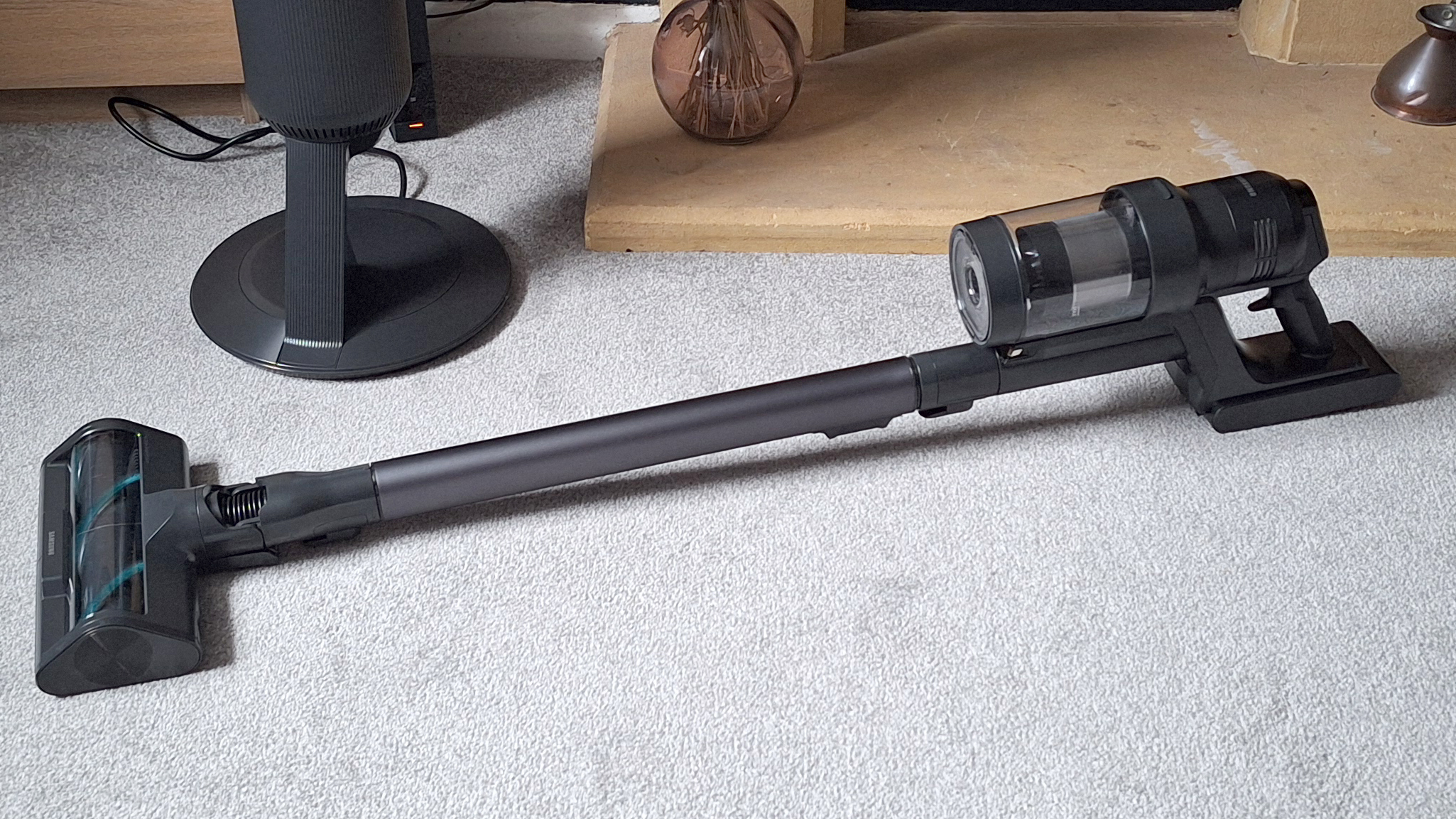
To the untrained eye (and honestly, the trained eye, too), the AI Jet Ultra appears a lot like a regular cordless stick vacuum, albeit a high-quality model that's solidly built and comfortable to use, with an extending telescopic wand and ergonomic handle. However, under the hood it boasts advanced AI smarts that enable it to detect exactly the kind of floor it's on and adjust its suction and brushroll speed in response, to deliver an efficient clean that won't waste battery or make the vacuum too difficult to push.
That's the theory, anyway. On test, the AI adjustments proved a little unreliable. I could hear a change when shifting from lino to carpet, but it overlooked more subtle changes in floor type, and didn't adjust when cleaning the edges of rooms, either. Interestingly, it did sometimes adjust when encountering large spillages, even though it isn't advertised as being able to detect differing dirt levels.
That's not to say the Samsung Bespoke AI Jet Ultra vacuum doesn't offer excellent cleaning power – it does. It aced all my suction tests. But there are a number of vacuums I've tested that have also achieved great results in these tests; the point of difference here is the AI, and I think there's still a bit of work to be done in this regard.
I was more impressed with the auto-empty dock. This isn't unique to Samsung – today's best Shark vacuums also come with their own empty stations – but the unit here is particularly stylish, and ultra-convenient, too. It might benefit allergy-sufferers who don't want particles escaping back into the air, or anyone with a large home and lots of dust or pet hair. The latter will also benefit from the extensive potential runtimes offered by the two swappable batteries. There's also a companion app, although this doesn't feel terribly necessary.
A big sticking point for many will be the price. At £1,199.99 (US and AU price TBC) I'd want this vacuum to be pretty much perfect, and certainly for those advanced AI features to work correctly and make a noticeable difference to performance. However, I'm not sure the price is justified.
That's the short version. Read on for my full Samsung Bespoke AI Jet Ultra review, and to find out if it might be the best vacuum for you.
(Image credit: Future)
Samsung Bespoke AI Jet Ultra review: price & availability
List price: £1,199.99 (US and AU pricing TBC)
Launch: UK pre-order from March 2025, on sale 22 April (US / AU TBC)
At list price, the Samsung Bespoke AI Jet Ultra costs £1,199.99 and will available to pre-order from late March 2025, for an on-sale date of 22 April. I'm awaiting pricing and launch info for the US and Australia, but that UK price is equivalent to around $1,550 / AU$2,450. The price puts this vacuum firmly in the premium price bracket; in fact, I think this is the priciest vacuum we've ever tested at TechRadar.
However, chances are you might not have to shell out that list price. During deals events we often see hefty discounts on Samsung appliances, and I predict that this will be the case for the Bespoke AI Jet Ultra, too.
In comparison, Dyson's most advanced model at time of writing is the Dyson Gen5detect, with list prices from $949.99 / £769.99 / AU$1,549. That model doesn't have the auto-empty dock or companion app, though.
At time of writing, Shark's top vacuum is the Shark PowerDetect Cordless. That one does have an auto-empty dock, although overall feels far less premium than the Samsung Bespoke AI Jet Ultra. With the base, it costs $499.99 / £549.99 / AU$999.99.
Samsung's previous model in the lineup – the Bespoke Jet AI – has a list price of $1,099 / £999 / AU$1,499.
Is it worth it? I'm not sure. While the build quality is solid and the performance good, I think much of what you're paying for is those advanced AI features, which on test didn't quite work as advertised. They also didn't result in a noticeably more efficient clean than other, AI-free vacuums I've tested. If you do decide this is the vacuum for you, I'd definitely hold out for a discount.
Value for money score: 2.5 out of 5
Samsung Bespoke AI Jet Ultra specs
Samsung Bespoke AI Jet Ultra review: design
Stick vacuum with telescopic wand and ergonomic handle
Comes with self-empty dock that can also diagnose any problems
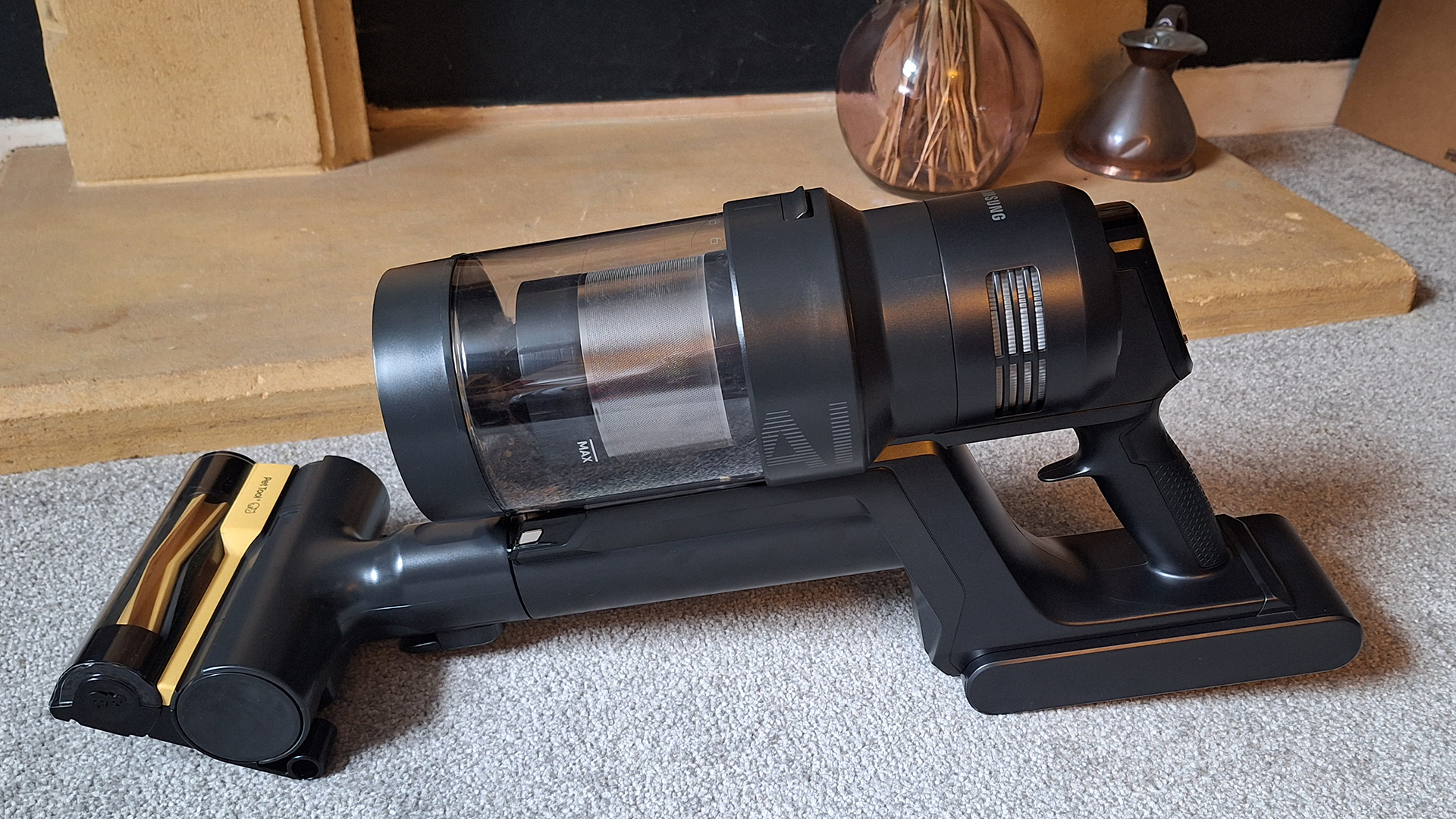
Various attachments including two floorheads and mini-motorized Pet Tool+
Under the hood, this Ultra model certainly sees some improvement over the Bespoke AI Jet. For example, this new version offers 400W of suction power (compared to 280W), and it comes with a new "spinning cyclone" (although there's no info yet on what this does). The addition of AI is also an upgrade, improving the vacuum's detection capabilities. So, while the previous model could differentiate between carpet, hard floor and mats, and be aware that it's been lifted up, the new model can do all that, but is also able to detect long-pile / dense carpet, and corners. Used in AI mode with one of the two main floorheads, the vacuum has been designed to optimize suction power for an effective, battery-efficient clean.
Alongside the AI smarts, the Samsung Bespoke AI Jet Ultra arrives with a companion app and the ability to self-diagnose any maintenance issues, such as blockages.
Vacuum
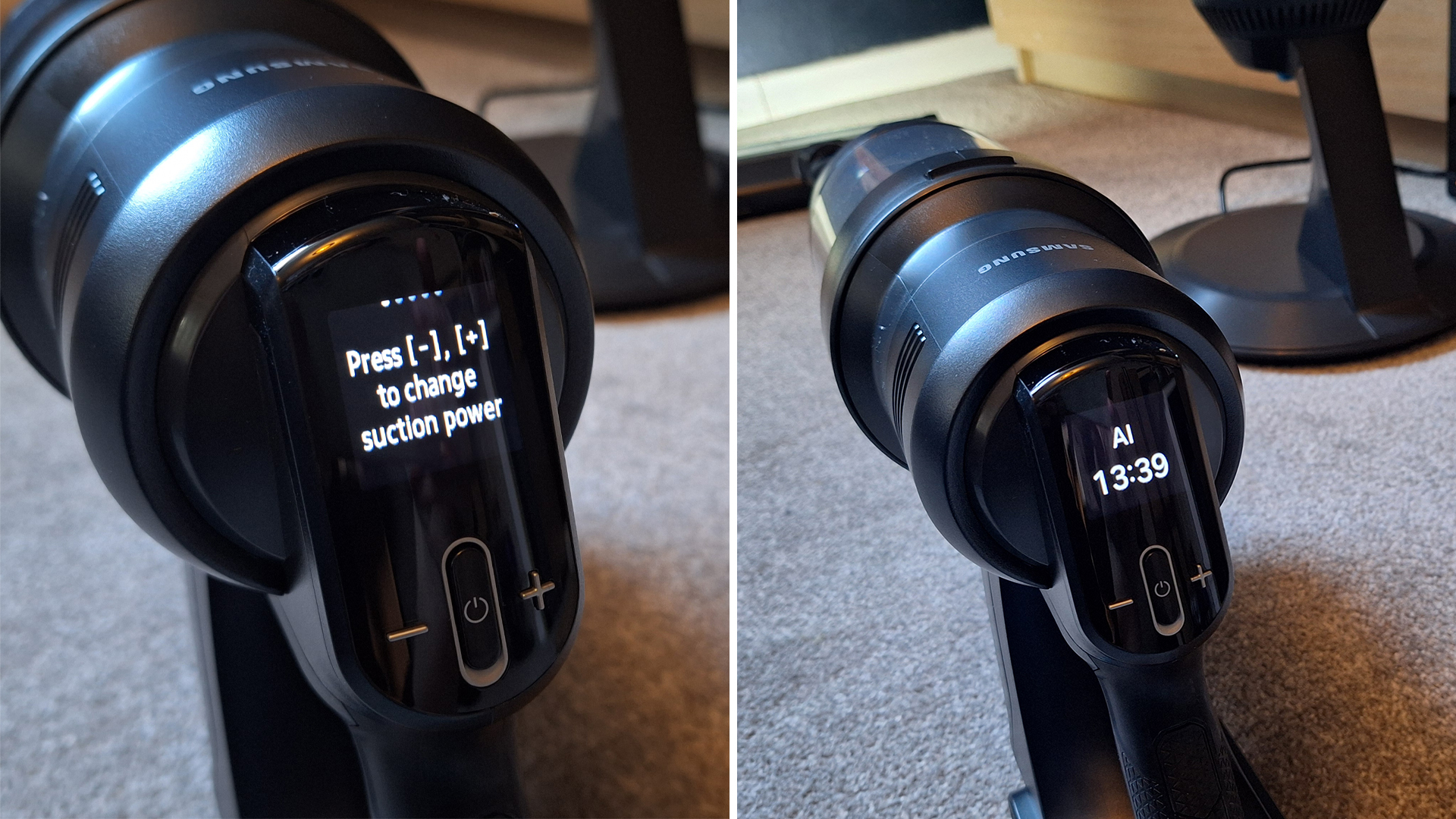
The vacuum itself is a fairly standard-looking stick vac, if a little dramatic with its matte off-black finish. The main motor mechanism is on the larger, heavier side, but the handle has an ergonomic grip and rest for your index finger, making it secure and comfortable to hold. Above the handle you'll find an "On" button, plus and minus buttons, and a small screen for displaying information.
You can use the plus and minus buttons to cycle through the five different power modes: Min, Mid, Max, Jet and (if you have one of the main floorheads attached) AI. The screen will display which mode you're in, and how much cleaning time you have left on the battery in that mode.
Image 1 of 2
A screen provides info about suction mode and remaining runtime(Image credit: Future)
Image 2 of 2
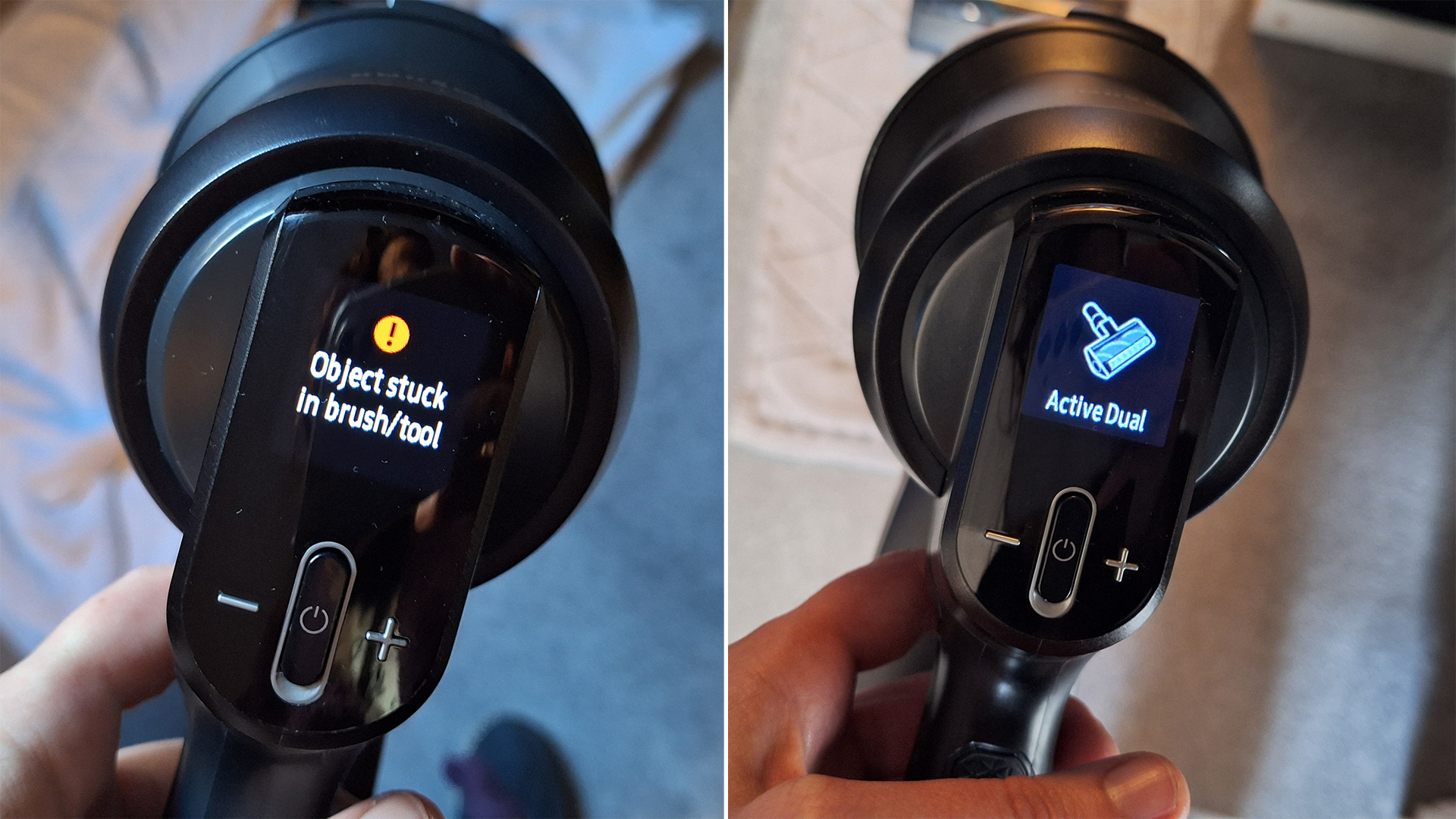
It'll also inform you of any issues(Image credit: Future)
It will also show maintenance information: when to clean the filter; when the dock dustbag is full; and if the brushroll is blocked, for example. The Samsung Bespoke AI Jet Ultra has diagnosing powers, too. It told me when the floorhead was blocked (when it had tried to suck up my bath mat) and even displayed a graphic showing me what to do to clear it. Today's best Dyson vacuums can also self-diagnose and provide specific fix instructions.
The AI Jet Ultra also makes it possible for you to display any messages and calls to your phone on its screen. I guess that might be useful if you're concerned about missing any important calls/messages as a result of the noise of the vacuum, but it seems more like a gimmick to me.
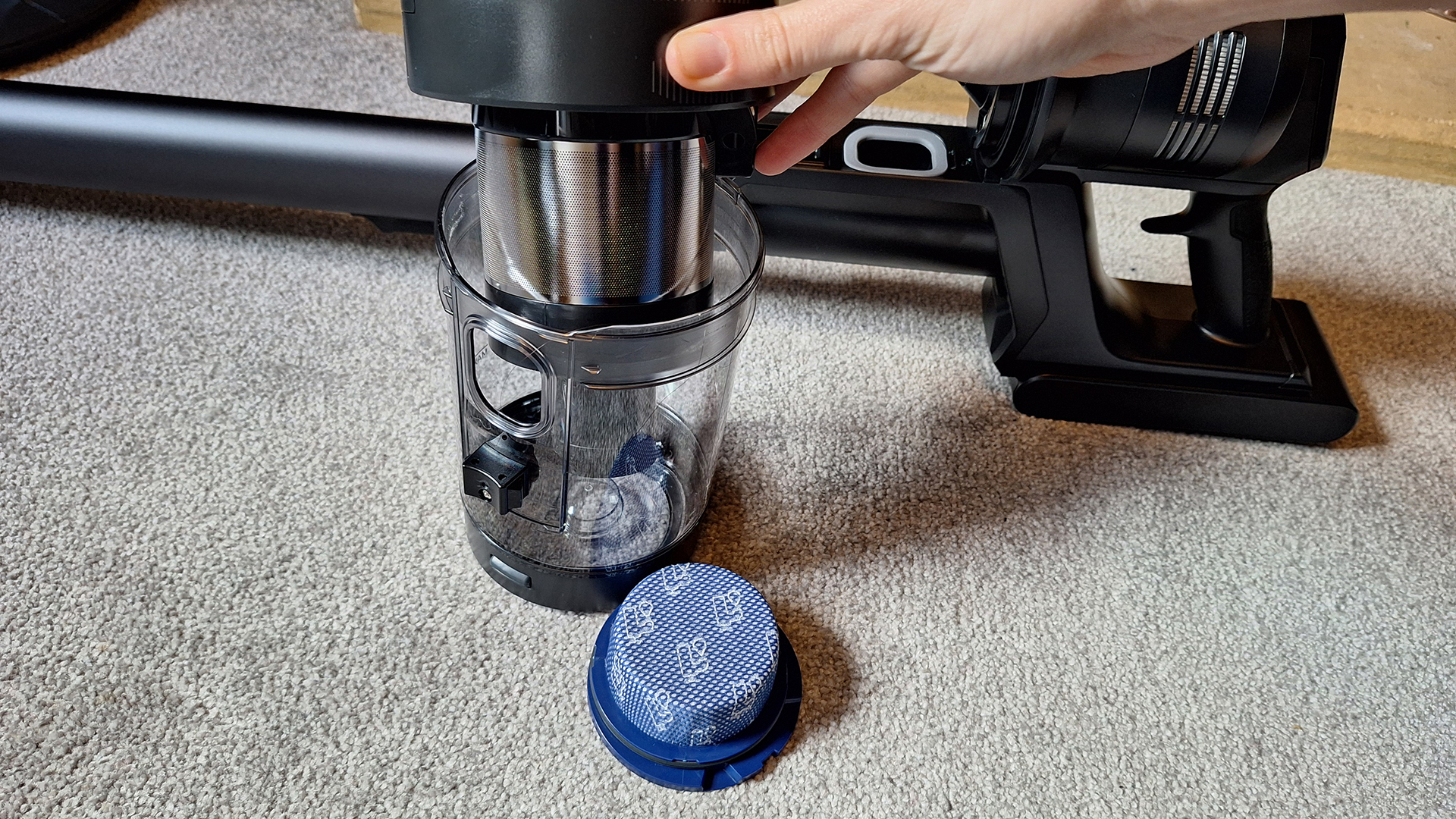
There are a couple of filters within the dustbin section(Image credit: Future)
Remove the dustbin and you'll find a small, washable filter. The main filter (behind a metal mesh) sits inside the dustbin, and can be accessed by twisting the plastic cover to unlock it. There's also a paper filter hidden behind a grille, but I couldn't figure out how to access it for cleaning purposes. New to this model is HEPA filtration – the most effective filtering found in commercial products.
Rather unusually, this vacuum ships with two different-sized batteries. Both fit on the vacuum, with one designed to last 100 minutes, while the other will last up to 60 minutes.
The wand and floorhead / detail tools clip on, with a clever addition being a slider on the main wand that allows it to extend. At minimum height the vacuum's reach is pretty short (I'm 5ft 8in and needed to extend it a fair way to use it comfortably), so I think part of the motivation behind this is that it means the dock doesn't need to be super-tall. However, being able to adjust height to suit the user does make it more comfortable to use.
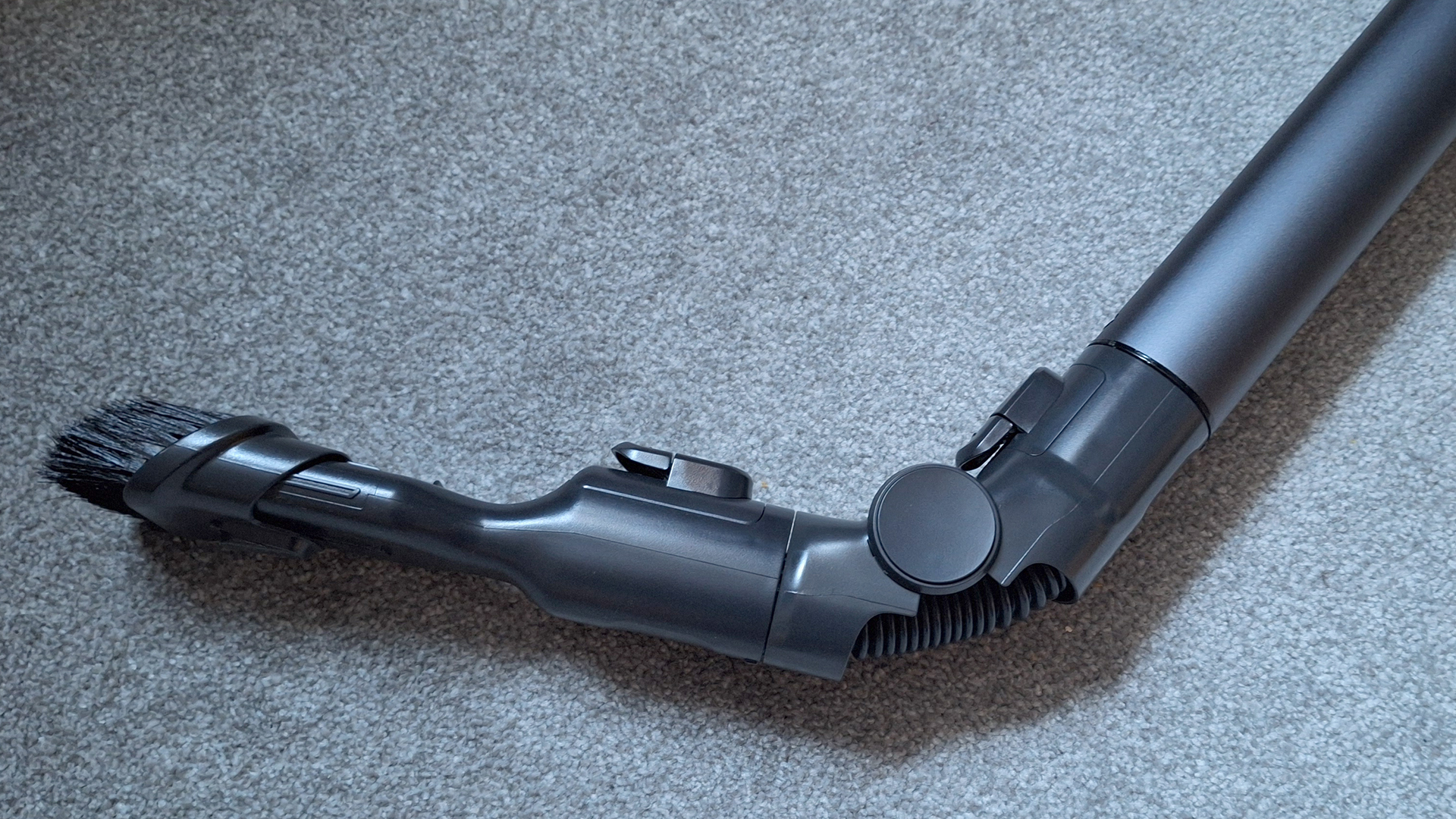
A hinge attachment allows you to angle your detail tools(Image credit: Future)
Samsung also provides a joint attachment that can be angled at around 45, 90 and 135 degrees. This sits at the bottom end of the wand, extending its reach even further. It's designed for up-high cleaning with a detail, too. You can't use it with any of the motorized cleaning heads (so the two floorheads and the mini Pet Tool+). Shark's equivalent feature sits at the top end of the wand and allows it to pivot forward to 90-degrees, for easier cleaning under furniture – arguably, a slightly more useful setup.
The previous model had an optional mop attachment, but this isn't a feature here – or, at least, I didn't have one included on my review model.
Dock
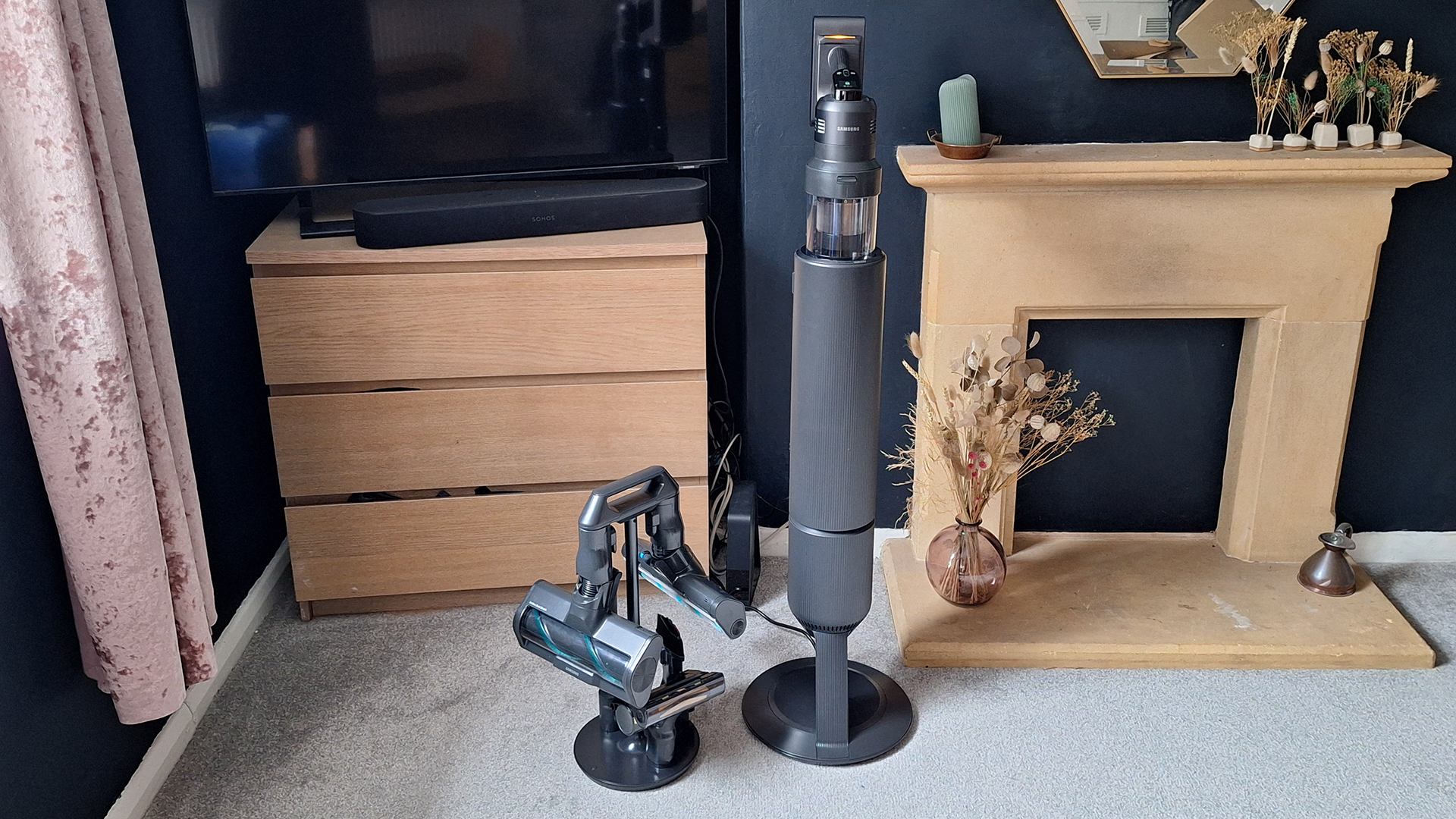
This stick vacuum comes with a large dock that both charges the machine and empties the onboard dustbin. It takes the form of a dramatic-looking black cylinder with a base.
The dock charges the vacuum and empties its dustbin(Image credit: Future)
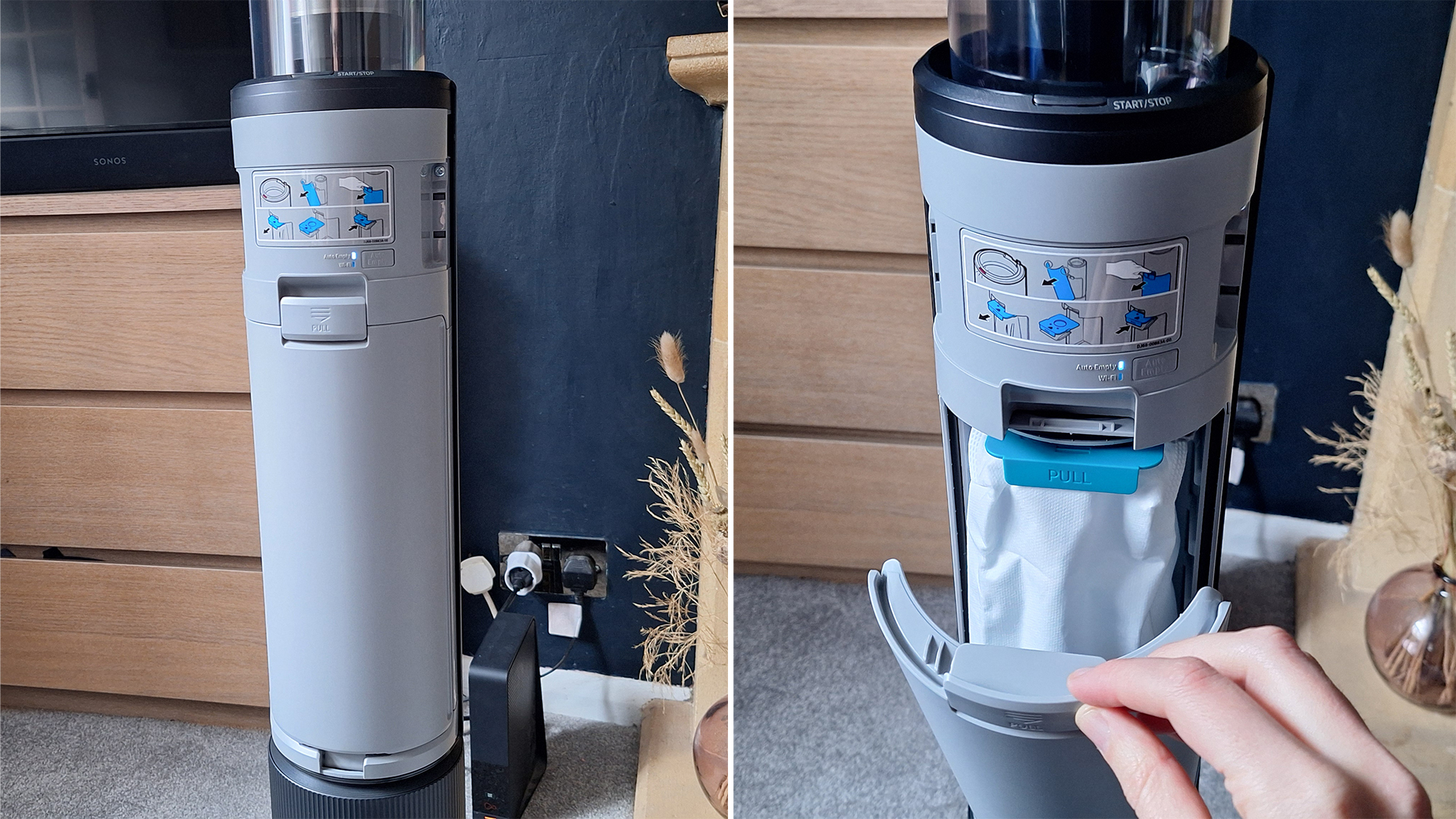
The vacuum slides in the top, prompting anything in its onboard bin to whoosh out and into a larger dust bag in the base. There's a discreet Start/Stop button, to manually control the emptying if required, and the process can also be managed via the app. To access the larger dust bag, you remove the black, plastic cover and open a second hatch behind.
Inside you'll find a 2L dustbag(Image credit: Future)
Overall, I think Samsung has done a great job of making the dock look as stylish as possible, given that it has to be a fairly awkward size and shape to do what it needs to do. It's certainly more high-end looking than Shark's big, white, Toblerone-shaped auto-empty docks (see our Shark PowerDetect cordless vacuum review for an example). While Shark's machines can be purchased with or without a dock, the Samsung dock is included as standard.
Accessories
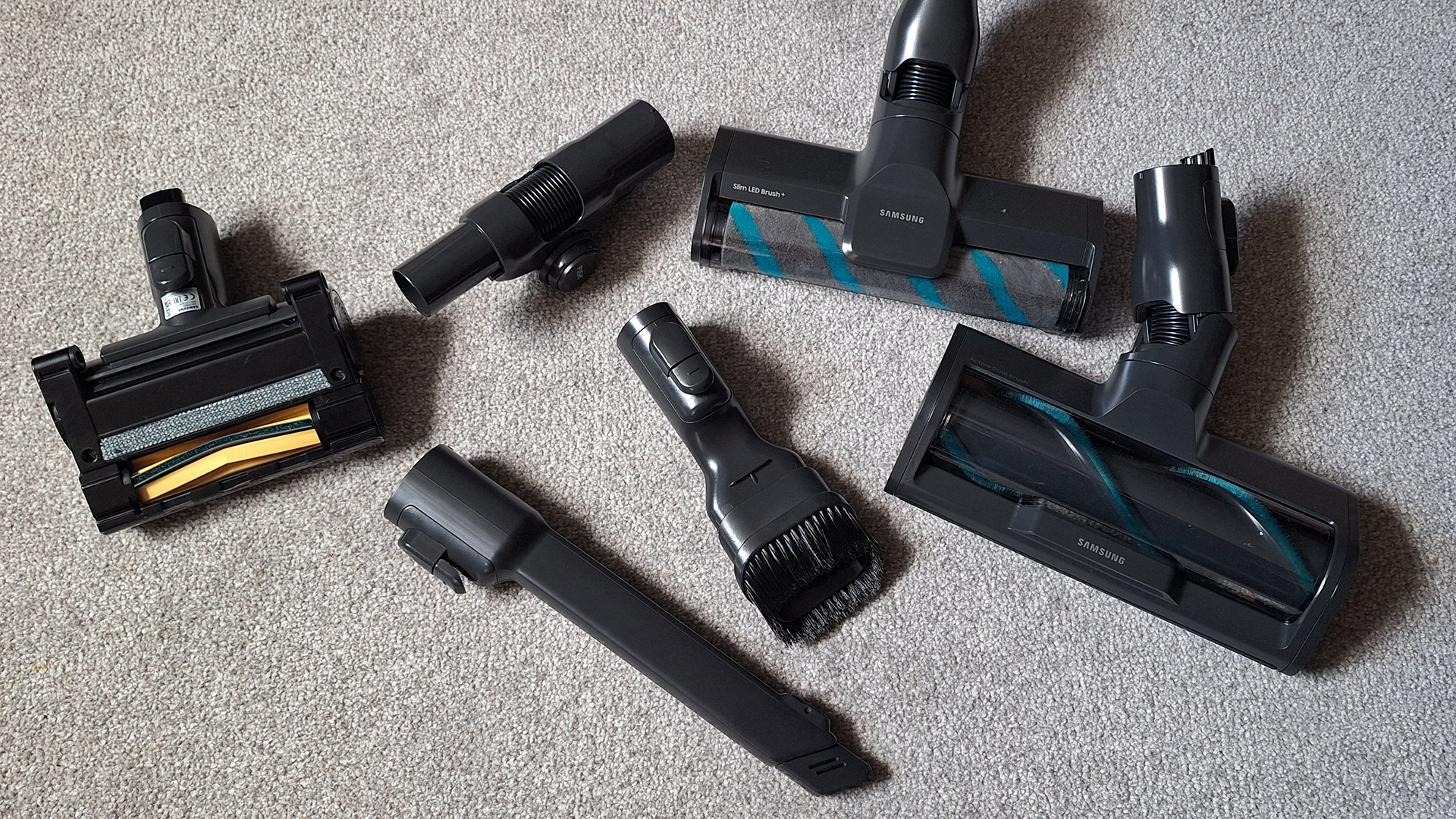
Samsung provides a wide range of detail tools to help you tackle different cleaning tasks. They are as follows:
Active Dual Brush floorhead
Slim LED Brush+ floorhead
Pet Tool+ mini-motorized head
Combination tool
Extendible Crevice tool
Image 1 of 3
The vacuum comes with various detail tools(Image credit: Future)
Image 2 of 3
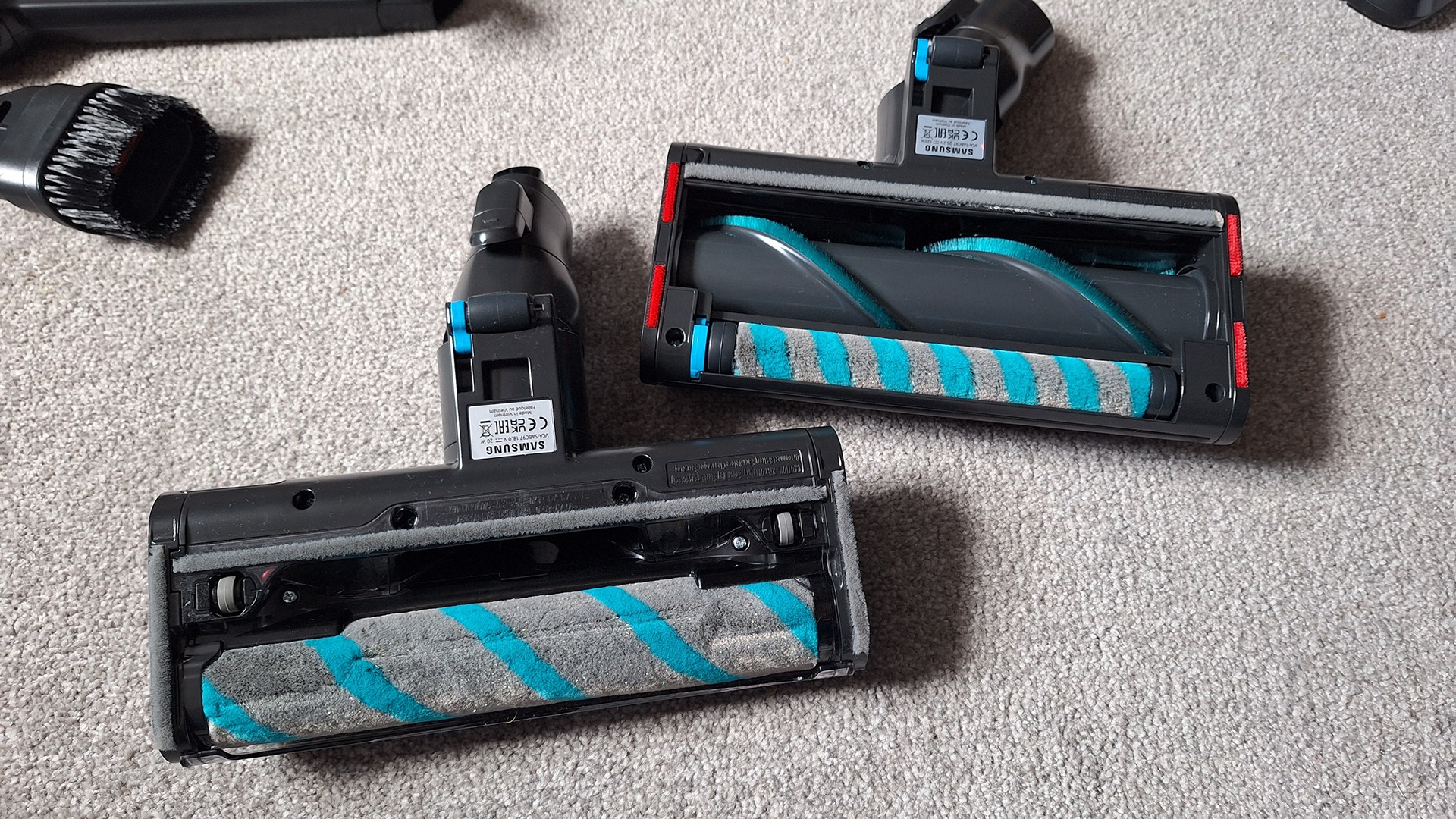
There are two main floorheads(Image credit: Future)
Image 3 of 3
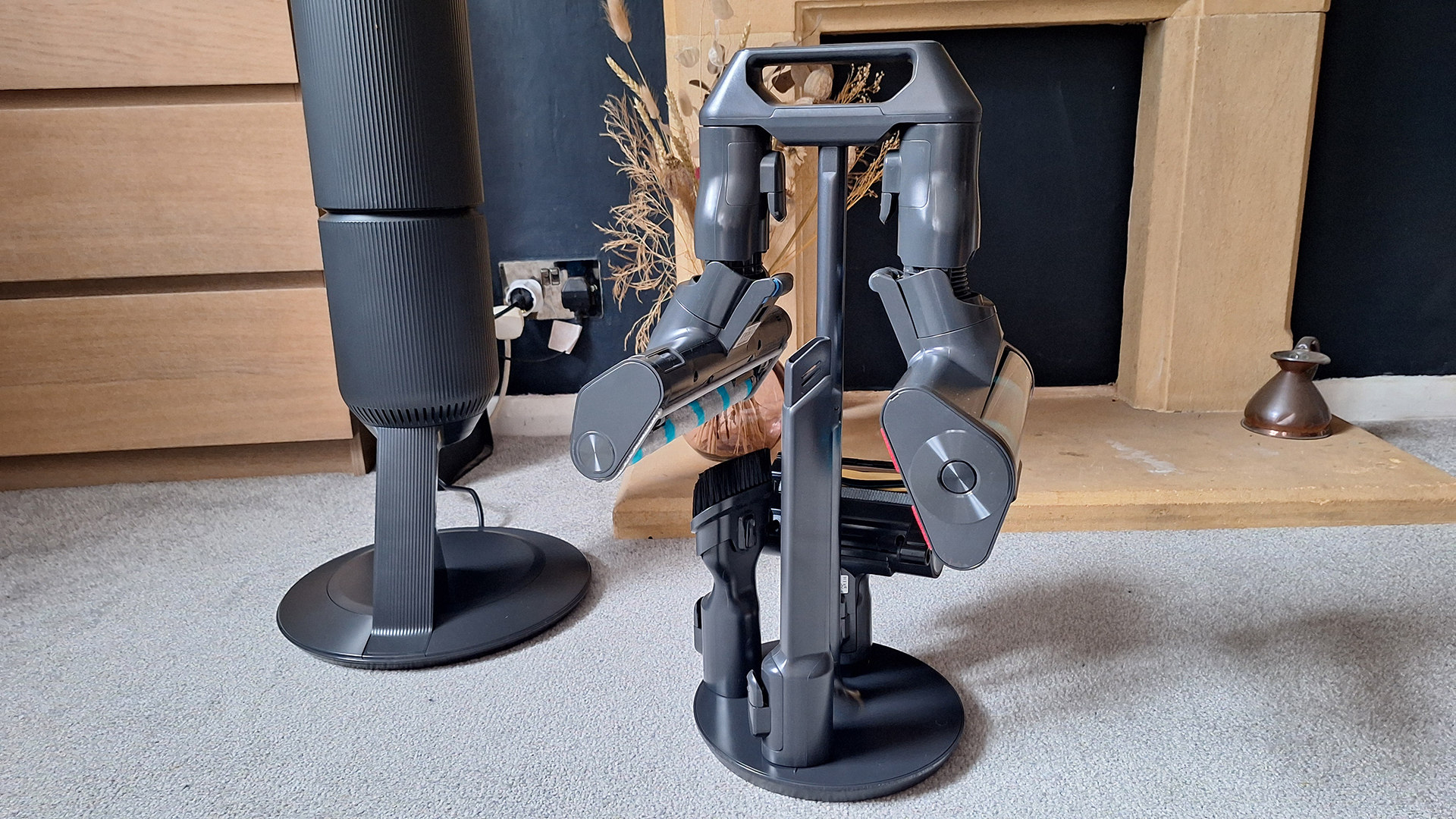
An accessory tree provides somewhere to store everything(Image credit: Future)
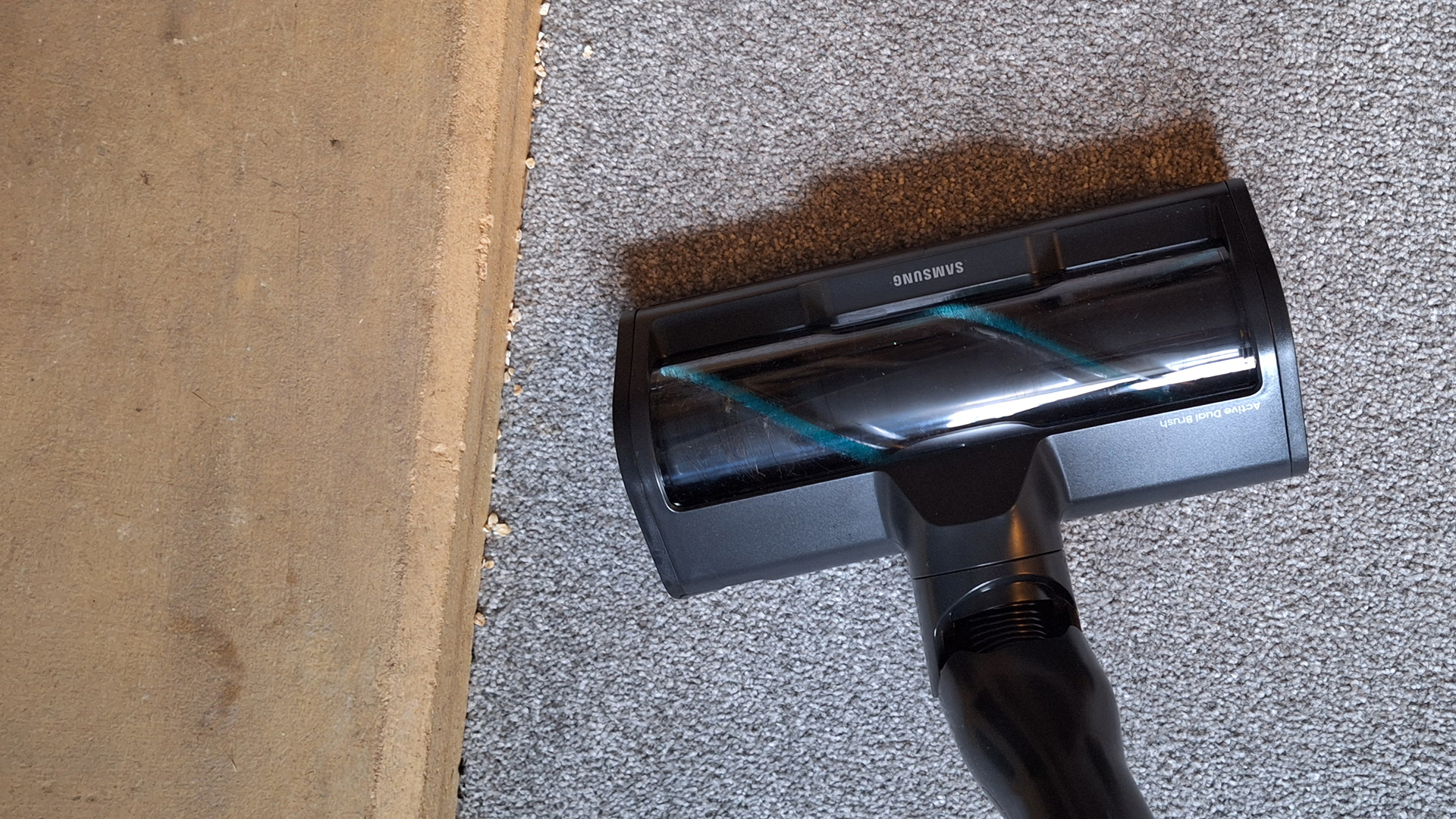
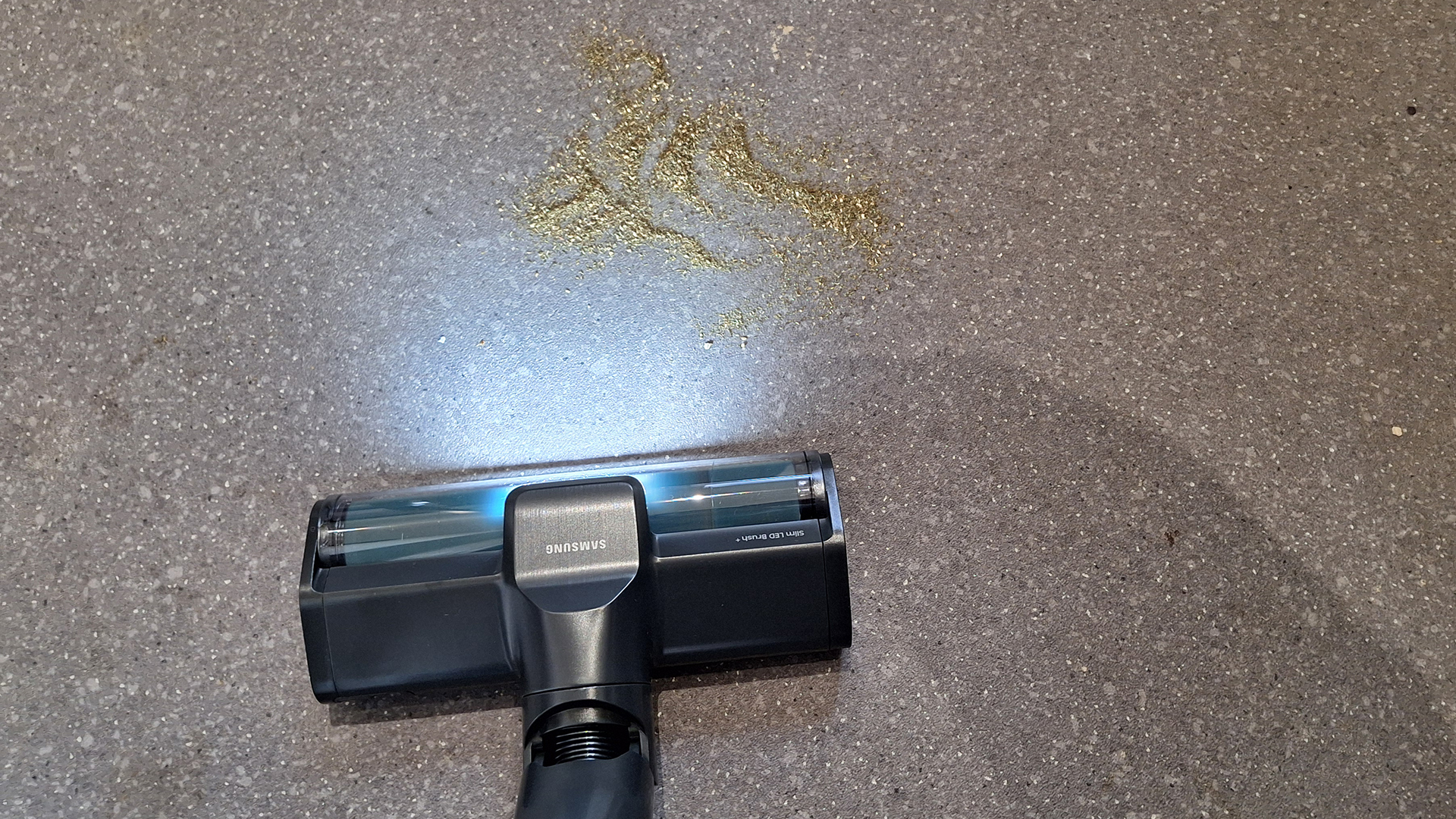
Your main floorhead looks to be the Active Dual Brush, which has a small fluffy roller and a larger one with bristles. I assume this is for use on both hard floors and carpet. There's also a Slim LED Brush+, which has just one large fluffy roller. It's designed for hard floors specifically, since the soft roller can get nice and close to the floor without scratching it.
The Pet Tool+ mini-motorized head is meant for covering larger, not-flat surfaces such as sofa cushions. Samsung has supplied a kind of accessory carousel that has space to house all five of the attachments, with the main floorheads clipping on and dangling downwards.
Design score: 4.5 out of 5
Samsung Bespoke AI Jet Ultra review: performance
Comfortable and fairly maneuverable, but can be hard to push on carpet
Suction excellent, but AI adjustment doesn't always seem to work
Self-empty dock is a big effort-saver
Upon switching the Samsung Bespoke AI Jet Ultra on for the first time, the screen took me on a whistle-stop guide of the vacuum – and I mean whistle-stop; each bit of information barely stayed on-screen long enough for me to read it.
To test performance, I used the vacuum to clean my whole flat, putting all the different attachments through their paces, measuring my experience against Samsung's performance claims. I also ran a series of suction tests on hard floor and carpet.
Comfort & usability
First up, I have to commend Samsung for the ergonomic design of the vacuum's handle. It's a simple thing but often forgotten (I'm looking at you, Dyson) and really does improve comfort in use. That's especially important when the vacuum is on the heavier side, as this model is.
The vacuum is comfortable to hold, thanks to an ergonomically shaped handle(Image credit: Future)
The main Jet Dual Brush floorhead seems to pivot pretty well – although it isn't as nimble as a Dyson – but on test I found it difficult to change direction and get the vacuum moving again on carpet. This was a complaint our reviewer had with both the previous iterations of this vacuum; it seems Samsung might have stuck with the same design here. It's much better with the Slim LED Brush+ on hard floor, though.
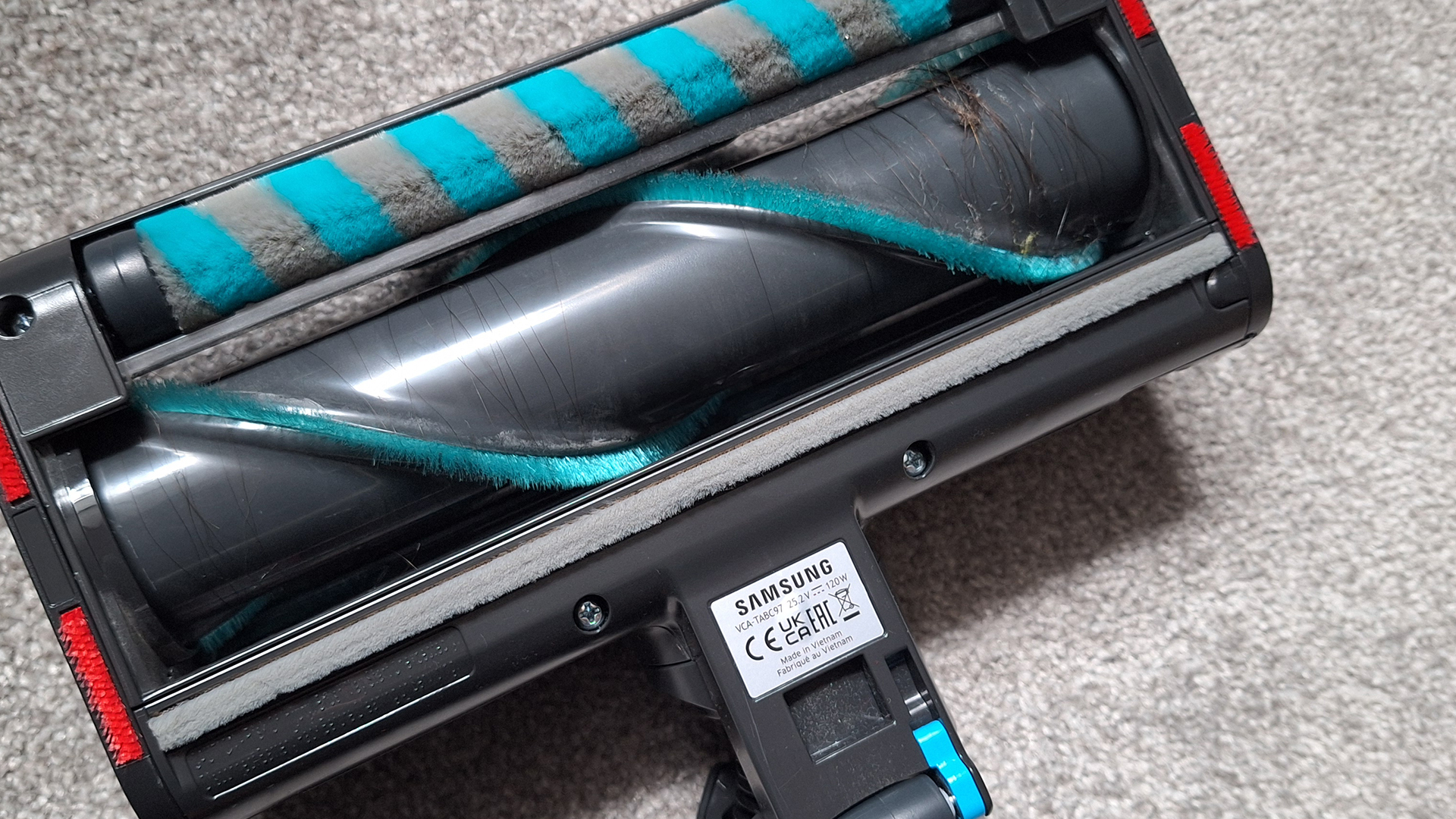
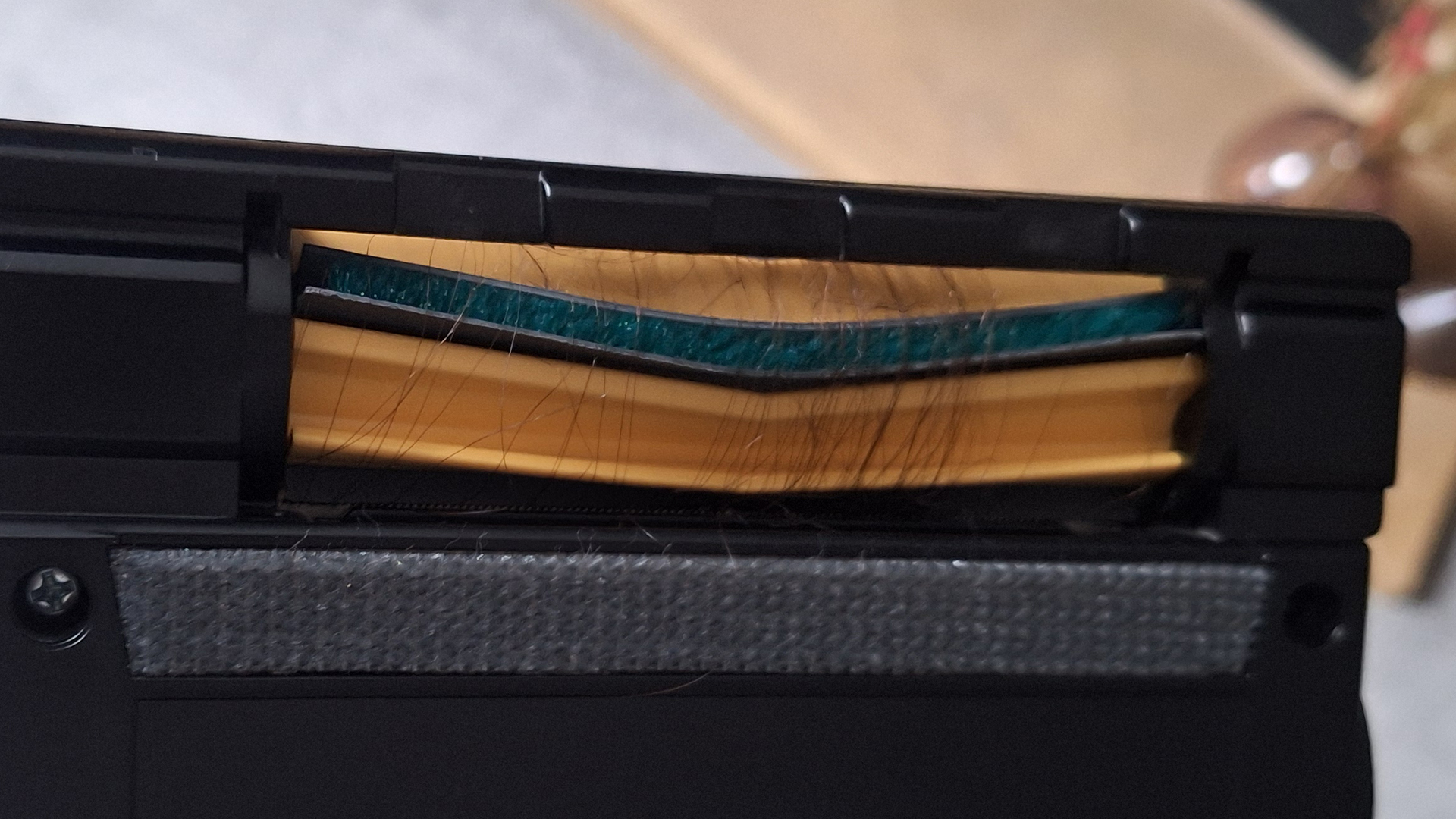
Many vacuum brands have built anti-tangle features into their floorheads, but sadly, the Jet Dual Brush is lacking here; it quickly becomes tangled with my long hair when used on my carpet.
The main floorhead quickly became tangled with hair from my carpet(Image credit: Future)
Both of the main floorheads feature LED headlamps, which are on by default. These do help light the way, but there's a marked difference between these kinds of white lights and the green laser used by Dyson. The former will really only help illuminate dingy corners, while the latter shows up dirt that's near-invisible to the naked eye.
Cleaning performance
The AI mode can be used with either the carpet or hard floor floorheads. Samsung says the vacuum can sense hard floor, carpet, long-pile carpet, mats, corners, and when it's been lifted up. It will then adjust suction and brushroll speed to deliver equivalent cleaning power to being used in Mid mode, but while saving battery and being easier to push, due to less resistance.
It's all quite complicated, but Samsung provided me with some graphics to show the science behind it all – and, in theory at least, it seems to make sense. (Although I will state for the record that in my opinion, I do think that "AI" is being thrown in purely as a buzzword here.)
It's worth flagging that the dock needs to be plugged in with the vacuum connected via Bluetooth for the AI to work, and this mode only works with the two main floorheads.
On test, I found this auto-adjustment a little hit and miss. I could hear the power shifting as I went from hard floor to medium-pile carpet – and I'd receive a notification on-screen saying that the vac was "Optimizing for environment". It also dropped to a lower-power mode when I lifted it up.
However, when I laid out my bath mat (medium thickness, thin, looped pile) on my carpet, it didn't adjust for it; it repeatedly tried to eat it. It also failed to adjust when cleaning the edges / corners of rooms – a feature that has been specifically added to this model.
Power seemed to sometimes adjust for debris on the floor, although this isn't an advertised feature(Image credit: Future)
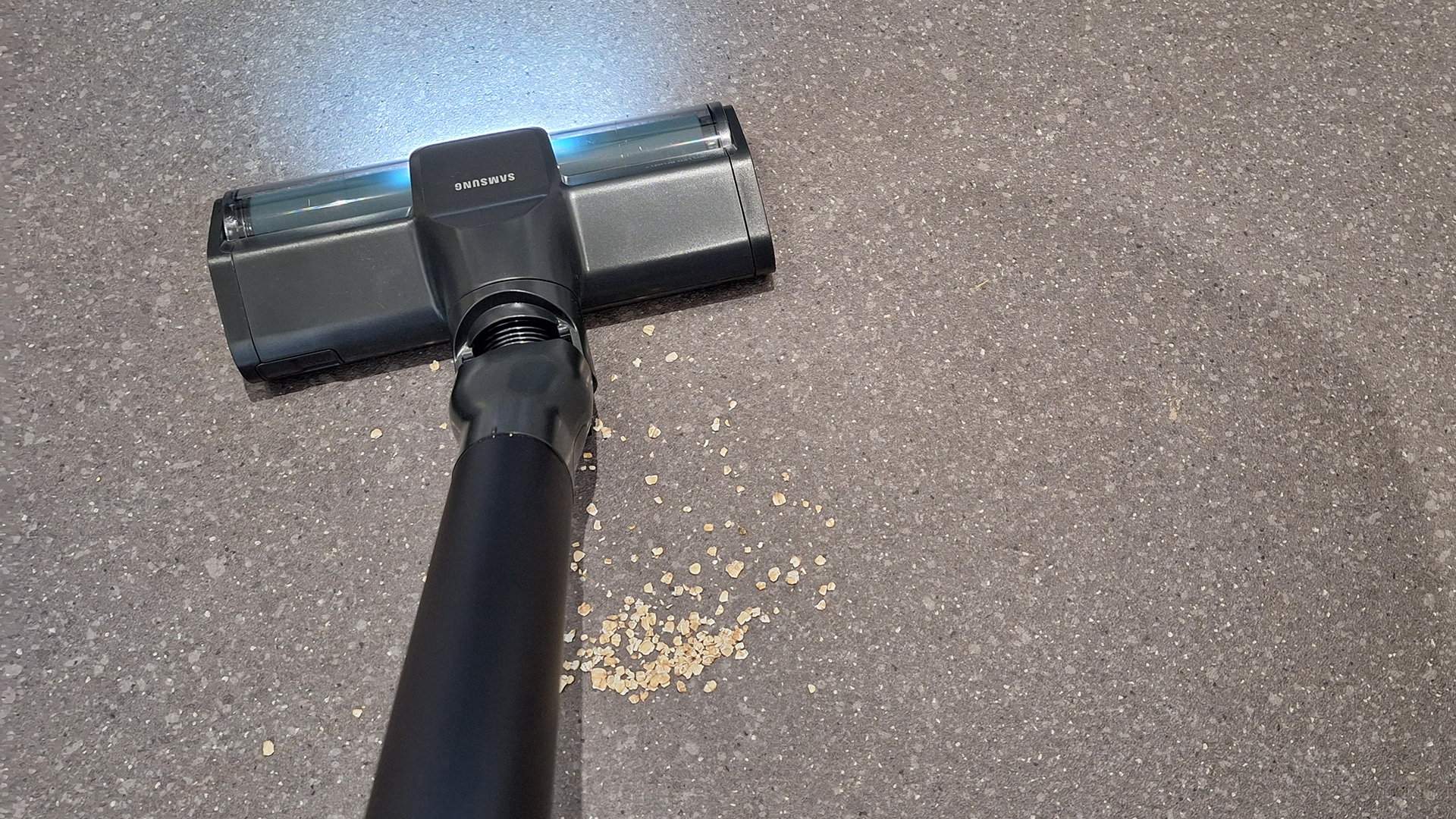
Interestingly, the vacuum did occasionally (not always) adjust for high levels of dirt: for example, when clearing up the spilled oats or cleaning an especially dusty area. Dirt detection isn't something Samsung advertises as an AI feature, although this is the main focus of competitor vacuum brands' automation efforts.
Dyson (with the V15 Detect and Gen5detect) and Shark (with the Detect Pro and PowerDetect cordless) offer their own automation features. Models from both brands can adjust suction based on whether they're cleaning hard floor or carpet, and the level of dirt is detected. Shark's models even adjust when cleaning the edges of rooms. In general, I've found these models more reliable, plus I think adjusting cleaning power based on dirt rather than floor type is a more logical priority.
Suction tests
To get a more objective view of how well the Bespoke AI Jet Ultra vacuum performs, I ran TechRadar's standard suction tests. It was possible to see this vacuum's powerful suction because after running it around my flat, the bin had collected quite large quantities of grey fluff. I can only assume this is dirt off my carpet (which is 3+ years old and past the shedding stage).
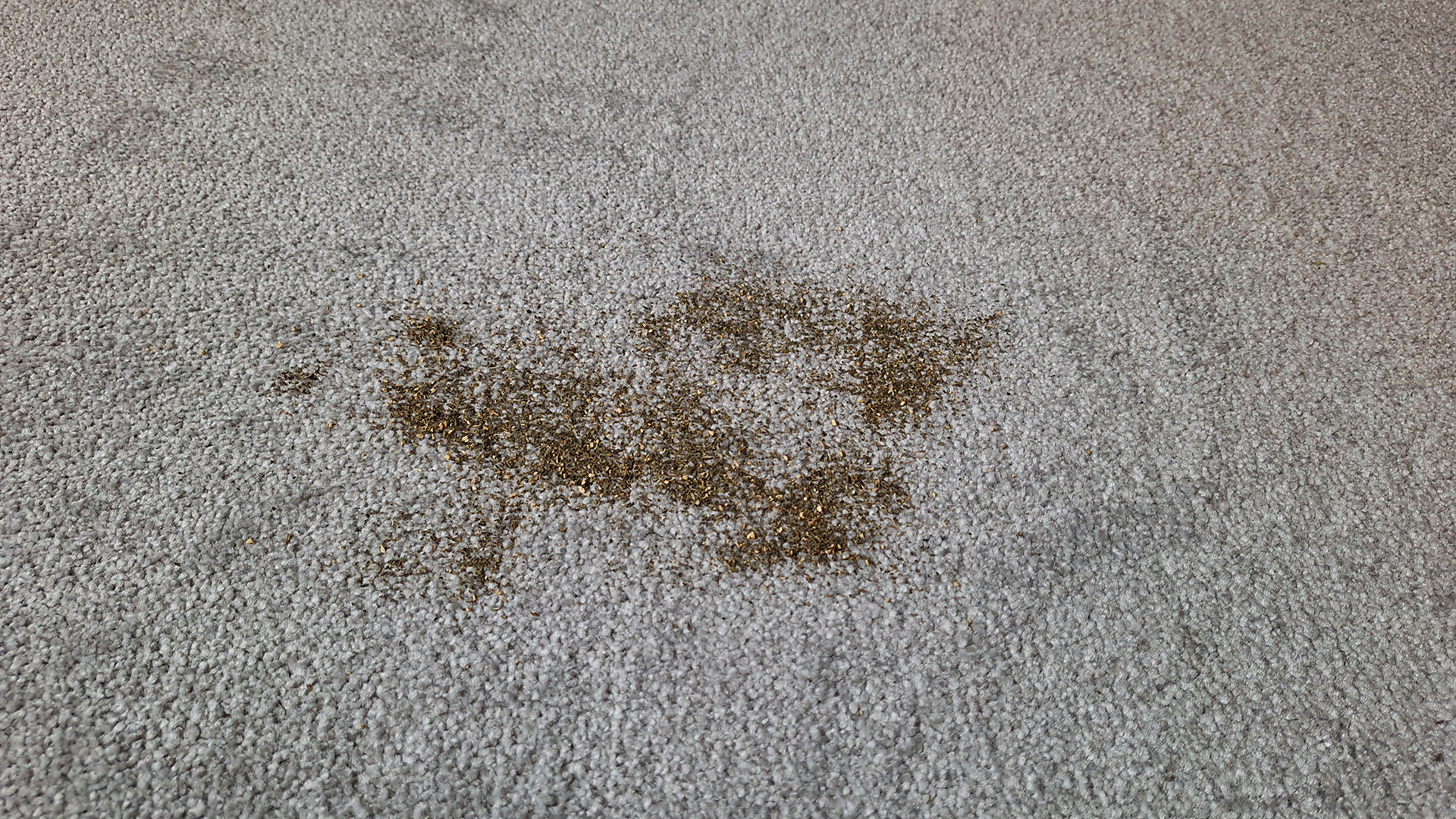
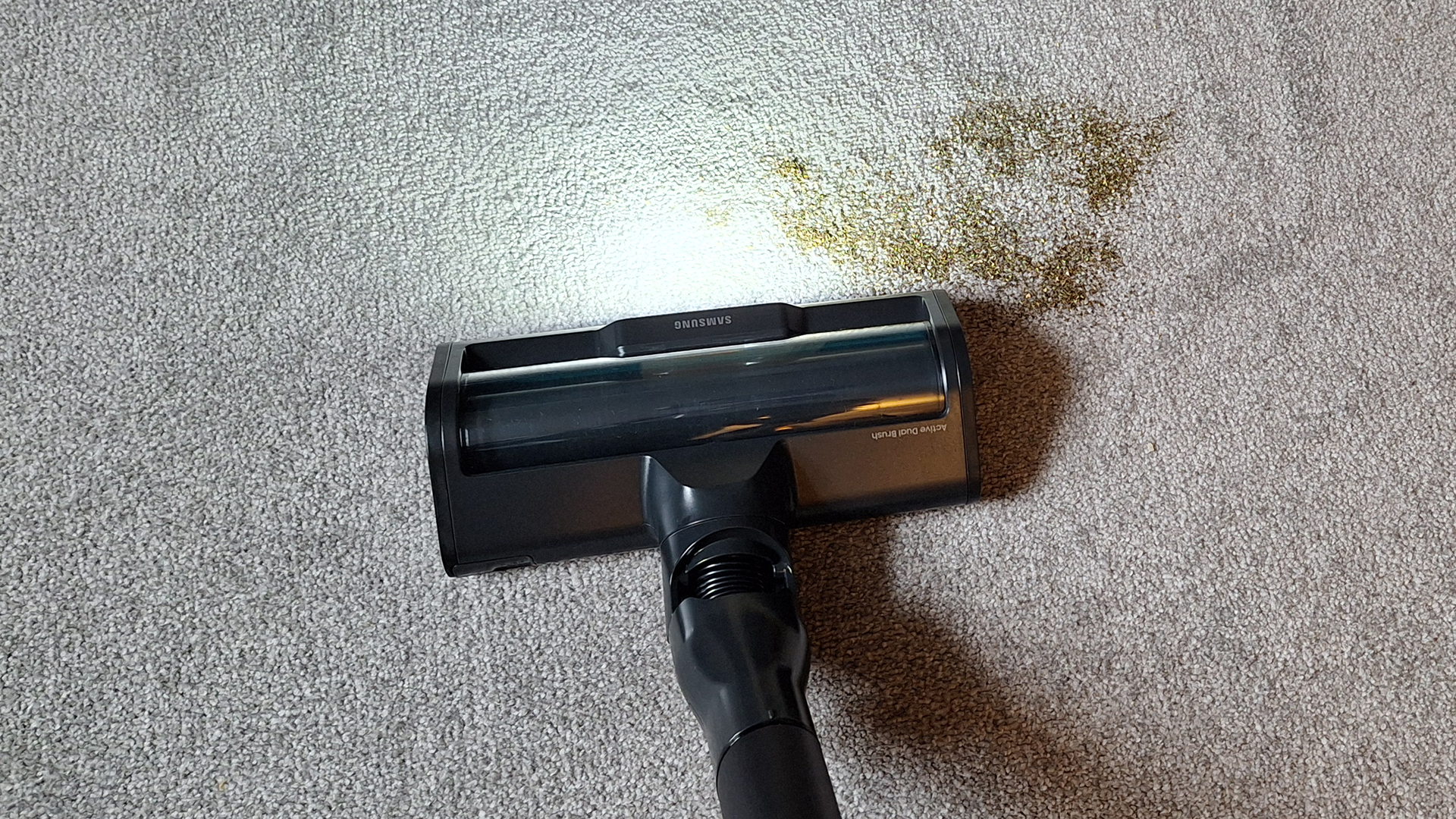
On with the tests. I started by emptying a teabag onto my carpeted floor, to see if the vacuum could clear it with the Active Dual Brush floorhead attached – and it did so extremely well. I tackled one side of the mess using AI mode, the vacuum clearing it in a single forward pass. On the other side I used the vacuum in Min mode, and everything was gone in one forward and backward pass.
Image 1 of 2
Tea on my carpet, before the suction test...(Image credit: Future)
Image 2 of 2
... and during(Image credit: Future)
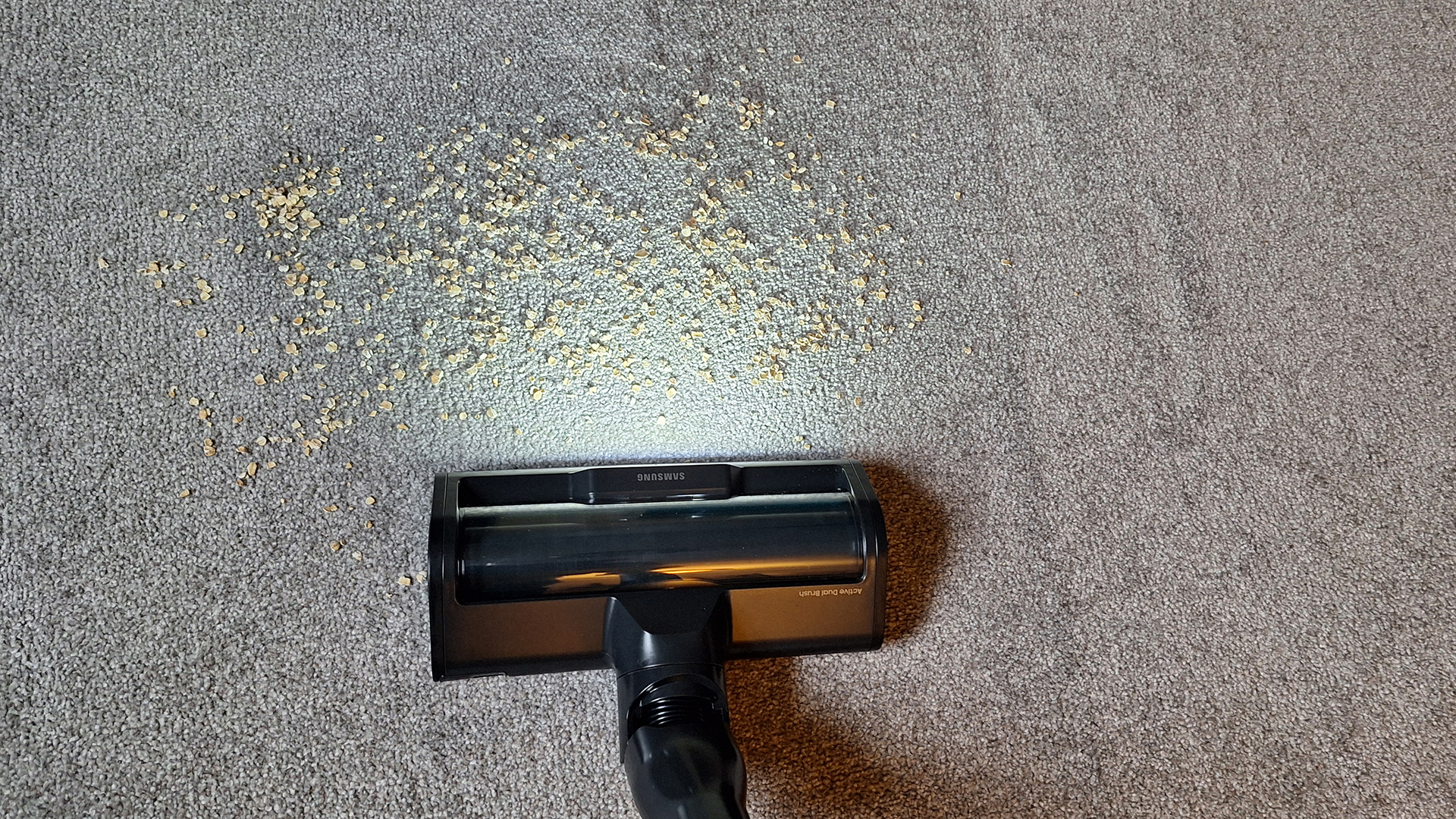
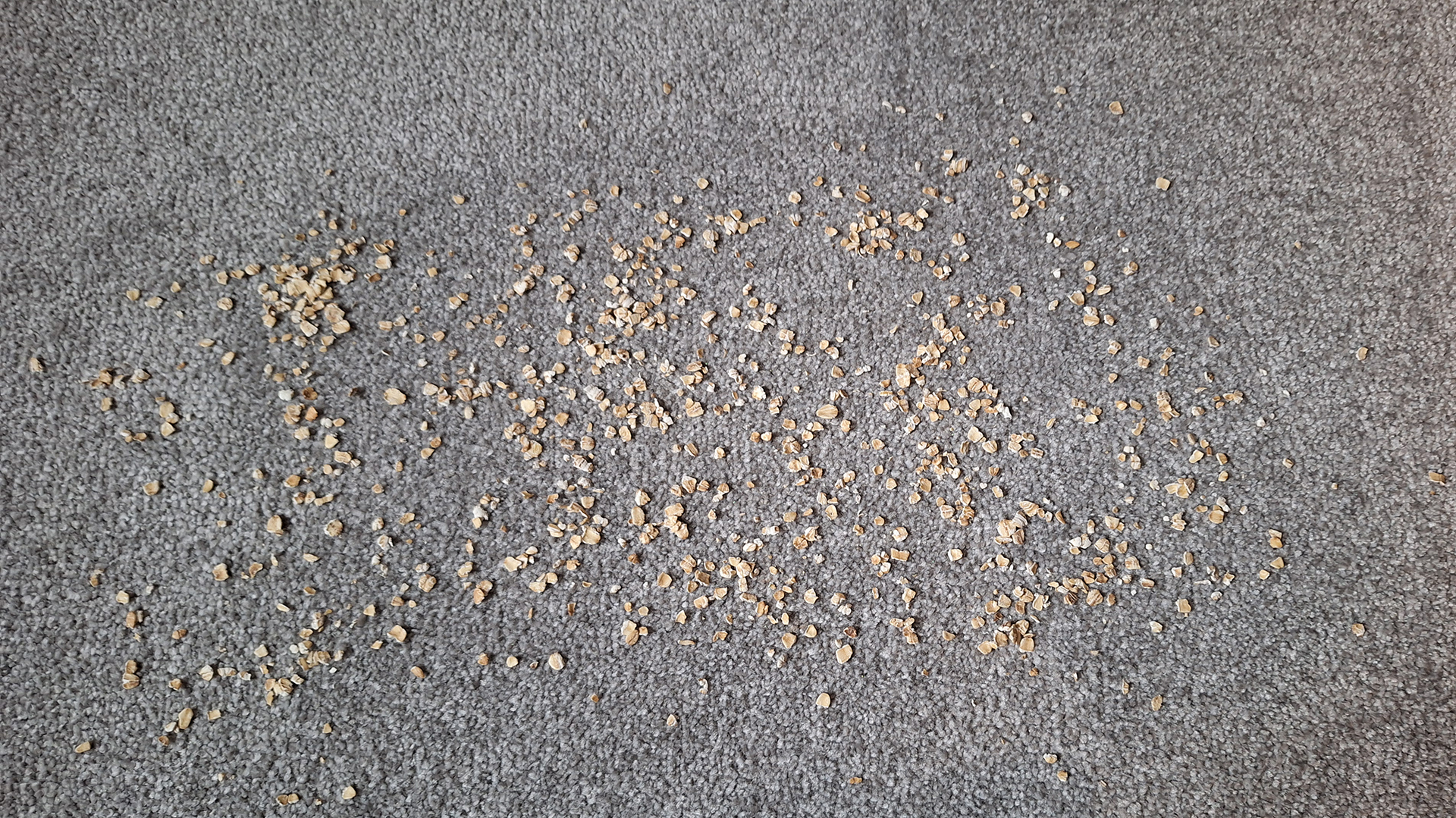
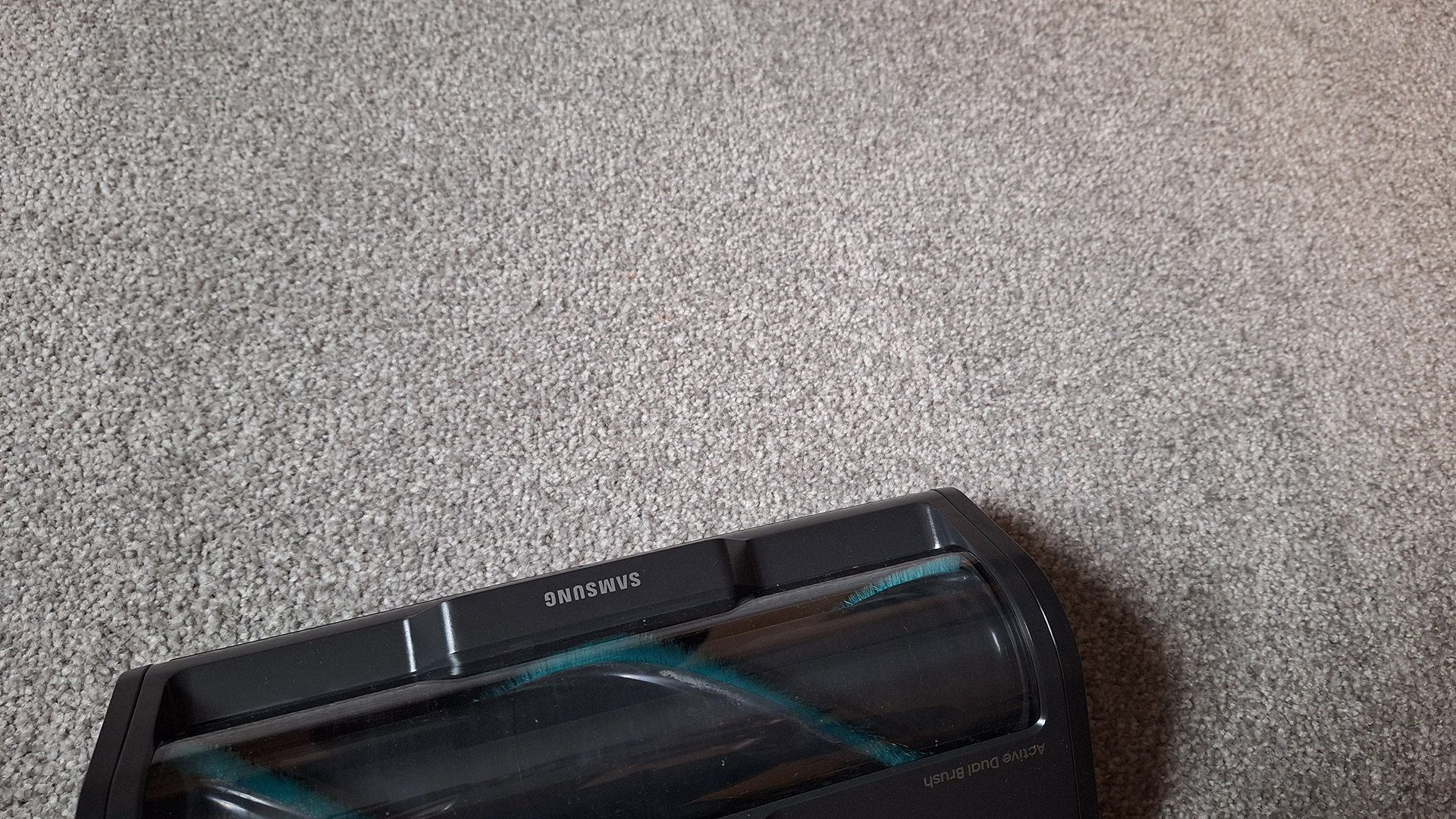
I then ran the same test using oats, to see how well this floorhead would cope with larger debris. Again, the Bespoke AI Jet Ultra cleared everything without any issues, even when I switched from AI mode to Min mode. Neither did the oats ping around, as can happen with larger particles.
During both tests, I also tried pulling the floorhead backwards over the spillage, and was pleased to see there was no pooling of debris behind the floorhead.
Image 1 of 2
Oats on my carpet before the test...(Image credit: Future)
Image 2 of 2
... and after(Image credit: Future)
I sprinkled oats along the side of my fireplace, too, to gauge the efficiency of this vacuum's edge cleaning. I was disappointed not to hear the power ramping up here, especially since edge detection is a new addition for the Samsung Bespoke AI Jet Ultra. Nevertheless, the vacuum did manage to suck up most of the mess, leaving only the oats closest to the carpet's edge; but it did ping some around through the process. The Crevice tool cleared the rest with no issues.
Edge cleaning was decent, although suction didn't adjust as it should have done(Image credit: Future)
Attaching the Slim LED Brush+, designed for use on hard floors, I then repeated the same tests on my kitchen lino.
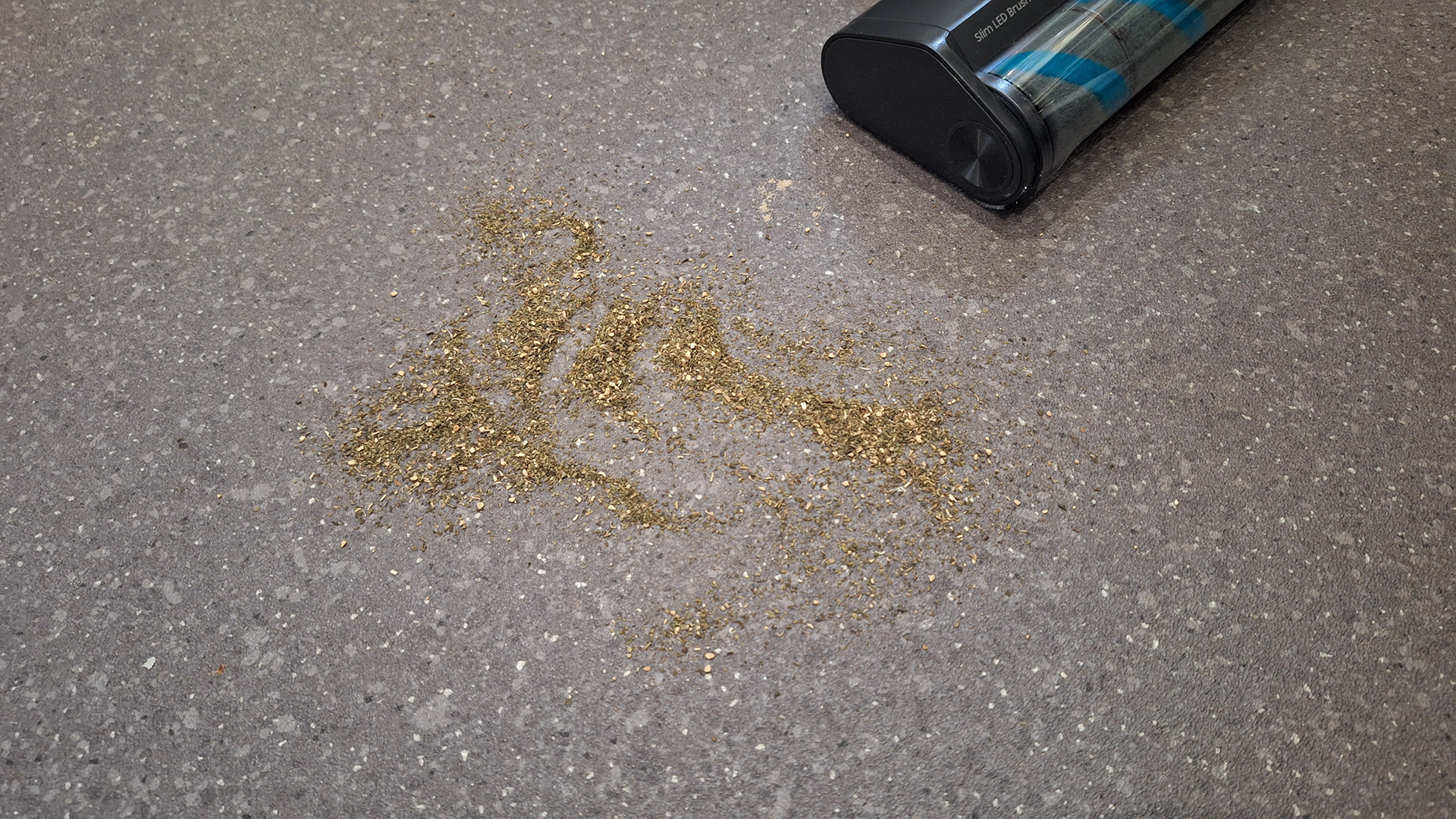
I found the Samsung cleaned up the tea leaves fine, but did cause them to pool behind the floorhead when approached from behind. However, this seems to be a common occurrence with this type of floorhead, because I have encountered the sae problem with the Dyson counterpart.
Image 1 of 2
Tea on my lino floor before the suction test...(Image credit: Future)
Image 2 of 2
... and during(Image credit: Future)
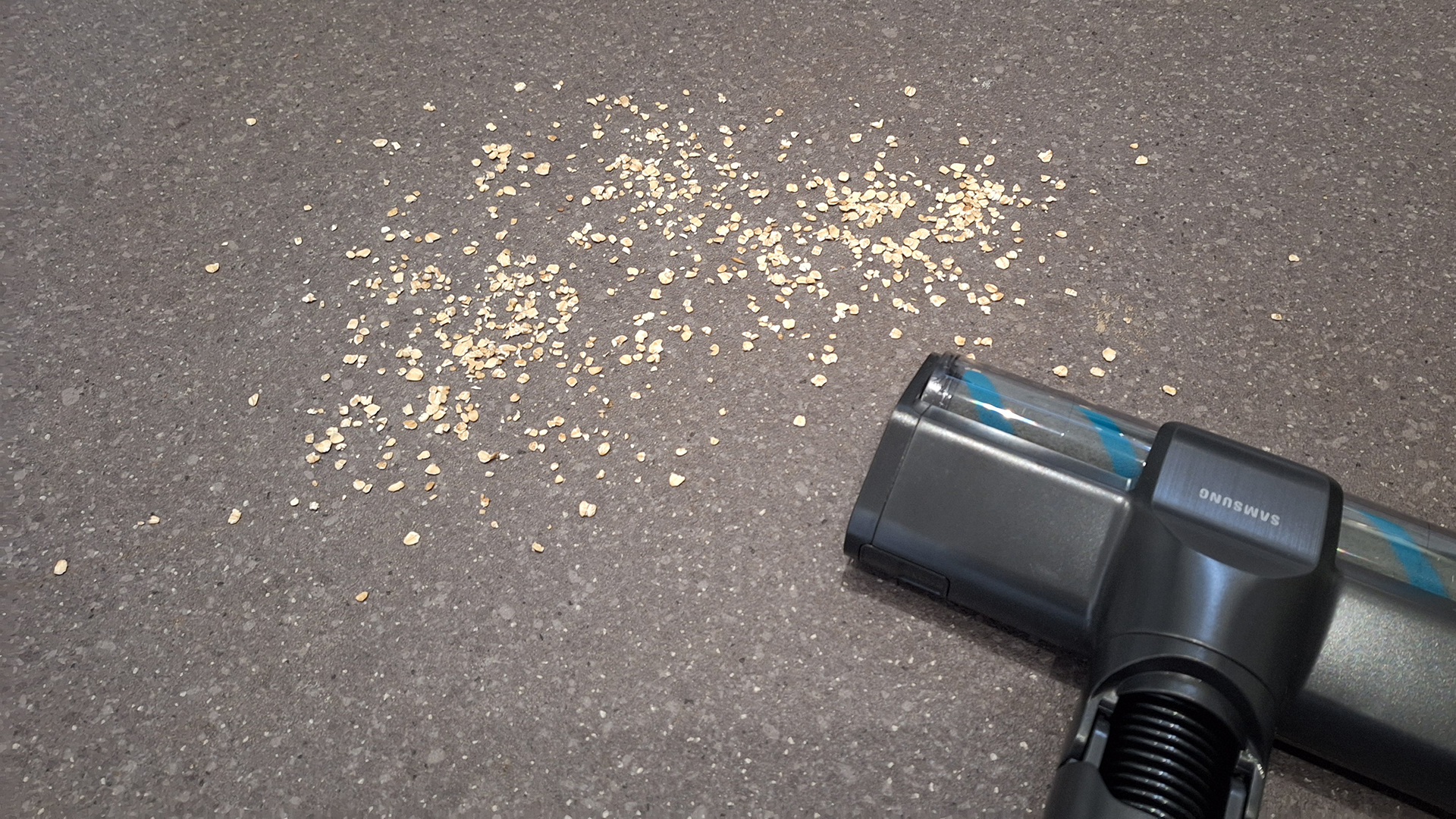
When I ran the test with the oats, the Bespoke AI Jet Ultra cleared them well when approached from the front, but on the reverse stroke the debris again pooled and was pinged around.
Image 1 of 2
Oats on my lino floor before the suction test(Image credit: Future)
Image 2 of 2
Oats pooled behind the floorhead when it was pulled backwards over the spillage(Image credit: Future)
In general, the soft Slim LED Brush+ seemed to struggle to pick up hair and debris off lino flooring around edges of the room. I assume it's really designed for fine dust, but it's very difficult to tell how it's managing that.
Attachments & handheld mode
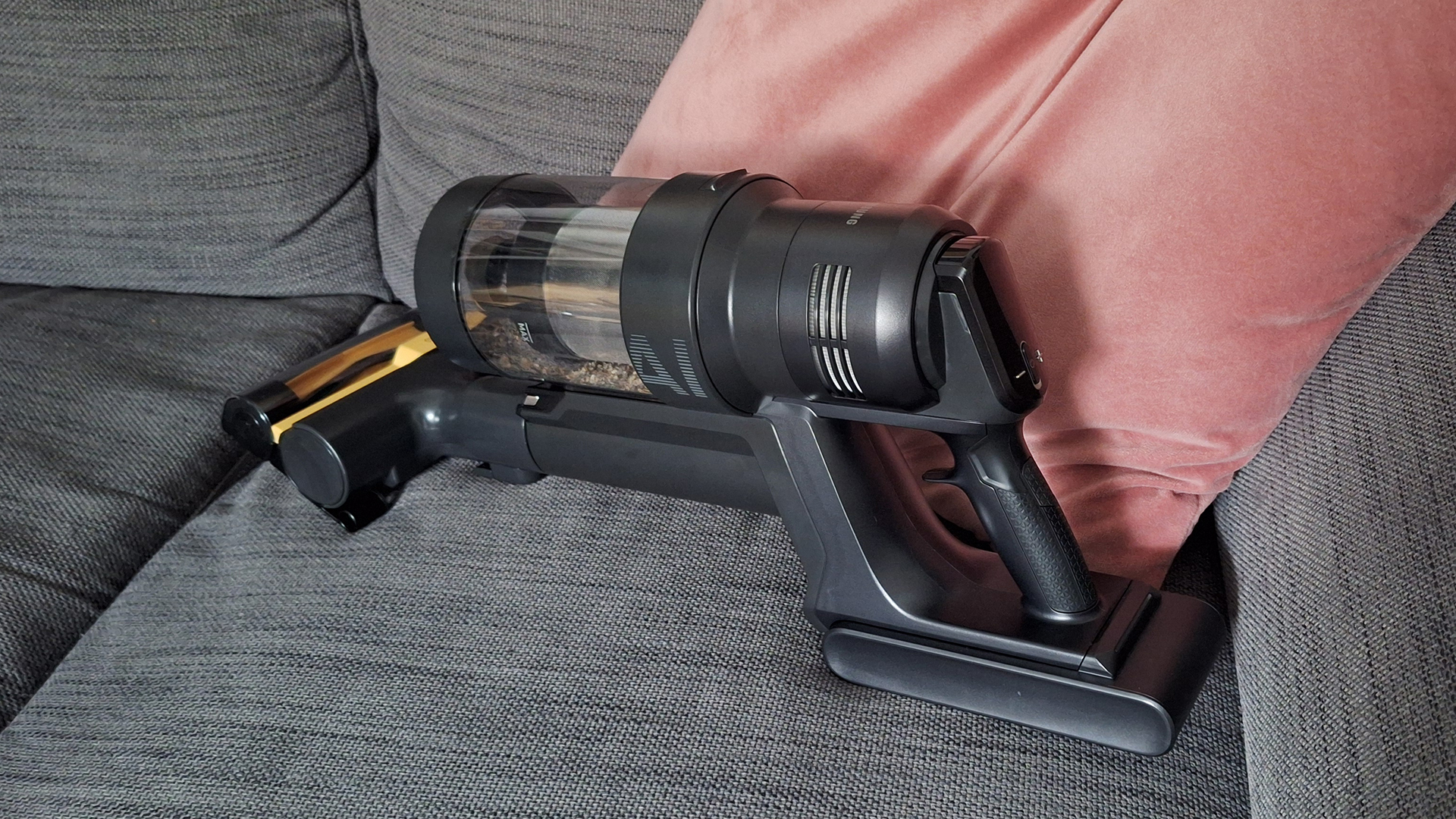
Like most modern stick vacuums, the Samsung Bespoke AI Jet Ultra can be converted into a handheld machine by removing the wand and adding a detail tool. In use, while it felt a little heavy used in this way; it was fine in general, with the ergonomically shaped handle helping with grip and maneuvering.
This vacuum can be transformed for use as a handheld(Image credit: Future)
The Pet Tool+ mini-motorized head worked well on my sofa, although it did quickly become tangled with hair. (This is an issue Dyson has managed to solve by swapping out a parallel roller for a conical one.)
The Pet Tool+ worked well but became tangled with hair(Image credit: Future)
Samsung has made its Crevice tool extendible, although be aware that it does become wobbly when extended. My only other minor complaint with the attachment-swapping process is that upon removing the main floorhead following my suction tests, I found some oats fell back out onto my floor – they obviously hadn't quite made it to the bin.
Emptying
The Samsung vacuum's auto-emptying worked as advertised, clearing almost everything from the bin on its "short" cycle, and leaving only a bit of fluff and few hairs wrapped around the central filter. It was a little noisy, but nothing too offensive.
I appreciate that Samsung has included an option to turn the lights off on the dock and vacuum screen – charging LEDs that blink in the night are a perpetual irritation to me.
However, you can't turn off the auto-empty, which in my opinion is an oversight. I found it annoying when using the vacuum for just quick cleanups, when there was barely anything in the bin. There are also occasions where you won't want the disturbance – say the dock lives near a child's bedroom, and you've used the vacuum elsewhere in the evening; you'll need to be quick on the Stop button when adding it back onto its perch.
Although I don't particularly mind having to manually empty my vacuum's bin, the automation is super convenient. It might also appeal to allergy sufferers, because it means fewer chances for allergens to escape back into the air once they've been sucked up. You will have to factor in the ongoing cost (and minor hassle) of buying dust bags, though.
App
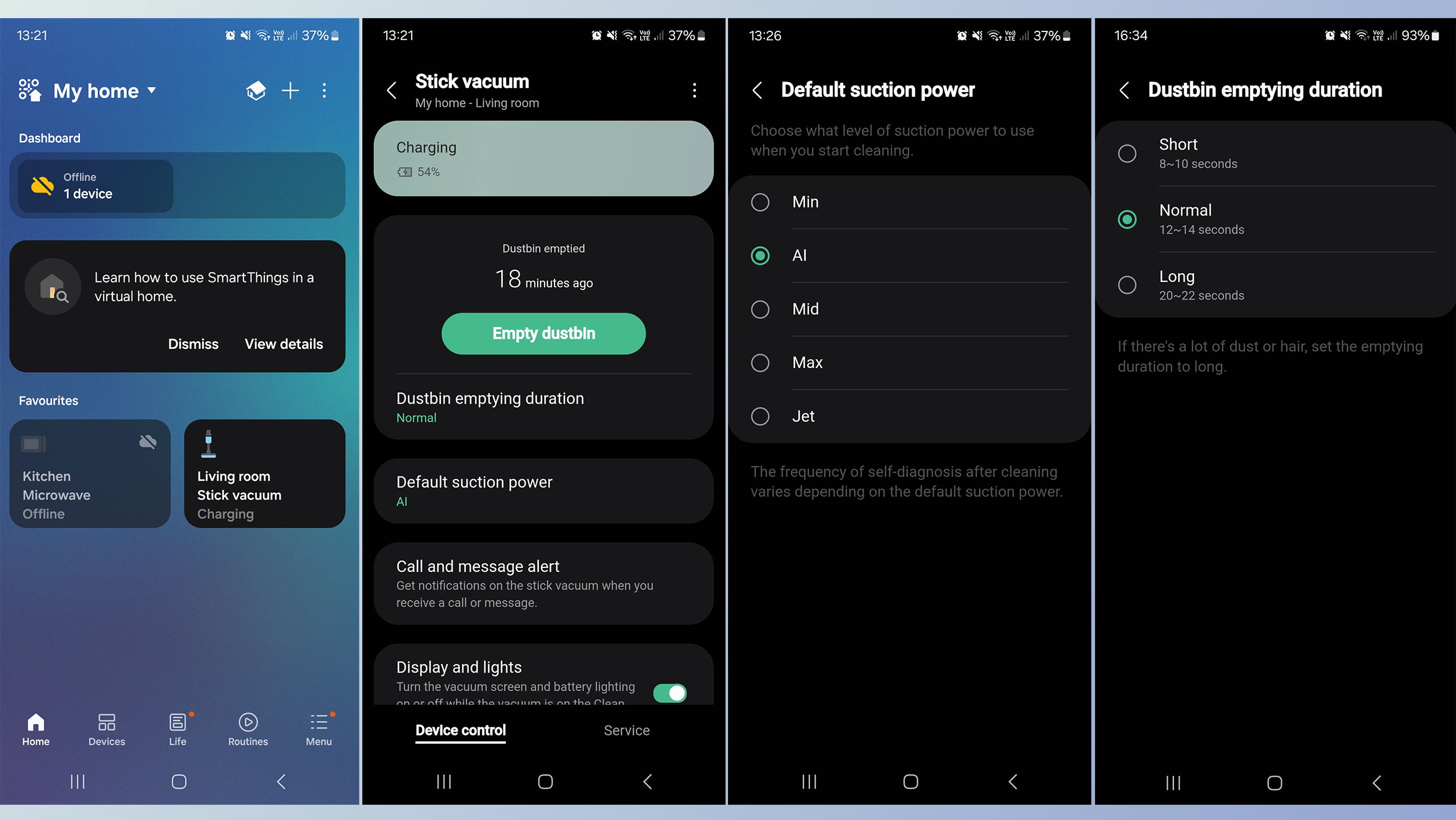
You can control aspects of the vacuum's settings via the Samsung's SmartThings app. It will display charge status, and when the dustbin was last emptied. You can also direct for the dustbin to be emptied, if the vacuum is docked. However, since this happens automatically when you dock the vacuum, it feels a little unnecessary... although I guess it might be useful if it hasn't fully emptied, and you don't want to get up and press the button on the machine itself.
You can also adjust the time allocated to emptying the dustbin – shorter, if you know you aren't picking up much on a general clean; longer, if you're dealing with mountains of pet hair – and set the default suction power. It's on AI as standard, but you could pick a different mode, if you prefer. And it's also possible to switch off all the vacuum's lights while it's docked. Note that none of this functionality is essential, though, so you could get by just fine without the app.
Performance score: 4 out of 5
Samsung Bespoke AI Jet Ultra review: battery life
Comes with two interchangeable batteries
One lasts 100 mins, the other 60 mins
Theoretically up to 2hrs 40 mins cleaning in Min mode
Unusually, my Samsung Bespoke AI Jet Ultra came bundled with two batteries – one big (in size and capacity) and one small.
Samsung quotes a maximum runtime of 1 hour 40 minutes for the larger battery, and 60 minutes for the smaller. Anything over an hour's runtime is exceptional, although obviously we're talking about that being achieved on the lowest powered mode, plus that's not standardized from machine to machine.
One unit will charge in the vacuum on the dock, and there's a separate small charge dock supplied to keep the second battery juiced up. All this means you can hot-swap them, to get up to 2 hours 40 minutes of cleaning.
Battery life score: 5 out of 5
Samsung Bespoke AI Jet Ultra review: alternatives to consider
Dyson Gen5detect This is Dyson's most advanced model at the time of writing. It's premium in price but still a lot cheaper than the Samsung. The floorheads contain sensors that detect dust and debris, adjust suction in response, and report back in real time on-screen. The hard floor floorhead also has a laser than can illuminate near-invisible dust. There's no auto-empty dock, however.
This is Shark's top model at the time of writing. It's significantly cheaper than both the Dyson and the Samsung, although it does also feel less premium. It can auto-adjust suction based on dirt levels, floor type, and if it's cleaning near the edge of a room. There's an optional auto-empty dock, too.
You have a big home and are serious about cleaning
The dual-battery setup and auto-empty capabilities come into their own in larger homes with higher levels of dirt.
You suffer from allergies
The auto-empty dock has benefits for allergy-sufferers, because there are far fewer chances for particles to escape back into the air.
You love a cutting-edge gadget
Not many vacuums these days use AI or come with a companion app. If you want the most modern floor cleaner around, Samsung's new vac is up there.
Don't buy it if...
You're on a budget
The Samsung Bespoke AI Jet Ultra is the most expensive vacuum we've tested by some margin. There are plenty of alternatives that offer similar performance and features for a much lower price.
You have a smaller home with one floor type
The AI features are the main reason for investing in this vacuum, and if your home has only one floor type throughout, you won't see most of the benefits.
How I tested the Samsung Bespoke AI Jet Ultra
I received a pre-launch sample of the Samsung Bespoke AI Jet Ultra, and was only able to keep it for a week. During this time, I used it to clean my entire flat, testing out all of the detail tools as well as using both floorheads. I also ran TechRadar's standard suction tests to get an objective idea of how it performs in practice. I tested any features and claims made by Samsung, and compared my experience to other vacuums I've reviewed – in particular, the Dyson Gen5detect and Shark PowerDetect stick vacuum.