The more I tested the GMKtec NucBox M7 Ultra, the less it looked like it justified its 'Ultra' moniker

GMKtec NucBox M7 Ultra: 30-second review
Having just reviewed the GMKtec M5 Ultra, that prior investigation puts an interesting twist on the M7 Ultra now before me.
Because the M5 was built on a platform that wasn’t widely utilised, and the M7 Ultra turned out to be built on a platform from 2022 that nobody used at all.
However, don’t be put off by the older hardware, because this Ryzen 6000 series processor with Zen3+ architecture is well-suited for a mini PC. It has DDR5 support, USB4 and plenty of PCIe lanes, enabling the M7 Ultra to deliver a well-rounded and confident performance level that’s above any of the Ryzen systems that use DDR4 and the Vega 8 GPU.
It’s also got plenty of potential for upgrades, either internally with the SODIMM and M.2 slots, or externally via USB4. And it must also be one of the cheapest systems to come with Oculink, enabling the external connection of discrete graphics cards via its 64Gb/s interconnect.
Compared to a cutting-edge system, it only has eight cores (sixteen threads), the DDR5 is only 4800 MT/s, and while it is a PCIe 4.0 system, it only supports PCIe 3.0 on the M.2 slots.
Those caveats make me think that the M7 Ultra is suitable for someone who needs a little big more power, but not the performance of a Ryzen 9 or Ryzen AI machine.
For that person who does more than just basic office tasks, this might be ideal, and if they suddenly need more graphics performance, it can be added via Oculink.
Where this system is flawed is that it's slower than the M7 and M7 Pro that came before it. Given the silicon's age, this isn’t going to feature in our round-up of the best mini PC systems, but with a reasonably effective platform and plenty of ports, it's not junk either.
GMKtec NucBox M7 Ultra: Price and availability
- How much does it cost? From $310/£260/€300
- When is it out? Available now
- Where can you get it? Direct from GMKtec and via online retailers
Much like the M5 Ultra, the M7 Ultra is offered in three basic SKUs that go from the baseline barebones system with no memory or storage, to an intermediate 16GB+512GB option that’s reviewed here, to the top spec with 32GB of RAM and 1TB of storage.
In the USA, these machines are priced at $309.99, $439.99, and $529.99, respectively.
GMKtec doesn’t have a specific UK outlet, but from the European site (e.g., de.gmktec.com), these systems are £260, £347 and £408, which, if you have DDR5 and an M.2 module, looks like a great deal. Euro prices are €299.99, €399.99 and €469.99. And all the M7 Ultras bought in Europe come with a free 8-in-1 USB docking hub reputedly worth €29.99.
I'm also seeing it available on both Amazon.com and Amazon.co.uk with similar pricing.
For those curious, based on the current exchange rates when writing this, the 32GB+1TB model is almost the same price no matter where you buy it, but the barebones model is 12% more expensive.
Another obvious question is how these prices compare with the M5 Ultra? In short, the M7 Ultra is about $50 more than the M5 Ultra for the barebones, and about $40 more for the 32GB+1TB option. When you consider that the M7 Ultra comes with USB4, uses DDR5 and is significantly faster, then the price difference is modest.
What I’d advise against is sourcing this via Amazon, as their systems only come with 512GB of storage, and the asking price is $489.99.
In this part of the review, I’d normally list the other mini PCs that use the same platform and how some are more expensive, and others are cheaper, but not today.
Unless I missed one, no other mini PC maker is using this platform, and I couldn’t find any retail computer, of any variety, that uses it. There are several mini PCs with AMD Ryzen 7 6800H, 6850H, and other “H” series chips, but these are not the same as the PRO 6850U.
Why is this the case? I’ve no information to share. It might be that AMD has TMSC make bins of many Ryzen 6000 mobile chips with no clear market, and now they’re having a clear out of those that didn’t sell.
Whatever the reason, this is a mid-2022 platform built on a fab AMD no longer relies on, and it might be that the GMKtec M7 Ultra is the one and only machine the AMD Ryzen 7 PRO 6850U gets to see the light of day.
Which might go some way to explain how competitively priced this system is.
- Value: 4 / 5
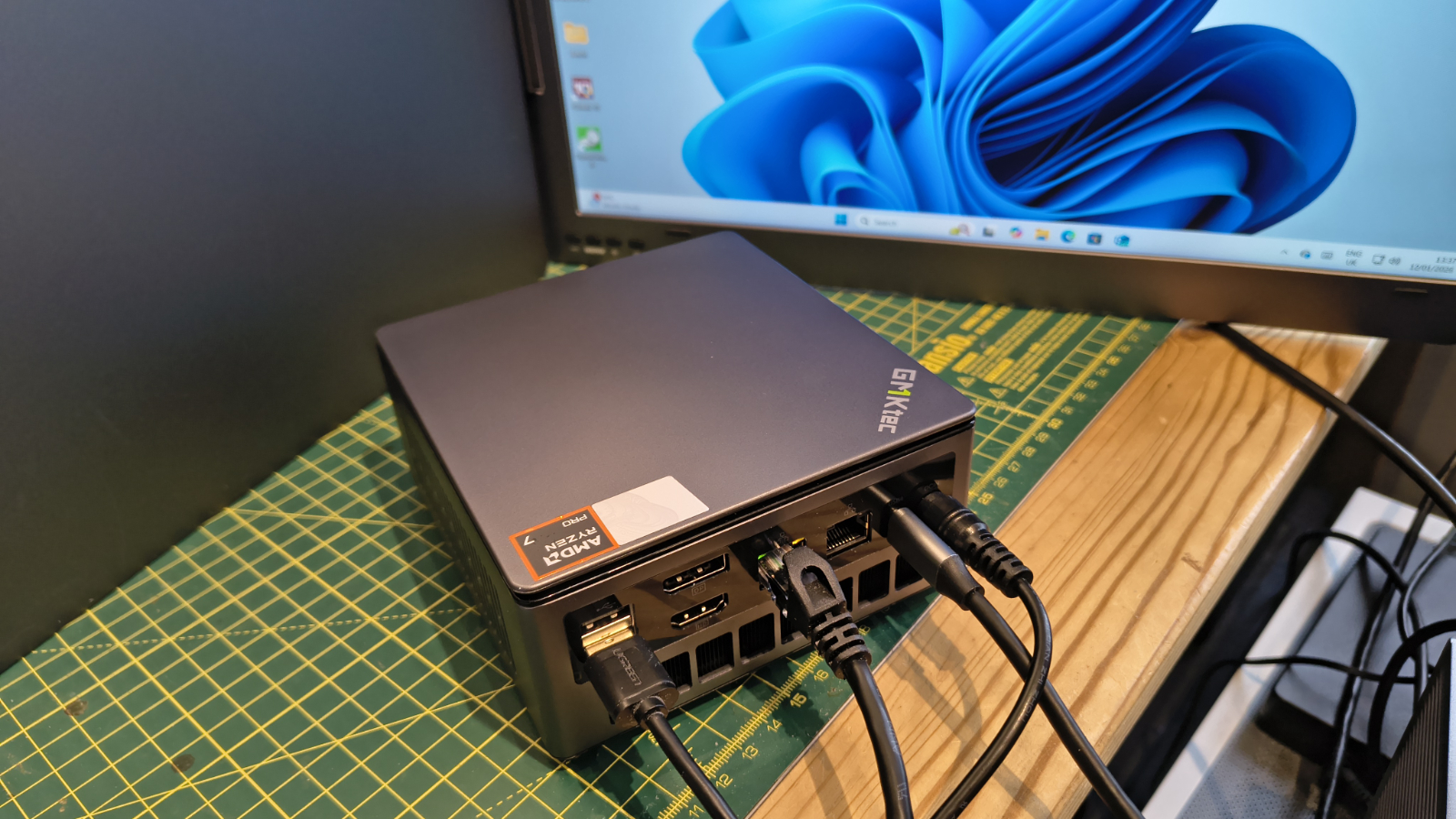
GMKtec NucBox M7 Ultra: Specs
|
Item |
Spec |
|---|---|
|
CPU: |
AMD Ryzen 7 PRO 6850U( 8C/16T, up to 4.7GHz) |
|
GPU: |
AMD Radeon 680M, up to 2.2 GHz |
|
NPU: |
N/A |
|
RAM: |
16GB DDR5-4800 (8GB x 2) expandable to 64GB |
|
Storage: |
512GB M.2 2280 PCIe Gen 3 |
|
Expansion: |
1x M.2 2280 PCIe Gen 3 |
|
Ports: |
2x USB4, 2x USB 3.2 Gen 2 Type-A, 2x USB 2.0, 1x HDMI 2.0, 1x DisplayPort 1.4, 1x 3.5mm Audio, 1x Oculink |
|
Networking: |
2x 2,5GbE Realtek RTL8125, WiFi 6E, Bluetooth 5.2 |
|
OS: |
Windows 11 Pro (pre-installed) |
|
Base Power: |
15W-28W |
|
PSU: |
19V 6.32A 120.08W |
|
Dimensions: |
132 x 125 x 58 mm |
GMKtec NucBox M7 Ultra: Design
- Decent build quality
- Easy internal access
- VESA mountable
There are two important things about GMKtec systems I like, and those are the build quality and the ease of internal access. And, the M7 Ultra doesn’t confront either of those expectations.
While the top and underside of this NUC are plastic, the part that is likely to take the greatest amount of abuse, the sides, is metal on all faces.
It’s a cool gunmetal grey, and the plastic top is painted to match.
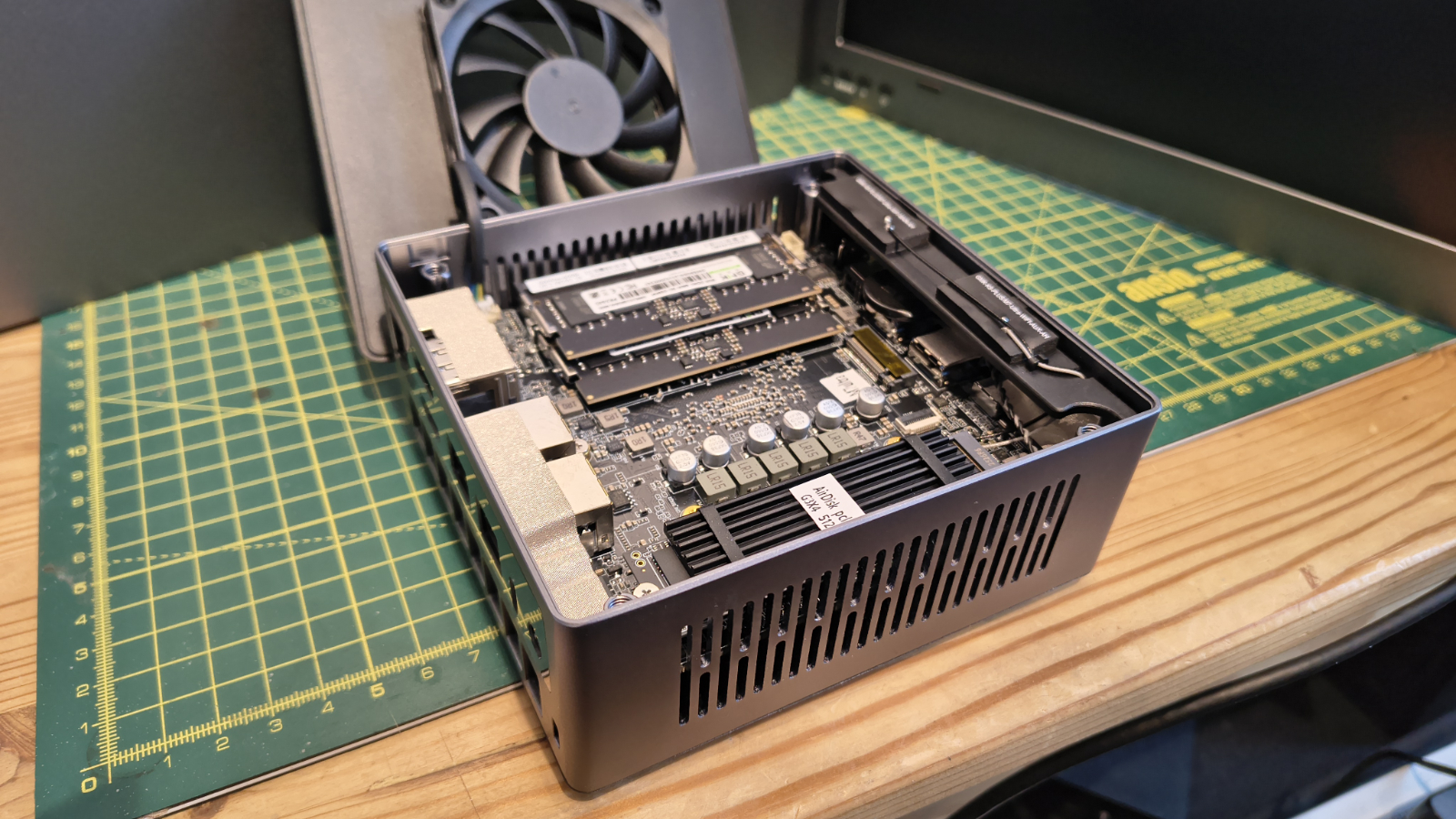
Access is remarkably straightforward, with the top rotating to come away, and with that removed, there are four large screws visible that most people should have a suitable screwdriver for.
I like that these are large, easily visible screws, not the tiny ones that ping under my desk before activating their inbuilt cloaking devices. These are only discoverable either with socked feet or the use of a stupidly powerful electromagnet.
Even I couldn’t misplace these screws was my first thought on seeing them.
With those removed, the DDR5-4800 modules and M.2 slots are unobscured, and upgrading either of them merely requires the replacement parts and a couple of spare minutes.
The memory modules were branded as GMKtec, but the chips had OEM Micro branding. Therefore, based on the repositioning of that source for memory, we won’t be seeing this in future GMKtec products.
Thankfully, you can swap the RAM with any DDR5-4800 SODIMMs of any brand, as long as they’re the same type and size.
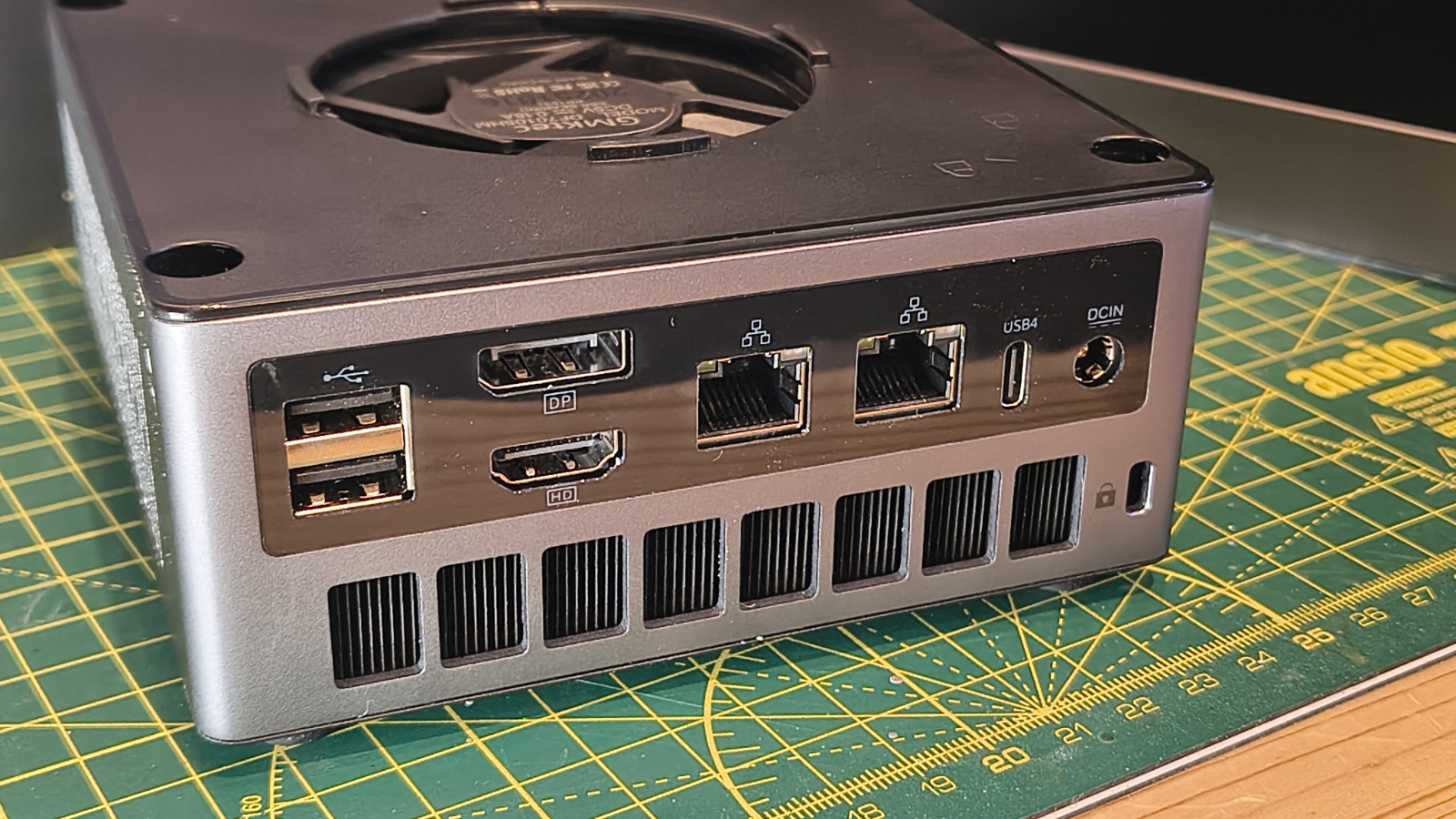
On the outside, the M7 Ultra doesn’t go off the beaten path with all the ports on the front or back, and those on the front are well placed for the attachment of storage. Both USB 3.2 Gen 2 Type-A ports are on the front, along with the USB4 port, the 3.5mm audio jack and the Oculink port. Oh, and the power button.
Maybe the Oculink port might have been better on the back, but there isn’t much room with dual 2.5GbE LAN sockets, dual USB 2.0, another USB4 port and both HDMI and DisplayPort.
One feature which is slightly controversial on the M7 Ultra is that hot air is ejected under the external ports, not above them. While there is the possibility that it might impact the connected cables, I can’t see this air getting heated enough to melt the insulation on these.
As GMKtec do with most of its systems, included with the M7 Ultra, is a plate that can be used to VESA mount the system to the back of a monitor. As the scale of this system might make it tempting for someone to pick it up and take it home, connecting it to the monitor is probably a good idea. For those seriously concerned about theft, it also has a security slot on the rear.
As with the M5 Ultra, the engineering, accessibility and port deployment are good, and there doesn’t appear to be any significant design issues with this design.
- Design: 4 / 5
GMKtec NucBox M7 Ultra: Hardware
- AMD Ryzen 7 PRO 6850U
- DDR5 Memory
- Gen 3 PCIe M.2 Slots
The AMD Ryzen 7 PRO 6850U is a mobile processor featuring eight cores, launched in April 2022 as an offshoot of the Ryzen 6000 series. And, the closest silicon from the core series is the Ryzen 7 6800H, a Zen 3+ (Rembrandt) architecture chip made for Socket FP7.
AMD’s Simultaneous Multithreading (SMT) doubles the effective thread count to sixteen, giving it some potential for multi-threaded software.
Operating at a base frequency of 2.7GHz, boosting up to 4.7GHz when required, this silicon was part of the swansong of the 6nm process at TSMC before AMD moved to the 4nm fabrication in the 7040 series.
The thermal design power (TDP) is just 15W, but that can be bumped to 28W, making it highly energy-efficient. It supports DDR5 memory in a dual-channel configuration, with a maximum official speed of 4800 MT/s. It also supports 6400 MT/s for surface-mounted LPDDR5, but GMKtec hasn’t chosen to use that.
And, as I’ve alluded to already, this is the only PC I’ve found that uses this specific processor, so it now seems unlikely that a machine using the greater bandwidth memory is ever likely to appear.
Since Zen3+, AMD has evolved the Zen4 and Zen5 architectures, with more powerful GPUs, 8000MHz DDR5 options and larger core and thread capabilities.
In this context, the AMD Ryzen 7 PRO 6850U provides a solid underpinning to the system where it can run reliably for long periods and remain effectively silent.
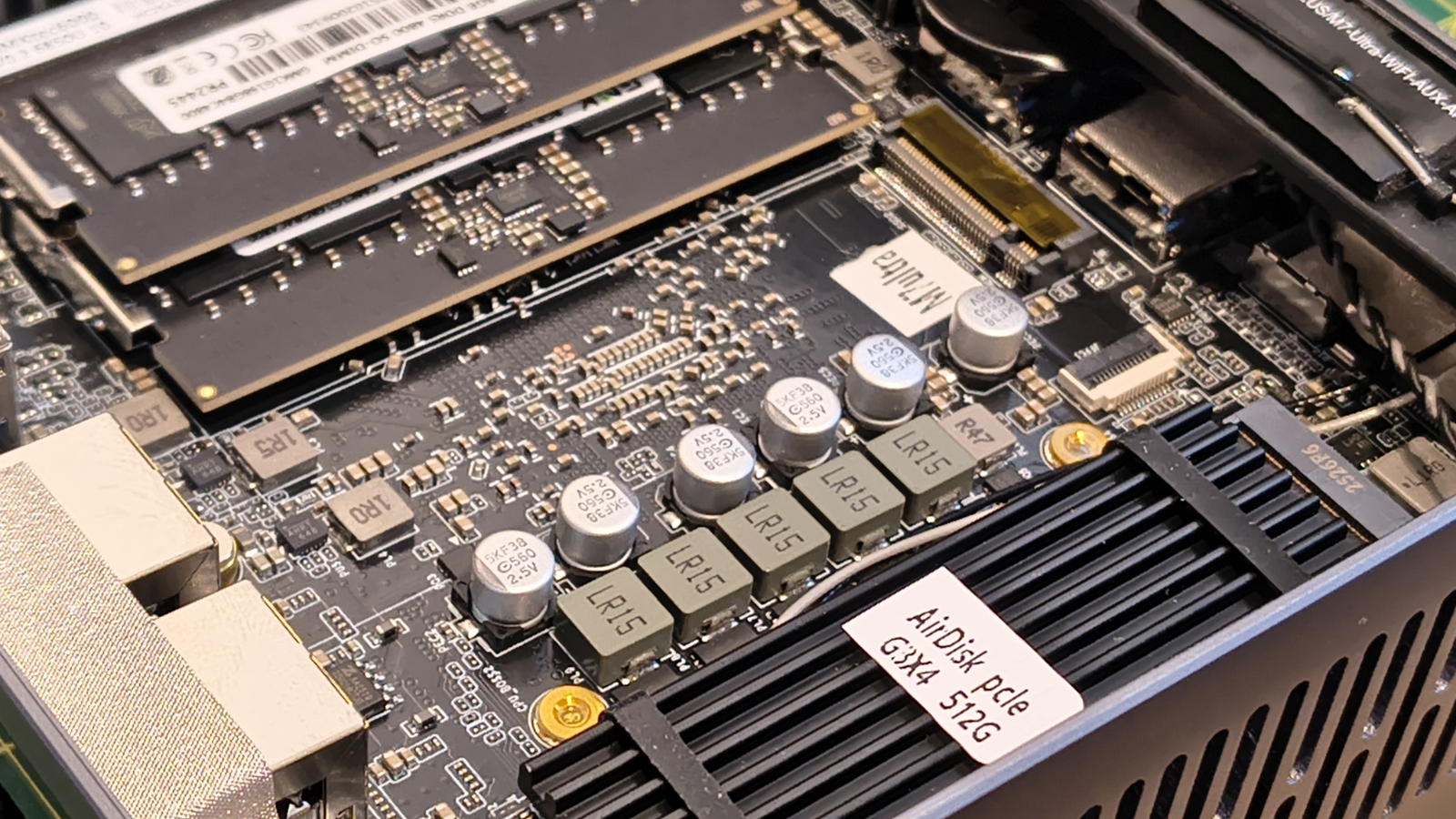
However, there are a few choices GMKtec made that are more nuanced than merely picking an older processor. One might assume AMD let this business have these at a bargain price.
As is often the case, this all revolves around PCIe lanes and how these critical resources are allocated. In this system, there are various draws on the bandwidth of the PCIe subsystem, which has twenty lanes of PCIe 4.0 at its disposal. The AMD Ryzen 7 PRO 6850U has an integrated USB4 controller, but it still needs at least four lanes for USB4 and at least four more for Oculink, leaving only eight lanes for everything else.
In that pile are all the other USB ports, dual 2.5GbE LAN ports, the small M.2 slot for the Wi-Fi, and most importantly, the two M.2 slots. However you dice this up, without using a PCIe switch, something had to give, and what gave here was the M.2 slots ended up being only Gen 3, not Gen 4.
I can see a strong argument that either one of the USB4 ports or the Oculink should have been sacrificed to provide Gen 4 storage, but that might have created a thermal issue for keeping the NVMe drives cool.
With the amount of bandwidth available, this was a tough choice, and GMKtec went with Oculink and two USB4 ports but downgraded the M.2 slots, for good or bad.
I’d have liked at least one Gen 4 M.2 slot, but I’m not the one trying to shoehorn all this technology into a tiny box.
- Features: 3.5 / 5
GMKtec NucBox M7 Ultra: Performance
|
Mini PC |
GMKtec NucBox M7 Ultra |
GMKtec NucBox M5 Ultra |
|
|---|---|---|---|
|
CPU |
AMD Ryzen 7 PRO 6850U |
AMD Ryzen 7 7730U |
|
|
Cores/Threads |
8C 16T |
8C 16T |
|
|
RAM |
16GB DDR5 (2x8GB) |
32GB DDR4 (2x16GB) |
|
|
Storage |
512GB AirDisk SSD |
1TB NVMe |
|
|
Graphics |
Radeon 680M |
Radeon Vega 8 |
|
|
3DMark |
WildLife |
9846 |
6711 |
|
FireStrike |
4149 |
3154 |
|
|
TimeSpy |
1495 |
1264 |
|
|
Steel Nom Lt. |
1420 |
1035 |
|
|
CineBench24 |
Single |
90 |
78 |
|
Multi |
401 |
414 |
|
|
Ratio |
4.47 |
5.29 |
|
|
GeekBench 6 |
Single |
2096 |
1806 |
|
Multi |
8582 |
5939 |
|
|
OpenCL |
22656 |
12823 |
|
|
Vulkan |
21484 |
11472 |
|
|
CrystalDisk |
Read MB/s |
3558 |
3624 |
|
Write MB/s |
2520 |
2642 |
|
|
PCMark 10 |
Office |
6973 |
5581 |
|
WEI |
8 |
8.1 |
Given the modest price difference between the M7 Ultra and its M5 Ultra little brother, these seem the obvious systems to compare.
And, unsurprisingly, with DDR5 memory and the 12 cores of the Radeon 680M in its corner, the M7 Ultra is a good bit quicker than the M5 Ultra in the majority of the tests.
Although, for some curious reason, the CineBench24 multi-core test is a win for the AMD Ryzen 7 7730U over the AMD Ryzen 7 PRO 6850U. But these results aren’t replicated in Geekbench or PCMark 10.
Why Windows Experience Index scores the GPUs inaccurately in this instance is another mystery, but that's the precise result reflected here.
There is, however, a hollow aspect to this victory, which is that my results from the old GMKtec NucBox M7, which used the Ryzen 7 PRO 6850H, were much better, scoring 14909 for 3DMark WildLife. Given that the original M7 system used DDR4, something doesn’t add up.
Yes, this system is up to 50% faster than the M5 Ultra, but it should be even quicker than that. It’s like it's operating on a single memory module, though I checked that it isn’t.
Looking back at the original M7 and the M7 Pro, the M7 Ultra has less processing power and lower GPU performance than both of these.
Unfortunately, the M7 is out of stock, and the M7 Pro is discontinued, I suspect.
I’ve concluded that, unless there was a fault with my machine, the M7 Ultra has the unfortunate accolade of offering less power than the models it replaced, sadly.
- Performance: 3 / 5
GMKtec NucBox M7 Ultra: Final verdict
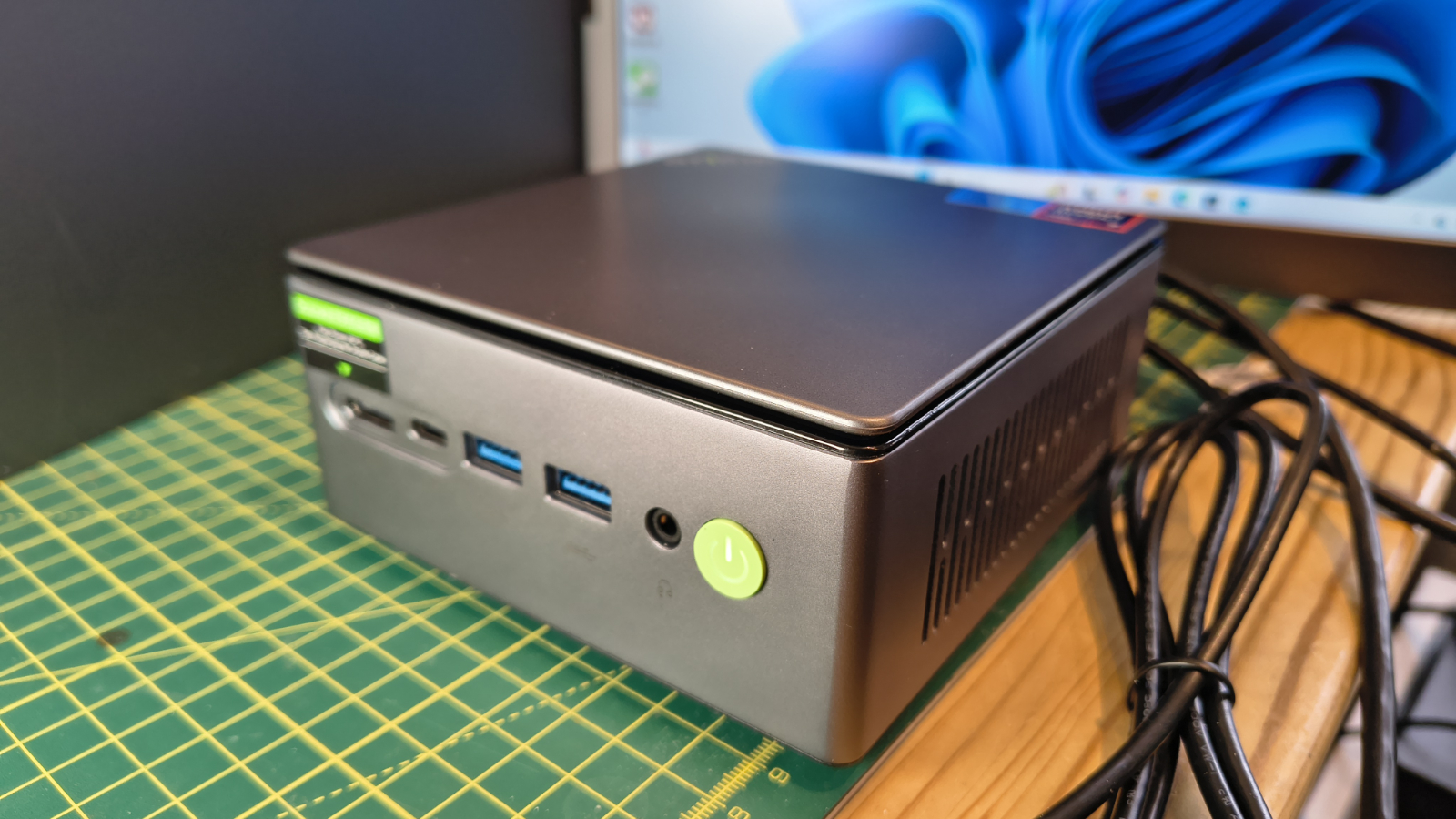
Not sure what to think about the GMKtec M7 Ultra, since it uses a processor no other machine has ever used and yet delivers performance numbers below those of its predecessors.
What’s the most curious thing about this system is that it uses DDR5 memory, but with the same 680M GPU, it's slower than the M7, which used DDR4. How is that possible?
The M7 Ultra's bandwidth should make it faster, not 66% of the M7’s speed in the 3DMark Wildlife benchmark.
I’m hoping that this system merely needs a firmware update to deliver the results the hardware should be capable of.
Because of these issues its not an obvious replacement for the M7 or the M7 Pro, but there are plenty of alternatives using Ryzen 6000 and 7000 chips that can perform better.
Should I buy a GMKtec NucBox M7 Ultra?
|
Value |
Affordable system, especially barebones |
4/5 |
|
Design |
Easy access and a good port selection |
4/5 |
|
Features |
Odd processor, but Oculink and USB ports |
3.5/5 |
|
Performance |
Not as quick as it should be on paper |
3/5 |
|
Overalls |
Dissapointing follow-up to M7 and M7 Pro |
3.5/5 |
Buy it if...
You want a medium-cost NUC
Not super-cheap but still affordable, the M7 Ultra has a specification that is suitable for users who need extra performance above an entry-level system. While not as fast as the original M7, it's still better than most Intel Core i5 systems.View Deal
You need a flexible NUC
Compared to some NUC designs, this one is remarkably flexible. With two 2.5 GbE LAN ports and dual M.2 slots, it can be used as a hardware firewall, media server or marketing display controller. But adding an Oculink port also enables it to be enhanced with a discrete video card, making it suitable for graphics-intensive tasks that the integrated graphics would not handle.View Deal
Don't buy it if...
You want ultimate performance
This is a mid-range mini PC, lacking the power of those with the fastest processors, such as the Ryzen AI Max+ 395. View Deal
Also consider
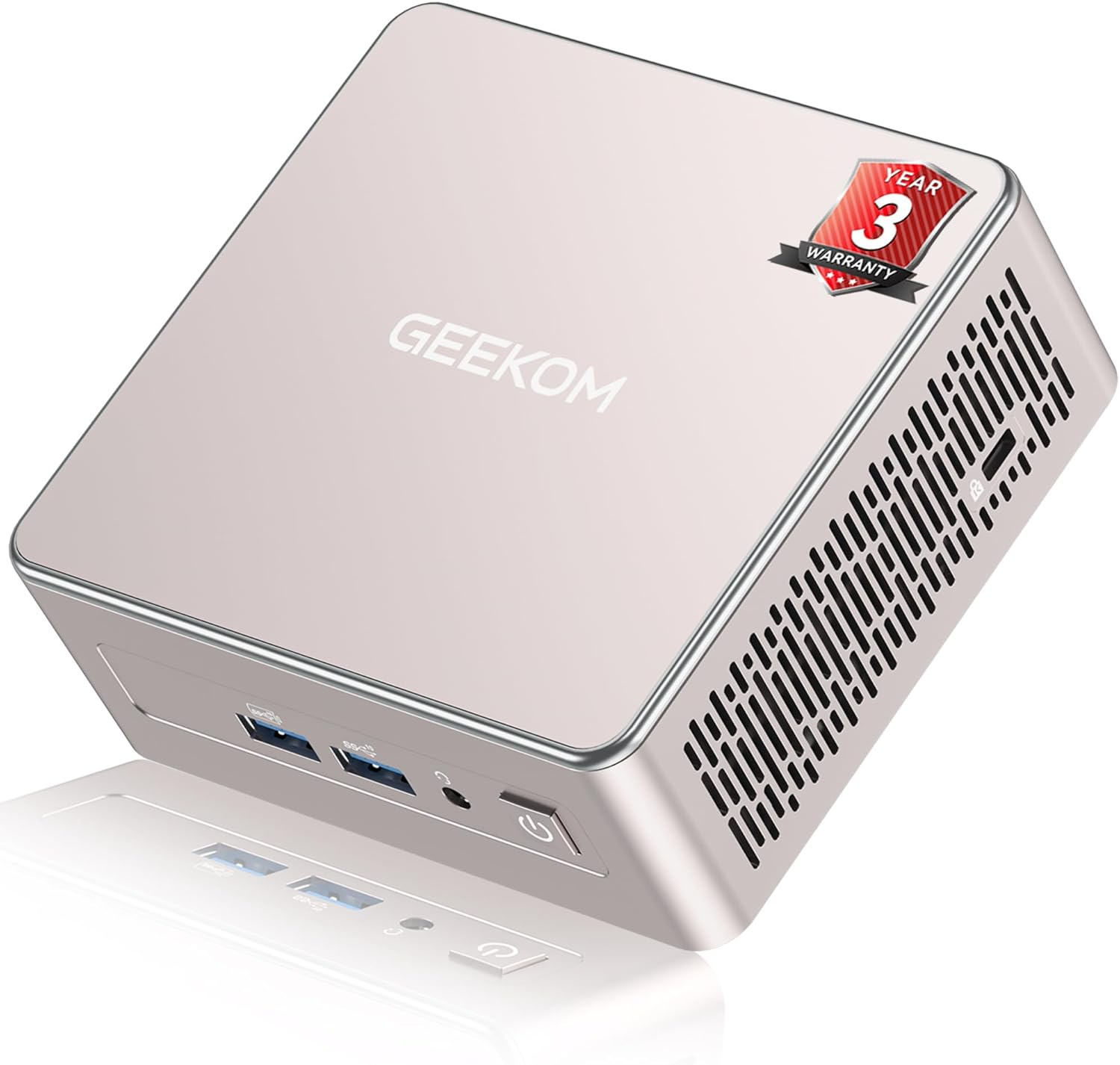
Geekom A5
The Geekom A5 mini PC delivers a decent user experience for office work in a small, easy-to-deploy package. It doesn't have a second M.2 slot, but it does have a SATA and a place for a 2.5-inch drive.
In testing it produced almost identical performance to the M5 Ultra, using its AMD Ryzen 5 7430U CPU.
Check out my Geekom M5 review View Deal
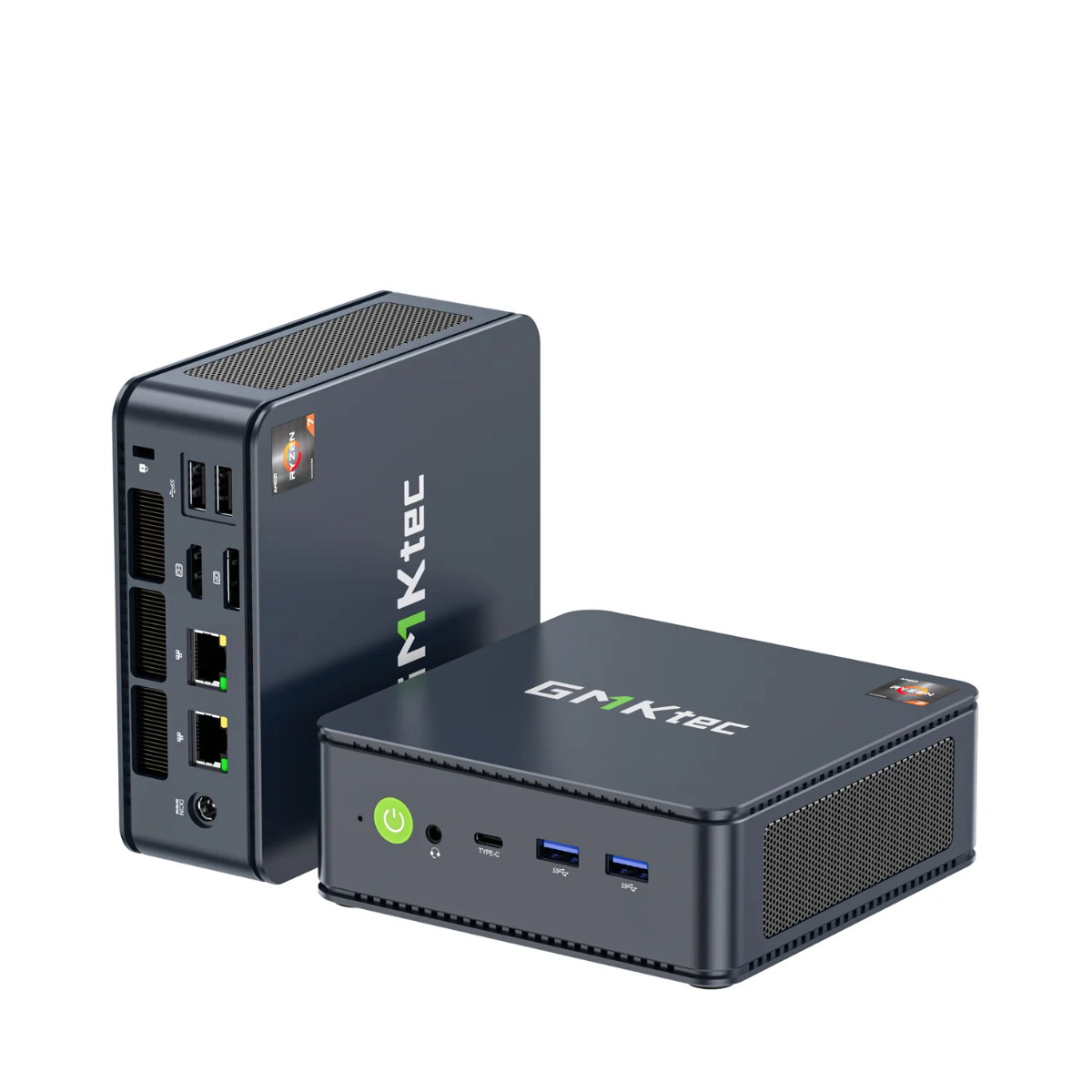
GMKtec NucBox M5 Plus
Another mid-tier mini system, this time the prior design from the same brand as the M5 Ultra. This one utilises the AMD Ryzen 7 5825U (8 cores, 16 Threads) CPU and features 1TB of onboard NVMe storage. Where this is slightly better than the A5 is that the second M.2 slot is 2280, and it has dual 2.5GbE LAN ports.
Check out my GMKTec NucBox M5 Plus review View Deal

0 comments:
Post a Comment