Tuesday, March 31, 2026

I tested this super-cheap MP3 player for a month, and I'm surprised to say it quickly became my go-to music source

Oakcastle MP300: Two-minute review

Okay, I’ll fess up: this Oakcastle MP300 review wasn’t meant to take a month. I thought this super-cheap MP3 player would be a quick in-and-out style of review where I’d listen to a few tunes and take it on a trip, but it ended up being a really useful addition to my audio set-up. Good for it, not so good for my deadlines.

This is the kind of budget music player that a serious music fan would probably ignore — does anyone other than wallet-friendly Chinese brands make this kind of tech? Apparently yes, they do actually, but if I can humbly request that we stop that train of thought right now: this isn’t any bargain bin buy.

Oakcastle is a sub-brand of Majority, a brand audio fans emphatically know about. So before we get into any of its pros and cons, you’ve got an immediate benefit over most budget MP3 players online: you know this one is from a known and trusted audio specialist, with a reputation to uphold — and uphold that standing, the MP300 does.

I’m not going to pretend that this is the best MP3 player for everyone: it has limited file support, feels quite cheap in the hand, and only offers a fraction of the features that a pricier option would have.

But its simplicity is the point: this is a lovely little digital detox machine that doesn’t make you pay for fancy extras you might not need. It’s no distraction machine that’ll suck you into a WhatsApp wormhole when you’re just trying to put on a song, and its playlists aren’t so algorithmic that you’re only hearing the same eight songs on repeat.

The MP300 became my month-long go-to because I plugged it into my bookshelf speakers via aux, and just left it there. Any time I wanted music, I could easily open up my library and start playing my songs. And I do mean my songs — no music streaming here, this is a device for people who own their own music, but don’t need to hear it played in lossless.

There are other benefits that bespoke MP3 players bring over using smartphones for music, and the Oakcastle being so cheap means you can enjoy it without breaking the bank. Seniors will love it for its simplicity, and it’s something children can use to enjoy tunes without priming them for future technology addiction.

You can use a device like this at night, to put on some soothing Elgar, without a notification or two waylaying your relaxing doze. MP3 players are also nice little running devices, freeing you from your smartphone when you strap on your trainers, though something like the super-small Majority MP3 with its nifty clip might be better for that.

As I say, it’s not for everyone: if you don’t need a standalone music playing device, or conversely you want one that’s advanced and full of features, this isn’t for you — you'll need to look to pricier options from Astell & Kern or FiiO. But there’s got to be a sweet spot between those camps who appreciate it. I certainly like the MP300 a lot.

Oakcastle MP300 review: Price and release date
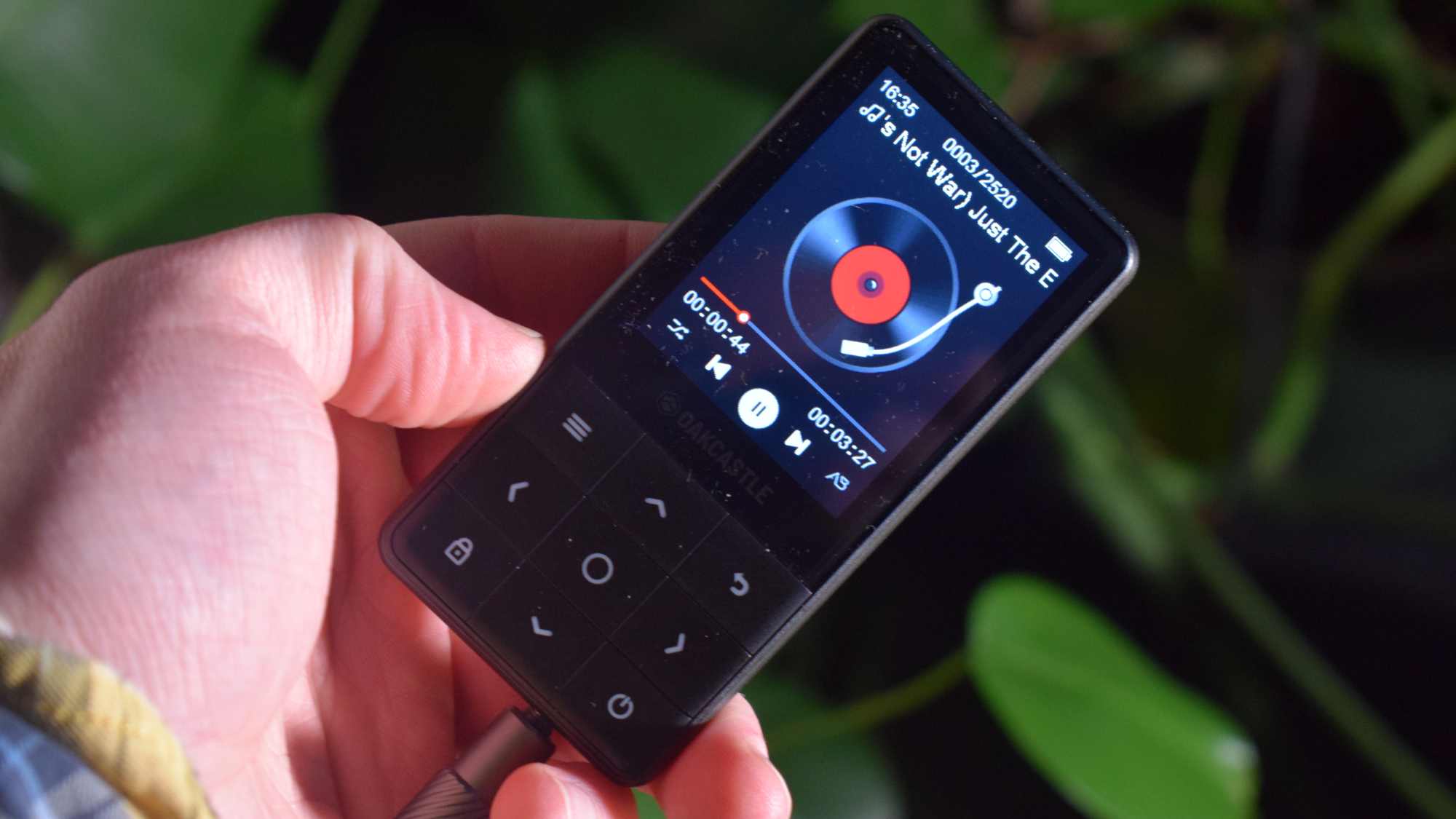
The Oakcastle MP300 in a hand, showing music playback.

(Image credit: Future)
  • Released in February 2026
  • Listed for £31.95 (about $40, AU$60)
  • On sale in UK, maybe Aus, probably not US

The Oakcastle MP300 was released on February 18, 2026, alongside the same-priced MP250 model which has a sports clip and simplified controls.

Online, the MP300 is officially listed at £31.95 (about $40, AU$60), though during testing I generally saw it for a few pounds less. Not by a huge amount — you wouldn’t buy a pint with the difference, even outside London — but enough to suggest that this thing is rarely at RRP.

Oakcastle, like Majority, generally doesn’t sell its products in the US, so don’t expect availability there. Some of the brand’s gadgets sell in Australia, but at the time of writing, the MP300 wasn’t available.

Oakcastle MP300 review: Specs

Battery life

50 hours

Weight

53g

Connectivity

Bluetooth 5.0, 3.5mm, USB-C

Waterproofing

NA

Storage

64GB

Expandable?

Up to 128GB

Oakcastle MP300 review: Features

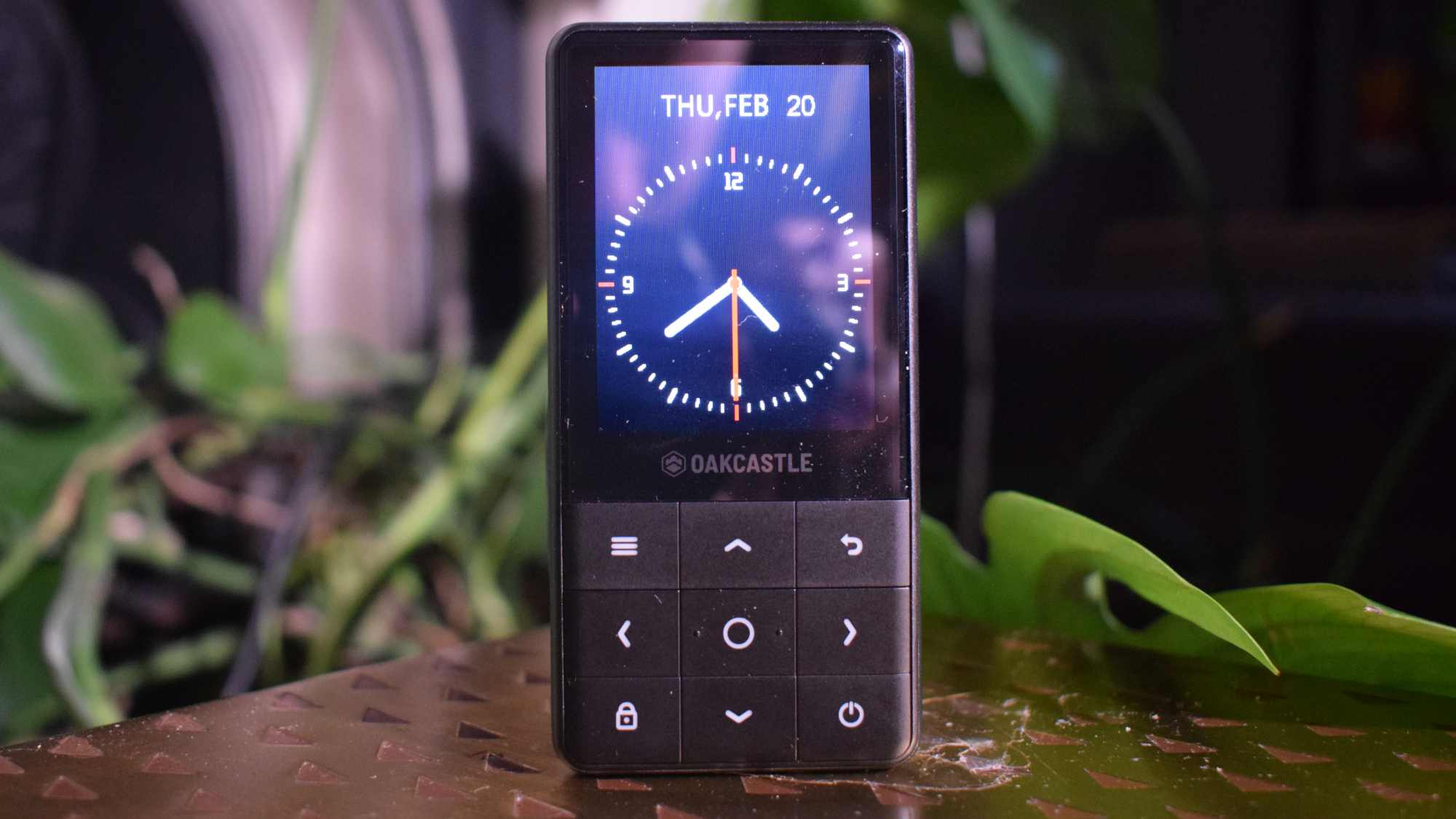
The Oakcastle MP300 on a table, showing its clock.

(Image credit: Future)
  • 50-hour battery life
  • Custom, simple user interface
  • 64GB storage, up to 128GB more via microSD

The Oakcastle MP300 runs on a simple operating system, which feels like a glorified media library. You can see what’s currently playing, browse your general music library, make playlists and set up Bluetooth connections.

It does offer a stopwatch and calendar (with no way of inputting dates), but the point of this thing is clearly music. Navigating with the buttons isn’t especially fast, and unfortunately there’s no music search option (that I could find).

You get a battery life that, according to Majority, hits 50 hours on a single charge. That seems to match up with what I found — it’s definitely long enough that you don’t need to worry about charging frequently.

The MP300 has 64GB of built-in storage, which is plenty if you use MP3. My library was in WAV and didn’t fit onto the thing to begin with, so I had to convert them to fit. The expandable storage gets you up to 128GB extra, and you can be sure I made the most of it.

Moving my library over to the Oakcastle was easy: I plugged it into a computer and dragged and dropped the files into its folder. It wasn't the perfect conversion: lots of album artwork didn't get pulled through, and on the device, songs are all labelled as .mp3. But overall, it was pretty simple and worked fine.

  • Features score: 3.5/5

Oakcastle MP300 review: Design
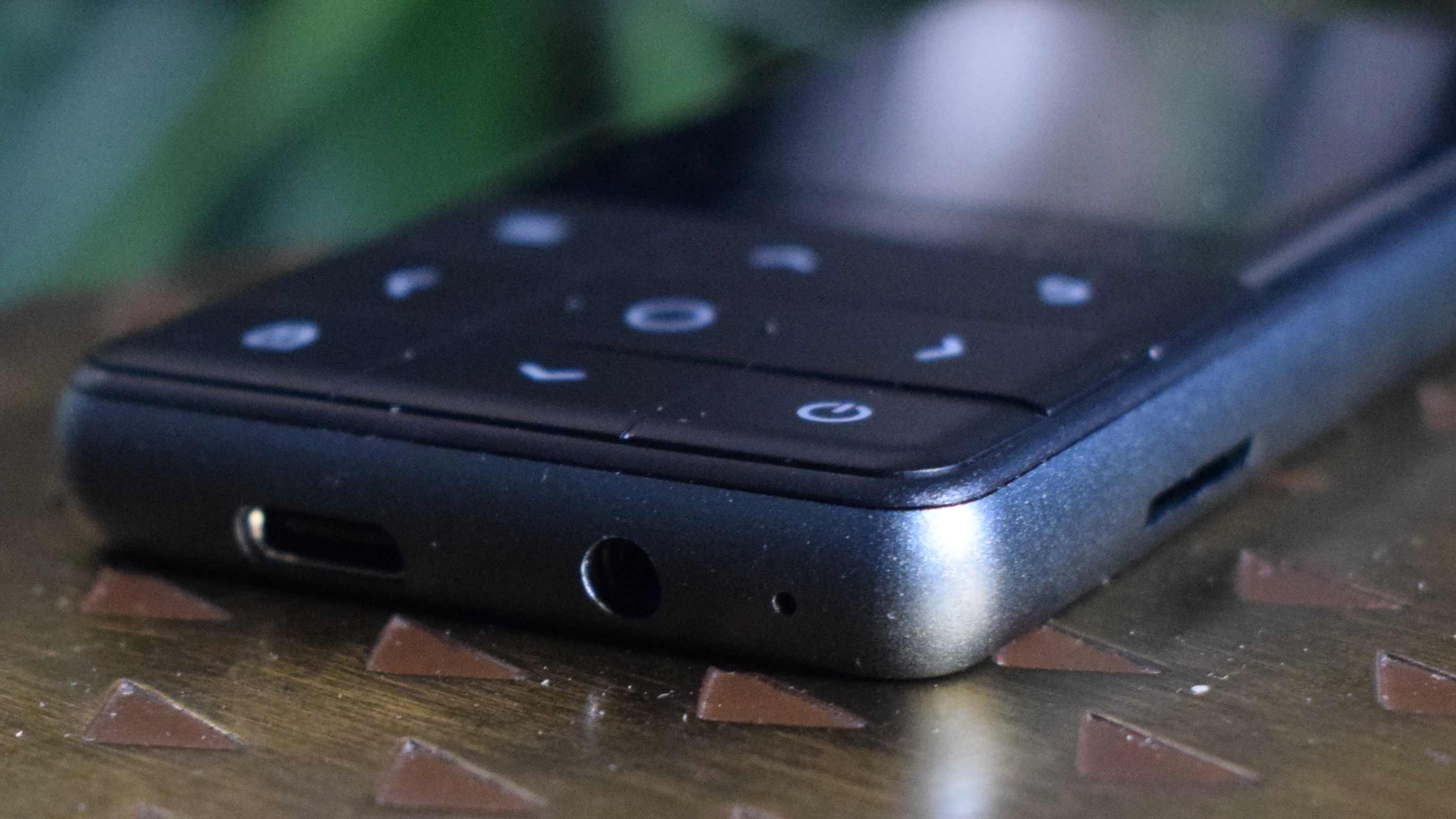
The Oakcastle MP300 laying flat on a table, showing its buttons and ports.
Future
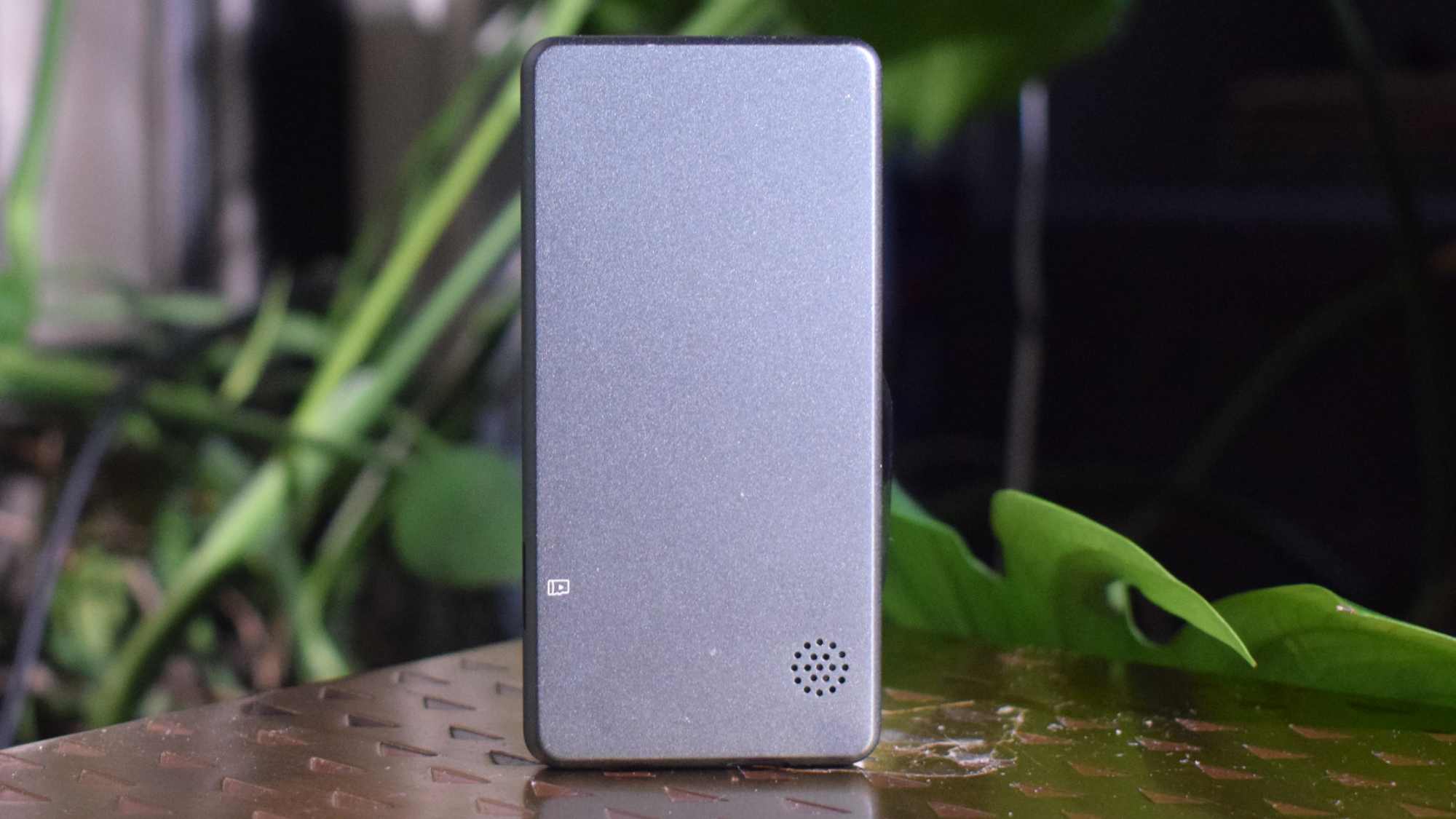
The Oakcastle MP300's back.
Future
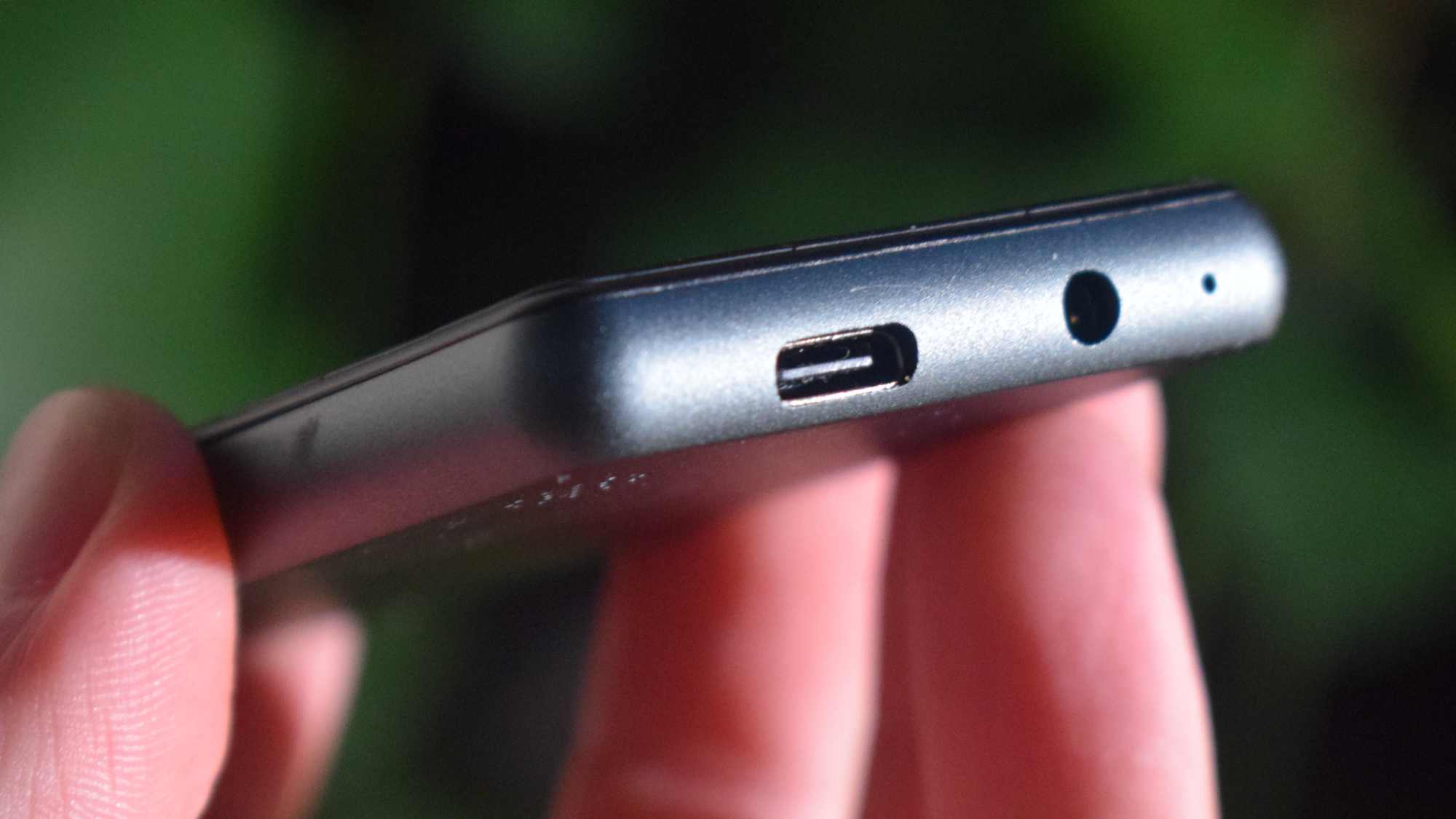
The Oakcastle MP300's ports.
Future
  • Nine buttons plus screen
  • Lightweight, but somewhat cheap feeling
  • No IP rating

I almost thought the Oakcastle MP300 was a feature phone when I first saw it: it has a similar design, with buttons below a screen and ports on the bottom. But it’s much lighter than a phone, at 53g — there’s a good chance your earbuds case tips the scales more than that.

The MP300 is also smaller, at 50 x 101 x 9.5mm, so I could put it in my pocket without it feeling like a second smartphone. On the bottom there’s a USB-C port for charging and data connection, as well as a 3.5mm jack. The right side has a microSD card slot, which is a nice addition.

Despite being compact, the Oakcastle still feels a little hollow — it gives a little when you squeeze it, making it feel a little fragile and cheap. Saying that, the textured plastic back makes it feel a little more premium than some of the bargain-basement MP3 players you might find on line.

Accusations of ‘cheap’ become more well-founded when you move over to the buttons though. They’re not as sensitive or responsive as you’d hope, which slowed down my navigation of the player and constantly reminded me of the lack of money spent.

If you’re a pool-music-listener, I should warn you that there’s no official IP rating — try to avoid getting it wet or dusty.

  • Design score: 3.5/5

Oakcastle MP300 review: Sound quality
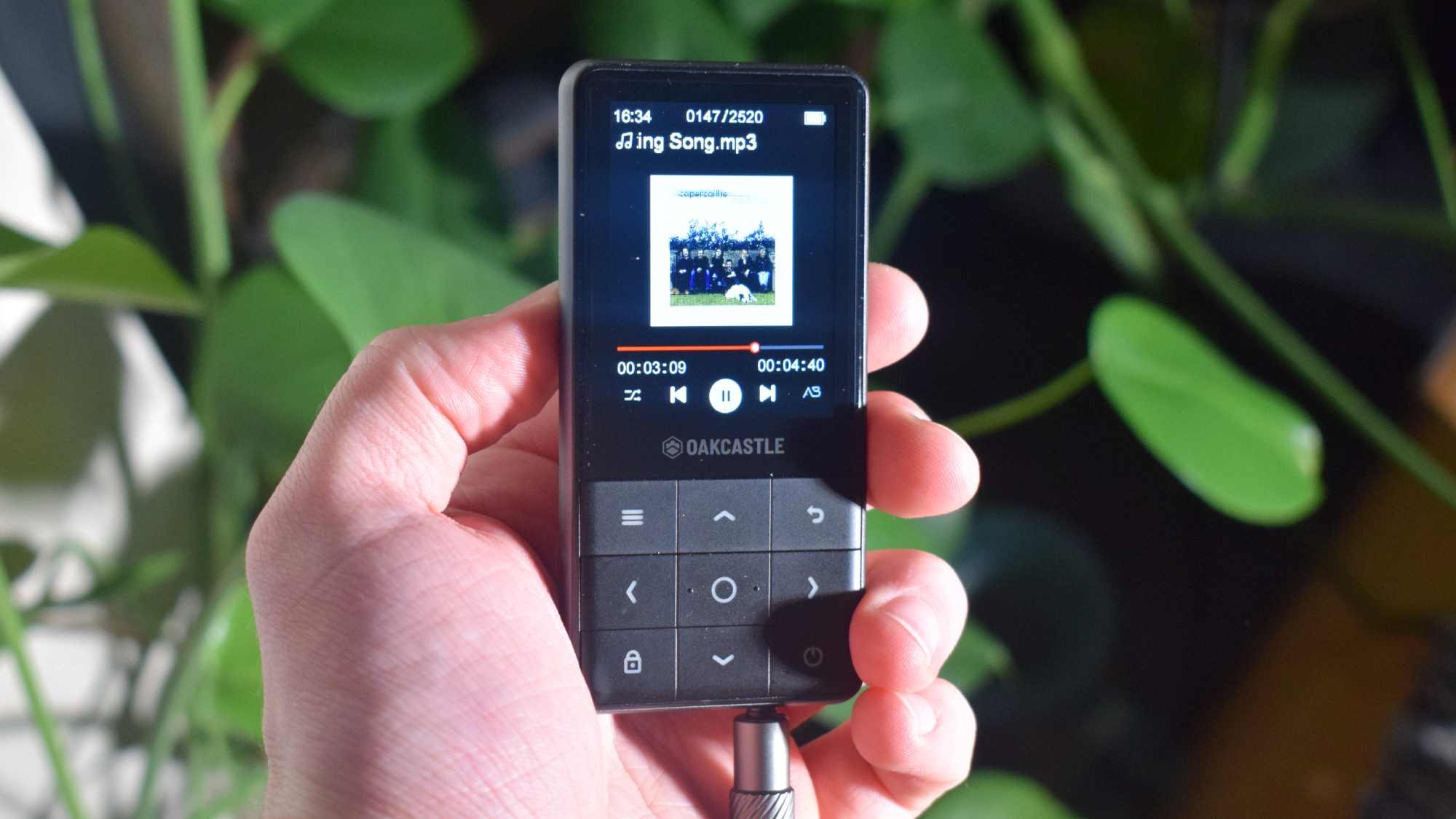
The Oakcastle MP300 in a hand, with an aux connected, playing folk music.

(Image credit: Future)
  • Supports MP3, FLAC, WAV
  • No on-board equalizer
  • No higher-res Bluetooth codec support

The MP300 supports three file types: MP3, FLAC and WAV. Naturally your sound quality will vary depending on which you pick; I tested all three for scientific purposes, but for general use, I had to use MP3 simply to fit all my music on the speaker.

There’s no equalizer on-board, so you’d better like your music how it comes — or, more accurately, your headphones how they come. At least you can use a wired connection to hear, not just via Bluetooth 5.0 (only your basic 'vanilla' SBC streaming is supported, as far as I can tell), although I appreciated having the option to go wireless.

Let’s be honest: this isn’t an MP3 player you’re buying if sound quality is your biggest concern. There are options that cost a lot more which offer extra onboard DACs to level up the audio, streaming over wi-fi and hi-res Bluetooth codec support. So the fact that sound from this thing is pretty basic is part and parcel of the MP300.

There is a built-in speaker here, but it’s quiet and doesn’t exactly sound amazing. For me, it was sometimes a simple reminder that I’d forgotten to connect to a speaker, rather than a serious way of enjoying tunes.

  • Sound quality: 3/5

Oakcastle MP300 review: Value
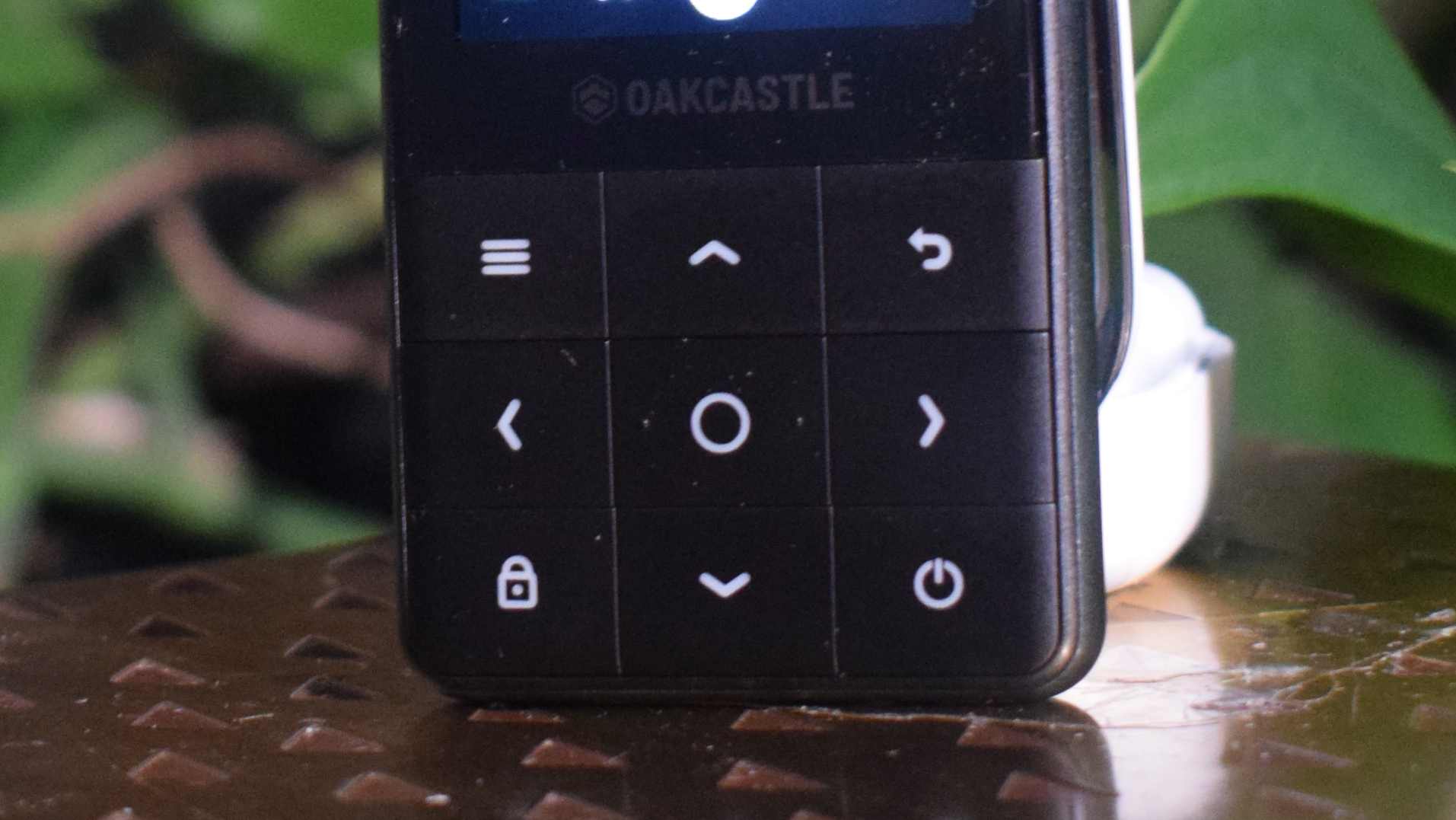
The Oakcastle MP300's navigation buttons.

(Image credit: Future)
  • It's really cheap
  • Worth buying over dubious alternatives

Of course the Oakcastle MP300 is good value; you’re paying pennies to get an on-the-go music device.

Sure, it doesn’t have many feature of flashy alternatives, but it has storage capabilities and a headphone jack: what more do you need? Thanks to this latter, it’s probably better than your smartphone for music playing, let’s be honest.

Given that Oakcastle is a trusted brand, I’d feel safer giving this company my money, rather than any of the even-cheaper alternatives you’ll find online.

  • Value: 5/5

Should I buy the Oakcastle MP300?
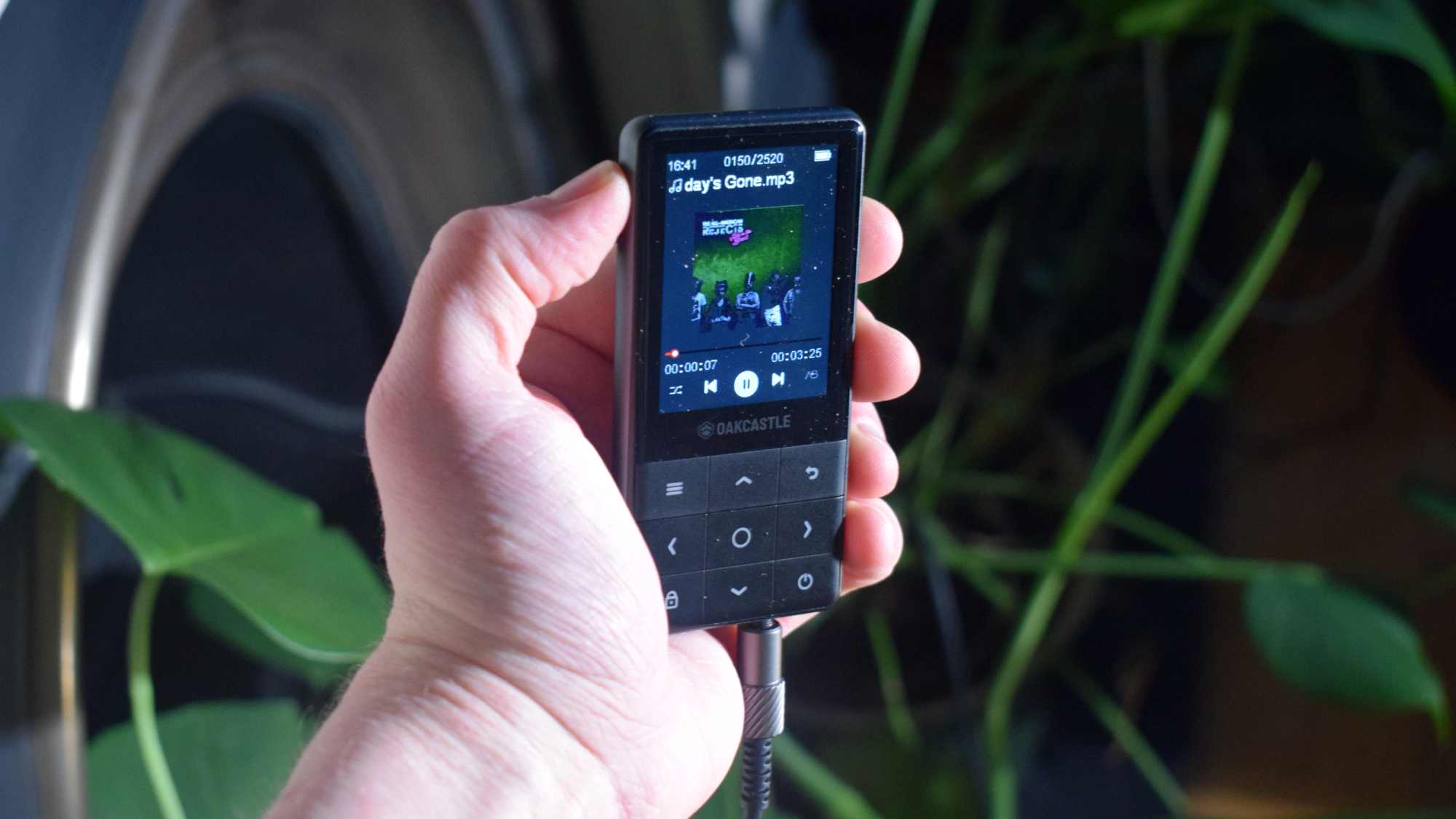
The Oakcastle MP300 in a man's hand, playing All American Rejects.

(Image credit: Future)
Oakcastle MP300 score card

Attributes

Notes

Rating

Features

It's light in terms of features, but the battery life is solid.

3.5/5

Design

While it feels a little cheap, it's light and slender enough to make up for it.

3.5/5

Sound quality

You're getting the basic sound with little ability to change it. Even hi-res streaming is out of bounds.

3/5

Value

It's arguably the cheapest MP3 player you should consider buying.

5/5

Buy it if…

You need something cheap and cheerful
If you need something, anything, to play your collection of MP3s (perhaps left over from an iPod Touch?) then this is a solid, budget option.

You need expandable storage
The microSD card slot is a neat addition at this level, so you can get extra space but chop and change it around if needs be.View Deal

Don’t buy it if…

You want control over your sound
The lack of an equalizer is one way in which the MP300 compares poorly to your smartphone.

You want high-res output
There's no 4.4mm, no Bluetooth Codec support and barely enough space for high-res audio files.

Oakcastle MP300 review: Also consider

Oakcastle MP300

Majority MP3

FiiO JM21

Battery life

50 hours

34 hours

12 hours

Weight

53g

33g

156g

Connectivity

Bluetooth 5.0, 3.5mm, USB-C

Bluetooth 5.0, 3.5mm, USB-C

Bluetooth 5.0, 3.5mm, 4.4mm, USB-C

Waterproofing

NA

NA

IPX5

Storage

64GB

16GB

32GB

Expandable

128GB

128GB

2TB

Majority MP3
This equally-budget option does things a little different: it offers less storage space but comes in a smaller body and has a sports clip, making it a handy on-the-go companion.
Read our full Majority MP3 review

Fiio JM21
If you want a 'proper' digital audio player, this entry-level Fiio option may cost more than the Oakcastle, but it's still cheap in the grand scheme of things. It lets you listen in a variety of high-res formats and lets you control your audio to a much greater extent.
Read our full Fiio JM21 review

How I tested the Oakcastle MP300

  • Tested for a month
  • Tested on various speakers and headphones via aux and BlueTooth

I used the Oakcastle MP300 for a full month before writing this review. I started the testing by loading it up with my music library, first in WAV and then in MP3. This collection includes a large range of genres, with roughly 3,000 tracks in all.

Through the month, I used the MP300 alongside a range of devices. I connected them to the Samsung Galaxy Buds 4 Pro and Edifier M90 via Bluetooth, and via aux I used the Edifiers, my Sony headphones and my Line 6 guitar amplifier.

I've been reviewing audio tech for TechRadar for years, including several other budget MP3 players and plenty of other Majority gadgets.

  • First reviewed in March 2026

Monday, March 30, 2026

I tested H2O Audio's affordable, no-frills, bone-conduction running headphones — and there's something to be said for simplicity

H2O Audio Tri Run: Two-minute review

The H2O Audio Tri Run are bone conduction headphones designed for runners and cyclists who want to listen to music while staying aware of their surroundings. They undercut rivals on price and strip everything back to the essentials. No app, no frills, just good enough audio and a straightforward experience.

They’re not for swimming, despite their IPX8 waterproof rating. H2O Audio already makes a range of multi-sport devices, including the H2O Audio Tri 2 Pro Multi-Sport. But the Tri Run rely solely on Bluetooth with no onboard storage, so there’s no point taking them to the pool because the water will block the signal. What that waterproofing means is you don’t need to worry about sweat, rain or cleaning them with water.

Bone conduction transmits sound through your cheekbones, bypassing your ear canal. (To find out more, we have a handy how bone conduction works guide.)

They’re cheap, reliable and mostly comfortable. Sound is acceptable for the form factor, the fit is secure, and they’re genuinely easy to use. But battery life is just fine, the neckband design won’t suit everyone, and competition is fierce in this space. Let’s get into it.

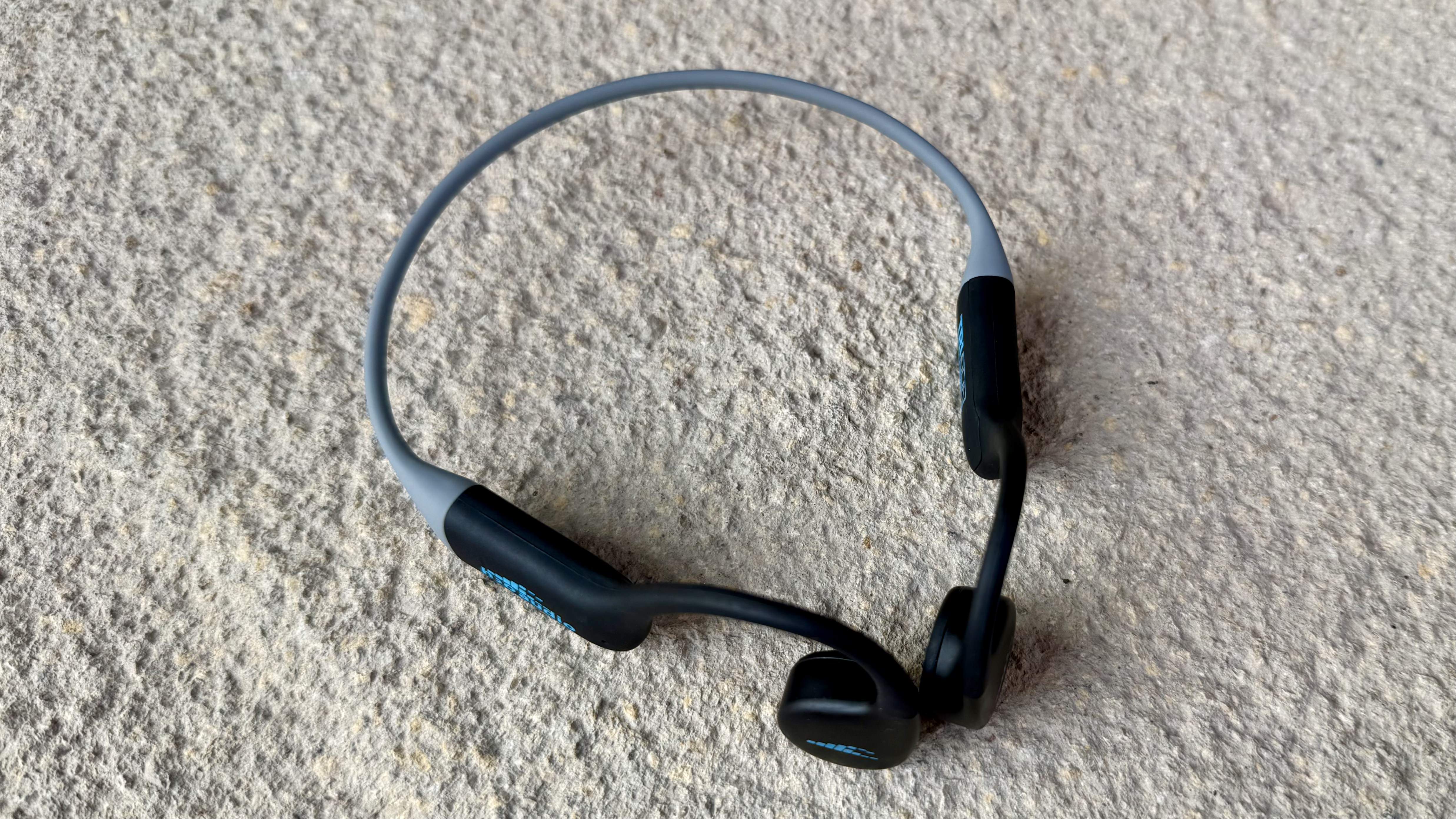
The h2o audio tri run bone conduction headphones on a stone surface

(Image credit: Future)

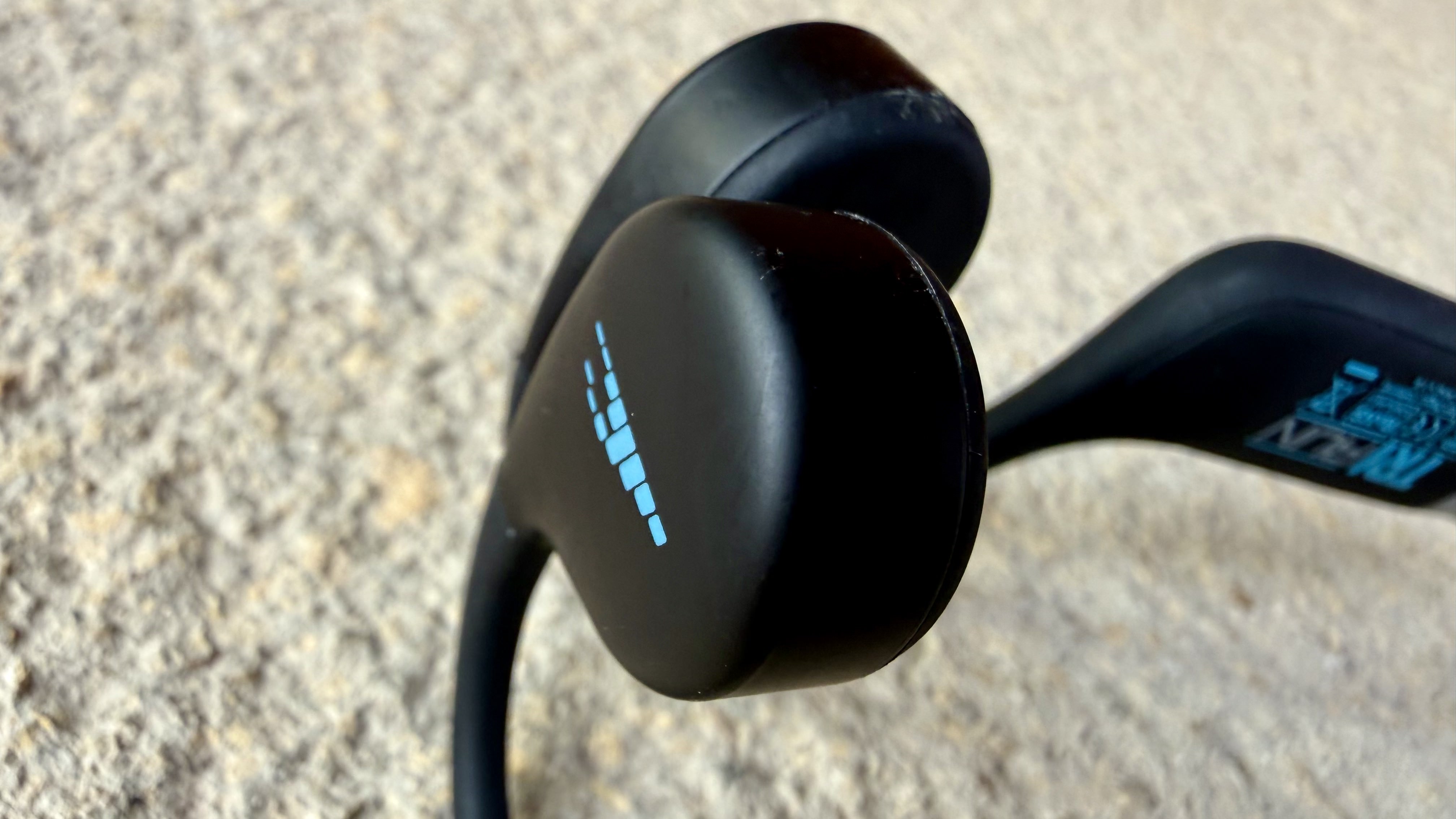
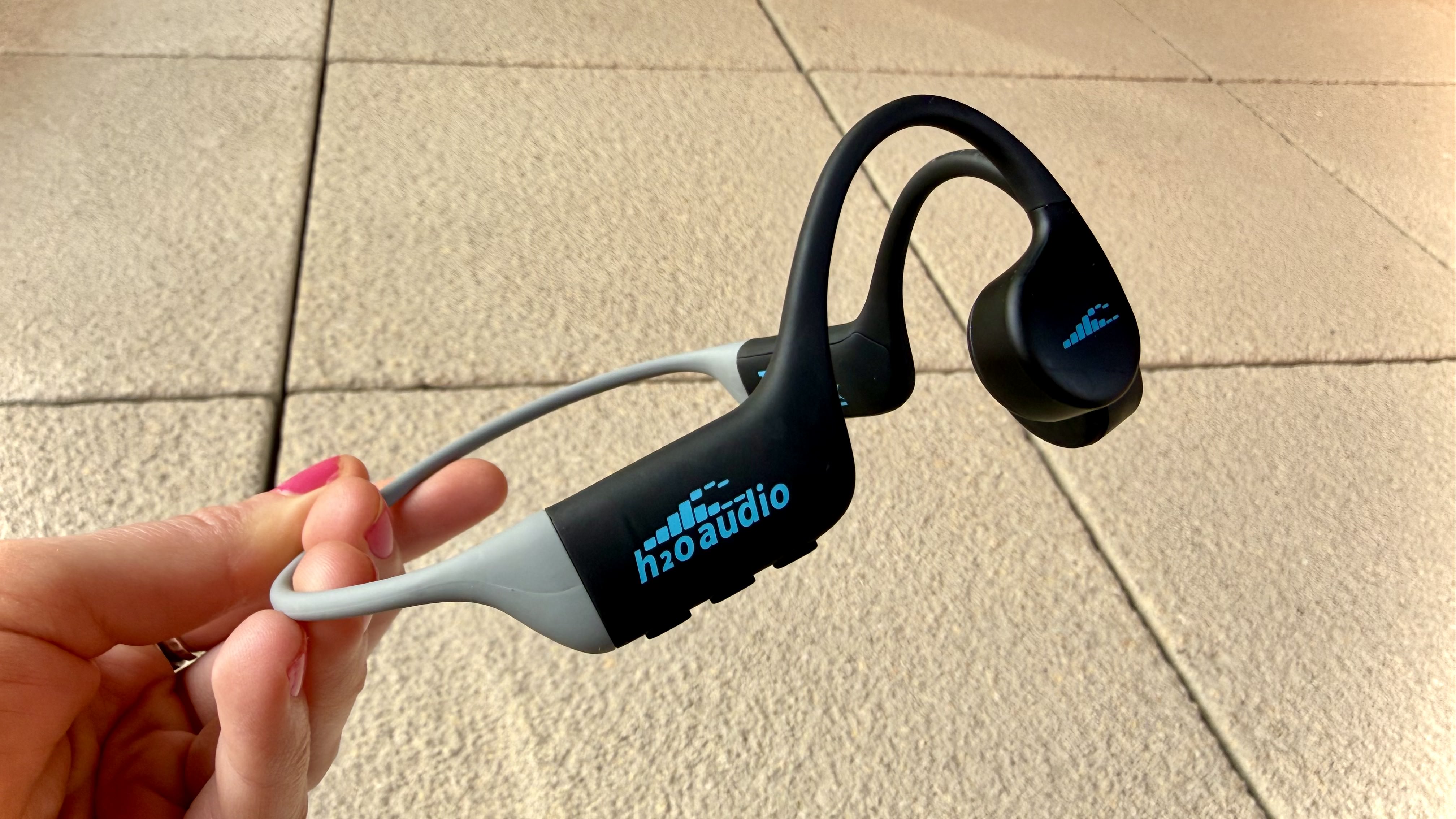
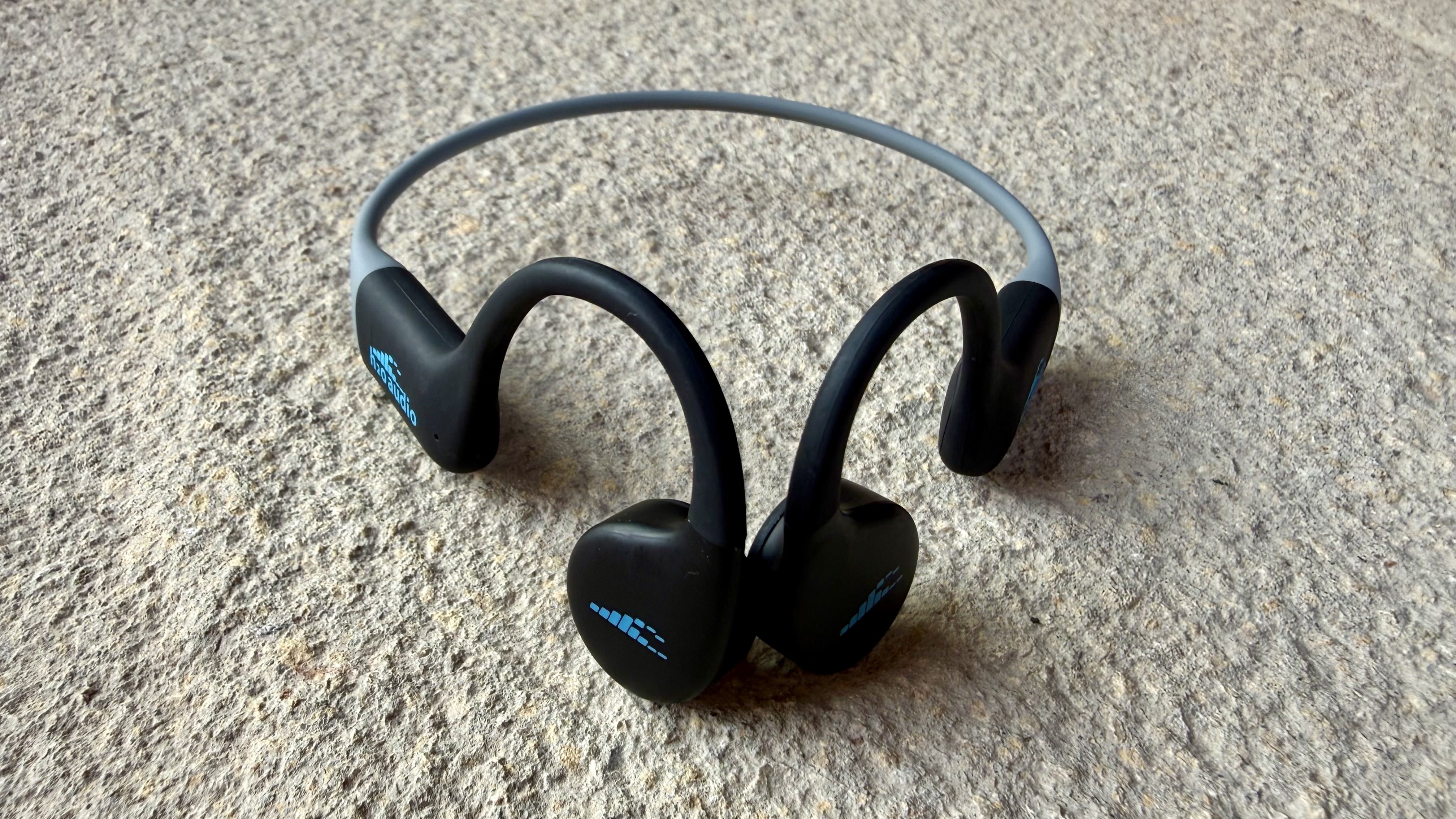
The Tri Run have a neckband design with the bone-conduction transducers sitting against your cheeks, between your ear's tragus and your high cheekbone. It’s a style you’ll either get on with or you won’t.

I’m not entirely sure I get on with them. I can never quite put my finger on what it is with a design like this. It’s not uncomfortable exactly, but I’m always aware of the transducers sitting against my face in a way that I’m not with other styles of bud. I have a lot of hair, which may not help with the fit of the ear hooks, and during colder testing sessions, a high-collared jacket displaced them more than once.

There’s a small rubber accessory in the box that can be used to tighten the fit for smaller heads, but that didn’t resolve things for me. It may just be that I’ve tested too many comfortable wireless buds recently and I've been spoiled by them. Either way, it’s worth flagging because comfort here is highly subjective, and if you haven’t tried neckband-style buds before, don’t assume they’ll feel comfortable.

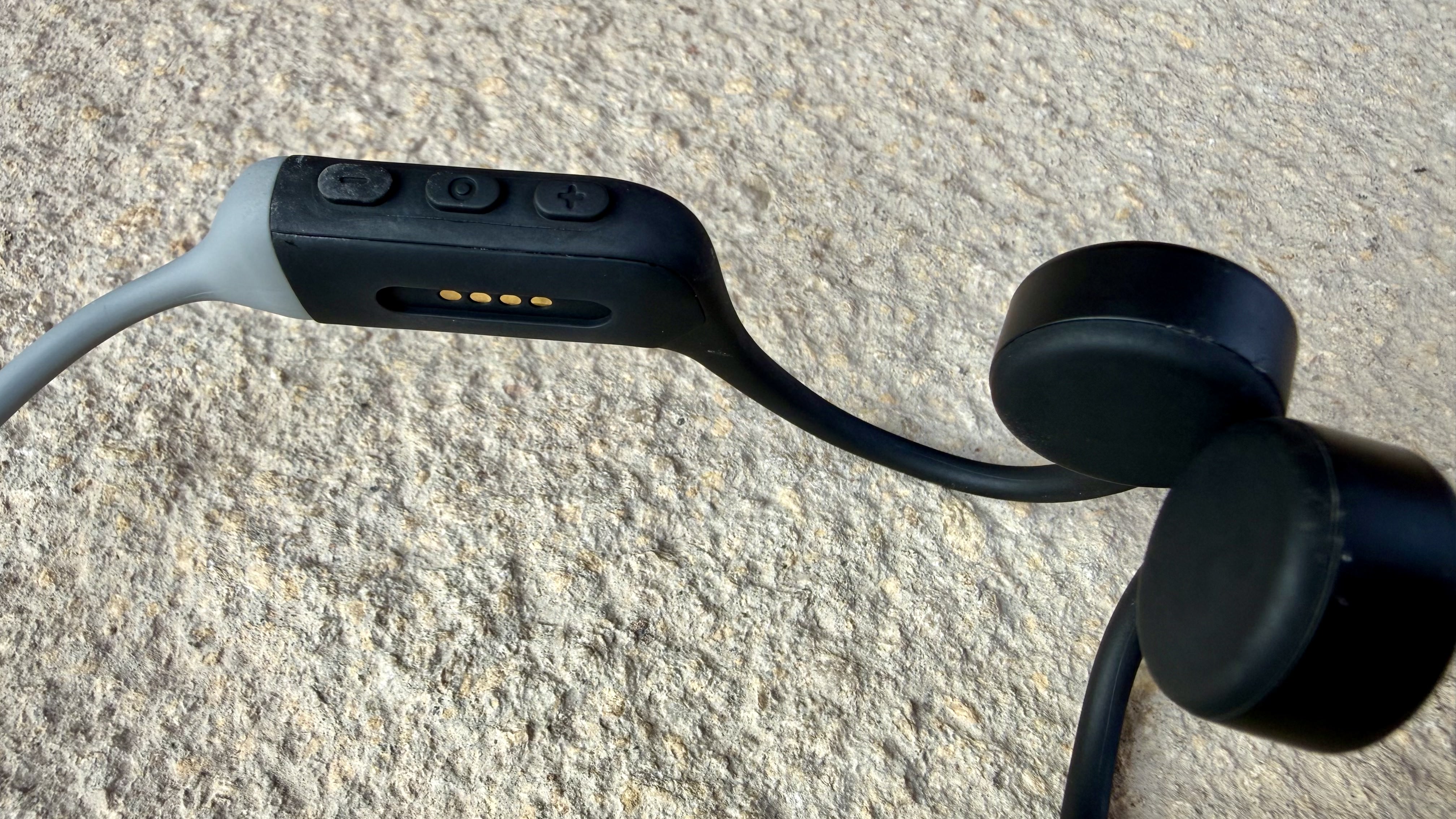
The band itself is light at 14g, flexible and sturdy, with a matte rubberized finish. Controls sit on the right side, with three physical buttons for power/playback, and volume up and down.

The buttons are easy to use on the move. I always tend to prefer a physical press to touch controls when I’m running, so there’s no ambiguity about whether it’s registered. The middle button, which handles power and play/pause, is responsive.

The volume buttons occasionally took a moment or two to register, but there’s a helpful audio tone when you hit max volume, which I liked — although you may reach that much sooner than you’d expect.

There’s no app here or companion software, so there’s nothing to tweak or change. Just turn them on and they pair seamlessly. Then every time you switch them on, they tell you whether your battery is high or low.

The h2o audio tri run bone conduction headphones on a stone surface

(Image credit: Future)

The audio is far from the level of quality you’d get from the best headphones, the best earbuds or even the best open earbuds. These are affordable bone-conduction headphones and they sound it. But I think how much that matters depends almost entirely on what you like to listen to.

Tracks with presence in the highs and mids come through well here. I found poppy, energetic tracks, such as New Constellations’ Hot Blooded sounded bouncy and enjoyable. There’s clarity in the upper ranges, vocals sit forward in the mix and there’s enough going on to make a run feel good. Podcast lovers are also well-served with clear, undistorted voices at most volume levels.

Bass-heavy music is a different story. Something like Hanumankind’s Big Dawgs, which is a staple on my workout playlist, simply doesn’t hit. There’s no low-end weight, so if you like listening to bassy tracks, you’ll notice the absence.

The volume is adequate in most quieter conditions. Running on my own down an off-road path, I could hear everything I needed to, but I could hear just as well running through the city first thing in the morning too.

Things were different in windy and noisy environments — I struggled to push the volume high enough, but that’s par for the course with most open designs.

Also, at high volumes you might notice a mild vibrating sensation in your cheeks or jaw. That’s a known side effect of bone conduction. It never reached the point of discomfort for me with the Tri Run, but it’s worth knowing about.

H2O Audio quotes six hours of battery life, and in testing I got almost exactly that. That said, six hours is on the lower end for bone-conduction headphones. The Shokz OpenRun Pro 2, for example, offer a huge 12 hours of battery, double what you get here. Granted, we’d consider them a high-end option, but with weaker audio and fewer features, I might have expected battery life to stay stronger.

It’s a similar story with open earbud rivals, like the Shokz OpenFit 2+, which offer 11 hours. That said, the Tri Run do offer an hour more than some other budget bone conduction headphones, such as the Jabees 7Seven, which only offer five hours.

the h2o audio tri run bone conduction headphones on a stone surface

(Image credit: Future)

Overall, there’s nothing wrong with the H2O Audio Tri Run. They fit securely, they’re easy to use, they’re waterproof, and they deliver acceptable sound for the form factor.

For a certain kind of runner or cyclist, someone who wants cheap, reliable, no-fuss awareness of their surroundings and mainly listens to poop and podcasts, they’ll get the job done without complaint.

But for everyone else, the value proposition is shakier than the price tag suggests. You won’t have to spend much more to get noticeably better performance, which we’ll get to below. The open earbud market in particular has expanded rapidly enough that there are now strong alternatives at similar prices.

If the neckband style suits you and simplicity is genuinely what you’re after, the H2O Audio Tri Run make sense. Otherwise, it’s worth shopping around — if you can get the Shokz OpenRun Pro 2 on sale for this kind of price, we'd recommend those. And if you'll switch from neckband bone-conduction buds to wireless open earbuds, the Huawei FreeArc are an excellent option at around the same price.

H2O Audio Tri Run review: Specifications

Drivers

Bone conduction

Active noise cancellation

No

Battery life

Up to 6 hours

Weight

14g

Connectivity

Bluetooth

Frequency range

Not specified

Waterproofing

IPX8

H2O Audio Tri Run review: Price and release date

The h2o audio tri run bone conduction headphones on a stone surface

(Image credit: Future)
  • How much does it cost? $99.99 / £76 / AU$145
  • When did it first come out? Released in February 2026
  • Where can you get it? Available globally

At $99.99 / £76 / AU$145, the Tri Run headphones sit at the more affordable end of the bone conduction market. That price makes sense when you think about the trade-off here. You’re paying for situational awareness rather than audio quality, and that’s a reasonable exchange if open-ear listening is a priority for you.

That said, affordable here is relative. The Shokz OpenRun Pro 2, our top pick for running in our best workout headphones guide, costs $179.95 / £169.00 / AU$319.00, which is a lot more. But it also offers significantly better performance.

And if you want some excellent bone conduction headphones that can handle swimming too from this same brand, the H2O Audio Tri 2 Pro Multi-Sport, our top pick in our best bone conduction headphones guide, comes in at £152 / $199.99 / AU$289.

There are also other budget bone conduction headphones on the market now too. Like the Jabees 7Seven bone conduction headphones for swimming and running, which are significantly cheaper at $59.99 / £47.99 / AU$99. They’re not perfect or topping any of our guides, but for the price, they’re terrific.

It’s also worth mentioning here that if open listening is your priority, there are now so many excellent buds to choose from as well. Yes, they’re a bit different to what the Tri Run headphones offer. But, for example, the Huawei FreeArc open buds are only £99.99 (roughly $130, AU$200). Yes that’s a little more, but you’re getting a great fit and much better sound quality.

So yes, the Tri Run might be cheaper than some rivals, but with no standout features they’re not automatically good value. It makes sense if you’re on a tight budget or simplicity is genuinely your priority. Otherwise, spending a little more gets you more.

H2O Audio Tri Run: Scorecard

Attributes

Notes

Rating

Features

Bone conduction, IPX8 and physical buttons are welcome. But there's almost nothing else, and battery life isn't great.

2.5 / 5

Performance

Clear and enjoyable for pop and podcasts, lacking in low-end and struggles to compete in noisy environments.

3.5 / 5

Design

Light, secure and waterproof with simple controls that work well on the move. Comfort will be subjective.

4.5 / 5

Value

They’re affordable but not exactly a bargain. Some rivals offer a far better experience for a small increase in price.

3.5 / 5

Should I buy the H2O Audio Tri Run?

The h2o audio tri run bone conduction headphones on a stone surface

(Image credit: Future)

Buy them if...

You like to keep things simple
No app, no touch gestures, no features. You turn them on and they work. If that’s all you want, they deliver.

You know you like the neckband design
If you’ve tried this style before and you’re a convert, they’re a reliable and affordable choice.

You’re on a budget
At $99.99 / £76 / AU$145, they’re an affordable bone-conduction option, and you’re getting a solid and dependable package here.

Don't buy them if...

You could spare more
You don’t have to spend much more to get a boost in performance. If your budget has flexibility, shop around.

You want the best sound from an open design
There are other open-ear headphones at a similar or high price that offer more low-end presence and overall audio quality.

You like an app and extra features
There’s nothing beyond the basics here. No EQ, no customization and no companion app. If that matters to you, look elsewhere.

H2O Audio Tri Run: Also consider

Huawei FreeArc

If you're not wedded to the neckband-style but still want to hear your surroundings, check out these open buds from Huawei. Sound is excellent for the form factor, they're comfortable and they're only $20/£20 more than the Tri Run.

Read our full Huawei FreeArc review

H2O Audio Tri 2 Pro Multi-Sport

The H2O Audio Tri 2 Pro Multi-Sport are much more expensive, but they have a strong battery life, complete waterproofing, and onboard storage as well as a special Playlist+ feature that untethers you from your phone during a run or swim.

Read our full H2O Audio Tri 2 Pro Multi-Sport review

How I tested the H2O Audio Tri Run

Becca Caddy wearing the h2o audio tri run bone conduction headphones

(Image credit: Future)
  • Tested for two weeks
  • Used with an iPhone 16 Pro
  • Ran with them in all sorts of environments

I tested the H2O Audio Tri Run over two weeks, taking them out running across a range of environments. Busy streets, a canal path and open countryside. I also kept wearing them after runs, grabbing a coffee and working in a cafe, to get a sense of how versatile they are beyond their stated purpose.

I paired them with an iPhone 16 Pro, using Spotify for music during runs and YouTube for video content. Testing took place in typical UK weather conditions (think wind, sun, rain all within the space of a day) and I made a point of trying them with different layers and necklines. From a light spring fitted running jacket to a high collared running coat, as I know this can make a real different to the way neckband-style headphones fit.

I’ve been reviewing consumer tech for more than 15 years now with a particular interest in how we use technology beyond the marketing claims. What fits into your life, what you’ll still reach for long after the novelty has worn off, and what’s reliable and comfortable enough to become a genuine daily staple.

'None of your decisions from the first game matter' — Life is Strange: Reunion wants you to have your cake and eat it

Before I detail what makes narrative adventure game Life is Strange: Reunion quite so egregious, I think it’s important to clarify that I love this series and my issues with the latest instalment are not the result of pure malice, but rather come from a desire to return to the dizzying heights of Life is Strange and its excellent sequel Life is Strange 2.

Review info

Platform reviewed: PC
Available on: PS5, Xbox Series X|S, PC
Release date: March 26, 2026

The franchise may now be helmed by a new studio, Deck Nine, (the studio behind the somewhat underwhelming spinoff Life Is Strange: Before the Storm) rather than original creators Don’t Nod (who have since put out the sublime spiritual successor Lost Records: Bloom & Rage) but the team showed incredible promise with its 2021 entry Life Is Strange: True Colors.

It wasn’t perfect, but it still delivered a well-written, emotional tale with a cast of decently memorable characters and a perfectly realized, beautiful setting.

Given how this standalone story was received, I simply don’t understand why Deck Nine wanted to bring back Max Caulfield (the protagonist of the first game) for 2024’s disastrous Double Exposure, let alone double down by adding her childhood friend (and let’s be honest, practically canon love interest), Chloe Price, to this new entry as well.

Have your cake

A Life is Strange: Reunion gameplay screenshot that shows

(Image credit: Square Enix)

If there’s one word to describe Reunion, it’s "cowardly". This is nothing short of an embarrassing attempt to make amends with fans after Double Exposure, executed so sloppily that it even managed to annoy me as someone that didn’t appreciate the direction that game went in the slightest. The problem is a heavy reliance on retconning, with basically every event in that game’s latter half being completely undone in minutes.

Reunion starts by asking you to recap some of your choices from Double Exposure, who you chose to date, for example, in addition to some key decisions from Life is Strange 1, like whether you saved Arcadia Bay or Chloe. What does any of this change, exactly? Practically nothing, as it’s quickly revealed that you broke up with your chosen love interest off-screen in the handful of months between entries, and the destructive world-altering events of the last game’s finale have all been forgotten thanks to a convenient widespread case of what the characters dub “storm amnesia”.

You may recall that friend-turned-antagonist Safi Llewellyn-Fayyad closed out Double Exposure by vowing to travel the country, creating a team of super-powered individuals like some kind of hipster avengers, but all of this is quickly hand-waved away by the simple explanation that she gave up and came home after a few weeks.

None of your decisions from the first game matter either, as it turns out that both possible timelines have merged into one thanks to the supernatural events of the previous entry. Not only is Chloe alive and well, but the whole town of Arcadia Bay and all of its residents are completely intact.

It completely undermines the gravity of one of the most memorable decisions in not just the series but all of gaming, and the entire reason why many (including me) fell in love with these titles in the first place. I do understand that many fans will likely be pleased by the idea of everyone getting a happy ending — but it’s cheap and, being frank, not the kind of choice a studio should make for a story that it didn’t even originally create.

Tinderbox

A Life is Strange: Reunion gameplay screenshot that shows

(Image credit: Square Enix)

I could forgive much of this if Reunion still had a decent mystery at its core, which sadly isn’t the case. The main thrust is that Max’s beloved Caledon University is about to go up in smoke thanks to some kind of arson attack, and it's up to her to use her timey-wimey powers to travel back in time to fix it.

Of course, her double exposure power from the last game has been completely forgotten, replaced with rewind a la Life is Strange 1. The ability, which lets her rewind time for a short duration, seems like it would be quite useful for sleuthing, but it’s hardly used and ultimately feels like an afterthought.

There are multiple moments where it could come in handy, too, like one agonizing sequence that has you distracting a series of characters in order to sneakily inspect the contents of the folders they’re carrying. There is literally nothing stopping Max from simply grabbing the folders (which are all just lying on tables) and taking a look before rewinding a few minutes. In fact, she literally does what I’m describing later on to get her hands on someone’s bag, so I can only assume that the studio either didn’t consider the possibility in that instance or just wanted to pad the runtime.

I’m leaning towards the latter as padding is a theme elsewhere too; the mystery progresses at a painfully slow pace right up until Max walks into a room and has the story’s most important events literally explained to her (and by extension the player) in a magical sequence of moving images.

A Life is Strange: Reunion gameplay screenshot that shows

(Image credit: Square Enix)

There’s no joy in exploration either, as environments are lifeless and sterile with ugly lighting that conveys no sense of atmosphere at all — a far cry from the lovely, painterly look of the first two games or even the warm, cozy appearance of True Colors.

Most are ported directly from Double Exposure, so they already feel quite stale, and that’s before you even consider that they’ve been massively cut down this time around. The university's quad, for instance, now has no accessible buildings adjacent to it (explained as the result of storm damage, though little is visible as that would require changing the models a lot), which really hampers your ability to explore.

World-building is a major problem in general. Nothing about the story feels genuine, with awkward interactions that verge on almost Lynchian at times. Nobody ever really discusses anything beyond that which is immediately relevant to Max’s understanding of the main mystery which, combined with the dire facial animation and some worryingly unfinished looking moments where the camera fades to black or pans away in order to avoid having to show what would be some rather complex scenes, gives the impression of a world populated by malfunctioning animatronics rather than real people.

Missing persons

A Life is Strange: Reunion gameplay screenshot that shows

(Image credit: Square Enix)

Deck Nine clearly wants to distance itself from Double Exposure, though given how many of that game’s major characters still appear here, the handful of absences are painfully obvious. Noteworthy undergraduate student Diamond Washington is completely missing in action, as is Max’s friend and fellow educator, Gwen Hunter.

Having been hounded out of her university job thanks to a misunderstanding in the previous game, not bringing Hunter back in an entry so slavishly devoted to creating the perfect “happy ending” is a massive missed opportunity, and especially stings given the real-world parallels with transgender women being bullied out of academia.

Then there’s Chloe. I can’t pretend that part of me wasn’t glad when she burst through Max’s door on the hunt for answers about the strange visions she’s been having, quickly sinking into her former (girl)friend’s embrace. It’s like she never left, and therein lies the rub. Still a punk rock rebel with a “stick it to the man” attitude at the age of nearly 30, this doesn’t come across like an authentic adult Chloe but rather an insincere facsimile of her child self.

Are we really expected to believe that her traumatic past and years out on the open road have barely changed her after more than a decade?

Contrast this with the way that Lost Records: Bloom & Rage engages with the idea of aging to great effect, particularly with its presentation of Nora, a similarly cool character as a teenager and many players’ primary love interest in that game. It’s uncomfortable when the adult Nora arrives and turns out to be something of a facile conformist, but this entirely believable evolution forces you to re-evaluate your relationship with her and shines a new light on both your past and future interactions.

A Life is Strange: Reunion gameplay screenshot that shows

(Image credit: Square Enix)

I’m not arguing that Chloe should have come back unrecognizable by any means, but a scrap of development to gesture to an existence outside of this series’ plot would have gone a very long way to make her more believable.

The segments where you actually get to play as Chloe are underwhelming in the grand scheme of things, too. Her ability to backtalk, first introduced in Before the Storm, has been stripped down massively. Originally a way of outsmarting opponents with witty comebacks by carefully considering whatever they had just said, it now involves selecting the right option using information that was invariably shown to you immediately beforehand.

The mechanic’s treatment is honestly emblematic of this entire affair: a shallow imitation of things taken wholesale from much better games. If your entire enjoyment of a new Life is Strange game boils down to seeing your favorite characters unconvincingly thrown around like action figures, then you’re going to be right at home here. For those of us who fell in love with the games for their narratives, I’m hoping that whatever the studio has planned next represents the new beginning this series now so desperately needs.

Should I play Life is Strange: Reunion?

Play it if...

You're simply desperate to see Chloe again
If your one wish is to see Chloe Price show up in a game again, with no regard to how it affects the story of other entries, then Life is Strange: Reunion is probably good enough for you.

Don't play it if...

You're expecting a decent mystery
The mystery at the heart of Life is Strange: Reunion is poorly paced and sloppy. There are many better mysteries to discover in the rest of the series or other narrative adventure games.

You're after a true sequel
This doesn't feel like a true sequel to any of the other Life is Strange games, thanks to a huge amount of awkward retconning. Describing it as more like fan fiction would be an insult to AO3 authors.

You need high production values
This is by far the worst-looking game in the franchise, with many scenes spoiled by cheap animations and awkward dialogue.

Accessibility features

Life is Strange: Reunion has an admirably expansive suite of accessibility options.

This includes a range of pre-sets for low vision, low motor, low audio, or low sensory profiles, plus a huge number of individual settings. Key options include the ability to enable longer decision times for important choices (though there are quite a few of those in the game), highlight key objects and items that can be interacted with in the world, and even skip gameplay sequences if desired.

Subtitles are featured throughout the game and can be altered to your liking in the UI menu. There are multiple font styles, text size options, and the ability to enable a subtitle background to make them easier to read.

The game also offers a range of toggleable trigger warning screens, which can alert you to death, blood, suicide, violence, intense effects, drug use, sex, and high brightness scenes. A separate warning for loud sounds can also be enabled.

How I reviewed Life is Strange: Reunion

I completed Life is Strange: Reunion in roughly 12 hours on my PC, which is a 5070 Ti-powered model from retailer Scan. It has a compact Corsair 2000d RGB Airflow case, Asus ROG Strix B860-I motherboard, Intel Core Ultra 7 265K processor, a 2TB WD Black SN770 SSD, 32GB of DDR5 Corsair Vengeance RAM, and an Asus Nvidia 5070 Ti graphics card.

This allowed me to play the game smoothly on its highest graphics preset at 1080p, though it still didn't look too great. I played using my usual Razer DeathAdder V4 Pro mouse and Cherry XTRFY K5V2 keyboard, plus Logitech desktop speakers for audio.

First reviewed March 2026
Sunday, March 29, 2026

A Peloton without the price tag? I've completed dozens of rides on the Zwift Ride & Wahoo KICKR CORE indoor bike combo, and it's great

Zwift Ride with KICKR CORE: One minute review

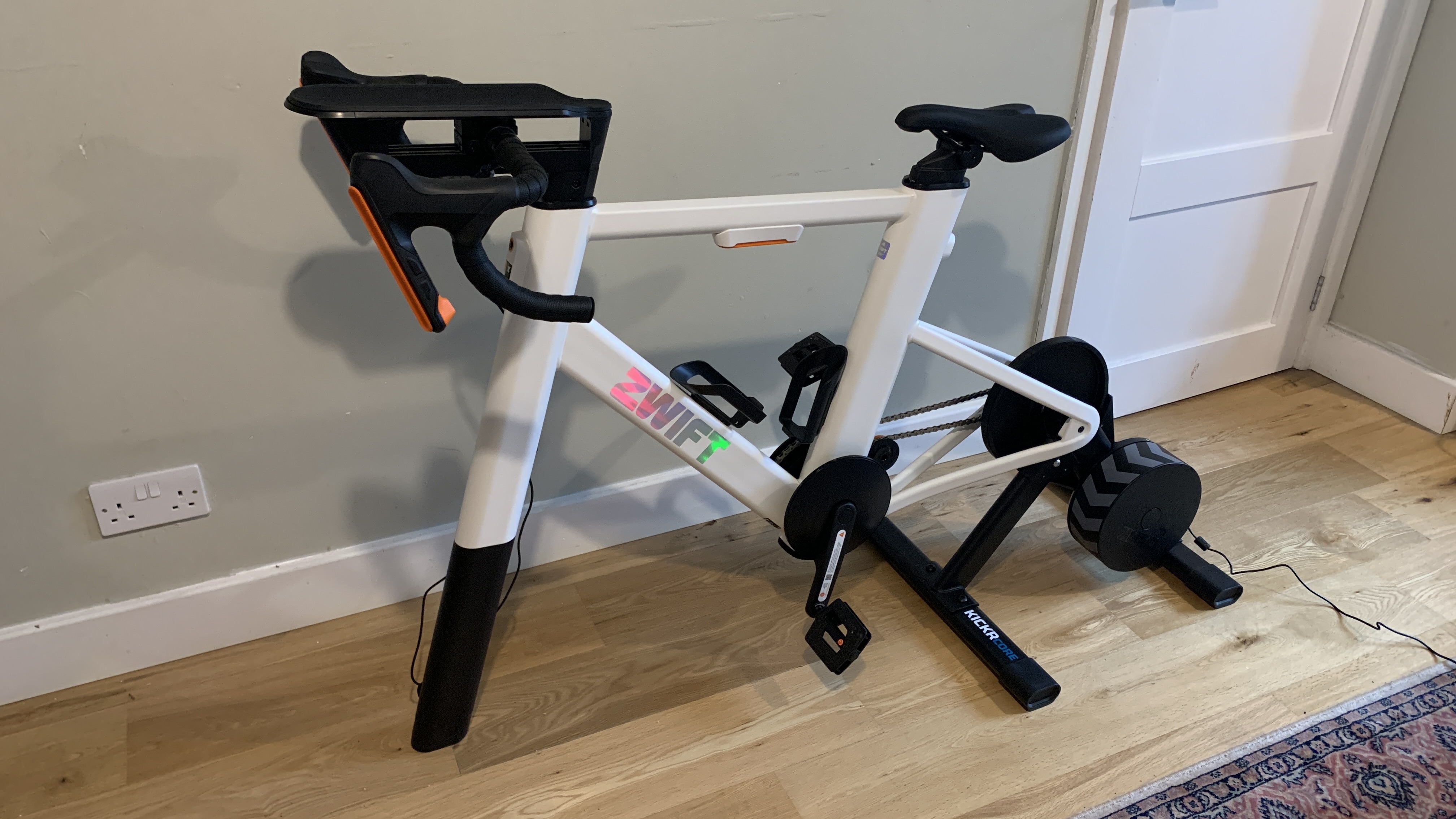
The Zwift Ride with KICKR CORE is a complete cycling setup comprising a Zwift Ride smart frame and a Wahoo KICKR CORE trainer. The combined unit is an easy-to-set-up solution for indoor training that doesn't require mounting a traditional outdoor bike. It's a single tine at the front instead of a bike's usual fork and a rear wheel, designed to lock straight into the KICKR turbo trainer. Assembly is as simple as opening a few boxes, securing a few bolts in place, finding a place to locate it, and you're away.

Offering integrated handlebar controllers, a console-like gaming experience, and a system that is compact and quiet, the Zwift ride is a great piece of kit, especially given the price. As for build quality, the chassis is made of heavy-duty powder-coated steel, which is solid and dependable, albeit a little utilitarian.

What sets the KICKR CORE apart from much of the competition is the single-sprocket Zwift Cog that enables virtual shifting. Instead of physically moving a chain across gears, the trainer uses a sophisticated algorithm to deliver resistance via the built-in electromagnetic system. This is capable of simulating the feel of 24 distinct gears and is a big win for users wanting a maintenance-free experience.

Versatility is a standout feature of the Zwift setup, as the frame is engineered to fit riders ranging from 5 ft to 6 ft 6 in with just a single tool. This makes it a perfect indoor bike for sharing between family members, something that I’ve enjoyed these past few weeks.

My first Zwift Ride experience has been a very positive one, and I’ve loved how easy it has been to use. Its design is solid but lacking finesse, its feature set is reasonable but nothing flashy, and its performance is fantastic for the price, compared to ultra-premium rivals like Peloton.

Zwift Ride and KICKR CORE

(Image credit: Future / Paul Hatton)

Zwift Ride with KICKR CORE: Specifications

Component

Zwift Ride and KICKR CORE

Price

$1,299.99 USD / £1,099 UK

Dimensions

135.89 x 58.42 cm / 53.5 x 23 in

Weight

35 kg / 78 lbs

Saddle Height Min-Max

59.9–86.5 cm / 23.58–34.06 in

Rider Fit Range

152.4–198.12 cm / 5 ft – 6 ft 6 in

Zwift Ride and KICKR CORE: Price and availability

  • $1,299.99 USD / £1,099 GBP / $2,299.95 AUD
  • A mid-range product with excellent build quality
  • Cheaper than high-end alternatives

The Zwift Ride with KICKR CORE 2 bundle is one of the best-value smart bikes on the market. The bundle package is typically priced at $1,299 USD / £1,099 GBP / $2,299.95 AUD, although it's often found on sale for around $999 / £899 (rarely discounted in Australia) during seasonal events. It's not cheap, but it's in the bracket of affordable for anyone wanting to take their indoor cycling seriously.

The product bridges the huge gap between a budget wheel-on trainer and premium dedicated smart bikes like the Tacx NEO Bike Plus. As a result, Zwift is looking to tap into that mid-range market with a semi-affordable trainer that's always ready to go.

Value score 4.5/5

Zwift Ride and KICKR CORE

(Image credit: Future / Paul Hatton)

Zwift Ride and KICKR CORE: Design

  • Utilitarian design with solid materials
  • Adjustable seatpost and handlebars
  • Silent flywheel for a great user experience

The bundle consists of two elements: the Zwift Ride smart frame and the Wahoo KICKR CORE 2 with Zwift Cog. I appreciate that's quite the mouthful, and it could be confusing, but in essence, the Zwift Ride is the frame, while the KICKR CORE is the resistance trainer. Let's take a look at each in turn.

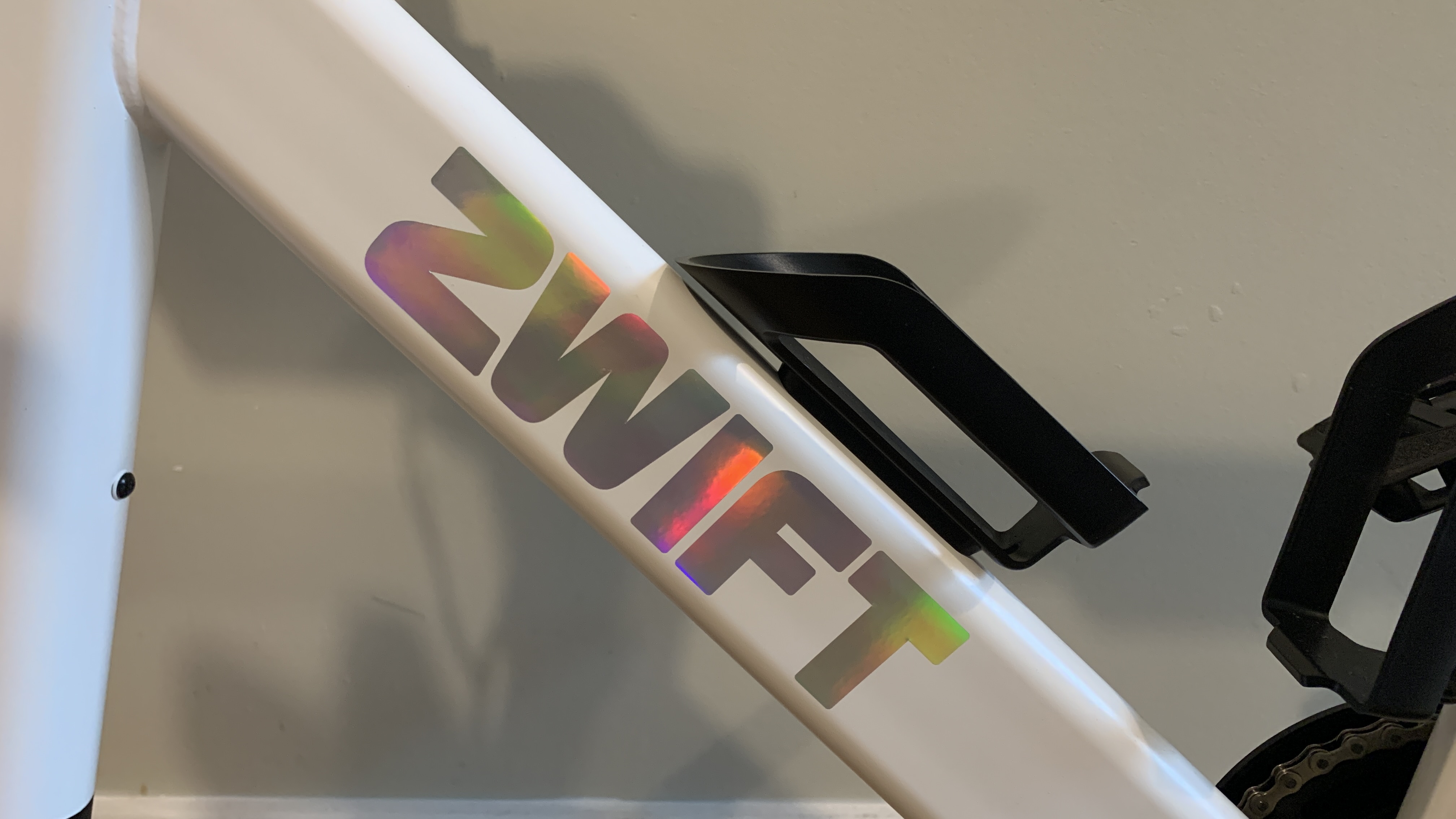
The Zwift Ride is the physical bike structure that you sit on. It stays in one location and is optionally attached to the trainer. The main chassis is constructed from heavy-duty powder-coated steel, which guarantees durability and longevity, but one of the best details of the bike's design is in its adjustability. With the ability to adjust the seatpost and handlebar system using a "sizing-by-letter" system, quick changes can be made and multiple riders accommodated.

At the front is a unique single-leg design with a wide rubber-padded base. Don't be fooled, though. It might look deceptively slim, but in reality, it provides a solid base to prevent rocking during sprints. The aluminum drop handlebars house built-in Bluetooth buttons for virtual shifting, steering, and navigating Zwift menus. Finally, central to the handlebars is a phone tray with a silicone mat and an optional tablet holder. These are essential for engagement with the Zwift app while riding.

Zwift Ride and KICKR CORE

(Image credit: Future / Paul Hatton)

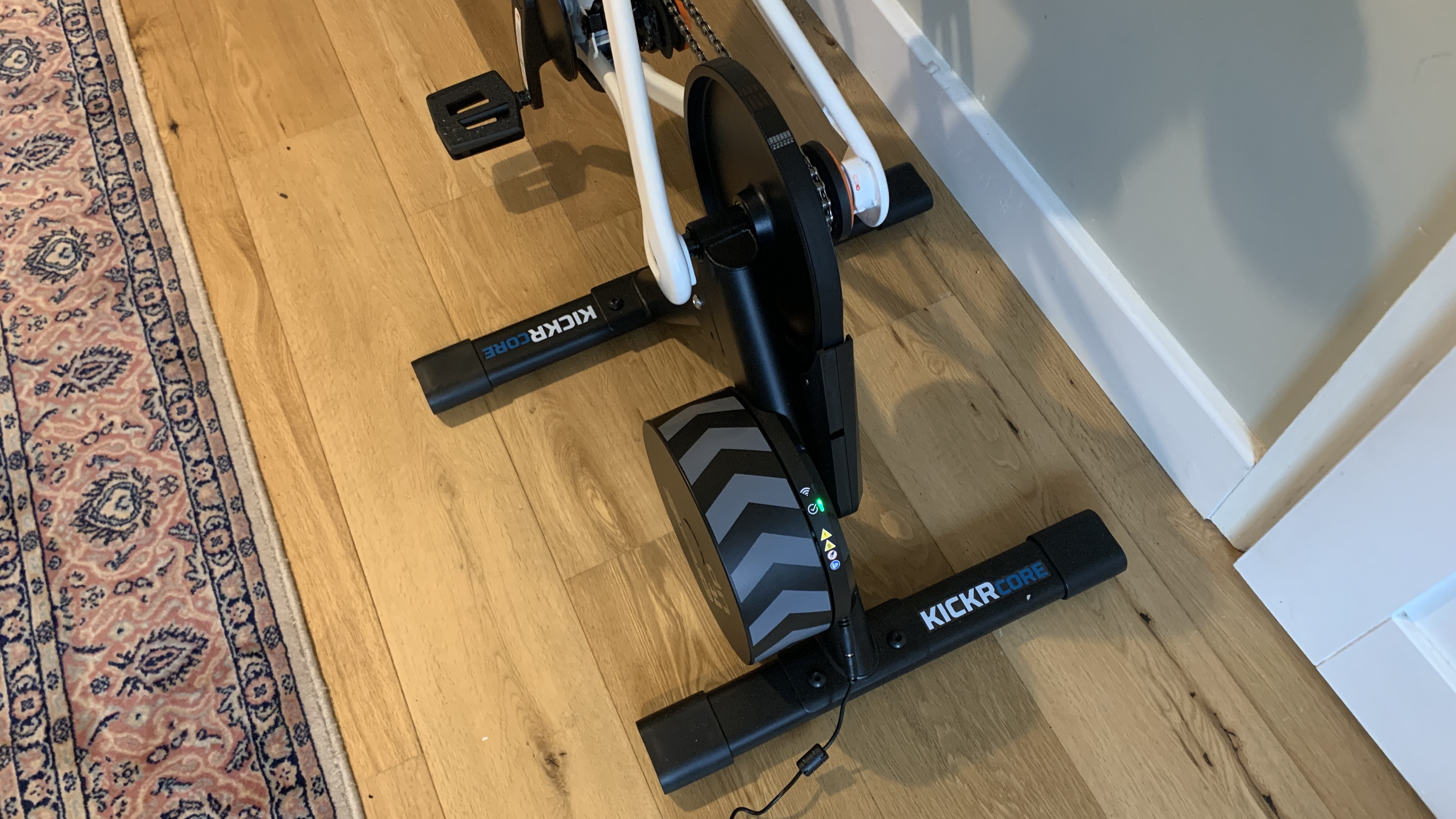
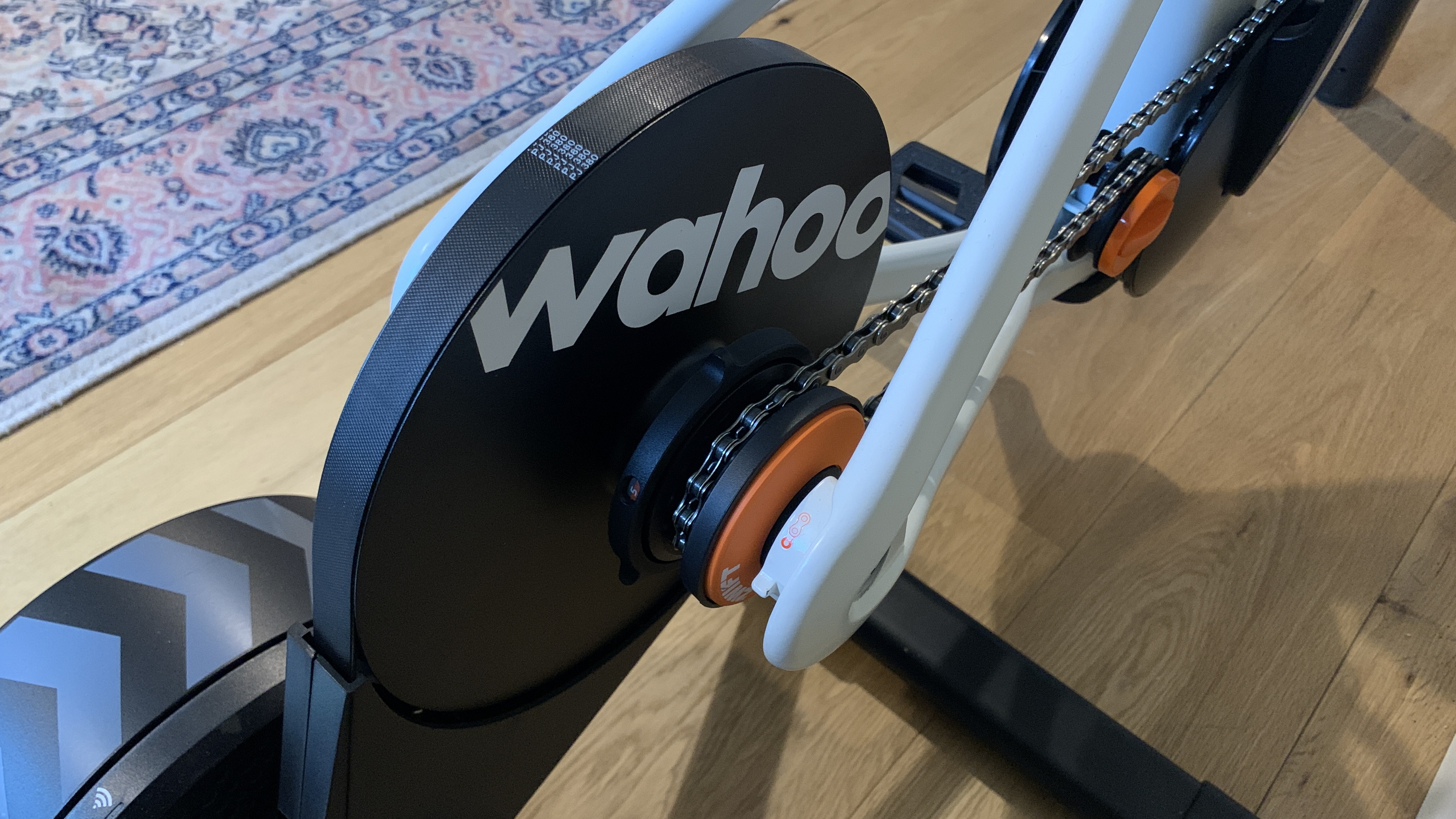
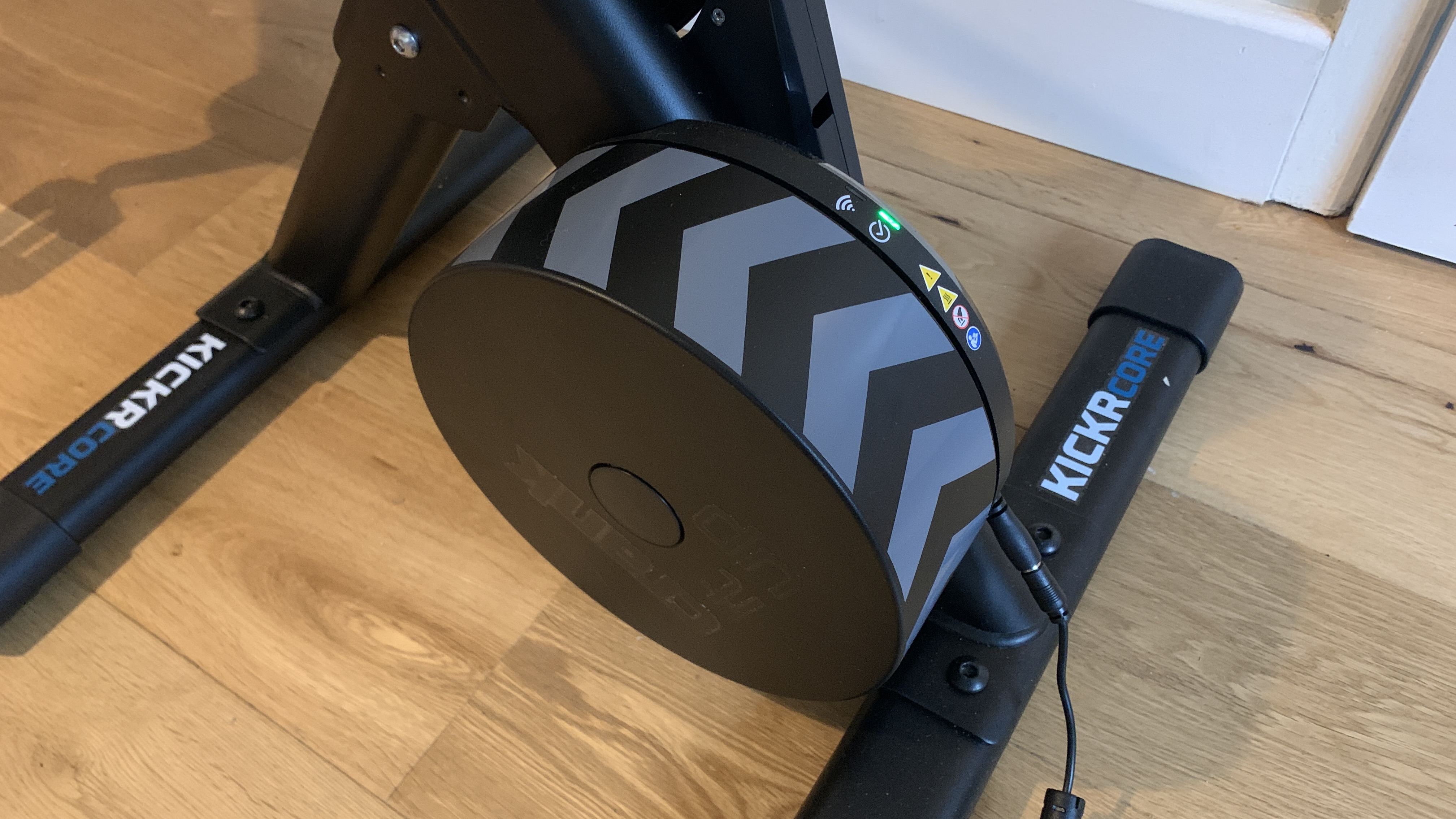
The Wahoo KICKR CORE trainer, on the other hand, is the engine that provides the resistance and communicates with the Zwift app. Sitting at the back of the frame, the unit contains a direct-drive unit containing a 5.4 kg (12 lb) electromagnetic flywheel and a single-sprocket cog that allows the bike to work without mechanical shifting. The whole setup is incredibly silent and removes the need for mechanically complex derailleurs. The Core is also sold separately in case you want to connect an actual bike.

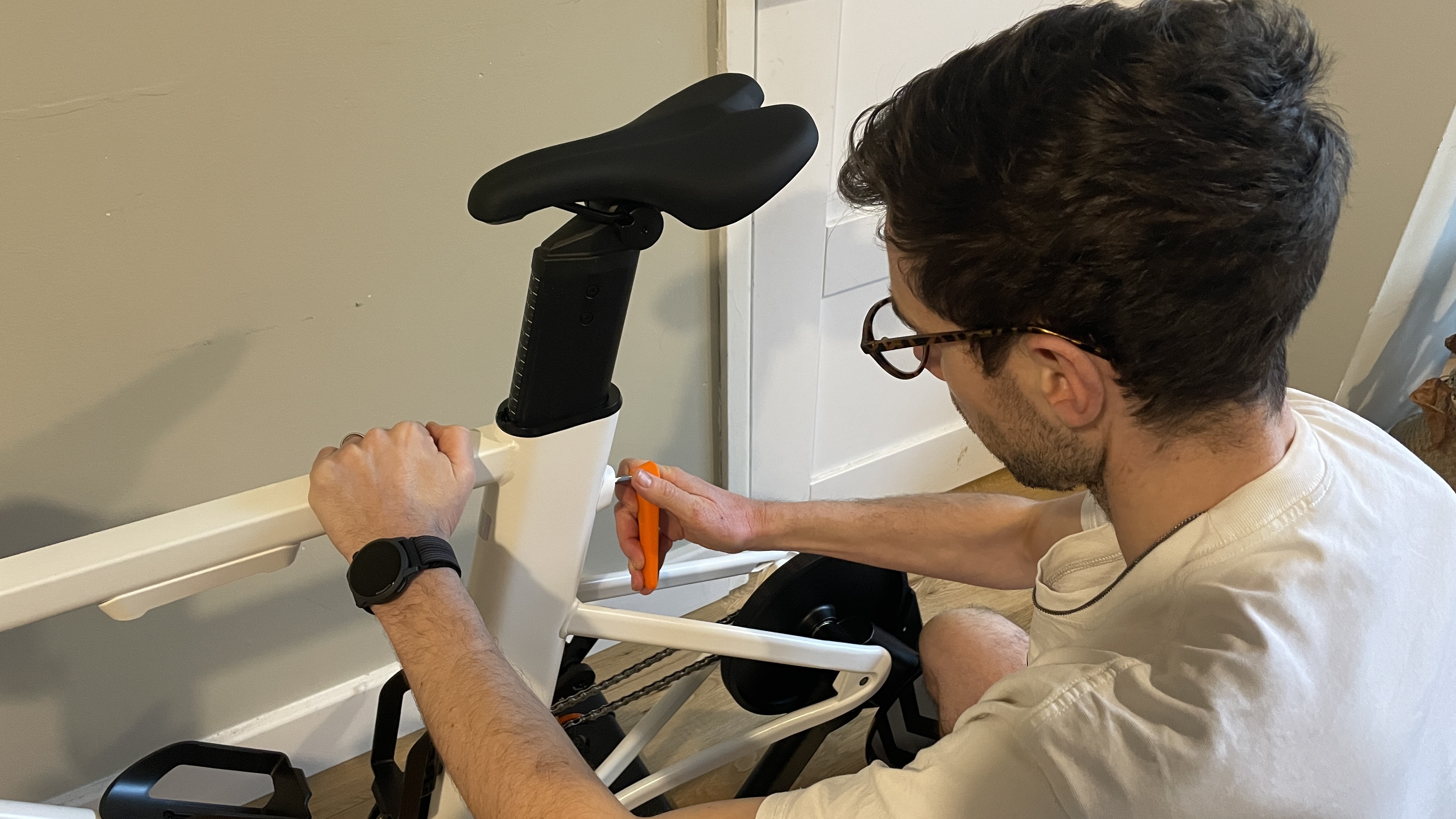
All in, it took around an hour to put it together with every part working seamlessly out of the box. The design is notably utilitarian compared to aluminum or carbon-composite alternatives, and the lack of tilting mechanisms to simulate further climbing is a reminder of its price point.

When both the frame and trainer are combined, the total weight is about 35 kg (78 lbs). While this weight makes it cumbersome to move, it does help keep the unit "planted", which is an essential quality during high-intensity rides.

Design Score: 4/5

Zwift Ride and KICKR CORE: Features

  • Console-like gaming experience
  • Fast and quiet virtual shifting
  • Automatic spindown calibration

From a features point of view, the Zwift is designed with simplicity in mind. This begins with the handlebar integration that serves up a console-like experience where you can control the Zwift interface without having to reach for a keyboard, mouse, or phone. This includes menu navigation and selecting routes as well as in-game actions such as deploying power-ups and moving your avatar to find a draft.

Rather than a physical derailleur, the Zwift hardware uses software-based virtual shifting that is faster and quieter than a mechanical drivetrain. The virtual nature of it makes it possible to choose between Shimano or SRAM logic, or even a sequential 24-gear progression. It also allows for shifting gears when you're not pedaling, which, although not realistic, is ideal if you happen to find yourself stationary while in the middle of a steep climb.

Zwift Ride and KICKR CORE

(Image credit: Future / Paul Hatton)

One of the most user-friendly technical features is the automatic spindown calibration, which measures the internal drag of the device so that the power numbers you see in Zwift are accurate and not skewed by things like belt tension or room temperature.

Unlike older trainers that required a manual spindown test every few weeks to ensure power accuracy, the KICKR CORE calibrates itself automatically while you coast. In line with Zwift's focus on convenience, firmware updates happen automatically over WiFi, so the trainer is always up to date.

Features Score: 4/5

Zwift Ride and KICKR CORE: Performance

  • Smooth, quiet, and dependable
  • Accessible and easy-to-use controls
  • Lacking high-end features such as frame tilting

After moving successfully through the incredibly straightforward process of building the bike, I was ready to jump on. It was actually my son who jumped on first, but as he had helped me build the thing, I thought it only fair to let him have a ride. He and I were impressed by how smoothly the unit operates with a super-quiet flywheel and drivetrain. This performance continued throughout my subsequent rides with no deviation in quality.

At the heart of the KICKR CORE is the Zwift Cog with virtual shifting. This again performs excellently with almost instant gear shifts, and there's no crunch or lag often felt on bikes when shifting under heavy load on a climb. This software-led approach means you can focus on your ride without concern that you’re going to bend the derailleur.

The gear shifting can be easily customized to mimic different gear ratios. I cycled through the sequential, SRAM, and Shimano options and tested each one to make sure they accurately performed to their advertised capabilities. The sequential option is pretty straightforward with a simple shifting through gears one at a time. The other two are a little more complex, but Zwift's ability to replicate their feel is expertly implemented.

Zwift Ride and KICKR CORE

(Image credit: Future / Paul Hatton)

The physical ride is only half the story, though. The Zwift app is as integral a part of the overall riding experience as the physical build. This app is operated through the handlebar controls, which enable users to move through menus and engage fully with the virtual riding experience. As with any new device, the Zwift’s button placement and associated actions took a little getting used to, but it wasn’t long before it became second nature.

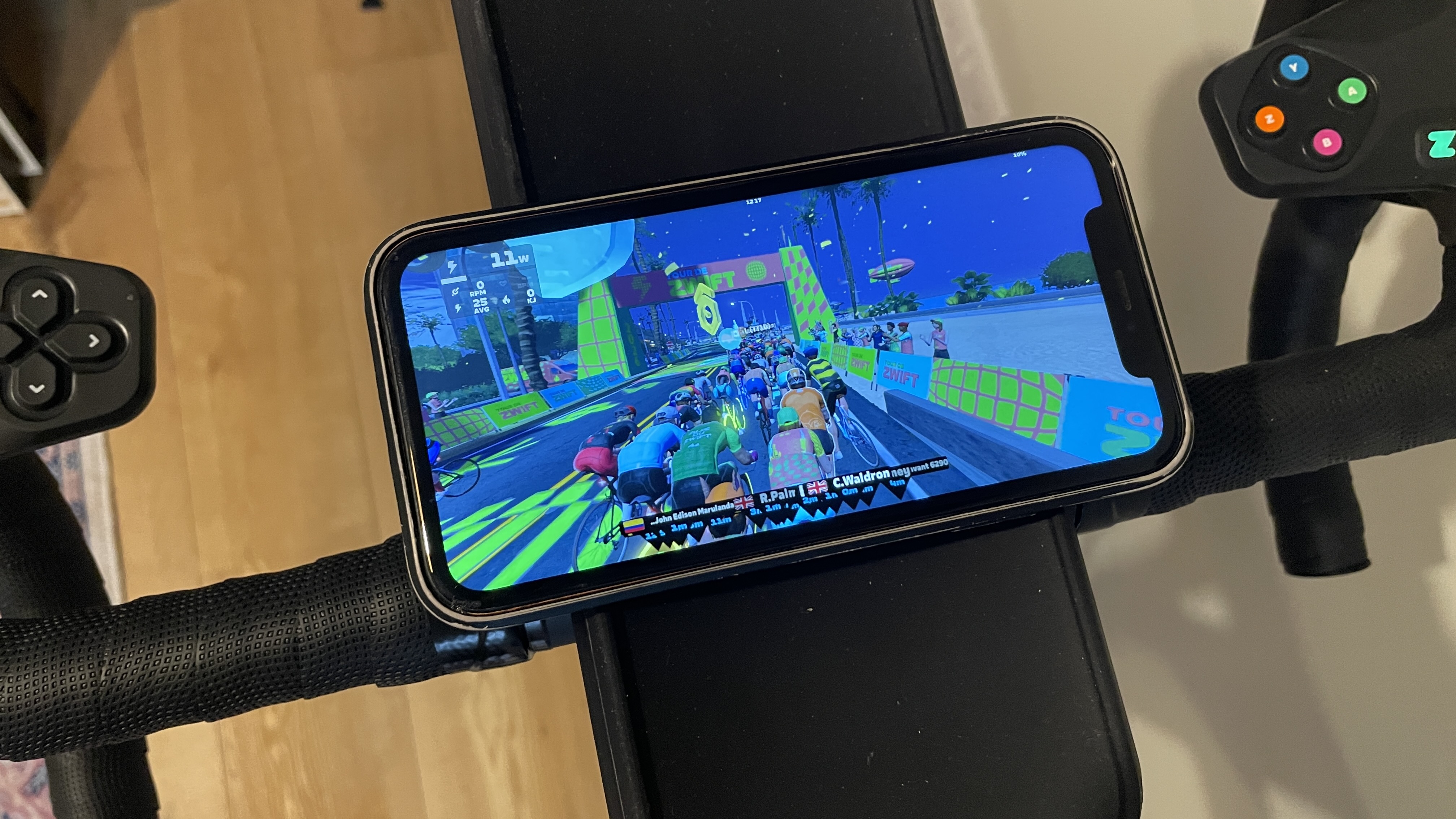
My overall experience of the app was a little less positive, unfortunately. I loaded it onto my phone and was immediately forced to view it in landscape mode. This wasn’t too much of a problem until I realised that the mounting pad at the front of the bike is portrait only. My phone was therefore balanced a little precariously to account for that. Making use of the dedicated holder with a tablet would overcome this, but not everyone has access to these.

I also found that the app drained my phone’s battery to a degree that I wouldn’t have expected. Maybe it’s a result of the 3D graphics or the expectation that you keep your device permanently plugged in. Either way, I think Zwift could make significant improvements to the app to enhance the overall user experience.

Performance score: 4/5

Zwift Ride and KICKR CORE

(Image credit: Future / Paul Hatton)

Zwift Ride and KICKR CORE: Scorecard

Category

Comment

Score

Value

A mid-range smart bike that delivers great performance at a semi-affordable price.

4.5/5

Design

A utilitarian bike that lacks the finesse of higher-end alternatives.

4/5

Features

A limited set of features, but what it does have is well implemented.

4/5

Performance

A smooth riding experience that lacks a number of high-end features. The app is also a little buggy at times.

4/5

Zwift Ride and KICKR CORE

(Image credit: Future / Paul Hatton)

Zwift Ride and KICKR CORE: Should I buy?

Buy it if...

You want a clean, well-built indoor exercise bike

The Zwift Ride with KICKR CORE is a grease-free, always-ready setup for cycling enthusiasts.

You need a solution that works with multiple users

Thanks for a sizing-by-letter system and single-tool adjustment; it's incredibly easy to swap for different heights.

Don't buy it if...

You don't want to be locked into Zwift

Virtual shifting through the Zwift Cog only works within the Zwift app.

You want a highly customizable ride feel

The trainer provides resistance, but nothing about the bike adjusts to mimic the feeling of going up or down a hill.

Also consider

Peloton

An all-in-one fitness solution that gives you the experience of boutique spinning classes without leaving home. If you’re looking for a great way to get into spinning, the Peloton Bike could be it.

Read our full Peloton reviewView Deal

Garmin Tacx Neo Bike Plus

An ultra-premium indoor trainer designed for elite cyclists, prioritizing realistic ride simulation including gear shifts and surface textures.

Read more about the Garmin Tacx Neo Bike PlusView Deal

How I tested

I performed a full unboxing and kit construction, enabling me to make informed comments on how users might experience the setup process. I downloaded and utilized the Zwift app, partaking in dozens of rides which made use of the full spectrum of features on the bike. I also asked other members of my family to test it. This enabled me to check the fit across multiple users and take on board other people’s perspectives and experiences.

First reviewed: February 2026

Mammotion LUBA 3 AWD 3000 robot lawn mower — autonomous mowing just got exponentially better for owners of larger landscapes

Mammotion LUBA 3 AWD 3000: two-minute review

If you’re in the market for a sterling autonomous plug-and-play robot lawn mower with a wider cutting tract than most, the new Mammotion LUBA 3 AWD 3000 comes wholeheartedly recommended. Available in three different battery capacities, this particular model is designed for large, complex lawns with shaded areas, lumpy terrain and very steep gradients, though it is equally at home on even the most standardised of suburban and rural lawns. However, it would most definitely be considered overkill if used on a small-to-medium urban lawn.

Like its highly-regarded stablemate, the LUBA 2, the new LUBA 3 AWD 3000 requires no boundary wires and no degree in IT to set it up – simply install its charging base, log on to the Mammotion app and it will map the boundaries of your lawn automatically or, if you prefer, manually by steering the robot around your lawn’s permitter like an RC car.

A big upgrade from its stablemate, this new model is now equipped with an impressive Tri-Fusion navigation system combining LiDAR, netRTK positioning over WiFi or 4G, plus AI camera vision to map, mow and avoid obstacles with impressive accuracy — day or night.

Performance is where the LUBA 3 AWD 3000 really impresses. Using its all-wheel drive system and full suspension, this beast can handle slopes with inclines of up to 80% and traverse uneven terrain, roots and edges with impressive confidence. Dual 165W cutting motors and AI-adjusted power, meanwhile, allow it to deal effectively with thick or damp grass, while intelligent route planning minimizes missed patches.

The result is an impressively neat and perfectly striped finish to the lawn that may leave your jaw on the floor. What’s more, because it is equipped with a much wider cutting deck (40cm) than the vast majority of the competition, the beautiful lawn stripes it creates are much more akin to that of a conventional mower.

Mammotion LUBA 3 AWD 3000 robot lawn mower

(Image credit: Future)

Granted, the LUBA 3 is very much in the premium-price band, but then you are getting marine-grade build quality, reliable navigation, excellent obstacle avoidance and consistent cutting performance for your hard earned.

I gave this model’s forebear, the LUBA 2, a full five stars on TechRadar in 2024, mostly because it was head and shoulders above anything else around at the time while being extremely efficient and super reliable. But that was then. Today we have a lot more competition with a veritable slew of extremely efficient wire-free robot mowers from the likes of Segway, Anthbot, Roborock, Ego, Eufy, Terramow and Worx, and that makes it even more difficult to justify a full five-star rating.

Nevertheless, if the earlier LUBA 2 — which I have been using for the past 18 months – is anything to go by, you can safely expect this new model to continue providing a fuss-free autonomous grass cutting service with almost zero babysitting for many years hence.

Mammotion LUBA 3 AWD 3000: price & availability

  • How much does it cost? £2,399 / $2,399
  • When is it available? Available in most regions now
  • Where can you get it? Pre-order in UK; available USA and rest of the world, bar Australia

The Mammotion LUBA 3 AWD series sits firmly in the premium segment of the robot mower market, with UK pricing typically between £2,099 to £2,899 ($2,399 to $3,299) depending on lawn capacity. While this positions it well above entry-level robotic mowers, the price reflects its incredible build quality, advanced navigation system, all-wheel-drive traction and ability to scale steep hills, making it particularly appealing for large, complex garden layouts and even large fields.

Compared with more affordable models, the LUBA 3’s value depends largely on lawn size and complexity. Budget alternatives for smaller lawns like the perimeter wire-free Segway Navimow i2 and Worx Landroid Vision Cloud cost under £700 while Mammotion’s equally-competent LUBA Mini 2 AWD 1000 (which boasts many of its larger sibling’s features, including the ability to climb slopes of up to 80%) also retails at a much more affordable £1,399.

Ultimately, I think that the LUBA 3 AWD 3000 I’m reviewing here is decent value for owners of large, uneven or multi-zone lawns who can fully exploit its advanced autonomy. For smaller gardens, however, many cheaper robot mowers deliver perfectly adequate performance, meaning buyers should carefully consider whether the LUBA 3’s premium technology is truly necessary.

Value score: 4 / 5

Mammotion LUBA 3 AWD 3000: specs

Max lawn size

3000㎡

Navigation

360 LiDAR + NetRTK + Dual-Camera AI Vision

Cutting deck width

40cm (two 6-blade cutting discs)

Cutting height adjustment

25-70mm, motorised

Drivetrain

All-wheel drive

Maximum climbing ability

80% (38.6˚)

Maximum zones

30 zones

Drop-and-mow function

Yes

Obstacle avoidance

360° LiDAR, NetRTK, and dual-camera 1080P AI vision

Connectivity

Wi-fi, Bluetooth & 4G (3 years free data)

Security

GPS tracking + 4G

Noise

70dB

Waterproof

IPX6

Rain sensor

Yes

Mow time per charge

175 mins

Charging time

120 mins

Weight

19kgs

Dimensions

690 x 533 x 279mm

Product code

LUBA 3 AWD 3000

Mammotion LUBA 3 AWD 3000: design

  • Three-way navigation
  • Wider-than-average cutting deck
  • Impeccable fit and finish

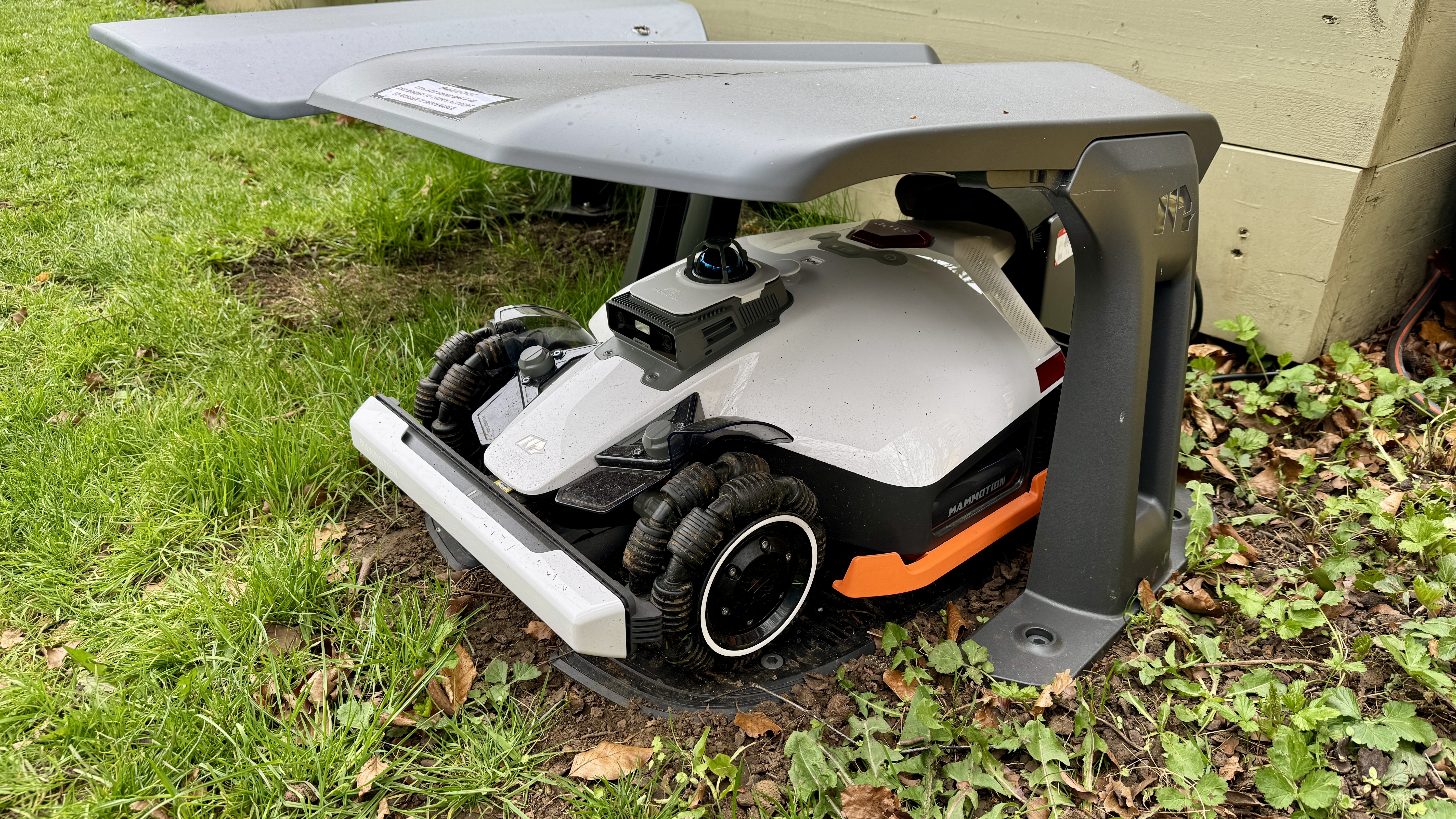
Most of the mowbots I review are clad in flimsy shells that bend dramatically as you pick them up. By stark contrast, the F1-inspired LUBA 3 AWD 3000’s beautifully polished white plastic cowling feels inches thick and akin to the hull of a premium speed boat. But it doesn’t stop there because the exposed metal work, too, screams Formula One levels of build quality with high-spec machining and expert fit and finish with zero tolerance between the various components.

In short, every inch of this lawn beast is built to the very highest standards. Hence, this level of build quality doesn’t come cheap and nor does it lack in weight – at a hefty 19kgs, it’s a good job you will only likely need to lift it once to remove it from the box and pop it on its charging plinth.

Mammotion LUBA 3 AWD 3000 robot lawn mower

(Image credit: Future)

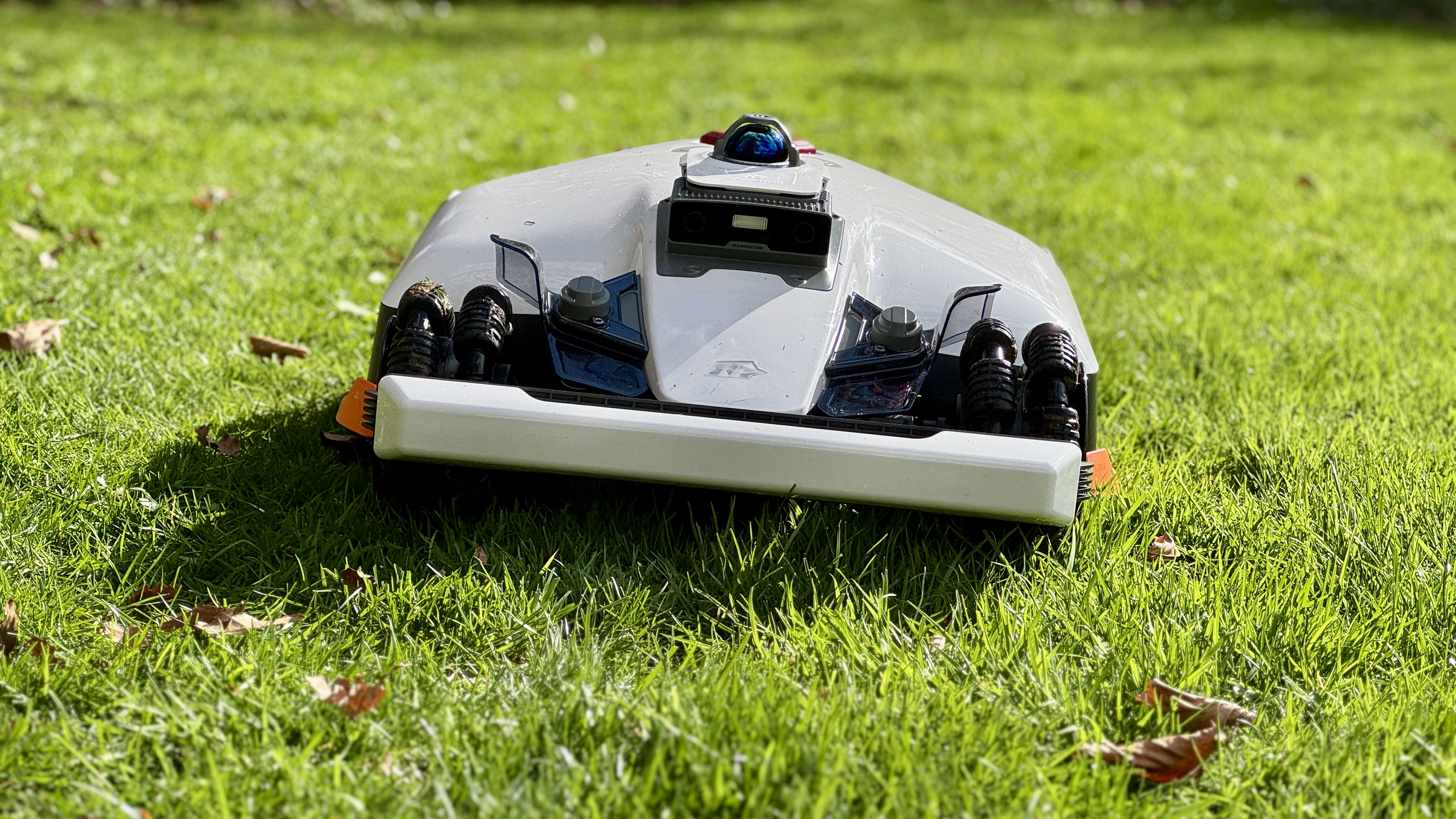
The LUBA 3 (as I shall call it from now on) is available in three battery-capacity variants for lawn sizes of 1,500㎡, 3,000㎡ for the variant we’re reviewing here, and 5,000㎡. It arrives almost fully assembled in a huge, expertly packed box. In fact, the only thing the user needs to do is remove some protective pieces on the robot — including the cutting deck protector underneath – and screw on the sensor-equipped bumper. Then it’s a case of mounting the charging base on a flat edge of the lawn that’s within range of an outdoor electricity supply. This model comes with a 5m charging cable, which is sadly about half the length of the one that came with the LUBA 2. Nevertheless, you should be able to purchase an extension cable from Mammotion sometime in the near future.

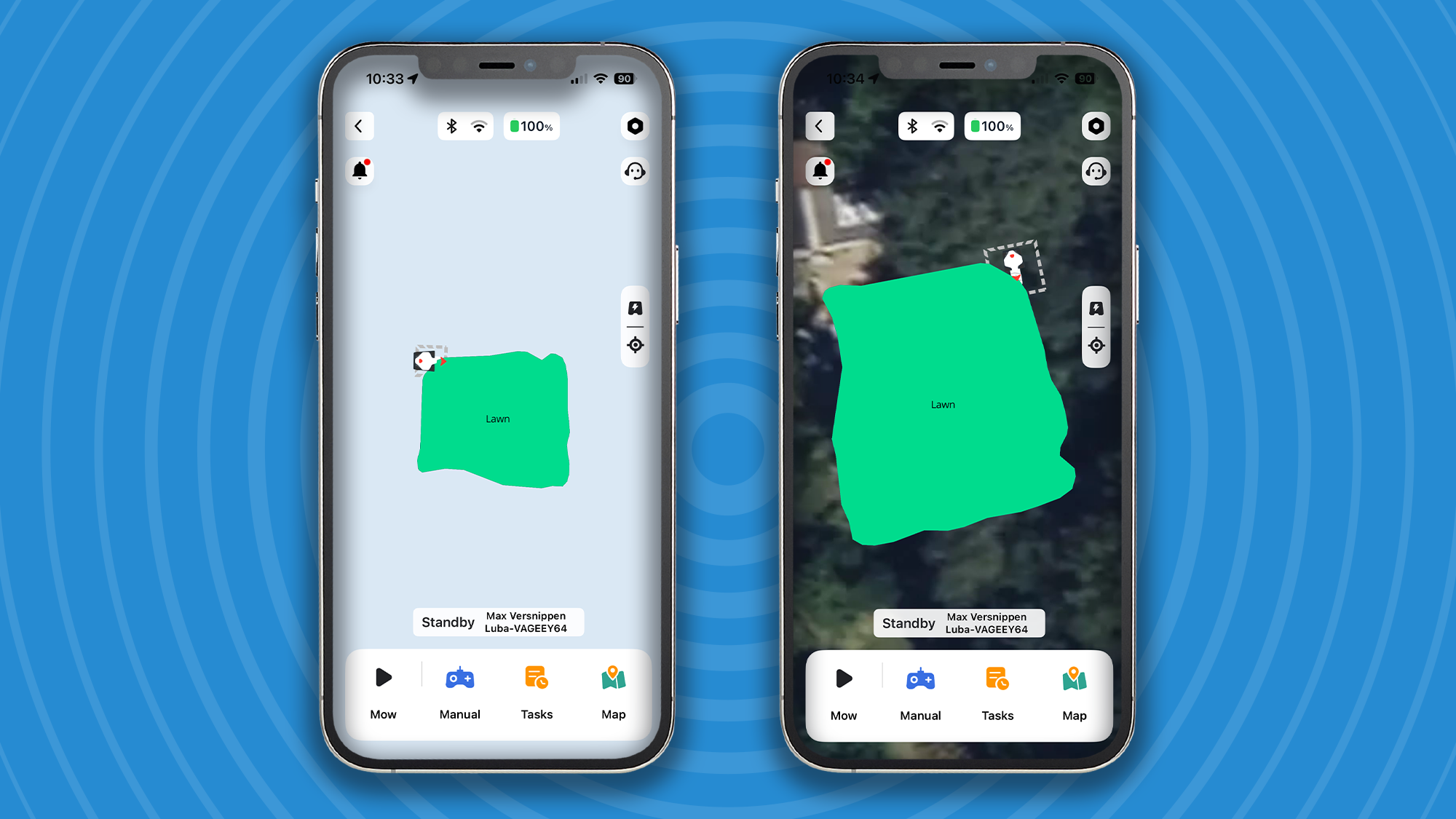
Now that the LUBA 3 is on its base, it’s time to open the Mammotion app, create an account and add the LUBA 3 by following the set of on-screen instructions. Since this model uses Wi-Fi and 4G-based NetRTK for part of its three-way navigation, there is no need to install an RTK antenna. In fact, it doesn’t even come with one though I’m led to believe that an RTK aerial will soon become available for those with poor Wi-Fi and/or 4G reception.

Mammotion app

(Image credit: Future)

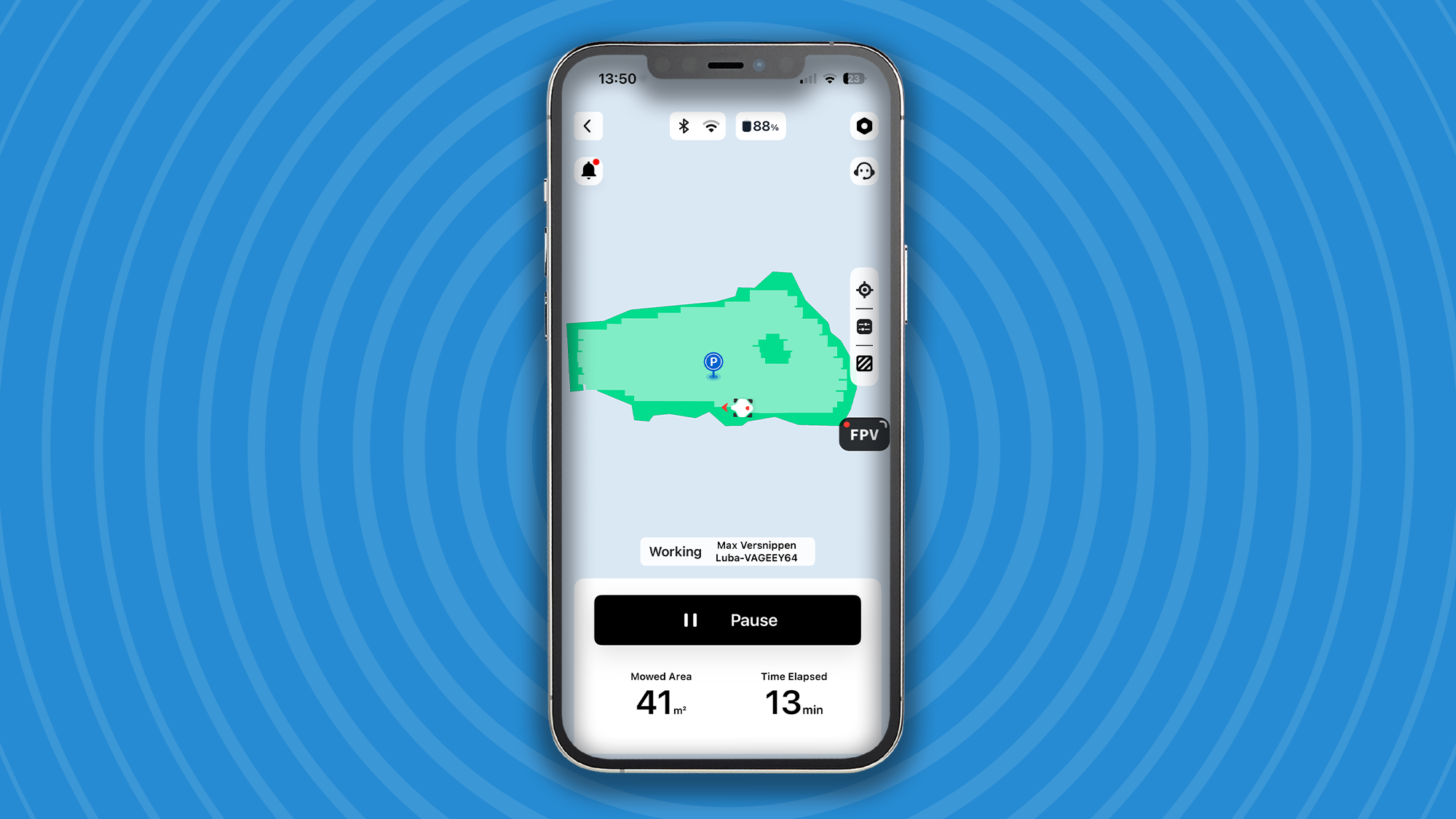
Once you’ve connected the bot to the app, it’s time to map your lawn and this can be performed in two ways — automatically or manually. With auto mapping the LUBA 3 follows the perimeter of any grassy areas until it arrives at its starting point. Voila, map created. In manual mode — my preferred option — you carefully drive the LUBA 3 around the perimeter of the lawn using the app’s virtual joysticks until you arrive where you started.

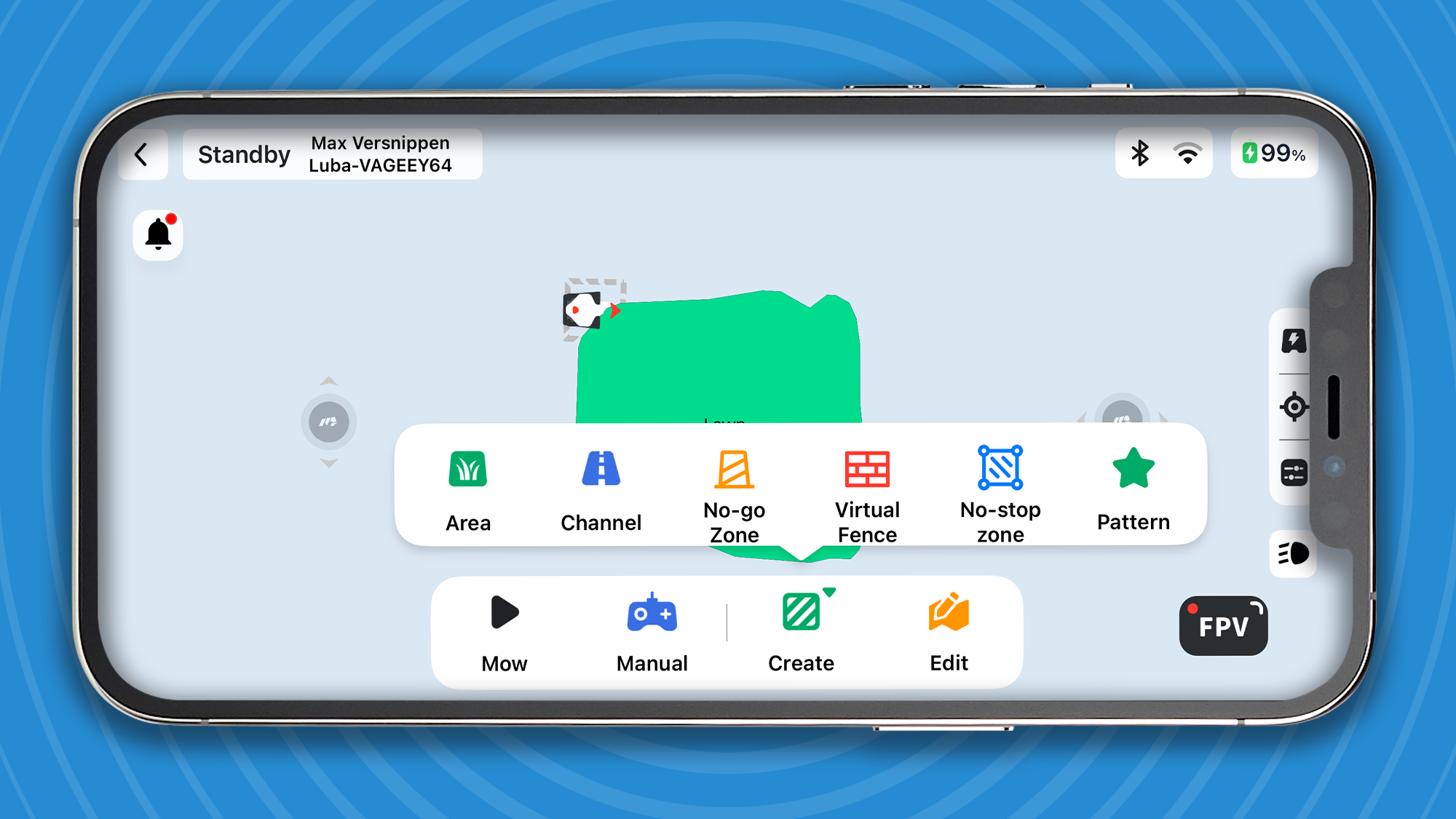
Once mapped, the only thing you may need to do is add a few no-go zones around any trees, garden furniture or ornaments by steering the robot around them. This task isn’t essential because the LUBA 3’s stupendous navigation system will ensure any obstacles are avoided. However, it’s still good practice to add no-go zones around obstacles so the robot can cut as closely as possible when approaching rather than giving it too wide a berth.

Mammotion app

(Image credit: Future)

If you have multiple lawns connected by pathways with no obstructions like stairs and gates in the way, you can also program a series of pathways for the robot to follow. Simply select ‘Channel’ in the app’s mapping menu and steer the LUBA 3 from one lawn to the other. You can create up to 30 mowing zones with the LUBA 3 3000 model on review here, 15 with the 1500 version and 50 with the 5000. In essence, when the LUBA 3 has completed its cut on lawn one, it will trundle off down your pre-set path to lawn two, and so on and so forth. If its battery needs a recharge midway through a multi task, the robot will simply head back to its charging station for a top up.

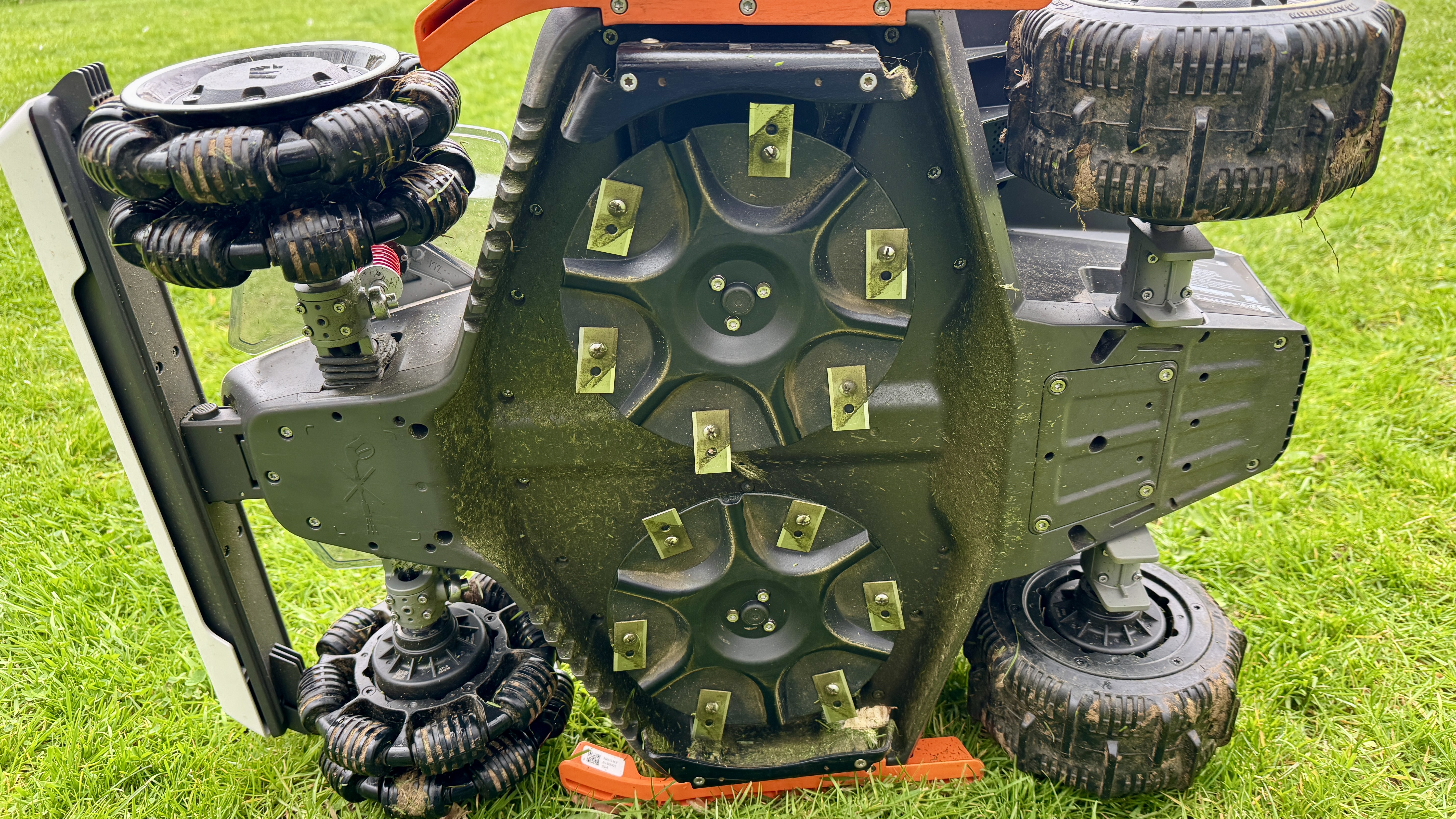
Let’s take a closer look at this amazing mowbot’s main credentials, starting with the cutting deck. Unlike the vast majority of robot mowers that come with a small single 20cm cutting disc, this one ships with two 20cm discs, amounting to a wide 40cm of cutting girth, which is roughly the same as most conventional medium-sized push mowers.

Mammotion LUBA 3 AWD 3000 robot lawn mower

(Image credit: Future)

The LUBA 3’s cutting system is comprised of two spinning discs equipped with six razor-like blades on each that cut and mulch grass more cleanly than any conventional rotary mower. Also, unlike standard mowers that only provide their cutting heights in 1cm increments, this model’s motorized cutting deck can be set to cut in 5mm increments (it has a cutting height range of 25-70mm). Oh, and another thing… Since the LUBA 3’s blades are so small and razor sharp, it doesn’t take much power to move them and that in turn means less battery consumption and almost zero noise while they’re working. In fact you could be lying on the sun lounger while the robot’s working a few metres away and you won’t hear a thing — and nor will your neighbors.

Since the LUBA 3 always cuts in a zigzag, up-and-down pattern (at whichever angle you prefer, including a chequerboard effect), the combination of its extra cutting width and extra-wide tyres ensures a swathe of professional-looking lawn stripes. Granted, they’re not the authentic stripes you see at a cricket ground or football pitch – these are made using a large cylinder mower with a roller on the rear – but who’s complaining when they look this ravishingly good? Incidentally, like all good robot mowers, this one is also fitted with a rain sensor, so if it heads out in the rain it will immediately return to its garage (with optional rain hood) and wait a few hours before trying again.

No robot of any kind is of much use if it doesn’t know where it is at any given time. Well the new LUBA 3 has three types of onboard navigation (one more than the LUBA 2) for insane levels of navigation accuracy in even the most shaded areas of a garden.

Firstly, its equipped with GPS RTK navigation that uses satellites to determine the robot’s position to a few centimetres of accuracy (the standard GPS navigation we use for driving is three to 10 metres). However, unlike the first incarnation of the LUBA 2 which shipped with a separate RTK antennae that required a good line of sight to a large number of satellites, this model uses Mammotion’s own NetRTK system which is Wi-Fi or 4G based and therefore immune to satellite access being affected by overhanging trees and buildings. All you need is decent Wi-Fi reception on your lawn for pin-point navigation accuracy.

If you don’t have Wi-Fi on the lawn, you can also use the robot’s built-in 4G capabilities to perform the same function — Mammotion provides a full three years of free 4G service! Oh, and fear not if your lawn area has neither Wi-Fi nor 4G because you can still use this model with a spiked RTK antenna.

Mammotion LUBA 3 AWD 3000 robot lawn mower

(Image credit: Future)

The LUBA 3 is also equipped with dual-camera AI vision and an LED headlight, and it uses these as an extra layer of cover when navigating darker areas of a lawn or when the robot encounters obstacles like children, pets, garden toys, furniture and ornaments. You have two levels of obstacle avoidance to choose from: Standard for better cutting efficiency and Sensitive, which may cause the robot to avoid non-grassy areas and even refuse to cross them on the way back to base. If you’re a dog owner, I wouldn’t rely on this model – or most others for that matter – to avoid dog poop because setting that level of sensitivity would likely cause the robot to also avoid every loose leaf on the lawn.

Last but certainly not least, this model also encompasses LiDAR and I can’t tell you what a difference this makes when it comes to mapping, navigation and obstacle avoidance. LiDAR fires lasers off in all directions to map and navigate a 3D work space with uncanny accuracy, even in pitch darkness. Having this level of navigation redundancy on board is a major coup for Mammotion since most other manufacturers tend to focus on just two navigation systems.

This Tri-Fusion Positioning System, as Mammotion calls it, has also allowed the Chinese company to introduce a unique ‘beta’ feature called Drop Mow so you can take it over to someone else’s lawn and have it cut their lawn as efficiently as yours. In terms of security, the LUBA 3 is firmly linked to the user’s account and that alone renders it useless to any thieves. Moreover, it is also equipped with GPS and 4G tracking for extra peace of mind.

Mammotion LUBA 3 AWD 3000 robot lawn mower

(Image credit: Future)

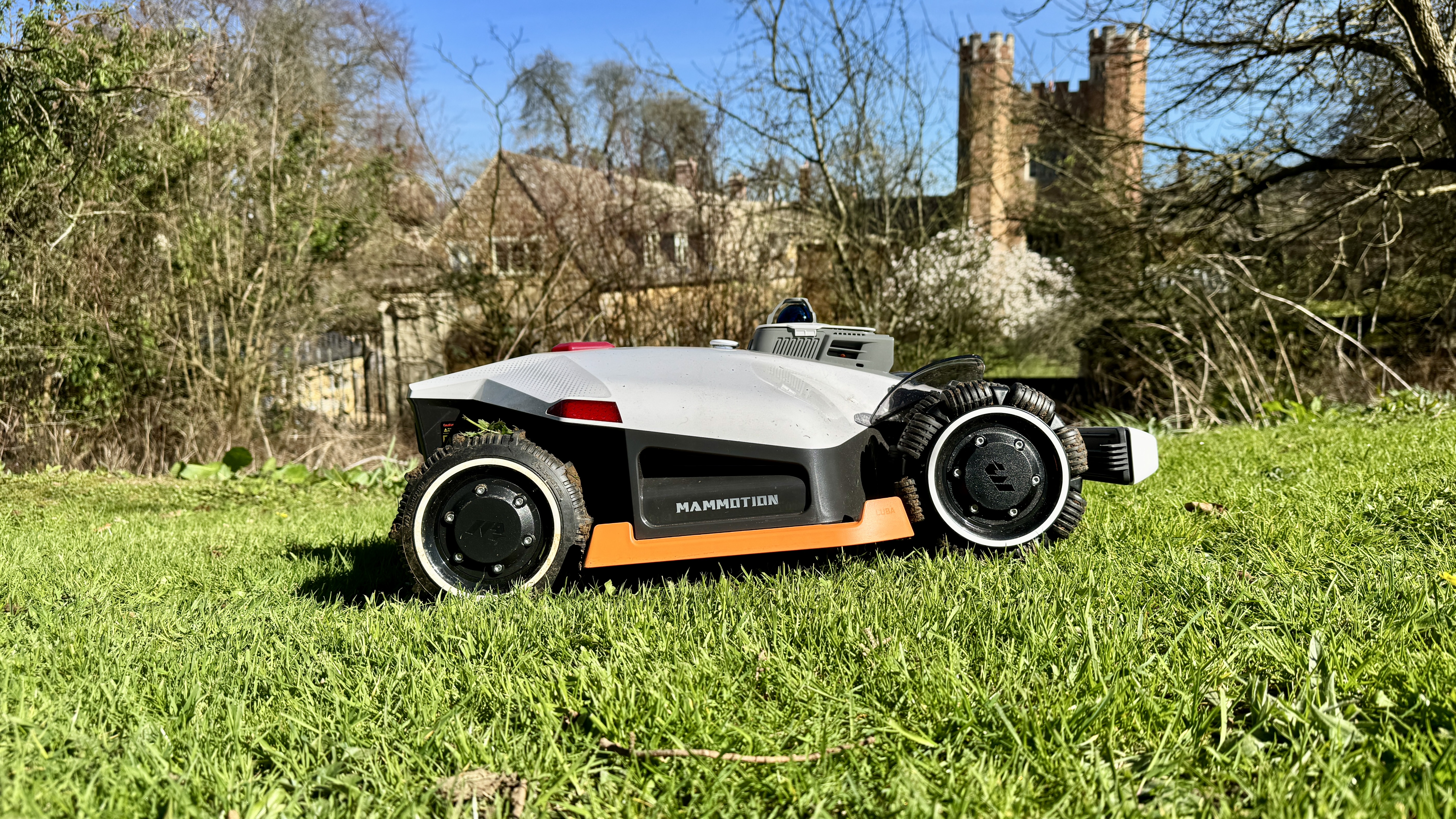
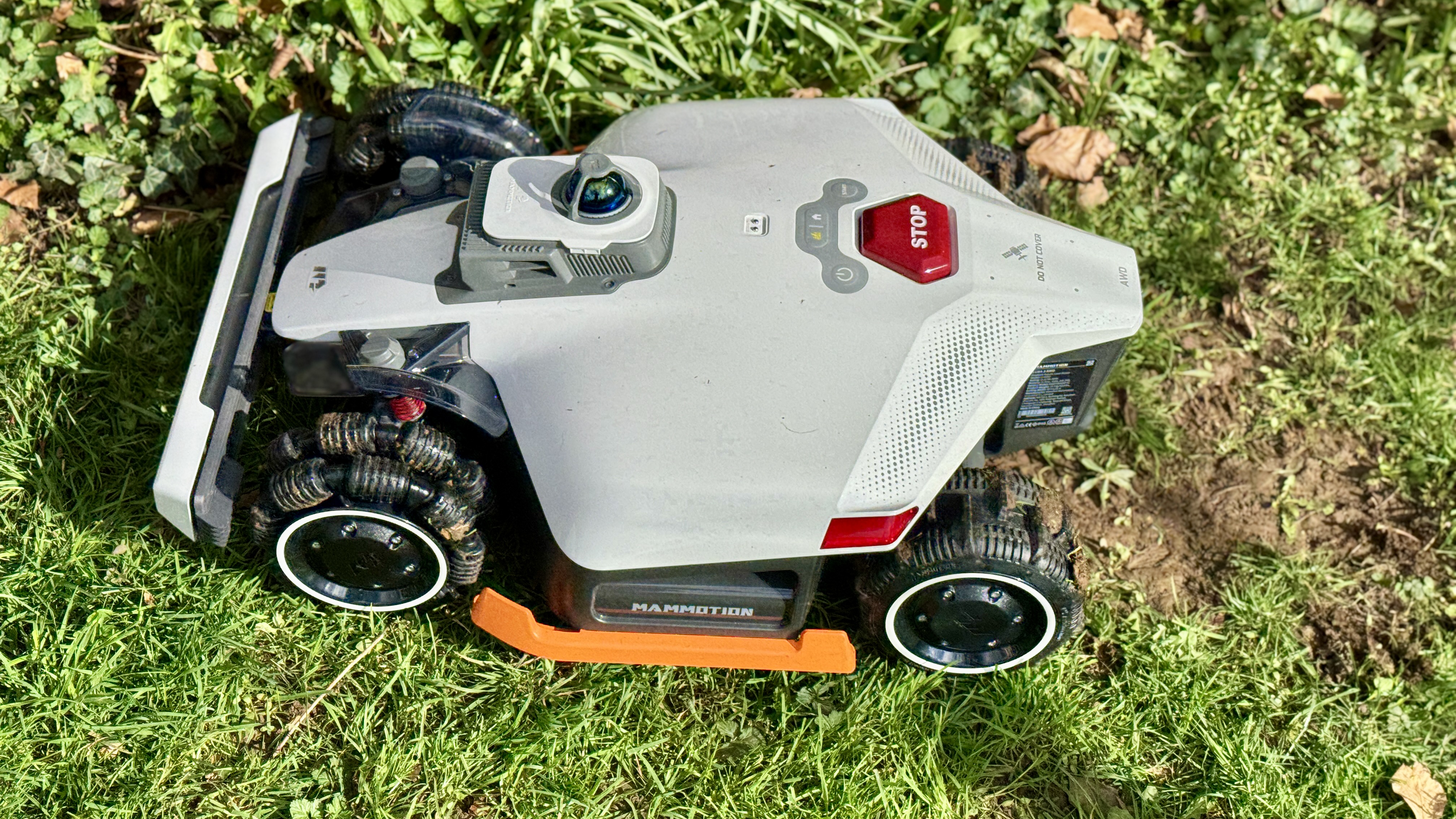
Let’s take a good look at the Mammotion LUBA 3 AWD’s traction system. Where most smaller mowbots have two sturdy drive wheels to the rear or front and a smaller castor wheel for steering, the LUBA 3 is all-wheel drive and fitted with suspension. Ostensibly, its wheel system is comprised of a pair of large, robust paddled tyres on the rear and a pair of narrower front wheels equipped with smaller omnidirectional spinners that allow the robot to turn on a sixpence. This setup means the LUBA 3 can ride over very rough terrain, scale roots and small sills without getting into pickle. But more importantly its powerful 4x4 drive system also allows it to scale inclines of up to 80% (38.6°) which is steeper than any conventional lawn mower can safely handle.

Granted, the LUBA 3’s specialised front wheels have been known to occasionally tear up grass in soft-soiled shady areas when using the Zero Turn option but this can be cured to some degree by opting for its slower three-point-turn function instead. I’ve personally had no bald-patch issues but I do know that others have.

However, I should add that the omnidirectional front wheels tend to collect a lot of mud which is unsightly, but thankfully the whole unit is IPX6 rated for protection against high-pressure water spray so you can easily blast off the mud with a hose. Perhaps Mammotion will change the LUBA 3’s front drive mechanism at some point and adopt a system like the forthcoming Segway Navimow X Series, which uses a zero-turn method comprised of two front wheels that swivel 90 degrees when turning.

I’ve been consistently blown away by the high level of build quality and huge amount of design flourishes Mammotion injects into its LUBA series and this model is the best yet. However, I will stress that this robot lawn mower has been intentionally designed for large lawns — and even paddocks and fields — and can therefore be considered overkill if used on an average urban lawn. Thankfully Mammotion also produces a smaller LUBA Mini 2 for diminutive lawns, and you should check it out.

Design score: 4.5 / 5

Mammotion LUBA 3 AWD 3000: performance

  • Top cutting performance
  • Creates beautiful lawn stripes
  • Reassuring reliability

As with its forebear, the LUBA 2, I have no issues to report regarding installation, initial lawn mapping, navigation or cutting performance. I simply set up a series of schedules in the Mammotion app and the LUBA 3 has headed off to mow the lawn while I’ve sat indoors doing other things. And when it has finished leaving its swathe of majestic lawn stripes, it’s followed the perimeter all the way back to its charging base.

Yes, I did use my conventional lawn mower with grass cutting container for the first cut of the season because the LUBA 3, like the vast majority of lawn robots, uses the mulching technique and I didn’t want clumps of cuttings littering the lawn. This is why it’s always best to hang on to your conventional mower.

However, if you program the LUBA 3 to head out every two or three days during spring and summer, it will simply slice off about 2mm of growth at a time and feed the nitrogen-rich cuttings back into the turf, thereby fertilising it as the same time. And without a grass cutting in sight. What’s not to like?

Mammotion LUBA 3 AWD 3000 robot lawn mower

(Image credit: Future)

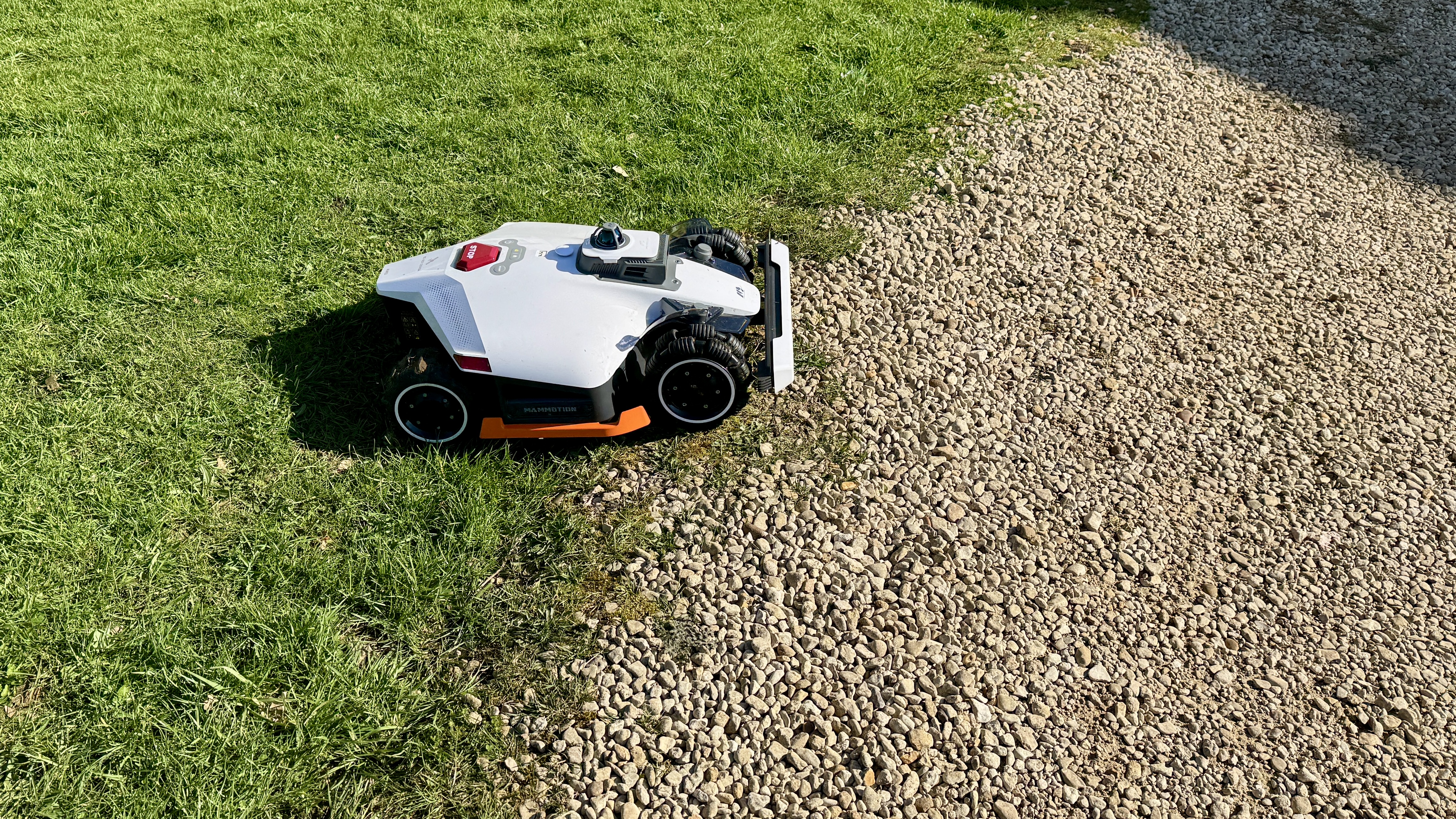
I have always opted for the parallel ‘zigzag’ cutting option in the app, followed by two perimeter laps (you can select up to four perimeter laps and each pass is a little closer to the edge). No, the LUBA 3 — and almost all other bots — won’t cut to the very edge of a wall, fence or solid flower border, but then neither will a conventional lawnmower. Hence you will still need a grass trimmer to hand.

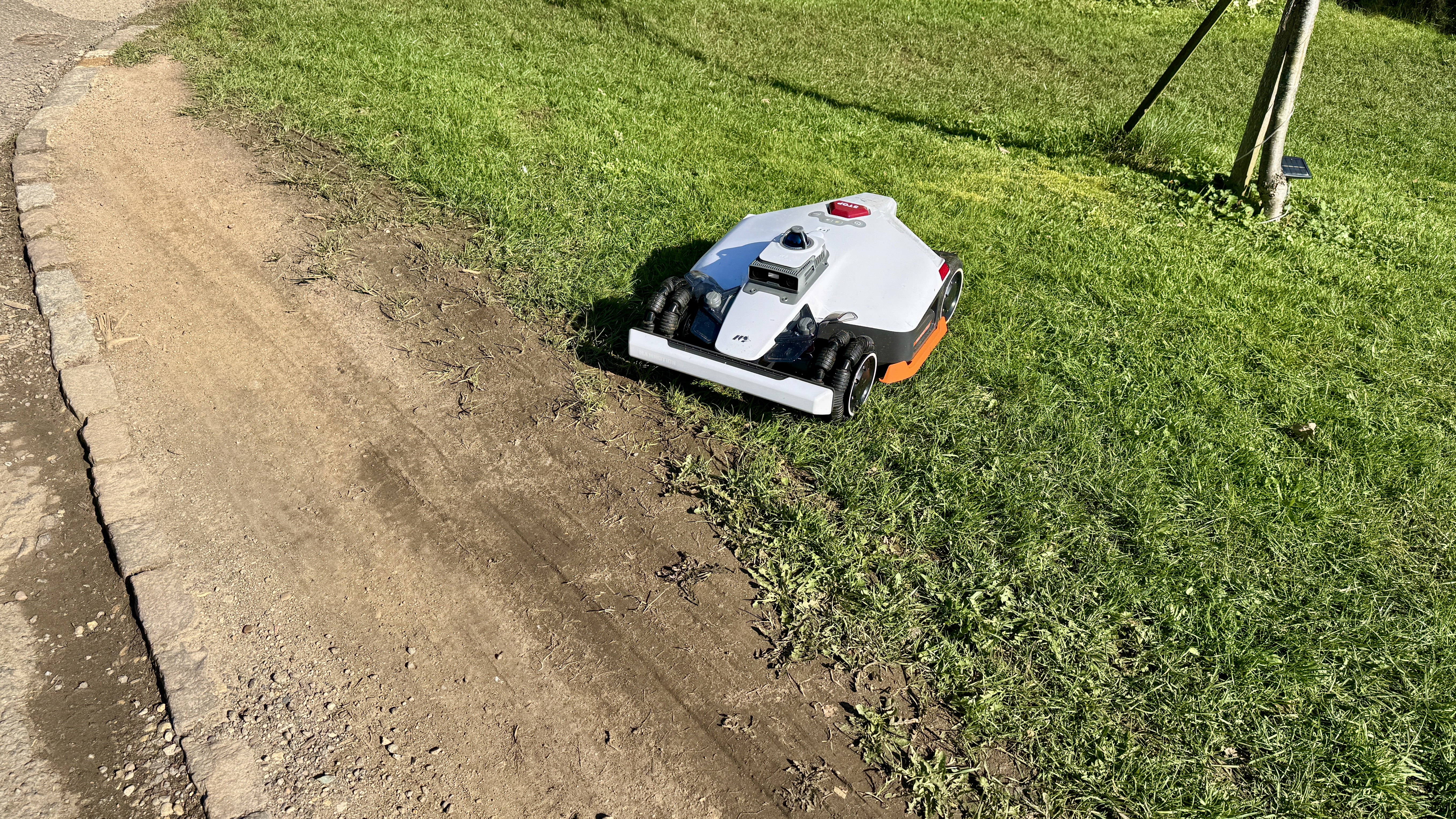
I also tested the LUBA 3’s multi-zone function though this did entail me carrying the unit up some stairs because I’m unable to create a direct pathway to zones two and three. Nevertheless, I was mightily impressed by how well it navigated between the two new zones while sticking rigidly to the borders, and without venturing into the adjacent road. In fact, so successful is this multi-zone system that, were I able to create a series of unobstructed pathways, I could feasibly program the LUBA 3 to leave my garden and head off to maintain our village cemetery and the lawn areas around the church. Proof positive that, were it not for the prospect of theft, most of the new generation of mowbots could feasibly replace a professional gardener with a conventional lawn mower. Sad but true.

Mammotion LUBA 3 AWD 3000 robot lawn mower

(Image credit: Future)

In terms of obstacle avoidance, the LUBA 3 is perfectly adept at bypassing any obstacle larger than, say, a ping pong ball. I tested it using the unit’s Standard obstacle avoidance setting and it stopped about three feet away from a stuffed seagull toy before rerouting itself for another pass. I then set it to Sensitive and it deftly avoided a toy dog bone just one inch in height. That’s a resounding pass in my book since, were it any more sensitive, the robot would likely avoid garden leaves and you don’t want that. Swings and roundabouts spring to mind.

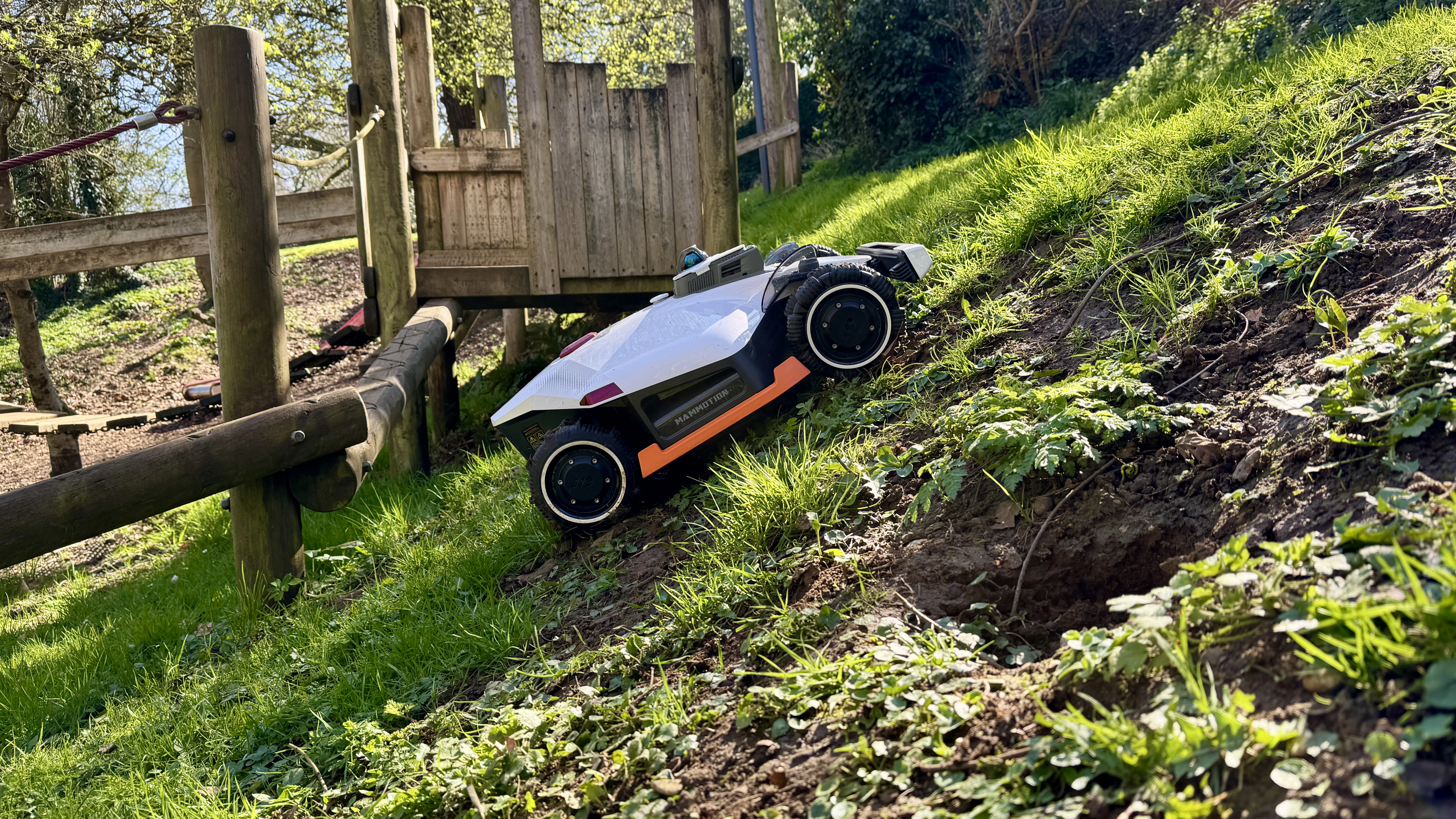
My final test was the LUBA 3’s toughest. There’s a children’s playground behind my house and it has a bank so steep and slippery that I can’t get up it without scrabbling on all fours. For this test I opted to manually steer the LUBA 3 up the slope using the app’s virtual controls, half expecting it to fail miserably. But, joy of joys, it scuttled up the slope like one of those V8-powered Formula Off-Road cars you see negotiating near-vertical terrain in a disused quarry. Very impressive indeed.

Mammotion LUBA 3 AWD 3000 robot lawn mower

(Image credit: Future)

Granted, some may baulk at the thought of a robot performing a task that they consider enjoyable, and I thought that too the first time I was offered a wireless robot to test. But when I look back at the time and effort I’ve saved to perform other important tasks like lounging in the garden with a G&T, pruning the flowers or simply watching it work — not to say the convenience of having the lawn cut while away from home — I’ve become a complete convert and would now find it hard to live without one.

Performance score: 5 / 5

Mammotion LUBA 3 AWD 3000: Mammotion app

  • Exceedingly comprehensive
  • Simple to navigate
  • Some glitches need ironing out

The accompanying feature-rich Mammotion app is central to getting the best performance from all models in the company’s current line up, and one of its key strengths is the amazing level of customization if offers, whether you’re fettling with it at home or away.

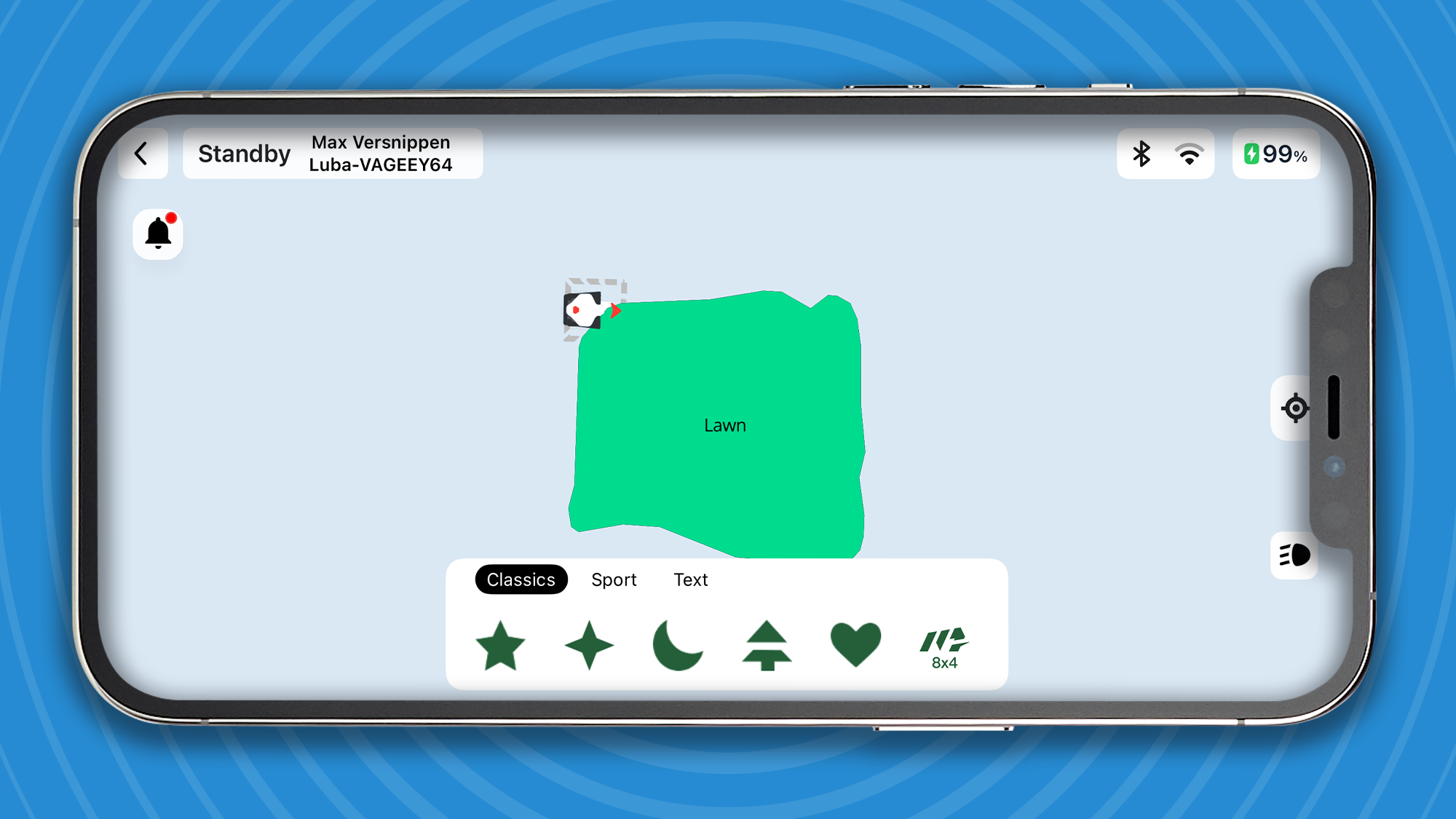
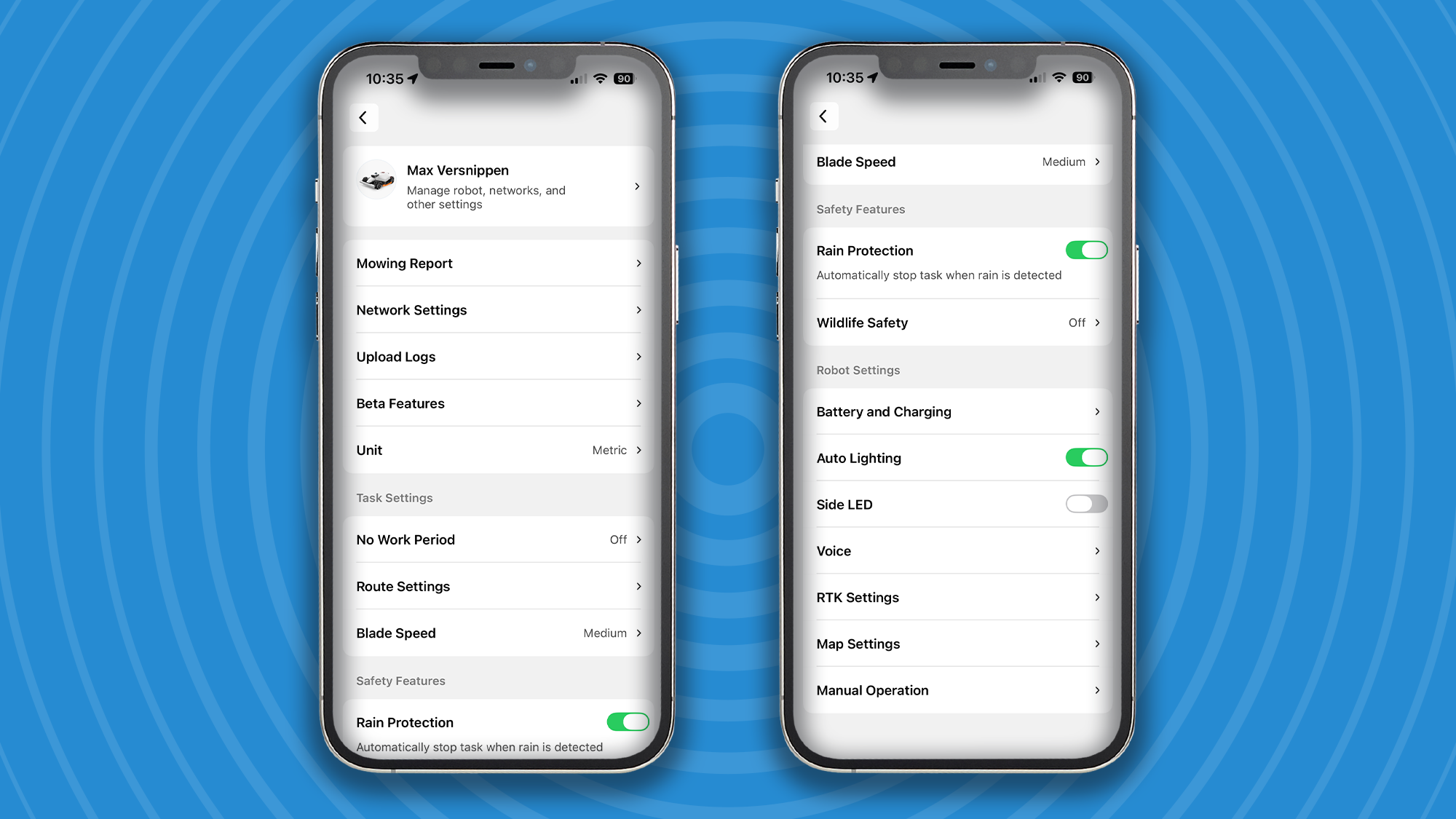
Users can create multiple mowing areas, adjust cutting patterns, height and blade speed, direction and style of travel (zigzag, chessboard effect and angle of cut), even create shapes and words on the lawn. It also offers the wherewithal to set the amount of perimeter laps and whether you want the bot to return to its charging base in a direct route or along the perimeter to avoid spoiling the lawn stripes it has already produced.

Mammotion app
Future
Mammotion app
Future
Mammotion app
Future

Nevertheless, the experience is not flawless. I’ve experienced occasional connectivity issues when away from home or when using Bluetooth on my iPhone 15 Pro, plus a few interface quirks that can make fine-tuning lawn zones more time-consuming than expected. There’s scope for improvement, in other words.

Should you buy the Mammotion LUBA 3 AWD 3000?

Section

Notes

Score

Value for money

The LUBA 3 commands a high price due to its advanced navigation and AWD capability on complex terrain

4/5

Design

Built like a tank and equipped with an accomplished navigation system for a rugged life on larger landscapes

4.5/5

Performance

Powerful, precise and confident performance across a range of large, challenging lawns

5/5

App functionality

Extremely comprehensive but could do with a tweak or two

4/5

Buy it if

You want advanced wire-free navigation

Tri-Fusion positioning combines LiDAR, RTK and AI vision for highly accurate mapping without boundary wires

You want beautiful lawn stripes

This bot cuts in lovely parallel lines

Your lawn is hilly and lumpy

All-wheel drive enables the LUBA 3 to tackle slopes up to 80%, making it ideal for complex or uneven lawns

Don't buy it if

Your lawn is too small

The LUBA 3’s four-wheel traction and wide body are overkill on small lawns.

You don’t want to spend much

Premium pricing makes it hard to justify for small or simple lawns where cheaper robot mowers perform well.

You need a robot with a more gentle turning system

The LUBA 3 has a tendency to scuff up some thinner grasses when turning.

How I tested the Mammotion LUBA 3 AWD 3000

As per usual, I lived with the Mammotion LUBA 3 AWD 3000 for a couple of weeks, watching it work on a scheduled basis and examining the results of its cutting performance. I then put it to a series of manual tests, including obstacle avoidance, multi-zone mowing and a steep hill climb. It has impressed me in all disciplines and continues to do so. Like the LUBA 2 I reviewed in 2024, I see no major issues with this newer model which has been a breeze to use from initial set up to the reliable way it goes about its bi-weekly chores.

!!!!!!!!!!

Popular Posts

Categories

Blog Archive