Thursday, April 30, 2026

Employment Hero review

The specialists behind Employment Hero founded the company after seeing poor HR processes at work – and now their platform promises to tackle every HR challenge while making employment easier, more effective, and more valuable for everyone involved.

The business has grown quickly since it was founded in 2014 – it’s reached unicorn status, with 300,000 businesses supported and over two million active users.

The company’s HR software is collected under a platform called EmploymentOS and aims to tackle hiring, payroll, management, learning, engagement, compliance, and more. It’s designed for SMBs facing a wall of employment complexity as they begin to grow, and there’s a strong emphasis within the business on adding AI functionality to enhance operations and improve efficiency for every customer.

The software was originally designed for Australian businesses. It now works globally, and the company especially focuses on Australia, the UK, New Zealand, Canada, Singapore, and Malaysia.

For more picks, see our guide to the best HR software

Employment Hero: Plans and pricing

Employment Hero is transparent about pricing - a refreshing attitude in a market where many companies won’t give you a price until you talk to sales. A free trial is also available, which is not the case with all HR solutions.

Employment Hero’s Standard package costs £4 (about $5.35) per employee per month and includes basic HR functionality like timesheets, employee record management, entry-level recruitment tools, and options to manage staff performance and leave. There’s also a basic, free payroll plan.

HR Premium costs £7 (about $9.37) and adds functionality including rostering and scheduling, budgeting, advanced recruitment tools, and performance reviews.

The HR Platinum product is only available directly from sales, although it will likely cost around £10 (about $13.38) per employee per month. At this tier, you get every feature from the previous two levels alongside learning and growth modules.

And if you want the maximum functionality from the solution, the Employment Unlimited tier unlocks additional learning tools, enhanced support, managed payroll, HR advisors, a recruitment agent, and a candidate-finding system called SmartMatch. This tier also adds Earned Wage Access and EAP Standard.

If you’d like more functionality and customization, all of those Employment Hero tiers are available with add-ons. Managed Payroll costs £12 ($16) per employee per month, and you can get HR and Employment Law Advisory for £6 ($8) monthly. A Learning Plus module provides development content to staff for £7 ($9.37) per employee per month.

Employment Hero’s full payroll functionality is sold as a separate product, too, that you can add to your HR package while you’re creating your overall solution.
Employment Hero

(Image credit: Future)

Employment Hero: Features

While functionality depends on the Employment Hero package you choose, the platform is packed with features and focused on providing end-to-end management for SMBs, along with a “single source of truth” for vital data.

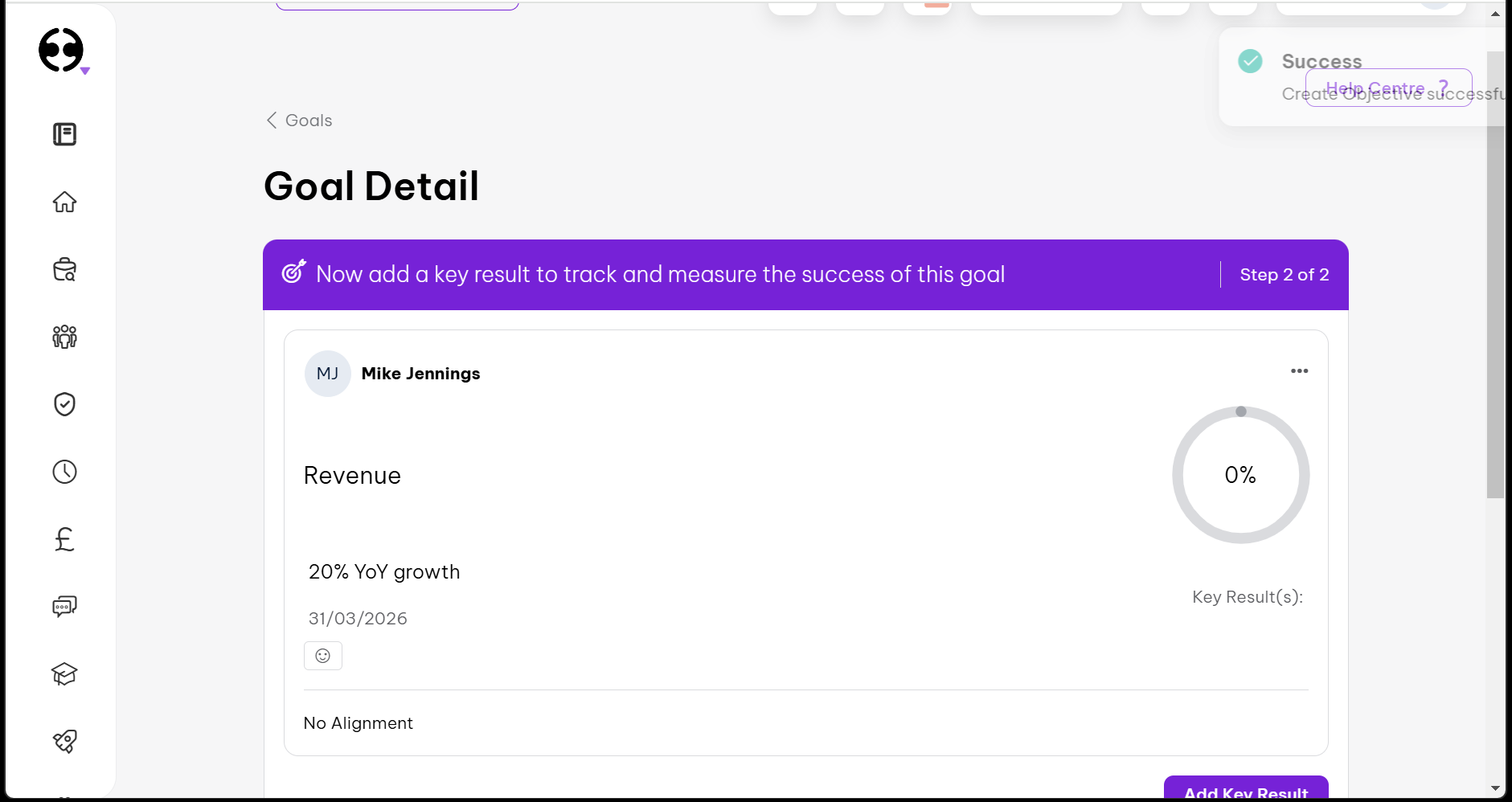
You’ll also find a solid amount of customization in Employment Hero’s higher-tier products, including the ability to create your own workflows and automations - a key part of any HR solution, especially one that aims to make life easier and maintain data integrity.

A central employee database, bolstered by ISO 27001:2013 certification, ensures accessibility and security, and an employee management module handles compliance, reporting, and certification to avoid bottlenecks and delays.

The time and attendance module can use optional photo-capture and geolocation features to support attendance tracking. Managers can create and manage schedules, track headcount, and analyze costs. There’s also a full leave management section.

Employees can log their own hours using a dedicated app or use a PIN-protected on-site system, and you can even let employees claim open shifts and create your own approval flows to avoid staffing shortages. On top of this, you’ll find budgeting, compensation, extensive reporting, and real-time alerting to ensure your staffing and spend stay on track.

The learning management system serves up tailored development journeys, industry-specific bundles of learning content, and options for tracking progress and tackling employee 1:1 meetings and reviews. If you’re interested in recruiting, depending on the tier you buy, you’ll get job posting, candidate screening, talent pipelines, recruitment analytics, and DEI tools. Employment Hero also functions as an Employer of Record in over 180 countries.

Sitting above this functionality is AI Hero - the software’s new artificial assistant. It’s designed to answer repetitive employee questions and save HR teams time by writing messages, job descriptions, and more. It can help personalize 1:1 meetings and summarize interviews, too.

Elsewhere, Employment Hero provides an employee management app for Android and iOS to simplify administration. There’s an API for easier integration with other systems, and Employment Hero integrates with third-party payroll tools like Xero and MYOB.

Employment Hero’s feature set is impressively broad, positioning the tool as an SMB-focused all-rounder. This solution combines core HR functionality with time and attendance tracking, recruitment, learning, automation, and now AI assistance – and it’s even better when you consider the features that are included once you go up the pricing tiers.

That said, be careful when checking which features you’ll actually get if you decide to invest in one of the more affordable tiers, because key features like workflows, learning tools, and additional HR and payroll support may not be included. This pricing structure is not unique to Employment Hero, but it’s worth remembering.
Employment Hero

(Image credit: Future)

Employment Hero: Ease of use

Employment Hero’s developers concentrate on streamlined processes, modern interfaces, and user-friendly design, so it’s no wonder that this is one of the better-looking and more straightforward user interfaces on the market.

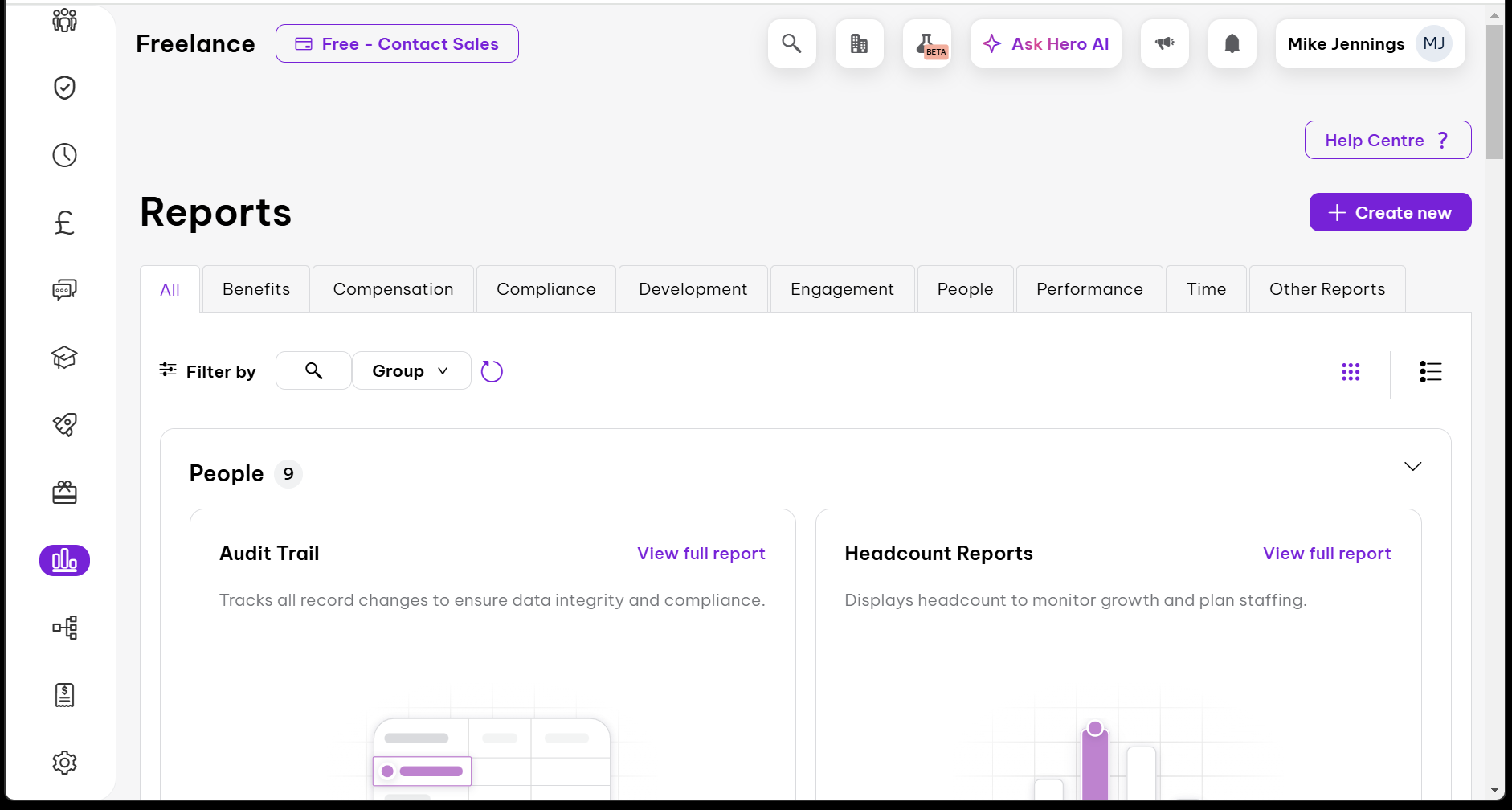
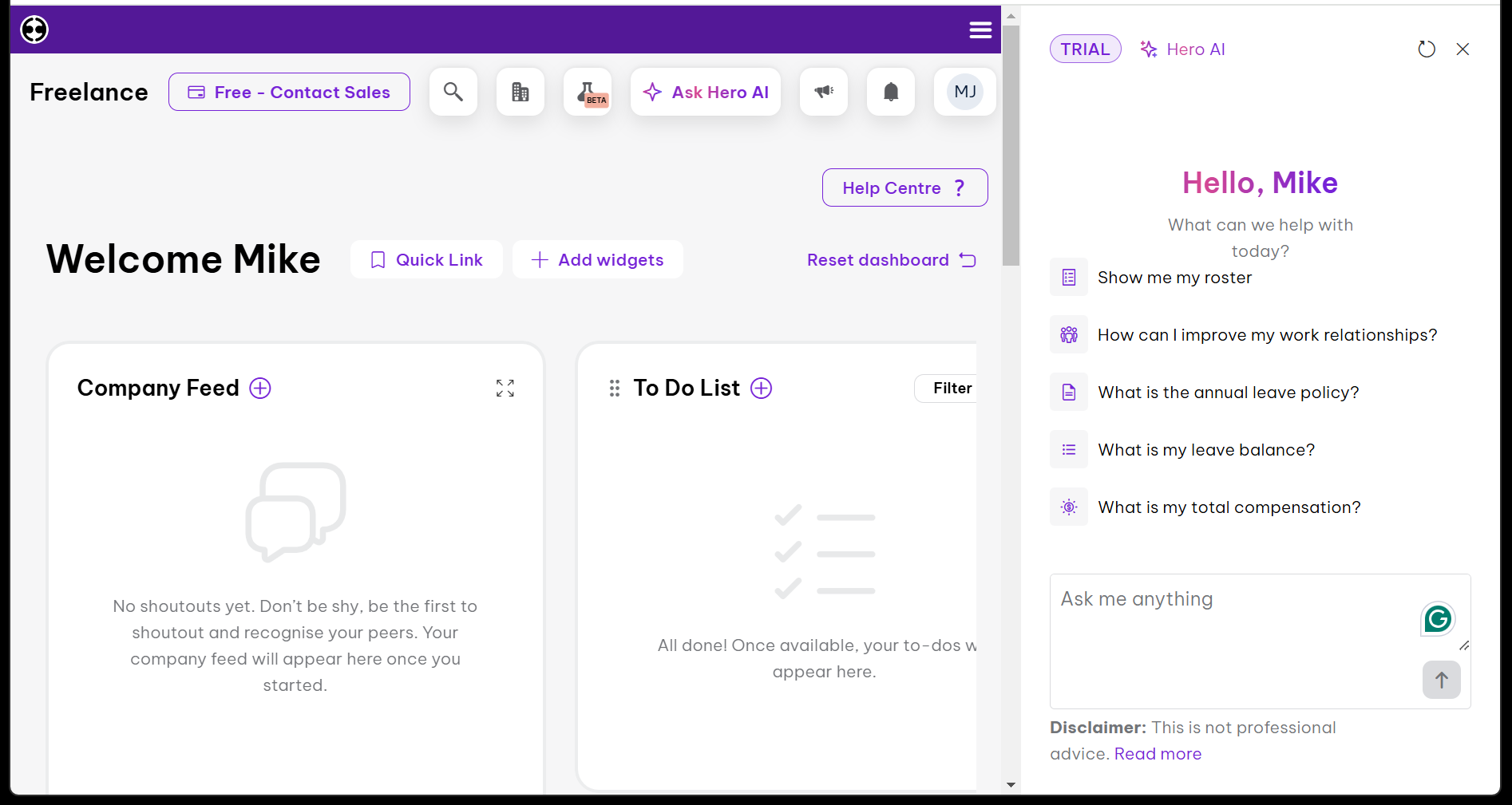
It’s an attractive system with clean typography and purple highlights. The dashboard includes a company feed, to-do list, key metrics, and a “launchpad” with quick links to common functions. You can add and remove widgets from the home page, create your own quick links, and click a button along the top of the app to launch Hero AI and see your notifications.

This tool makes a strong first impression, and the design is consistently impressive in other modules.

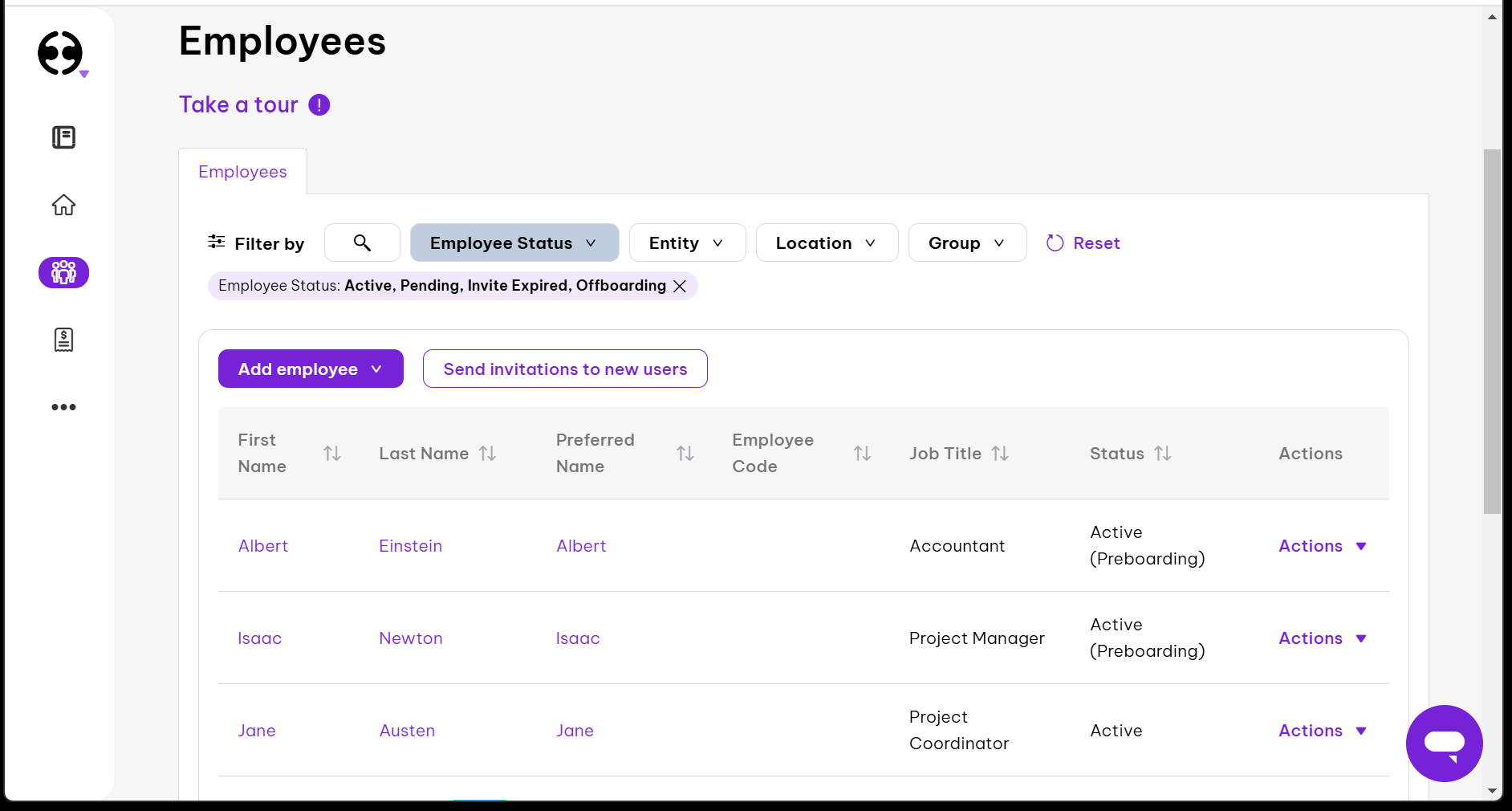
The People section makes it easy to access your employee database, files, vacancies, and offers, and you can also easily see vacancies, contractors, and an organization chart. Head into your employee database and you’ll find straightforward, sensible filtering options.

Other sections of the app are organized just as well. The design is consistent, which makes it easier for your HR teams to use the tool effectively, even if they’re not very experienced with HR software.

Reports are smart, attractive, and easy to parse, too – a common theme among any graphical elements in the Employment Hero interface.
Employment Hero

(Image credit: Future)

Employment Hero: Support

The Employment Hero Service Center includes easy access to a knowledge base full of articles, an in-depth FAQ section and a system status page alongside a helpful community forum where you can discuss the software with other Employment Hero users.

If you need to contact support, the Hero AI bot is used as a triage step. If that mechanism hasn’t directed you to an answer, you can file a ticket and talk to a support agent using the chat system, and Unlimited customers get the option of phone support, too.

The primary support team is based in the UK and operates from Monday to Friday in UK business hours, which traditionally means from 9am until 5pm. Additional support teams are on hand to pick up tickets around the world if you file a support query outside of those UK hours.
Employment Hero

(Image credit: Future)

Employment Hero: Competition

Anyone looking for an SMB-focused HR solution has plenty of options to choose from, even if you’re considering UK-based products.

Sage HR is another frontrunner if you need an all-in-one HR solution designed for SMBs, and IRIS is another comprehensive tool.

If you’d like to evaluate options that excel in specific areas, then you’ve got no shortage of choice, either. BambooHR and HiBob are superb when it comes to employee experience and engagement, and both have more engaging user interfaces than Cintra – although they’re a little weaker when it comes to payroll.

For a product that’s stronger with the financials, RUN Powered by ADP is an SMB-specific alternative, and Workable is excellent for recruitment.

Employment Hero: Final verdict

Employment Hero is a strong choice for SMBs that want a broad, well-balanced HR system that ticks most of the major functionality boxes, especially if you’ve got the budget to invest in one of the higher tiers and pack the product with add-ons.

The clean UI and automation tools make the system easier to use than many other options, and Employment Hero’s pricing transparency is refreshingly welcome in a marketplace that wants to drive potential buyers into conversations with sales teams.

There are drawbacks, though. The entry-level product misses out on expenses functionality, performance reviews, allowances and more features, while even in the HR Premium solution you don’t get workflows, learning tools, and some extra support – they’re only available at Platinum.

If you want to save money while getting some of those features, it pays to shop around – and, similarly, if you need enterprise-level complexity and functionality, you’ll want to look elsewhere too. Overall, Employment Hero is polished, easy to use, and a good all-rounder, but make sure you definitely get the features you need.
Wednesday, April 29, 2026

iContact Email Marketing Review: Pros & Cons, Features, Ratings, Pricing and more

iContact has been in the email marketing software business since 2003, co-founded by Ryan Allis and Aaron Houghton while both were students at the University of North Carolina at Chapel Hill. The platform was built with a focus on making email marketing accessible to small businesses, a mission it has preserved even through multiple ownership changes.

Vocus acquired it in February 2012 for $169 million; following a 2014 merger with Cision, the combined company sold iContact to j2 Global for $49 million in January 2019. It now operates under the J2 Martech Corp umbrella and serves thousands of customers worldwide, including Habitat for Humanity and NASA.

The platform has come a long way from its earlier days. iContact now offers Standard and Premium paid plans, with Premium adding AI writing tools, unlimited automations, and social posting. A 30-day free trial replaced the old permanent free tier, giving you full access to the platform before any billing begins.

For small businesses with lists under 50,000 contacts, iContact covers the basics well. The drag-and-drop editor is clean and deliverability is reliable. The catch is that Standard limits you to one user, one automation, and one landing page, so the full value only becomes clear once you move to Premium.

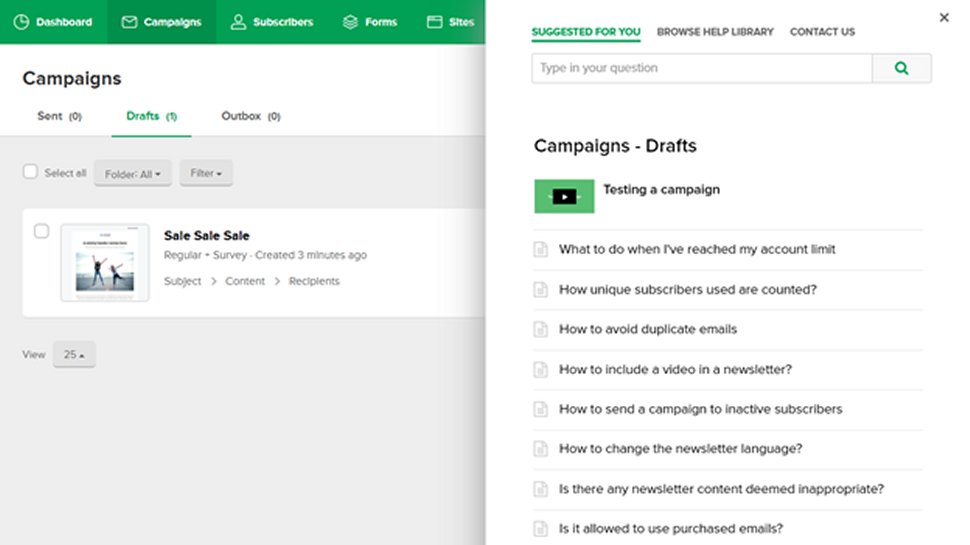
iContact automation

(Image credit: iContact)

My experience with iContact

Setting up iContact was very simple. I found the onboarding short and straightforward. The drag-and-drop editor is definitely among the cleaner ones at this price point, with blocks that snap into place automatically and a live mobile preview built into the UI. Its built-in stock image library is a nice practical touch for small teams without dedicated design resources.

The Standard plan feels more limited in practice than it looks on paper. Working with a single automation and one landing page is manageable for a solo operator, but it constrains any business with campaign ambitions beyond a basic welcome sequence.

Deliverability held up well in my testing, with very few messages landing in spam folders. For email marketing specifically, inbox placement matters more than most interface features when it comes to actual campaign results.

The Premium plan's AI Content Assistant is modest at 20 transcriptions per month, but it's a practical addition for small teams drafting occasional campaigns rather than running high-volume content operations. The social posting feature is a convenient bonus, though it won't replace a dedicated social tool for businesses that post frequently.

iContact: Plans and pricing

Plan

Starting rate (billed monthly)

Starting rate (billed annually)

Subscriber count

Standard

$9/month

$7.67/month

Up to 500

Premium

$16/month

$13.58/month

Up to 500

Custom

Contact sales

Contact sales

50,000+

iContact offers a 30-day free trial before any billing begins. Standard scales from $9/month at 500 contacts to $350/month at 50,000 contacts billed monthly, or the equivalent of $7.67 to $297.50 per month billed annually. Premium runs from $16/month to $399/month billed monthly, or $13.58 to $339.17 per month billed yearly.

Standard is a single-user plan limited to 1 automation, 1 landing page, 2 contact lists, 1 segment, and 250 MB of storage. Premium removes most of those restrictions, adding unlimited users, automations, landing pages, lists, and segments, along with social posting, Subject Line AI, an AI Content Assistant (20 transcriptions/month), an email verification add-on, phone support, and 500 MB of storage.

For lists above 50,000 contacts, iContact's Custom plan offers enterprise-level sending capacity and dedicated support. But pricing requires a conversation with iContact's sales team.

iContact analytics

(Image credit: iContact)

iContact: Features

iContact's drag-and-drop editor makes designing very easy. The platform offers a collection of email templates that you can pick and customize to fit your brand using the drag-and-drop editor. Emails that you build using the editor are optimized for both desktop and mobile displays without any extra effort from you.

If you have some programming chops, you can even edit the underlying HTML to make your emails look better. Subscribers on the Advanced plan also have access to a drag-and-drop editor for creating landing pages.

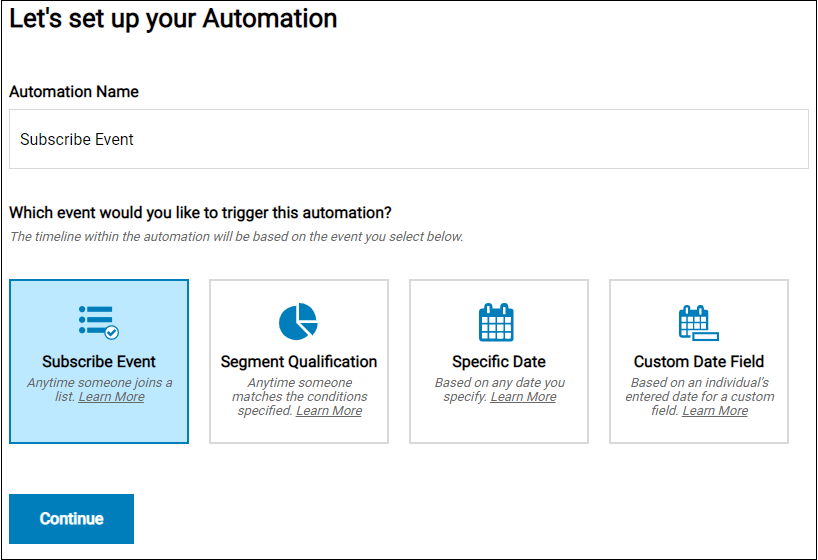
iContact lets you use automation triggers to send emails to customers based on specific conditions. For example, you can send an automatic welcome email to every person that signs up for your subscriber list. You can personalize these automated emails by including the recipient's name to make them more likely to respond. 

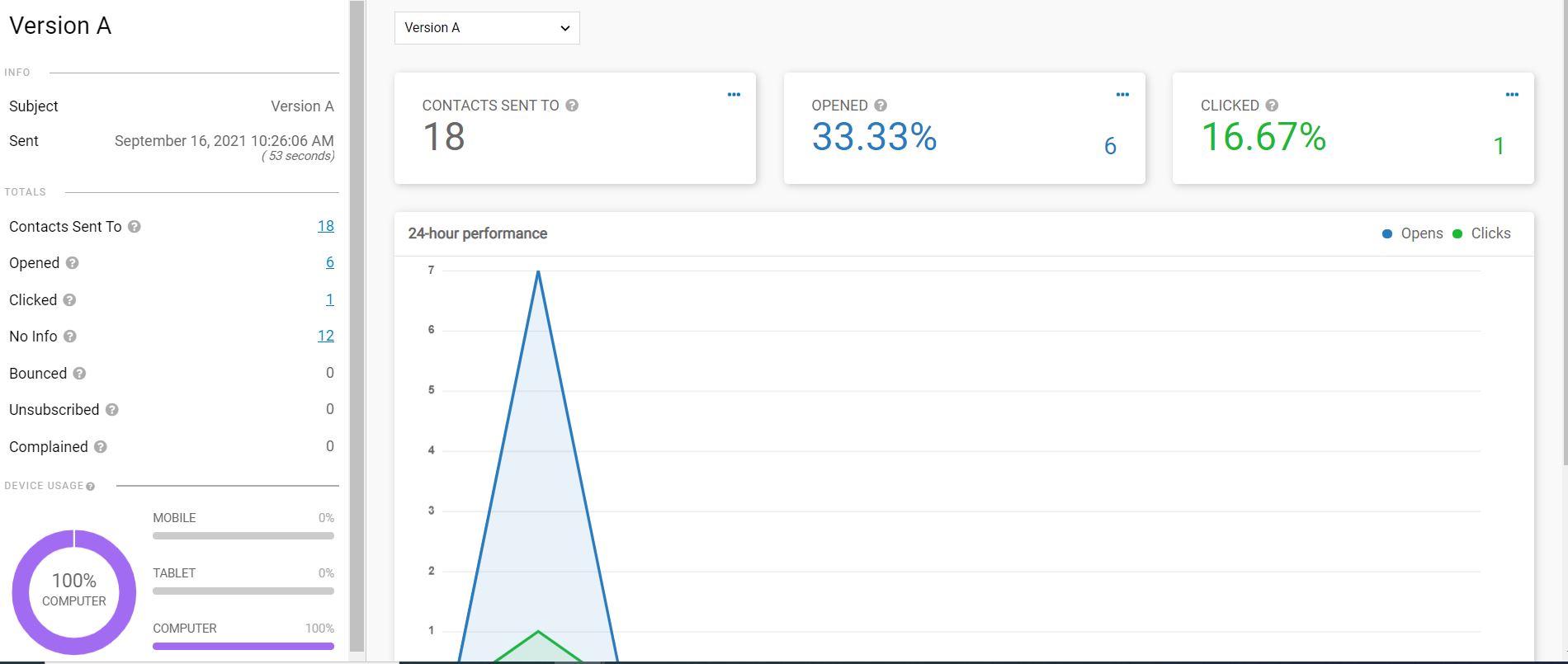
Of course, you also need to be able to measure the performance of your campaigns. Fortunately, iContact provides analytical and reporting tools that monitor open rates, click-throughs, and bounce rates, among other things.

iContact settings

(Image credit: iContact)

iContact: Interface and use

I found iContact’s email deliverability rate an improvement over most email marketing tools I’ve tried. Very few emails sent from this platform end up being sent to the abyss of the spam inbox.

Hundreds of licensed stock images are available to create a unique email for maximum impact, plus designing an email is straightforward with the drag-and-drop interface. However, the task is more challenging if you want to create an email from scratch instead of using a template.

iContact also has strong list management tools. It’s simple to create subsets of contact lists based on zip codes or signup dates. This platform also easily integrates with in excess of over 100 apps, including PayPal, Shopify, and Survey Monkey

iContact: Support

iContact features a wealth of content to assist you become a better email marketer. There are over 100 professionally created webinars, videos, and guides to optimizing your PR, email designs, and campaigns that can help both novices and experts alike.

The professional content available via a blog, podcast, and email lookbook are excellent quality too, for example the webinar on “Head & Heart of Marketing: Why Your Emails MUST Have These 10 Things.” We also found excellent video walkthroughs of the software and training videos on every aspect of the portal.

For technical support, FAQs explain every part of the software for those looking for self help. Free plan users only have email support and a support portal to initiate contact. But, paid plan users can access live chat and phone support for direct contact, and are available Monday to Friday 9am –7pm EST.

iContact: Specs

Email editor

Drag-and-drop, mobile-optimized

Automations

1 (Standard); unlimited (Premium)

AI writing tools

Subject line + content; Premium only

App integrations

100+; includes Shopify and PayPal

Sending limits

10x–12x contacts per month

Should I buy iContact?

Attribute

Notes

Score

Features

Core tools are solid; AI and social restricted to Premium

3.5/5

Performance

Reliable deliverability and consistent inbox placement

4/5

Design

Clean, intuitive editor with built-in mobile preview

4/5

Value

Competitive entry price; Standard plan is quite limited

3.5/5

Buy it if

  • You're a small business with a modest list. Standard starts at $9/month for 500 contacts, backed by a 30-day free trial that requires no credit card. For businesses just getting started with email marketing, it's a low-risk entry point with enough tools to run functional campaigns.


  • You want a clean setup without a steep learning curve. The drag-and-drop editor is approachable even without prior experience, and iContact's help resources cover most early questions before you ever need to contact support.
  • You need AI writing tools without adding a separate product. Premium includes Subject Line AI and an AI Content Assistant to draft copy faster, which saves time for small teams handling campaigns alongside other responsibilities.

Don't buy it if

  • You need more than one person managing campaigns. Standard is strictly single-user. The moment you need shared account access, you're on Premium, which more than doubles the starting cost.
  • You send frequently relative to your list size. Monthly sending limits of 10x contacts on Standard and 12x on Premium can be reached quickly by high-frequency senders, leading to overage charges on top of your subscription.
  • You need advanced segmentation from the start. Standard restricts you to one segment and two contact lists. Businesses that want to target subscribers based on behavior or purchase history will hit those limits quickly.

Also consider

  • Mailchimp: Worth considering for more sophisticated multi-step automation and deeper segmentation. Its free plan was cut significantly in January 2026 to just 250 contacts and 500 emails per month, making it impractical for most businesses. Paid plans start at $13/month (Essentials), with multi-step automation only unlocking on Standard at $20/month.
  • Brevo (formerly Sendinblue): Prices by email volume rather than contact count, which makes it more cost-effective for businesses with larger lists that send infrequently. The free tier supports 300 emails per day with up to 100,000 contacts stored, with no time limit. Paid plans start at $9/month for 5,000 monthly sends and include SMS alongside email on most tiers.
  • Constant Contact: Suits small businesses running event-driven campaigns or working in the nonprofit sector. The platform removed its permanent free plan in June 2025 and now offers a 14-day free trial plus a 30-day money-back guarantee. Paid plans start at $12/month for 500 contacts.

iContact: Final verdict

In summary, iContact offers a solid product, and is priced competitively. The excellent onboarding and comprehensive tutorials make it a solid choice for a small business starting out in email marketing, with tons of support articles, webinars, and blogs to support your ongoing growth. While some professional marketers might find the automation, segmentation, and metrics lack the detail required for large-scale, complex marketing plans, those with more modest goals are sure to be pleased with what iContact does better than most.

We've also listed the best online marketing services.

MailerLite email marketing software review

MailerLite is an email marketing platform built for small businesses, creators, and freelancers who want professional results without a steep learning curve. It covers the essentials — newsletter campaigns, automation workflows, landing pages, sign-up forms, and pop-ups.

Since the last couple of years, the platform has added a ton of meaningful updates: an AI writing assistant, a Smart Sending feature that optimizes delivery times for individual subscribers, and an MCP server that lets you control MailerLite through AI tools like Claude or ChatGPT.

There's also been a push toward improving monetization. MailerLite now lets you sell digital products, run paid newsletter subscriptions, and offer bookings directly through the platform. These aren't the deepest implementations you'll find, but for small operators who want everything in one place, they reduce the need to stitch together separate tools. The free plan still gives you a workable starting point, though the subscriber limit has dropped from 1,000 to 500 in 2026.

My experience with MailerLite

MailerLite makes a solid first impression. Setup takes minutes, while the interface holds up well even as you start working with automations and segmentation. The drag-and-drop editor is one of the better ones we've tested at this price point. The AI writing assistant added in late 2023 is a useful drafting aid when you're stuck — it won't write campaigns for you, but it takes the edge off a blank page.

It mostly earns its reputation from making mid-tier features feel accessible. Automation workflows, A/B testing, and subscriber segmentation are all present without being buried. For a small business or solo creator, that combination is hard to argue with at these prices. The one structural caveat: Growing Business users max out at 50,000 subscribers, so larger lists move to Advanced or Enterprise territory.

There are more limitations worth flagging before you sign up. There's no built-in spam testing, so you'll need a third-party tool like Litmus if deliverability is critical to your workflow. The free plan's 500-subscriber cap is also more restrictive than several competitors, which may push new users toward a paid plan earlier than they'd expect. At least the 14-day trial of premium features gives you a fair window to evaluate before committing.

MailerLite: Plans and pricing

Plan

Starting rate (billed monthly)

Starting rate (billed annually)

Subscriber count

Free

$0/month

$0/month

Up to 500

Growing Business

$10/month

$9/month

500-50,000

Advanced

$20/month

$18/month

500-500,000

Enterprise

Custom

Custom

100,000+

MailerLite has a free tier but with limited features. This tier supports a maximum of 12,000 monthly emails to 1,000 subscribers. It gives you access to basic features like a drag & drop email editor and email automation builder. You can also create sign-up forms and landing pages on this tier.

If you want more advanced features, you'll need a premium tier, and MailerLite offers three such tiers; Growing Business, Advanced, and Enterprise. The Growing Business plan costs $10 / £10 / AUD$15 per month for up to 1,000 subscribers and increases according to the number of subscribers. For example, 10,000 subscribers on this plan will cost $54 / £50 / AUD$79 per month and 50,000 subscribers will cost $239 / £210 / AUD$350 per month. This plan gives you access to sophisticated features like dynamic emails and auto-resend campaigns.

The Advanced plan costs $21 / £21 / AUD$30 per month for 1,000 subscribers and increases according to the number of subscribers. For example, 10,000 subscribers on this plan will run you $87 / £85 / AUD$125 per month and 50,000 subscribers will cost $289 / £270 / AUD$450 per month. This plan gives you a dedicated account manager, a dedicated IP address, and 24/7 live chat & email support among other features.

While the Advanced plan can be scaled up to 500,000 subscribers, businesses with over 100,000 subscribers can also opt for the Enterprise plan, which might offer better terms. You’ll have to contact MailerLite’s sales team for a custom quote.

MailerLite offers a 30-day free trial for each of its premium plans. You’ll also get a significant discount if you pay annually instead of monthly.

MailerLite 2

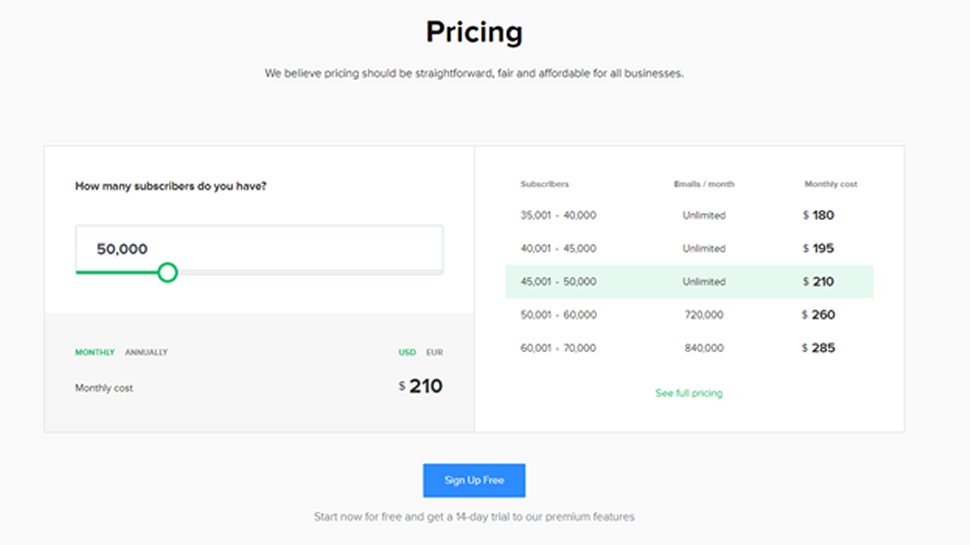
The MailerLite pricing tool shows how much the service will cost for your circumstances. (Image credit: MailerLite )

MailerLite: Features

You can create email marketing campaigns with MailerLite using a drag-and-drop editor, rich text editor, or custom HTML editor. With a paid plan, you have access to 63 templates. They’re OK designs, but most of MailerLite’s competition offers more variety.

However, MailerLite goes beyond email newsletters with a robust set of tools for creating landing pages, forms, pop-ups, and even entire websites using a drag-and-drop editor. There are also strong campaign reports that can show you how many people have opened your emails based on their location.

You can optimize campaigns with A/B split testing, time zone delivery, personalization, and segmentation. We particularly like how easy it is to tweak and resend a campaign to people who didn’t open the email the first time. 

MailerLite 3

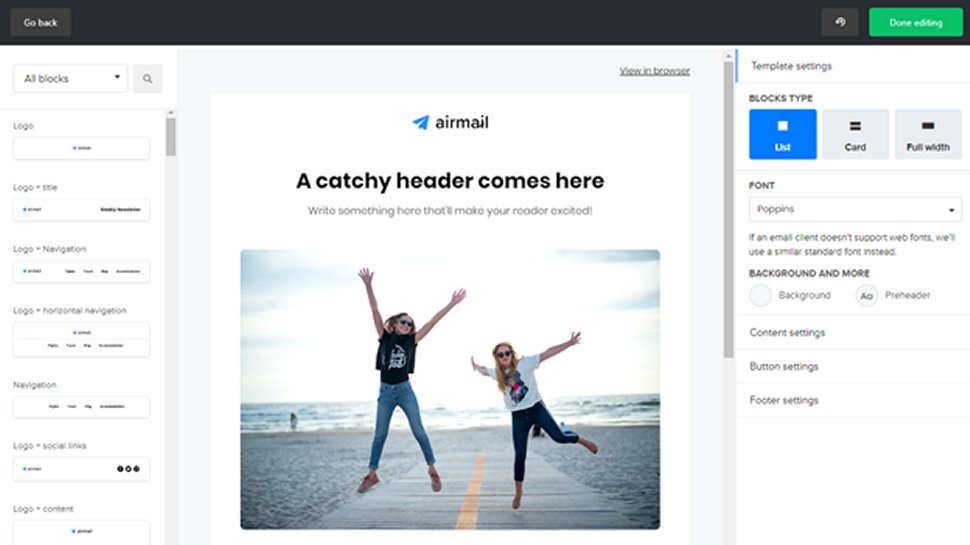
MailerLite has an intuitive drag-and-drop email editor. (Image credit: MailerLite )

MailerLite: Interface and use

We found MailerLite particularly intuitive to use. Its simple interface and well-designed editors meant we spent less time learning the product and more time actually marketing. MailerLite is organized so that features like automation workflows, the landing page editor, and segmentation aren’t a distraction when you don’t need them.

However, in our testing, MailerLite performed rather poorly in deliverability, achieving around 80% deliverability with a 20% chance of being flagged as spam. In comparison, Sendinblue achieved a 95% deliverability rate.

MailerLite 6

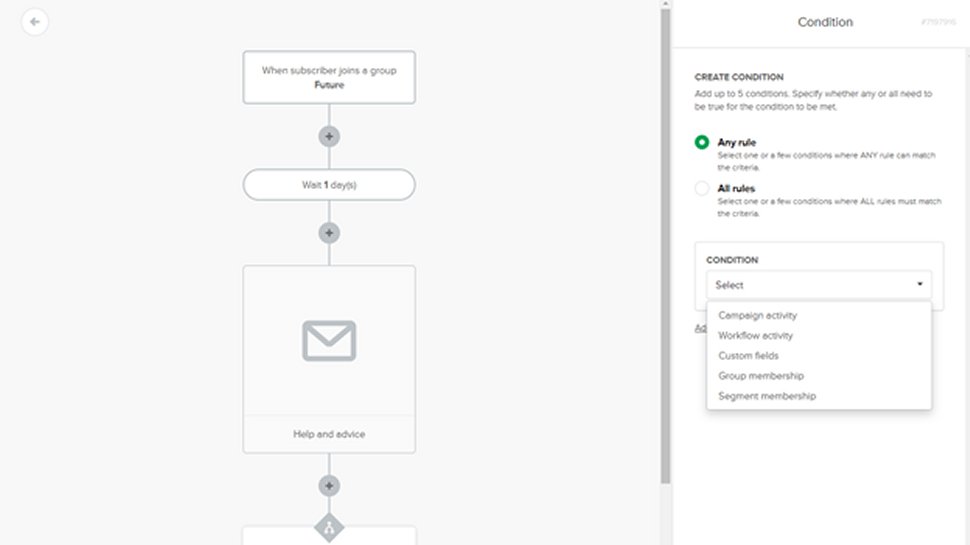
MailerLite has a relatively powerful email marketing automation system. (Image credit: MailerLite )

MailerLite: Support

MailerLite provides direct support through email and live chat. Free-tier users have access to email support from Monday to Friday. Users on the Growing Business plan have access to 24/7 email support, while users on the Advanced and Enterprise plan have access to 24/7 live chat and email support.

Apart from direct support, every user can access MailerLite’s official Knowledge Base, which contains a plethora of articles concerning all the platform's features. For example, you can find manuals on how to integrate MailerLite with third-party apps or how to create and send email campaigns. There's also something called the MailerLite Academy, which provides free online courses for users to learn about email marketing.

If you need help with your email marketing efforts, MailerLite has a directory of vetted experts that you can hire for a fee. 

MailerLite 7

MailerLite has context-sensitive help available on every page that can help with your current task. (Image credit: MailerLite )

MailerLite: Specs

Spec

Details

AI writing assistant

Drafts copy in 30+ languages

MCP server

Connects to Claude, ChatGPT, others

Smart Sending

AI-optimized per-subscriber send times

Automation workflows

Multi-trigger, visual builder included

Monetization tools

Products, subscriptions, bookings built in

Should I buy MailerLite?

Attribute

Notes

Score

Features

Solid core set with useful AI additions; automation depth lags behind ActiveCampaign

4/5

Performance

Deliverability has improved since 2023; but no native spam testing

3.5/5

Design

One of the cleanest editors in its price range; easy to pick up

4.5/5

Value

Competitive pricing and a usable free tier despite the tighter subscriber cap

4/5

Buy it if

  • You're building a list on a budget. MailerLite's free plan and low starting prices make it one of the more cost-effective entry points for email marketing. Growing Business at $9/month (billed annually) gives you a workable toolkit without a large upfront commitment.
  • You want to sell products without a separate platform. Digital product sales, paid newsletter subscriptions, and bookings are all built in. For creators who want a single tool rather than a cobbled-together stack, that's genuinely useful.
  • You're new to email marketing. The interface is approachable, and the automation builder doesn't require much ramp-up time. MailerLite Academy also offers free courses if you want structured guidance from the start.

Don't buy it if

  • You need a built-in CRM or deep sales automation. MailerLite is focused on email; it won't replace a proper CRM. ActiveCampaign or HubSpot are better options if sales pipeline management is part of the equation.
  • Your list is approaching 50,000 and you're price-sensitive. Growing Business caps at 50K subscribers. Beyond that, you move to Advanced pricing, which is meaningfully higher. Use the pricing calculator on MailerLite's website before committing.
  • Deliverability testing matters to your workflow. There's no built-in spam testing tool, and you can't preview emails as a specific subscriber before sending. You'll need to budget for a third-party tool like Litmus if that's a priority.

Also consider

  • Brevo (formerly Sendinblue). Brevo charges by email volume rather than subscriber count, making it cheaper for large lists that send infrequently. It also includes SMS marketing and a basic CRM in the same platform.
  • Mailchimp. More templates and deeper third-party integrations than MailerLite, though pricing climbs quickly as your list grows. A better fit if you need extensive e-commerce integrations or detailed audience analytics.
  • Kit (formerly ConvertKit). Built for creators and newsletter operators. It offers stronger monetization and audience segmentation tools, though it costs more than MailerLite at comparable subscriber counts.

MailerLite: Final verdict

The developers of MailerLite have done a marvelous job of streamlining and simplifying marketing processes, making for a highly intuitive product that’s easy to use. Though professional marketers might find the reporting and automation tools lack a few of the more advanced features of tools like Infusionsoft, most small businesses, freelancers, bloggers, and beginners will find MailerLite has more than enough power and versatility for their email marketing campaigns.

We've also listed the best Q&A polling platforms for customer feedback.

Wix Email Marketing review 2025

Wix Email Marketing is the built-in email tool for Wix website owners, accessible from the Marketing & SEO section of your dashboard. It launched as Wix ShoutOut in 2014, passed through a stint as part of the Wix Ascend Business Suite, and became a standalone product in 2023 after Ascend was discontinued. Now, it's a focused product that handles campaign creation, contact management, and basic automation.

The free plan lets you send up to 200 emails per month with Wix branding on all outgoing messages. Paid plans start at $10/month on annual billing (or cheaper with one of our Wix promo codes) and add more send volume, scheduling, AI-assisted copywriting, and the option to remove Wix's logo from your emails.

The platform won't replace a dedicated email marketing platform for a business with complex needs, but for anyone already building on Wix, the setup friction is minimal. Wix consistently ranks as our best website builder pick year after year, so this is an advantage worth considering. All paid plans also come with a 14-day money-back guarantee, which our previous review didn't mention.

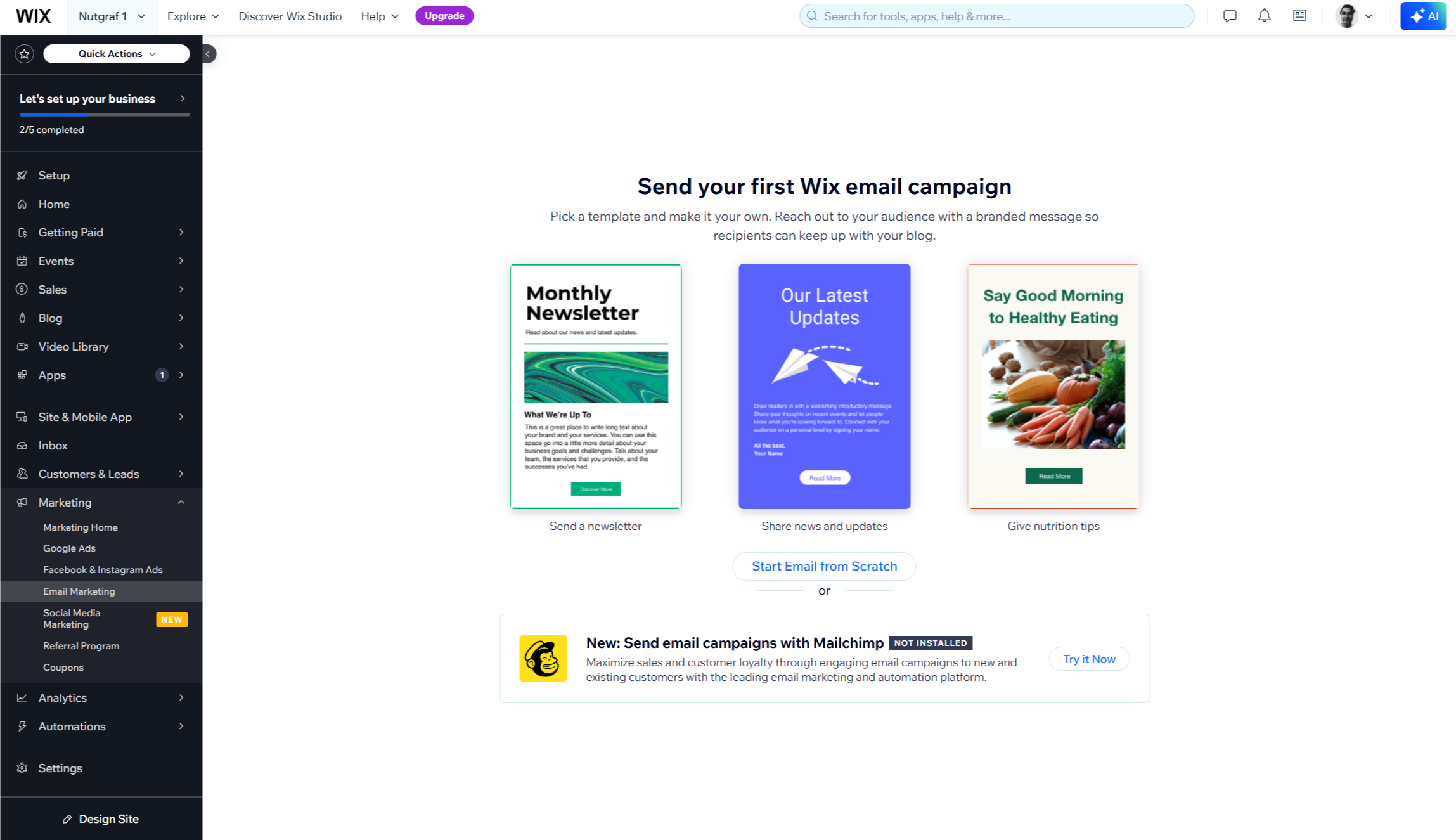
Wix Email Marketing tool

(Image credit: Wix)

My experience with Wix Email Marketing

Getting started is fast if you're already on Wix. The tool sits in your existing dashboard, pre-configured and ready to use without any separate account setup. The drag-and-drop editor is clean and familiar, with around 20 templates organized by campaign type: newsletters, promotions, and product announcements among others. Certain elements are tied to the template structure, so fully custom designs can feel constrained.

The AI copywriting feature, available on paid plans, generates subject lines and email body text from a short prompt. The output tends to be generic without specific business details, so it works better as a first draft than a finished result.

Automation is functional but limited: Wix configures triggers automatically based on your site type, so an ecommerce store gets order confirmations and cart abandonment flows, while a blog gets post notification emails. Building multi-step customer journeys or custom logic isn't supported.

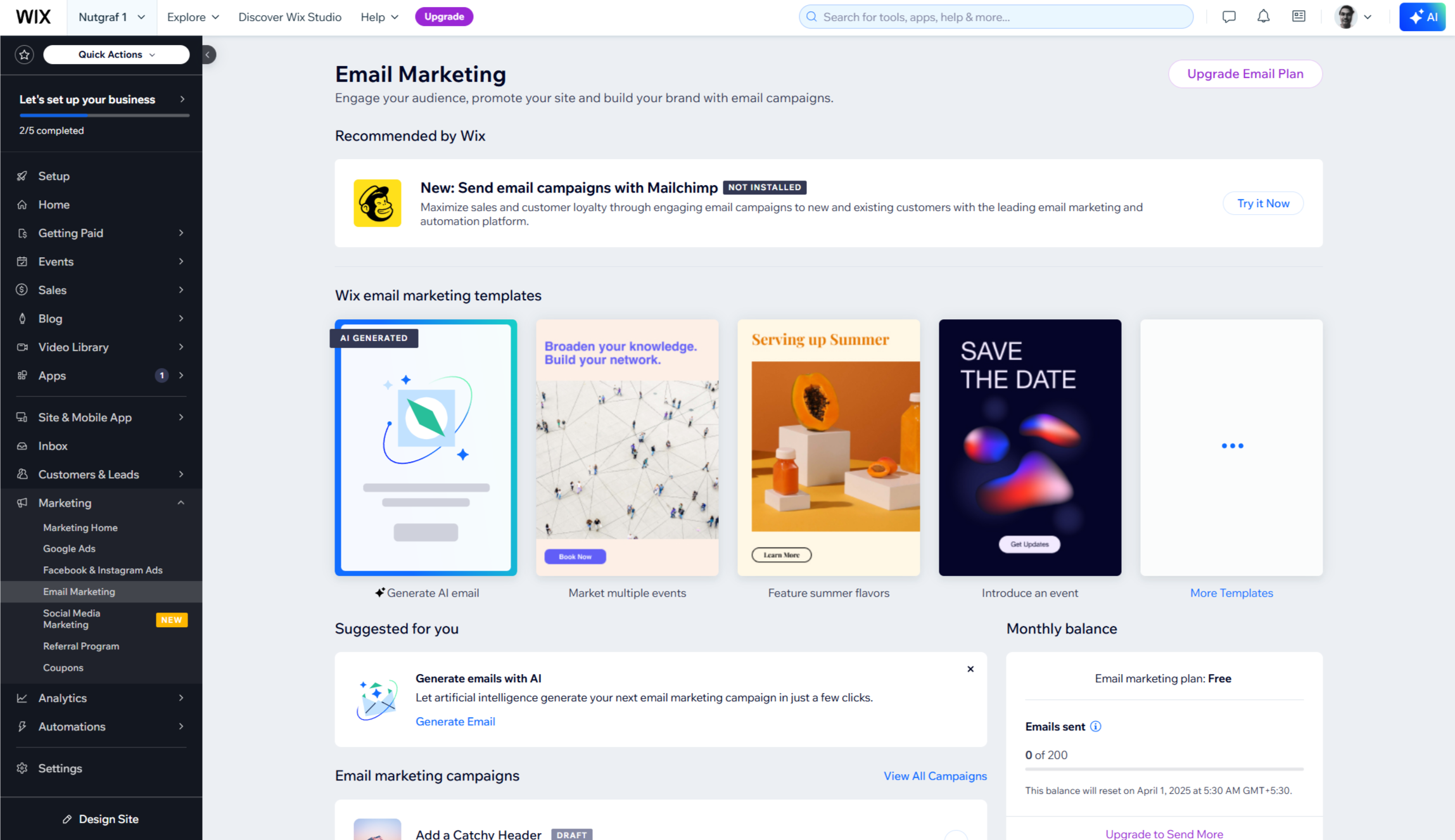
Analytics gives you open rates, click rates, and delivery stats in real time, but there's no A/B testing, no heat maps, and no revenue attribution unless you're on the Advanced plan with a Wix Store. For a small business sending a few hundred emails per month, that coverage is usually adequate. Once you need to optimize campaigns using performance data, the reporting here won't give you much to work with.

Wix Email Marketing: Pricing & plans

Plan

Starting rate (billed monthly)

Starting rate (billed annually)

Monthly email limit

Free

$0

$0

200

Essentials

$12/month

$10/month

500

Core

$29/month

$24/month

5,000

Advanced

N/A

$49/month

1,000,000

As of 2026, Wix Email Marketing offers a free plan and three paid tiers that are separate from Wix website builder plans. The free plan covers 200 emails per month with the drag-and-drop editor and templates. All outgoing emails carry Wix branding, with no scheduling available on this tier. The Essentials plan ($10/month annually) removes branding, adds scheduling, and unlocks AI copywriting.

Core ($24/month annually) raises the monthly send limit to 5,000 and adds multiple sender addresses and shareable web campaign links. The Advanced plan, available only on annual billing at $49/month, raises the cap to one million emails per month.

All paid plans include a 14-day money-back guarantee on the initial paymen, and Wix prices by email volume rather than subscriber count, so a large contact list with infrequent sends won't push you to a higher tier. These email marketing plans are separate from Wix's website plans, so budget for both if you're building a full setup.

Wix Email Marketing: Features

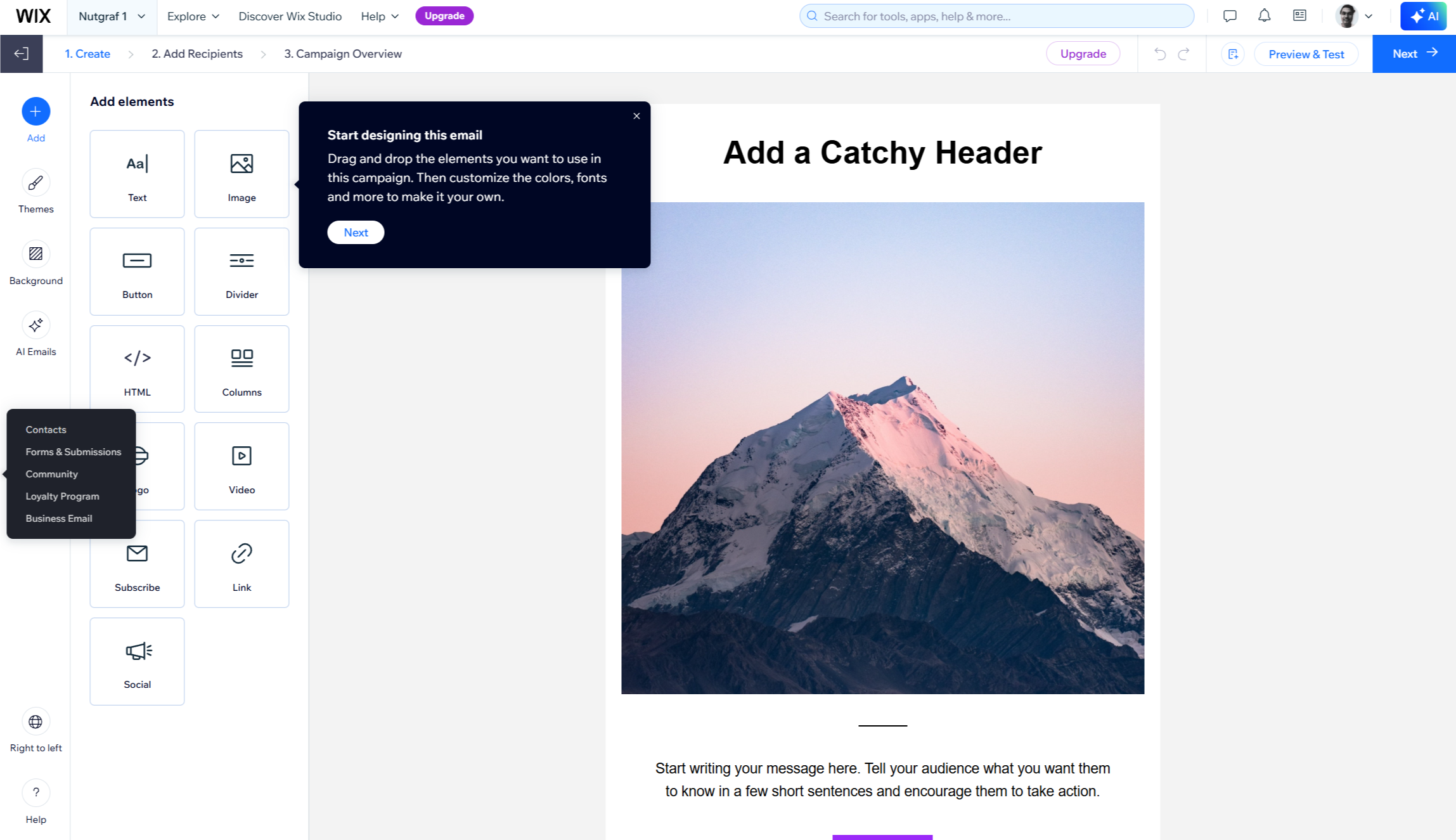
Wix Email Marketing features an easy-to-use drag-and-drop email editor, much like its website builder. Users can pick from about 20 ready-made templates for different needs or start fresh. They can customize colors, fonts, and backgrounds to fit their brand. The platform includes AI tools to create catchy email text quickly. It also supports multimedia like videos, images, buttons, and product listings linked to your ecommerce site. All templates work well on both desktop and mobile, ensuring a consistent look.

The service allows for basic automation of triggered emails based on customer actions. Wix sets up relevant automations automatically based on your website features. For example, store owners get payment confirmation emails, while bloggers receive notifications about new posts. Analytics tools track delivery rates, open rates, and clicks in real time. This helps users see what content works best and improve future campaigns. The platform allows customer segmentation for focused messaging. However, advanced options are limited compared to specialized email marketing services. Business users can add company details, taglines, and logos to their emails for consistent branding.

Wix Email Marketing editor

(Image credit: Wix)

Wix Email Marketing: Setup

Setting up Wix Email Marketing is easy, especially for existing users. You can find the tool in the Email Marketing section of the dashboard under Marketing & SEO. Start by choosing a pre-designed template or creating a campaign from scratch. The template library has options for promoting products, sending newsletters, or announcing special offers. The system guides you step-by-step with clear instructions and visuals, making it user-friendly for beginners.

The creation process is simple: first, design the email using the drag-and-drop editor. Then, select recipients either individually or by segments. You can preview and test the email if you want. Finally, publish and send or schedule the campaign.

A key feature for Wix owners is automatic contact collection. The system gathers contacts from your website, including ecommerce customers and form submissions, making it easier to build your email list. But the platform also suggests filtering out inactive contacts before sending campaigns to maintain good deliverability rates.

Wix Email Marketing: Support

Wix Email Marketing uses the same customer support system as Wix. There is no dedicated support for the email tool. All users can access the Help Center, which has detailed articles on using email features, from creating campaigns to maintaining lists. The Email Marketing page also has a thorough FAQ section. This section answers common questions about file types, sharing options, and usage rights.

For direct help, Wix provides 24/7 customer support for all paid plans. Users can submit tickets, request callbacks, or use chat support in over ten languages. Subscribers to the higher-tier Business Elite plan ($159/month) get priority support, faster response times, and a direct phone service hotline.

Wix Email Marketing: Specs

Drag-and-drop editor

Around 20 templates, mobile-ready

AI copywriting

Subject lines and email body copy

Automation triggers

Site type and action-based

Contact segmentation

Filter by behavior, location, and tags

Analytics

Open, click, and delivery rate tracking

Should I buy Wix Email Marketing?

Attribute

Notes

Score

Features

Covers the basics well, but no A/B testing or complex automation

3.5/5

Performance

Reliable delivery with real-time campaign tracking

4/5

Design

Clean editor, good template variety, mobile-ready output

4/5

Value

Free plan is generous; paid pricing is fair for Wix users

4.5/5

Buy it if

  • You're already building on Wix. The tool is embedded in your existing dashboard with no separate account or integration required. It's the simplest way to add email to a Wix site without managing another subscription.
  • You're sending your first email campaigns. The guided setup and pre-configured automations mean you can get a campaign out the door quickly, even without any marketing background.
  • Your list is large but your send frequency is low. Wix prices by email volume rather than contact count, so a big list you email infrequently won't push you to a higher tier.

Don't buy it if

  • You need A/B testing or multi-step automation. Those features aren't available on any Wix Email Marketing plan, and working around the gaps is clunky.
  • Your site isn't on Wix. This tool only works within the Wix ecosystem and can't connect to external websites or other platforms.
  • Your list is growing fast. The jump from 500 emails on Essentials to 5,000 on Core comes with a significant price increase, with nothing in between for businesses at an awkward middle stage.

Also consider

  • Mailchimp: A dedicated email platform with A/B testing, advanced segmentation, and deeper analytics. The free plan covers up to 500 contacts with 1,000 sends per month and works with any website platform.
  • Brevo: A strong pick for businesses that need email, SMS, and transactional messaging under one roof. The free plan allows 300 emails per day with no contact limit, and it connects to Wix via the app marketplace.
  • Omnisend: Built for ecommerce, with native support for cart abandonment, product review requests, and SMS campaigns alongside email. It integrates directly with Wix Stores through the Wix App Market.

Wix Email Marketing: Final verdict

Wix Email Marketing is an easy-to-use tool, helping cement Wix's position as one of the best small business website builders. Its biggest strengths include a simple interface, smooth integration with websites, and fair pricing.

Even free users can start email marketing campaigns with ease. AI content creation helps those who struggle to write engaging copy. Plus, automated setup processes make it friendly for marketing newbies. For existing site owners, it’s a great way to begin email marketing without a steep learning curve. The platform has enough features for basic promotional needs.

However, Wix Email Marketing has some drawbacks compared to dedicated services like Mailchimp or AWeber. Advanced users may find its automation options limited. Creating complex customer journeys or triggered campaigns can be a challenge. While customization meets basic needs, it lacks the depth seen in specialized platforms. The free plan is good for testing, but email limits on lower-tier paid plans could hinder growth. The jump from 500 emails on the Essentials plan to 5,000 on the Core plan is a big price jump for scaling.

All in all, Wix Email Marketing is best for small to medium-sized businesses already using Wix. It’s great for those who value ease of use and integration over advanced features. It works well for businesses starting their email marketing journey. However, companies with more complex needs or larger subscriber lists might find it lacking.

Wix Email Marketing dashboard

(Image credit: Wix)

Shark's SilkiPro Straight made my curly hair shine bright –I just wish it was easier to use

Shark SilkiPro Straight review: two-minute review

The Shark SilkiPro Straight is a wet-to-dry hair straightener that combines a dryer fan, ceramic plates and three interchangeable combs in a single product. It launched in February 2026 and costs £249.99 in the UK and $249.99 in the US.

At this price, it's the most affordable entry in the growing wet-to-dry styler category. It's significantly cheaper than the GHD Duet Style at £379 / $429 and the Dyson Airstrait at £449.99 / $499.99, plus it's the only one of the three to include a range of attachments and accessories as standard.

It isn't the most intuitive styler. The grip takes some getting used to, and the location of the combs requires some deliberate – at times awkward – positioning. Working in small sections is non-negotiable if you want a consistent finish or you don't want to trap your hair and pull it out with each pass.

If you can get past this, though, the results are great. The SilkiPro consistently made my fine, mid-length, naturally curly hair look shiny and frizz-free when used in Wet mode. This mode is designed to dry and straighten your hair straight from the shower.

It's not the fastest entrant in our best hair dryer list, taking as long as 8.5 minutes for a standard styling session. As a result, it's unlikely to save you a lot of time compared to drying and straightening separately, but it is more convenient. Dry mode works well enough as a finishing step, but it's technically a glorified ceramic straightener, and a large, awkward, and clunky one at that.

The three interchangeable combs are where the SilkiPro really earns its crust, especially if you have curly or coily hair. The wide-tooth comb rough-dries and detangles from the roots on very wet hair; the gentle comb gives a softer, more natural straight; the precision comb delivers a sleek, flat finish. No competitor offers anything like this, and it feels like a feature designed with natural hair in mind, rather than an afterthought.

Elsewhere, the Shark SilkiPro's motion-sensing auto-pause, which cuts airflow after three seconds when you stop moving, is useful in theory but annoying in practice. It interrupts the rhythm, and the constant shift in noise levels as the airflow speeds up, slows down, and stops gets old quickly. At 70dB on high, it's obviously louder than a non-airflow straightener but quieter than a full-power hairdryer.

For fine or straight hair, there are simpler, cheaper tools that will do the same job as the Shark SilkiPro. However, for curly or coily hair where wet-to-dry styling genuinely changes the routine, it's a well-priced, well-equipped choice.

Shark SilkiPro: price & availability

  • Price: £249.99 (UK) / $249.99 (US)
  • Launch date: February 2026
  • Availability: UK / US

At £249.99 in the UK and $249.99 in the US, the SilkiPro Straight is the most affordable entry in the growing wet-to-dry straightener market, by quite some margin.

It's sold directly from Shark as well as third-party retailers, including Amazon and Boots. It's currently available in two colors, called Plum Satin and Rose Petal in the UK, and Rose and Plum in the US. A Turquoise Wave model is also in the works.

Both the UK and US versions ship with the styler plus three attachments: a wide-tooth comb, gentle comb, and precision comb. The UK model also has a heat-resistant storage pouch in the box, but the US version doesn't.

At this price, the SilkiPro Straight is almost half the price of the Dyson Airstrait at £449.99 / $499.99, and more than £100 cheaper than the £379 / $429 GHD Duet Style, which are the most like-for-like 2-in-1 stylers to the Shark SilkiPro. All three take hair from wet to dry, but they go about it slightly differently.

The GHD Duet Style uses heated plates with airflow to deliver the glossiest finish of the three. The Dyson Airstrait has no plates and instead sends high-pressure air through narrow gaps to straighten the hair for a softer, more natural result.

The Shark uses the same plates-plus-airflow approach as GHD but undercuts both it and the Dyson on price. And it's the only one to include interchangeable combs.

The SilkiPro Straight does enough to justify its price, particularly for anyone with curly or coily hair who'd genuinely use the wet-to-dry features every day. If you already have fine or straight hair, you may not see the full value of all of its features – and a cheaper dryer and/or straightener will suffice – but you will appreciate the all-in-one design for a lower price than its rivals.

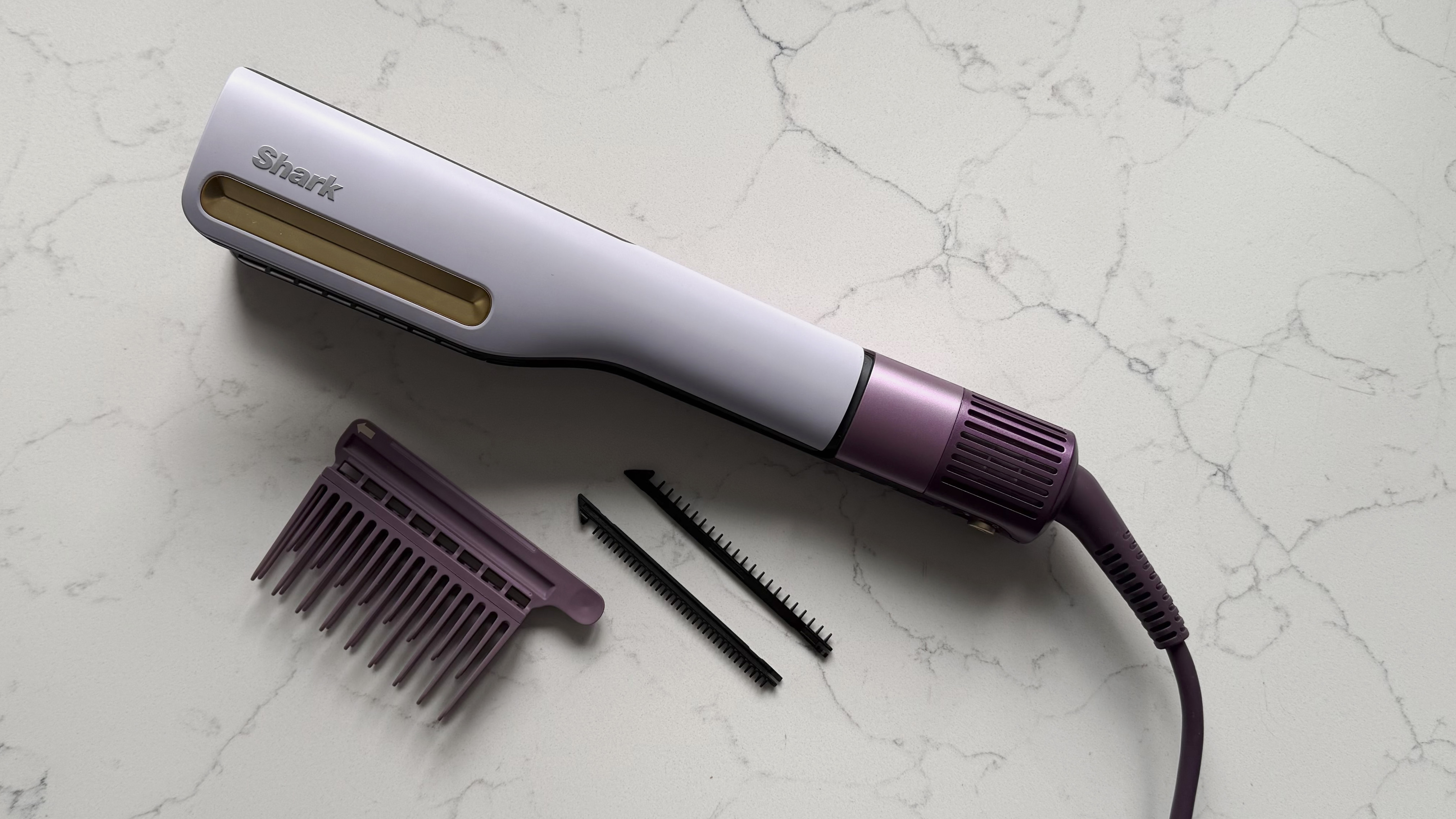
Top-down view of the Shark SilkiPro Straight with all three comb attachments laid out alongside it on a marble surface

Viewed from above (pictured), the size difference between the wide-tooth comb and the two narrower smoothing combs shipped with the Shark SilkiPro Straight is clear (Image credit: Future)
  • Value score: 4.5 / 5

Shark SilkiPro: specs

Model:

Shark SilkiPro Straight

Wattage:

1,000W

Weight (without cord, approx):

1.72lbs / 780g

Size (H x W x L, approx):

12.05 x 2.19 x 1.54in / 30.61 x 5.56 x 3.91cm

Airflow settings:

3

Temperature settings:

3

Extra modes:

Wet mode plate (212-248 F / 100-120C); Dry mode plate (320-428F / 160-220C);

Noise level

70dB average

Attachments:

Wide-Tooth Comb, Gentle Comb, Precision Comb, Pouch (UK only)

Cord length:

8ft / 2.4m

Shark SilkiPro review: design

  • Larger and heavier than a regular flat iron
  • Three interchangeable combs for different hair types
  • Split controls for airflow and temperature

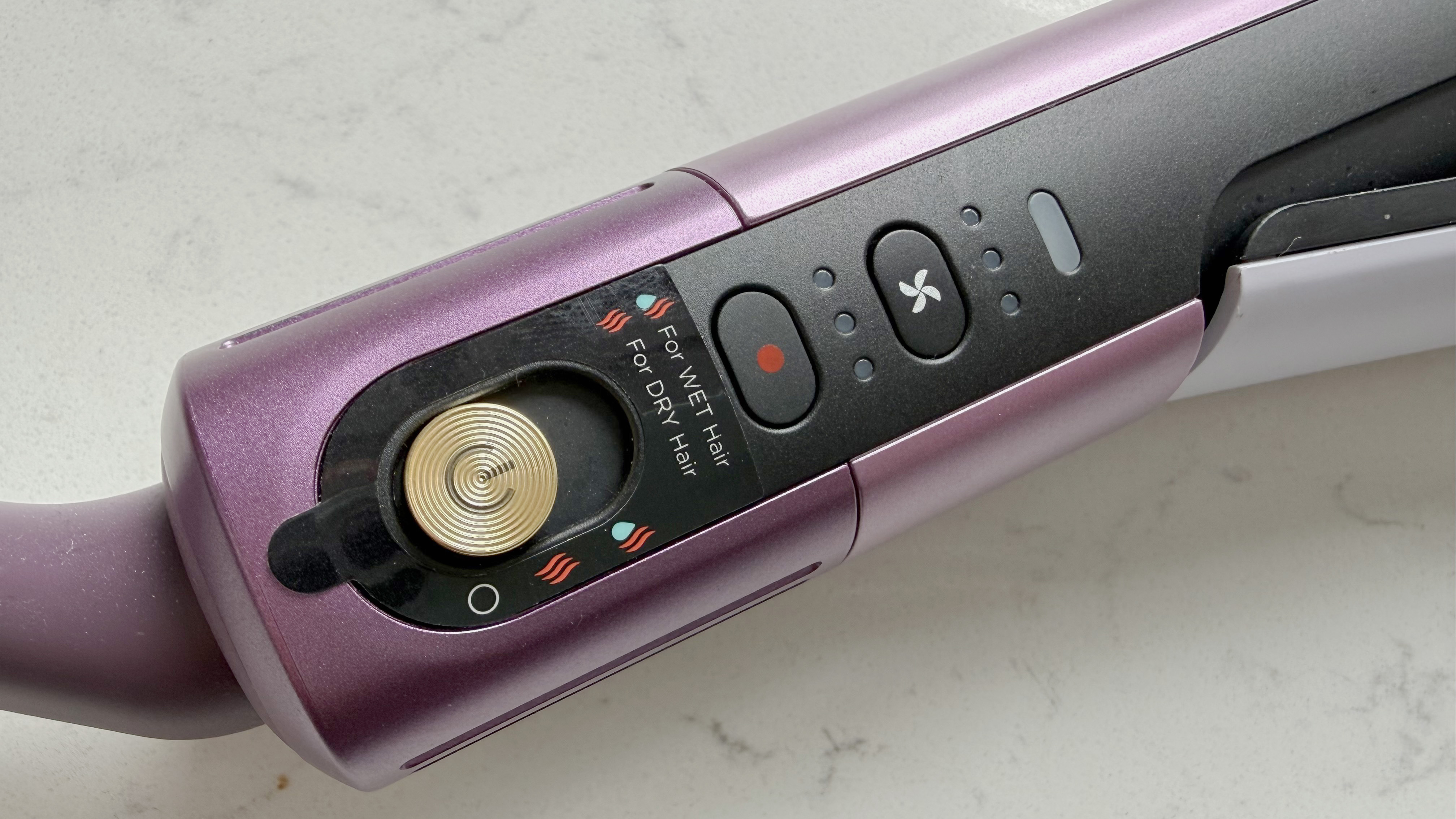
Close-up of the Shark SilkiPro Straight controls showing the gold power button, wet/dry mode toggle, and airflow and temperature buttons on the lower body

The gold power button and wet/dry mode toggle (pictured) sit at the base of the SilkiPro Straight, with the airflow and temperature buttons stacked above them on the lower body (Image credit: Future)

There's very little that's subtle about the Shark SilkiPro Straight, from the color to its shape and features.

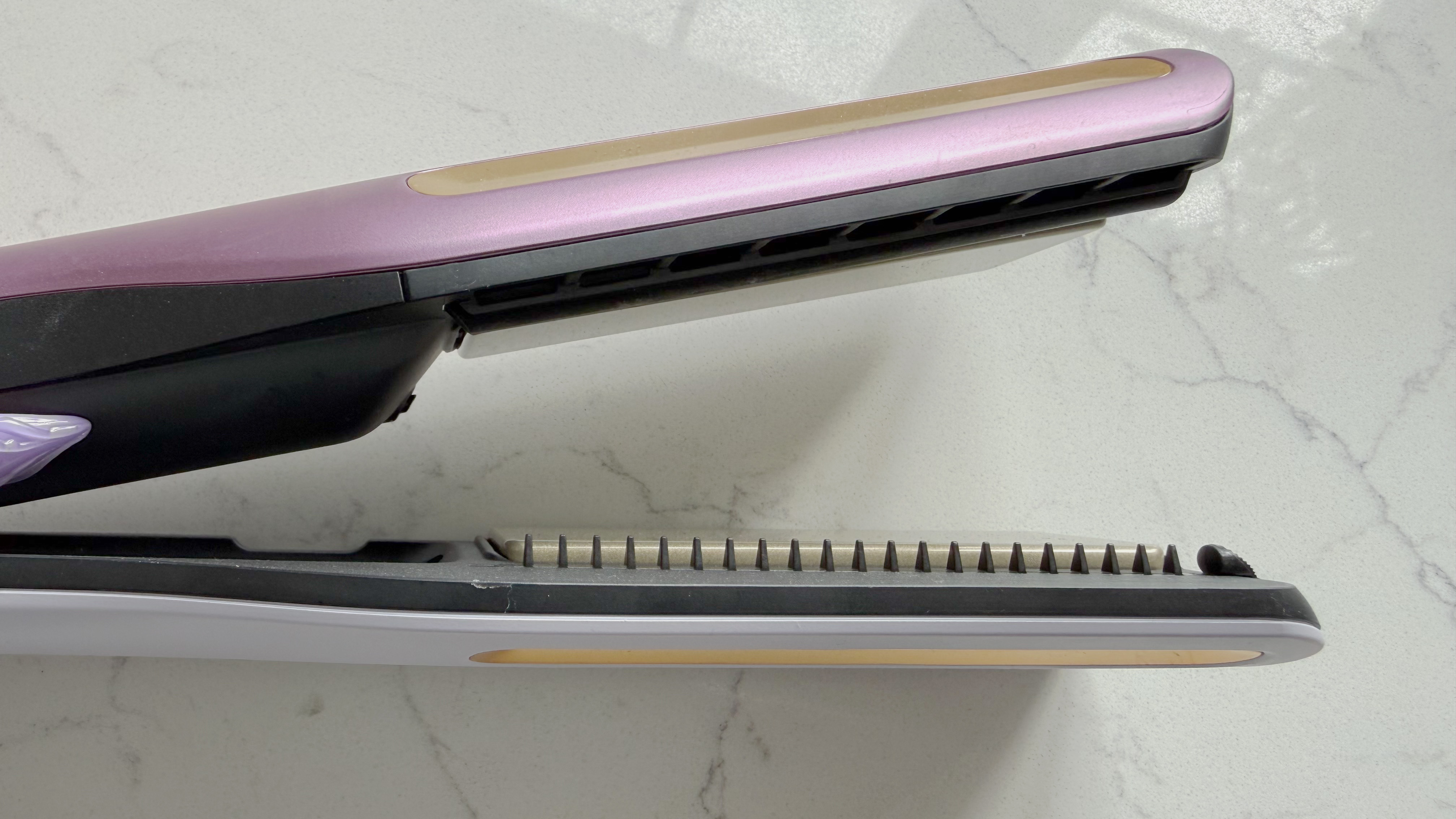
The top of the body looks like a conventional flat iron with ceramic plates controlled by a hinge, but the chassis is noticeably wider to accommodate both the comb track that runs along the side and the air vents that direct airflow down through the plates.

The main part of the handle sits just below the hinge and just above a vented grille, and the control buttons are stacked along the side of the lower body into two rows.

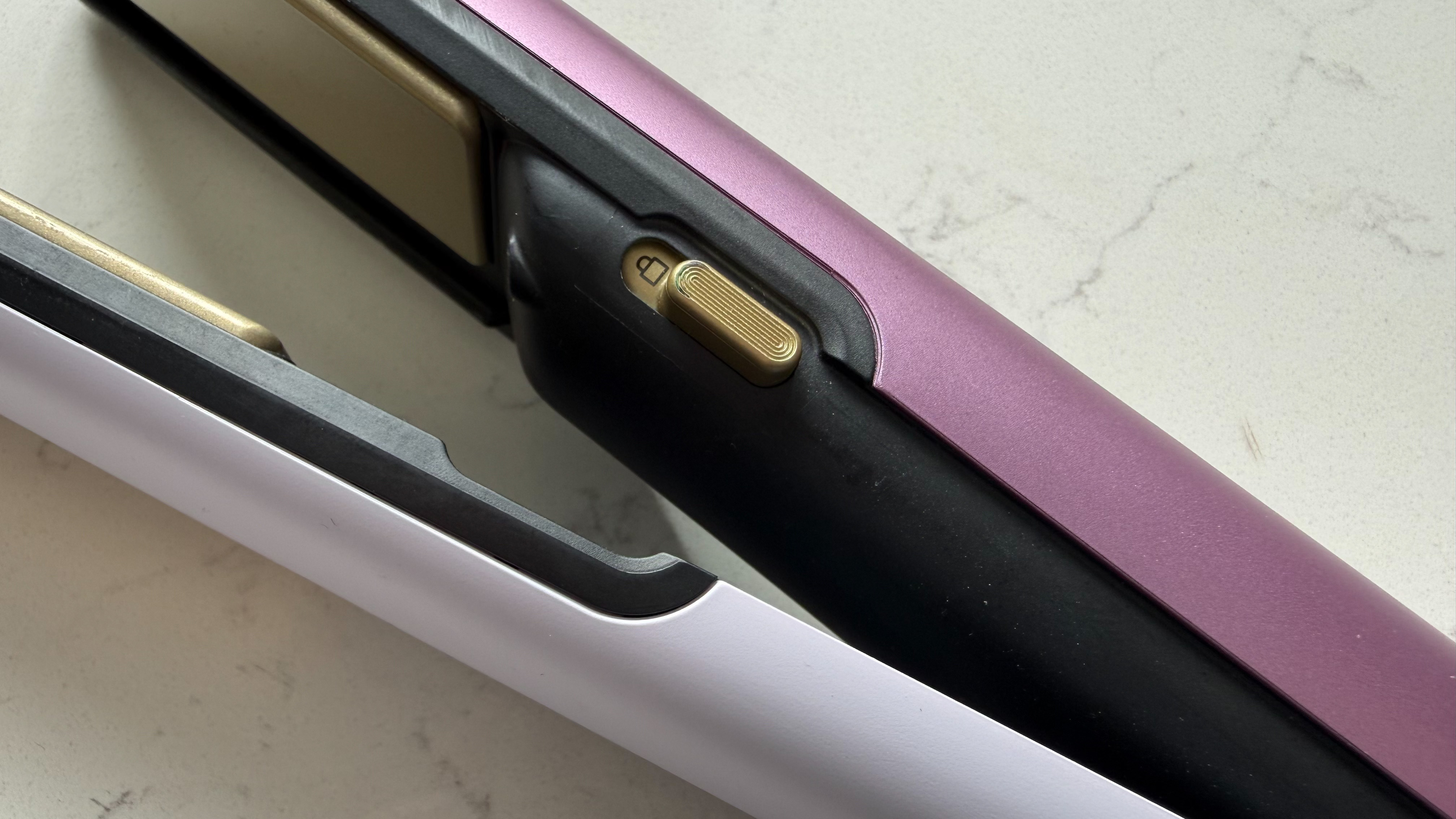
Along the top row is where you select the SilkiPro's three airflow settings, cycling through them in order. Below this is the button to cycle through the three heat settings, and the wet/dry mode toggle sits at the bottom alongside the gold power button. On the opposite side of the arm is a lock switch that keeps the plate closed when being stored.

The specific temperatures of the plate's heat settings depend on whether you're in Wet or Dry mode.

  • Wet mode: 212-248F / 100-120C
  • Dry mode: 320-428F / 160-220C

In Wet mode, which is designed for use on hair that's at least 70% dry after rough-drying from the roots, the plates run between 212F / 100C and 248F / 120C.

Dry mode, which is used for finishing and touch-ups on already-dry hair, runs the plates much hotter – between 320F / 160C and 428F / 220C – and works like a conventional ceramic straightener.

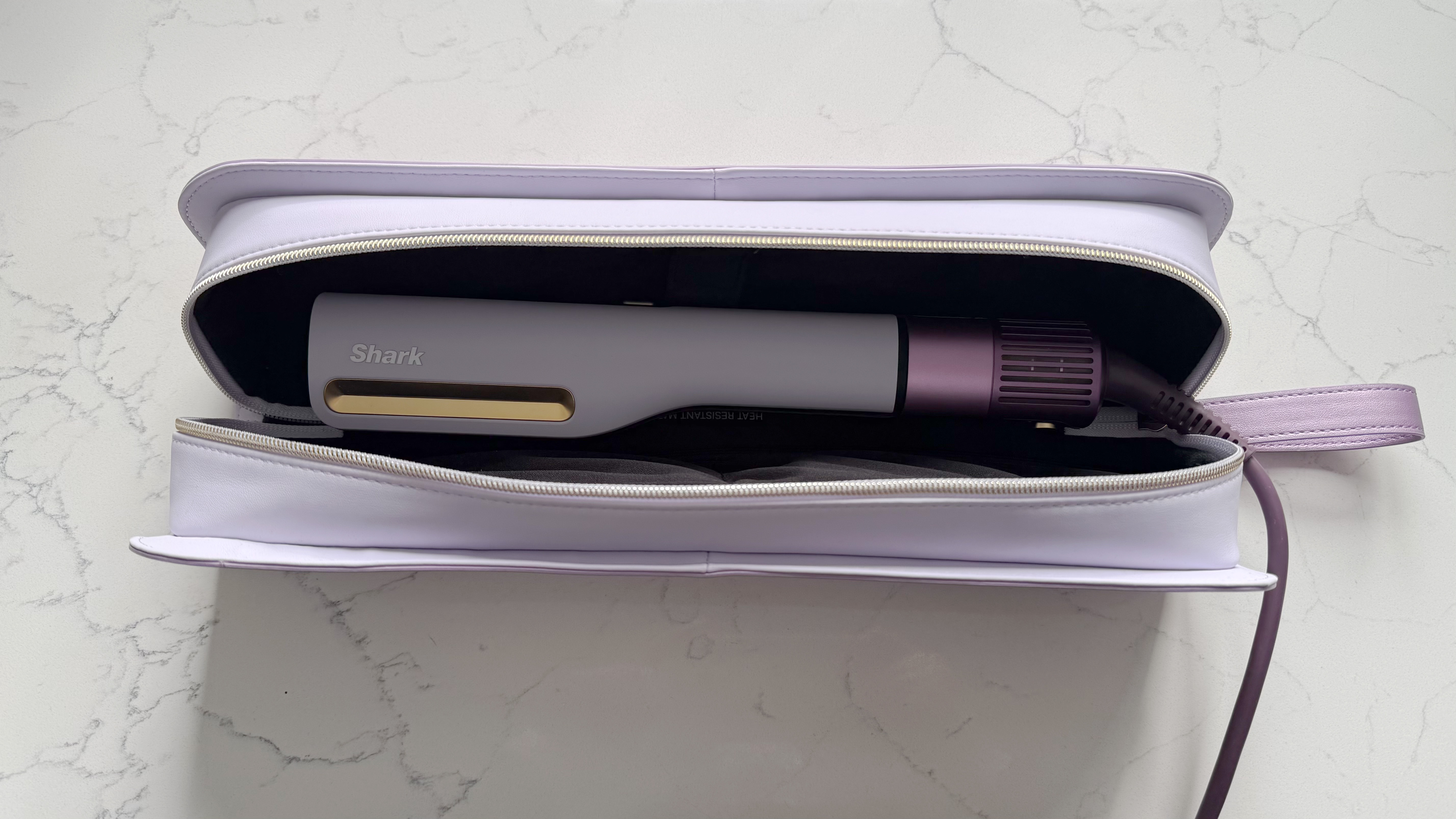
Shark SilkiPro Straight sitting inside its open heat-resistant storage case, showing the styler and vented base

The lilac faux-leather storage pouch (pictured) is included in the UK box and houses the SilkiPro Straight, as well as pockets for the three comb attachments (Image credit: Future)

Temperature

Wet Mode

Dry Mode

High

120C / 248F

220C / 428F

Medium

110C / 230F

190C / 374F

Low

100C / 212F

160C / 320F

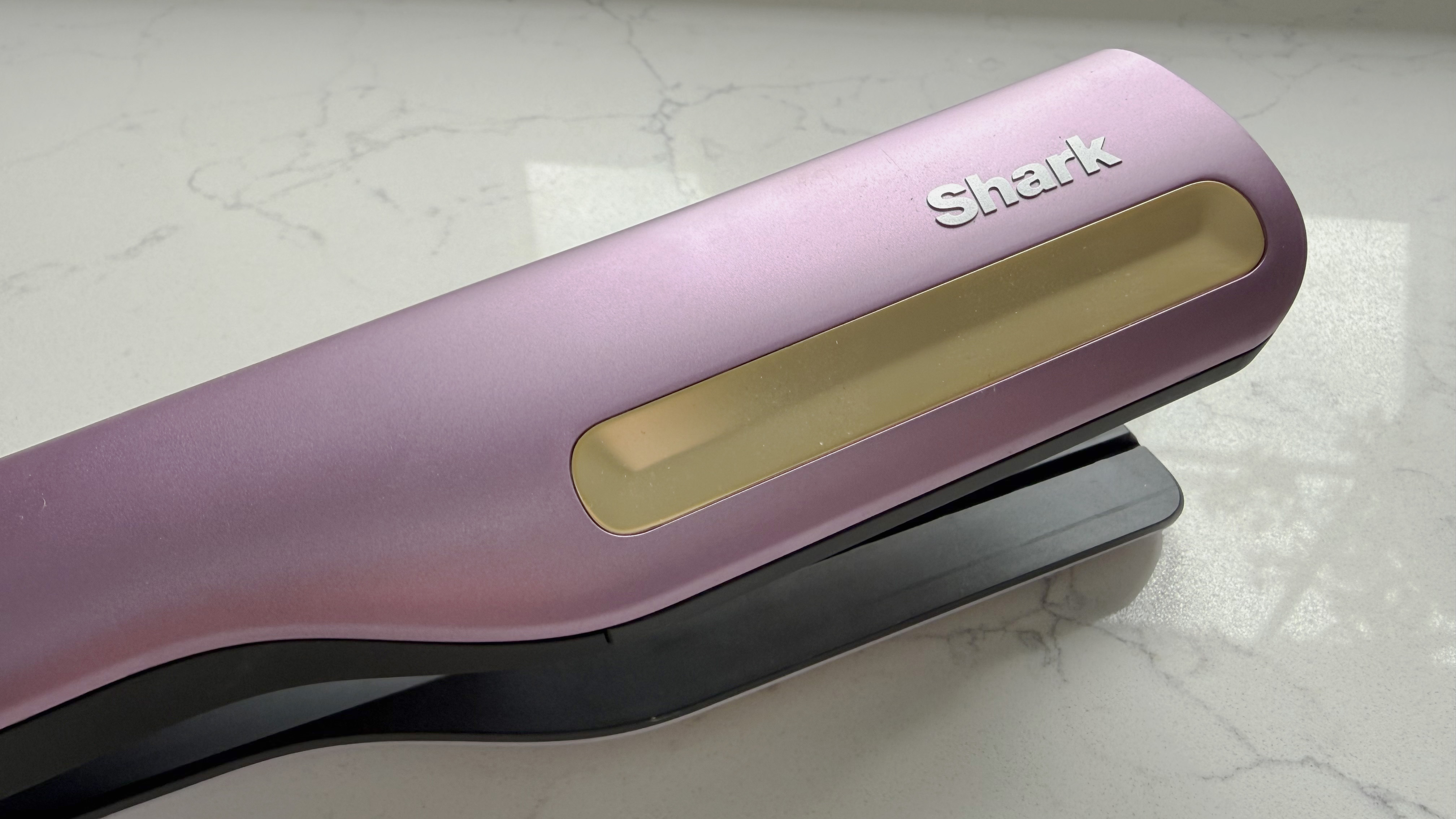
Close-up of the gold cool-touch strip on the top of the Shark SilkiPro Straight body with the Shark logo

The gold cool-touch strip (pictured) runs along the top of the SilkiPro Straight body, providing a safe place to grip during use (Image credit: Future)

I reviewed the Plum Satin model, which has a two-tone purple/lilac matte body with gold cool-touch strip, gold-toned ceramic plates, and a matching cord. It's a fun, if slightly cheap-looking, mix that stands out in a sea of traditionally white-and-black stylers, but won't suit everyone.

On first glance, I assumed the two-tone design was purely aesthetic, but it acts as a reference point when styling your hair to show which direction the air is flowing.

Close-up of the gold lock switch on the Shark SilkiPro Straight showing the two-tone purple and lilac design of the arms

The gold lock switch (pictured) sits between the two arms of the SilkiPro Straight to keep the plates closed when not in use or when traveling (Image credit: Future)

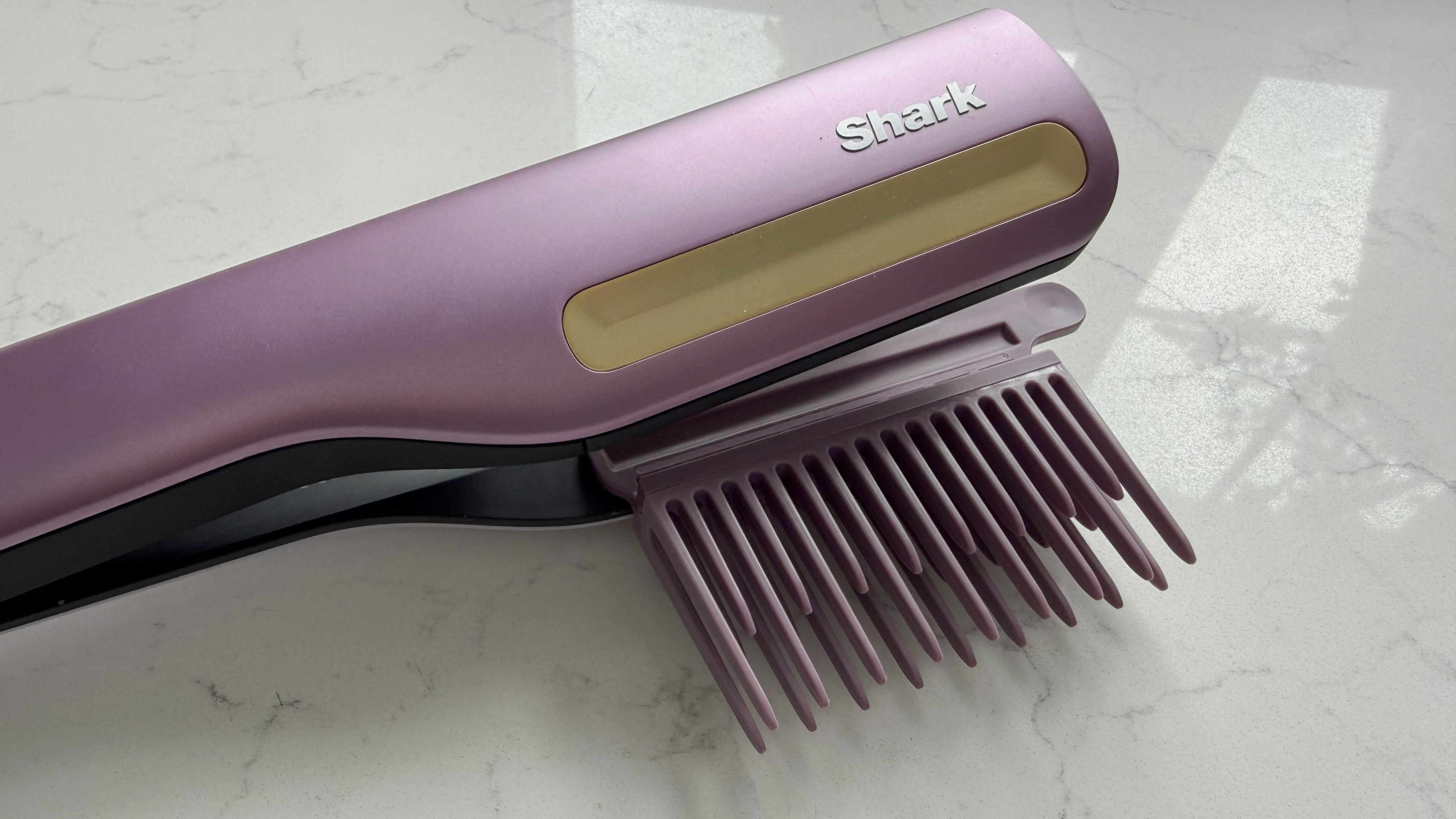
The three combs – wide-tooth, gentle, and precision – clip into a track that runs along the back of the tool, locking in with an audible click. When attached, they sit flush to the styler, which not only keeps them close to the plates but doesn't add more to the chunkiness of the overall design. As they only sit on one side of the styler, you need to be very deliberate about how you hold and use the SilkiPro. This can take a lot of getting used to.

Swapping between the combs is easy, although Shark stressed you shouldn't change combs immediately after using Dry mode, as the hot plates may burn your hands.

Close-up of the Shark SilkiPro Straight with the wide-tooth comb attachment clipped in, showing the gold cool-touch strip and Shark logo

The wide-tooth comb attachment (pictured) is designed for use on very wet hair to rough-dry roots and detangle thick, curly, or coily hair before straightening (Image credit: Future)

In terms of weight, at 1.72lbs / 780g, the SilkiPro is heavier than a standard flat iron, and you can feel it, particularly during longer styling sessions.

The swivel cord helps reduce wrist strain, and the cool-touch gold strip gives you a reliable place to grip, but with such a small handle and a top-heavy design, it's not the most comfortable styler to maneuver.

  • Design score: 3.5 out of 5

Shark SilkiPro review: performance

  • Delivers smooth, frizz-free results quickly
  • Auto-pause airflow can be annoying
  • Dry mode doesn't offer more than a conventional flat iron

Although it looks simple enough, the SilkiPro Straight isn't the most intuitive styler to use.

Its larger size and the specific location of the combs and airflow mean the grip and positioning don't come naturally. You also have to work in small sections to make sure you not only get a consistent finish, but also don't trap hair outside of the plates. Once you've mastered all that, it's a great styler, if a little slow and awkward at times.

In Wet mode, the mix of airflow and plates does a good job of drying and straightening at the same time, with impressive results on my naturally curly hair. Even without a comb attached. It gave me shiny, sleek and frizz-free hair every time, but having to meticulously move around your head in small sections means it's not a quick job.

During my tests, it took as much as 8.5 minutes to dry my entire head of fine, mid-length hair on the fastest airflow and heat setting. For comparison, most dryers I've tested average around five minutes.

The Shark SilkiPro Straight open with the precision comb attachment clipped into the track, showing the air vents and gold ceramic plates

The precision comb attachment (pictured) clips into the track along the side of the SilkiPro Straight and is designed for a sleek, flat finish with maximum control (Image credit: Future)

The wide-tooth comb is the best place to start on very wet hair, rough-drying the roots while stretching and detangling before you begin straightening. Switching to the gentle or precision comb for the straightening pass creates a clean finish.

In addition to angling the airflow so it blasts up at the roots, and thus adds volume, you can also use the SilkiPro like a standard dryer. Without any hair inside, close the plates to activate the air, and angle the flow at your roots or anywhere you want to quickly blast away water.

Dry mode works well as a finishing step for smoothing flyaways, but at that point, it's effectively just a regular straightener – albeit a larger, less comfortable one.

A built-in HeatSense sensor reads the plate temperature 1,000 times per second and automatically adjusts the heat based on how much moisture remains in the hair, applying less heat when it's wetter and more as it dries.

Shark goes quite hard on the benefit of its motion-sensing auto-pause feature, which cuts airflow after three seconds when you stop moving it. In theory, this sounds great. In practice, it's annoying. Pausing to clip away a finished section is enough to trigger the auto-pause, and the interrupted rhythm gets old quickly. Not to mention the constant change in noise levels between the motor sound when the plates are open, the airflow noise when the plates are closed, and the constant on and off of the auto-pause.

Speaking of which, noise is reasonable for a tool with a built-in fan. It's obviously louder than a straightener that doesn't have an airflow option – averaging at 70dB – but it's quieter than most hairdryers, even at full power.

  • Performance score: 4 out of 5

How I tested the Shark SilkiPro review

I tested the Shark SilkiPro Straight over four weeks, using it as my go-to styling tool on both wash days and when I wanted to style second-day hair.

I tried all three combs across a range of scenarios, starting with the wide-tooth comb on freshly washed hair to rough-dry and detangle from the roots; moving to the gentle comb for straightening, and finishing with the precision comb on dry mode to lock in the style.

I tested the 2-in-1 styler on damp hair at varying levels of dryness to get a sense of how the heat-sensing plates worked, and paid particular attention to how the results compared to my usual two-step routine of hairdryer followed by straighteners. I also tested it on dry hair in ry mode alone, using it as I would a standalone flat iron.

Throughout, I noted how easy it was to use, noise levels using the DecibelX app, and the finish and hold.

Read more about how we test

  • First reviewed April 2026

I tested the Nikon Z 70-200mm f/2.8 VR S II, and it's flawless — now I’m desperate to upgrade from my trusty DSLR original

Nikon Z 70-200mm f/2.8 VR S II: One-minute review

Hot on the heels of the Nikkor Z 24-70mm f/2.8 S II, Nikon has delivered its second mark II lens for its Z-mount mirrorless cameras — and the Nikon Z 70-200mm f/2.8 VR S II is another 5-star success.

The pro telephoto zoom builds on the original Z 70-200mm by being much lighter (and a fraction smaller), featuring a totally removable Arca-Swiss compatible tripod collar, and offering better close-focusing skills and a new optical design which improves image quality in various ways, especially bokeh.

I found the pricier Sony 50-150mm F2 GM a more exciting telephoto zoom to test, but there's no such lens for Nikon cameras yet; and, overall, it's hard to find fault with Nikon's latest stellar 70-200mm f/2.8. While it easily joins the ranks of essential Nikon lenses there is a big jump in price — it costs $3,199 / £2,999 / AU$5,399, where its predecessor cost around $2,600 / £2,600 / AU$5,100 at launch, and that lens is now available for less.

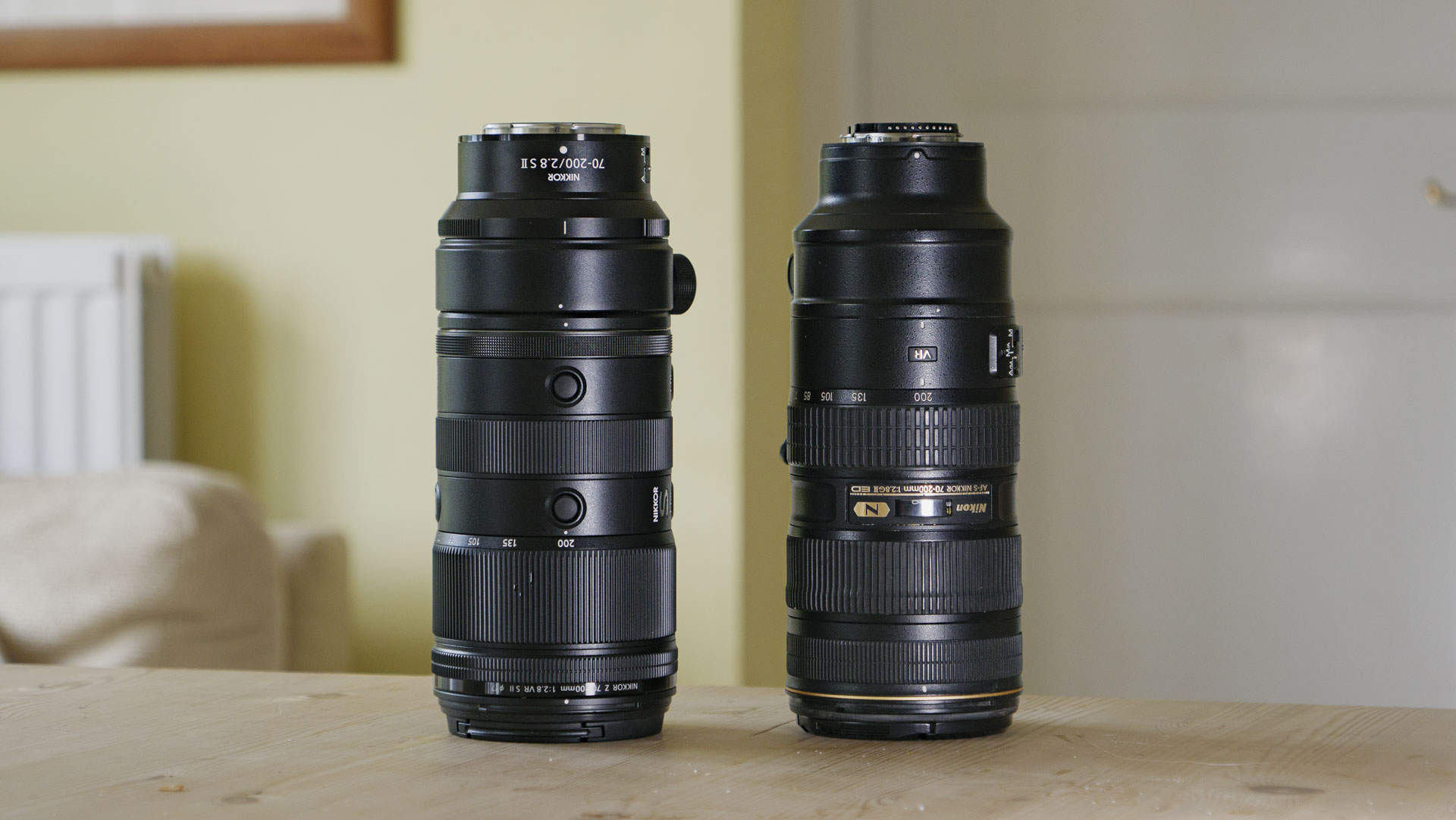
The Nikon Z 70-200mm f/2.8 VR S II lens alongside the Nikon 70-200mm f/2.8 G VR for F-mount DSLRs

The Nikon Z 70-200mm f/2.8 VR S II alongside the Nikon 70-200mm f/2.8 G ED VR II designed for Nikon's F-mount DSLRs. They're essentially the same size, but the new mirrorless lens is much lighter (Image credit: Future / Tim Coleman)

Is the new lens worth the extra? For me, yes. My own 70-200mm f/2.8G ED VR II for Nikon DSLRs was my most-used lens for weddings and portraiture work, and it has paid for itself time and again over its years of heavy use.

When I made the switch from DSLR to mirrorless, I continued using that lens via an adapter, such is its quality and versatility for paid work, until the day I could consider upgrading to its Z-mount successor.

The Nikon Z 70-200mm f/2.8 VR S was enticing, but I didn't see enough of an upgrade over my DSLR lens to make it worth splashing out. The mark II version, with its new optical design and lightweight body, is the upgrade I've been wanting all along, especially for long shoot days.

Nikon has squeezed every bit of quality in can into a lightweight successor to what was already a stellar telephoto zoom, and I expect many pro Nikon photographers to buy, and rely on it for years to come.

Nikon Z 70-200mm f/2.8 VR S II: Price and availability

  • Costs $3,199 / £2,999 / AU$5,399
  • Two tripod collars and a lens hood included

At $3,199 / £2,999 / AU$5,399, the mark II version costs a lot more than the current price of the original, which is now available for around $2,397 / £2,379 at leading retailers, or closer to $2,100 / £2,100 / AU$4,000 secondhand.

I think the weight savings and improved optical design with better close-focusing are worth the extra outlay, and Nikon lenses often receive healthy price cuts soon after launch, too — for example, the 24-70mm f/2.8 mark II briefly saw a 10% saving, so the 70-200mm's pricing might become a moot point soon enough.

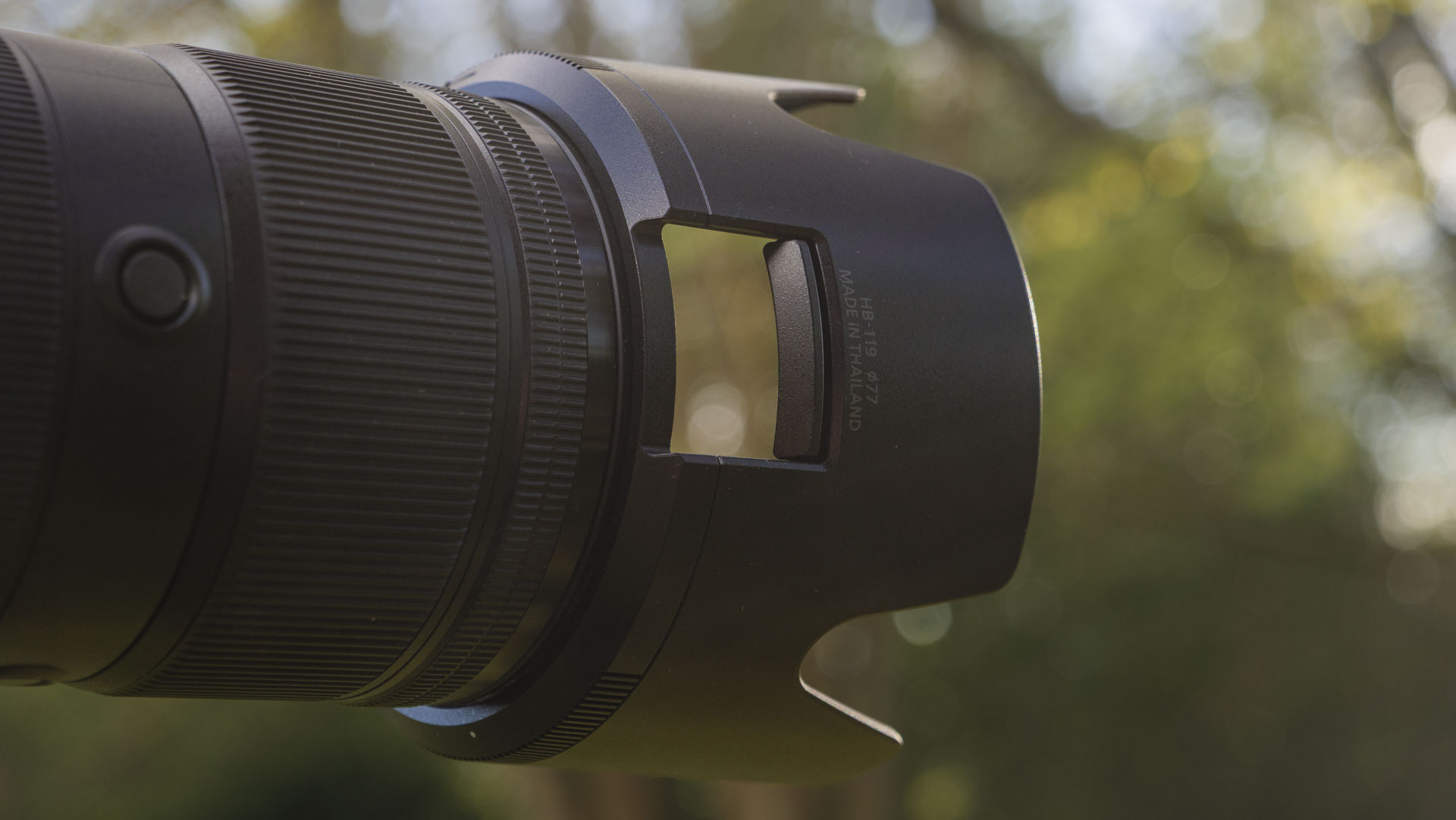
In the box, Nikon includes the (removable) tripod collar, a foot-less collar, plus a lens hood which features a sliding door for easy access to attached filters and adjustments a breeze; the lens accepts 77mm threaded filters.

Nikon Z 70-200mm f/2.8 VR S II: specs

Nikon Z 70-200mm f/2.8 VR S II specs

Type:

Telephoto zoom

Mount:

Nikon Z

Sensor:

Full-frame

Focal length:

70-200mm

Max aperture:

f/2.8

Minimum focus:

0.38m (70mm) / 0.8m (200mm),

Max reproduction

0.3x at 70mm / 0.25x at 200mm

Filter size:

77mm

Dimensions:

3.6 x 8.2 inches / 90 x 208mm

Weight:

2.2lbs / 998g (or 2.6lbs / 1,180g with the tripod collar attached)

Nikon Z 70-200mm f/2.8 VR S II: design

  • The lightest 70-200mm f/2.8 lens available, weighing just 2.2lbs / 998g
  • Tripod collar is fully removable, and you'll save 182g of weight when you don't need it
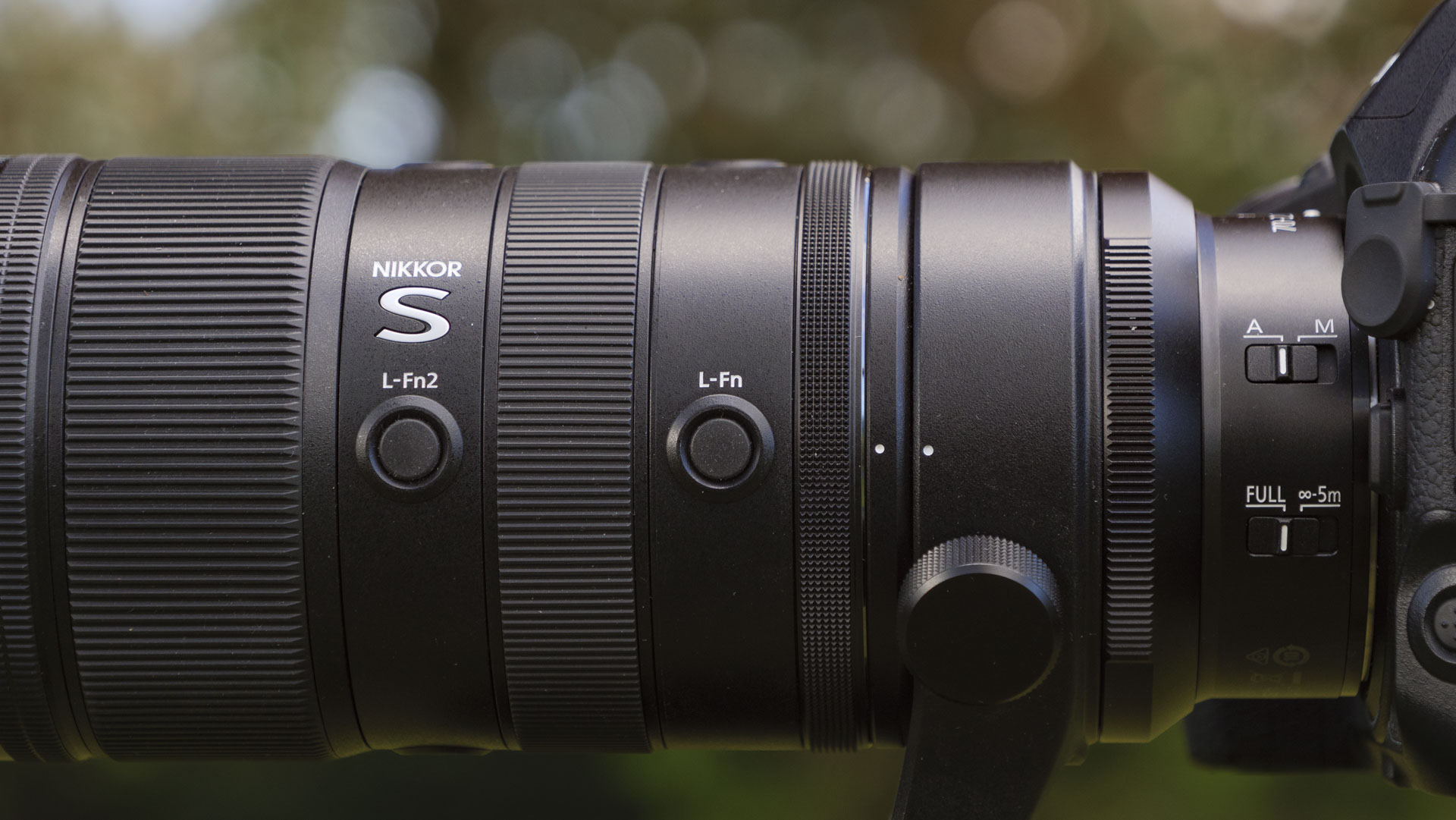
  • Multiple function buttons and a customizable control ring, but no display
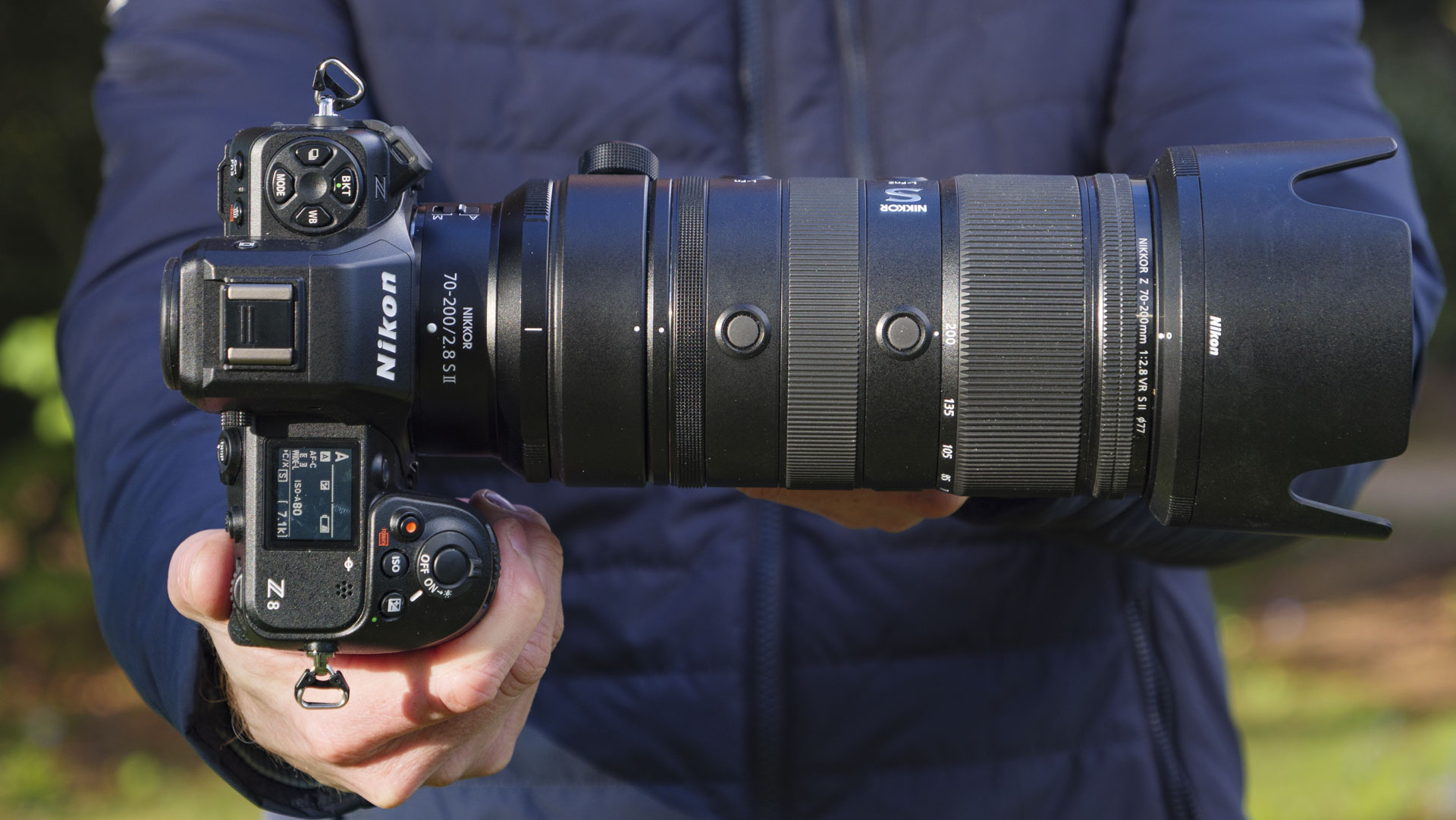
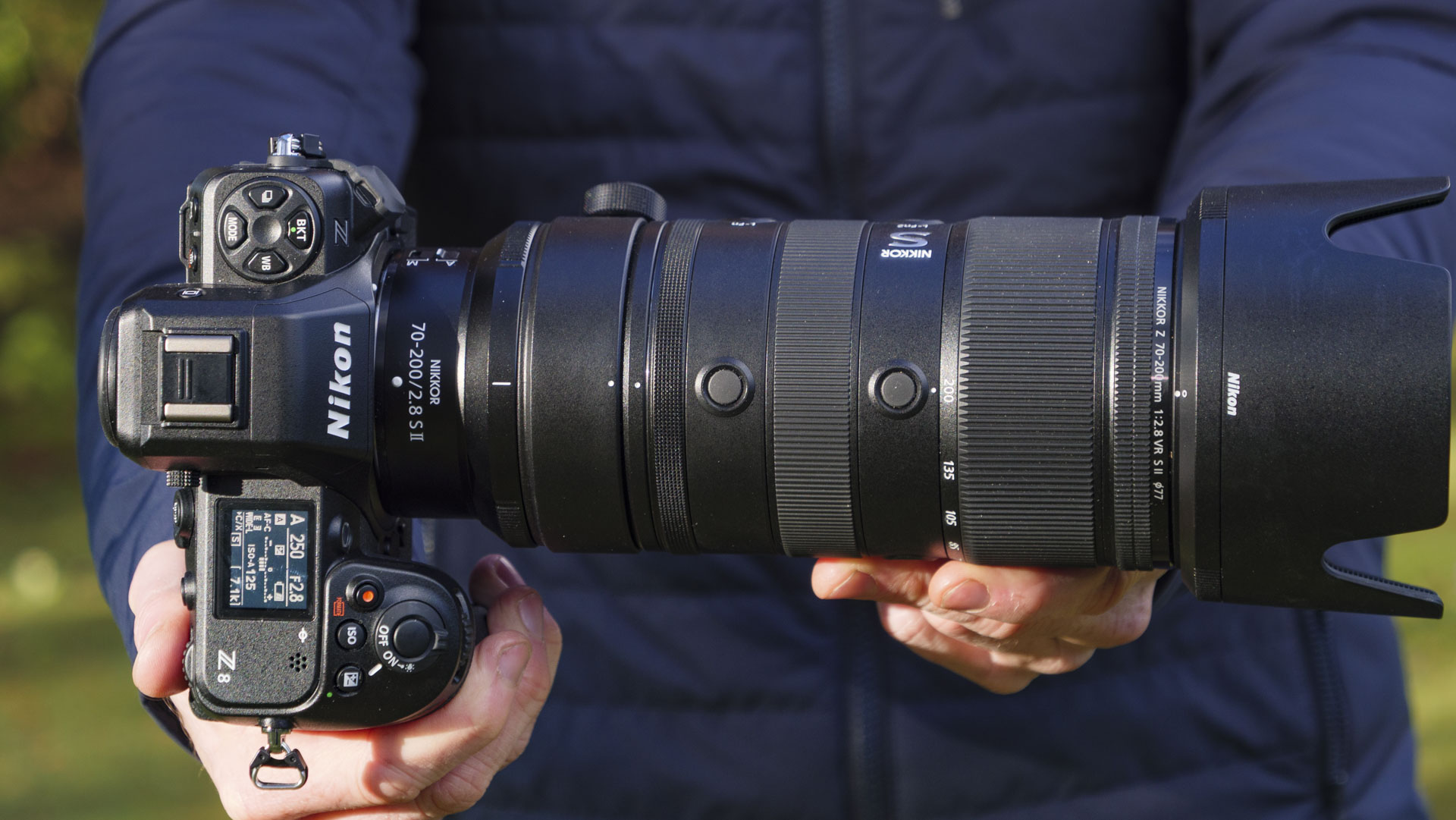
Man holding the Nikon Z8 camera with the Nikon Z 70-200mm f/2.8 VR S II lens attached
Future / Tim Coleman
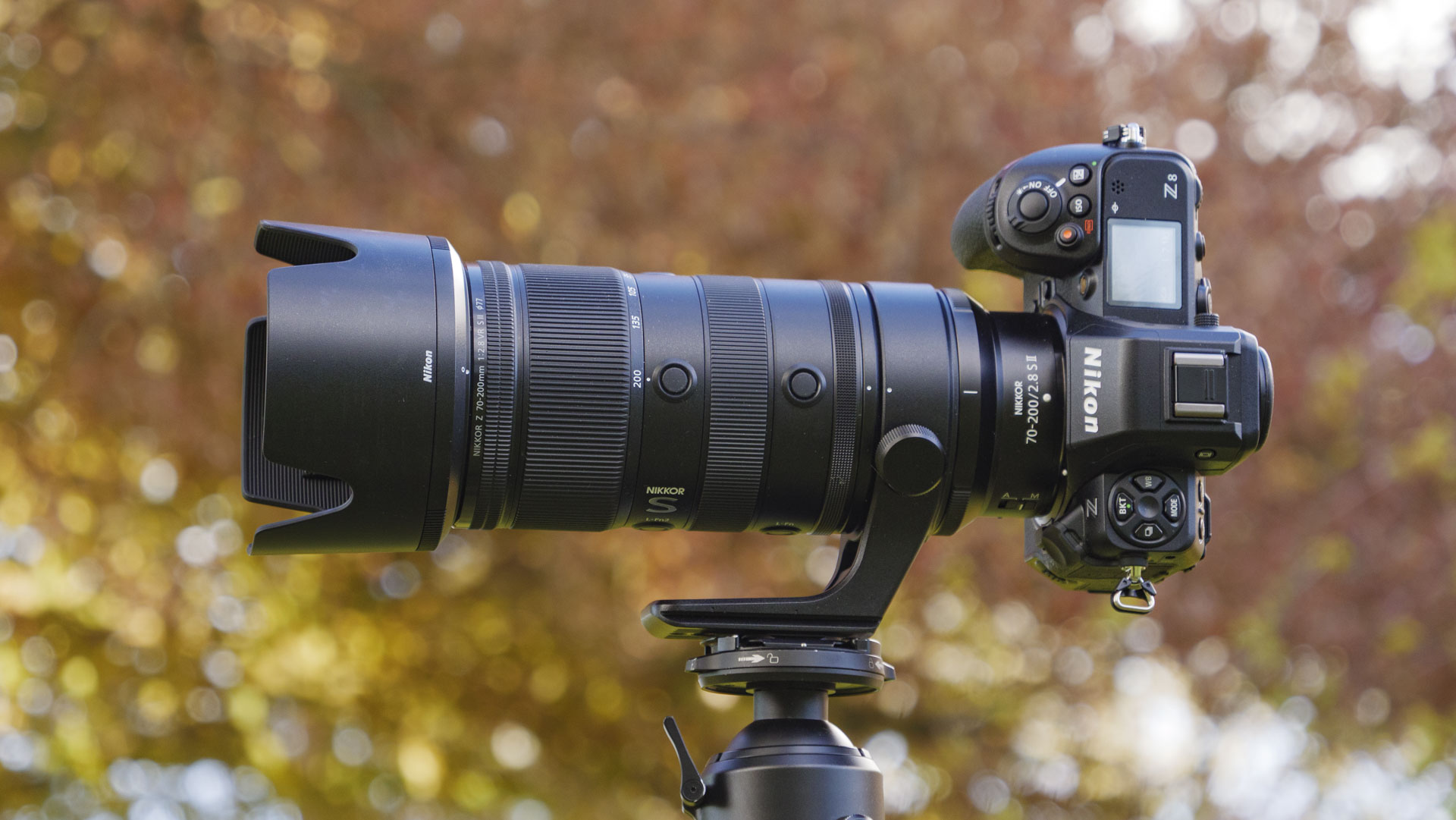
The Nikon Z 70-200mm f/2.8 VR S II lens attached to a Nikon Z8, the camera is mounted to a tripod and there are trees in the background
Future / Tim Coleman
Man holding the Nikon Z8 camera up to his eye and the Nikon Z 70-200mm f/2.8 VR S II lens is attached, there are trees in the background
Future / Tim Coleman

Size-wise, the 70-200mm mark II measures up similarly to Nikon's previous offerings. It's slightly smaller than the mark I for Z-mount, but slightly bigger than the version for DSLRs (see my photo comparison above). However, there is a big weight saving.

The Z 70-200mm f/2.8 VR S II weighs 2.2lbs / 998g, or 2.6lbs / 1,180g with the tripod collar attached — the latter for me is more often how I would set a lens like this up even without using a tripod, because the collar provides an easy hold of the lens between shots. Even factoring in the tripod collar, that's over 25% lighter than other Nikon 70-200mm f/2.8 lenses (the mark I weighs 1,360g without collar and 1,440g with it, while the DLSR version is a fraction heavier again), and the lightest lens of its kind for any lens mount.

The tripod foot is now Arca-Swiss compatible, which is probably the most popular tripod-plate type. Don't need the tripod collar? There's a 182g weight saving to be gained by removing it, and Nikon also supplies a lighter foot-less collar that can go in its place. For shoots when you know you won't be using a tripod, that's a decent weight reduction that will be appreciated over long hours lugging around gear (although, as I said, I prefer keeping the tripod collar attached).

A hand holding Nikon Z 70-200mm f/2.8 VR S II lens by its tripod collar
I like holding the a large lens like a 70-200mm f/2.8 by its tripod collarFuture / Tim Coleman
Close up of the lens collar accessory resting on the Nikon Z 70-200mm f/2.8 S II lens
But you can also swap it out for a foot-less collar, thus shedding some weight and bulk.Future / Tim Coleman

One chief reason for the weight saving is the new optical design. Nikon has done away with three lens elements: the mark II has 18 elements in 16 groups, while the mark I has 21 elements in 18 groups.

With a simpler optical design, you might expect a compromise in terms of image quality, but the opposite is true — I'll talk more about image quality in the performance section below. There are also 11 aperture blades, versus nine blades in the other two 70-200mm lenses, and inevitably, the additional blades will form a more rounded diaphragm for pleasant and smoother bokeh — again more on this below.

Close focusing has been improved too — it's 0.38m at 70mm and 0.8m at 200mm, delivering a 0.3x maximum magnification at 70mm, compared to 0.2x in the mark I. For a telephoto zoom such as this, those are impressive close-focusing skills — not quite in the realm of macro photography, but easily versatile enough to capture little details sharply, such as wedding rings.

The Nikon Z 70-200mm f/2.8 VR S II lens attached to a Nikon Z8, the camera is mounted to a tripod and there are trees in the background
Future / Tim Coleman
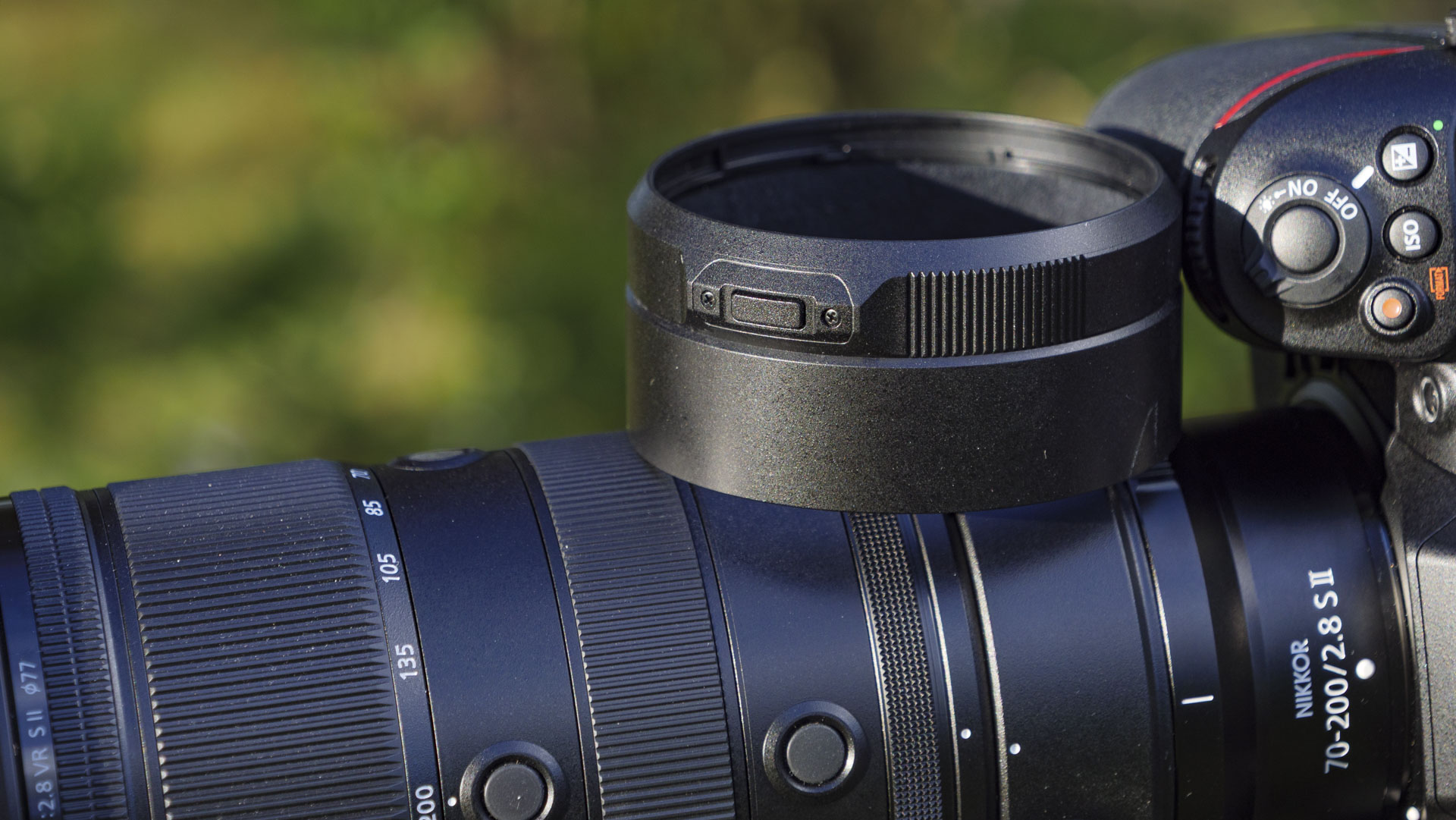
A closeup of the Nikon Z 70-200mm f/2.8 VR S II lens's lens hood
Future / Tim Coleman
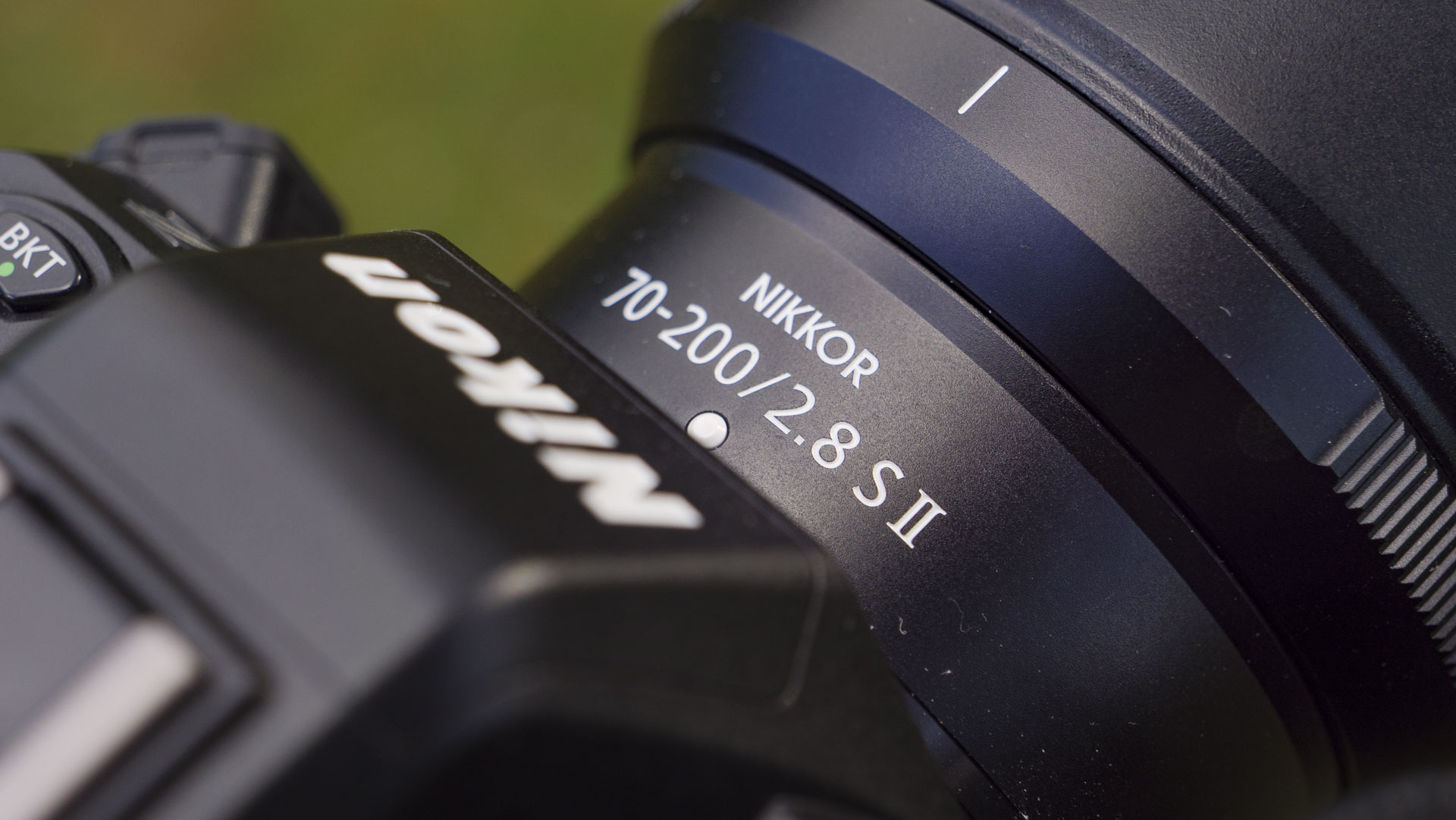
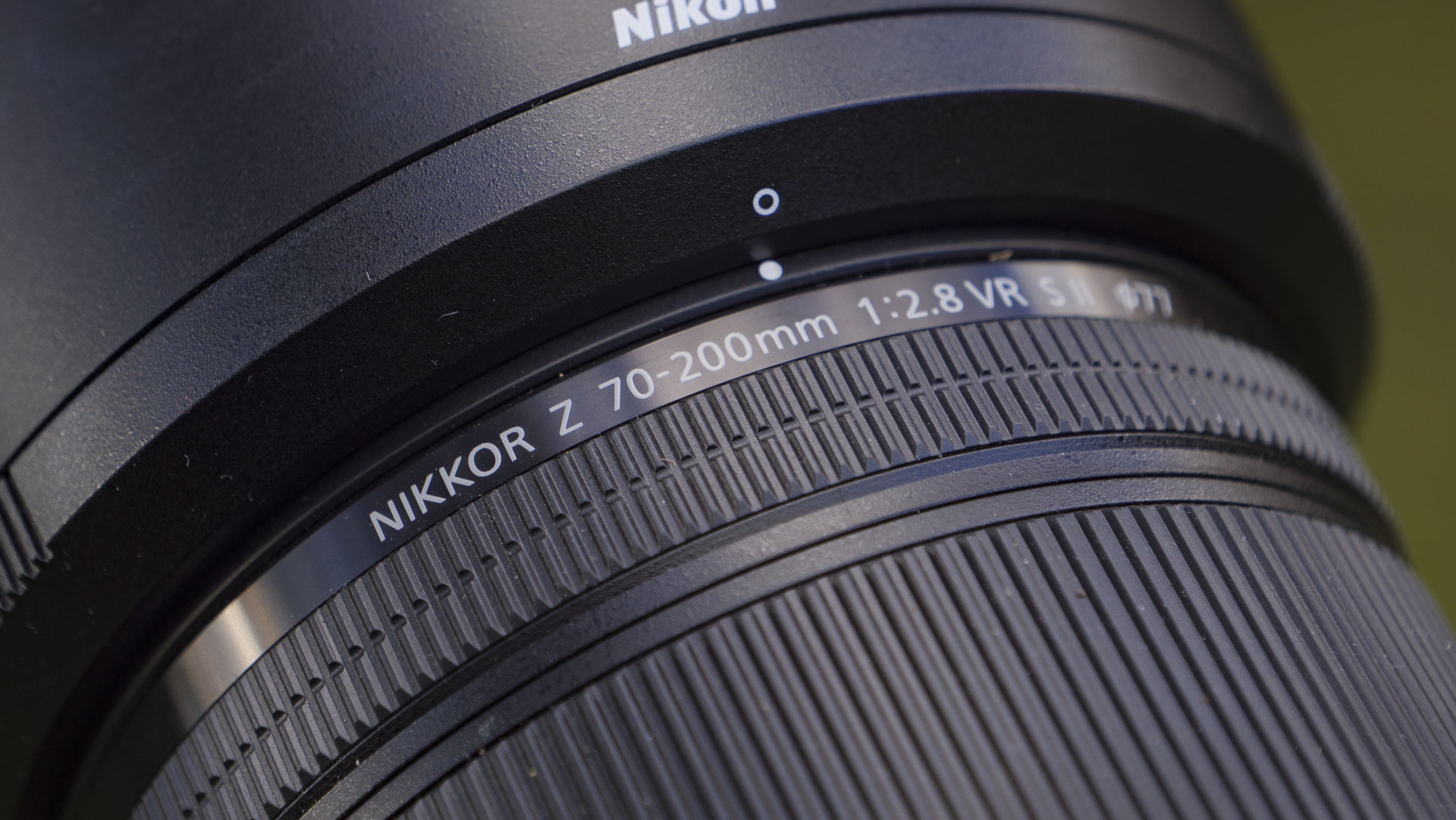
Close up of the Nikon Z 70-200mm f/2.8 VR S II lens' product name on the barrel
Future / Tim Coleman
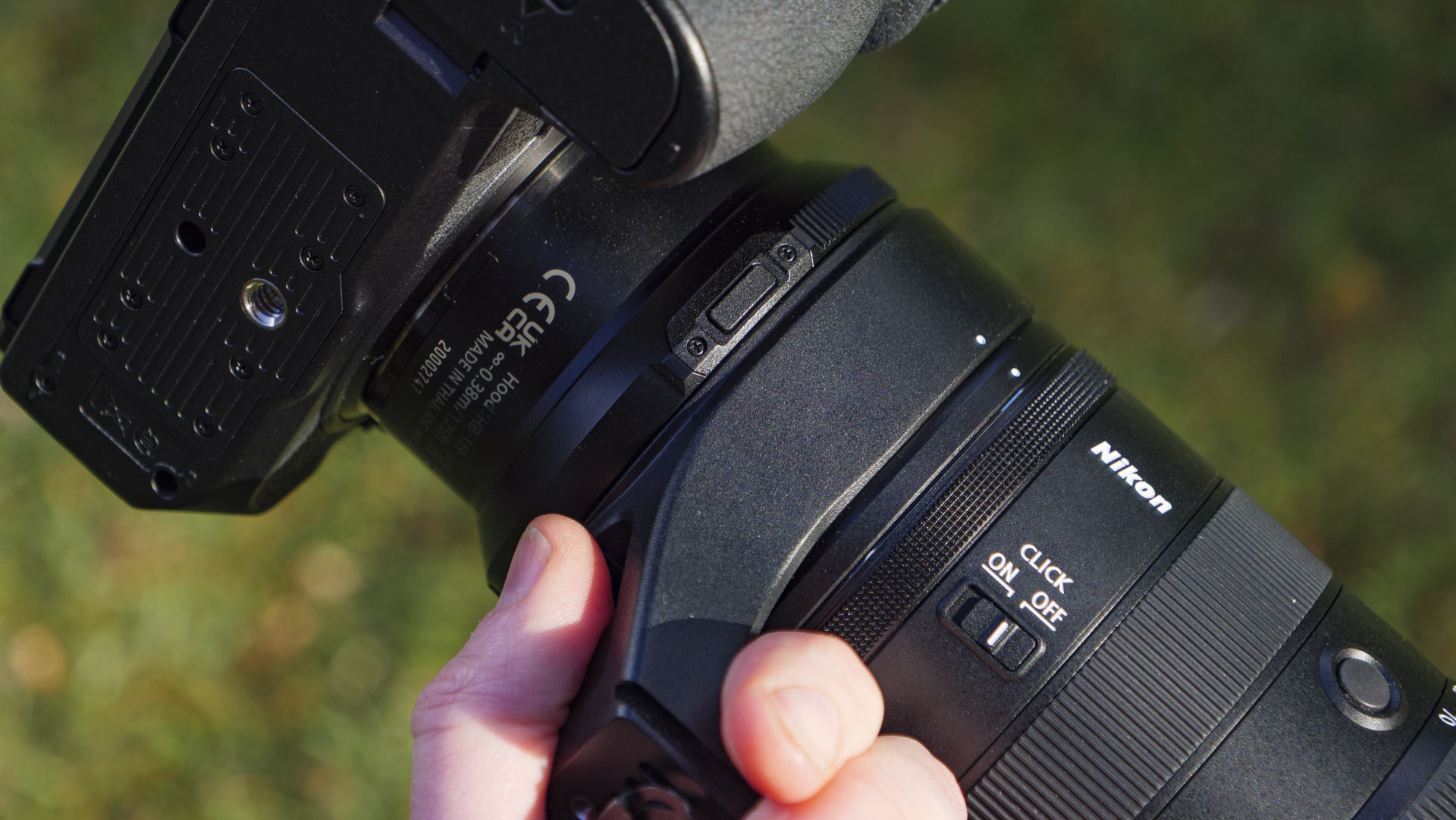
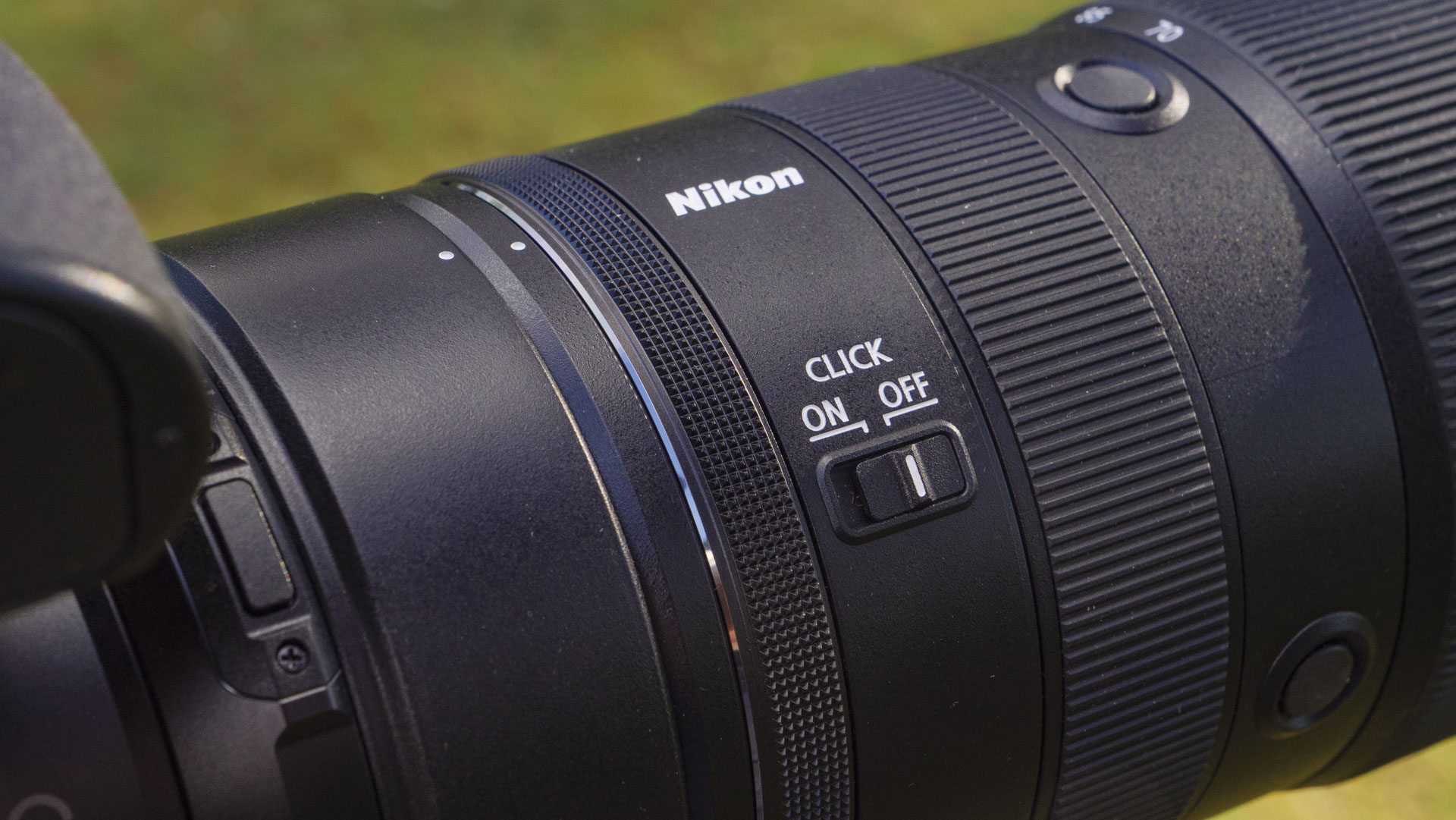
Close up of the Nikon Z 70-200mm f/2.8 VR S II lens' controls
Future / Tim Coleman
Side profile of the Nikon Z 70-200mm f/2.8 VR S II lens
Future / Tim Coleman
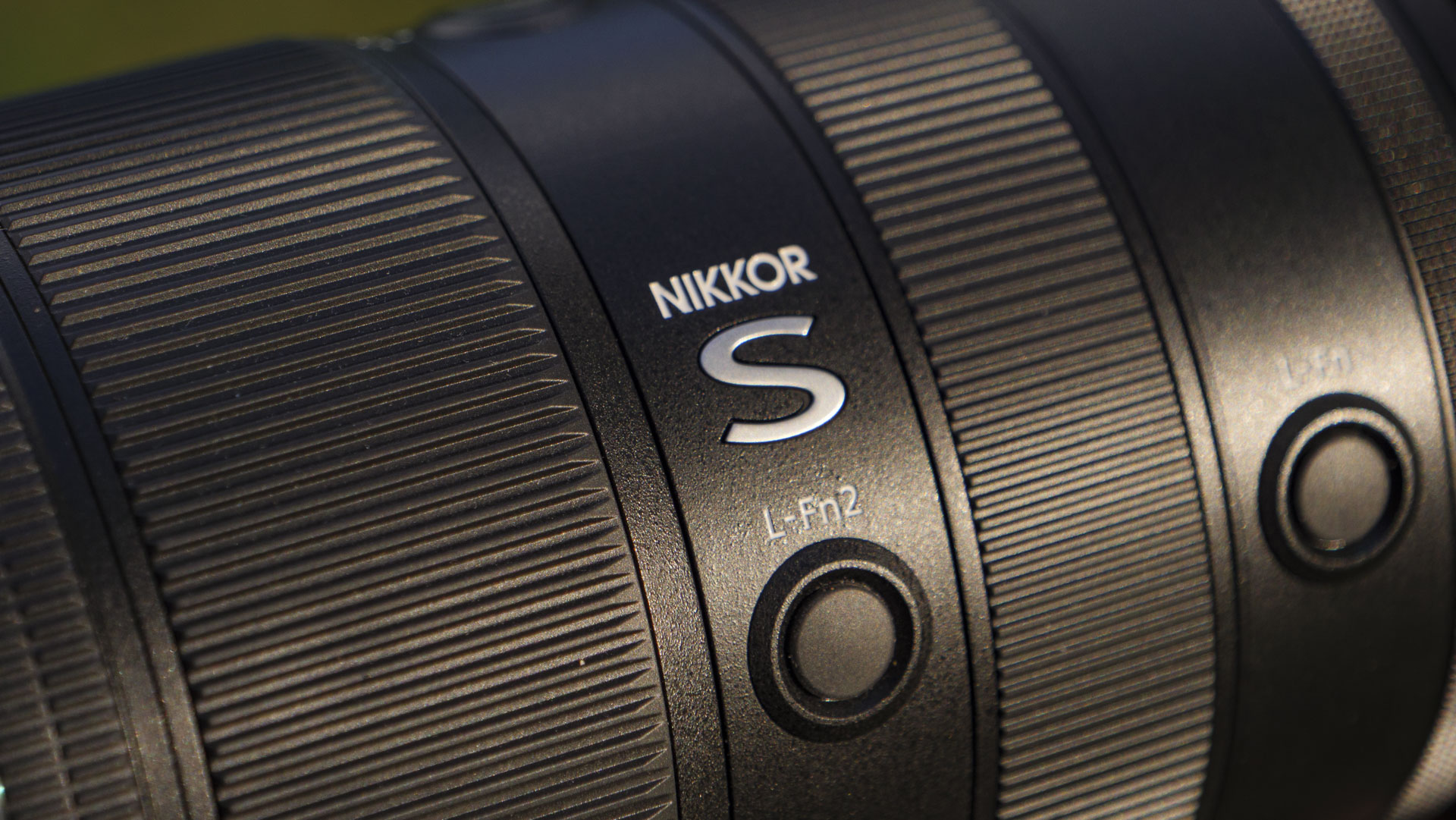
Close up of the Nikon Z 70-200mm f/2.8 VR S II lens' controls and pro 'S' label
Future / Tim Coleman
Close up of the Nikon Z 70-200mm f/2.8 S II lens' details
Future / Tim Coleman

As for build quality, the lens is exactly what you would hope for from a pro optic: it's rugged and weather-resistant, equipped with lightning fast autofocus motors, and packed with a suite of external controls, including clicked aperture control and a customizable control ring.

The supplied lens hood now features a door which slides open for easy access to threaded filters — that's a handy addition for circular polarizer and variable ND filter users, because these (often essential) filters require rotating to adjust strength and you would otherwise have to remove the lens hood to access them.

The only thing that's arguably missing is a digital display for the lens settings, nor are there focus-distance markings, meaning you'll need to check the camera's displays if you need such information. The former could be helpful, but it would add weight to the lens.

Nikon Z 70-200mm f/2.8 VR S II: Performance

  • Practically no lens distortions at any focal length or aperture setting
  • Dreamy circular bokeh, especially at 200mm
  • Speedy and practically silent autofocus
Nikon Z 70-200mm f/2.8 VR S II image gallery: a closeup of a chipmunk on a tree stump
The 70-200mm mark II is ideal for wildlife photography (of confident subjects)...Future / Tim Coleman
Nikon Z 70-200mm f/2.8 VR S II image gallery: bluebell flower close up at golden hour
...close up photography...Future / Tim Coleman
Nikon Z 70-200mm f/2.8 VR S II image gallery: Chinese female model in green jacked and brown scarf, there's strong contrast sunlight and blurred woodland behind her
...and portraiture.Future / Tim Coleman
Nikon Z 70-200mm f/2.8 VR S II image gallery: a street scene at night in the Yunnan province of China
It's even effective for street photography...Future / Tim Coleman
Nikon Z 70-200mm f/2.8 VR S II image gallery: snow-covered mountaintops reflected in. aperfectly still lake
...and landscape photographyFuture / Tim Coleman

I've tried the lens at every key focal length and aperture setting, and I've struggled to find a single optical weakness; it's pin sharp even at f/2.8, and lens distortions are extremely well controlled.

Take the scene below, with dappled background light. It's a testing scenario for any lens, but chromatic aberration, flare, ghosting and vignetting are all well controlled, even with the aperture set to f/2.8 — the widest aperture, which is typically where lens distortions are most obvious.

Bokeh is dreamy too, especially with the lens set to 200mm. It's more defined (read: smaller) at 70mm — that's to be expected at a wider focal length. Only an even wider maximum aperture at 70mm, say f/2, would make bokeh a similar size to what we get at 200mm. Ultimately, the more you zoom in, the bigger bokeh gets. You can see below how bokeh changes at the wide and telephoto settings as I reduce aperture from f/2.8 to f/4, f/5.6, f/8 and f/11.

Nikon Z 70-200mm f/2.8 VR S II image gallery: closeup of bluebells in front of dappled light
200mm f/2.8Future / Tim Coleman
Nikon Z 70-200mm f/2.8 VR S II image gallery: closeup of bluebells in front of dappled light
200mm f/4Future / Tim Coleman
Nikon Z 70-200mm f/2.8 VR S II image gallery: closeup of bluebells in front of dappled light
200mm f/5.6Future / Tim Coleman
Nikon Z 70-200mm f/2.8 VR S II image gallery: closeup of bluebells in front of dappled light
200mm f/8Future / Tim Coleman
Nikon Z 70-200mm f/2.8 VR S II image gallery: closeup of bluebells in front of dappled light
200mm f/11Future / Tim Coleman
Nikon Z 70-200mm f/2.8 VR S II image gallery: closeup of bluebells in front of dappled light
70mm f/2.8Future / Tim Coleman
Nikon Z 70-200mm f/2.8 VR S II image gallery: closeup of bluebells in front of dappled light
70mm f/4Future / Tim Coleman
Nikon Z 70-200mm f/2.8 VR S II image gallery: closeup of bluebells in front of dappled light
70mm f/5.6Future / Tim Coleman
Nikon Z 70-200mm f/2.8 VR S II image gallery: closeup of bluebells in front of dappled light
70mm f/8Future / Tim Coleman
Nikon Z 70-200mm f/2.8 VR S II image gallery: closeup of bluebells in front of dappled light
70mm f/11Future / Tim Coleman

I've really appreciated the improved maximum magnification which now goes up to 0.3x, if you make the most of the lens' 0.38m minimum focus distance at 70mm, or up to 0.25x at 200mm. I'm often wanting to photograph little details, and the mark II lens is more versatile than the previous-generation lens for such tasks.

It's also a supremely fast lens for autofocusing — the exotically named Silky Swift VCM (voice coil motors) make light work of the moving 18 lens elements precisely for accurate, lightning quick and practically silent autofocus. Nikon says it's up to 3.5x faster than the previous 70-200mm lens and 50% quieter, plus focus tracking while zooming is 40% more effective.

The lens provides 6-stop vibration reduction image stabilization, which pairs effectively with sensor-based stabilization in pro mirrorless cameras such as the Nikon Z8 (which I paired with the lens for this test). For example, I've been able to get sharp handheld shots at 200mm using shutter speeds as slow as 1/4 sec (though not every time).

Nikon Z 70-200mm f/2.8 VR S II sample images

Nikon Z 70-200mm f/2.8 VR S II image gallery: a buddhist monastery and town in China, reflected ind a still lake at first light
Future / Tim Coleman
Nikon Z 70-200mm f/2.8 VR S II image gallery: a street scene at night in the Yunnan province of China - ladies walking down a street
Future / Tim Coleman
Nikon Z 70-200mm f/2.8 VR S II image gallery: a street scene at night in the Yunnan province of China - worker taking a cigarette break
Future / Tim Coleman
Nikon Z 70-200mm f/2.8 VR S II image gallery: a street scene at night in the Yunnan province of China
Future / Tim Coleman
Nikon Z 70-200mm f/2.8 VR S II image gallery: a corgi dog propping its chin up on. a wooden doorway
Future / Tim Coleman
Nikon Z 70-200mm f/2.8 VR S II image gallery: a street scene at night in the Yunnan province of China
Future / Tim Coleman
Nikon Z 70-200mm f/2.8 VR S II image gallery: a street scene at night in the Yunnan province of China
Future / Tim Coleman
Nikon Z 70-200mm f/2.8 VR S II image gallery: a street scene at night in the Yunnan province of China – a chef. inaction
Future / Tim Coleman
Nikon Z 70-200mm f/2.8 VR S II image gallery: a moss-covered tree in a woodland
Future / Tim Coleman
Nikon Z 70-200mm f/2.8 VR S II image gallery: female model in front of snow-covered mountains
Future / Tim Coleman
Nikon Z 70-200mm f/2.8 VR S II image gallery: female model in a yellow shawl in front of snow-covered mountains
Future / Tim Coleman
Nikon Z 70-200mm f/2.8 VR S II image gallery: female model in a yellow shawl in front of snow-covered mountains
Future / Tim Coleman
Nikon Z 70-200mm f/2.8 VR S II image gallery: female model in a yellow shawl in front of snow-covered mountains
Future / Tim Coleman
Nikon Z 70-200mm f/2.8 VR S II image gallery: a female model in a cowboy hat in bright sunlight, there's snow-covered mountaintops behind her
Future / Tim Coleman
Nikon Z 70-200mm f/2.8 VR S II image gallery: Traditional Kinnara dance in China, in. a woodland
Future / Tim Coleman
Nikon Z 70-200mm f/2.8 VR S II image gallery: Traditional Kinnara dance in China, in. a woodland
Future / Tim Coleman

Should you buy the Nikon Z 70-200mm f/2.8 VR S II?

Buy it if...

You want the very best and lightest Nikon 70-200mm f/2.8
There's enough reason to upgrade to the mark II from the DSLR equivalent (adapted on mirrorless) or the mark I — it's notably lighter, more versatile, and optically superior.

You regularly shoot weddings and events
For long shoot days, especially event photography, Nikon's 70-200mm mark II feels like an essential for the kit bag.

Don't buy it if...

You don't mind the extra weight of the mark I and cheaper alternatives
The weight saving is a key upgrade, so if you don't consider the mark I too heavy, you might as well stick with it.

You mainly shoot portraiture
Events, weddings, and sports / widlife with a 2x teleconverter are where the 70-200mm f/2.8 mark II excels. If you need a bokeh king for portraits, then a faster-aperture prime, like Nikon's 85mm f/1.2, is the way to go.

How I tested the Nikon Z 70-200mm f/2.8 VR S II

Man holding the Nikon Z8 camera with the Nikon Z 70-200mm f/2.8 VR S II lens attached

(Image credit: Future / Tim Coleman)
  • Nikon loaned me a sample unit for four weeks, and I used it with the Nikon Z8
  • I've taken identical photos at 70mm and 200mm, adjusting only aperture throughout the sequence to compare image quality
  • I've shot street photography, portraits, landscapes, closeups and more

I was fortunate to get a long review period with the 70-200mm lens, and to be able to use it with Nikon's pro Z8 mirrorless camera. During this time, I had a week-long trip to China where I was able to use the gear in wide-ranging scenarios; at night for street photography, taking portraits and so on.

When I test lenses, I make sure all in-camera lens corrections are turned off. I shoot in RAW & JPEG format and compare files between uncorrected raws and processed JPEGs, which allows me to check for lens distortions, such as vignetting and chromatic aberration.

By taking a sequence of identically composed images at the wide and telephoto settings of the lens, beginning at f/2.8 and cycling through the aperture range in full stops, I can see which settings are best for quality, plus how bokeh looks and changes at various apertures.

First reviewed April 2026

!!!!!!!!!!

Popular Posts

Categories

Blog Archive