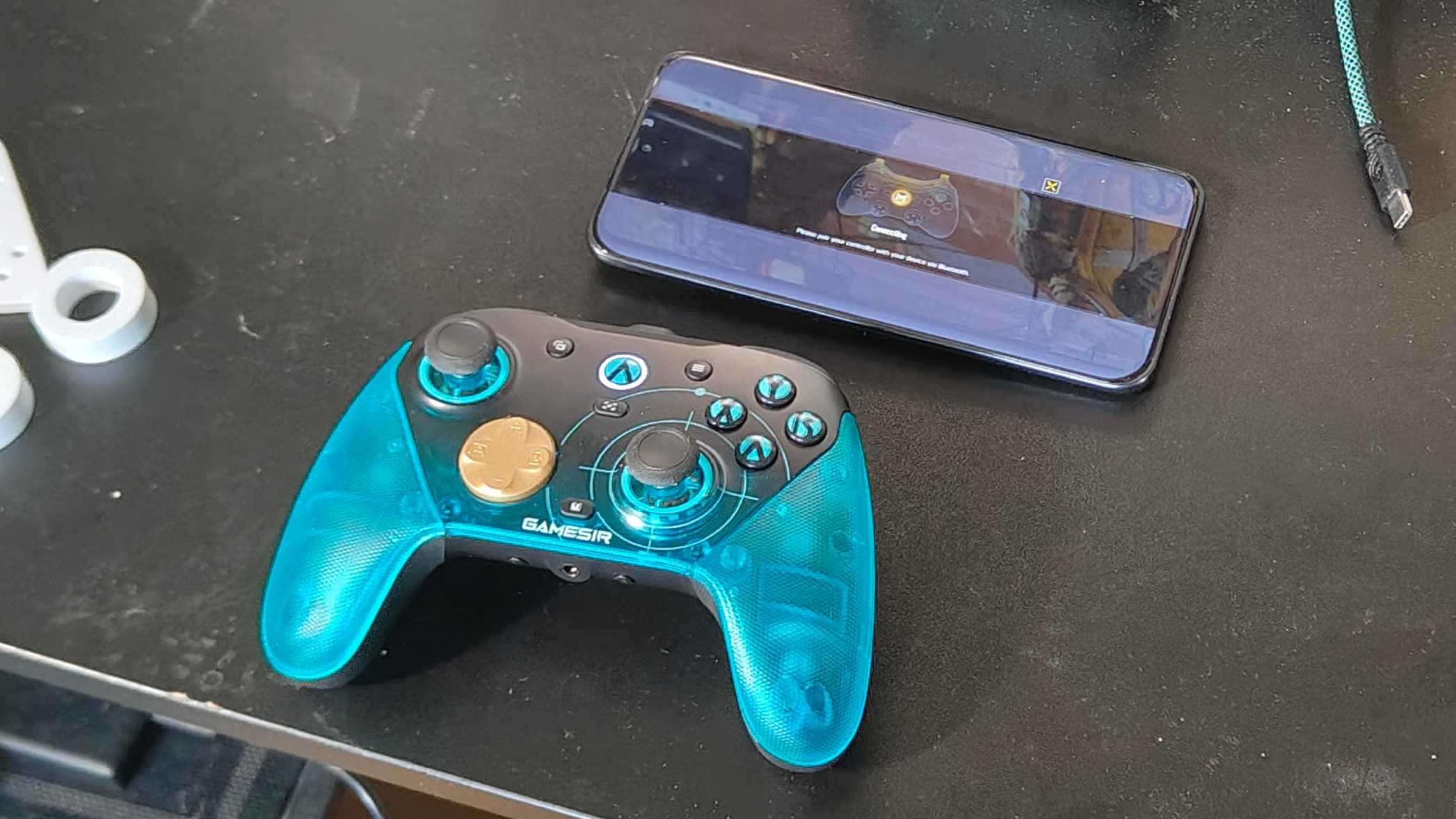
GameSir has an odd naming scheme for its game controllers – isn't the G8 Galileo already out? – but numbers aside, the selling point of the GameSir G7 Pro 8K is in the name.
A spin on our highly-rated GameSir G7 Pro, this new PC controller offers 8K polling, alongside all the things we loved about the original controller: it's lightweight and comfy to use, modular thanks to a removable face plate, and connects in a variety of ways.
For those not in the know, 8K polling means your controller speaks to your chosen device 8,000 times per minute, not 1,000 times like most other controllers, and it allows for more precise and reflexive movement. This kind of kit is designed for esports players, or people who really don't like to lose.
The idea of 8K polling tech is quite divisive: most people seem to view it as a hard-to-notice change, and not worth the price and other impacts, but GameSir has solved the first of those: the G7 Pro 8K is only marginally more expensive than the non-8K model, and it's a great budget option for people who want to test the tech.
That's doubly the case when you consider other 8K controllers; the Razer Wolverine V3 Pro's costs twice as much.
But another downside of 8K polling reared its head during my testing. This kind of tech can be CPU-intensive, and so not suited to PC gamers for whom processing is tight; I played a lot of Arc Raiderstesting this thing, and it was noticeably more stuttery on my slightly older rig than usual.
It's not a problem for people with power rigs, or those who play older titles, and it wasn't even a problem on even newer games I tried, like Nioh 3. But it's something to be wary of in the GameSir, and any other 8K controller.
Gamers who don't need 8K will be better off looking at the G7 Pro: it's a little cheaper, and you're getting the exact same hardware. But if you've been curious about 8K polling, this is the option that'll let you dip your toes in without breaking the bank.
(Image credit: Future)
GameSir G7 Pro 8K: Price and availability
List price: $89.99 / £99.99 / AU$199
Sells on Amazon and GameSir's website
Three color options: AimLabs Edition, Champion Edition, Nioh 3
You can buy the GameSir G7 Pro 8K for $89.99 / £99.99 / AU$199, so it’s only a hair more expensive than the non-8K model (that goes for $79.99 / £89.99 (about AU$114)). GameSir’s choice to keep the price in the double-digit range will undoubtedly draw buyers in.
The controller went on sale in April 2026, just under a year after the non-8K model was released. Yes, I know what you’re thinking: that means it’s primed for Black Friday deals at the end of 2026.
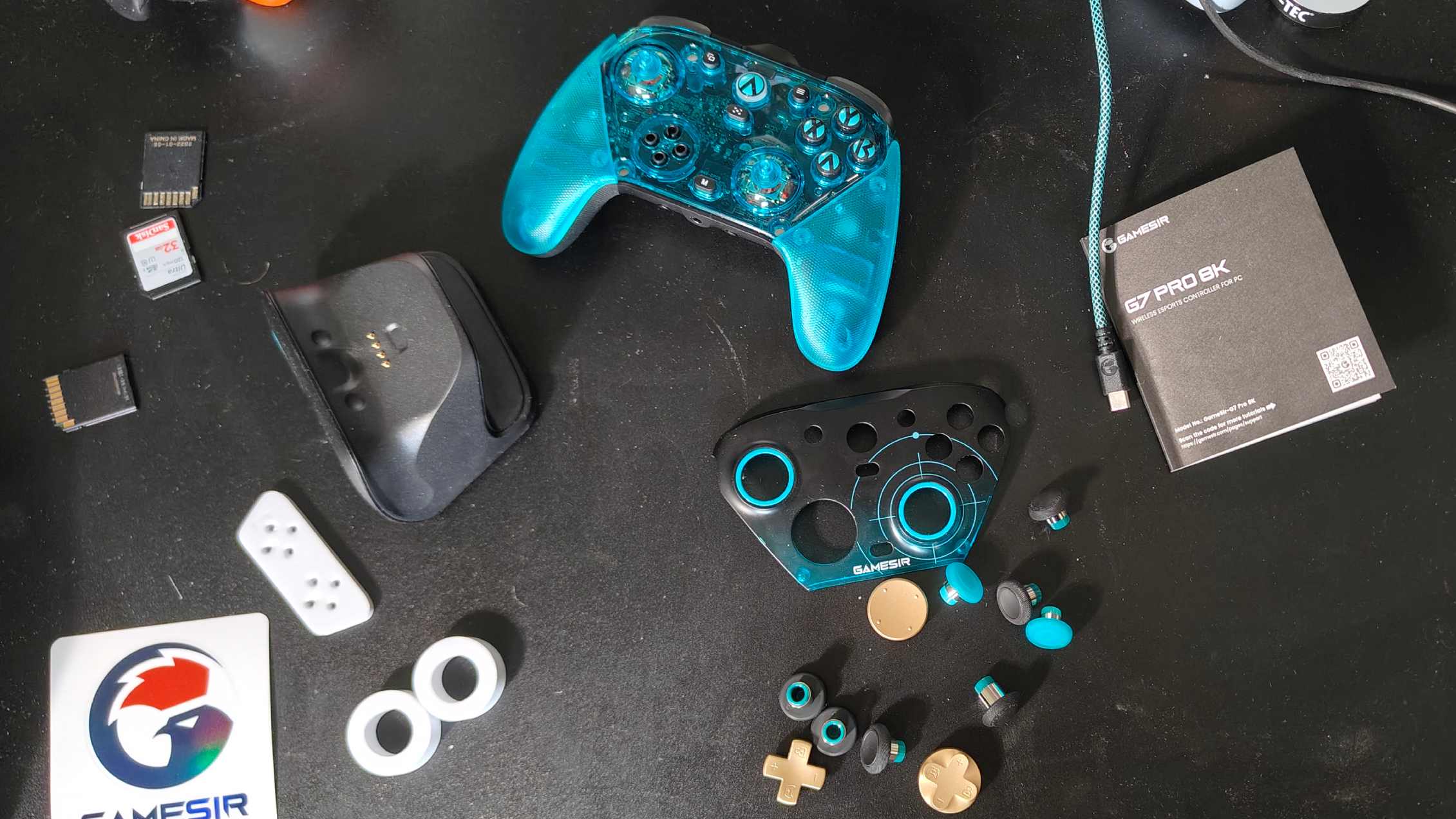
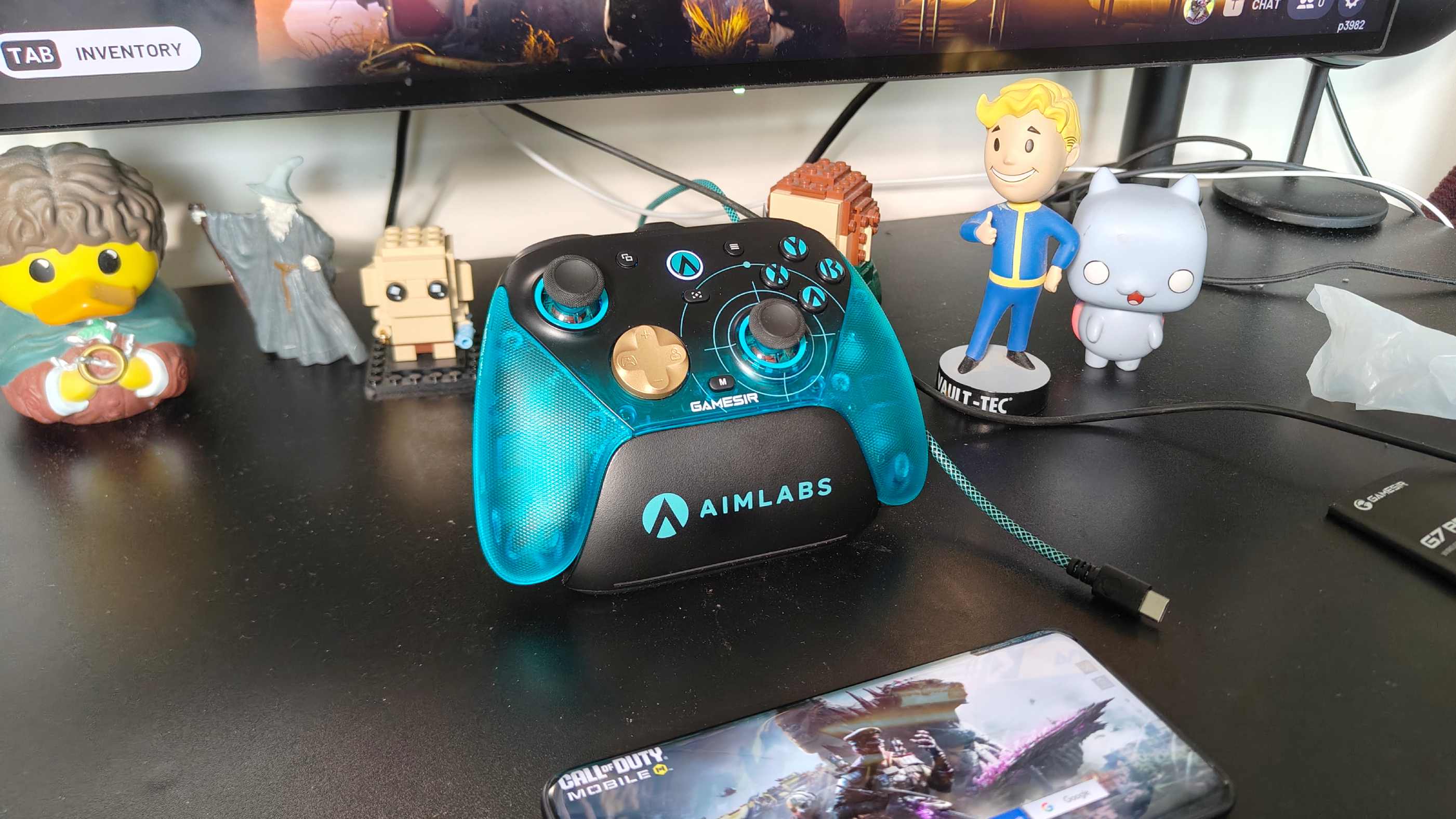
GameSir sells a few different models of the controller. The one you can see depicted is the AimLabs Edition, but I’ve also seen a Champion Edition model and one themed around Nioh 3. They all cost the same, and work the same; the appearance is all that's different (though the AimLabs model, unlike the others, also comes with a month's subscription to AimLabs itself).
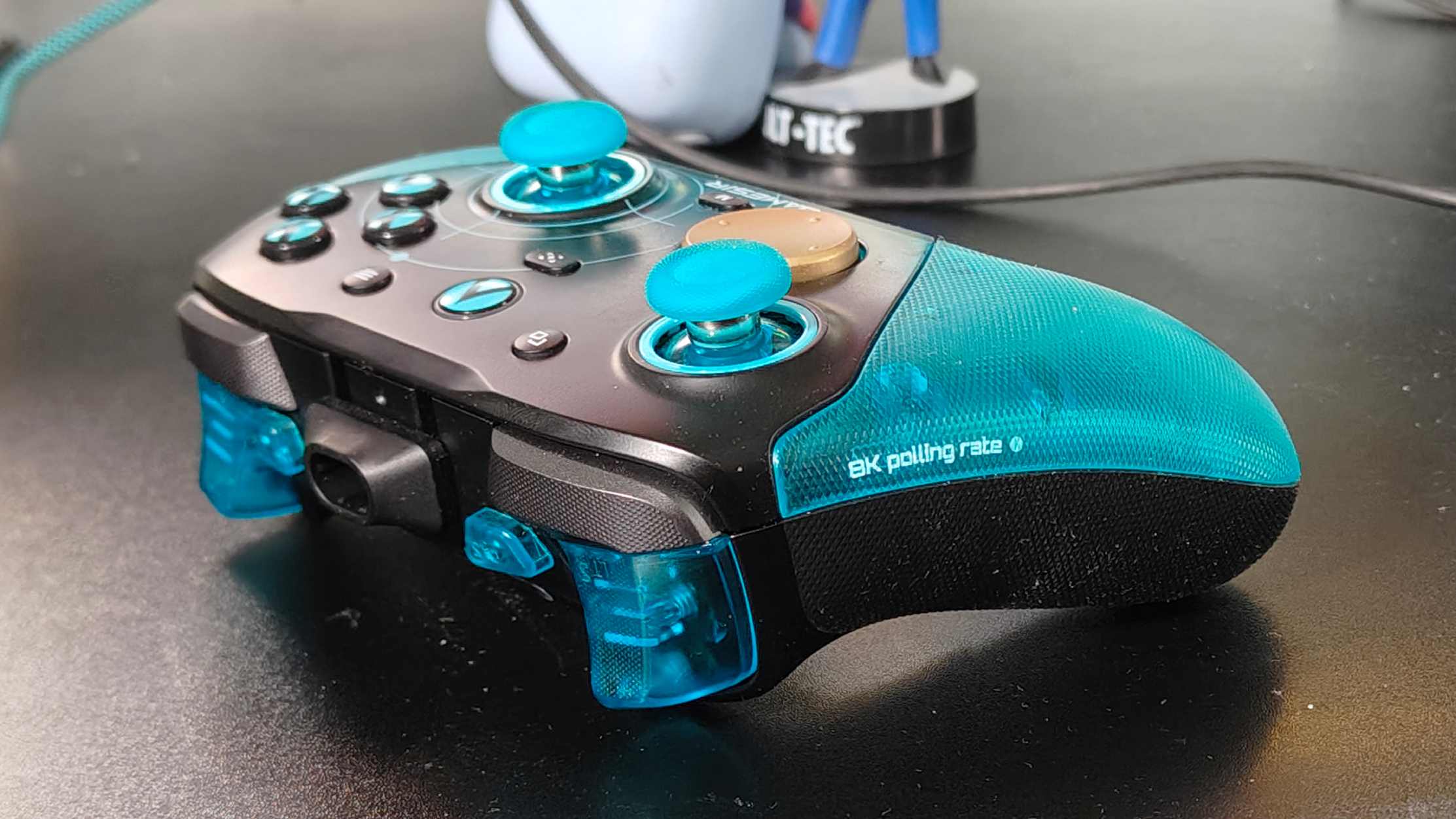
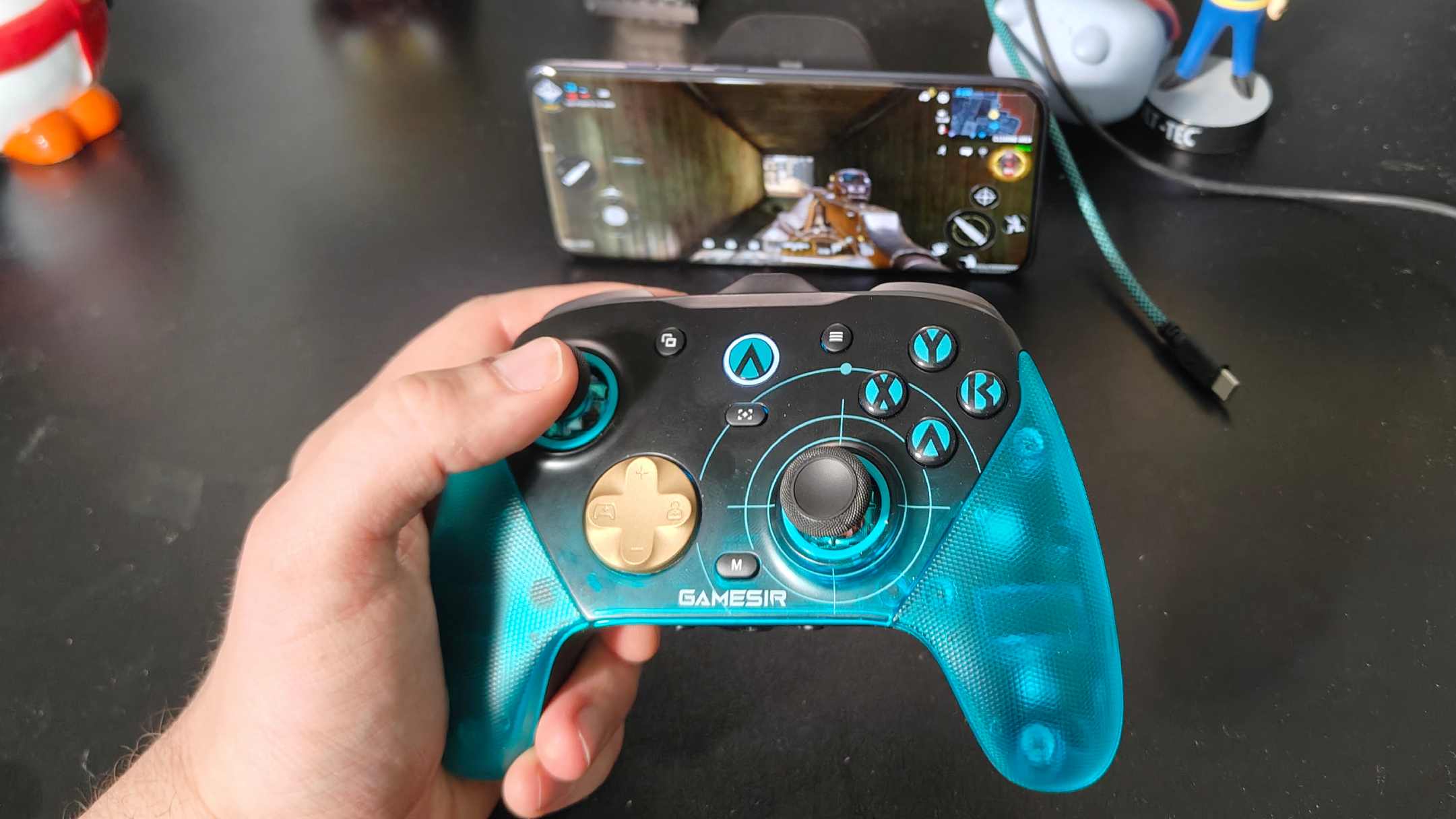
On the surface, the GameSir G7 Pro 8K doesn't appear different from the original model, notwithstanding the AimLabs branding on my model, or whatever decal your chosen model has. That means you're getting the Xbox Wireless Controller-alike look, with a few extra trigger and rear buttons.
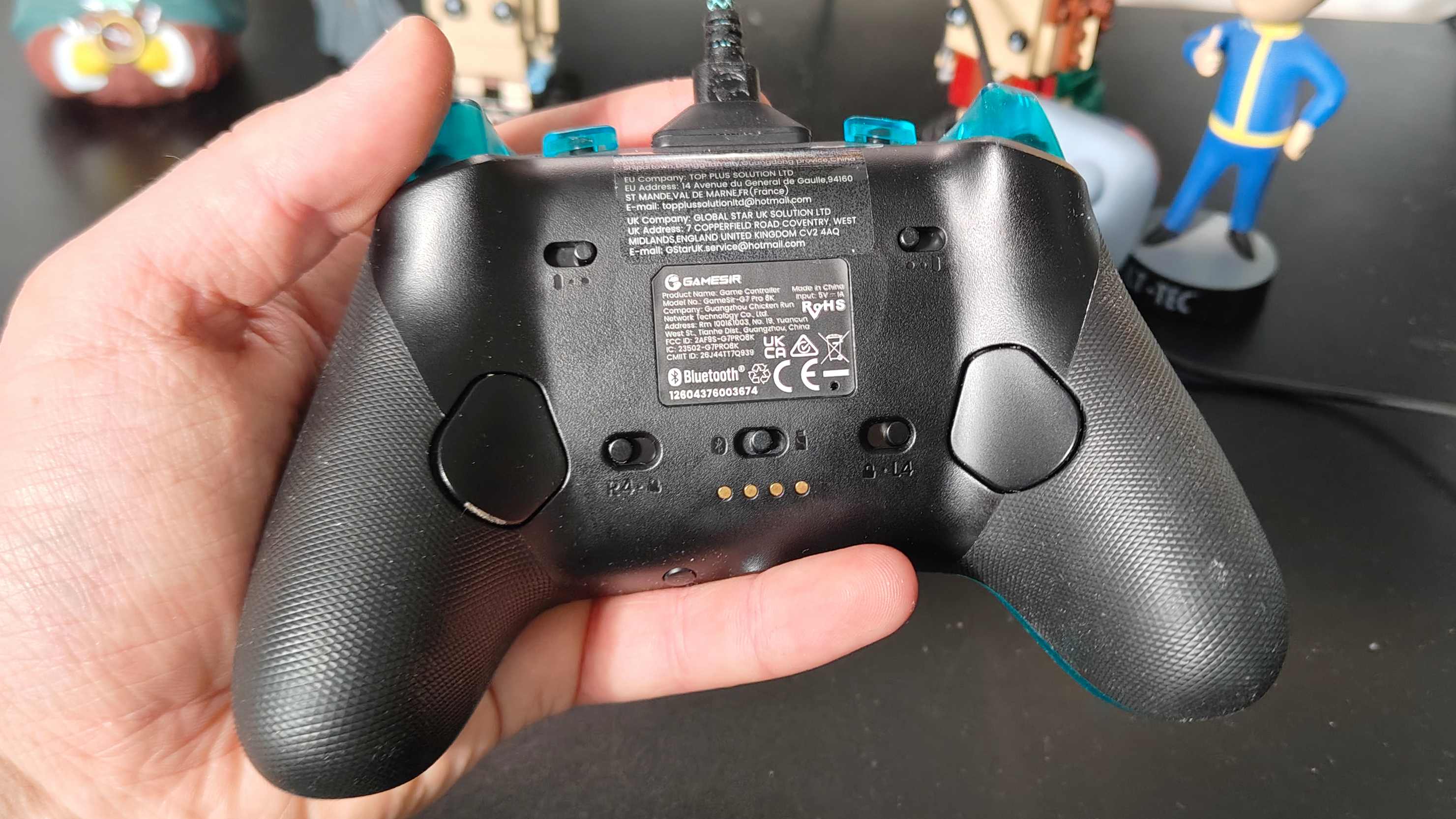
And there's nothing wrong with copying a great design. The GameSir is lightweight (392g), so you can hold it for long stints without fatigue, and the textured grips keep my hands from friction or sweating issues that can sometimes arise. All the buttons and controllers feel like they're in a good place to easily reach with my medium-sized hands — too good, as was the case with the plates on the back, which I repeatedly accidentally pressed during use.
Dig under the surface, and you get the real joy of the G7 Pro series: you can remove the face plate to swap out the joysticks and d-pad, which I did to pick out options that felt more comfortable to use, and easy to press in a flash. You can see in the image above all the options that come with the controller, and GameSir sells more on its website.
The default sticks are GameSir's anti-drift Tunneling Magnetoresistance (TMR) Sticks Gen 2, which are lovely and smooth to use and feel sturdy. It's clear that the controller was designed for intense esports use, and I particularly appreciated the responsive 'clicky' face buttons.
The default sticks have the added benefit of looking clean: I found the G7 Pro to be something of a dirt magnet, with the black sticks I swapped to, as well as the face plate and rear plates, quickly picking up dust and scuffs. Yes, more so than other controllers I've used: I don't think it's a me problem!
The face buttons and d-pad are all lovely and responsive, with a satisfying 'click' feedback that most controllers don't offer.
Using GameSir's apps, you can play with the sensitivity of the sticks and add dead zones. These aren't the only buttons that are customizable, and I particularly appreciated the ability to toggle the triggers between analog and micro switch pickup. There are also four fully-mappable buttons: the aforementioned rear plates, and two bumpers nestled above the triggers.
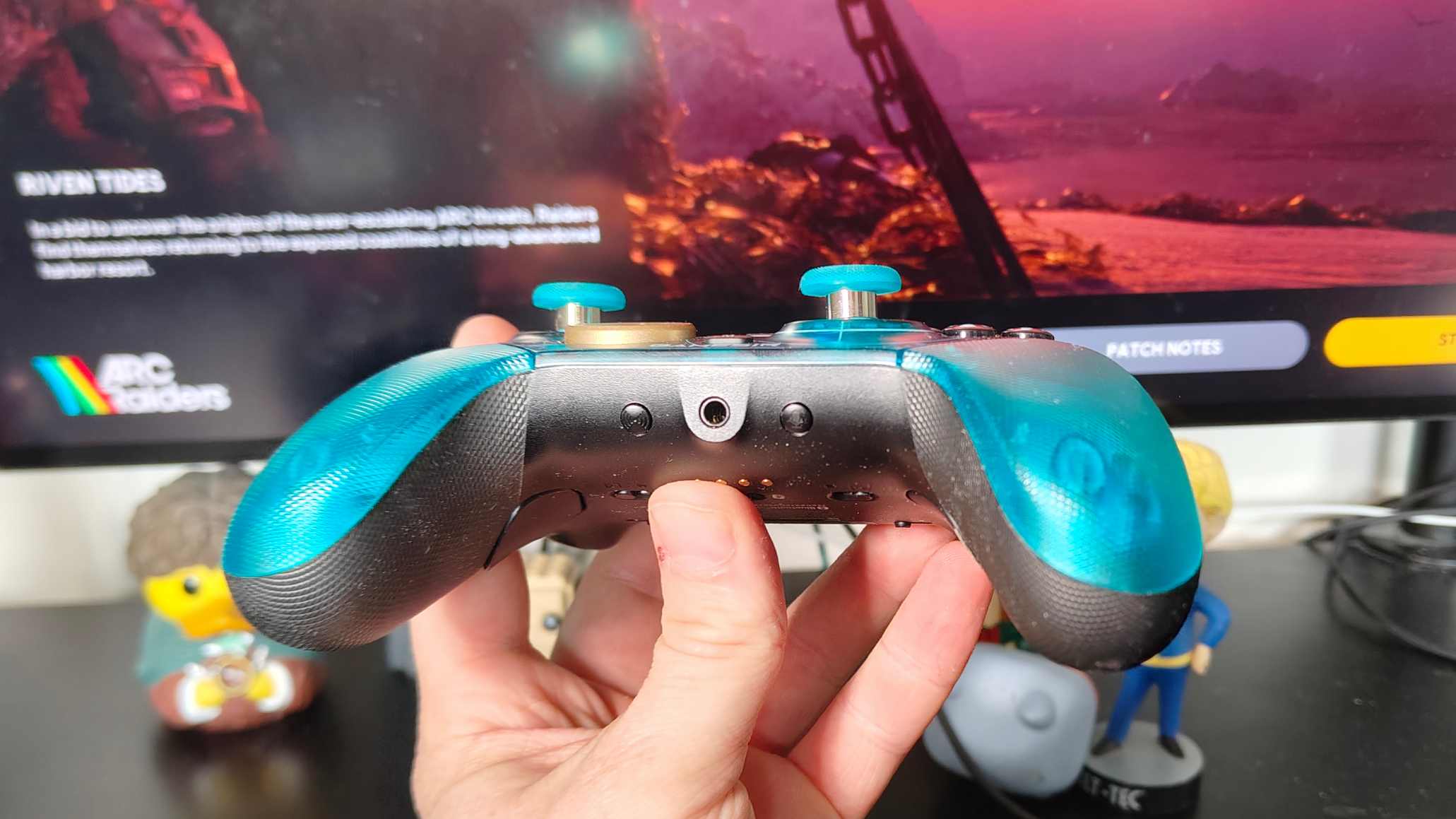
Some other neat touches some may appreciate: a 3.5mm jack for wired headphones, a voice chat muter that's easy to tap when your hand's holding the grip, and a Multifunction button so you can remap buttons and change your headphone volume. This latter doesn't need the app: just press and go.
You can connect the GameSir to your device of choice in three ways. There's a simple USB cable that comes with it, and plugs into a port in the top of the controller. You can use a dongle that plugs into a USB-A port and allows for 2.4Ghz connection. Or you can use Bluetooth, which apparently doesn't allow the 8K polling, though I've seen users online who swear it still works. The dongle can be stored in an included controller stand when not in use, but there's nowhere to store it on the controller's body.
I mentioned before an app: there's a phone one, and a PC one. You can use this to create game control profiles and tweak settings, but it's far from necessary if you just want to play. In fact, the PC app reliably failed to recognise the controller during my weeks with it; hopefully, this'll be fixed soon.
(Image credit: Future)
GameSir G7 Pro 8K: performance
Putting aside the 8K polling, you're getting the same performance here as with the original model, and that's great. The face buttons and d-pad are all lovely and responsive, with a satisfying 'click' feedback that most controllers don't offer. Even the triggers offered that same response when in micro switch mode.
Hall effect in the triggers is smooth to use, and I found myself switching between the two modes mid-gameplay to get the best of both worlds, as doing so is easy.
A draw to this controller is GameSir's Gen 2 TMR sticks, which are even more sensitive than the brand's first-gen ones. The biggest selling points are under the hood, though: these are designed to reduce wear and stick drift over a longer period of time. You might not notice this benefit, and that's the whole point.
If I had a small gripe, it'd be the small size of the auxiliary face buttons: the triple-horizontal line on the right, and double-square on the left (according to the manual, these don't have names), are used in various games for things like your map, pause menu, settings, or inventory. Yet they're small enough that pressing them in a frantic firefight or tense moment is harder than it ought to be.
(Image credit: Future)
Based on my testing, I'd estimate a battery life of around 8-10 hours, so a little shy of the non-8K model (naturally). That's on the lower end of things compared to rivals, but I'll point once again to the 8K factor. The controller saves juice by disconnecting quite frequently when not in use; several times, I'd go and make a tea, only to return to a disconnected controller. Annoying, yes; game-breaking, no.
Officially, the GameSir G7 Pro 8K is only designed to work on PC; the company's listings make no mention of other devices. But I used it just fine on an Android device too.
All of the compliments I've laid on the GameSir are doubled when you're using the USB cable or dongle to get 8K polling. It's a small upgrade, all things considered; a split-second here and a fraction there, but the confidence boost this extra polling speed gives you is no joke. Neither is the dreamy way the controller works; I've finally given those Arcs a reason to fear me!
As mentioned in the introduction, 8K polling is CPU-intensive, and it can (and will) cause stuttering for some gamers. As far as I can tell, you can't turn off the higher polling speeds either (other than by using Bluetooth), and so you should only buy this kit if your PC can handle it.
(Image credit: Future)
Should I buy the GameSir G7 Pro 8K?
Buy it if...
You're 8K curious Most 8K-polling tech I've covered costs you quite a bit. If you've been curious about testing it but don't want to shell out for a pricey controller, this is a great option.
You're picky about your sticks and buttons It's easy to remove the face plate and swap out joysticks and the d-pad to a range of in-box alternatives. GameSir sells even more options on its website.
Don't buy it if...
Your PC can't handle it As mentioned, 8K polling is CPU-intensive. If you don't think your PC can handle this kind of hit, you'd be better off buying the non-8K alternative.
Also consider...
If the GameSir G7 Pro 8K hasn't ticked all your boxes, here are a few alternatives you may want to consider, and how they stack up against the model.
GameSir G7 Pro It's been mentioned loads through this review, but here's one more occurrence. Most people won't need 8K polling, and so should get this more affordable controller that's just as responsive, customizable, and lightweight.
Razer Wolverine V3 Pro 8K A much more premium offering; this is a top-tier controller with all the trappings: it has a carry case, was made with Razer's mouse tech, and has even more mappable buttons. We haven't tested the 8K model, but have reviewed the 'standard' version.
Used on PC and mobile with wired and wireless connections
Played a variety of online and offline games of several genres
I tested the GameSir G7 Pro 8K for roughly 25 hours of gaming, over the course of several weeks. The majority of that time was spent on Arc Raiders, but I also spent significant time on other titles, including Call of Duty Mobile, Nioh 3, The Division Resurgence, Hogwarts Legacy and Gotham Knights.
As you can likely tell from that game list, I tested the GameSir on multiple platforms: specifically, my gaming PC, and two different Android smartphones. This let me test all three of the connection options (wired, Bluetooth, and dongle), although most of the gaming was done on wired.
I’ve been reviewing kit for TechRadar for over seven years now, including controllers and other kinds of gaming, PC, and mobile kit. I’ve also covered GameSir’s various tech for other brands.
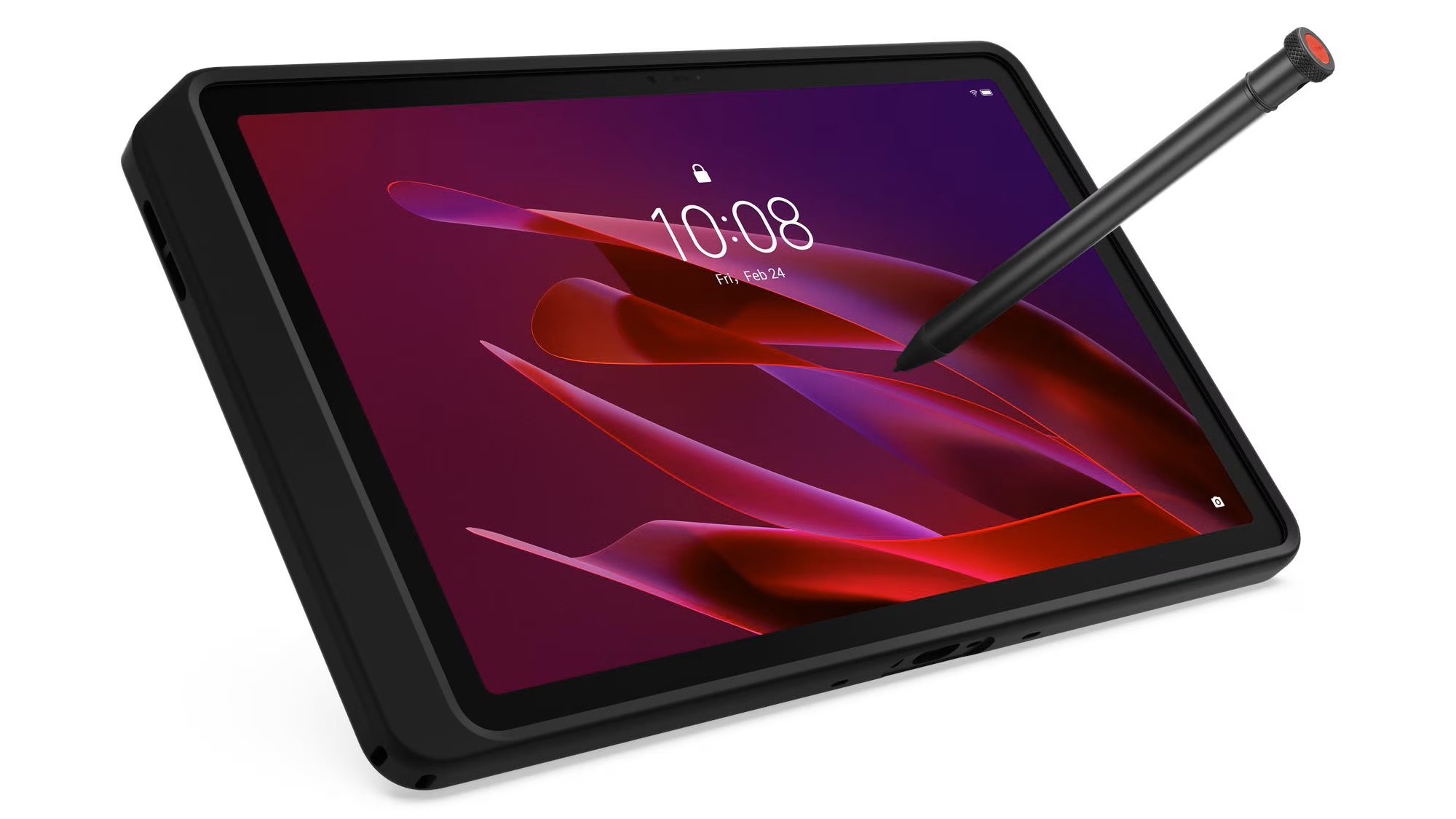
The ThinkTab X11 Gen 1 is Lenovo's first serious push into rugged Android territory. It arrives with MIL-STD-810H certification, an IP68 rating, and a genuinely useful screwless removable battery.
To avoid the power demands of PC hardware, Lenovo went with an ARM-based architecture, using the Snapdragon 7s Gen 3 to deliver capable everyday performance. This SoC is combined with a modest 10.95-inch display that is sharp and readable outdoors.
One interesting feature in all SKUs is that this tablet has a replaceable battery. But given the exercise to change it isn’t something you’ll want to be doing on a regular basis, this feature is more about extending the tablet’s life, not giving it extended run time with extra batteries.
While it ticks lots of boxes for performance and durability, the one major weakness of this option is its cameras, which are low quality by modern phone standards
The starting price of around £499 is competitive with the Samsung Galaxy Tab Active5 Pro, which appears to be the inspiration for this device.
If your work takes place on a factory floor, a building site, or in a vehicle cab, this is a credible option. Those looking for a general-purpose consumer tablet should look elsewhere, but if you need a go-anywhere tablet for drone flying or collecting data outdoors, this could be one of the best rugged tablet choices.
(Image credit: Mark Pickavance)
Lenovo ThinkTab X11 Gen 1: price and availability
How much does it cost? £499/€499
When is it out? Available now
Where can you get it? You can get it from online retailers such as Insight in the UK.
Availability was confirmed for Europe, the Middle East, and Africa from April 2026. At the time of writing, Lenovo has not confirmed a US retail date, describing the X11 as a commercial product with pricing starting at €499 in the Eurozone.
What’s likely to confuse customers is the sheer number of SKUs that Lenovo has in this product line, which is ridiculous. In the UK alone, they make eight different options. The differences are primarily the storage capacity (typically 128GB or 256GB) and whether it includes mobile phone comms.
But there are models with no (Beidou + GPS + GLONASS + Galileo + QZSS + A-GPS), because the market for people who don’t want to know where they are is obviously huge. Some models come with a pen, while others do not.
The review hardware was a ZAHL0035GB, which comes with 256GB of storage, the Rugged Smart Case and Lenovo Tab Pen XE, but no slot for a mobile SIM.
That puts it directly in the orbit of the Samsung Galaxy Tab Active5 Pro, which carries a street price of between £499 and £549 in the UK, depending on configuration. Samsung uses the same Snapdragon 7s Gen 3 chipset, so the competition is genuinely close on paper.
The UK retailer Insight carries three models, the cheapest being £563.99 inc. VAT for one with 8GB of RAM and 128GB of storage, but no 5G SIM card slot. The top model has 256GB of storage and is 5G-capable, and has a price of £615.49.
Higher-specified configurations with 12GB of RAM and 512GB of UFS 3.1 storage will command a premium when they become available. Lenovo has not published a full pricing matrix for all SKUs at launch. Business buyers will typically be quoted against volume contracts rather than consumer retail pricing, so the headline €499 figure should be treated as a floor.
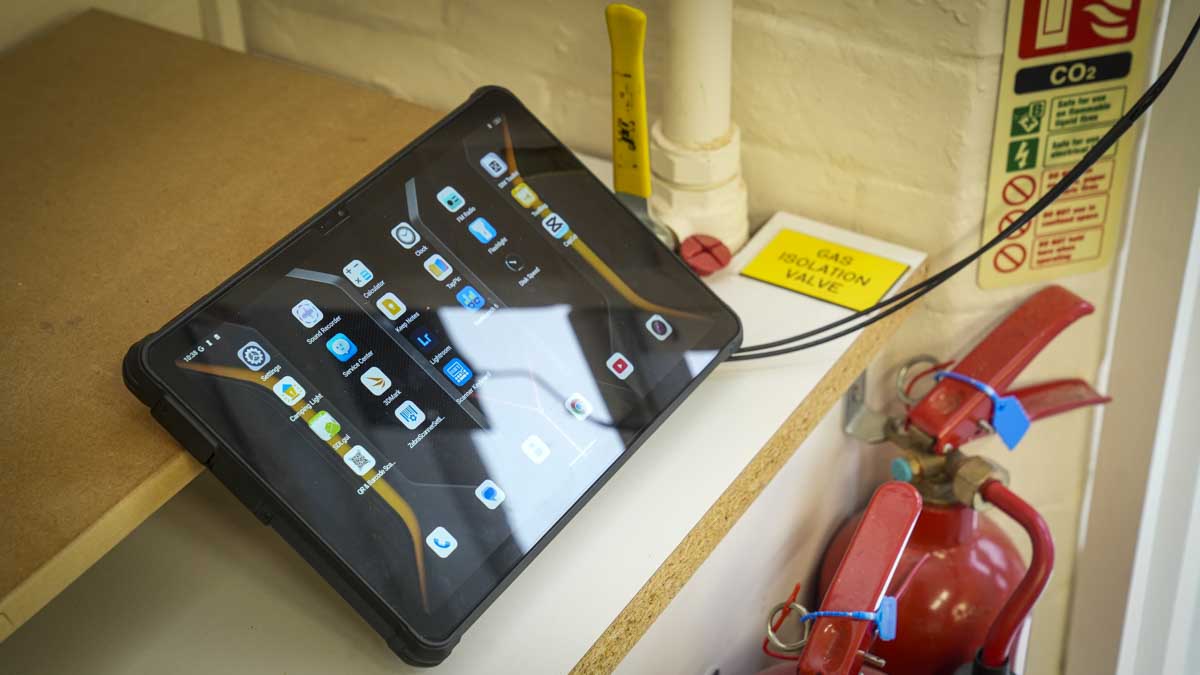
Pick up the ThinkTab X11, and the premise is immediately clear. This is not a tablet designed for the sofa. The chassis is thick by consumer standards, sitting at 9.9mm, and the 650g weight is modest for the category but noticeably heavier than a consumer 11-inch slate.
In the review hardware, it came with a soft silicon bumper that didn’t obscure any of the ports and is relatively easy to remove should you want to access the battery compartment.
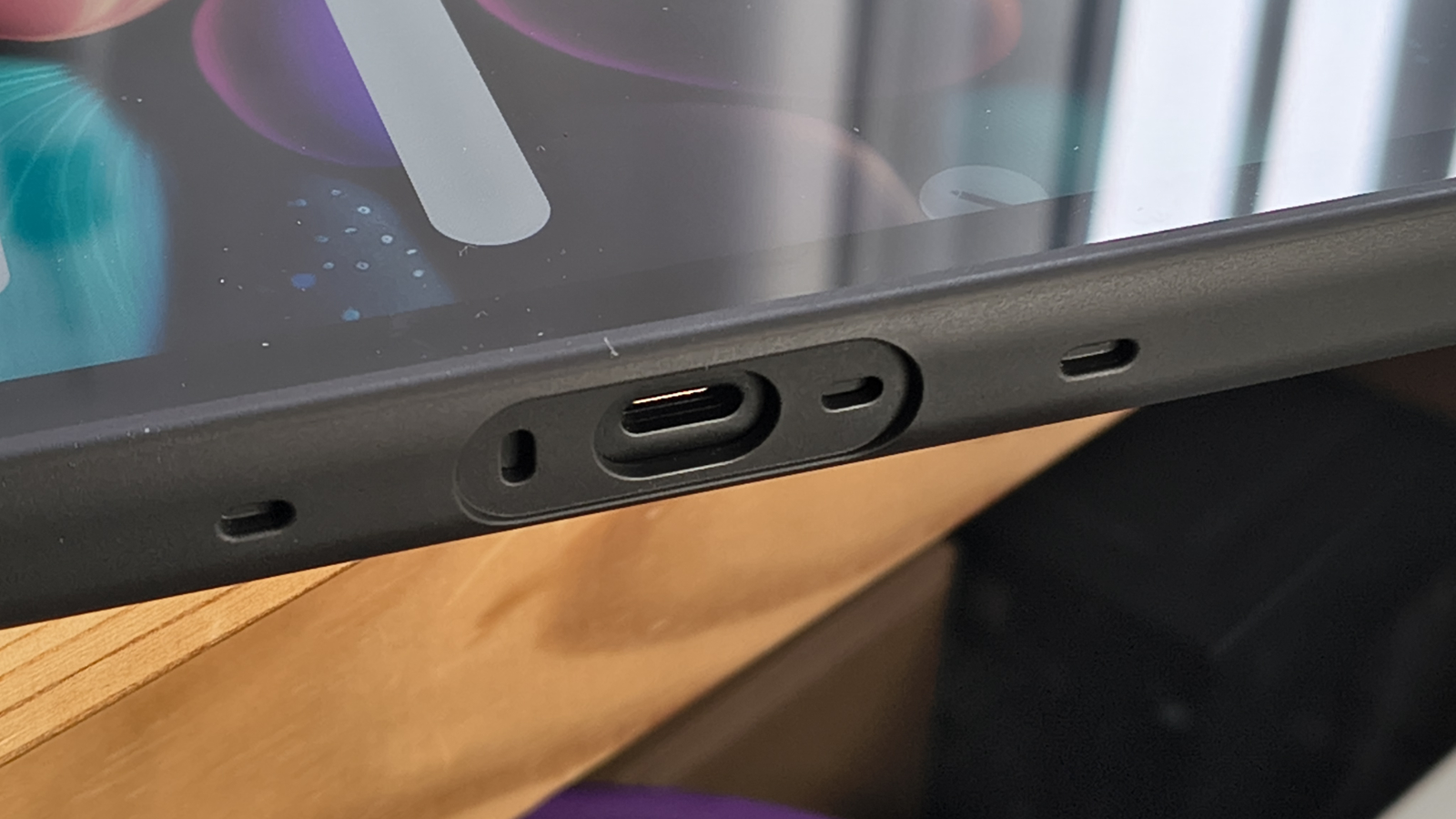
The MIL-STD-810H certification covers a demanding set of environmental tests. That includes thermal extremes, vibration, altitude, humidity, and shock. The IP68 rating means submersion in up to 1.5 metres of water for 30 minutes, and that’s without a rubber plug in the USB-C port. For field workers in manufacturing, utilities, or construction, these are not marketing checkboxes. They are basic requirements.
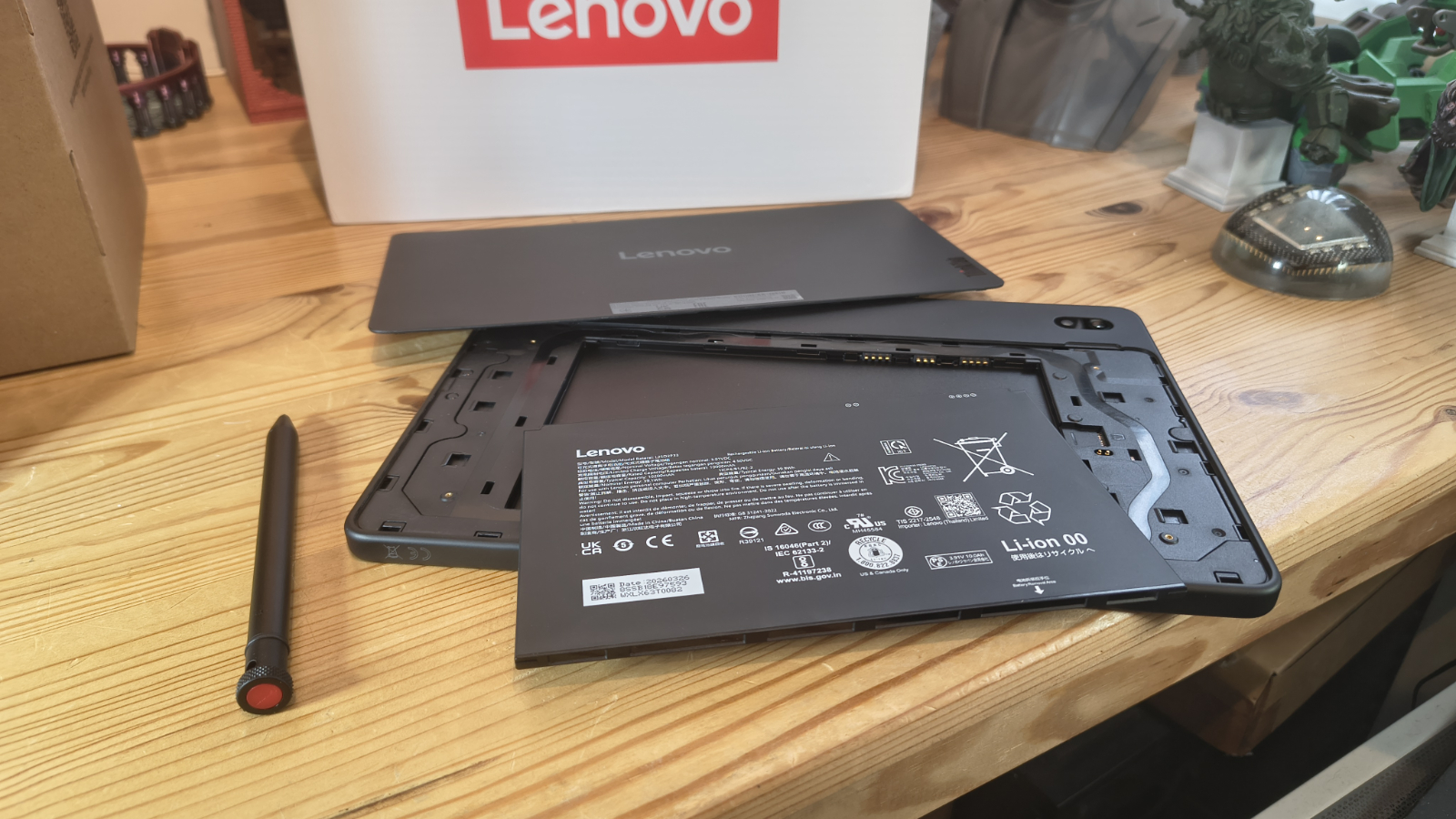
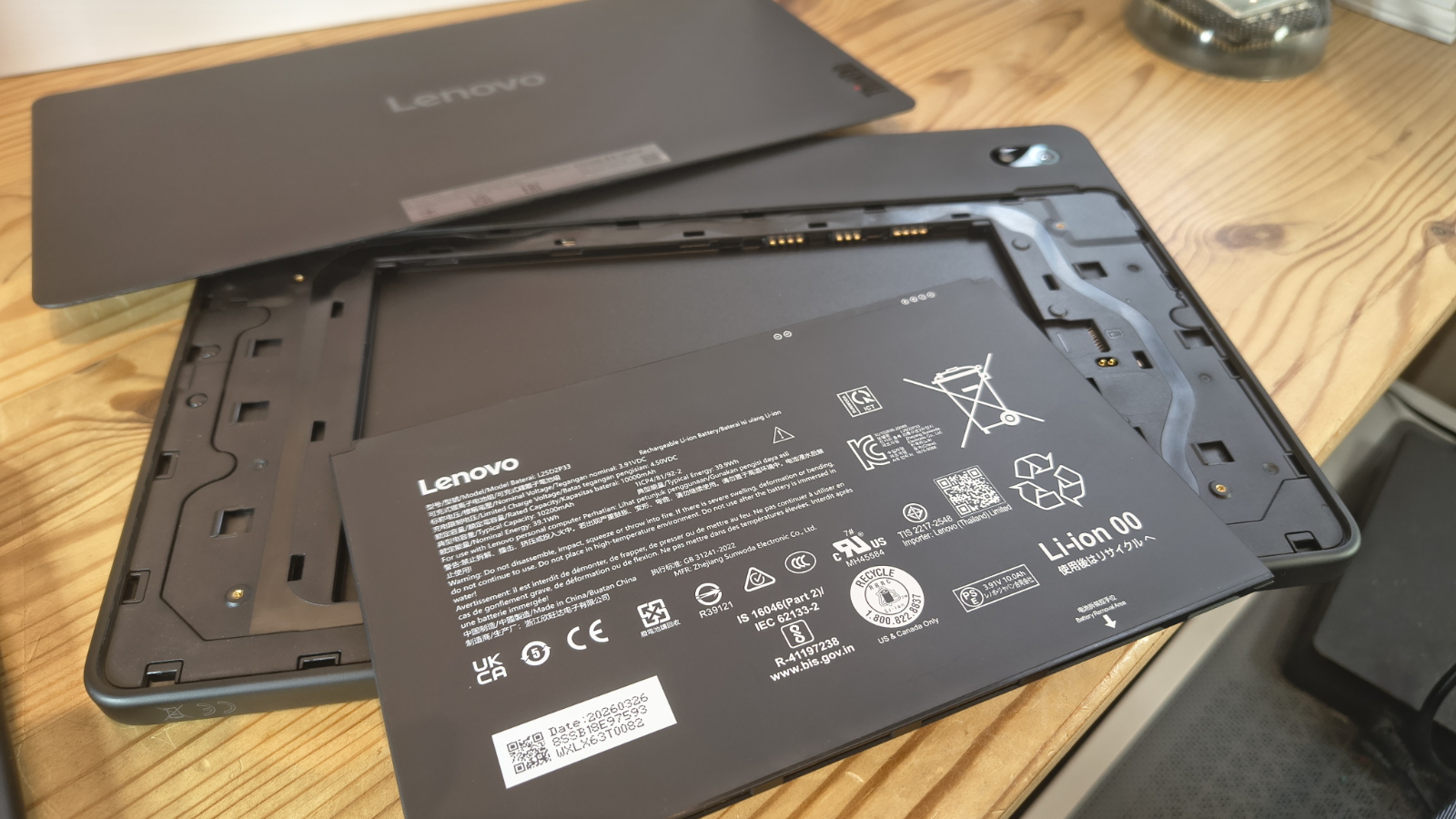
To get inside requires one strong fingernail to be inserted into a cutout on the back that then starts popping clips to remove a cover. To be clear, taking this cover off isn’t easy, and it isn’t something I’ve want to do multiple times. But when the tablet arrives, the battery isn’t installed, so it’s necessary to get it working.
Where I’d place this in the Parthenon of replaceable battery systems is that it's good that you can swap the battery, especially because it could extend the working life of the device, but it isn’t something you would want to consider doing on a regular basis. Eventually, the clips on the cover will fail, and with them goes the environmental protection.
It's worth noting that you also need to access the battery area for the installation of a MicroSD, or if you have a 5G capable model, the Nano SIM slot. I think an approach more like the Samsung Active5G with screws might have been a better plan, I’d assert.
That said, most tablets don’t allow the battery to be replaced without entirely dismantling the hardware, and battery exhaustion is a major component in tablets and phones reaching the end of their useful life.
(Image credit: Mark Pickavance)
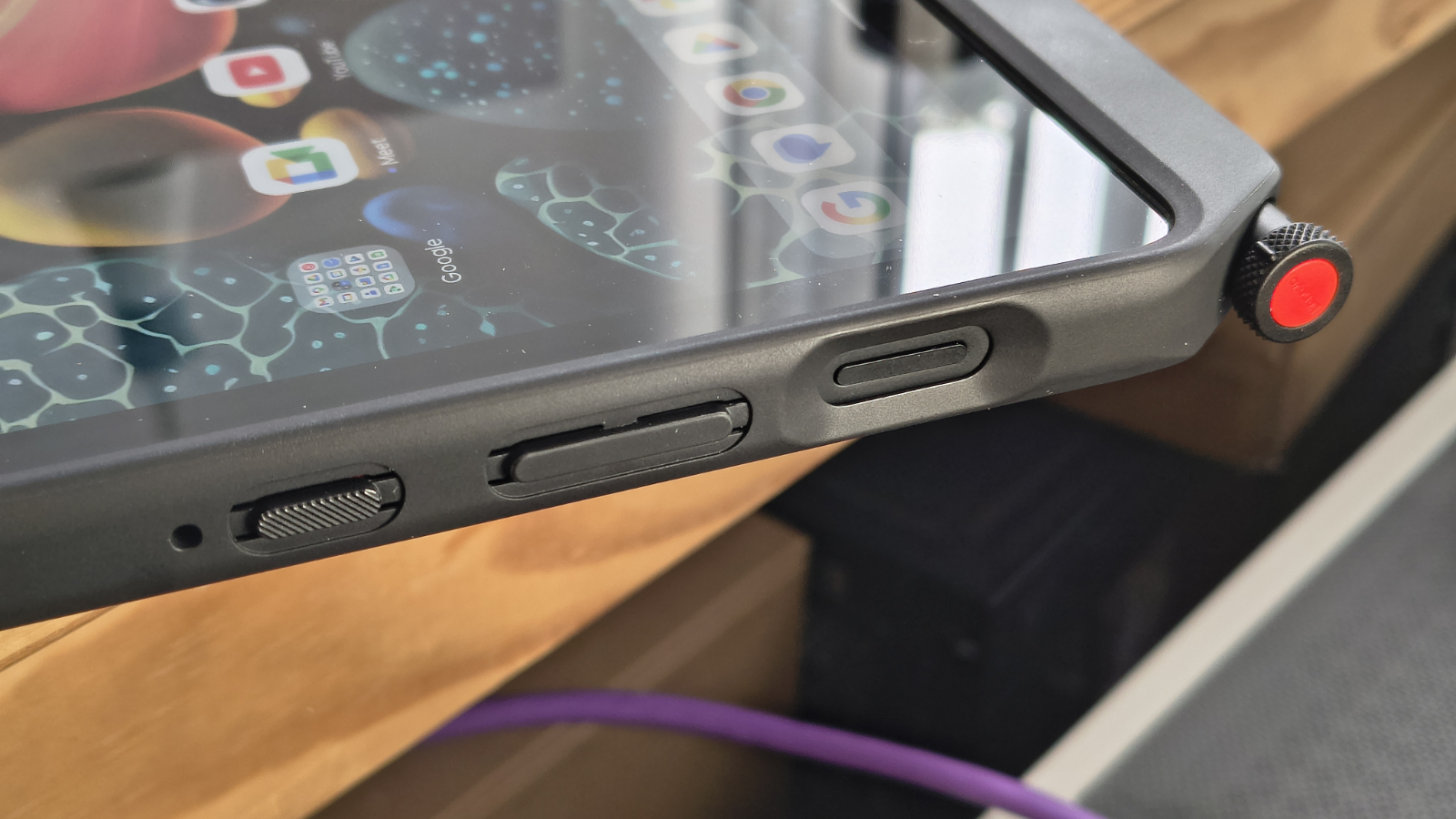
The display supports glove and wet-touch input, and it's designed to work with the Lenovo Tab Pen XE, which comes with some SKUs.
That is an important detail on a site where latex gloves are mandatory, or inclement weather intervenes. The Corning Gorilla Glass should handle the usual workplace knocks, and the front-mounted NFC will appeal to logistics and access-control use cases.
An OLED panel might have been a good option, but the IPS panel used is reasonably colourful, and using something better might have driven the price up.
Dual USB-C ports allow simultaneous charging and peripheral connection without an adapter or dock. Although the second port is clearly also designed for an add-on keyboard, which Lenovo didn’t provide for this review. This is such a useful feature, and SoCs generally support more than one USB port, that I do wonder why other brands don’t offer multiple USB ports.
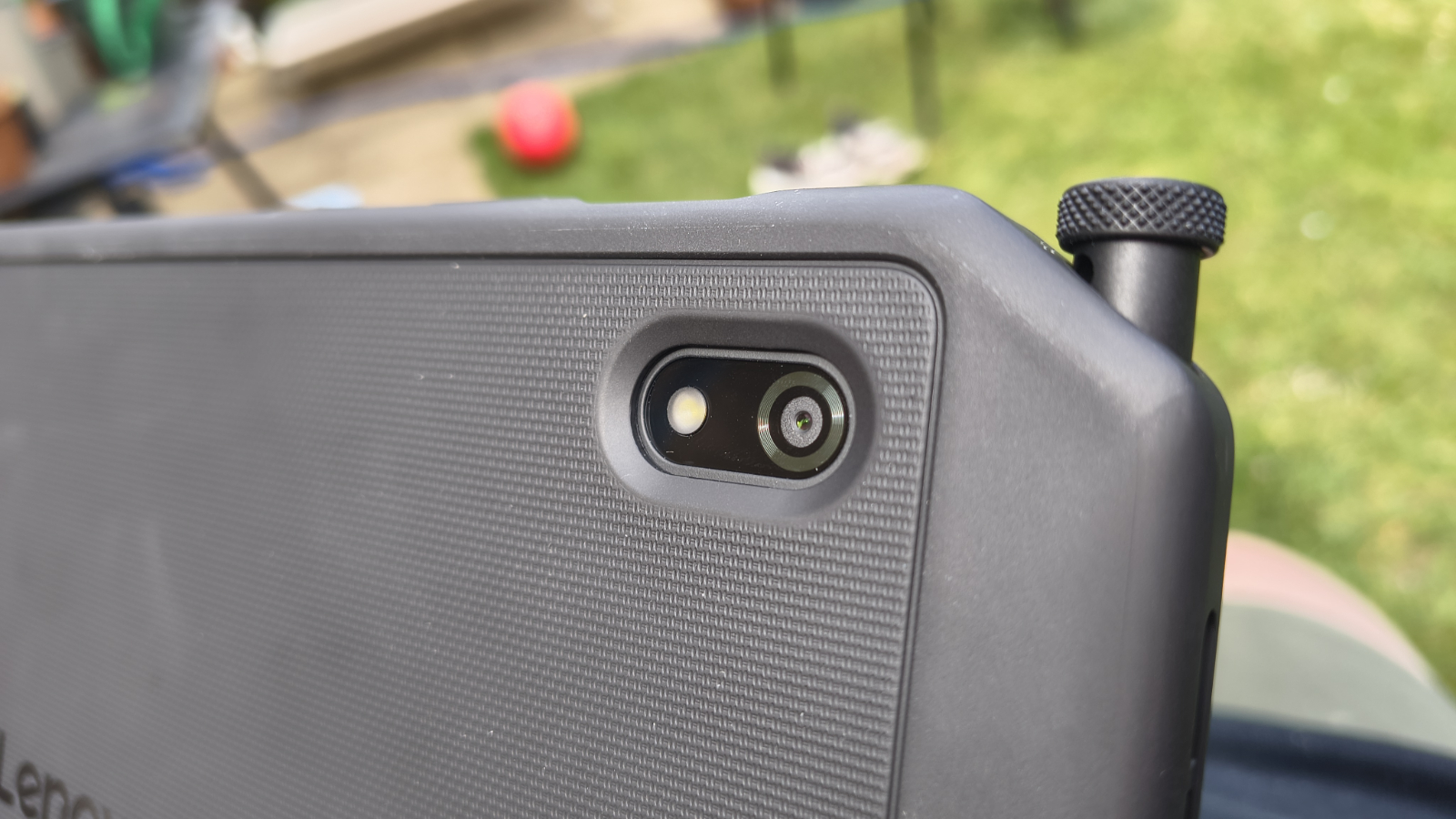
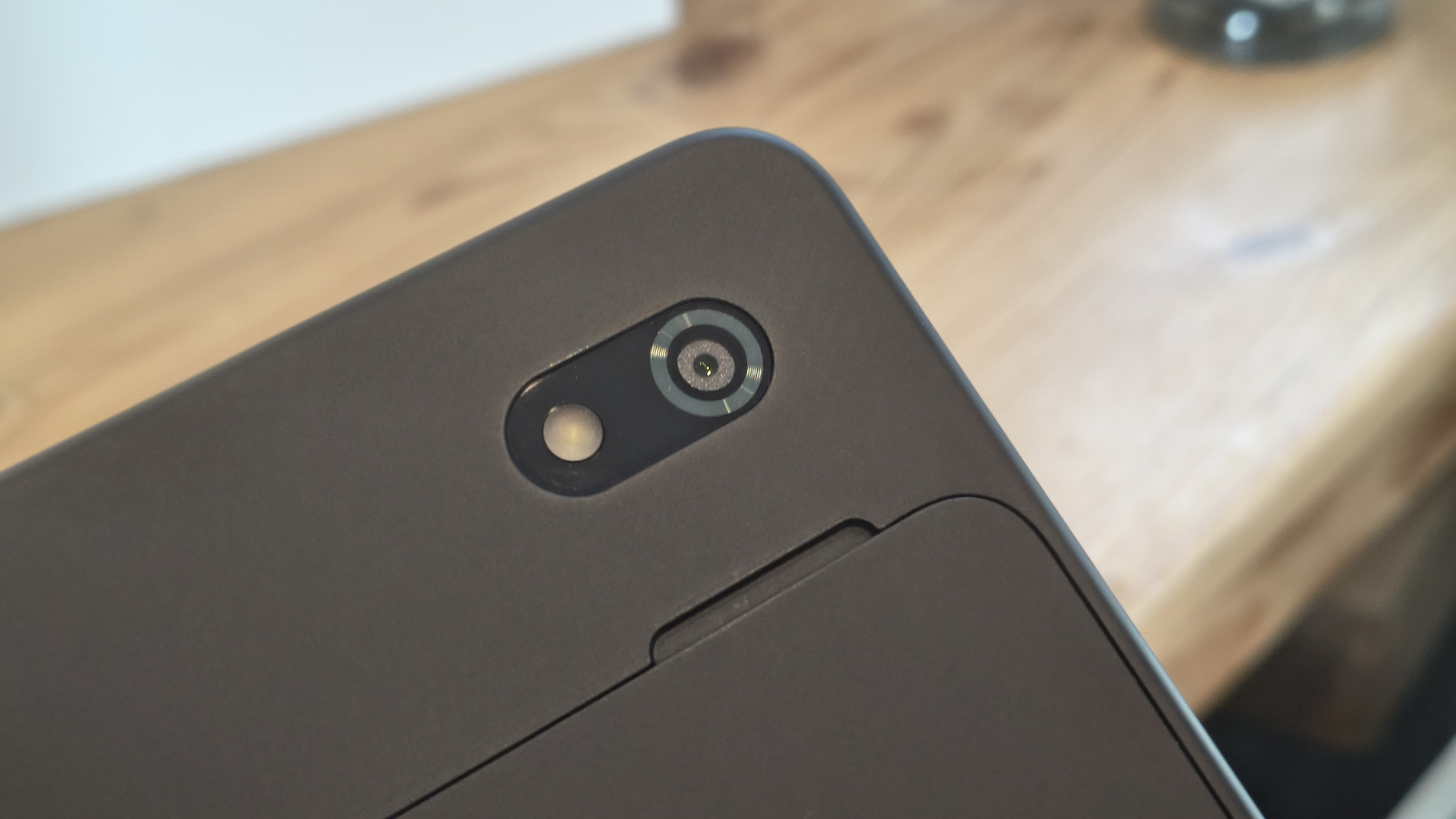
An external feature I’m not a fan of is the camera's placement, which is positioned deep in the left corner. The upper corners are the common place to hold a tablet and I found that I activated the camera app and saw nothing, as my hand was obscuring the sensor.
If the camera cluster had been placed in the middle, this could have avoided fingers and also provided more natural framing for image and video capture.
Other than that point, and the nail-breaking nature of the battery cover, the design of this tablet is pretty good.
(Image credit: Mark Pickavance)
Design score: 4.5/5
Lenovo ThinkTab X11 Gen 1: hardware
Snapdragon 7s Gen 3
Adreno 810 GPU
10,200mAh battery
The Snapdragon 7s Gen 3 is the same platform Samsung chose for the Galaxy Tab Active5 Pro. On a 4nm process with an octa-core configuration (four Cortex-A720 performance cores and four Cortex-A520 efficiency cores), it delivers capable everyday performance without generating excessive heat in a sealed chassis.
Spoiling my performance reveal slightly, the Snapdragon 7s Gen 3 has a similar performance profile to the MediaTek Dimensity 7400X that I saw recently in the UleFone Amor Pad 5 Ultra.
The Adreno 810 GPU handles the expected range of business and light productivity workloads without difficulty. Video calls, document editing, ERP applications, and camera-intensive tasks are all within its comfort zone. Nobody is buying a MIL-SPEC enterprise tablet for gaming, and the hardware reflects that reality.
Memory options cover 8GB and 12GB LPDDR5, but all the UK SKUs were 8GB. For field workers running one or two dedicated applications, 8GB is sufficient. Environments running multiple concurrent enterprise apps, particularly with persistent background sync, will benefit from the 12GB option. Storage ranges from 128GB to 512GB UFS 3.1, supplemented by a microSD slot.
That combination is practical. Enterprise deployments often include large offline databases, maps, or media libraries. Being able to use a second USB device also allows for an external drive, and it would be easier to replace than the MicroSD card.
(Image credit: Mark Pickavance)
The 10,200mAh battery, charged at 45W, should cover a full shift under typical enterprise workloads. Lenovo has not published an official battery life figure. In my testing that I’ll talk about later, it recharges quickly, which makes the overall capacity less of an issue.
As a total capacity of 10,200mAh isn’t huge, and I’ve seen plenty of rugged phones with more, but in this context, it's enough to get at least two full working days out of the device, and with curation, the better part of a third day.
The front-mounted NFC is an unusual placement. Most tablets put NFC on the rear, which suits tap-to-pay and general contactless use. Positioning it on the front (upper right) of the screen makes it more accessible for door access control and identity verification, where the user faces the reader.
The hardware specification of the Lenovo ThinkTab X11 Gen 1 is decent, and the choice of the efficient SoC has enabled the battery to be scaled to a level where the machine becomes awkward to carry or only suitable for vehicle mounting.
Hardware score: 4/5
Lenovo ThinkTab X11 Gen 1: cameras
16MP on the rear
8MP on the front
Two cameras in total
(Image credit: Mark Pickavance)
The Lenovo ThinkTab X11 Gen 1 has two cameras:
Rear camera: 13MP Omnivision OV13B10, AF, LED flash Front camera: 8MP GalaxyCore GC08A8
As seems the norm these days, extracting the correct camera sensors from the Android system provided little hard information about the camera sensors. At one point it the primary sensor could have been from Omnivision, Samsung or Sony.
But thankfully, I dug into the replacement parts list on Lenovo, and that revealed that the main sensor is a 13MP Omnivision OV13B10, and the selfie camera is an 8MP GalaxyCore GC08A8.
Anyone with a decent phone will immediately be thinking how underwhelming these sensors sound, and they’re not exactly cutting-edge. I’m not sure why tablet makers immediately assume that their customers don’t need high-quality images, but it’s a cost-saving that many take.
That said, the pictures taken by the 13MP Omnivision OV13B10 are reasonably sharp, and if you don’t activate HDR mode, the colour makes a stab at being representative.
The problem with a 13MP sensor is that there isn’t much margin for errors. There is no anti-shake compensation, only two levels of digital zoom (1X and 2X), and there are no special modes, like panorama or time-lapse, whatsoever.
However, there are two functions that people will like, the first being that there is a specific camera mode for capturing documents. That’s useful, and the other thing that impressed me is that even with only a 13MP sensor, it will capture both 2K and 4K video. There is no means to change the FPS; it’s 30 FPS by default, but at least you can capture a proper resolution.
I won’t talk about the 8MP fixed focus front-facing camera, to avoid annoying anyone at GalaxyCore. But that it can only capture 1080p video is probably a good thing.
Overall, if you have good lighting conditions, you can make the 13MP Omnivision OV13B10 work for photography and video. Though I wouldn’t expect miracles, and it might have been a better plan if Lenovo had splashed out another dollar or less for a 32MP Samsung sensor.
Normally, I’d present the numbers of the review machine against a prior tablet in this instance, but I chose not to here.
That’s because no other tablet I’ve tested could get anywhere near these numbers, including some of the previous Ulefone Pad series. For example, the Ulefone Armor Pad 3 Pro scored only 296 and 1358 on the Geekbench single and multithreaded tests, which is a fraction of what this tablet offers.
Equally, GPU power is a magnitude better with the Pad 3 Pro, managing only 647 points on WildLife, or 18%. I’m sure there are Android tablets available that could go toe-to-toe with the Pad 5 Ultra, but I’ve yet to see them.
Another area this design excels in is battery life, even if I had some issues with getting PCMark to completely exhaust the battery without crashing. That’s not a problem specific to this tablet; it seems to happen with many tablets and phones, where something happens in the background that trips up the PCMark tool.
After running it a number of times, the best result I got was that it ran for 28 hours and 27 minutes, but there was still 39% of the battery capacity left. That result indicates that the total running time of the test using all the battery would be around 46 hours or more, which is substantial.
Using the provided 120W charger, it can recover about 27% of capacity in 30 minutes. That puts the total recovery from empty at between two and three hours. There is no wireless option, and given the battery's size, that’s probably not a bad thing.
Overall, the performance of the UleFone Armor Pad 5 Ultra is top-notch, and dramatically better than most rugged Android tablets.
Performance score: 4/5
(Image credit: Lenovo)
Lenovo ThinkTab X11 Gen 1: Final verdict
I’m going to make one complaint that has nothing to do with the hardware-software combination Lenovo has created. It’s the naming convention.
When I live and breathe platforms on a daily basis, and I can even get confused, then something is badly wrong. Calling something a Lenovo ThinkTab X11 when you already have a Lenovo ThinkPad X11 is a patently dumb idea. And this recent thing of calling them Gen 1 and so on, that’s hyperbolically stupid too.
Here’s a ‘next-gen’ idea: stop now! Lenovo makes far too many SKUs of all its products, and naming them so similarly only causes further customer confusion. Someone wanting an Android tablet doesn’t need a degree in the nuances of Lenovo product naming conventions, if there are any. Rant over, and I should say that this problem isn’t exclusive to Lenovo; it's all over the commercial platform space.
For the purpose of this review, the ThinkTab X11 Gen 1 is a well-considered entry from Lenovo into a market that Samsung has dominated for years. The removable battery alone separates it from most of the competition. In a sector where devices must survive shifts rather than evenings on the sofa, that matters.
The Snapdragon 7s Gen 3 provides enough headroom for the applications that enterprise Android tablets actually run. The IP68 and MIL-STD-810H certifications are genuine rather than decorative. The dual USB-C configuration is practical and is something that competitors typically do not offer.
There are only two areas that the ThinkTab X11 Gen 2 should embrace when it inevitably arrives. One is to repackage the battery so that the cover is part of the battery, and swapping them in and out is easier. And the other area that needs to be addressed is the cameras, which need to be brought up to the level of entry-level phones from today, not ones from five years ago.
With those things addressed, this would be the perfect rugged tablet solution for many people. In the meantime, the ThinkTab X11 Gen 1 is an affordable option that isn’t a bad device, though Lenovo could have made it even better with a bit of adaptive thinking.
Should I buy a Lenovo ThinkTab X11 Gen 1?
Ulefone Armor Pad 5 Ultra Score Card
Attributes
Notes
Rating
Value
Competitive vs Samsung Galaxy Tab Active5 Pro at this spec level
A lightweight, rugged tablet with good performance
4/5
Buy it if...
You need a field-ready tablet with a removable battery Being able to replace the battery extends the working life of this unit, but it's not something you would want to do repeatedly.
Your deployment involves fixed or vehicle-mounted operation Battery-less mode allows the X11 to run from a vehicle's power supply without battery wear. That covers fleet management, asset tracking, and production line terminals.
Don't buy it if...
You are a consumer buyer The ThinkTab X11 is a commercial product. It will not be available through standard retail channels, and Lenovo is not targeting home users.
You are US-based Lenovo has not confirmed availability dates for North America at the time of writing. Enterprise procurement timelines in the US are unclear.View Deal
Also Consider
Oukitel Industry RT10 Designed around the powerful Dimensity 7400X SoC, with 12GB of RAM and 512GB of storage. It's a heavier design but with much greater running time due to a large battery.
The downside of this design is that it only supports 33W charging, so recharging the 25000 mAh battery takes a long time.
At about $680 direct from Oukitel, the cost is similar.
The LG B6 is the entry-level OLED TV in LG’s 2026 TV lineup. While it provides a brightness boost over its predecessor, the LG B5, which I rated as one of 2025’s best TVs, the LG B6 doesn’t deliver the full and clear upgrade I was hoping for.
The LG B6 has a full suite of features and still delivers great performance, but as long as the LG B5 remains in stock and is less expensive, the new model is held back from being an unqualified pick by a few issues.
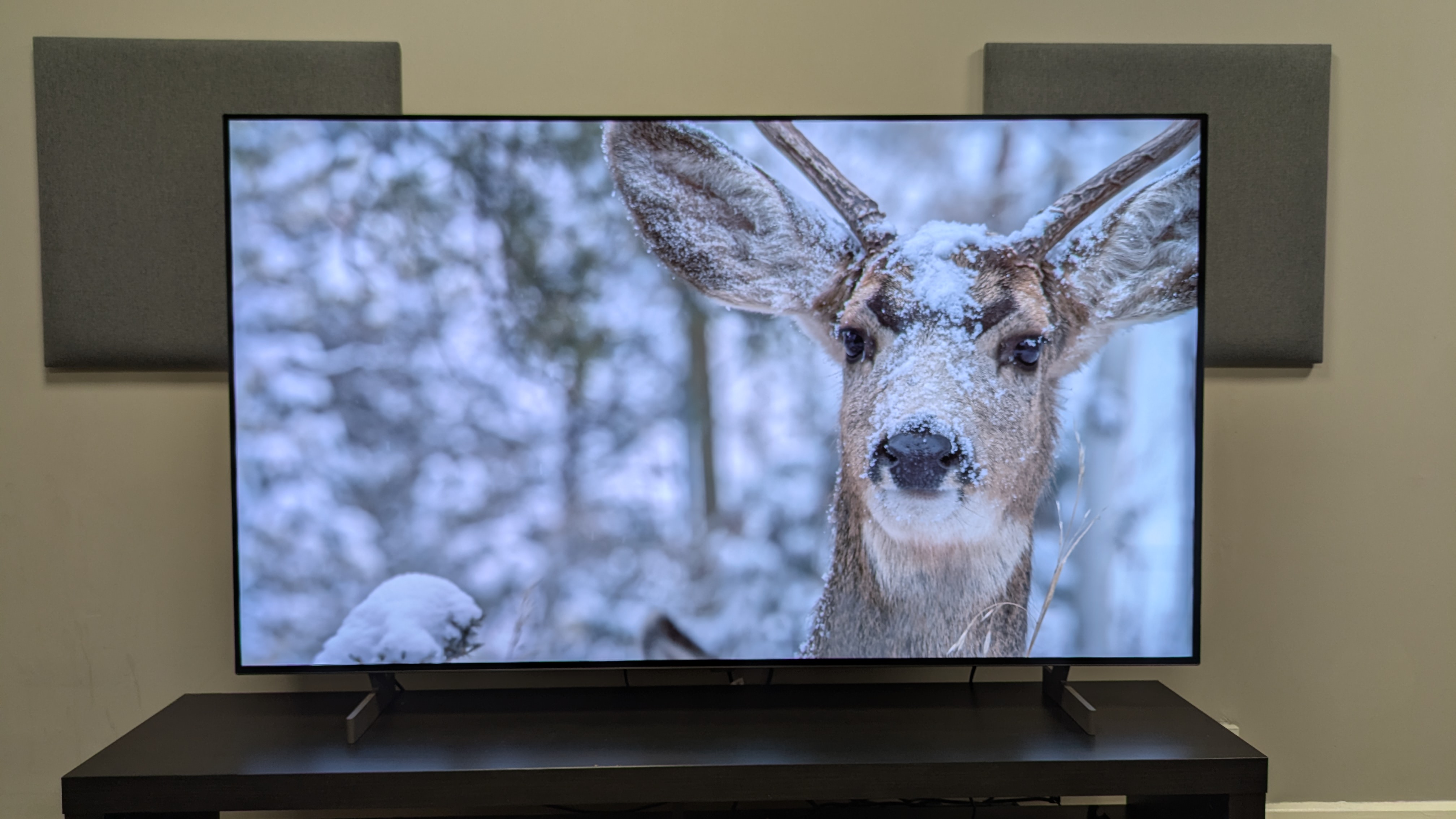
The biggest change over the B5 is the B6’s higher brightness. Bright scenes have more impact, highlights are mostly punchier and colors benefit, looking that little more vibrant. Contrast is powerful and appears stronger thanks to the brightness increase, while textures are crisp, as you’d expect from the best OLED TVs.
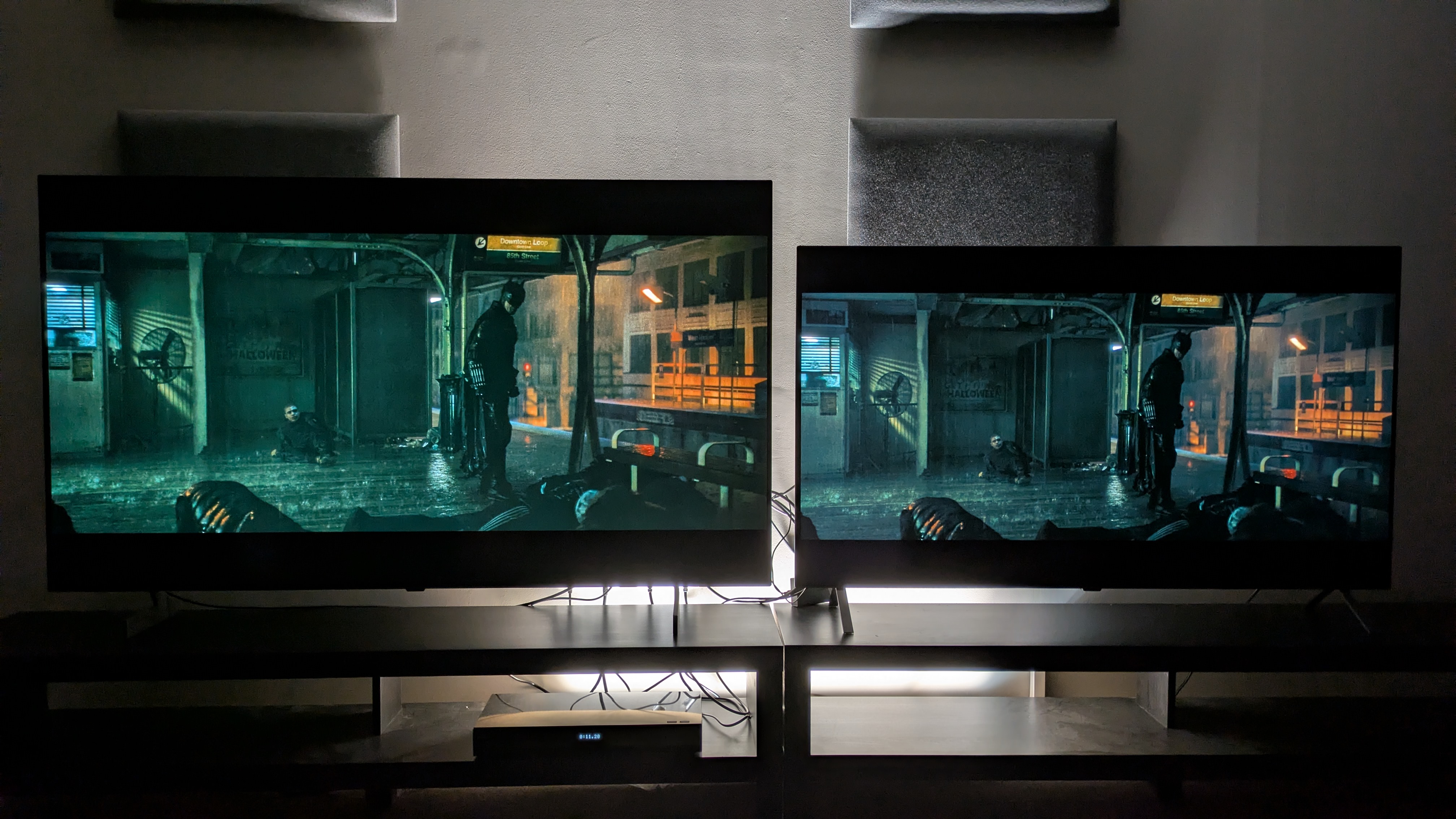
However, the LG B6 had more of a green tint than its predecessor when compared side-by-side. This meant that despite its improvements, the B6’s picture wasn’t the full step-up over the B5 that I was looking for — it giveth on one hand, and taketh on the other. Viewed in isolation, the B6 is still a great looking TV, though — the thing about slightly color tints is that your eye gets used to them quickly and then you can just focus on the image.
Much like previous years, the B6’s 2.0 channel speaker system is solid for day to day viewing with clear speech and it is accurate with some solid detail for movies. Bass however is limited and the soundstage is narrow. If you’re after the cinematic experience and want the sound to match the picture, I’d add one of the best soundbars.
The B6 is easily one of 2026’s best gaming TVs. It has a full array of features on all four HDMI ports — 4K 120Hz, full variable refresh rate options, HGiG, auto low latency mode, Dolby Vision Gaming — and has four HDMI 2.1 ports. An 8.9ms measured input lag means performance is smooth with razor-sharp response time, and the picture looks superb while gaming. If you’re looking for a gaming OLED, this is an excellent choice.
The webOS 26 smart TV software doesn’t reinvent the wheel compared to webOS 25, but it didn’t need to. What webOS 26 does is make navigation easier with a new menu layout, more Quick Cards and more customization. While the banner ad on the home screen is annoying, it’s the only wrinkle in webOS 26, which I rate as one of the best smart TV platforms on offer.
But as I alluded to above, while I think the B6 is a great TV overall, the B5 is definitely the better option while it’s available. The 65-inch B6 I tested costs $1,999 / £2,399 / AU$3,295 (with a cheaper B6E option available for £1,799 in the UK).
While this is a decent price and similar to the B5’s launch prices, the B6 doesn’t change enough to recommend it over the B5 if you're buying around its launch time. If it's a great-value entry-level OLED you want, I'd spend less on the LG B5.
If you have the budget right now, I’d definitely opt for the LG C6 (65-inch model priced at $2,699 / £2,599 / AU$3,995) as my preferred choice. It's the best upgrade to LG’s OLED lineup in 2026, and provides even better brightness and picture than the B6, but with impeccable colors.
LG B6 review: Prices & release date
The LG B6 delivers deep black tones and crisp textures (Image credit: Future)
Release date: May 2026
48-inch: $TBA / £1,299 / AU$1,995
55-inch: $TBA / £1,599 / AU$2,495
65-inch: $1,999 / £2,399 / AU$3,295
77-inch: $,2799 / £TBA / AU$TBA
83-inch: $4,499 / £TBA / AU$TBA
The LG B6 is the entry level OLED in LG’s 2026 OLED TV lineup, sitting below the mid-range LG C6 and flagship LG G6 and LG W6 (also known as the Wallpaper). The 65-inch model I tested costs $1,999 / £2,399 / AU$3,295 officially, which is the same launch prices as last year’s LG B5.
It’s worth noting that in some regions there are two LG B6 models: the B65 and the B6E. I asked LG what the differences between the two are, and it said the B6E does not have the following features: Precision Picture Master Pro, Precision Sound Master Pro, and it does not have the marble effect design on the back.
Other than this they should be the same, making the B6E by far the better deal, because I don't particular rate these features, LG's suggestion is that they have the same panel and Dolby Vision support otherwise. A 65-inch LG B6E model costs £1,999 in the UK, a full £400 cheaper.
LG B5 review: Specs
Screen type:
OLED
Refresh rate:
120Hz
HDR support:
Dolby Vision, HDR10, HLG
Audio support:
Dolby Atmos
Smart TV:
webOS 26
HDMI ports:
4x HDMI 2.1
Built-in tuner:
ATSC 1.0 (US)
LG B6 review: Benchmark results
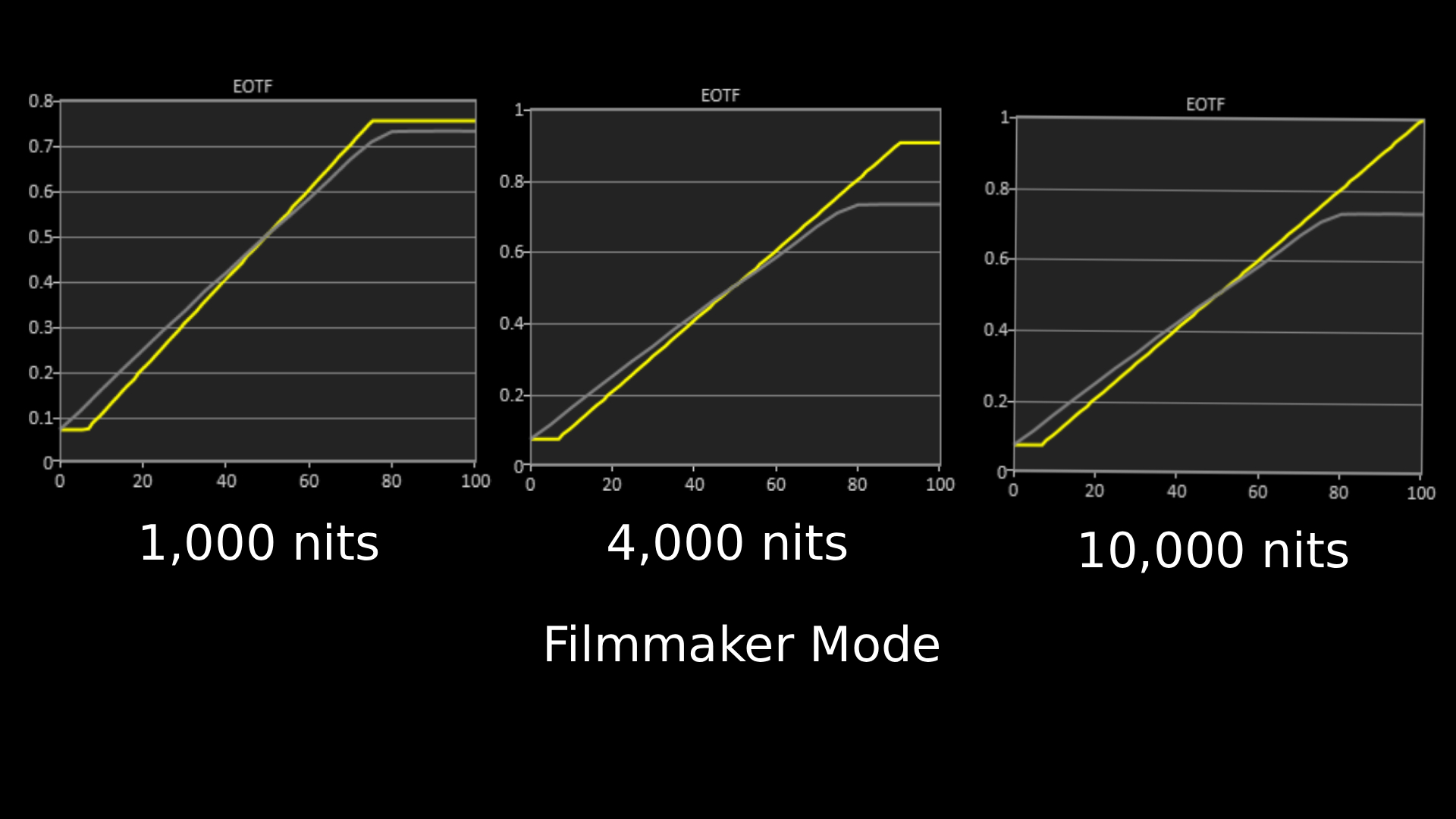
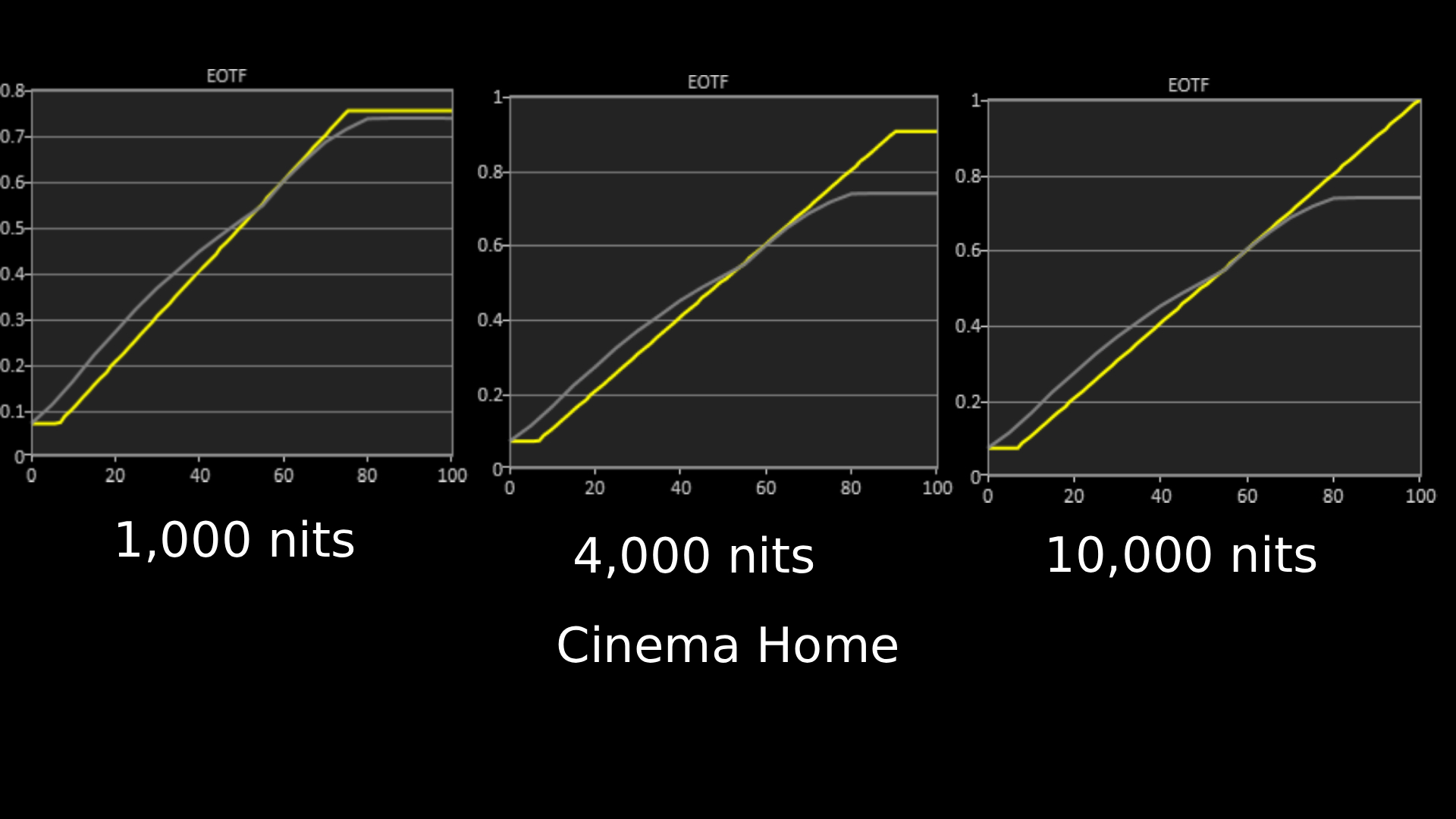
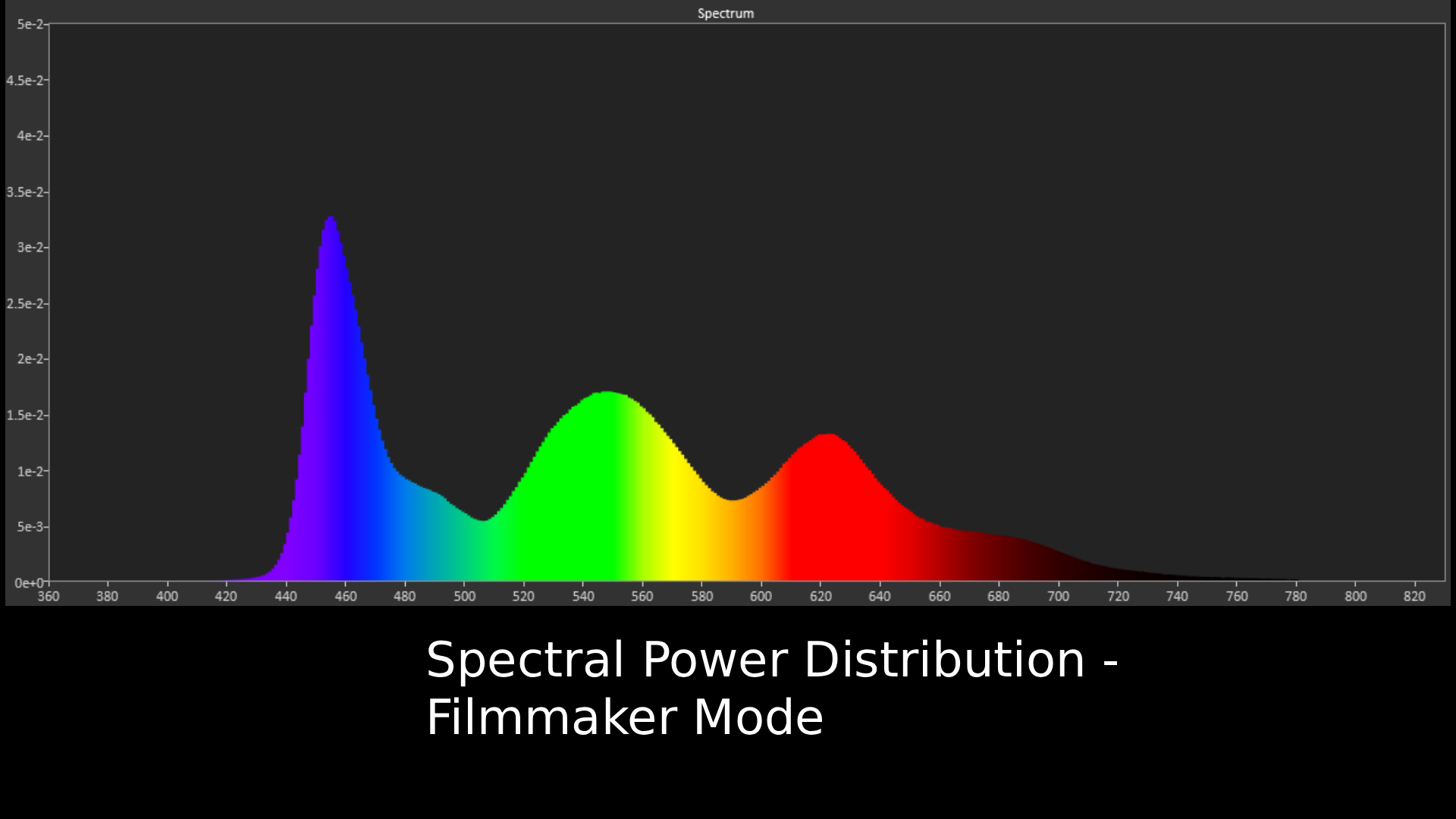
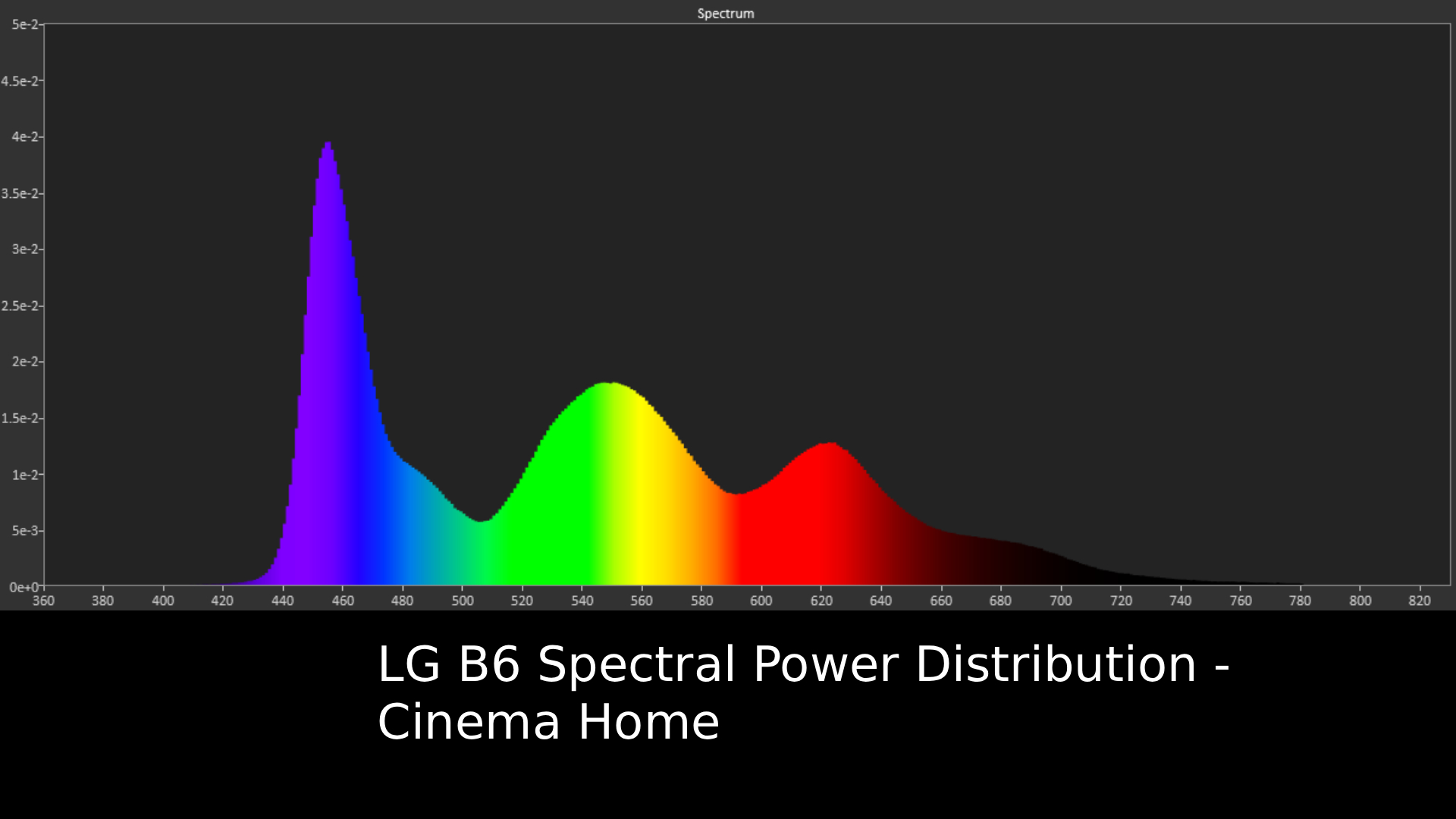
The above EOTF graphs show the accuracy of the LG G6 for hitting different HDR brightness levels in grayscale. The closer to the yellow line, the more accurate the TV is. The above measurements were taken with the B6 in its out-of-the-box Filmmaker Mode. On the next slide is the results for Cinema Home mode. FutureFutureSpectral power distribution refers to the intensity of light that a source will display at various wavelengths of color. It can reveal how accurate a source can show color at different light levels, and can be instructive to understand how a TV's panel handles color. This shows the B6 in Filmmaker Mode, Check the next slide for Cinema Home mode.FutureFuture
LG B6 review: Features
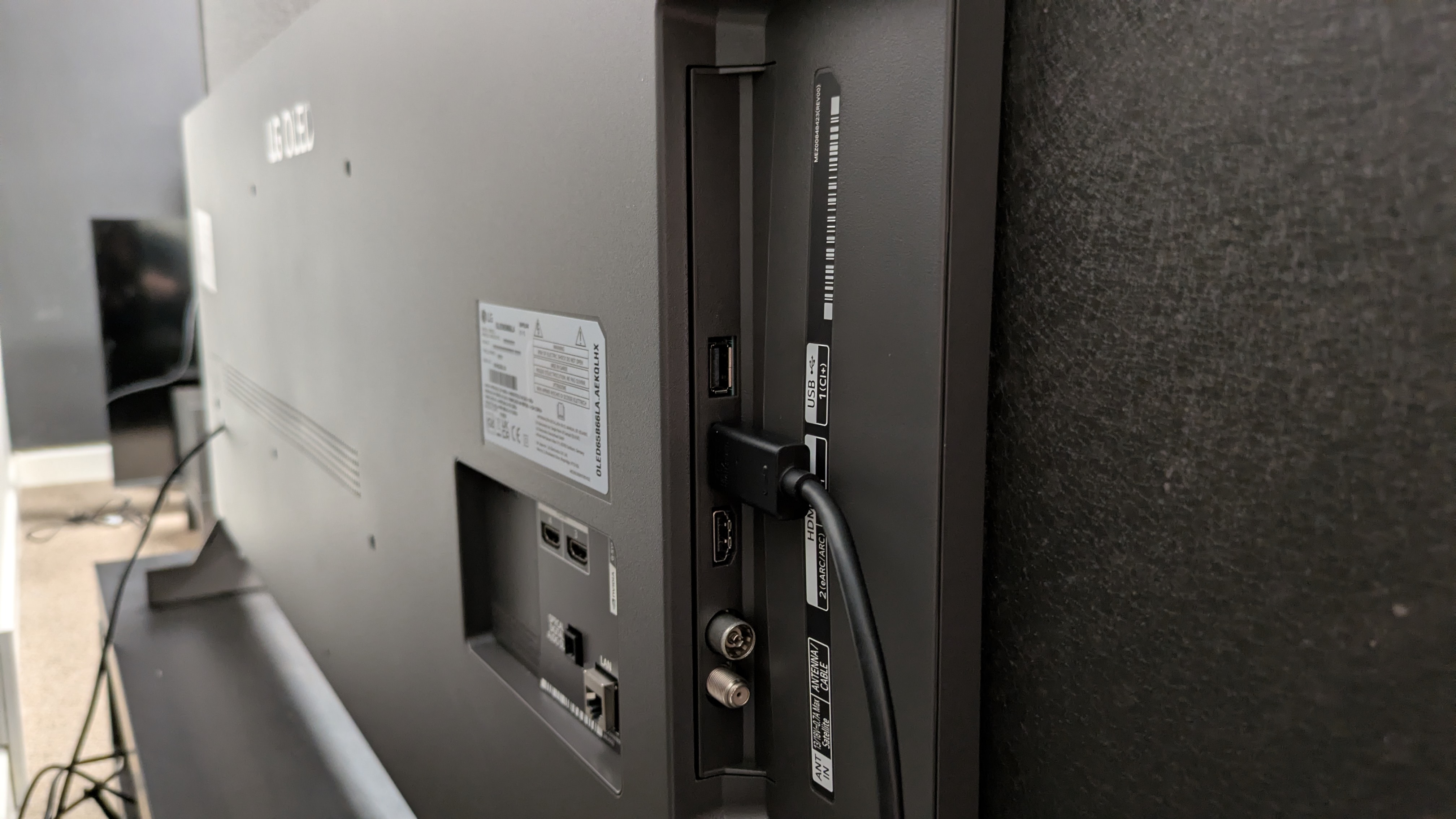
The B6 has a good number of features, including four HDMI 2.1 ports (Image credit: Future)
Alpha 8 AI Gen 3 processor is a good mid-range processor
4K 120Hz, FreeSync and G-Sync across all four HDMI 2.1 ports
Higher brightness than the LG B5
The B6 uses a W-OLED panel, much like its predecessor. However, there has been a brightness boost (I’ll get into that below in the Picture Quality section) that would suggest it’s using the new OLED SE panel: a cheaper, brighter WOLED panel that we saw in action in the Panasonic Z86C, which is that company's new entry-level OLED for 2026.
The B6 comes with the Alpha 8 AI Gen 3 processor, which introduces a couple of new picture and sound tools such as the Precision Picture Master Pro and Precision Sound Pro, which both aim to upscale picture and audio respectively. It’s worth noting the B6E, a cheaper B6 model available in some regions including the UK, does not support these features.
The B6 supports Dolby Vision HDR and Dolby Atmos for enhanced audio, but it does not support HDR10+ or DTS, the same as 2025. LG says it currently has no plans to support Dolby Vision 2. The B6 also supports Chromecast and AirPlay 2.
For audio, the B6 has a built-in 2.0 channel, 20W speaker system: the same as the B5 from last year. This year, much like the LG G6 and C6, the number of sound presets has been reduced to four, including AI Sound Pro, and Clear Voice for dialogue enhancement.
The B6 uses webOS 26, which introduces some refined AI features, such as AI concierge which now uses AI companions such as Gemini for lifestyle uses such as planning trips. The menu layout has also been re-ordered in order to prioritize major settings such as Energy Saving and Network.
For gaming, the B6 carries over the same features from the B5: 4K 120Hz, full VRR support including both FreeSync and G-Sync, auto low latency mode and Dolby Vision Gaming, all featured on four HDMI 2.1 ports. Game Optimizer returns with additional settings for gaming, including the Prevent Input Delay option.
Features score: 5 / 5
LG B6 review: Picture quality
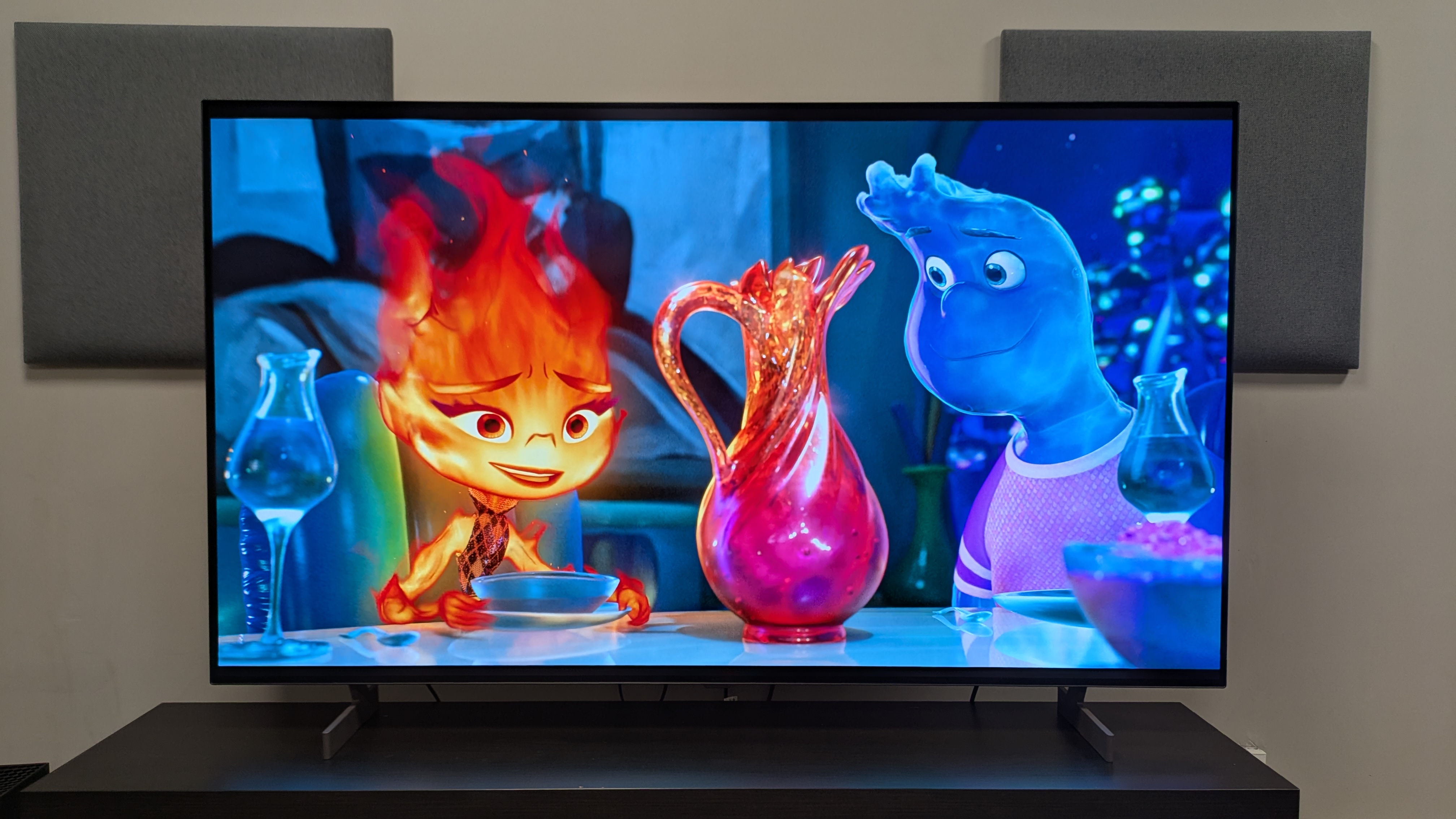
The B6 has some seriously bold colors, shown best in animated movies like Elemental (pictured) (Image credit: Disney / Future )
Brighter than its predecessor
Crisp detail and strong contrast
Green tint visible in some scenes
Starting with measurements, the biggest difference between the B6 and last year’s B5 is the boost in HDR peak brightness. The B6 measured 835 nits in Filmmaker Mode, 895 nits in Cinema mode and 740 nits in Standard mode. These are big jumps over the B5’s 668 nits in Cinema mode and 637 nits in Standard mode.
For fullscreen HDR brightness, the jump hasn’t been quite as significant, with the B6 measuring 154 nits in Cinema Home, compared to 131 nits of the B5 in the same mode. In fact, there was even a drop in Standard mode, with the B6 measuring 150 nits compared to the B5’s 172 nits.
Moving to real-world testing, I found myself switching between Filmmaker Mode and Cinema Home depending on the content. Both picture modes looked good, but Filmmaker Mode suited darker, more contrast-y scenes, while Cinema Home looked great with colors and animation.
The B6 did a good job with SDR content. Watching an HD stream of Fight Club on Disney Plus, it upscaled textures to give them a crisper look and added some brightness that delivered stronger perceived contrast compared to some cheaper TVs I’d done this test on.
With lower-resolution content, such as YouTube videos, the B6 did a decent job upscaling textures and boosting colors to give them a better look, but ultimately the image didn’t hit 4K levels. There is a Precision HDR Master Pro setting in the main B6 model (not the B6E) which did sharpen textures when activated, but it was too artificial for my liking.
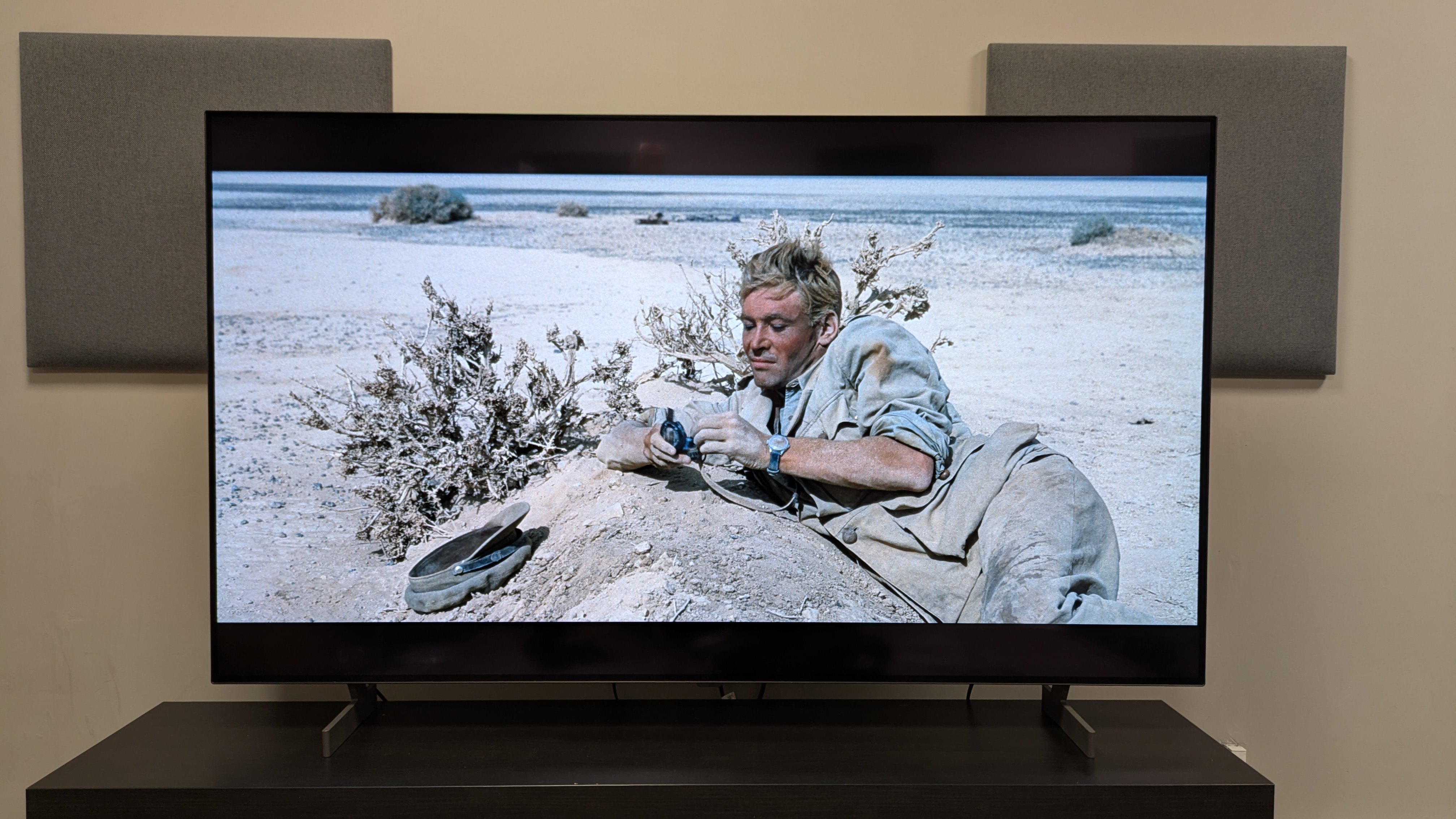
Watching a desert scene from Lawrence of Arabia, the white sands of the desert did indeed look brighter on the B6 compared to the B5 when I compared the two side by side, showing the brightness boost was real.
The B6 has received a brightness boost which is best shown in scenes with a lot of white tones, such as the scene from Lawrence of Arabia (pictured) (Image credit: Sony Pictures / Future )
In Dark City, as John is in the automat, the highlights from the overhead lights and the yellow walls also looked brighter on the B6.
However, during my B6 and B5 comparison, the scene from Dark City was the first to tip me off on a potential issue with the B6: green tint. The yellow walls of the automat seemed to have a green hue on them on both the B6 and B5, but it was more noticeable on the new model.
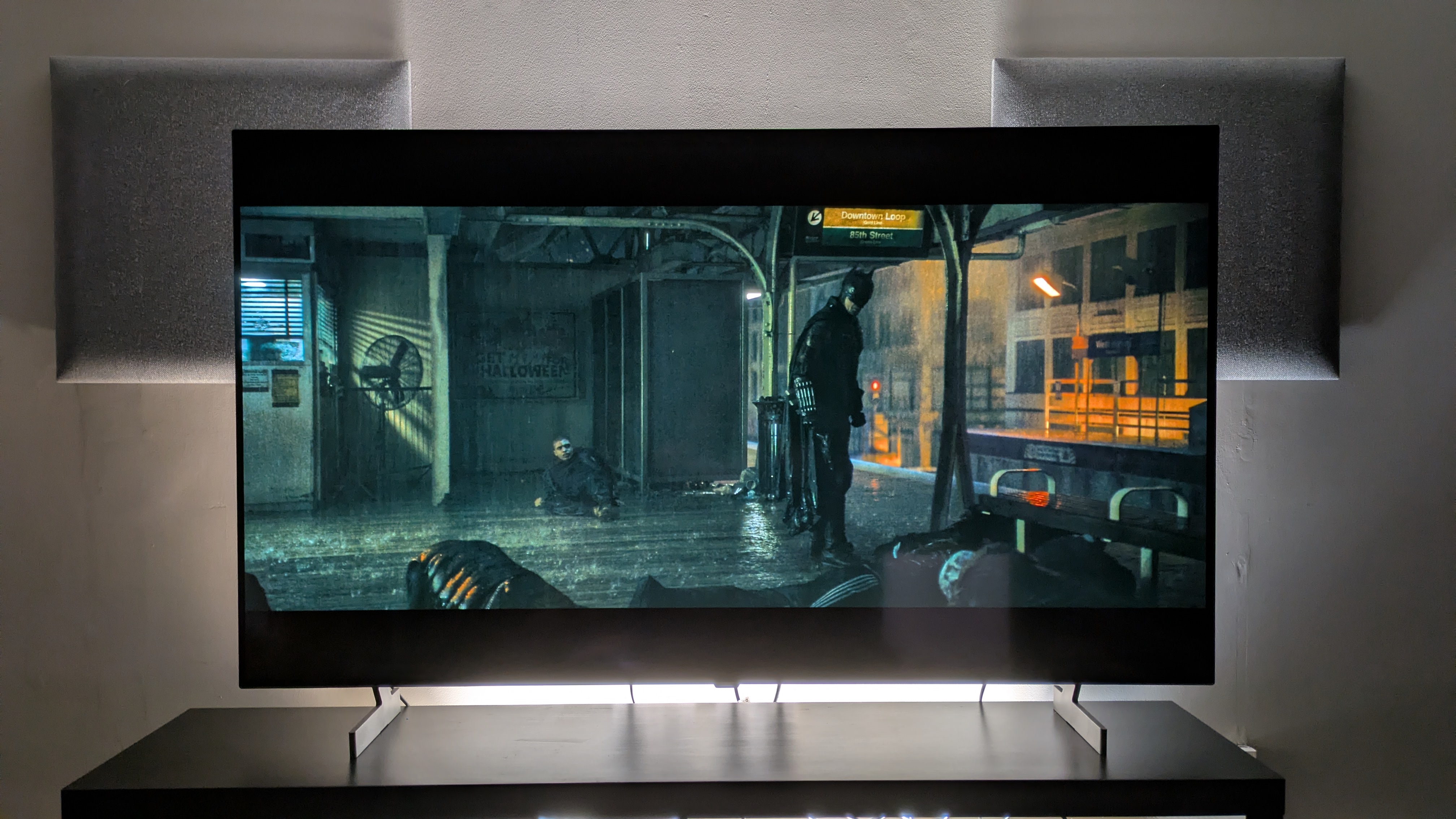
The B6 demonstrated strong contrast with deep dark tones in high contrast scenes. It also had a higher perceived contrast over the B5 thanks to the brightness boost. In The Batman, as Batman wanders the crime scene in Mayor Mitchell’s house, the balance between the light tones from the lamps on the wall and the dark tones of the dark-panel wood walls was excellent.
Unfortunately, The Batman also exemplified the green tint issue on the B6 compared to the B5. In the subway scene, the rear walls looked more green on the B6, looking like the gray I expected on the B5. Maybe I got unlucky with my review unit, but it was definitely worth noting as green tint has been a criticism of LG’s OLED TVs before.
While the B6 shows strong contrast in The Batman (pictured), this subway scene does show the B6 has a green tint — click to see it compared to the B5Warner Bros. / Future The LG B6 (left) and LG B5 (right)Warner Bros / Future
The B6 delivers bold, rich colors that benefitted from the new brightness boost. A Dolby Vision stream of Elemental on Disney Plus really showcased them, with the blues of Wade and his family, and the oranges and reds of Ember dazzling on screen. As Ember mends a vase, the purples and oranges of the new vase glistened, showing strong highlights.
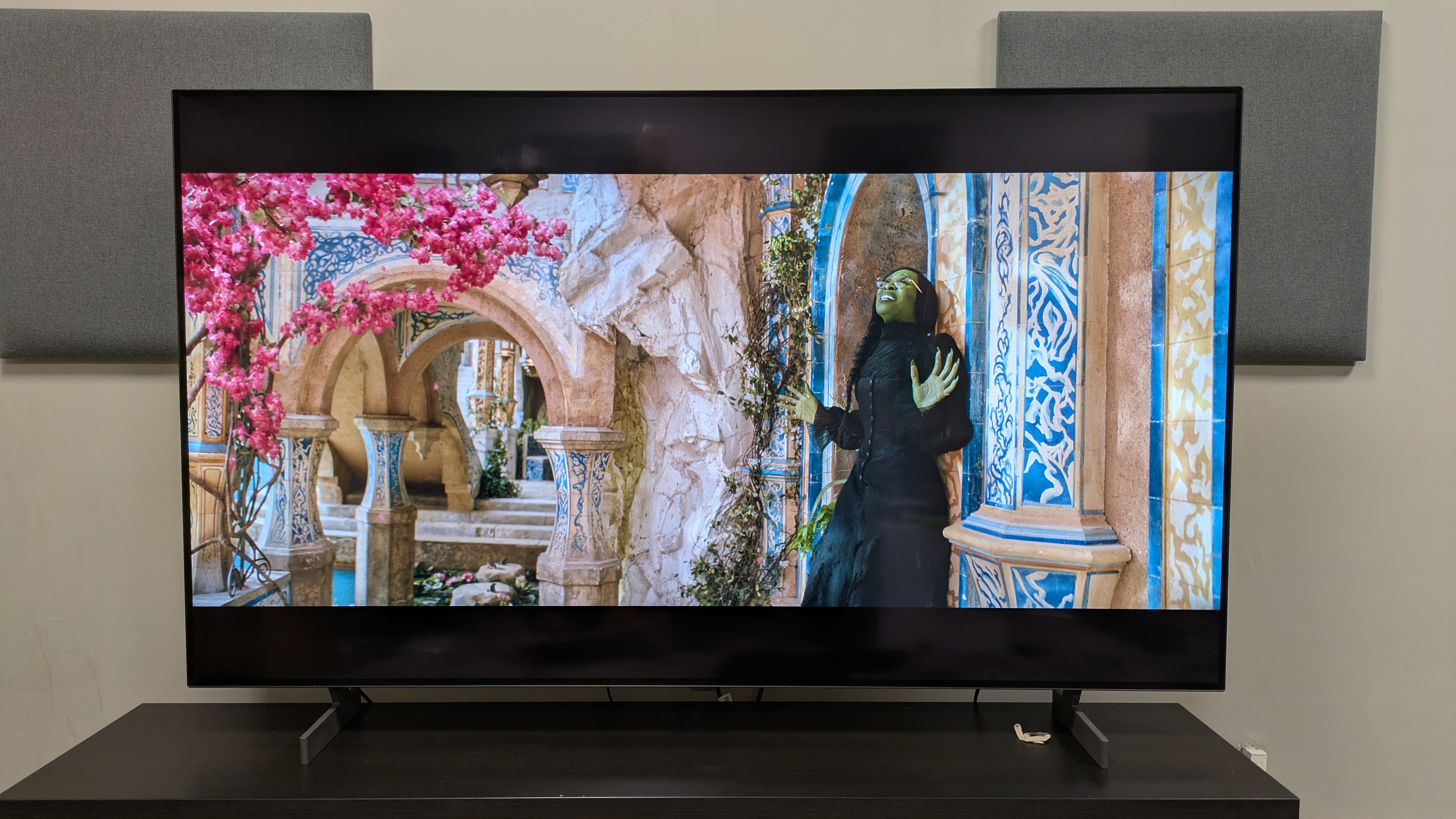
In the ‘Wizard and I’ scene, as Elphaba stands under a tree with pink flowers, said flowers popped on screen, but still had great color depth.
(Image credit: Universal Pictures / Future )
The B6 delivered a measured HDR color gamut coverage of 97.4% of the DCI-P3 and 72.5% of the BT.2020 color spaces. While these aren’t bad results (we have a 95% threshold for DCI-P3, and are generally happy with a score above this), these numbers were oddly lower than the B5’s. The B5 had measured results of 99.5% and 74.85% in the DCI-P3 and BT.2020 color spaces respectively.
Viewed in isolation, the B6’s colors and contrast were actually very good but it just seemed a shame that I knew how good the B5 looked in comparison in some scenes. With the added brightness, I was hoping for a bigger picture upgrade.
Outside of this, the B6 showcased excellent textures, striking a nice balance between crisp and natural. Throughout my testing, people’s skin looked realistic while finer details such as hair appeared refined.
Much like the G6 and the C6, the B6 benefitted from using the TruMotion feature. For movies, Cinematic Movement was more than enough, reducing judder in a panning shot of a cliffside cemetery in No Time To Die. With sports, the Natural motion setting worked better, doing more smoothing and judder reduction which worked better.
The B6’s screen is however prone to mirror-like reflections, especially with darker scenes. Even some brighter, more colorful scenes struggled under our testing lab’s overhead lights in Filmmaker Mode. It would be nice to see some more effective anti-reflection measures brought to the B6, as I know it's possible from my review of the LG G6.
Picture quality score: 4.5 / 5
LG B6 review: Sound quality
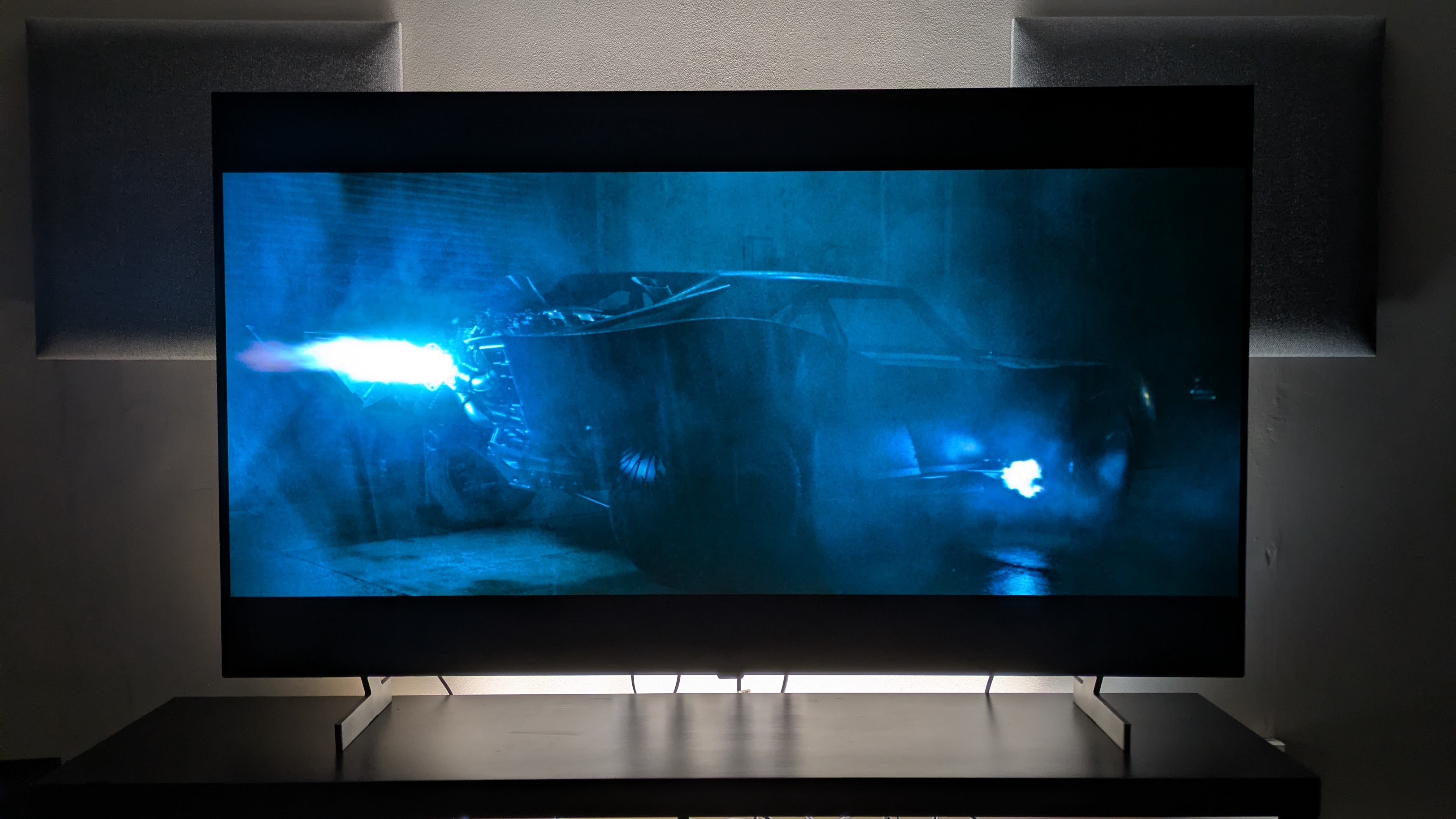
The B6's built-in sound is fine for casual viewing, but are lacking for cinematic scenes like the Batmobile chase from The Batman(Image credit: Warner Bros. / Future )
2.0 channel, 20W speakers
Decent sound overall but definitely benefits from a soundbar
Fewer sound modes than last year
The B6 comes with a 2.0 channel, 20W speaker system and supports Dolby Atmos (but not DTS). LG has reduced the number of sound presets from previous years, dropping the number from eight to four.
These four presets are Standard, AI Sound Pro, Clear Voice Pro and Sound Wizard. As my go-to Cinema preset had been removed, I opted for my backup: AI Sound Pro.
Watching the Batmobile chase scene from The Batman, the B6 showcased accurate image mapping, accurately following the direction of swerving traffic and the bullet sprays from the Penguin’s gun.
The same was true playing BattlefieldV, as the B6’s speakers did a good job picking out subtle effects such as the crunching leaves underfoot in a forest mission.
Speech was clear enough throughout my testing as well, with most dialogue easily audible over the rest of the soundtrack.
Due to its limited 2.0 channel speaker system however, the sound doesn’t match the picture in quality. Bass felt very contained and while there was some rumble as the Batmobile ignited its engine, it felt thin in places.
The soundstage also felt narrow, never truly extending beyond the confines of the screen. Atmos effects, such as the rain in The Batman, felt limited too. I’d recommend a soundbar if you want sound impact to match the quality of the visuals.
Sound quality score: 3.5 / 5
LG B5 review: Design
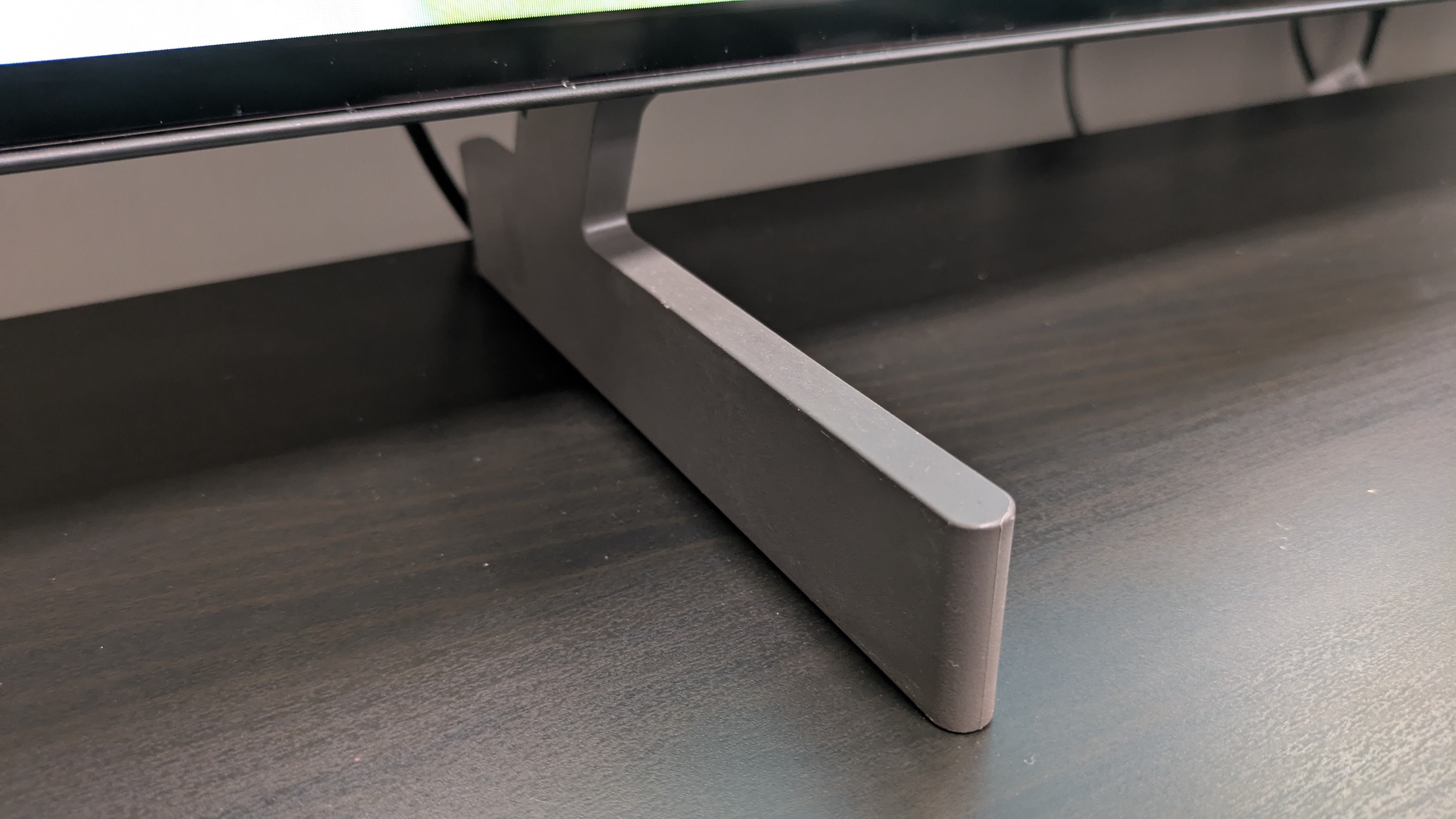
The B6's feet are made of plastic, a step down from the B5. Although the B6 still feels well built (Image credit: Future)
Mostly premium build
Feet are plastic this year instead of metal
UK Magic Remote could do with an update
The 65-inch B6 I tested had a mostly premium build and design. It has a trim frame and near bezel-less screen allowing the picture to be the focal point. While it’s a small touch, the marble effect on the rear panel made it feel a little more premium, although it’s again worth noting this is only on the main B6 model and not the cheaper B6E.
One thing I was disappointed to find was that the B6 unit I was testing had plastic feet, compared to the B5’s metal feet. While the plastic feet were more than sturdy enough, it did detract from the B6’s overall premium design.
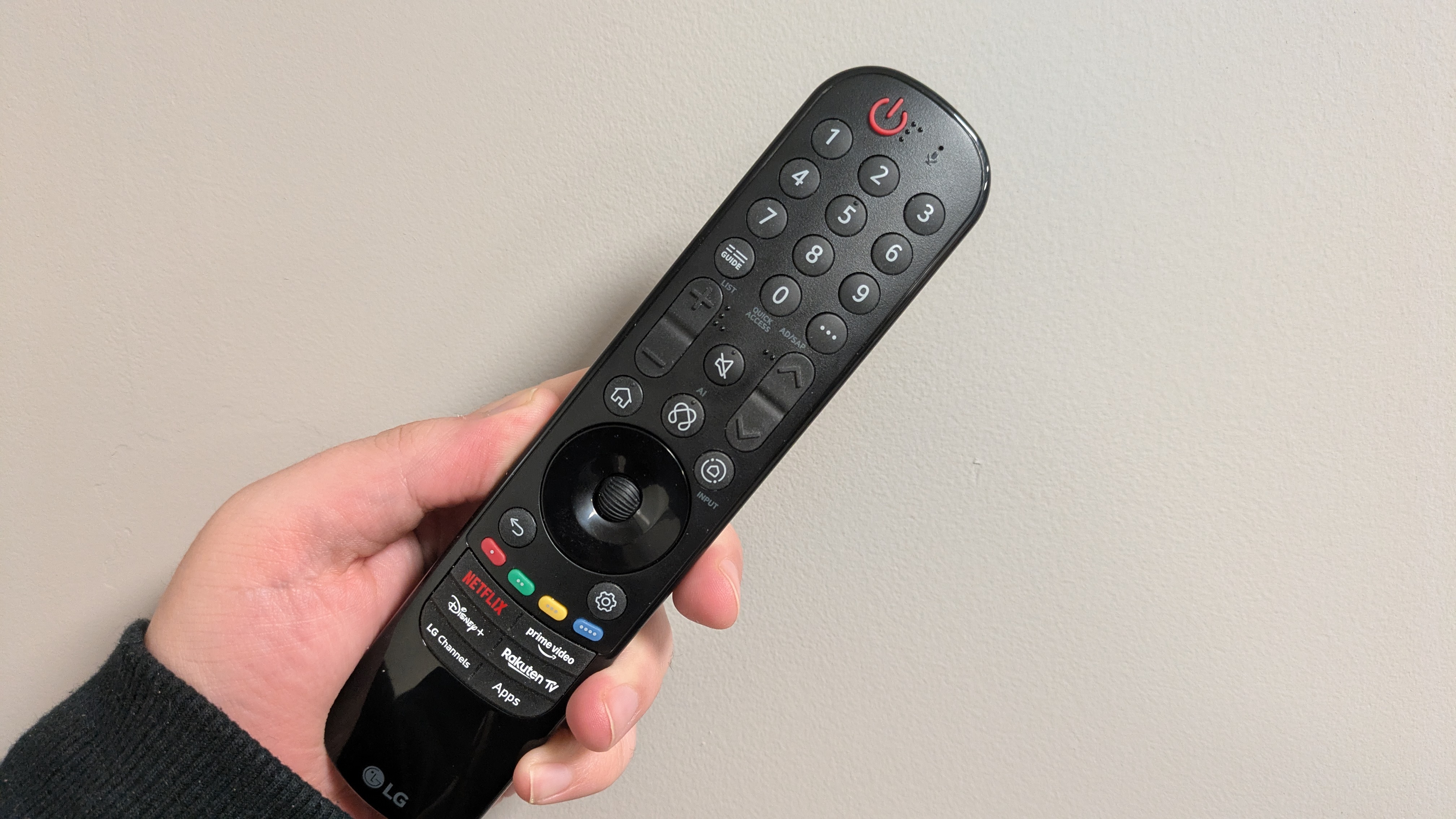
LG’s Magic Remote hasn’t had many updates in recent years in the UK other than the re-arranging and addition and removal of certain buttons, with the AI button taking center stage this year, and it could do with a refresh.
The US has the sleeker AI Smart Remote, but again when brands like Sony, Philips and Hisense offer more heavy duty, metal remotes, LG’s offering could be a bit more premium.
Design score: 4 / 5
LG B6 review: Smart TV & menus
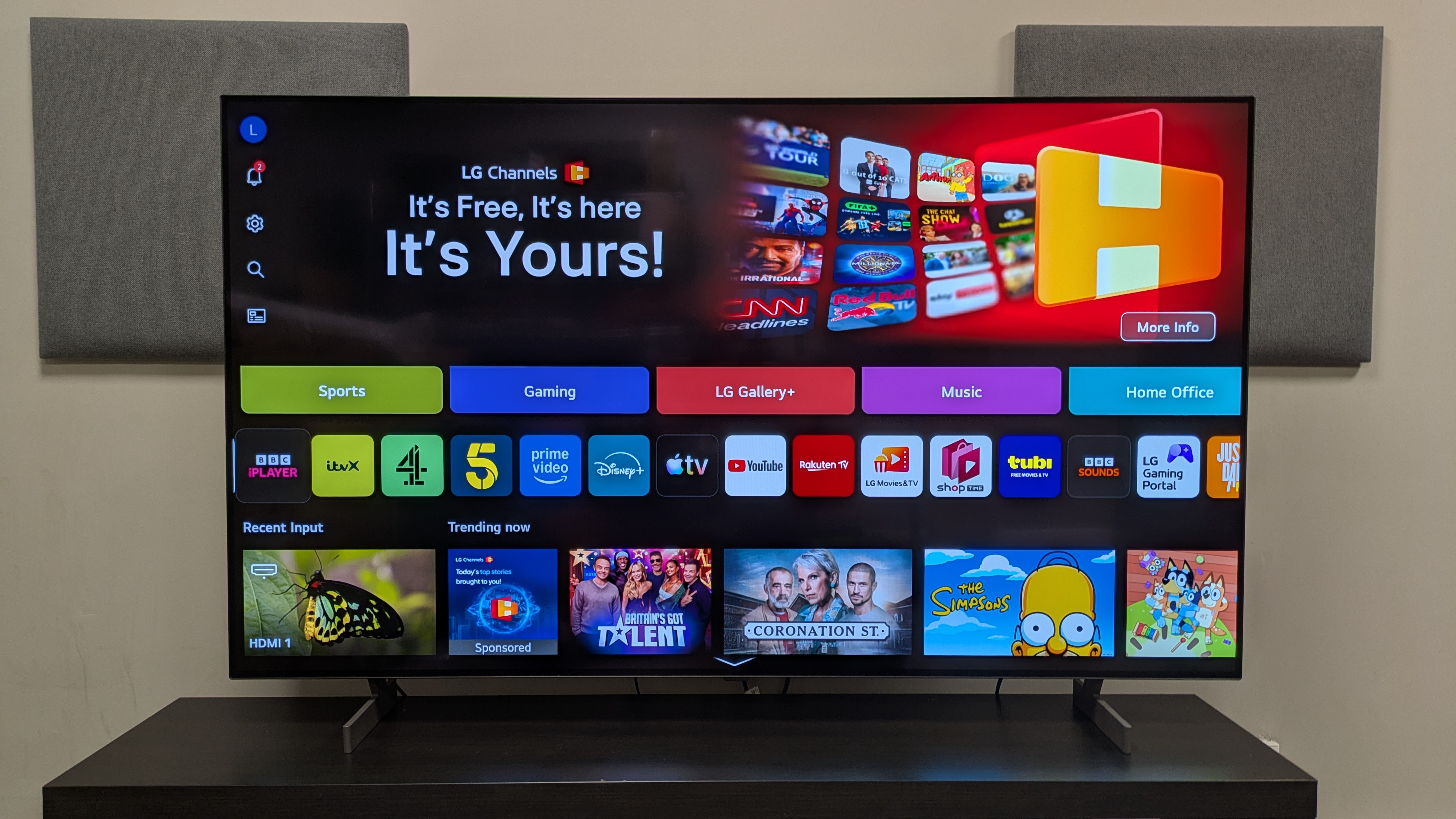
LG's webOS 26 is easily one of the best smart TV platforms around (Image credit: Future)
Uses LG's webOS 26 smart TV platform
Streamlined menus and more Quick Cards for easy navigation to key options
Ads are annoying, but equivalent to other platforms
The B6 uses LG’s own webOS 26 as its smart TV platform. While webOS 25 was about the introduction of AI features — such as AI Concierge, for content recommendation and information, and AI Search, for advanced content searching — webOS 26 looks at refining menus for easier navigation while adding some new features.
Quick Cards, a place where relevant apps are organized by categories such as Sports, Game and Office, are back and some new ones have been added including Learning.
The Quick Menu, where picture and sound modes can be altered super-quickly without getting deep into menus, continues to be one of the webOS’ standout features.
webOS 26 is also very easy to navigate, with an intuitive menu layout that’s been re-organized for this year to make access to settings such as Energy Saving and Network easier, and these small changes have made navigation even smoother.
Unfortunately, the home page still features a large banner ad space at the very top of the screen which does push down the apps a bit. This is fairly common among modern smart TV platforms however and this is my only real complaint with webOS 26. It’s still one of the best OS on the market.
Smart TV & menus score: 5 / 5
LG B6 review: Gaming
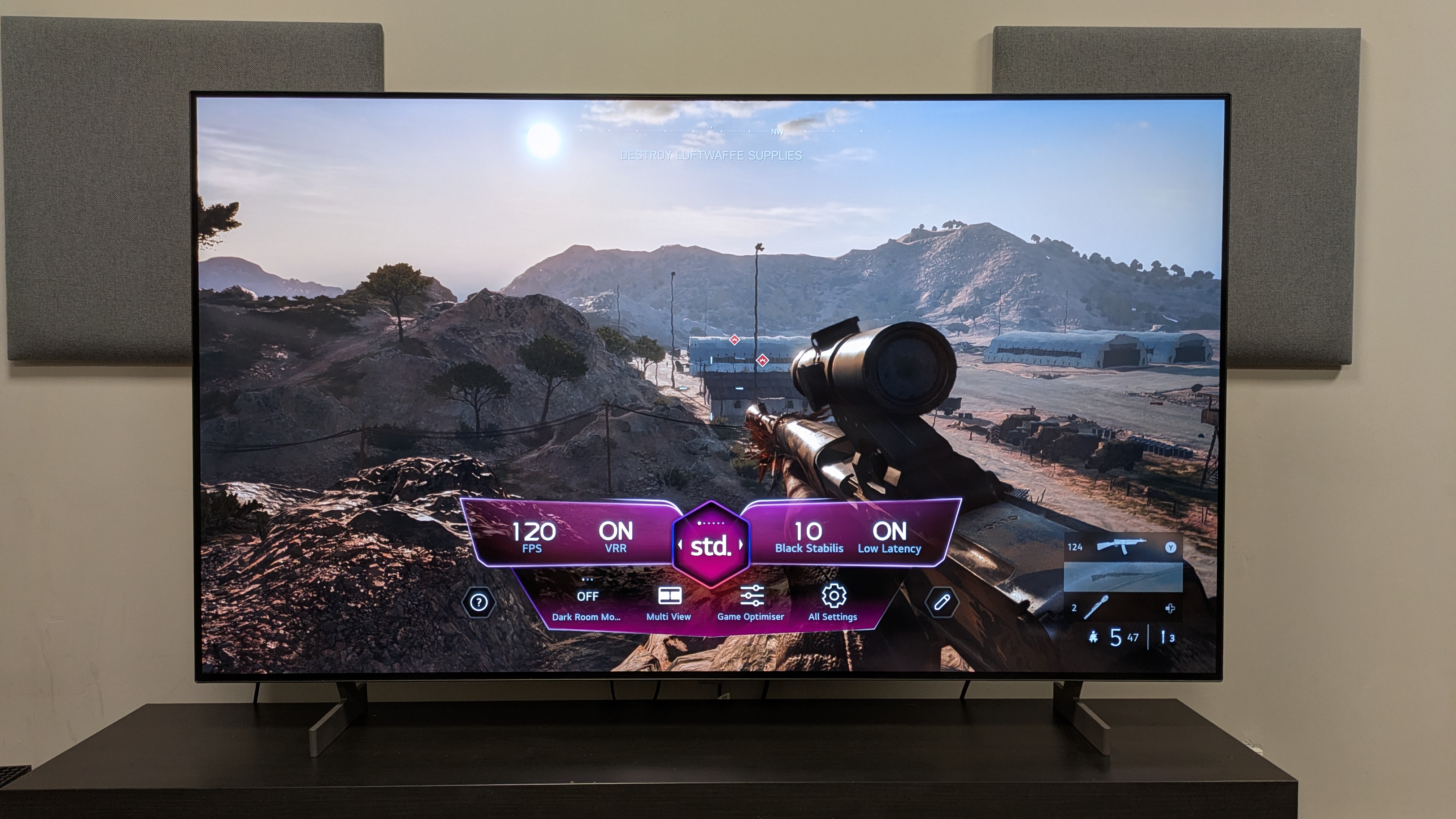
The B6 is a superb gaming TV, expertly handling fast-paced games like Battlefield V (pictured) (Image credit: Future)
4K 120Hz and full variable refresh rate support
8.9ms input lag at 60Hz, 4.9ms at 120Hz
Excellent features and performance
The B6 comes with a full suite of gaming features including 4K 120Hz, variable refresh rate including both AMD FreeSync and Nvidia G-Sync, HGiG HDR, auto low latency mode, and Dolby Vision Gaming, with all features supported across four HDMI 2.1 ports.
The B6 had a measured input lag time of 8.9ms at 4K 60Hz (in Boost mode), which is a superb result and up there with the very best gaming TVs. It registered a 4.9ms input lag at 1080p 120Hz.
Gaming performance on the B6 is excellent. Playing a mission in Battlefield V, the B6 handled the chaotic gunfights which involved a lot of quick movement and targeting with ease, with inputs feeling very smooth. As I flew around the desert in a plane, the sudden changes in flight path felt effortless and intuitive.
Battlefield V also looked great on the B6, delivering some nice brightness during the desert mission, with the sun on the horizon showing the B6’s strong HDR highlights. Textures were crisp with some nice detail in the weapons and environments as well.
Gaming score: 5 / 5
LG B6 review: Value
The Magic Remote (UK version shown here) could do with an upgrade (Image credit: Future)
Great features and good performance
Not the clear upgrade I wanted
B5 is the better option while available, C6 is better when prices are close
The B6 is an interesting TV when it comes to value. The 65-inch model I tested costs $1,999 / £2,399 / AU$3,295, while the 65-inch LG C6 step-up TV currently costs $2,699 / £2,599 / AU$3,995, meaning the B6 has a good price gap in US and Australia, but it’s close in the UK — too close, frankly.
There's a good reason to choose the B6 instead of the C6 in the UK and Aus when you're saving that much, but in the UK I'd absolutely choose the C6 given the close prices. That's complicated by the existence of the cheaper B6E, which a 65-inch costs £1,799: excellent value for a brand new OLED that size.
That being said, the B6 isn’t the full upgrade I wanted over the B5, unlike the C6 which is a superb upgrade over its predecessor, the C5. While the B6 delivers higher brightness and still excellent picture quality, it has some picture inconsistencies (particularly the green tint) so you're trading improvements in one area to steps back in another.
As a result, while the B5 is still available, I’d recommend it over the B6. A 65-inch B5 currently costs $999 / £1,199 / AU$2,199, which is a steal for that TV. Stock does seem to be dwindling in some regions already however, and when it disappears, the B6 is worthy of taking its place once it drops in price to the same kind of level.
Ultimately if you want a real upgrade, the C6 is the top dog but if it’s not in your budget, the B6 is still a very good TV.
Value score: 3.5 / 5
Should I buy the LG B6 OLED TV?
The B6's detail is excellent, with textures like the deer's fur shown looking refined and crisp (Image credit: Future)
LG B6 scorecard
Attributes
Notes
Rating
Features
Dolby Vision support as well as a full list of smart and gaming features
5 / 5
Picture quality
Solid peak brightness, rich color and contrast, but green tint in some scenes
4.5 / 5
Sound quality
Accurate and clear sound with AI Sound Pro but bass is limited and soundstage is too narrow
3.5 / 5
Design
Good overall build quality but feet feel cheaper than B5 and UK's Magic Remote needs a refresh
4 / 5
Smart TV and menus
webOS 26 feels intuitive with smooth navigation and a great array if features
5 / 5
Gaming
Extensive list of gaming features including 4K 120Hz, full VRR support and four HDMI 2.1 ports. Great picture and performance to match
5 / 5
Value
A very good TV but B5 is better value and C6 feels like a more worthy upgrade
3.5 / 5
Buy it if...
You want an OLED TV for gaming With a full suite of gaming features including 4K 120Hz and full VRR, razor-sharp performance and great picture quality, the B6 is a superb gaming TV
You want great overall picture quality Strong contrast, solid brightness with punchy highlights and rich, deep colors, the B6 delivers a very good overall picture.
You want an easy-to-use smart TV webOS 26 features a more streamlined menu layout for easier navigation as well as refined smart features, making it one of the best OS' on the market.
Don't buy it if...
You have the budget for an LG C6 The step-up C6 feels like a more worthy upgrade over its predecessor, with better picture accuracy, a significant jump in brightness and a flagship processor. Get the C6 if it's in your budget.
You want to watch in a bright room While its brightness levels have increased, the B6 does have a reflective screen that struggled in our testing lab when lights were on.
You want top-notch built-in sound While the B6's sound is mostly fine, its bass is average and its soundstage is limited meaning a soundbar is recommended if you're a regular movie viewer.
LG B6 review: Also Consider
LG B6
LG B5
LG C6
LG G6
Price (65-inch)
$1,999 / £2,399 / AU$3,295
$999 / £1,199 / AU$2,199
$2,699 / £2,599 / AU$3,995
$3,399 / £2,999 / AU$4,999
Screen type
OLED
OLED
OLED (EX)
OLED (RGB Primary Tandem 2.0)
Refresh rate
120Hz
120Hz
165Hz
165Hz
HDR support
Dolby Vision, HDR10, HLG
Dolby Vision, HDR10, HLG
Dolby Vision, HDR10, HLG
Dolby Vision, HDR10, HLG
Smart TV
webOS 25
webOS 25
webOS 26
webOS 26
HDMI ports
4 x HDMI 2.1
4 x HDMI 2.1
4 x HDMI 2.1
4 x HDMI 2.1
LG B5 The B6's predecessor, the B5 delivers a lot of similar features and performance for a fraction of the cost. While the B6 delivers higher brightness, it's not the big upgrade I was hoping for. The B5 is definitely the better option while it's still available.
LG C6 The LG C6 is the step-up model from the B6 and while it is pricier, it's also a much bigger upgrade, thanks to a new processor, much higher brightness and better accuracy. While the B5 and C5 weren't totally different, the C6 and the B6 are. If you have the budget, the C6 is worth the investment.
LG G6 The flagship LG OLED for 2026, the G6 delivers superb brightness, picture quality and features worthy of a flagship TV. While it is an excellent TV, it is much pricier than the B6 and C6, so if you want the best value, one of those two models is your better option.
Tested in different lighting conditions over a couple of weeks
Tested using both HDR and SDR sources
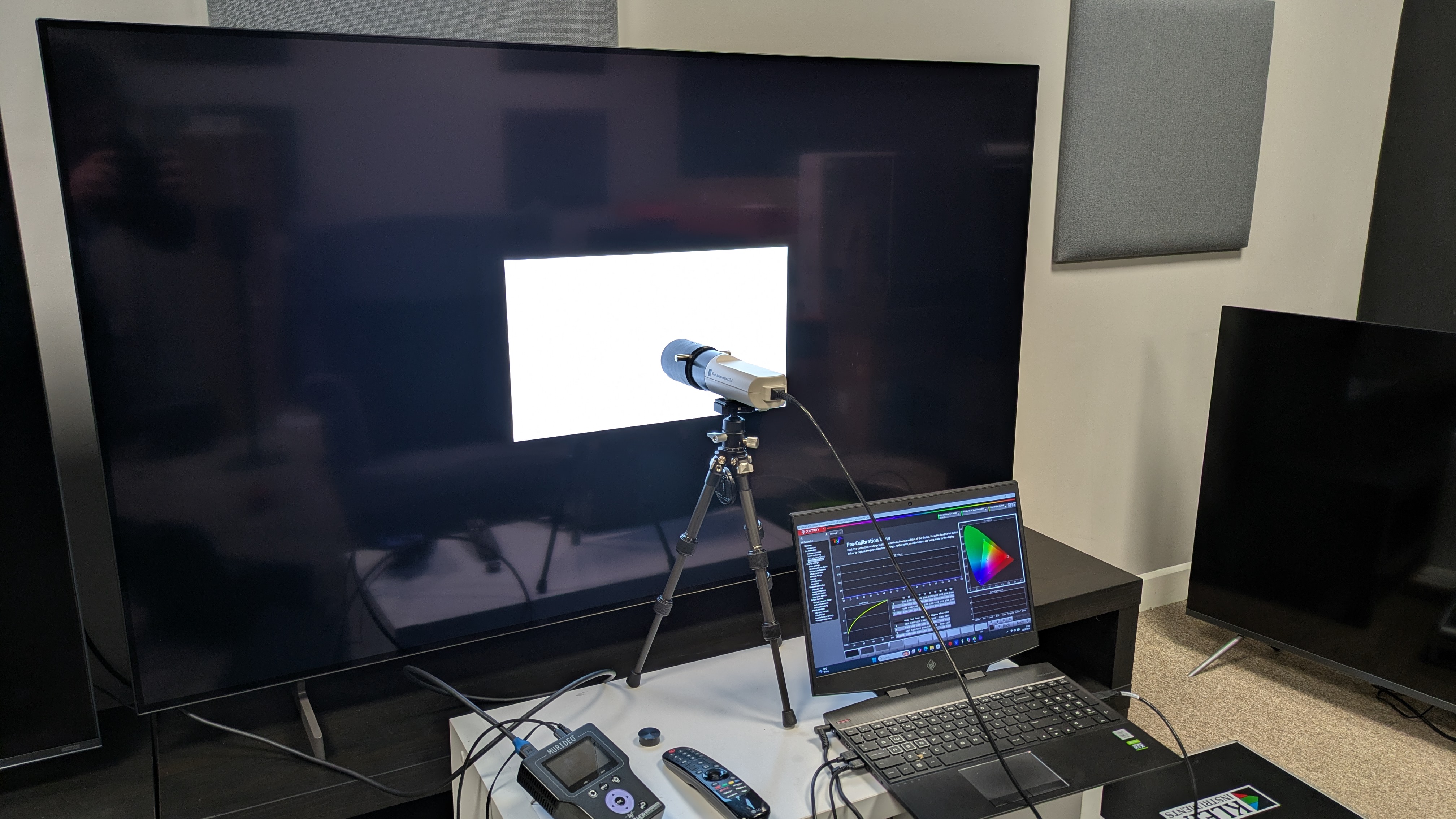
Measurements taken using Portrait Displays' Calman color calibration software
The first steps for my testing was to do some casual viewing to establish which picture modes were the best for the LG B6. I found that both Filmmaker Mode and Cinema Home worked for movies, depending on the type of movie, whereas Standard worked best for sports.
Once this was done, I started my critical viewing using some reference scenes I use for testing, including HDR (4K Blu-ray and streaming) and SDR (DVD, YouTube, broadcast TV) sources. I also used Prime Video and HBO Max to test sports on the B6.
I used these scenes to analyze the B6's picture, focusing on color, accuracy, contrast, detail, motion, upscaling and more. I also used other scenes to test the B6's built-in speakers.
For 4K Blu-ray, I used a Panasonic DP-UB820 4K Blu-ray player and for gaming I used and Xbox Series X.
Moving on to objective testing I used specizlied equipment to take measurements of the B6. This included a Klein K-10A colorimeter, a Murideo Six G 8K Metal test pattern generator and Portrait Displays' Calman color calibration software to record measurements.
Brightness measurements were taken using both HDR and SDR white window patterns ranging in size from 1-100%, with a focus on 10% and 100% windows, for peak and fullscreen brightness, respectively. I also tested the B6's grayscale and color accuracy, taking an average of the Delta-E values (the margin of error between the test pattern source and what's shown on screen), looking for a result below 3.
I also tested the B5's coverage of the UHDA-P3 and BT.2020 color spaces. Finally, I used a Leo Bodnar 4K HDMI Input lag Tester to test the B5's input lag in milliseconds.
I also recorded the B6's HDR EOTF results with 1,000, 4,000 and 10,000 nits targets. I also used a Jeti Spectral 15a to take the B6's Spectral Power Distribution.