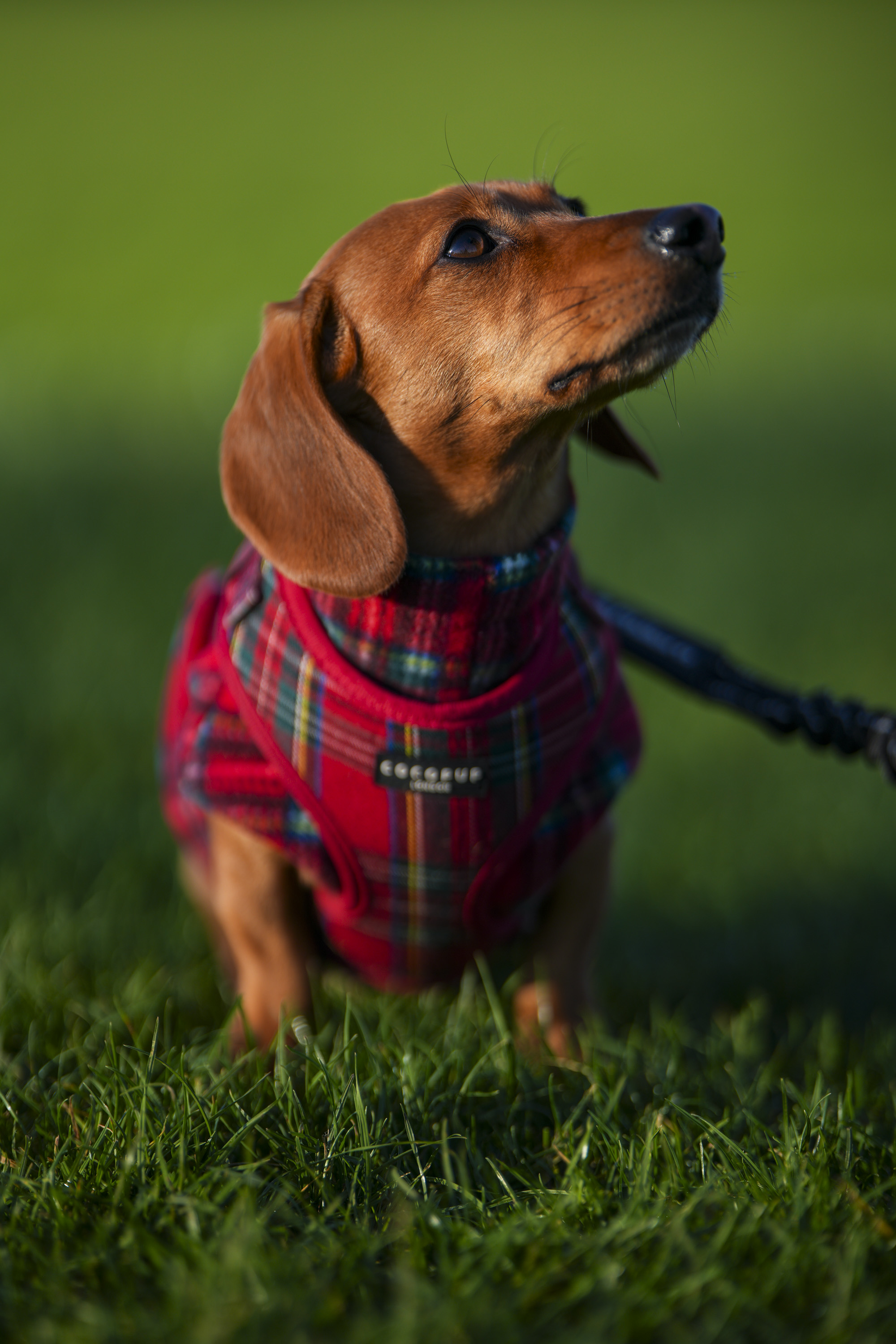
'The tiniest autofocus lens I've played with in over 15 years of testing camera gear' – the cheap Viltrox body cap full-frame lens is surprisingly sharp and has bags of character, but it makes even more sense for APS-C

Viltrox AF 28mm f/4.5: one-minute review
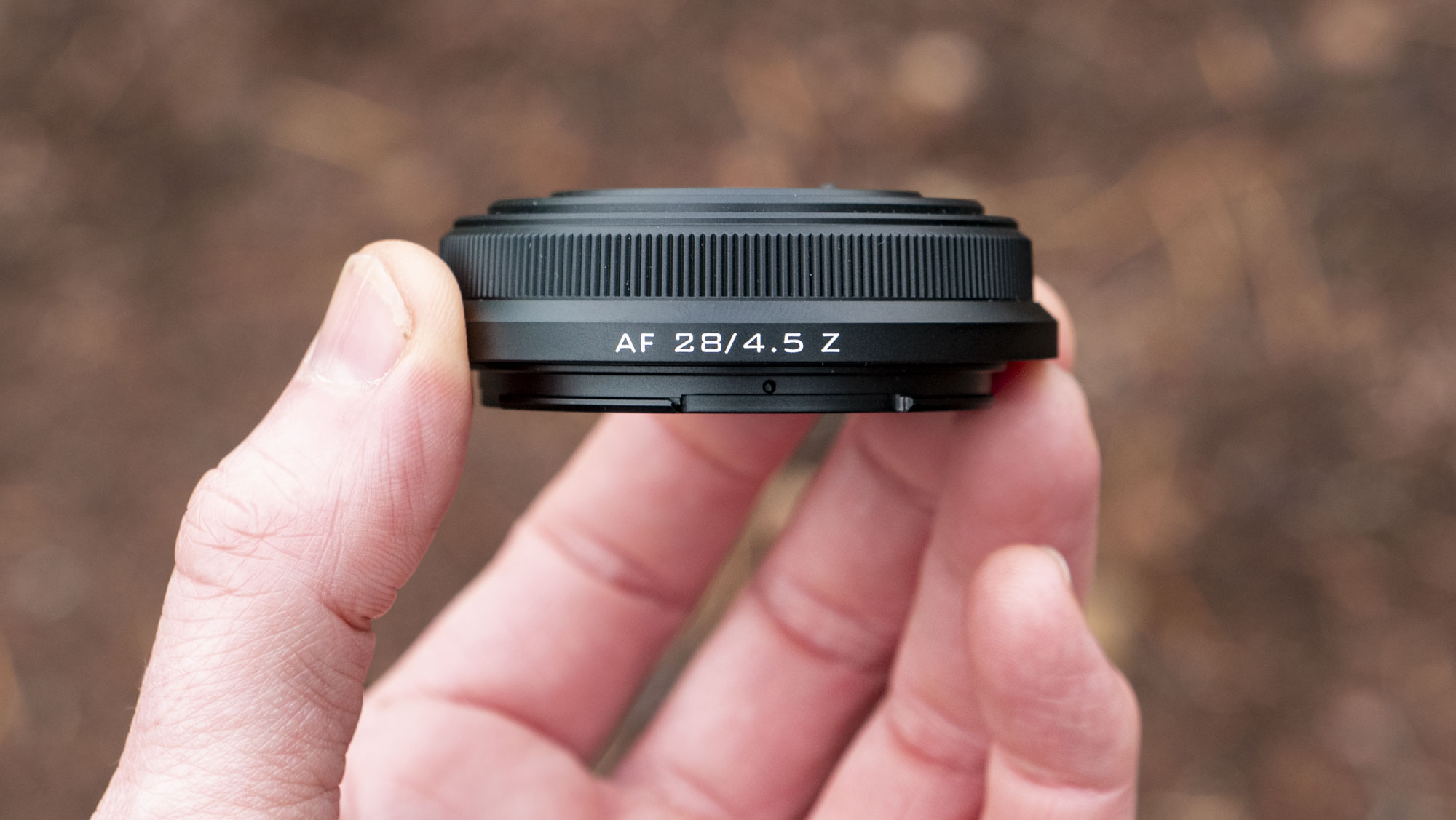
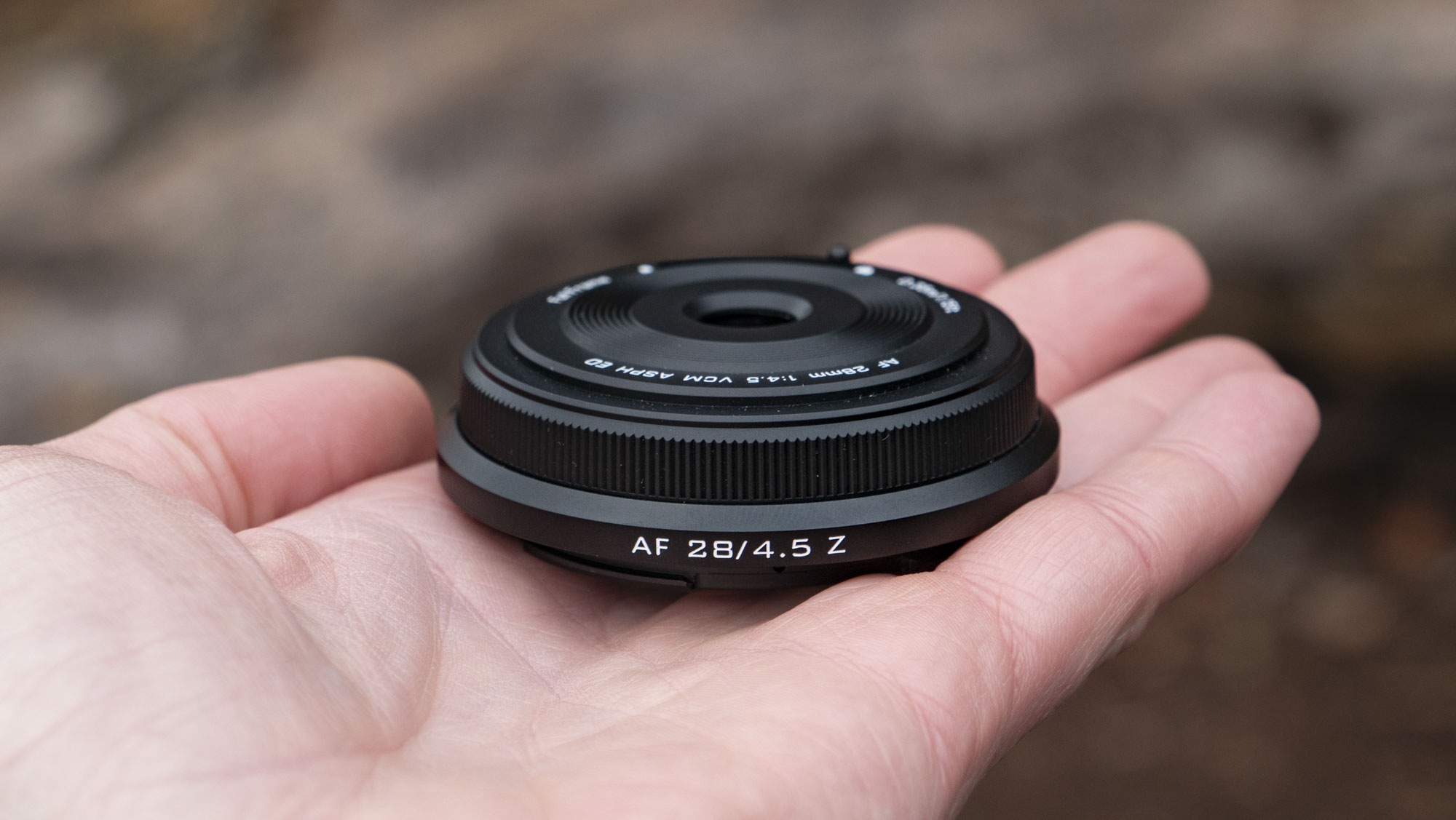
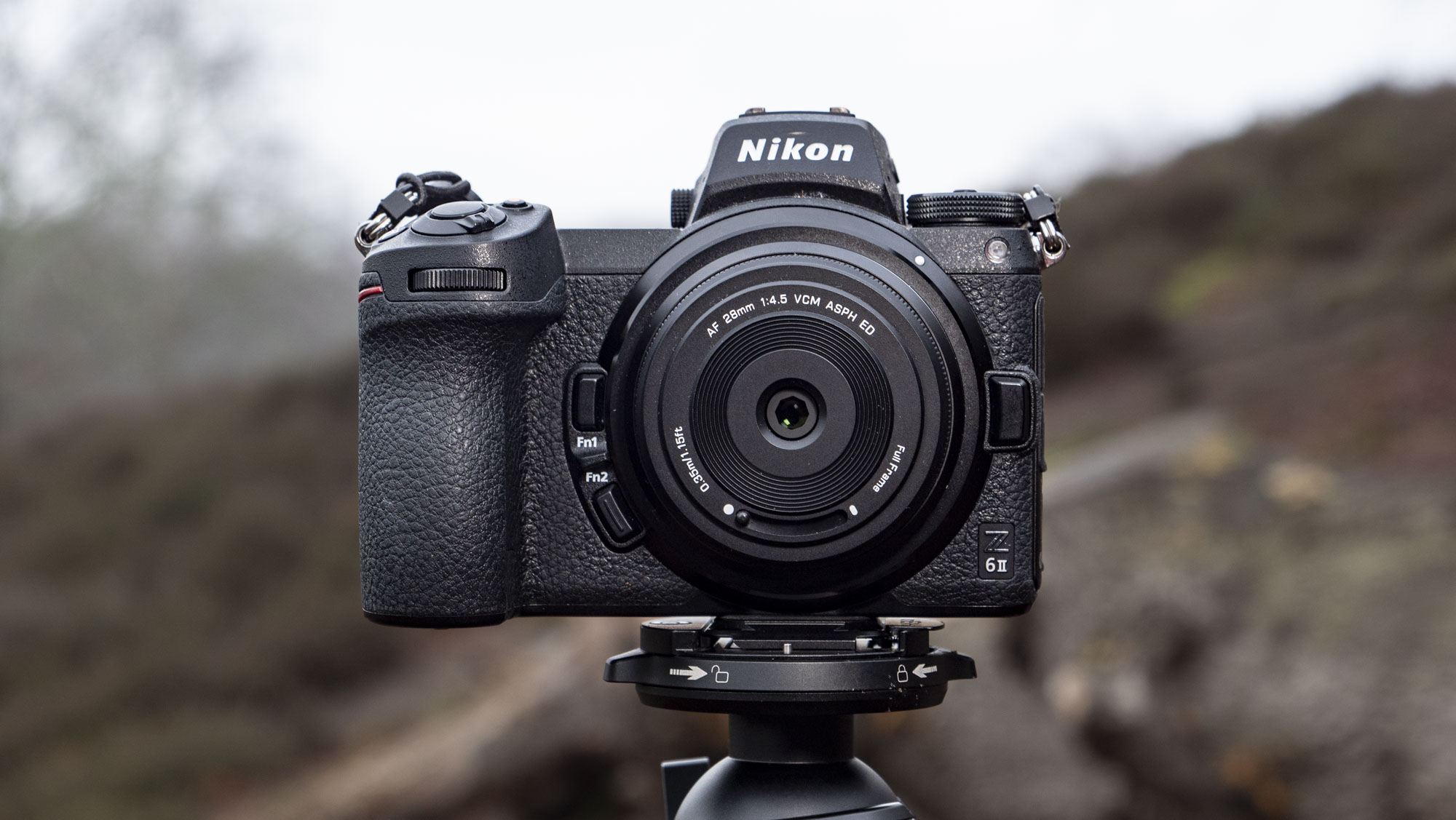
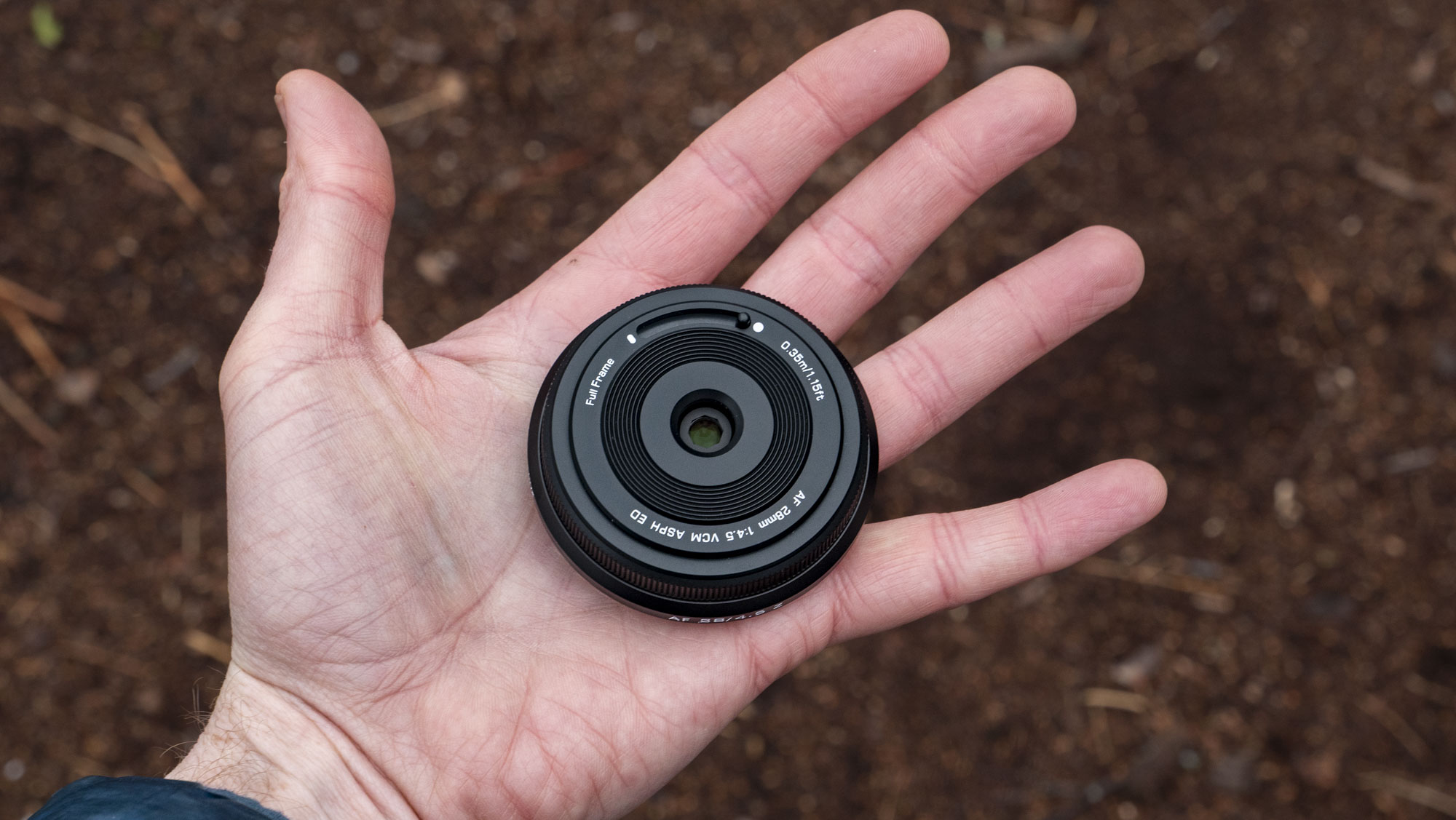
I mean, the pictures don't do justice as to how impossibly small the Viltrox AF 28mm f4.5 lens is. It's a true body cap lens – meaning that you can have it on your Sony, Nikon or Fujifilm mirrorless camera at all times with no real footprint, ready to go for quick wide-angle snaps.
On several occasions throughout my couple of months with what is the tiniest lens I've ever tested, I thought I had lost it, quite literally mistaking it for a body cap in my gear bag (I was testing multiple lenses at the time).
Yet despite the Viltrox AF 28mm f4.5's minuscule proportions – it measures just 15.3mm in length and is a featherweight 60g – it features autofocus and has a respectable f/4.5 fixed aperture. That's way faster than other body cap / pancake-style lenses I've tried, such as the Panasonic 26mm f/8.
Oh, and did I mention that center detail is surprisingly sharp? That'll be the 6 lens elements in 6 groups crammed inside, two of which are ED and another two being aspherical optics.
Quality falls off somewhat at the corners and lens flare is notable. So if you're looking for technical perfection and supreme versatility, then the fixed focal length, fixed aperture Viltrox AF 28mm f/4.5 is not for you. What it is, though, is a memorable lens that I'm confident you will grow fond of, and by heck is it cheap.
Viltrox AF 28mm f/4.5: price and availability
- Available in Sony E, Nikon Z and Fujifilm X-mounts
- It costs $99 / £90 / AU$169, but Viltrox regular discounts its lenses by 15%
- There's currently no indication of Canon RF or L-mount versions
The Viltrox AF 28mm f/4.5 first hit the scene for Sony E-mount in September 2024, and has since been launched in Nikon Z and Fujifilm X-mount versions. I wouldn't expect a Canon version since the camera giant sued Viltrox and those bridges feel burned (Nikon is next). Viltrox has joined the L-mount alliance, however, so there could be an L-mount version for Panasonic, Leica, and Sigma cameras – this could be a great pairing with the Lumix S9, for example.
The list price at the Viltrox store and trusted retailers is $99 / £90 / AU$169 (see links to the best prices, below). The 28mm f/4.5 is great value at full price, although I regularly see Viltrox doing site-wide discounts of its lenses, typically around 15% off. I've seen the lens for even less at cheap Chinese import online stores.
I usually include an Also Consider section in my reviews, but being available in three mounts there are too many alternatives to sensibly feature individually. For Nikon cameras, the Z 26mm f/2.8 is one possible, but it's 5x the price, while the 24mm f/1.7 DX (for APS-C) is around 2.5x the price – both are bigger than the Viltrox lens.
Fujifilm has its own XF 27mm f/2.8 R WR, which again costs much more than the Viltrox, plus the wider XF 23mm f/2.8 which was announced alongside the X-E5.
Sony makes a wider-angle 20mm f/2.8, while other third parties include TT Artisans with its AF 27mm f/2.8, which is much like Fujifilm's aforementioned 27mm lens for a much lower price.
For more options, check out my best Sony lenses and best Nikon lenses guides. Let me know in the comments below if a best Fujifilm lenses guide would interest you.
Viltrox AF 28mm f/4.5: specs
|
Type: |
Wide-angle prime |
|
Mount: |
Sony E, Nikon Z, Fujifilm X |
|
Sensor: |
Full-frame |
|
Focal length: |
28mm (or 42mm effective on Sony, Nikon and Fujifilm APS-C cameras) |
|
Max aperture: |
f/4.5 |
|
Minimum focus: |
0.32m, 0.11x magnification |
|
Filter size: |
N/A |
|
Dimensions: |
60.3 x 15.3mm |
|
Weight: |
From 2.1oz / 60g |
Viltrox AF 28mm f/4.5: design
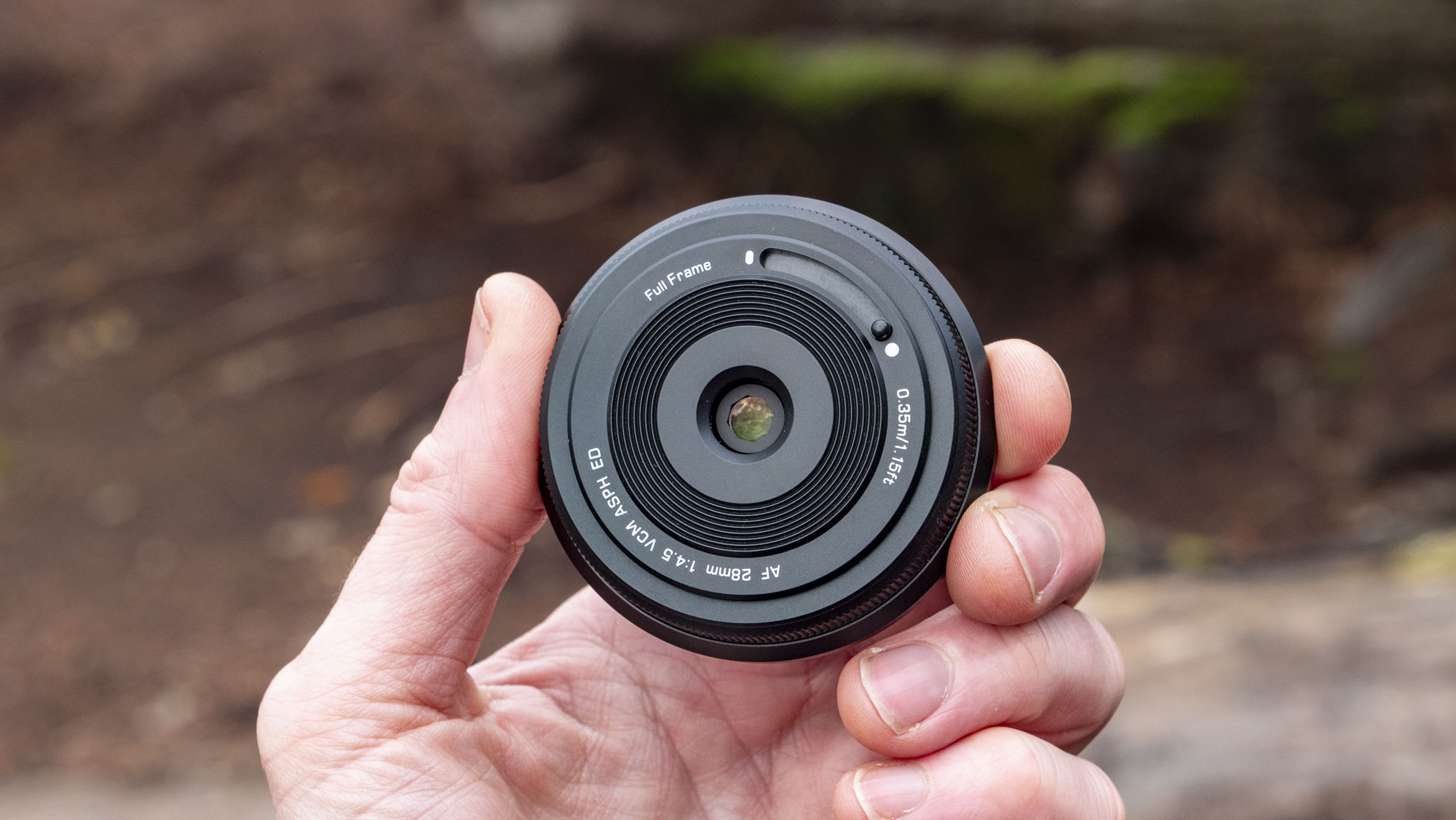
This is a playful lens, with plenty of quirks that won me over - one being the slide lens cap, which protects the otherwise non weather-sealed lens from damage. It's just as well the lens cap is built-in, really, because a removable lens cap would be the tiniest of them all, no bigger than a dime. I would give myself less than a week before losing such a thing.
And there's nowhere to click a lens cap on in any case – there's no thread for lens filters, which is normally where a clip-on lens cap sits. Nope, it's the neat slide lens cap only, which I heart.
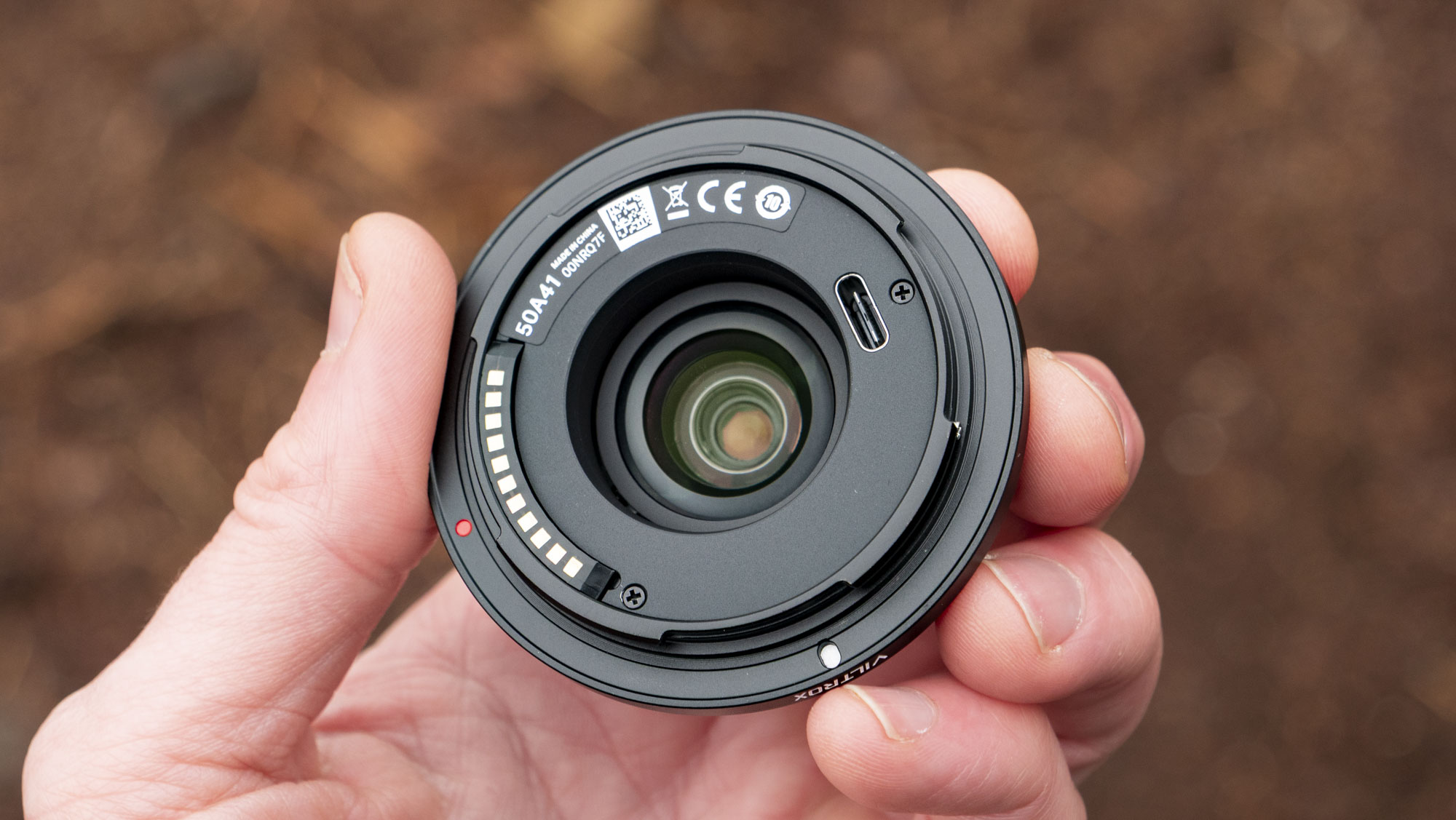
I was honestly surprised that Viltrox was able to fit such a small, but more so, low-cost lens with autofocus. Sat alongside those electronic contacts (which provide full communication between camera and lens for autofocus, plus metadata) is a USB-C port, which makes future firmware updates possible.
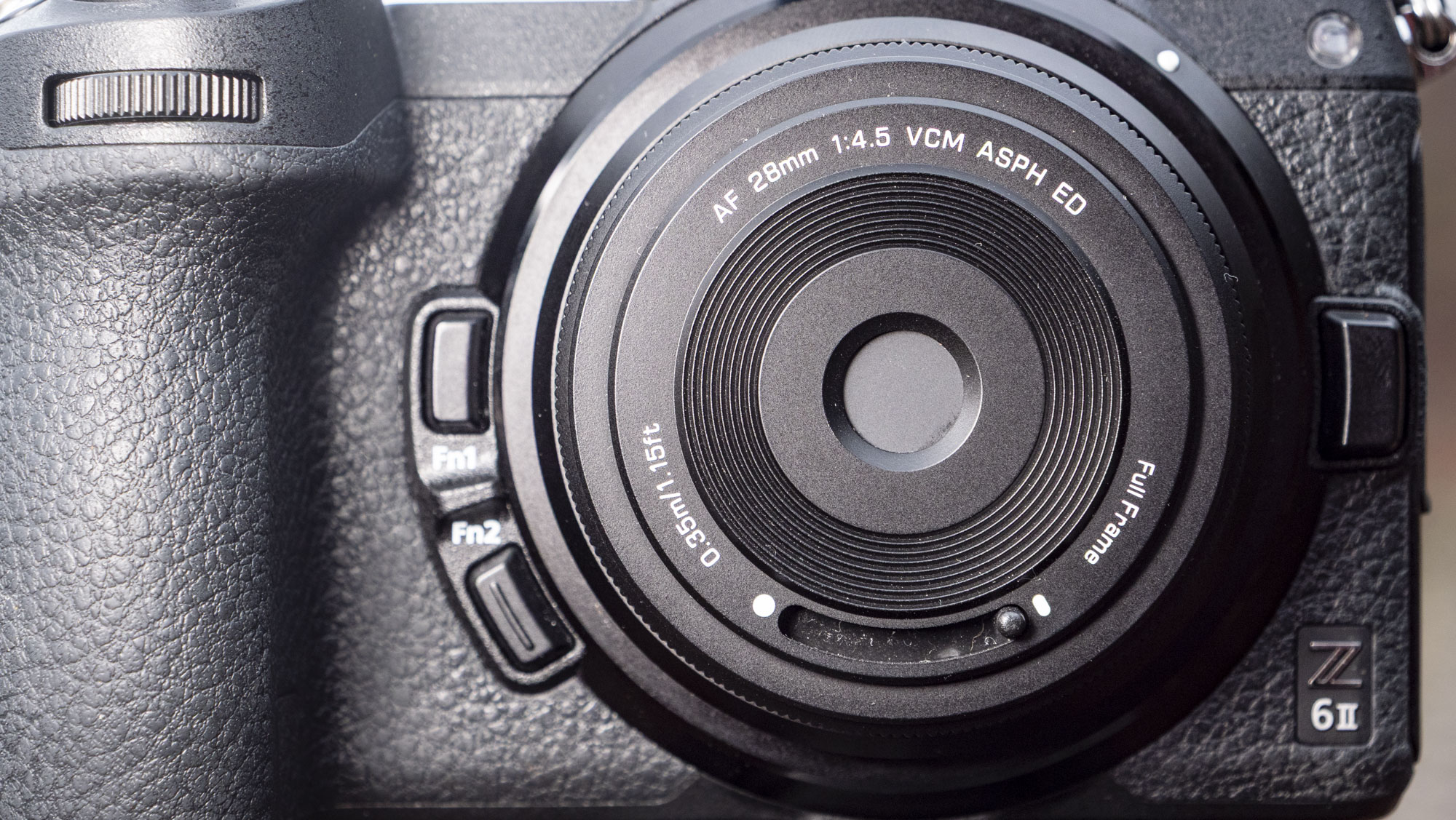
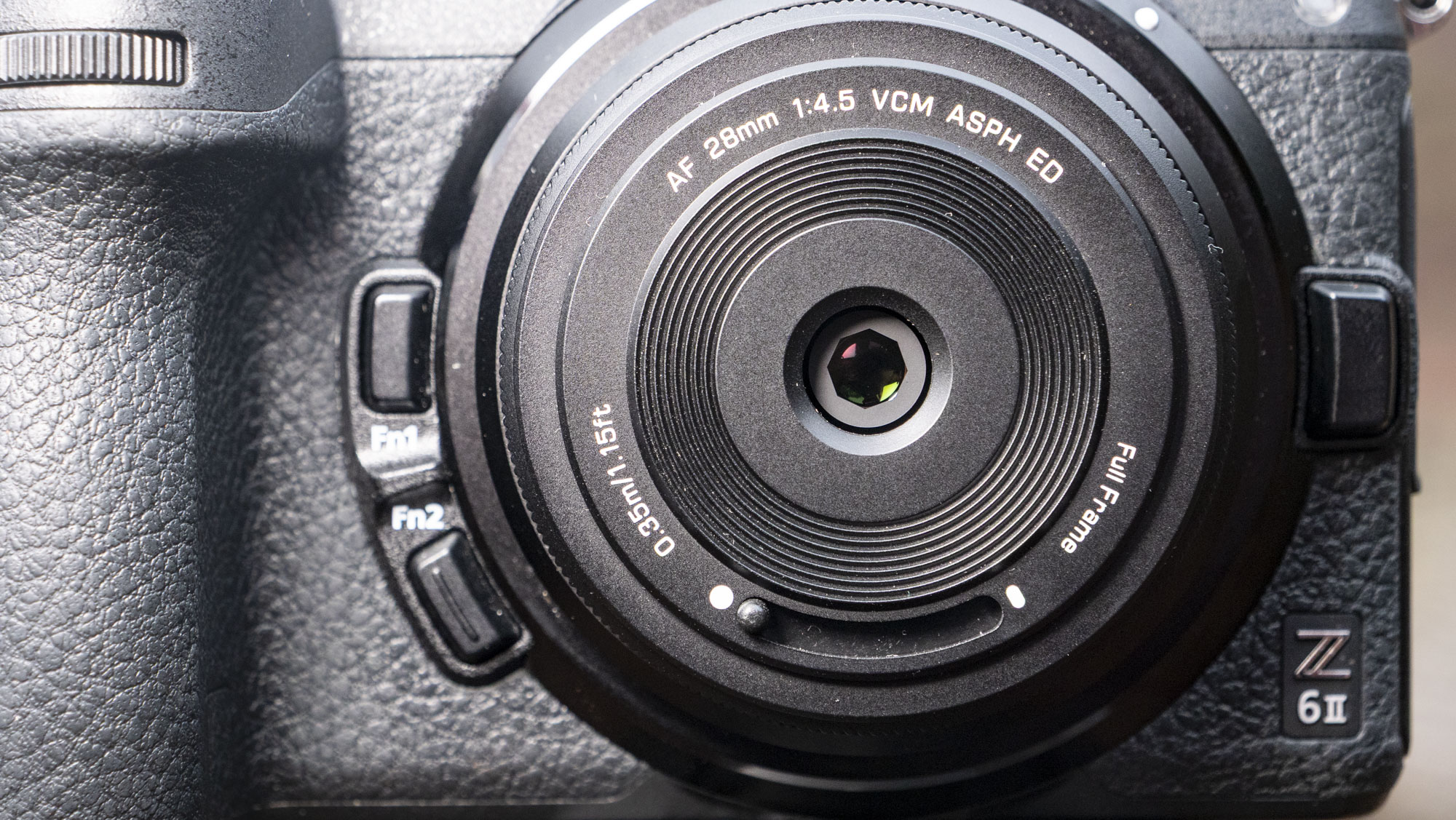
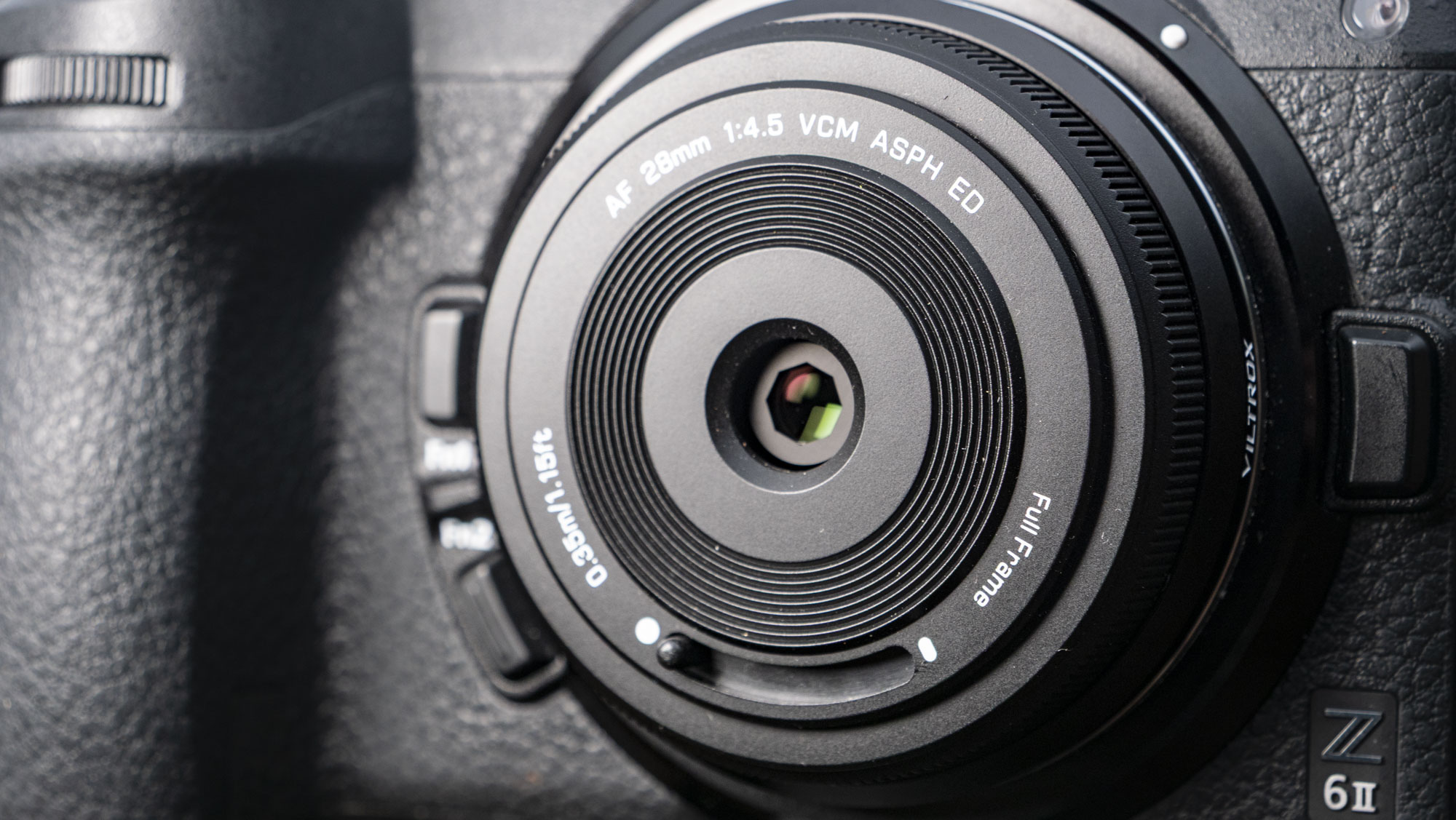
On the note of focusing, there's another surprise on the flip side – there's no manual focus option whatsoever. No, this is an autofocus lens only – so you're reliant on your camera's autofocus skills.
Thankfully, I found autofocus performance with my mid-range Nikon full-frame camera to be snappy with the lens – but that's hardly a surprise given how lightweight the 6 tiny lens elements are.
I suppose adding a focus ring for manual focus would increase the bulk of the lens and water down its charm, but it was the feature I missed the most as autofocus can miss the mark occasionally. It's helpful to take control at such times.
Minimum focus is 1.05ft/0.32m, which makes for a 0.11x maximum magnification. In short, the lens's close focusing skills are fairly limiting for such a wide-angle lens. The ability to focus closer is a close second on my wishlist for this lens.
I don't mind the fixed f/4.5 aperture, though – that's right, you can't stop down to increase depth of field. For me, f/4.5 is a decent all-purpose aperture with a full-frame camera – it's shallow enough to blur backgrounds (when your subject / focus distance is close), and deep enough for sharp detail when your focus distance is further. What it's less ideal for, however, is low-light photography.
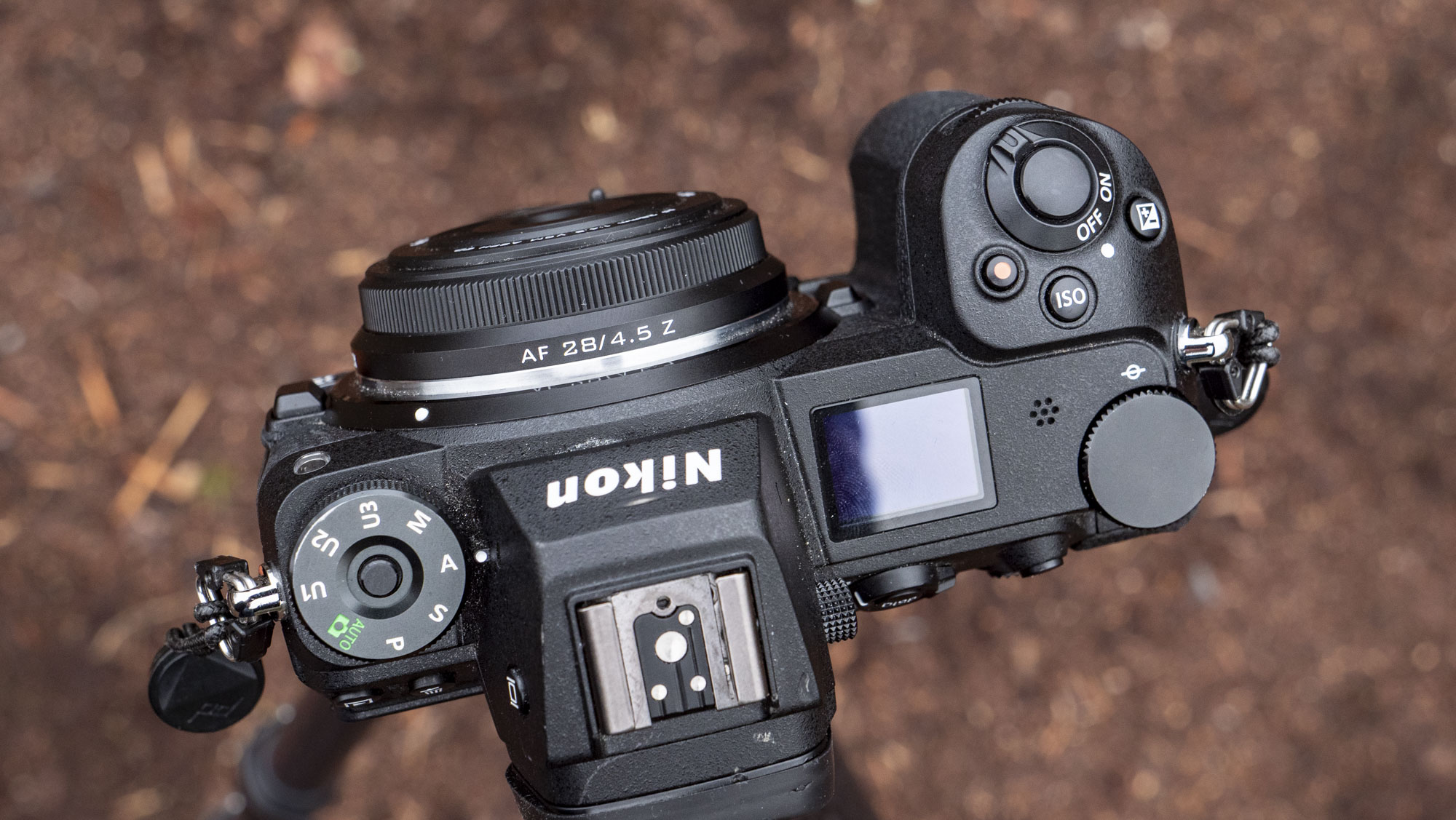
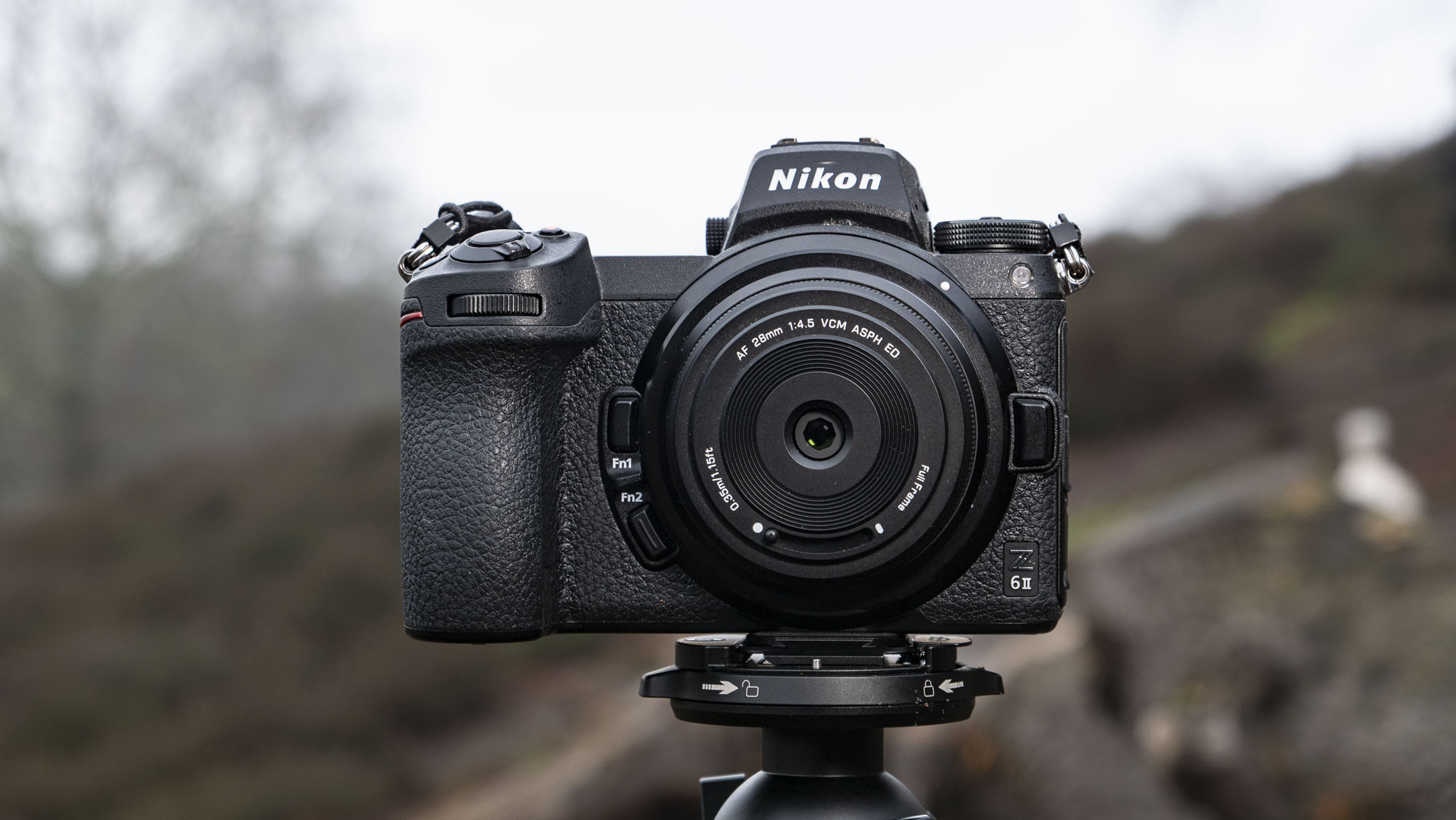
As you can see in the product photo above, the Viltrox AF 28mm f/4.5 lens tucks in neatly on a full-frame camera. In fact, the grip on the Z6 II camera I was using for this test is deeper than the lens.
For me, Viltrox's body cap-style lens makes more sense being paired with a smaller camera than the mid-range model, above, and even more sense with an APS-C model rather than full-frame. I'll explain why in a moment.
It's currently made for Sony E, Nikon Z, and Fujifilm X-mount versions, so the kinds of slimline cameras that would suit the lens include the Sony ZV-E10 II / A6700, Fujifilm X-E series / X-M5 and the Nikon Z30 / Zf series. Lumix users will surely hope that an L-mount version is forthcoming, especially since Viltrox joined the L-mount alliance last year.
Viltrox AF 28mm f/4.5: Performance

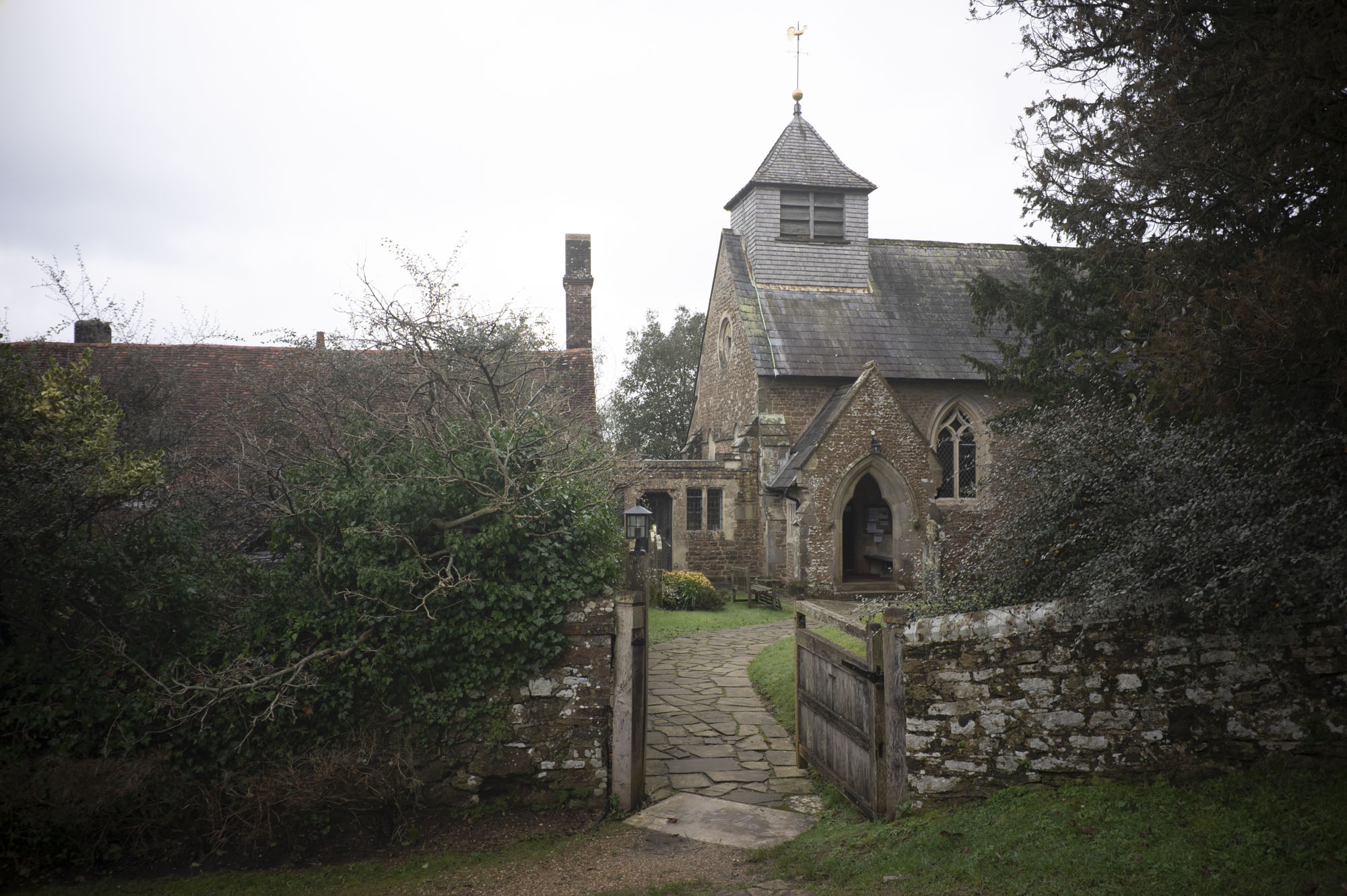


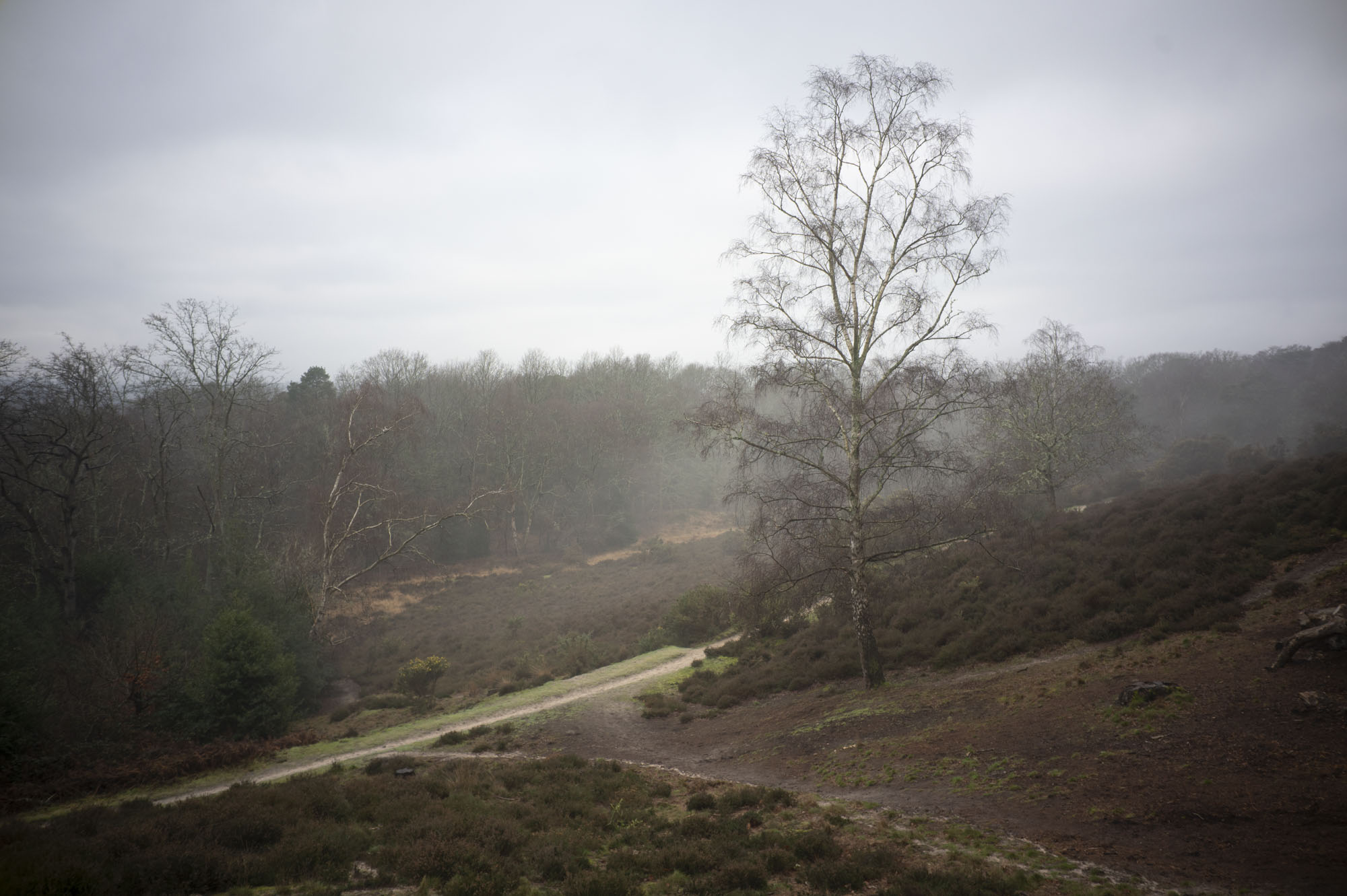
As for image quality, I have been pleasantly surprised. Detail is nice and sharp in the center. You'll find plenty other even sharper premium primes, but with a little additional sharpness applied in Adobe Camera Raw, I'm not complaining here at all. On the contrary, I'm impressed.
Sharpness falls off at the corners somewhat, and there's heavy vignetting in the corners, which again benefit from corrections in post. That said, those two notable lens distortions direct the gaze in the center of images and can add character, and as such I've avoided heavy-handed lens corrections and leaned into that style with my sample pictures.
It's these corner lens distortions that also make a strong case for using the Viltrox AF 28mm f/4.5 lens with an APS-C camera, as most of its image quality foibles (technically-speaking) fall outside the 42mm effective frame.
I've not used the lens with an APS-C camera, but if that were all I had done, I'd be even more impressed by the optical quality as those heavier distortions would be outside the frame. And, that tighter perspective with APS-C makes it a compelling everyday lens – you'd never need to take it off the camera.



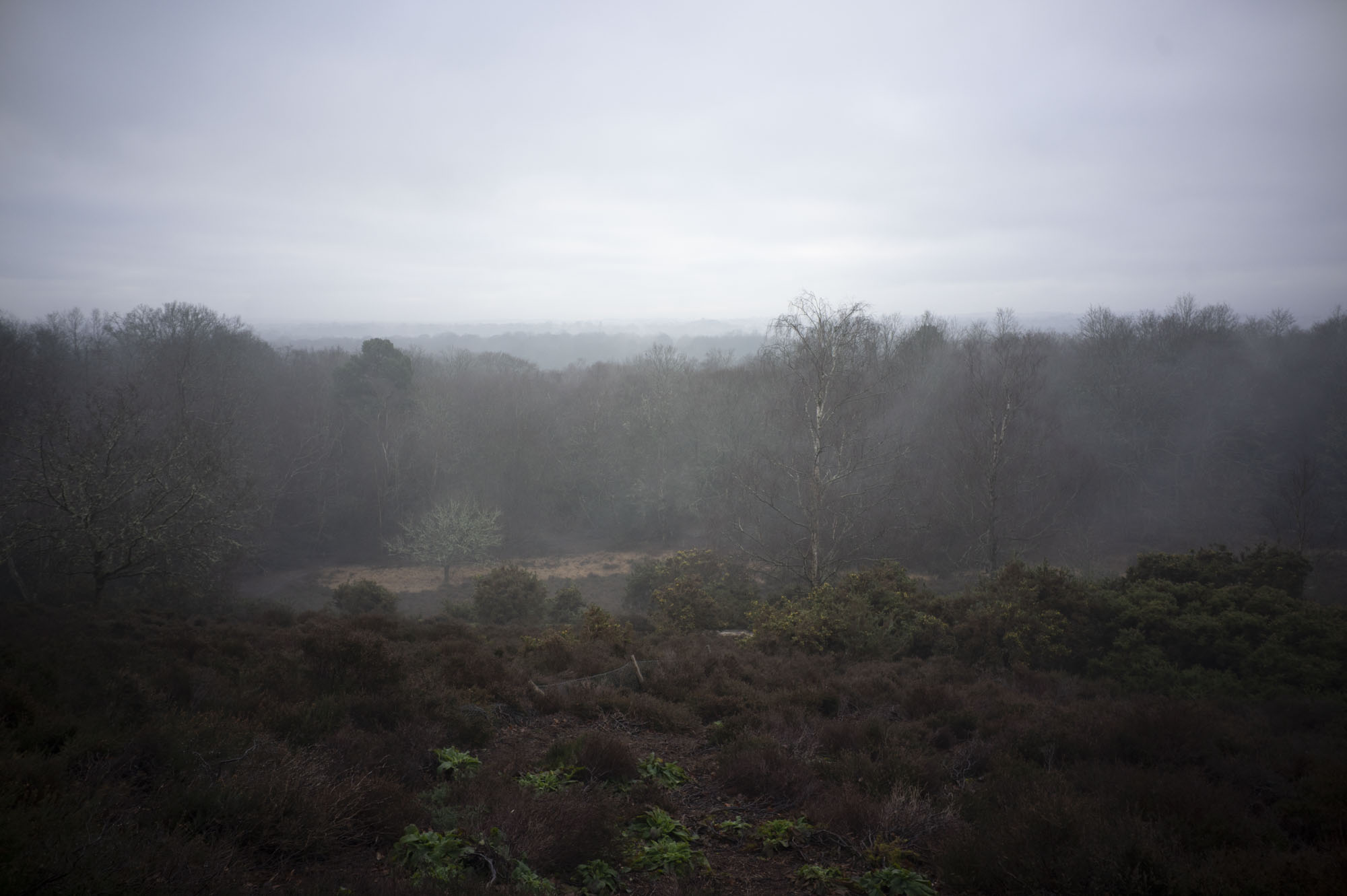


The same sentiment for corner quality can be said for lens flare. Viltrox itself bills the starburst effect as a draw to this lens – it's a pronounced and a little over the top at times, but again, I'm filing this under characterful rather than ugly.
I've been able to get a couple of light leak affects to when shooting towards the sun, too. These are the kind of effects that could do well in 2026 and beyond, where authentic and lo-fi images are trending over technically perfect ones.
The 'flaws' I've drawn out in this review are worth noting, but take them within context; this is a tiny, sub $100 lens. Design drawbacks and optical quirks only add to the charm of a lens that I'm very fond of.
Should I buy the Viltrox AF 28mm f/4.5?
Buy it if...
You want a tiny lens that lives on your camera
Never has the term 'body cap lens' felt so more apt.
You're bored of 'perfect' lenses
It's design is quirky and its images even more so, but not in a gimmicky way – center sharpness is complimented by corner and lens flare distortion.
Don't buy it if...
You're a low light photographer
The fixed f/4.5 aperture is a little limiting in low light.
You're short of lenses
I'd class the Viltrox AF 28mm f/4.5 as a fun backup for pricier, bulkier optics that are more able to deliver in more situations.
How I tested the Viltrox AF 28mm f/4.5
- Viltrox sent me the Z-mount version of the lens
- I paired it with a full-frame Nikon Z6 II
- I've tested the lens over a couple of months, in a wide range of scenarios
I had plenty of time to use the Viltrox AF 28mm f/4.5 lens – at least two months. I paired it with a full-frame Nikon camera, but haven't used it with an APS-C model.
Being a fixed focal length, fixed aperture lens, my testing didn't get bogged down in aperture comparisons and distortion at various focal lengths – I was freed up to use this lens in a very real way.
I've shot everything from portraits to landscapes and everyday observations. I've used the lens in good light and bad, and shot towards and around the sun / strong light sources to check for lens flare characteristics.
First reviewed February 2026